Leadsforge vs Limeleads: AI List Building vs Classic B2B Database
Leadsforge builds lead lists from a plain-English prompt. Limeleads gives you a filter-first B2B database at a low cost per lead. Here is which one fits your outbound motion, and where each one falls short.
TL;DR
- Leadsforge is an AI list builder. You describe your ideal customer in plain English and it returns a lead list. It works best for teams already sending through Salesforge, or teams that don't want to learn filter logic.
- Limeleads is a classic filter-based B2B contact database. It's built for cheap, predictable CSV exports, and it suits budget-conscious founders and agencies that already know exactly who they're targeting.
- Neither tool removes the need for a verification pass before you send. Bounce rates, not list size, decide whether your domain survives the quarter.
- Our pick: Leadsforge for speed and lookalike discovery. Limeleads for cost control and repeatable filter searches. If you need to find emails for specific people or domains, a dedicated email finder is the better tool.
What are Leadsforge and Limeleads?#
Both tools promise the same result, a list of B2B contacts you can email. They get there in very different ways.
Leadsforge (leadsforge.ai) comes from the team behind Salesforge, the cold-email sequencing platform. It's AI-first. You don't pick industries, headcounts and job titles from dropdowns. You type something like "Heads of RevOps at US B2B SaaS companies with 50–500 employees that recently raised a Series A," and the AI turns that into a search. It also supports lookalike searches: give it a company you already sell to and it finds similar accounts. Lists can go straight into Salesforge sequences or out as CSV.
Limeleads (limeleads.com) is a more traditional B2B contact database. You get a search interface with filters for industry, location, company size, job title and seniority. You build a segment, preview the counts, and export. Its main selling point is simplicity and a low cost per lead. It verifies emails at export time, so you're less likely to pay for dead addresses.
In short, Leadsforge sells intelligence in the search step, and Limeleads sells efficiency in the export step.
How do Leadsforge and Limeleads compare feature by feature?#
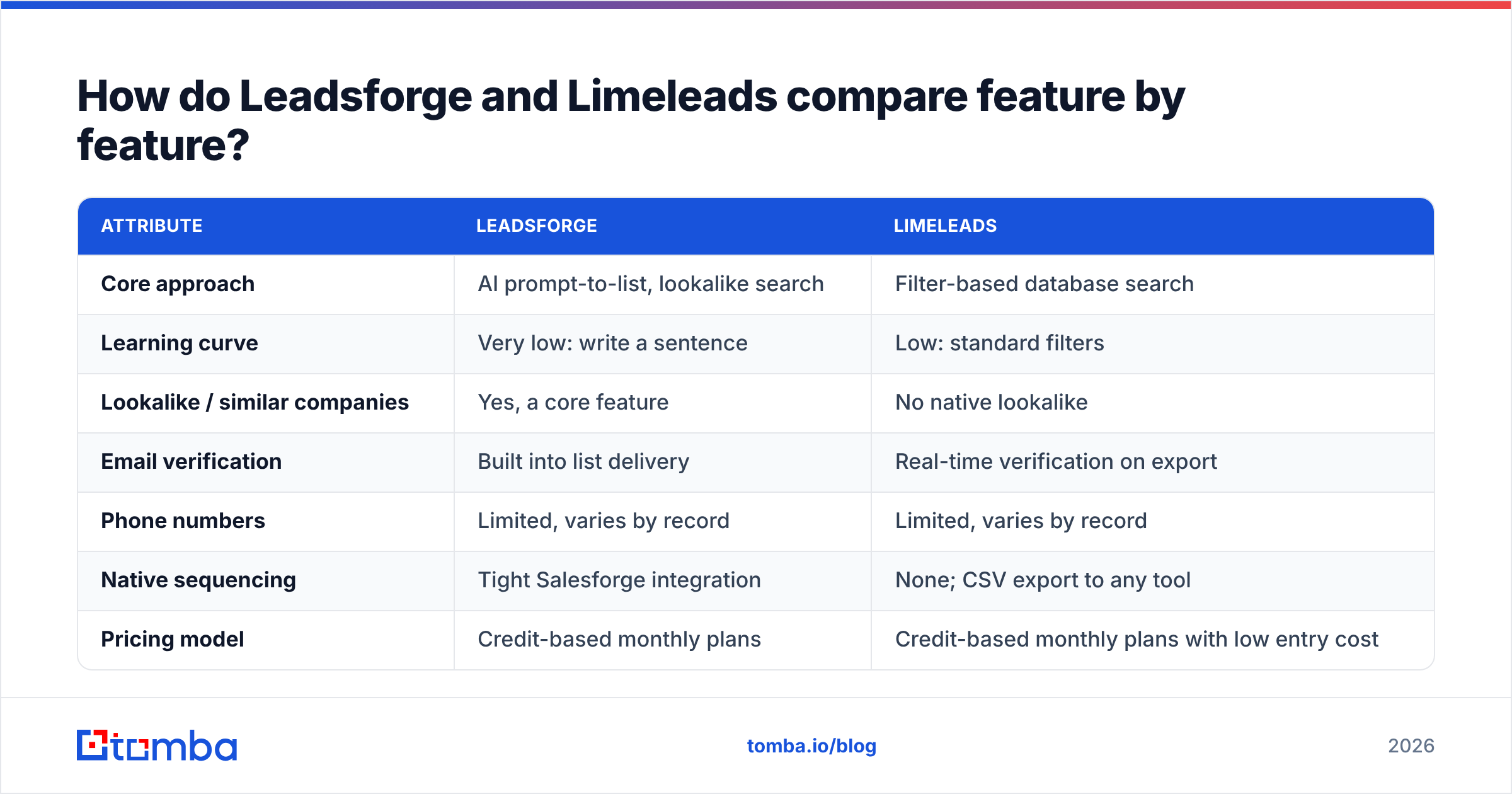
Here's the side-by-side. Pricing in this category changes often, so treat the pricing rows as directional and check each vendor's pricing page before you buy.
| Attribute | Leadsforge | Limeleads |
|---|---|---|
| Core approach | AI prompt-to-list, lookalike search | Filter-based database search |
| Learning curve | Very low: write a sentence | Low: standard filters |
| Lookalike / similar companies | Yes, a core feature | No native lookalike |
| Email verification | Built into list delivery | Real-time verification on export |
| Phone numbers | Limited, varies by record | Limited, varies by record |
| Native sequencing | Tight Salesforge integration | None; CSV export to any tool |
| Pricing model | Credit-based monthly plans | Credit-based monthly plans with low entry cost |
| Free option | Trial credits for testing | Free tier / trial credits for testing |
| Best for | Fast ICP exploration, Salesforge users | Repeatable segments on a tight budget |
| Main weakness | AI interpretation can drift from your intent | Filters only go as deep as the schema |
The table shows the trade-off. Leadsforge spends effort on figuring out who you mean. Limeleads assumes you already know and focuses on handing you the rows cheaply.
Is Leadsforge's AI search actually better than filters?#
It depends on how well you understand your ICP.
The AI prompt has a real advantage when your ideal customer is hard to express as filters. "Companies that sell compliance software to hospitals" doesn't map cleanly onto an industry dropdown, because the NAICS code for "software" is too broad and "healthcare" is the wrong side of the transaction. A language model can read that intent and turn it into keyword, description and technographic signals that a filter UI can't express.
Lookalike search is the other clear win. If your best 10 customers share traits you haven't spelled out, such as a funding stage, a tech stack or a hiring pattern, "find me more like these" often finds accounts that manual filters would miss.

There's a catch. The AI's interpretation is also a black box. When a filter search returns junk, you can see which filter caused it. When an AI search returns junk, you have to rewrite the prompt and hope. Teams we've seen get the most out of Leadsforge treat the first list as a draft. They sample 20–30 rows, check that the titles and companies match the intent, then refine the prompt before exporting at scale.
Limeleads' filter approach is less exciting but fully predictable. Run the same filters next month and you get the same kind of segment, which matters if you run recurring campaigns, split-test segments, or hand list building to a VA.
Which has better data quality: Leadsforge or Limeleads?#
Neither vendor publishes an independent, audited accuracy benchmark, so be skeptical of any blog that states a precise accuracy percentage for either one. What you can compare is how each tool handles quality:
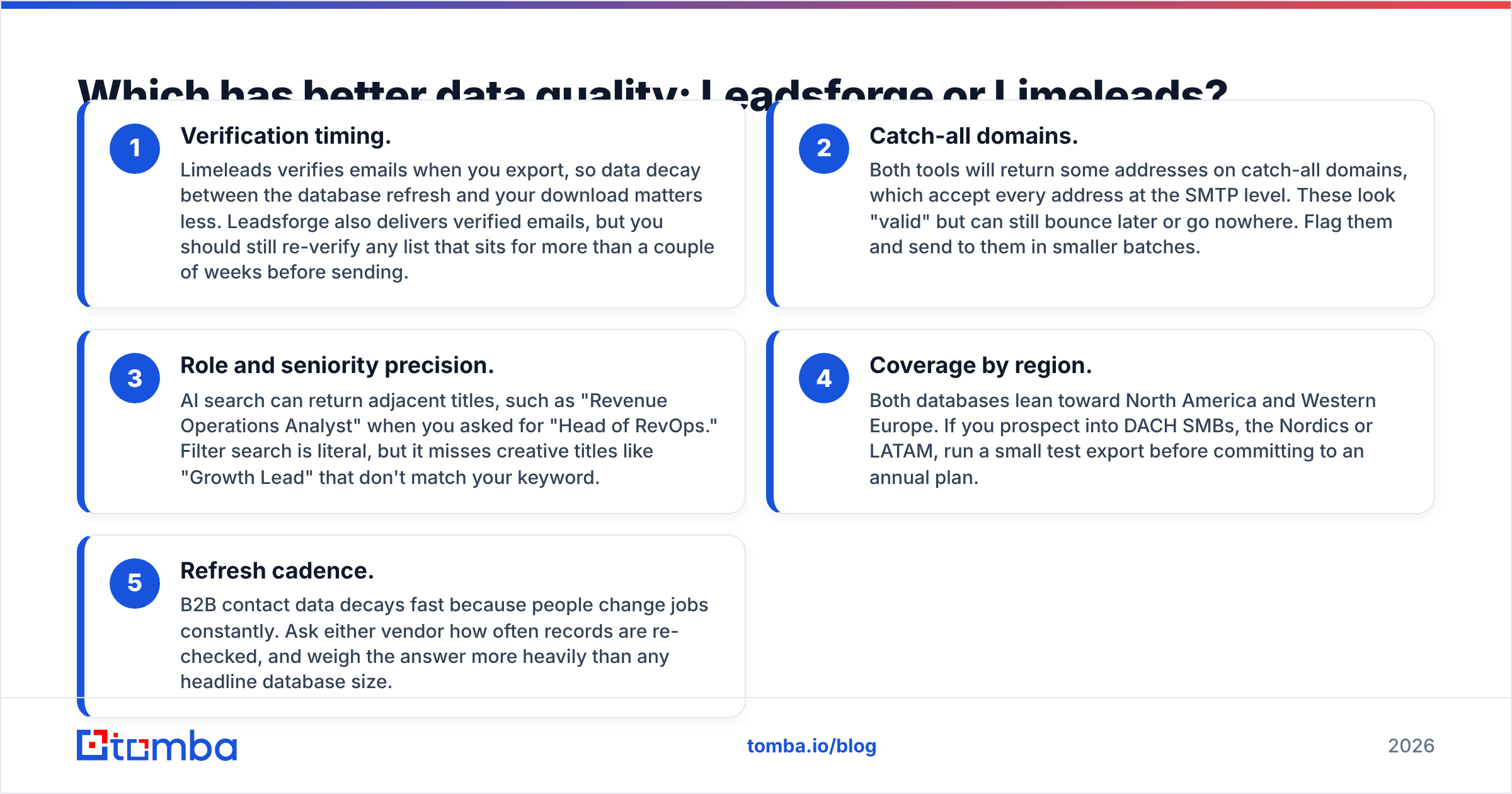
- Verification timing. Limeleads verifies emails when you export, so data decay between the database refresh and your download matters less. Leadsforge also delivers verified emails, but you should still re-verify any list that sits for more than a couple of weeks before sending.
- Catch-all domains. Both tools will return some addresses on catch-all domains, which accept every address at the SMTP level. These look "valid" but can still bounce later or go nowhere. Flag them and send to them in smaller batches.
- Role and seniority precision. AI search can return adjacent titles, such as "Revenue Operations Analyst" when you asked for "Head of RevOps." Filter search is literal, but it misses creative titles like "Growth Lead" that don't match your keyword.
- Coverage by region. Both databases lean toward North America and Western Europe. If you prospect into DACH SMBs, the Nordics or LATAM, run a small test export before committing to an annual plan.
- Refresh cadence. B2B contact data decays fast because people change jobs constantly. Ask either vendor how often records are re-checked, and weigh the answer more heavily than any headline database size.
Whichever you choose, the safe workflow is the same: export, run the list through an independent email verifier, remove invalids and risky catch-alls, then load it into your sequencer. That extra step costs a fraction of a cent per contact. Burning a sending domain costs weeks.
How does pricing compare between Leadsforge and Limeleads?#
Both tools use monthly credit plans. In most cases one credit equals one contact exported with an email. The practical differences:
- Limeleads has historically positioned itself at the low end of the market, with a low entry price and cheap per-lead costs at volume. If your main metric is "verified emails per dollar," it's hard to beat for simple segments.
- Leadsforge charges for the AI layer. You pay a bit more per lead in exchange for less time building lists and for lookalike discovery. The pricing makes the most sense if you're already paying for Salesforge, because the handoff to sequencing is seamless.
Hidden costs are what actually move the total:
- Re-exports. If an AI search misses and you export a bad list, those credits are gone. Always preview first.
- Unused credits. Check whether credits roll over. On many plans in this category they don't.
- Verification top-ups. If you re-verify before sending, which you should, add that cost per contact.
- Seats. Agencies with several SDRs should check per-seat versus shared-credit terms.
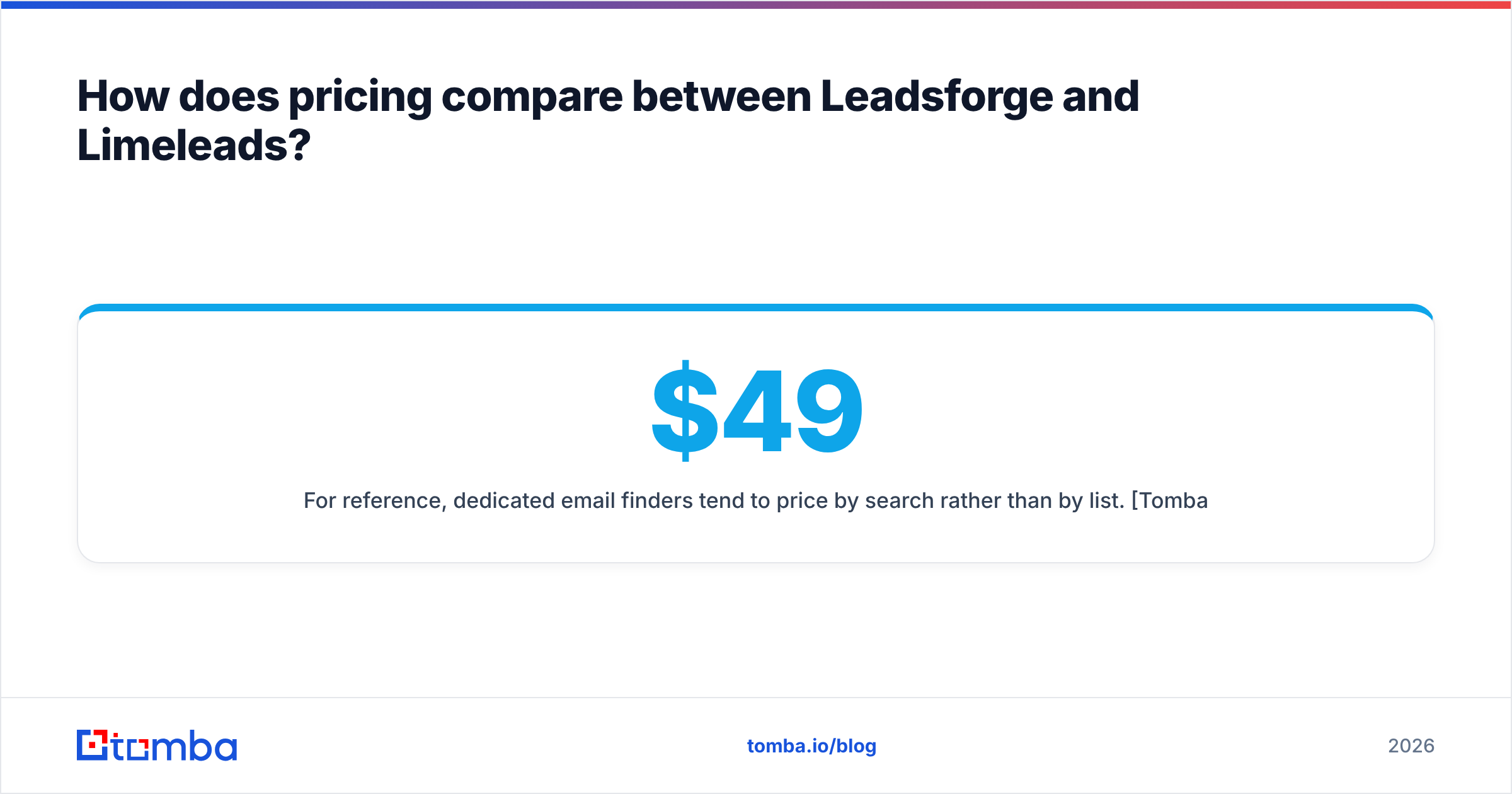
For reference, dedicated email finders tend to price by search rather than by list. Tomba pricing, for example, runs from a free tier (25 searches/month) through Starter at $49/mo, Growth at $99/mo and Pro at $249/mo. That's useful if you already know which accounts you want and just need the right person's email.
User reviews on G2 are worth reading for both tools. Look specifically for comments on bounce rates and support response time, not star averages.
Which workflow fits your team?#
The better tool is the one that matches how your team already works. Here's how the two map onto common outbound setups:
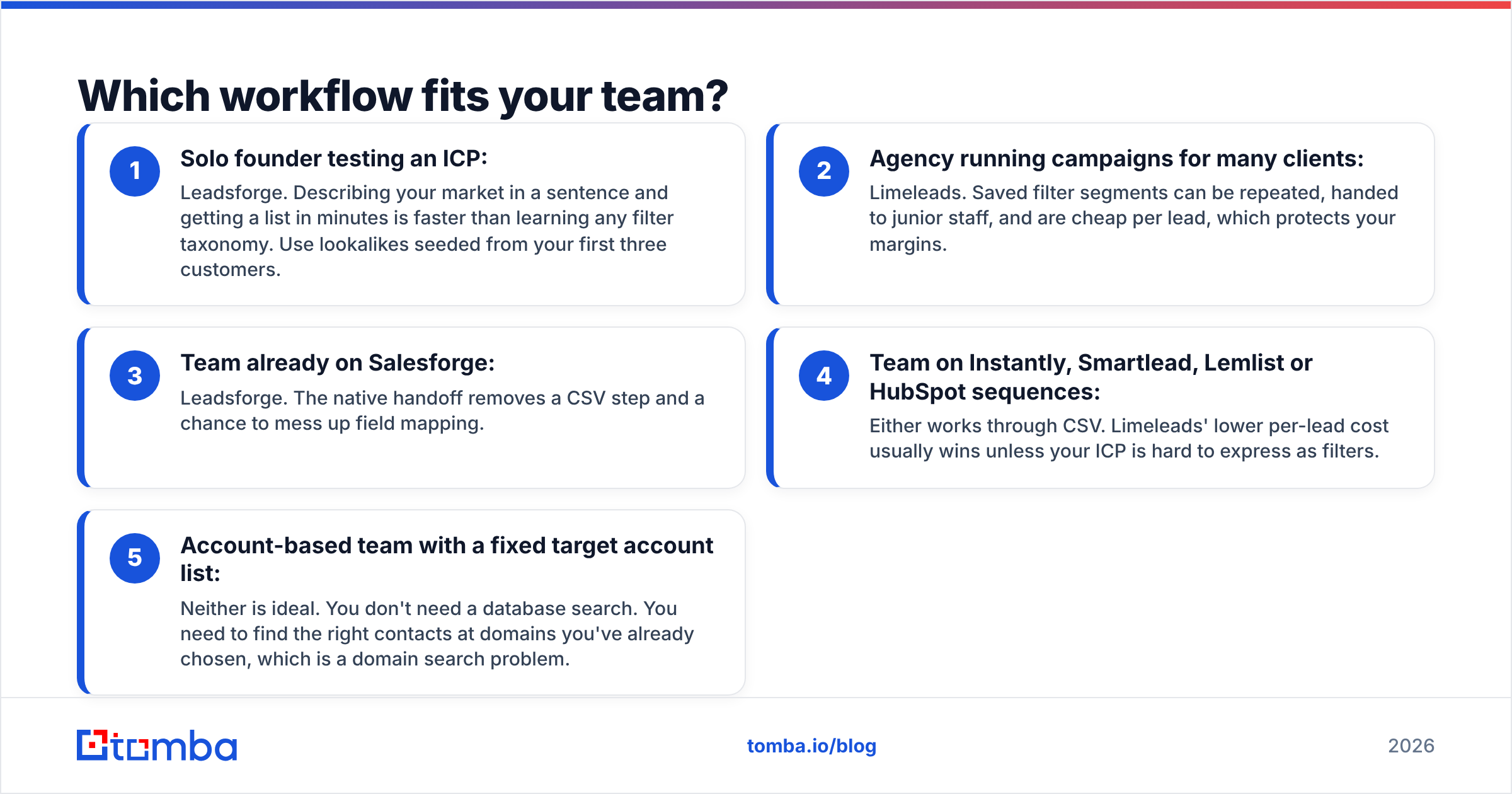
- Solo founder testing an ICP: Leadsforge. Describing your market in a sentence and getting a list in minutes is faster than learning any filter taxonomy. Use lookalikes seeded from your first three customers.
- Agency running campaigns for many clients: Limeleads. Saved filter segments can be repeated, handed to junior staff, and are cheap per lead, which protects your margins.
- Team already on Salesforge: Leadsforge. The native handoff removes a CSV step and a chance to mess up field mapping.
- Team on Instantly, Smartlead, Lemlist or HubSpot sequences: Either works through CSV. Limeleads' lower per-lead cost usually wins unless your ICP is hard to express as filters.
- Account-based team with a fixed target account list: Neither is ideal. You don't need a database search. You need to find the right contacts at domains you've already chosen, which is a domain search problem.

What are the pros and cons of each tool?#
Leadsforge pros
- Natural-language search removes the filter learning curve
- Lookalike discovery surfaces accounts you wouldn't have found manually
- Tight integration with Salesforge for one-motion outbound
- Good for exploring new verticals quickly
Leadsforge cons
- AI interpretation can drift, so results need sampling before export
- Higher effective cost per lead than budget databases
- Less value if you don't use Salesforge
- Harder to reproduce the exact same segment month to month
Limeleads pros
- Simple, predictable filter search
- Low cost per verified contact
- Real-time verification on export reduces paying for dead emails
- Easy to delegate and repeat
Limeleads cons
- No AI or lookalike discovery
- Filter schema limits how precisely you can describe niche ICPs
- No native sequencing, so it's export-only
- Coverage outside core regions can be thin
Is there a better option than both?#
Sometimes the honest answer is that you're comparing the wrong category of tool.
Leadsforge and Limeleads are both list builders. They answer "who should I contact?" Many outbound teams already know the answer: a target account list from sales leadership, a conference attendee list, a set of LinkedIn profiles an SDR saved, or inbound companies from website traffic. For those teams, a database search adds cost and noise. What they need is a reliable way to find email addresses for specific people and domains, plus verification before sending.
That's where a dedicated email finder fits. Many teams use both kinds of tool: a list builder to discover accounts, and an email finder to fill gaps and double-check records the database returned without an email or flagged as risky. If you're evaluating the wider market, it also helps to know how list builders compare with all-in-one platforms. See our breakdown of the best Apollo alternative options for that angle.
For more background on how B2B data vendors are evaluated at the enterprise level, Gartner's sales technology research is a useful reference for the criteria procurement teams use: coverage, accuracy, compliance and integration depth.
Leadsforge vs Limeleads: what's the final verdict?#
Choose Leadsforge if:
- Your ICP is nuanced and hard to express as dropdown filters
- You want lookalike discovery based on your best customers
- You already run sequences in Salesforge
- Time spent building lists costs you more than the price per lead
Choose Limeleads if:
- You know exactly which titles, industries and company sizes you target
- You run recurring campaigns that need reproducible segments
- Cost per verified contact is your main metric
- You export to a sequencer that isn't Salesforge
Choose neither, and use an email finder, if:
- You already have your target accounts or names
- You need to fill missing emails on an existing CRM list
- You want to verify and enrich rather than discover
Frequently asked questions#
Is Leadsforge free? Leadsforge offers trial credits so you can test the AI search before paying. Ongoing use requires a paid credit plan.
Does Limeleads verify emails? Yes. Limeleads runs verification at export, which cuts down on paying for invalid addresses. A second pass before sending is still good practice for lists that sit unused.
Can I use Leadsforge without Salesforge? Yes. You can export CSVs and load them into any sequencer. The integration advantage only applies inside Salesforge.
Which is better for agencies? Limeleads usually wins for agencies because saved filter segments can be repeated and the per-lead cost protects margins. Leadsforge makes sense for agencies that need to explore new client verticals quickly.
Ready to fill the gaps both tools leave?#
Whichever list builder you pick, some contacts will come back without an email, some will be on catch-all domains, and some target accounts won't be in either database. Tomba Email Finder covers those gaps. Look up a verified professional email by name and domain, pull every public contact at a company, and check deliverability before anything reaches your sequencer. Start on the free tier with 25 searches a month and see how many of your "missing" leads you can recover.
Related guides#
// get started
Find, verify and enrich your first contacts today
Start on the free plan with 25 searches a month, then scale when your team is ready.
Free plan · No credit card required · GDPR & CCPA
// about the author