Leadsforge vs MillionVerifier: Lead Finder or Email Verifier?
Leadsforge builds prospect lists from a plain-English prompt. MillionVerifier cleans lists you already have. Here is what each one does well, what it costs, and when you need both.
TL;DR
- Leadsforge and MillionVerifier do different jobs. Leadsforge creates prospect lists from an ideal-customer-profile prompt. MillionVerifier checks email lists you already have and tells you which addresses will bounce.
- Pick Leadsforge if you have no list and want an AI-assisted way to build one quickly. It's part of the Forge ecosystem (Salesforge, Mailforge, Infraforge).
- Pick MillionVerifier if you already have contacts from a CRM export, an old campaign, or a scraper, and you need them cleaned cheaply before you send.
- Most outbound teams need both steps: sourcing, then verification. The question is whether you run them in two tools or one.
- If you want finding and verifying in one place, an email finder with a built-in verifier (Tomba is one) removes the export and re-import between tools.
What is the real difference between Leadsforge and MillionVerifier?#
"Leadsforge vs MillionVerifier" is a slightly odd matchup, because the two tools sit at opposite ends of the same pipeline. Think of a restaurant kitchen. Leadsforge is the supplier that brings in the ingredients. MillionVerifier is the prep cook who throws out anything spoiled before it reaches the plate. You can't replace one with the other.
Leadsforge (leadsforge.ai) is an AI lead-generation tool. You describe your target customer in plain language, for example "Series A SaaS companies in the US with 50–200 employees, VP of Sales or Head of RevOps," and it returns a list of matching contacts with enriched company and person data, including email addresses. It belongs to the Forge product family, so it connects closely with Salesforge for sequencing and with Mailforge/Infraforge for sending infrastructure.
MillionVerifier (millionverifier.com) is a bulk email verification service. You upload a CSV or call its API, and it sorts each address into buckets such as good, risky/catch-all, unknown, and invalid. It doesn't find new contacts. Its selling points are low price per verification at volume and credits that don't expire.
The comparison people are really making is: "Should my budget go toward getting more leads or toward cleaning the leads I have?" That's a useful question, and the rest of this post answers it.
How do Leadsforge and MillionVerifier compare feature by feature?#
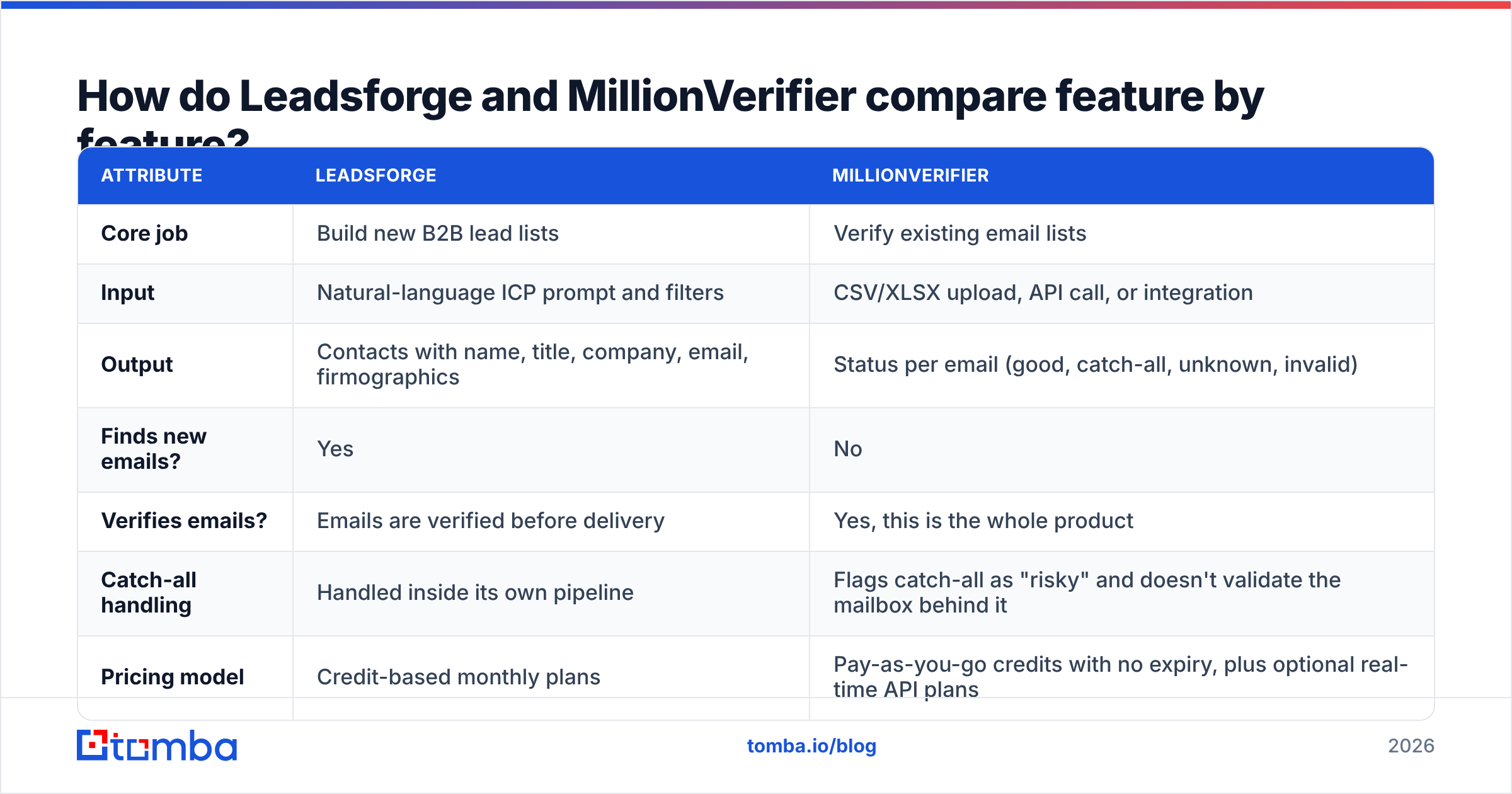
| Attribute | Leadsforge | MillionVerifier |
|---|---|---|
| Core job | Build new B2B lead lists | Verify existing email lists |
| Input | Natural-language ICP prompt and filters | CSV/XLSX upload, API call, or integration |
| Output | Contacts with name, title, company, email, firmographics | Status per email (good, catch-all, unknown, invalid) |
| Finds new emails? | Yes | No |
| Verifies emails? | Emails are verified before delivery | Yes, this is the whole product |
| Catch-all handling | Handled inside its own pipeline | Flags catch-all as "risky" and doesn't validate the mailbox behind it |
| Pricing model | Credit-based monthly plans | Pay-as-you-go credits with no expiry, plus optional real-time API plans |
| Free trial | Limited trial credits | Small batch of free credits on signup |
| Ecosystem | Salesforge, Mailforge, Infraforge | Integrations with common ESPs and automation tools |
| Best for | Founders and SDRs starting from zero | Agencies and ops teams cleaning large or aging lists |
Pricing on both sites changes often, so check the vendor pages before you budget. As a rough guide, verification from MillionVerifier costs a fraction of a cent per email at high volume. Leadsforge credits cost more per contact because each credit delivers a new, enriched lead, not just a validity check. Those per-unit costs measure different things, so don't compare them directly.

How does Leadsforge actually work?#
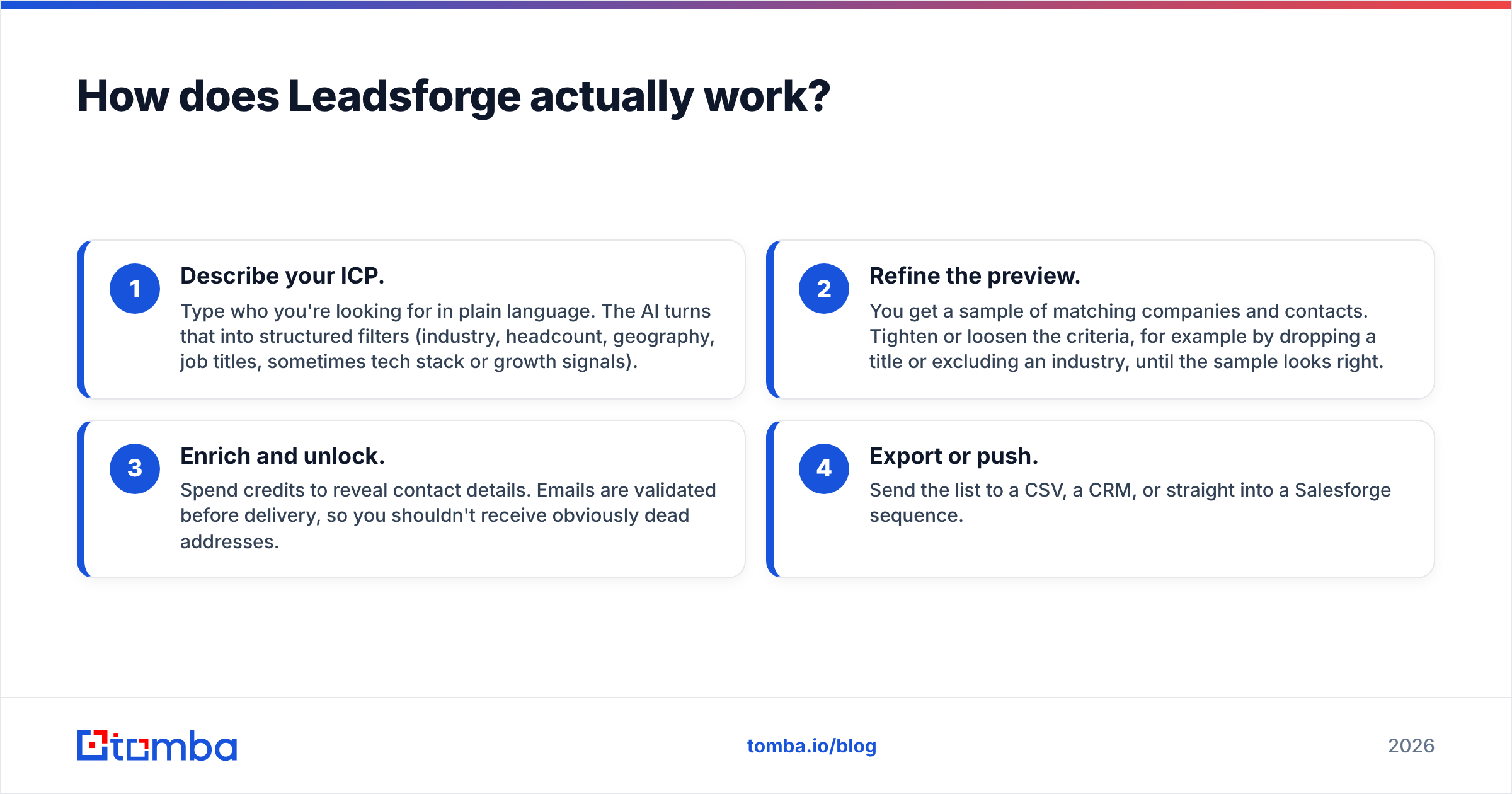
Leadsforge's main idea is that prospecting should feel like briefing a researcher, not operating a database with 40 filter dropdowns. The workflow looks like this:
- Describe your ICP. Type who you're looking for in plain language. The AI turns that into structured filters (industry, headcount, geography, job titles, sometimes tech stack or growth signals).
- Refine the preview. You get a sample of matching companies and contacts. Tighten or loosen the criteria, for example by dropping a title or excluding an industry, until the sample looks right.
- Enrich and unlock. Spend credits to reveal contact details. Emails are validated before delivery, so you shouldn't receive obviously dead addresses.
- Export or push. Send the list to a CSV, a CRM, or straight into a Salesforge sequence.
Where Leadsforge is strong:
- Very fast from "I have an idea" to "I have 500 names." Good for founders doing their own outbound.
- The prompt-based interface lowers the skill needed. You don't need to know boolean search or SIC codes.
- Tight connection with the Forge sending stack if you're already using Salesforge.
Where to be careful:
- Like every database-backed tool, data freshness varies by segment. Fast-moving startups and SMBs change jobs and domains more often than enterprise accounts.
- Credits are consumed on reveal. If your ICP prompt is sloppy, you pay for leads you won't use. Spend five minutes on the preview step.
- "Verified at delivery" is a snapshot. If a list sits for three months before you send, run it through a verifier again. Roughly 2–3% of B2B contacts go stale every month as people change jobs.
How does MillionVerifier actually work?#
MillionVerifier does one thing: take a list of addresses and tell you which are safe to send to. Under the hood, it runs syntax checks, domain and MX record lookups, disposable-domain detection, and an SMTP handshake that asks the receiving server whether the mailbox exists, without sending a message.
Where MillionVerifier is strong:
- Cost at scale. It's one of the cheapest verifiers on the market per email, especially once you buy six-figure credit packs.
- Credits don't expire. If you verify in bursts, such as a big cleanup each quarter, you don't lose unused credits the way you might on a monthly subscription.
- Simple UX. Upload, wait, download. No training needed.
- API access for real-time verification on signup forms or before CRM entry.
Where to be careful:
- Catch-all domains. Many B2B companies configure their mail servers to accept every address, which makes SMTP checks inconclusive. MillionVerifier marks these "catch-all" or "risky" instead of confirming them. In some B2B lists, that bucket can be 20–30% of rows, and it's often where your best enterprise prospects are.
- It doesn't source anything. If the list is thin or poorly targeted, clean data won't fix the targeting.
- Unknowns. Some servers rate-limit or greylist verification attempts, and those rows come back as "unknown." You still need a policy for what to do with them.
If catch-alls are a big share of your list, a dedicated catch-all verifier that uses extra signals beyond the SMTP handshake will recover more sendable contacts than a standard pass.
Is Leadsforge or MillionVerifier cheaper?#
Neither, really, because they sell different units. A useful way to compare is cost per sendable, on-target contact:
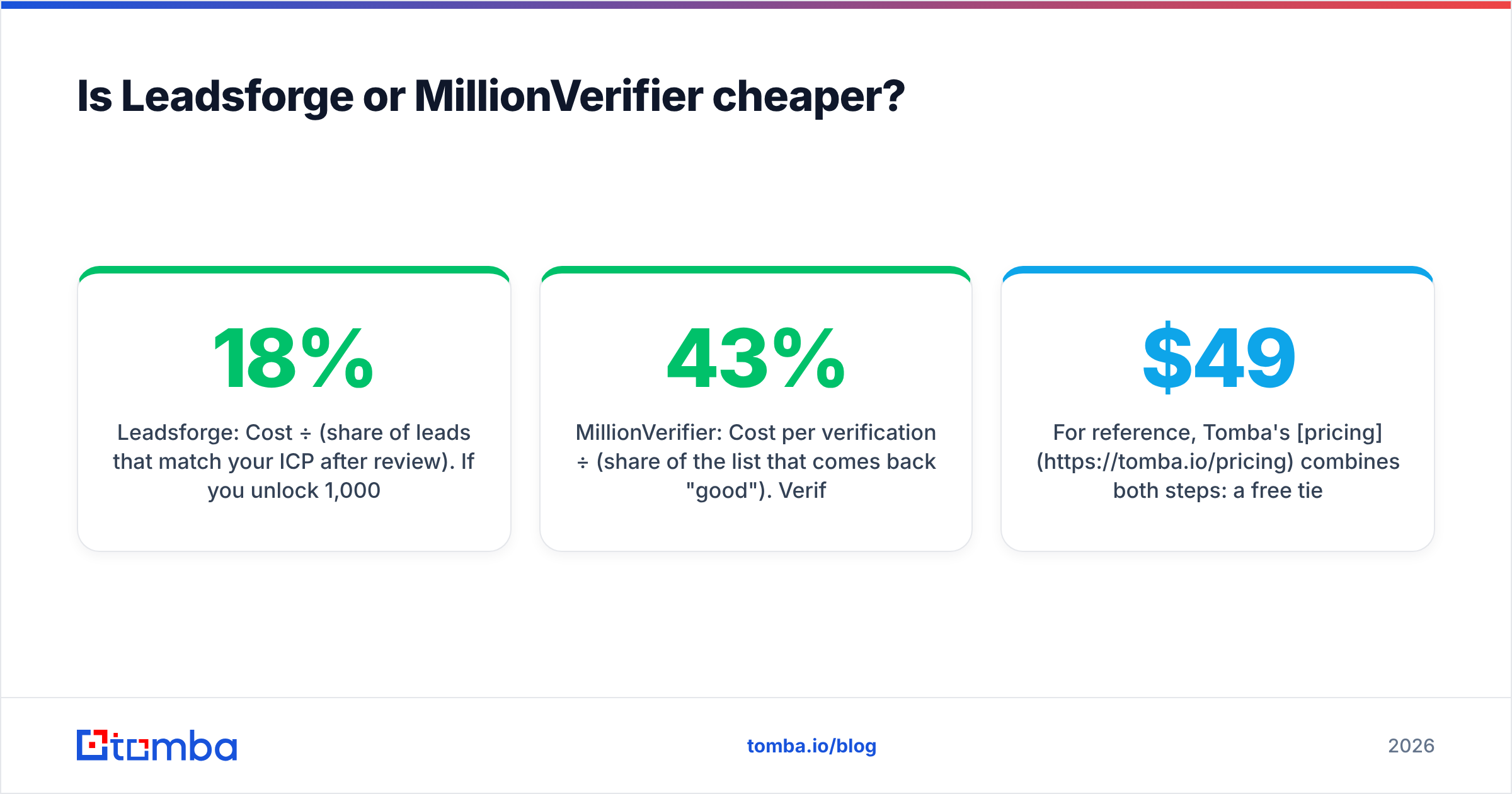
- Leadsforge: Cost per credit ÷ (share of leads that match your ICP after review). If you unlock 1,000 leads and discard 150 as poor fits, your real cost per usable lead is about 18% higher than the sticker price.
- MillionVerifier: Cost per verification ÷ (share of the list that comes back "good"). Verifying 10,000 rows and keeping 7,000 means each usable verified email costs about 43% more than the headline rate. You still had to get those 10,000 rows from somewhere.
MillionVerifier will almost always win on the price of the step it performs. But you have to pay separately for the sourcing step before it: a database subscription, a scraper, a VA, or a tool like Leadsforge. When you add up the full pipeline, the gap narrows a lot.
For reference, Tomba's pricing combines both steps: a free tier with 25 searches a month, Starter at $49/mo, Growth at $99/mo, Pro at $249/mo, and custom Enterprise plans. Finding and verification are in the same account.
Which one protects your deliverability better?#
MillionVerifier has the more direct effect on deliverability, because its whole purpose is to keep hard bounces down. Mailbox providers watch bounce rates closely. Once you go above roughly 2%, your sender reputation starts to suffer, and a burst of bounce messages from a new domain can send the next campaign straight to spam.
Leadsforge helps too, but indirectly. It verifies emails before handing them over, so a fresh Leadsforge list should bounce far less than a scraped one. But that protection fades over time. For deliverability, the rule is the same no matter where a contact came from:
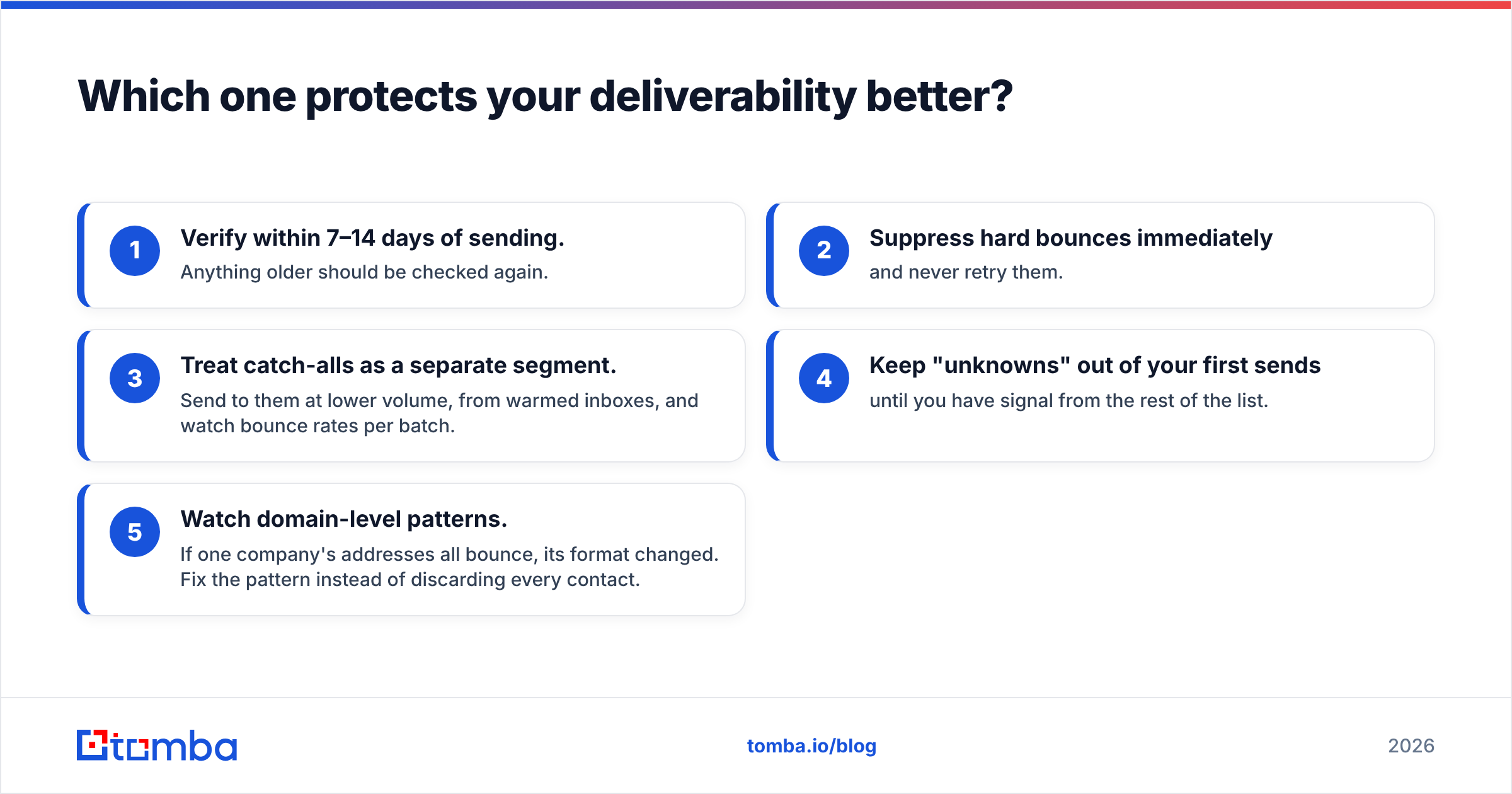
- Verify within 7–14 days of sending. Anything older should be checked again.
- Suppress hard bounces immediately and never retry them.
- Treat catch-alls as a separate segment. Send to them at lower volume, from warmed inboxes, and watch bounce rates per batch.
- Keep "unknowns" out of your first sends until you have signal from the rest of the list.
- Watch domain-level patterns. If one company's addresses all bounce, its format changed. Fix the pattern instead of discarding every contact.

When should you choose Leadsforge?#
Choose Leadsforge if most of these apply to you:
- You're starting from zero. No CRM history, no existing list, and you need a first 500–2,000 prospects this week.
- You think in ICPs, not filters. The prompt interface fits how founders and new SDRs actually describe customers.
- You already use Salesforge or Mailforge. Keeping sourcing, sequencing, and infrastructure with one vendor cuts integration work.
- Your volume is moderate. Hundreds to low thousands of new leads a month, where speed matters more than cost per record.
When should you choose MillionVerifier?#
Choose MillionVerifier if most of these apply:
- You already have data. CRM exports, event lists, webinar signups, purchased lists, or scraped lists that need cleaning.
- You verify at high volume. Tens or hundreds of thousands of emails per cleanup, where price per check drives the decision.
- Your sends are irregular. Credits that don't expire suit agencies and teams that run big quarterly campaigns.
- You need a verification API in front of a signup form or CRM import.
Do you need both, or is there a one-tool option?#
Here is a typical two-tool workflow:
- Build a list in Leadsforge (or any sourcing tool).
- Export to CSV.
- Upload to MillionVerifier, wait for results.
- Download, merge the status column back into your sheet, filter.
- Re-import to your sequencer or CRM.
That works, and plenty of teams do it. The friction is in steps 2–5: CSV exports, column mismatches, duplicate rows, and the "which version of the list is final?" confusion that shows up in any spreadsheet-based process. It gets worse when you re-verify a list a month later.
The alternative is a tool that handles finding and verifying in the same place. Tomba's email finder returns addresses with a confidence score and verification status attached. The email verifier handles lists you bring from elsewhere, including bulk uploads and API calls. That doesn't make MillionVerifier or Leadsforge obsolete. MillionVerifier is still an excellent low-cost bulk cleaner, and Leadsforge's prompt-based list building is a real convenience. But if your main problem is juggling two tools, consolidating is worth testing.
Quick way to decide:
| Your situation | Best fit |
|---|---|
| No list, want AI-built prospects fast | Leadsforge |
| Big existing list, need the cheapest cleanup | MillionVerifier |
| Need new contacts and ongoing verification | Leadsforge + MillionVerifier, or an all-in-one finder with verification |
| Mostly enterprise targets with many catch-all domains | A finder/verifier with dedicated catch-all handling |
| Budget under $50/mo, low volume | Free tiers of any of the above, then upgrade based on which step is your bottleneck |
If you want to see how buyers rate each tool on support and data quality, review aggregators like G2 collect user reviews for both. Filter by company size close to yours, because a 5-person agency's experience rarely matches a 200-seat sales floor.
What is the final verdict on Leadsforge vs MillionVerifier?#
There isn't a single winner, because the two tools aren't competing for the same job.
- Leadsforge wins on sourcing. If the bottleneck is "who do I email?", it gets you from ICP to a usable list faster than most database tools, especially if you're already in the Forge ecosystem.
- MillionVerifier wins on cleanup cost. If the bottleneck is "which of these emails will bounce?", it's one of the most cost-effective ways to answer at scale, and credits that don't expire suit irregular senders.
- The mistake is skipping one step. Sourcing without re-verification hurts deliverability over time. Verification without good sourcing just gives you a clean list of the wrong people.
Map your pipeline, find the step that actually slows you down, and buy for that step first.
If you'd rather run both steps from one account instead of passing CSVs between tools, try the Tomba Email Finder. Search by domain, name, or company, get addresses with verification status attached, and start on the free tier (25 searches a month) before you commit to a plan.
Related guides#
// get started
Find, verify and enrich your first contacts today
Start on the free plan with 25 searches a month, then scale when your team is ready.
Free plan · No credit card required · GDPR & CCPA
// about the author