Leadsforge vs Nymeria: Which Email Finder Fits Your Team in 2026?
Leadsforge builds whole lead lists from a plain-English ICP prompt. Nymeria finds the email or phone number for one person you already have in mind. Here is when each one wins, where each one falls short, and how to pick based on your workflow.
- Leadsforge is an AI list builder. You describe your ideal customer in plain English and it returns a list of contacts with verified emails. It works best for outbound teams that need volume and already use (or want to use) the Salesforge ecosystem.
- Nymeria finds contact details for a person you already know you want: email and phone lookups from LinkedIn, GitHub, and other profiles, plus an API. It works best for recruiters, founders, and developers doing precise one-to-one lookups.
- The two tools answer different questions. Leadsforge answers "who should I contact?" Nymeria answers "how do I reach this specific person?"
- Pricing is credit-based on both, and the tiers change often, so check the vendor pages before you buy. Compare cost per verified contact, not the sticker price.
- If you want one tool that covers domain search, single lookups, verification, and bulk jobs from $49/mo, Tomba is a practical middle option.
What is the real difference between Leadsforge and Nymeria?#
"Leadsforge vs Nymeria" looks like a like-for-like email finder comparison. It isn't. The two tools start from opposite ends of the prospecting workflow.
Leadsforge is part of the "Forge" stack from the team behind Salesforge, alongside Mailforge, Infraforge, and Warmforge. Its main feature is a chat-style search. You type something like "Heads of RevOps at Series B SaaS companies in the US with 50–200 employees" and it builds a lead list, attaches contact data, and lets you push the list straight into a sequencer. It's a discovery tool first and a contact finder second.
Nymeria goes the other way. You already know the person: a LinkedIn profile, a GitHub account, or a name plus a company. Nymeria returns their email address and, where it has one, a phone number. Its browser extension and API are the core products, and it has long been popular with technical recruiters because it pulls contact data from developer profiles as well as LinkedIn.
The first question is simple: do you have a list of names already, or do you need one built for you?
How do Leadsforge and Nymeria compare feature by feature?#
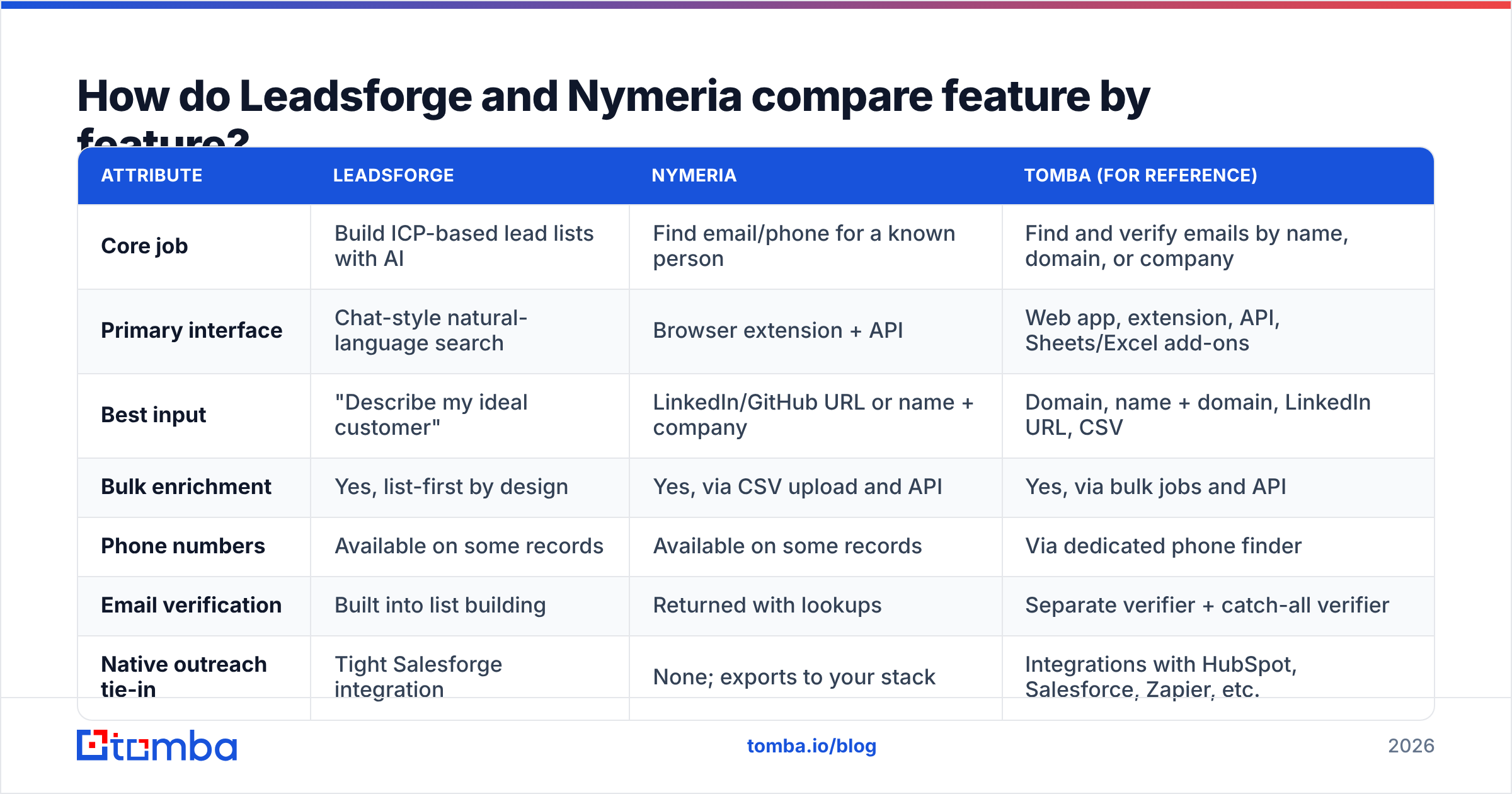
The table below reflects the product positioning and workflow of each tool at the time of writing. Credit allowances and plan names change often on both sides, so treat the pricing rows as directional and confirm on each vendor's pricing page.
| Attribute | Leadsforge | Nymeria | Tomba (for reference) |
|---|---|---|---|
| Core job | Build ICP-based lead lists with AI | Find email/phone for a known person | Find and verify emails by name, domain, or company |
| Primary interface | Chat-style natural-language search | Browser extension + API | Web app, extension, API, Sheets/Excel add-ons |
| Best input | "Describe my ideal customer" | LinkedIn/GitHub URL or name + company | Domain, name + domain, LinkedIn URL, CSV |
| Bulk enrichment | Yes, list-first by design | Yes, via CSV upload and API | Yes, via bulk jobs and API |
| Phone numbers | Available on some records | Available on some records | Via dedicated phone finder |
| Email verification | Built into list building | Returned with lookups | Separate verifier + catch-all verifier |
| Native outreach tie-in | Tight Salesforge integration | None; exports to your stack | Integrations with HubSpot, Salesforce, Zapier, etc. |
| Pricing model | Credit-based monthly plans | Credit-based, with a small free tier | Free (25 searches/mo), $49, $99, $249, Enterprise |
| Ideal user | Outbound SDR teams, agencies | Recruiters, founders, developers | Teams needing both discovery and lookup |

How does each tool fit into a prospecting workflow?#
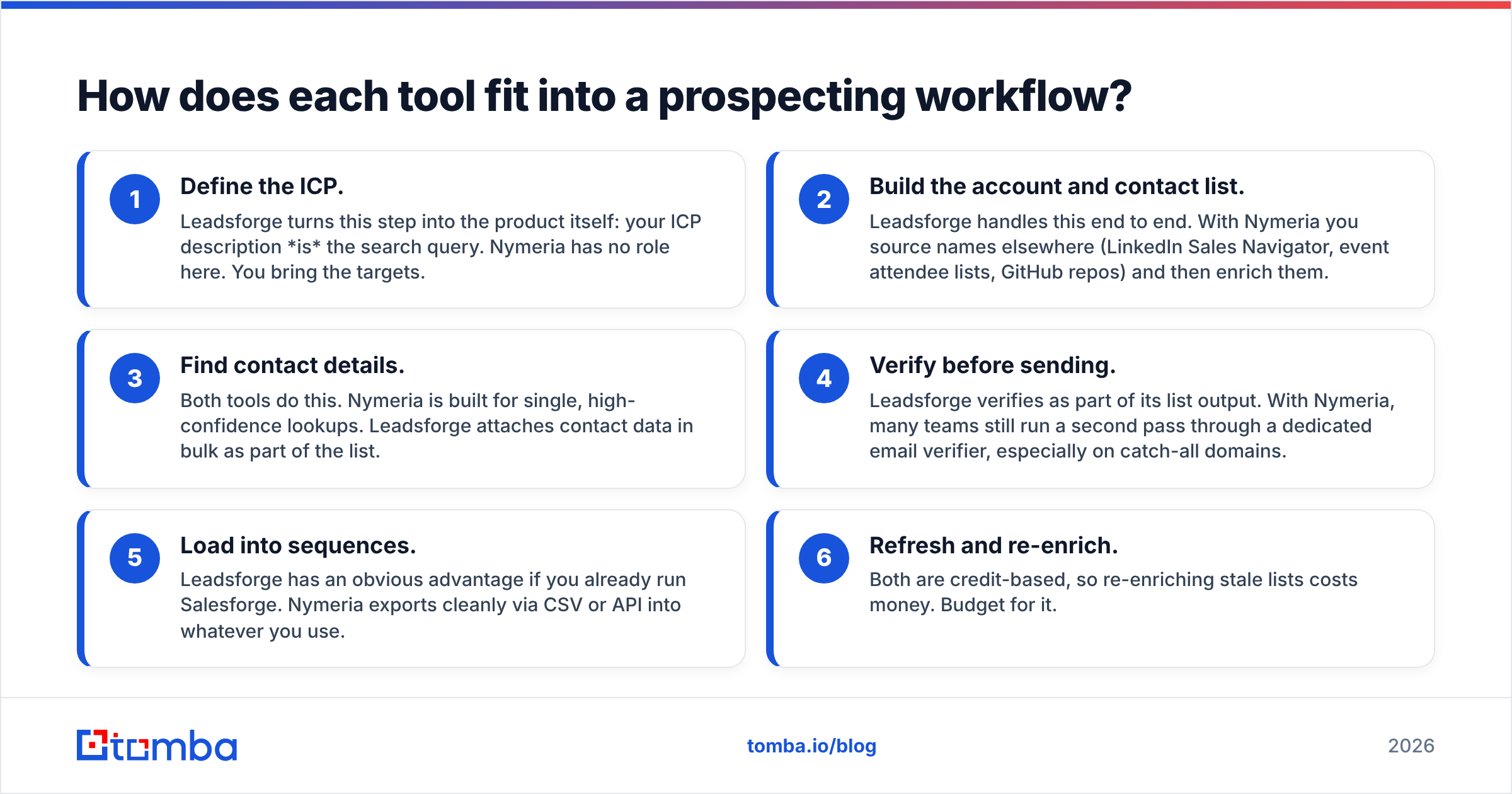
Tool choice usually goes wrong when a team picks on features without mapping the workflow first. Here is how each product slots into a typical outbound motion:
- Define the ICP. Leadsforge turns this step into the product itself: your ICP description is the search query. Nymeria has no role here. You bring the targets.
- Build the account and contact list. Leadsforge handles this end to end. With Nymeria you source names elsewhere (LinkedIn Sales Navigator, event attendee lists, GitHub repos) and then enrich them.
- Find contact details. Both tools do this. Nymeria is built for single, high-confidence lookups. Leadsforge attaches contact data in bulk as part of the list.
- Verify before sending. Leadsforge verifies as part of its list output. With Nymeria, many teams still run a second pass through a dedicated email verifier, especially on catch-all domains.
- Load into sequences. Leadsforge has an obvious advantage if you already run Salesforge. Nymeria exports cleanly via CSV or API into whatever you use.
- Refresh and re-enrich. Both are credit-based, so re-enriching stale lists costs money. Budget for it.
Most teams need steps 2 and 3 in different proportions. An agency running 20,000-contact campaigns a month lives in step 2. A recruiter hiring five senior engineers a quarter lives in step 3.
Is Leadsforge better than Nymeria for outbound sales?#
For high-volume outbound, usually yes. There are three reasons.
The AI search removes list-building busywork. Filter-based databases make you translate your ICP into a stack of dropdowns: industry codes, headcount bands, seniority levels, locations. Leadsforge lets you describe the buyer and refine the result in conversation. For SDR teams that rebuild lists every week, that saves real hours.
The Forge ecosystem integration. If you already use Salesforge for sequencing and Mailforge or Infraforge for sending infrastructure, Leadsforge closes the loop: build list, verify, push to sequence, send from warmed mailboxes, all in one vendor's stack. That is a strong argument for agencies that want fewer moving parts.
List-level economics. When you need thousands of contacts, a tool built around lists will almost always beat a tool built around individual lookups on workflow speed.
Leadsforge has weaknesses too. AI-generated lists are only as good as the underlying data and the model's reading of your prompt. You will get some "close but not quite" matches, such as a Head of Revenue Marketing when you asked for RevOps, and you need to review lists before you blast them. Tight coupling to Salesforge is a plus if you're in that ecosystem and neutral-to-irrelevant if you run Outreach, Apollo sequences, or Instantly.
Is Nymeria better than Leadsforge for recruiting and precise lookups?#
For recruiters and anyone doing account-based, one-to-one outreach, Nymeria is usually the better fit.
Profile-first lookups. Nymeria's extension works on the profile you're already looking at. Open a LinkedIn or GitHub profile, click, get the contact. When the right person matters more than the number of people, this is the fastest path.
Developer-friendly API. Nymeria's API is simple, and many teams wire it into ATS workflows, internal tools, or enrichment scripts. If your engineering team wants to enrich records on the fly, it's easy to adopt.
Personal and professional emails. Recruiters often need a personal email to reach a passive candidate outside their work inbox. Nymeria has historically been strong here. That matters for recruiting, and it's something to handle carefully for sales outreach under GDPR and similar rules.
The trade-off is that Nymeria won't tell you who to contact. If your problem is "we don't know which 2,000 companies and 5,000 people to target," Nymeria alone won't solve it. You'll pair it with a database or a list builder.
How accurate is each tool's email data?#
Accuracy is the question everyone asks and the one vendors answer least honestly. Before you look at any numbers, remember three things.
- Accuracy varies by segment. A tool can be excellent on US SaaS companies and weak on European manufacturing firms. Test on your ICP, not a generic sample.
- Catch-all domains distort everything. When a company's mail server accepts every address, a verifier can't confirm whether a specific mailbox exists. Tools handle this differently: some mark "risky," some mark "valid," some skip. Ask how each tool labels catch-all results.
- "Found" and "deliverable" are different numbers. A tool with a high find rate and a mediocre verification layer can hurt your email deliverability more than a tool that finds fewer contacts but only returns ones it's confident in.

A practical test you can run in one afternoon:
- Pull 200 contacts you already have verified emails for (closed-won customers, past replies).
- Strip the emails and run the names through both tools.
- Score each result as correct, wrong, or not found.
- Put every "found" result through an independent verifier and count hard bounces.
- Split results by region and company size.
This takes about three hours and tells you more than any vendor benchmark. User-review sites like G2 help too. Filter for reviewers at companies your size and read the 3-star reviews, which tend to be the most specific about data gaps.
How does Leadsforge pricing compare to Nymeria pricing?#
Both tools sell monthly credits, where one credit roughly equals one contact reveal or lookup. Plan names, credit bundles, and prices have changed several times on both products, so we're not quoting exact tiers that may be out of date by the time you read this. Check each vendor's pricing page directly.
What matters more than the headline price:
- What consumes a credit. Does a failed lookup cost a credit? Does a phone number cost extra? Does exporting cost the same as revealing?
- Rollover. Unused credits expiring monthly can double your effective cost per contact if your usage is uneven.
- Verification included or extra. If you need a separate verifier on top, add that to the cost of every contact.
- Seats. Some plans price per user, and a five-SDR team can see the bill multiply quickly.
The formula to use is cost per verified, deliverable contact in your ICP. Take the monthly price, divide by the number of contacts that pass verification in your test, and compare that number.
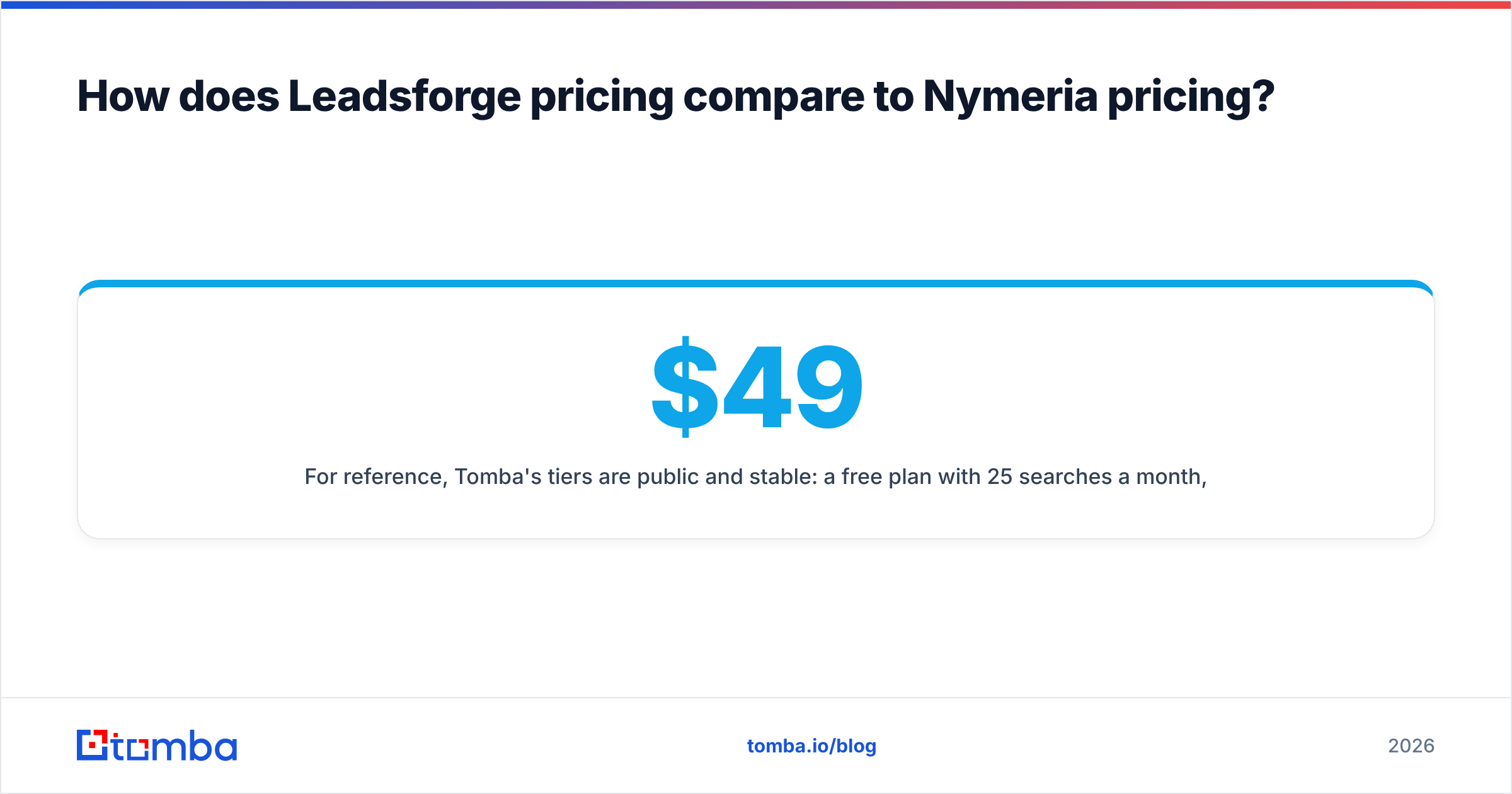
For reference, Tomba's tiers are public and stable: a free plan with 25 searches a month, Starter at $49/mo, Growth at $99/mo, Pro at $249/mo, and custom Enterprise. Full limits are on the Tomba pricing page.
What are the pros and cons of each tool?#
| Leadsforge | Nymeria | |
|---|---|---|
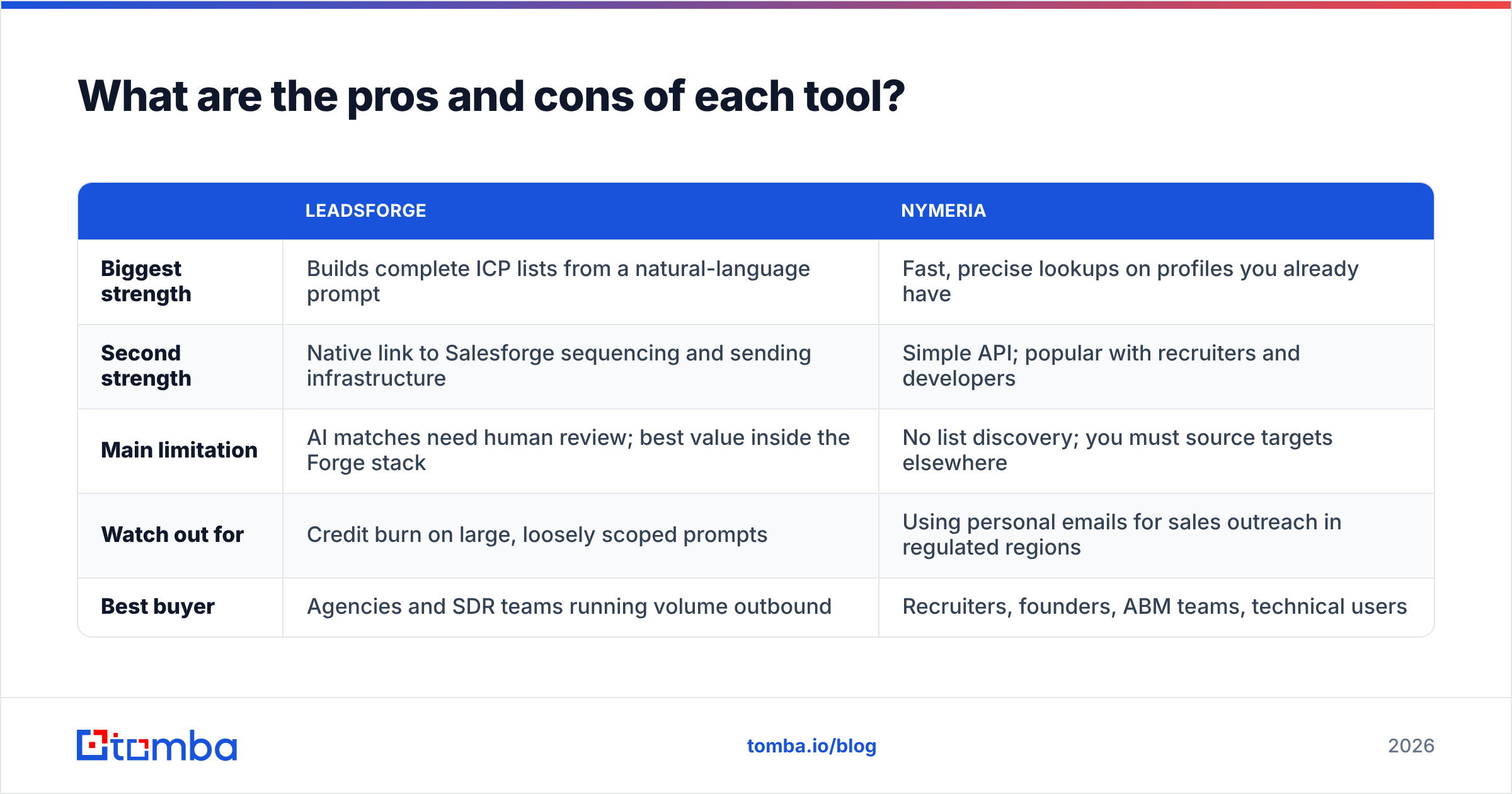
| Biggest strength | Builds complete ICP lists from a natural-language prompt | Fast, precise lookups on profiles you already have |
| Second strength | Native link to Salesforge sequencing and sending infrastructure | Simple API; popular with recruiters and developers |
| Main limitation | AI matches need human review; best value inside the Forge stack | No list discovery; you must source targets elsewhere |
| Watch out for | Credit burn on large, loosely scoped prompts | Using personal emails for sales outreach in regulated regions |
| Best buyer | Agencies and SDR teams running volume outbound | Recruiters, founders, ABM teams, technical users |
Which one should you choose?#
Pick based on your bottleneck, not on the feature list.
Choose Leadsforge if:
- You don't have a target list and building one is your biggest time sink.
- You run (or plan to run) Salesforge and want one ecosystem from list to inbox.
- You're an agency or SDR team measured on volume of qualified conversations.
Choose Nymeria if:
- You already know exactly who you want to reach.
- You're recruiting, especially technical talent with active GitHub profiles.
- You want a lightweight API to enrich records inside your own tools.
Consider using both if you run a hybrid motion: Leadsforge for top-of-funnel list building and Nymeria for the high-value accounts where getting one exec right matters more than contacting a hundred mid-level people. Just be honest about whether the second subscription earns its cost.

Where does Tomba fit if neither is quite right?#
Some teams read a comparison like this and realise they need a bit of both: occasional list discovery by company, many single lookups, and a verification step they can trust. That middle ground is where Tomba fits.
- Domain-first discovery. Tomba's domain search returns the known contacts at a company, which is often enough "list building" for ABM teams that already know their target accounts.
- Name + company lookups through the email finder, the browser extension, or the Tomba API.
- Verification built in, including a dedicated catch-all verifier, so "found" and "deliverable" aren't confused.
- Bulk jobs, Google Sheets, and Excel add-ons for teams that live in spreadsheets rather than sequencers.
Tomba won't replace Leadsforge's conversational ICP builder, and it isn't trying to. If your bottleneck is finding and verifying the right email for the companies and people you've already chosen, it covers that job end to end at a predictable price.
What should you do next?#
Run the 200-contact test above on whichever tools you're considering, including Tomba if the middle-ground profile fits you. Score cost per verified contact in your own ICP, not on a vendor's marketing page. The data will usually make the decision for you.
If you want to start testing today with no commitment, the Tomba Email Finder includes 25 free searches a month. That's enough to benchmark it against Leadsforge or Nymeria on your own target accounts. Look up a few names, check the verification status on each result, and see how it compares before you commit to any credit plan.
Related guides#
// get started
Find, verify and enrich your first contacts today
Start on the free plan with 25 searches a month, then scale when your team is ready.
Free plan · No credit card required · GDPR & CCPA
// about the author