Leadsforge vs Proofy (2026): Lead Generation or Email Verification?
Leadsforge builds lead lists and Proofy cleans them, so comparing them head-to-head is a little unfair. This guide covers what each tool does, where each one falls short, and which one your outbound stack is actually missing.
- Leadsforge and Proofy are not direct competitors. Leadsforge is an AI lead-generation tool that builds prospect lists. Proofy is an email verification service that cleans lists you already have.
- Pick Leadsforge if you have no list yet and want to describe your ICP in plain English, then get contacts back.
- Pick Proofy if you already have emails from a CRM, event, scrape, or old export and your main worry is bounces.
- Many teams end up paying for both, because a sourced list still needs an independent check before it goes into a sequence.
- A combined finder + verifier (Tomba is one option) cuts that to one tool, one credit pool, and one export step.
What is the real difference between Leadsforge and Proofy?#
People search "Leadsforge vs Proofy" because both show up when you research outbound data tools. But they sit at different stages of the pipeline.
Leadsforge covers the sourcing stage. You tell it who you want to reach, for example "Heads of RevOps at Series B SaaS companies in Germany with 50–200 employees", and it returns a list of companies and contacts with emails attached. It belongs to the Forge ecosystem (Salesforge, Warmforge and related products), so it's designed to push leads straight into an outbound sequence.
Proofy covers the hygiene stage. You upload a CSV or call its API, and it tells you which addresses are valid, invalid, risky, catch-all, or disposable. It doesn't find people for you. It checks whether the addresses you already have are safe to send to.
A simple way to think about it: Leadsforge finds the fish, and Proofy checks that the fish aren't rotten. Comparing them head-to-head is a bit like comparing a fishing boat with a fish inspector. The better question is which job your stack isn't doing well right now.
How does Leadsforge work?#
Leadsforge's main idea is a chat-style search. Instead of a wall of filters, you describe your ideal customer profile in natural language and the tool turns that into a query against its B2B database. From there you can:
- Refine the results conversationally ("remove agencies", "only companies hiring SDRs")
- Find lookalike companies based on a customer you already like
- Enrich contacts with emails and firmographic fields
- Push lists into Salesforge or export them to CSV and your CRM
It's built for founders, agencies, and small SDR teams who don't want to learn Boolean search or a 40-filter interface. Leadsforge's own site (leadsforge.ai) positions it as the "find leads" step before the rest of the Forge tools take over sending and warmup.
Where it shines: getting from "I think my ICP is X" to a usable list in minutes.
Where to be careful: like every database-driven tool, contact freshness varies. People change jobs all the time, and a stored email that was valid six months ago may bounce today. Leadsforge verifies emails as part of its flow, but if deliverability matters a lot to you (and on cold domains it should), running a second, independent check before sending is still good practice.
How does Proofy work?#
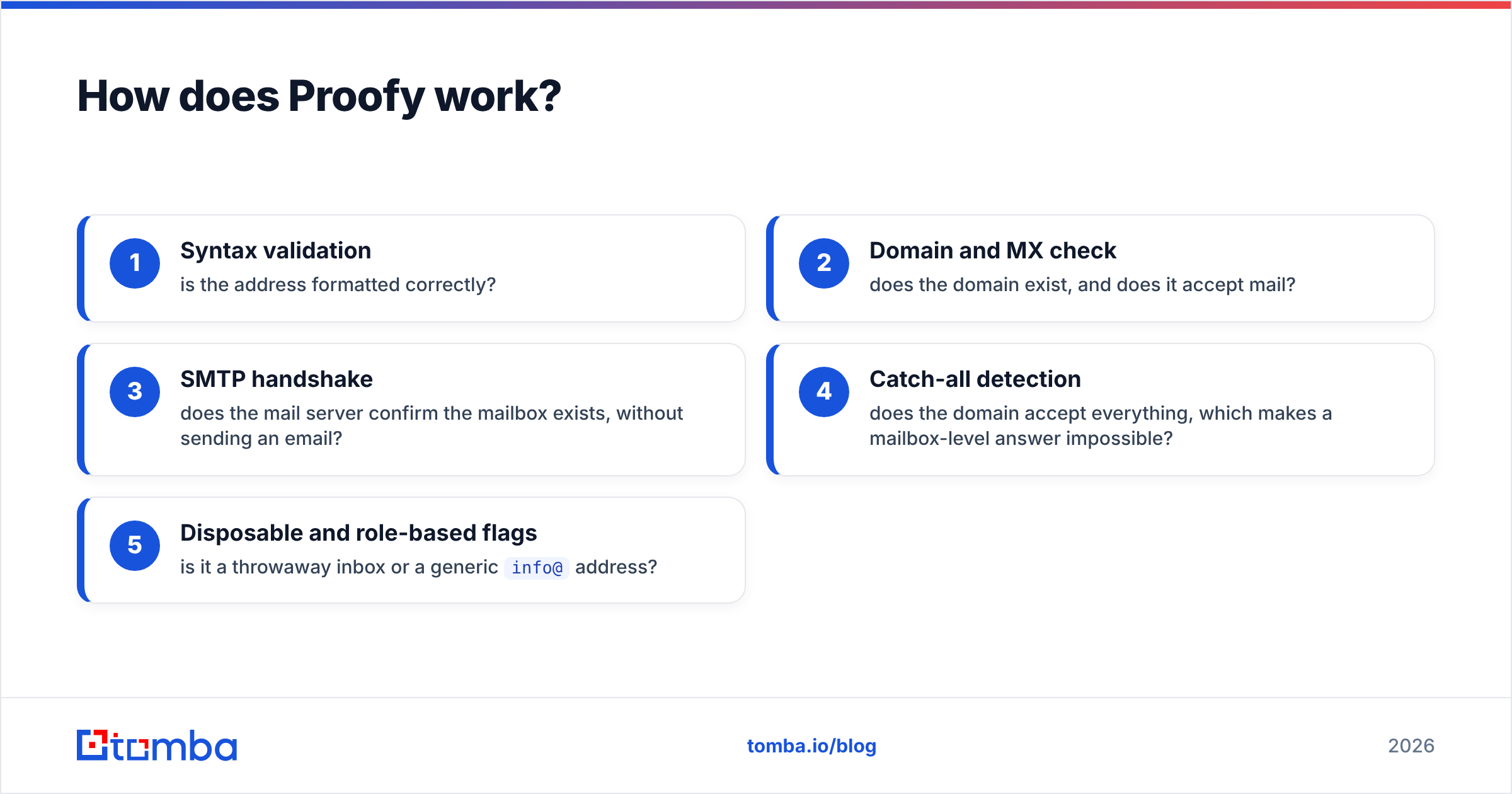
Proofy (proofy.io) is a dedicated email verification service. Its checks are the standard layered stack for this category:
- Syntax validation: is the address formatted correctly?
- Domain and MX check: does the domain exist, and does it accept mail?
- SMTP handshake: does the mail server confirm the mailbox exists, without sending an email?
- Catch-all detection: does the domain accept everything, which makes a mailbox-level answer impossible?
- Disposable and role-based flags: is it a throwaway inbox or a generic
info@address?
You can run it through bulk upload, a real-time API for web forms, or integrations with email platforms. The output sorts your list into deliverable, undeliverable, risky, and unknown buckets so you can suppress the dangerous addresses before your sender reputation takes the hit.
Where it shines: cleaning inherited or aging lists, protecting signup forms, and being a neutral "second opinion" on data that came from somewhere else.
Where to be careful: Proofy can't create a list for you. If your problem is "I don't know who to email", verification doesn't help. And like every verifier, it can't give a definitive answer on catch-all domains. Those land in a risky or unknown bucket that you'll have to decide how to handle.
Leadsforge vs Proofy: how do they compare side by side?#
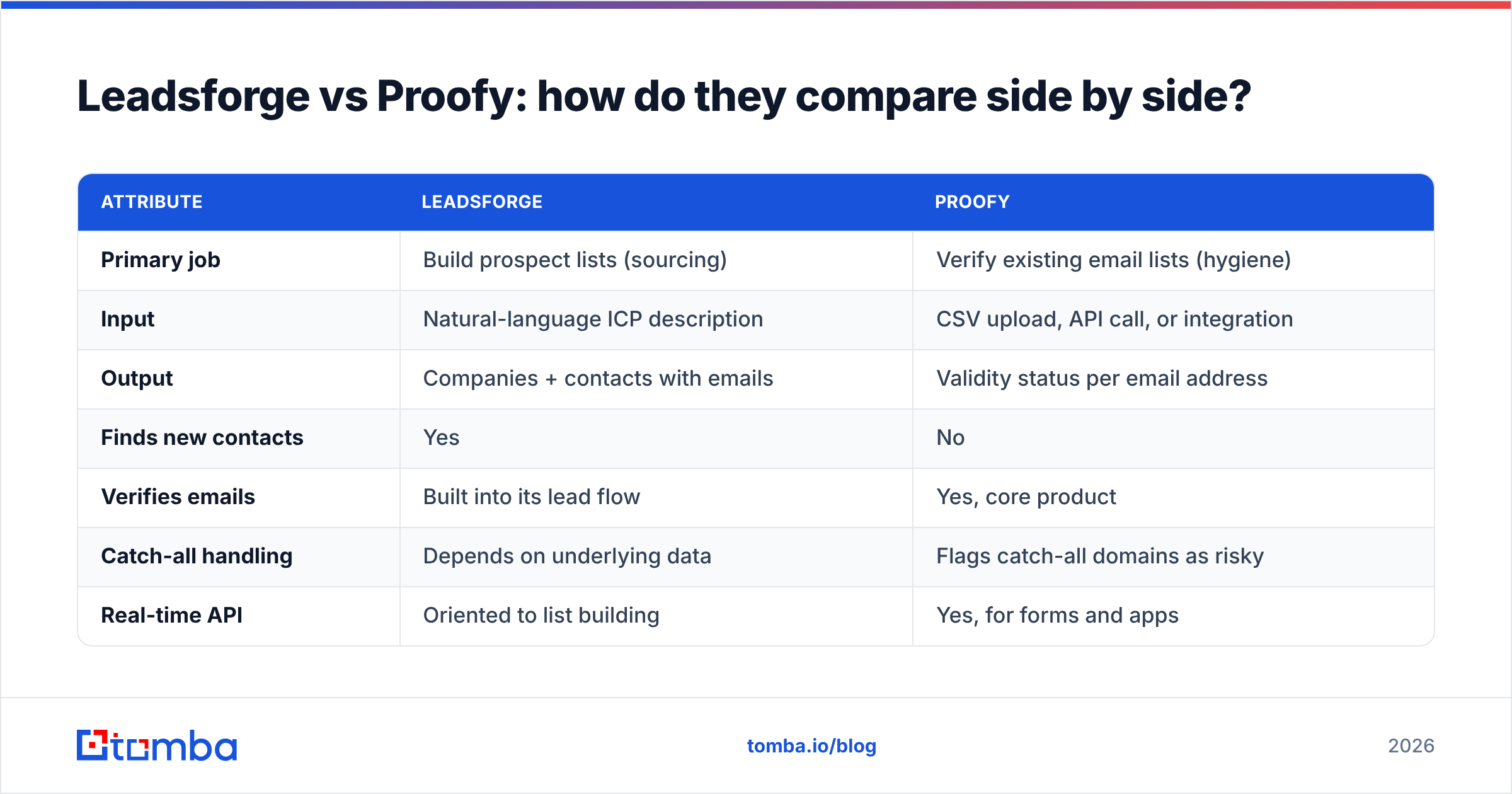
Here's the head-to-head on the attributes that actually affect a buying decision. Pricing on both tools changes often, so check each vendor's pricing page before you commit. This table compares models, not promo-day numbers.
| Attribute | Leadsforge | Proofy |
|---|---|---|
| Primary job | Build prospect lists (sourcing) | Verify existing email lists (hygiene) |
| Input | Natural-language ICP description | CSV upload, API call, or integration |
| Output | Companies + contacts with emails | Validity status per email address |
| Finds new contacts | Yes | No |
| Verifies emails | Built into its lead flow | Yes, core product |
| Catch-all handling | Depends on underlying data | Flags catch-all domains as risky |
| Real-time API | Oriented to list building | Yes, for forms and apps |
| Pricing model | Credit-based subscription | Credit packs / pay-as-you-go |
| Ecosystem fit | Salesforge / Forge outbound stack | Tool-agnostic, works with any ESP or CRM |
| Best for | Founders, agencies, small SDR teams starting from zero | Marketers and ops teams cleaning lists they already own |
The pattern is clear: Leadsforge generates data, Proofy judges data. Their overlap is thin, which is why "which is better" depends almost entirely on where your bottleneck is.
Which one should you choose for your use case?#
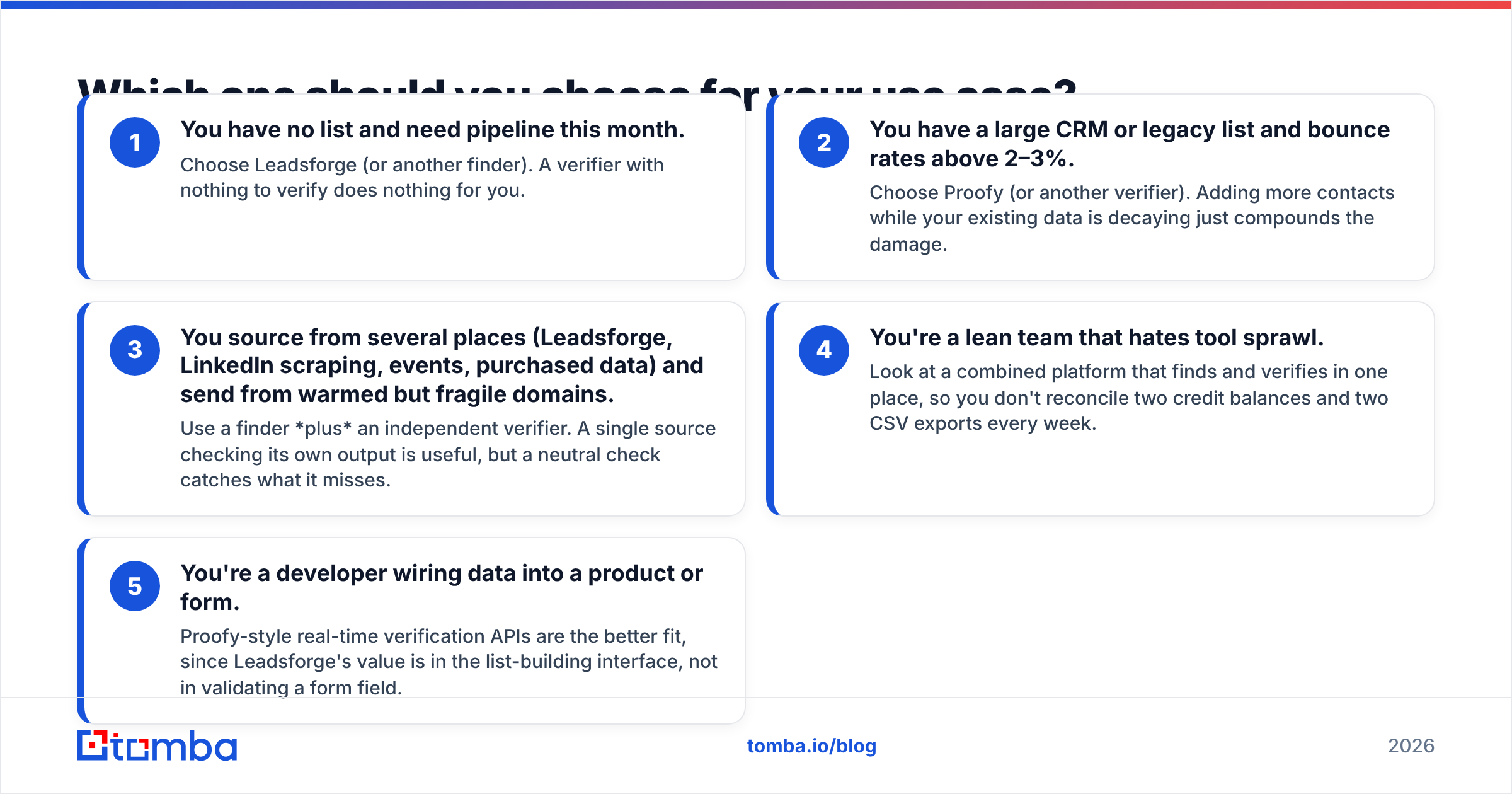
Match the tool to the problem you actually have. Here's the decision framework we use:
- You have no list and need pipeline this month. Choose Leadsforge (or another finder). A verifier with nothing to verify does nothing for you.
- You have a large CRM or legacy list and bounce rates above 2–3%. Choose Proofy (or another verifier). Adding more contacts while your existing data is decaying just compounds the damage.
- You source from several places (Leadsforge, LinkedIn scraping, events, purchased data) and send from warmed but fragile domains. Use a finder plus an independent verifier. A single source checking its own output is useful, but a neutral check catches what it misses.
- You're a lean team that hates tool sprawl. Look at a combined platform that finds and verifies in one place, so you don't reconcile two credit balances and two CSV exports every week.
- You're a developer wiring data into a product or form. Proofy-style real-time verification APIs are the better fit, since Leadsforge's value is in the list-building interface, not in validating a form field.
If your answer is "a bit of 1 and a bit of 2", that's normal. Most outbound teams have both problems at once.
Is Leadsforge's built-in verification enough on its own?#
For many small campaigns, probably yes. Database tools including Leadsforge run their own validity checks, and if you're sending a few hundred emails a week from well-warmed inboxes, the extra step may not change your results much.
Three situations where it isn't enough:
- The list sits before you send it. Data verified on Monday isn't guaranteed valid three weeks later. B2B contact data decays fast because people change jobs, companies rebrand domains, and mailboxes get deprovisioned.
- You mix sources. Once Leadsforge contacts get merged with a scraped list or a conference export, you're no longer dealing with a single verified dataset.
- Your domain is new or has taken damage before. Mailbox providers like Google treat bounce rate as a direct reputation signal. Google's sender guidelines are explicit that low-quality sending hurts delivery. A few percentage points of bounces can push you into spam folders for the whole campaign.
This is exactly the gap Proofy-style verifiers fill. It's also why buyers comparing these two tools often realise they're pricing a workflow, not a tool.
How do the costs add up when you use both?#
This part tends to get missed. If you run Leadsforge for sourcing and Proofy for verification, your real cost per usable contact is:
(finder cost per contact) + (verifier cost per contact) + (the time spent exporting, uploading, re-importing, and deduplicating)
The third item is the one people underestimate. Every hand-off between tools is a CSV round-trip, a chance to overwrite the wrong column, and one more login for someone to forget to top up. For a solo founder that might be 20 minutes a week. For an agency running ten client campaigns, it quickly becomes a part-time job.
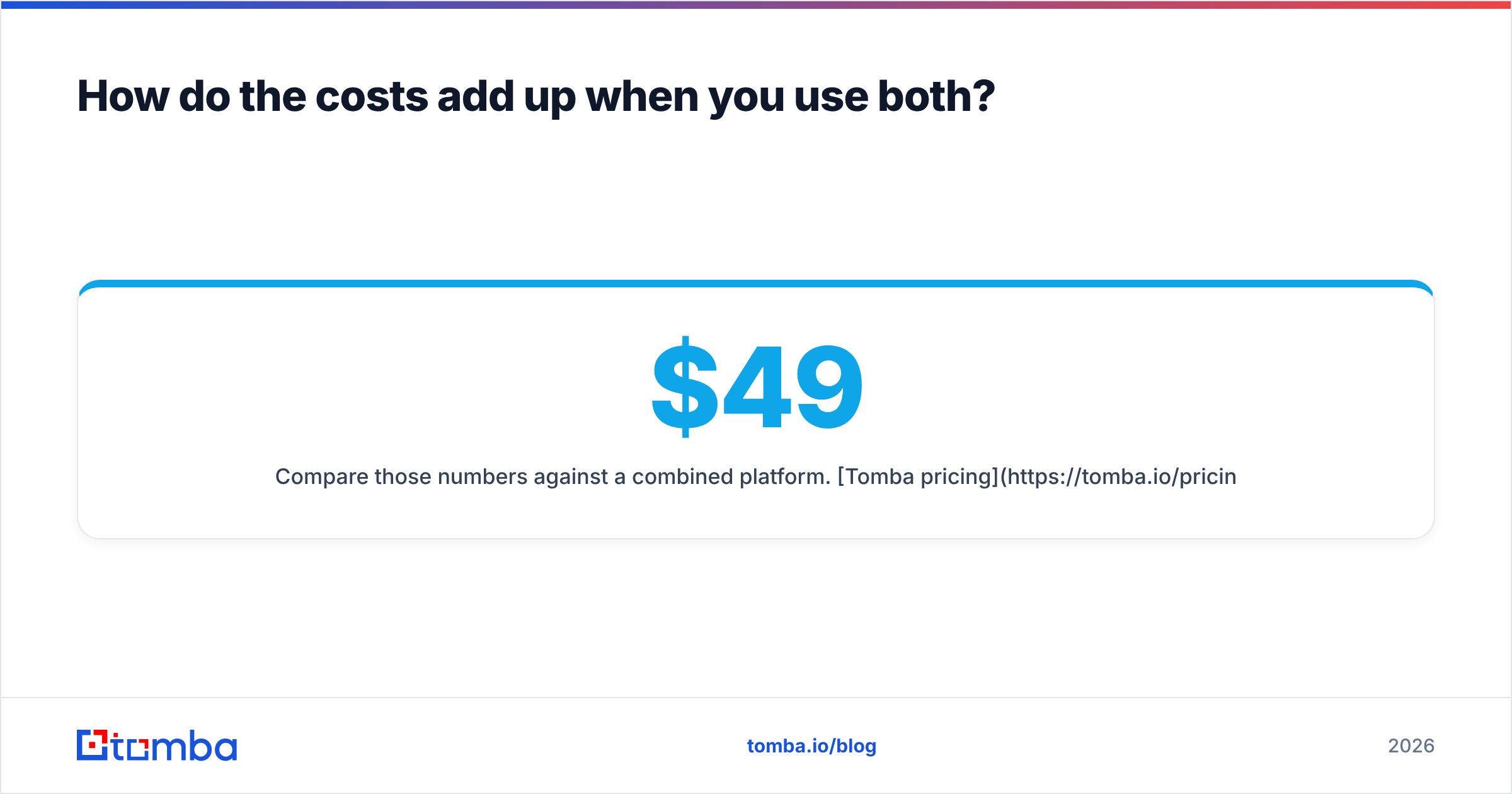
Compare those numbers against a combined platform. Tomba pricing, for example, starts with a free tier (25 searches/month) and paid plans from $49/month for Starter, $99/month for Growth, and $249/month for Pro. Finding and verification are available from the same account. That doesn't automatically make it cheaper for every volume, but it removes the double subscription and the hand-off time. Run the math on your own monthly volume before deciding.
What do users say about each tool?#
Third-party review sites such as G2 are the best place to check sentiment against your own use case, with the usual caveat that reviews skew toward very happy or very frustrated users. The recurring themes across public feedback look like this:
Leadsforge, commonly praised:
- Fast list building without learning a complex filter UI
- Smooth hand-off into Salesforge for teams already in that ecosystem
- Lookalike search for expanding from one good customer
Leadsforge, common caveats:
- Data coverage varies by region and niche, as it does with every database
- Most valuable if you also use the Forge sending tools
Proofy, commonly praised:
- Simple bulk upload and clear result categories
- Pay-as-you-go flexibility for irregular cleaning jobs
- API for real-time form validation
Proofy, common caveats:
- Verification only, so you still need a separate data source
- Catch-all and unknown results need a separate policy decision
None of these are dealbreakers. They're the natural limits of tools that each do one job.
What about catch-all domains?#
Catch-all domains are where both tools, and the whole category, hit a real limit. A catch-all server accepts mail for any address at that domain, so an SMTP check can't confirm whether jane.doe@company.com is a real mailbox or a typo that will silently go nowhere.
Proofy will flag these as risky or unknown. Leadsforge's output will include them if its data says the person exists. Either way, you have to decide: send and accept some risk, drop them and lose reach, or use a dedicated catch-all verifier that applies extra signals to get a firmer answer.
In enterprise-heavy lists, catch-all addresses can be a large share of the total, so this isn't an edge case. Ask any vendor, whether Leadsforge, Proofy, or anyone else, how they handle catch-all addresses before you buy.
Leadsforge vs Proofy: what's the final verdict?#
There's no universal winner, because they aren't the same product.
- Choose Leadsforge if sourcing is your bottleneck, you like describing your ICP in plain language, and you're already in (or open to) the Salesforge ecosystem.
- Choose Proofy if you own the data already and your problem is bounces, list decay, or bad form signups.
- Use both if you send at meaningful volume from domains you can't afford to burn, and you're fine managing two tools.
- Consider a consolidated option if paying for two tools and moving CSVs between them feels like overhead you don't need.
For most small outbound teams, the honest answer is "you need a finder and a verifier". The only real question is whether you want those in one place or two.
Where does Tomba fit if you want both jobs in one tool?#
If this comparison made you realise you need sourcing and verification, the Tomba Email Finder covers both sides in one account. You can find professional email addresses by domain, name, or company, then run them through the built-in email verifier before they reach your sequencer. Catch-all checks, bulk processing, a Chrome extension, and an API sit in the same credit pool, so there's no CSV shuffle between vendors. Start on the free plan with 25 searches a month, test it against your ICP, and upgrade to Starter at $49/month once the data holds up in your own campaigns.
Related guides#
// get started
Find, verify and enrich your first contacts today
Start on the free plan with 25 searches a month, then scale when your team is ready.
Free plan · No credit card required · GDPR & CCPA
// about the author