Leadsforge vs Pubrio (2026): AI Lead Lists or Signal-Driven Data?
Leadsforge turns a plain-English ICP into a lead list in minutes. Pubrio gives you a searchable B2B database with signals and an API. Here is where each one wins, what it costs, and which fits your team.
TL;DR
- Leadsforge is an AI-first list builder. You describe your ideal customer in plain English and it returns a lead list. It pairs closely with Salesforge for sending. Paid plans start around $49/mo for 2,000 credits that roll over.
- Pubrio is a classic B2B data and sales intelligence platform. It gives you filterable company and people search, buying signals, visitor tracking and API access. The free tier is generous, and paid plans start at $125/mo for 6,000 credits.
- Choose Leadsforge if you're a small outbound team that wants a finished list quickly and already sends from the Forge stack.
- Choose Pubrio if you need deeper account research, signal-based targeting, or developer access to the data.
- Whichever you pick, verify every email before you send it. Neither database's bounce risk is zero.
What are Leadsforge and Pubrio, in one sentence each?#
Leadsforge is an AI lead-generation tool from the team behind Salesforge. You describe your ideal customer profile (ICP) in a chat-style prompt ("Series A SaaS companies in Germany, 50-200 employees, hiring SDRs") and it builds and enriches a list you can export or push into a sequence.
Pubrio is a B2B data and sales intelligence platform. It gives you a large company and contact database, advanced filters, company signals, website visitor identification and an API. It's built for teams that want to research accounts, not just pull a list.
Think of it like groceries. Leadsforge is the meal kit: you say what you want to eat and the ingredients arrive portioned. Pubrio is the supermarket: more choice and more control, but you do the shopping.
How do Leadsforge and Pubrio compare side by side?#
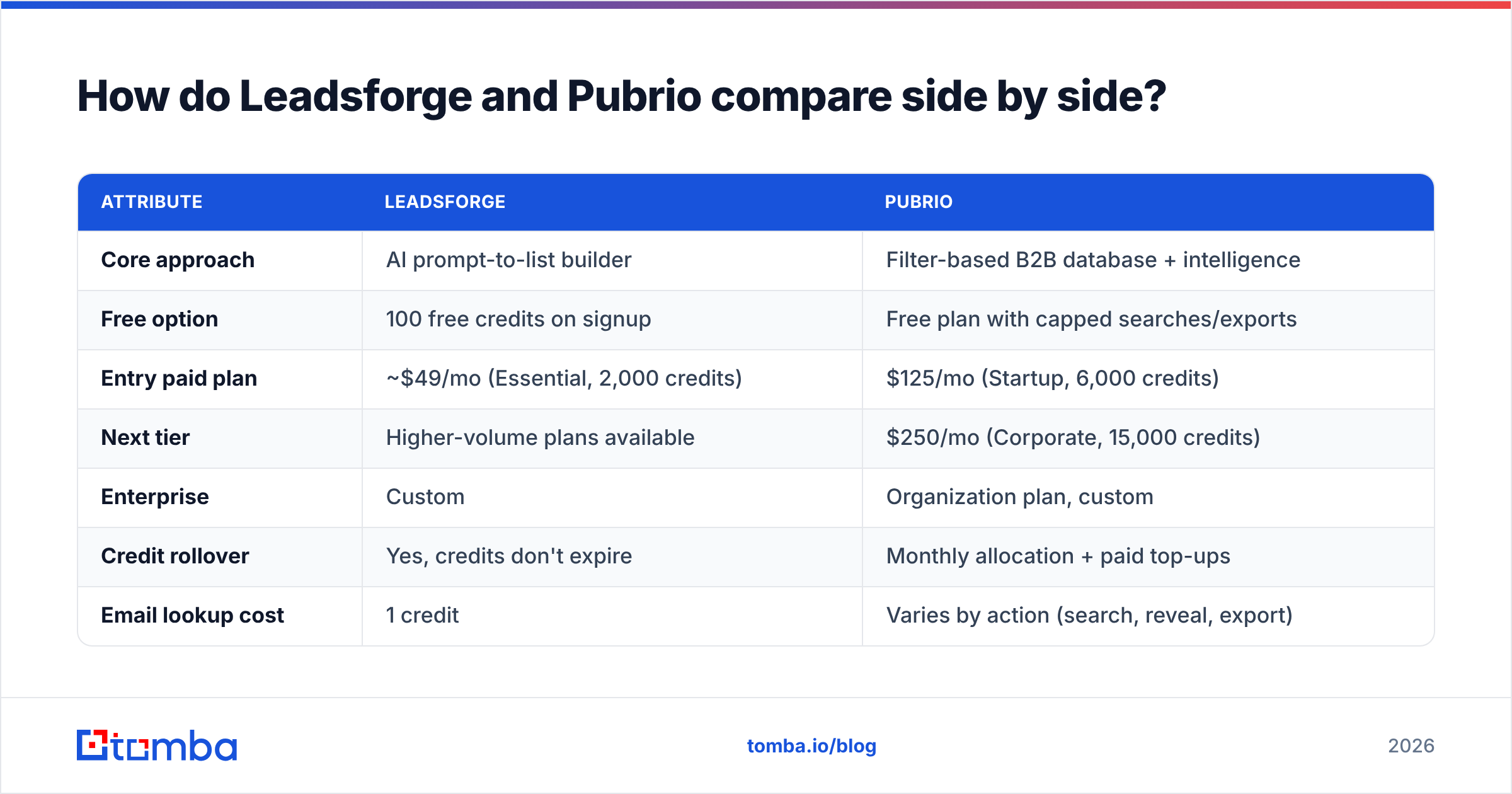
The table below summarises the differences that matter in a buying decision. Prices reflect each vendor's public pricing at the time of writing, so check their pricing pages before you commit, because credit rules change often.
| Attribute | Leadsforge | Pubrio |
|---|---|---|
| Core approach | AI prompt-to-list builder | Filter-based B2B database + intelligence |
| Free option | 100 free credits on signup | Free plan with capped searches/exports |
| Entry paid plan | ~$49/mo (Essential, 2,000 credits) | $125/mo (Startup, 6,000 credits) |
| Next tier | Higher-volume plans available | $250/mo (Corporate, 15,000 credits) |
| Enterprise | Custom | Organization plan, custom |
| Credit rollover | Yes, credits don't expire | Monthly allocation + paid top-ups |
| Email lookup cost | 1 credit | Varies by action (search, reveal, export) |
| Phone lookup cost | 10 credits | Credit-based reveal |
| Buying signals | Lighter, ICP and lookalike driven | Stronger focus (hiring, news, company changes) |
| Website visitor tracking | No native focus | Yes |
| API access | Limited, mainly via Forge ecosystem | Yes, documented public API |
| Native sending | Via Salesforge (sister product) | No, exports to your sequencer/CRM |
| Best for | Lean outbound teams, agencies, founders | RevOps, account research, data-driven SDR teams |
Two things stand out. First, Leadsforge is cheaper to start and its credits roll over, which suits irregular usage. Second, Pubrio gives you more per dollar at volume (15,000 credits for $250 works out to roughly $0.017 per credit) and it's the more complete intelligence product.
How does each tool actually find leads?#
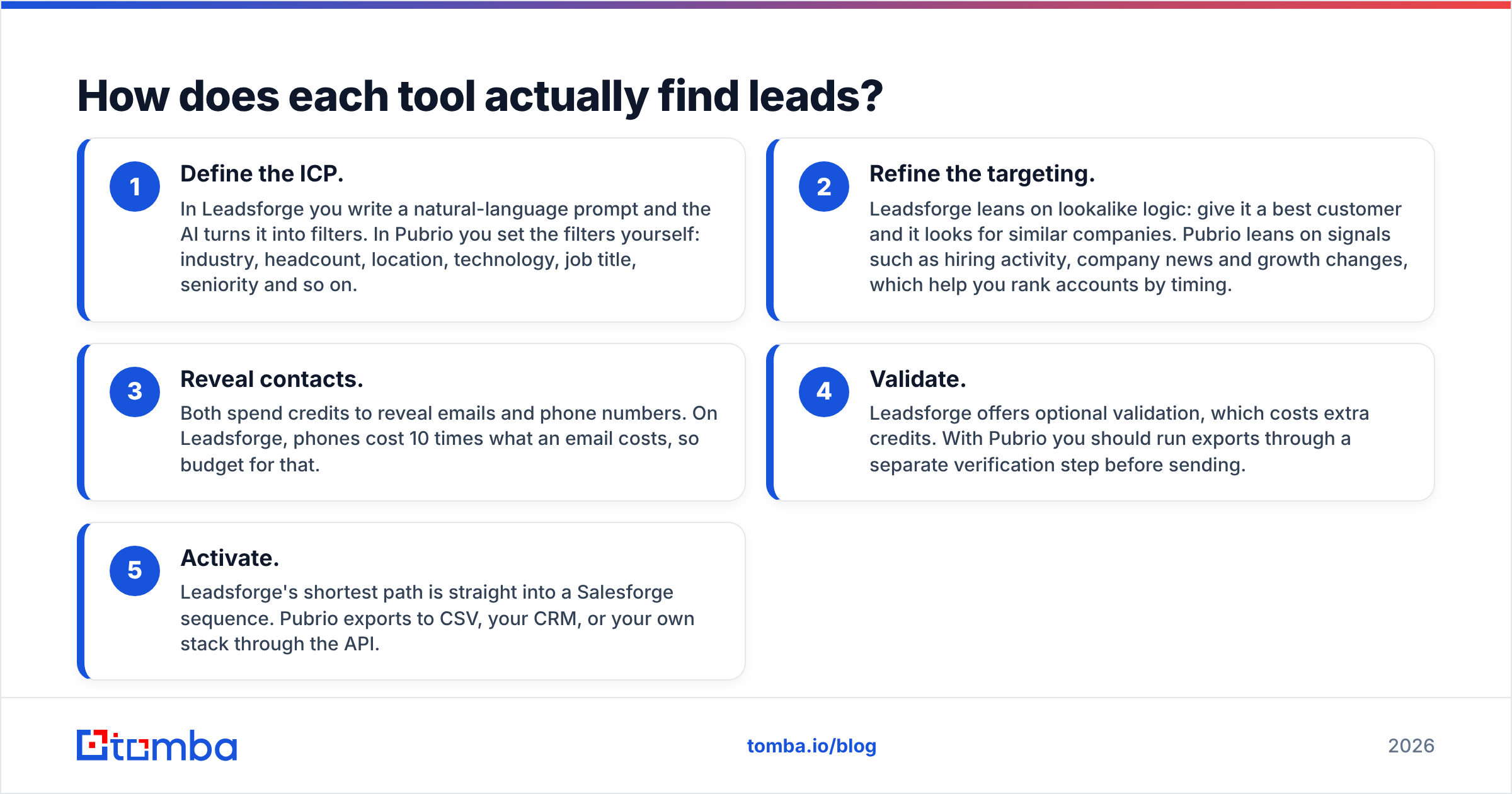
The workflows are quite different, and that difference should drive your decision more than the price.
- Define the ICP. In Leadsforge you write a natural-language prompt and the AI turns it into filters. In Pubrio you set the filters yourself: industry, headcount, location, technology, job title, seniority and so on.
- Refine the targeting. Leadsforge leans on lookalike logic: give it a best customer and it looks for similar companies. Pubrio leans on signals such as hiring activity, company news and growth changes, which help you rank accounts by timing.
- Reveal contacts. Both spend credits to reveal emails and phone numbers. On Leadsforge, phones cost 10 times what an email costs, so budget for that.
- Validate. Leadsforge offers optional validation, which costs extra credits. With Pubrio you should run exports through a separate verification step before sending.
- Activate. Leadsforge's shortest path is straight into a Salesforge sequence. Pubrio exports to CSV, your CRM, or your own stack through the API.
If your bottleneck is "I don't have time to build lists," Leadsforge removes it. If it's "I don't know which accounts to call this week," Pubrio's signals do more for you.
Is Leadsforge better than Pubrio for small outbound teams?#
For most one- to five-person outbound teams, yes, with caveats.
Where Leadsforge wins
- Speed to first list. A prompt beats twenty filter clicks when you're testing new segments every week.
- Low commitment. A roughly $49 entry point, plus rollover credits, means a slow month doesn't burn your budget.
- Stack fit. If you already run Salesforge (and its sister tools for mailbox infrastructure and warmup), Leadsforge closes the loop from list to send without CSV juggling.
- Agency-friendly. Spinning up many ICP variations for many clients is where prompt-based search shines.
Where Leadsforge is weaker
- Less transparency on targeting. When an AI translates your prompt into filters, check what it actually searched for. Vague prompts produce vague lists.
- Phone-heavy workflows get expensive. At 10 credits per phone number, a cold-calling team burns through 2,000 credits fast.
- Ecosystem gravity. It works best inside the Forge stack. If you send from Instantly, Outreach or HubSpot sequences, part of the advantage goes away.
Is Pubrio better than Leadsforge for account research and RevOps?#
Here Pubrio usually comes out ahead.
Where Pubrio wins
- Signals and timing. Hiring, news and company-change signals let you work "why now" accounts instead of static lists. That fits account-based and revenue operations motions, where prioritisation matters as much as coverage.
- Visitor identification. Knowing which companies hit your pricing page gives SDRs warm-ish targets. Leadsforge doesn't focus on this.
- API and developer access. A documented API means you can enrich your CRM, route leads, or feed internal tools automatically.
- Volume economics. Once you're above a few thousand credits a month, the Corporate tier's per-credit cost beats Leadsforge's monthly rate.
- Free tier for evaluation. You can test coverage in your actual niche before paying, which not every data vendor allows.
Where Pubrio is weaker
- Steeper learning curve. More filters means more setup. New reps need training to build good searches.
- Higher entry price. $125/mo is a real jump for a solo founder who needs 300 contacts a month.
- No native sending. You'll need a separate sequencer, which adds one more tool and one more integration to maintain.
Third-party review sites are useful for checking these trade-offs against real user feedback. Pubrio has listings on Capterra and G2, and both are worth reading for comments on data coverage in your region.
How accurate is the contact data from each tool?#
This is the question buyers care about most, and the honest answer is that it depends on your segment.
No vendor has uniform coverage. A tool that performs well on US SaaS mid-market can be thin on DACH manufacturing or APAC SMBs. Pubrio has historically emphasised Asia-Pacific coverage alongside global data, so if you sell into APAC it's worth testing specifically. Leadsforge draws on a large aggregated database and enriches on demand, and it performs best in the English-speaking tech segments most outbound teams target.
Neither tool should be treated as a verification layer. B2B contact data decays constantly as people change jobs, companies rebrand, and mail servers change configuration. Industry estimates commonly put B2B data decay at 20-30% a year. That's why the practical workflow looks like this:
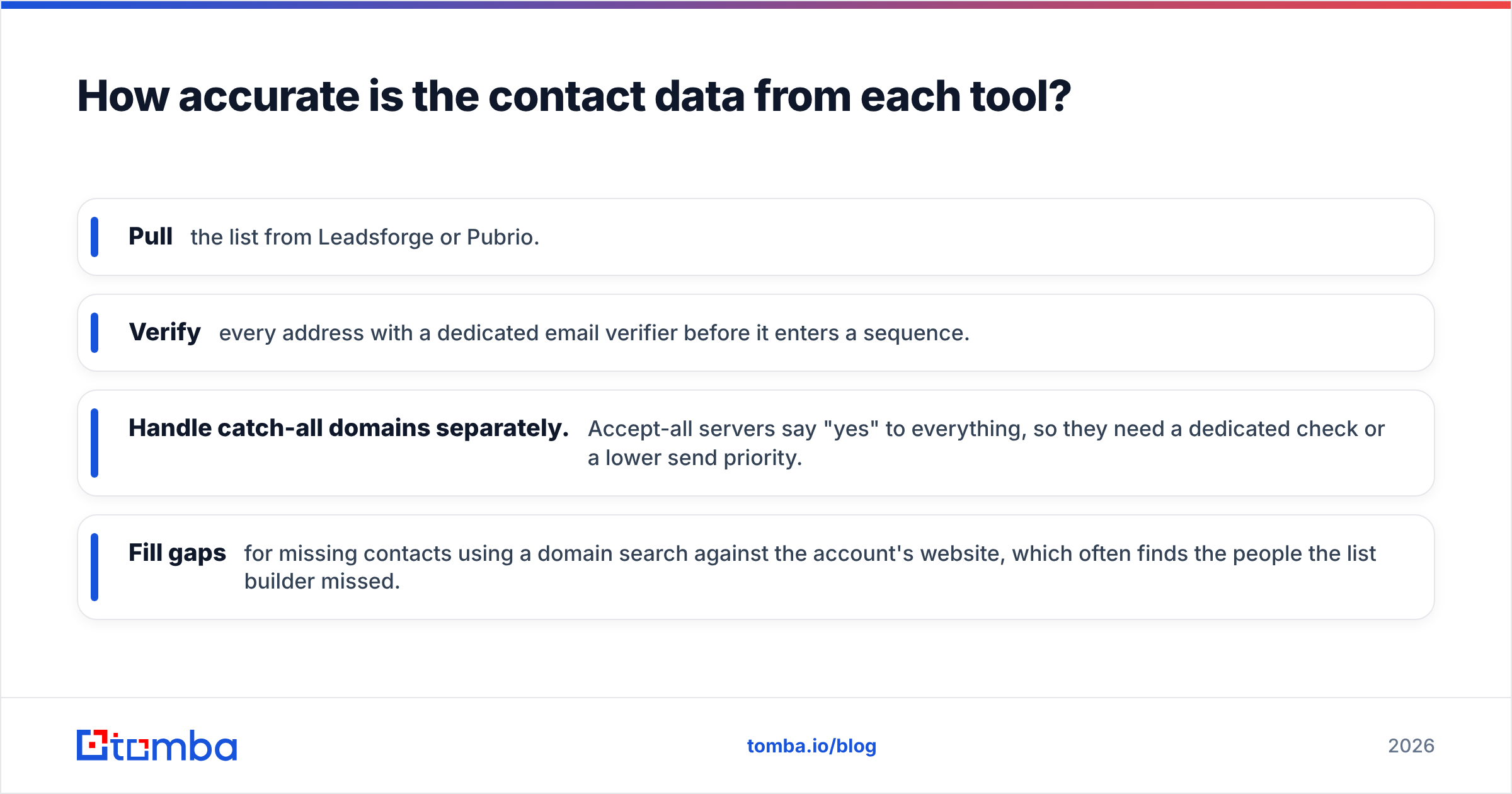
- Pull the list from Leadsforge or Pubrio.
- Verify every address with a dedicated email verifier before it enters a sequence.
- Handle catch-all domains separately. Accept-all servers say "yes" to everything, so they need a dedicated check or a lower send priority.
- Fill gaps for missing contacts using a domain search against the account's website, which often finds the people the list builder missed.
Bounce rates above roughly 2-3% start to hurt sender reputation. Mailbox providers like Google have tightened sender requirements for bulk senders, so a cheap list that bounces is expensive in the end.
What does each tool really cost per usable lead?#
Sticker price and cost per usable lead are different numbers. Here's a simple way to model it.
Scenario: 1,500 emails + 100 phone numbers per month
- Leadsforge: 1,500 email credits + (100 × 10) phone credits = 2,500 credits. That's over the 2,000-credit entry plan, so you'd move up a tier, buy extra, or cut phone lookups. Add more credits if you turn on validation.
- Pubrio: 1,600 reveals fit comfortably inside the Startup plan's 6,000 credits, even allowing for search and export actions that also use credits. The spare headroom goes to account research.
Scenario: 400 emails per month, bursty usage
- Leadsforge is clearly cheaper here. The entry plan covers it, and unused credits carry over into your busy months.
- Pubrio's free plan may cover light testing, but regular production use at this volume would still push most teams onto the $125 plan.
The pattern is simple. Low or irregular volume favours Leadsforge. Steady mid-to-high volume with a research workload favours Pubrio. In both cases, add the cost of verification and the cost of bounced emails, which is the deliverability damage a bad list causes.
Which integrations and workflows does each tool support?#
- Leadsforge is built to feed Salesforge sequences directly and exports CSV for everything else. If your CRM is the system of record, plan for an import step or a middleware automation.
- Pubrio exports to CSV and offers API access, so it slots into custom pipelines, CRM enrichment jobs and internal dashboards. Teams already using Zapier, Make or in-house scripts will get more out of it.
If your team lives in a CRM like HubSpot or Salesforce, ask each vendor how they handle deduplication, field mapping and re-enrichment of stale records. A tool that creates duplicates costs you more in cleanup than it saves in prospecting time.
Leadsforge vs Pubrio: which one should you choose?#
Match the tool to how you prospect, not to the feature list.
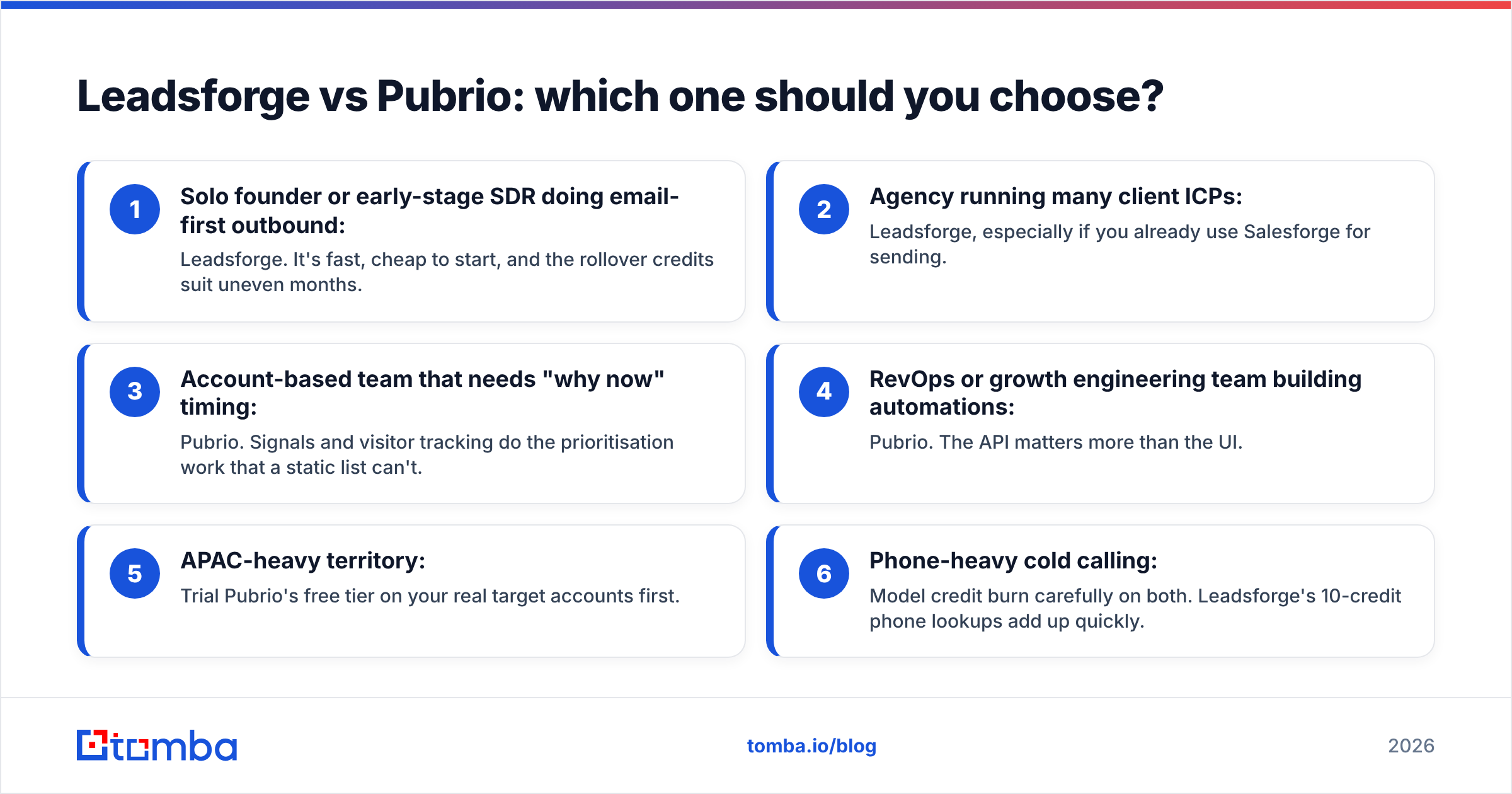
- Solo founder or early-stage SDR doing email-first outbound: Leadsforge. It's fast, cheap to start, and the rollover credits suit uneven months.
- Agency running many client ICPs: Leadsforge, especially if you already use Salesforge for sending.
- Account-based team that needs "why now" timing: Pubrio. Signals and visitor tracking do the prioritisation work that a static list can't.
- RevOps or growth engineering team building automations: Pubrio. The API matters more than the UI.
- APAC-heavy territory: Trial Pubrio's free tier on your real target accounts first.
- Phone-heavy cold calling: Model credit burn carefully on both. Leadsforge's 10-credit phone lookups add up quickly.
If you're still undecided, run a paired test. Build the same 200-account ICP in both tools, verify every email the same way, and compare three numbers: contacts found per account, verified-valid rate, and time spent building the list. You'll have a clear answer within a week.
If neither fits, perhaps because you want a plain email finder without an AI list builder or a full intelligence suite, look at simpler lookup tools, or read our breakdown of Apollo.io alternatives for other all-in-one options.
Frequently asked questions#
Is Leadsforge cheaper than Pubrio? At low volume, yes. Leadsforge starts around $49/mo against Pubrio's $125/mo. At higher volume, Pubrio's Corporate plan has a lower per-credit cost.
Does Pubrio have a free plan? Yes. Pubrio offers a free tier with limits on searches, pages and exports. It's good enough to test data coverage before you buy.
Do Leadsforge credits expire? According to Leadsforge's published pricing, credits roll over and don't expire, and new accounts get 100 free credits.
Do I still need an email verifier with these tools? Yes. Both tools return contact data that decays over time. Verify before every send to protect your sender reputation.
Find and verify the emails your list builder missed#
Whichever platform you pick, you'll hit accounts with missing contacts, outdated addresses and catch-all domains. That's where Tomba Email Finder helps. Search by name and company or by domain to find professional email addresses, then run them through Tomba's built-in verification before they reach your sequencer. It's easy to start with 25 free searches a month, and paid plans begin at $49/mo. Check Tomba pricing to find the tier that matches your outbound volume.
Related guides#
// get started
Find, verify and enrich your first contacts today
Start on the free plan with 25 searches a month, then scale when your team is ready.
Free plan · No credit card required · GDPR & CCPA
// about the author