Leadsforge vs Reachfast (2026): Which Lead Tool Should You Pick?
Leadsforge builds lead lists from a plain-English ICP prompt. Reachfast is built around verified mobile numbers and emails. Here's which one fits your outbound motion, and what each one costs per usable contact.
TL;DR
- Leadsforge is an AI list builder. You describe your ideal customer in plain English, it returns matching companies and contacts, and it plugs straight into Salesforge sequences.
- Reachfast is a contact-data tool. It focuses on verified emails and mobile direct dials, checks data at export, and refunds credits for wrong phone numbers.
- On pricing, both use credits: roughly 1 credit per email and 10 per phone number. Leadsforge's Essential plan starts at $49/mo for 2,000 credits.
- Pick Leadsforge if your bottleneck is who to target. Pick Reachfast if it's reaching the people you already know you want, especially by phone.
- Whichever you choose, verify emails again right before you send. Data goes stale between export and send.
Leadsforge and Reachfast often come up in the same buying conversations. Both sit near the Forge ecosystem (Salesforge, Mailforge, Infraforge), both charge in credits, and both promise "leads in minutes." They solve different problems, though. If you treat them as interchangeable, you'll pay for the wrong kind of data.
This comparison looks at how each tool works, what a usable contact actually costs, where each one falls short, and how to combine them with a verification layer so your domain doesn't pay for somebody else's stale database.
What is Leadsforge?#
Leadsforge is an AI lead generation tool built by the team behind Salesforge. Instead of stacking 15 filters in a traditional database UI, you type a prompt like "Series A fintech companies in the UK with 50–200 employees, targeting heads of finance." Leadsforge turns that into a search and returns a lead list.
Its main features:
- Chat-based ICP search. Natural-language prompts replace filter panels.
- Lookalike search. Give it a company you've already closed and it finds similar accounts.
- Enrichment on export. Emails and phone numbers are revealed when you export, and credits are spent at that point.
- Native Salesforge handoff. Lists go directly into Salesforge sequences, so there's no CSV shuffle.
- Rollover credits. Unused credits carry forward instead of expiring at month end.
The pitch is speed to a first list. A founder or SDR who doesn't know how to write Boolean filters can have a plausible target list within minutes.
What is Reachfast?#
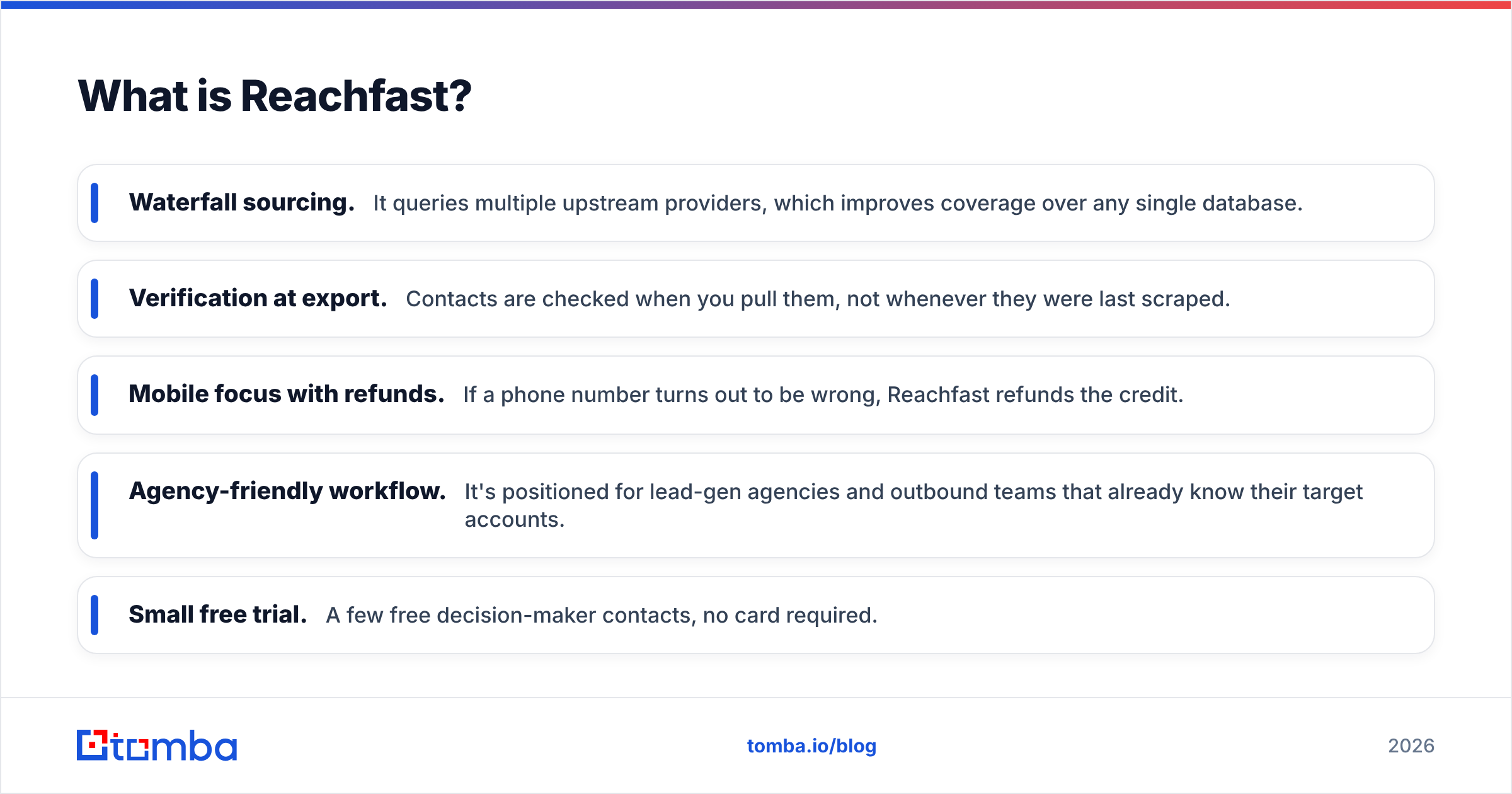
Reachfast comes at the problem from the data-quality side. It pulls contact data from several providers in a waterfall and verifies emails and phone numbers at the moment of export. It markets itself on mobile-first data: direct dials and work direct lines, not switchboard numbers.
Its main features:
- Waterfall sourcing. It queries multiple upstream providers, which improves coverage over any single database.
- Verification at export. Contacts are checked when you pull them, not whenever they were last scraped.
- Mobile focus with refunds. If a phone number turns out to be wrong, Reachfast refunds the credit.
- Agency-friendly workflow. It's positioned for lead-gen agencies and outbound teams that already know their target accounts.
- Small free trial. A few free decision-maker contacts, no card required.
Leadsforge answers "who should I go after?" Reachfast answers "how do I actually reach this person?"
How do Leadsforge and Reachfast compare feature by feature?#
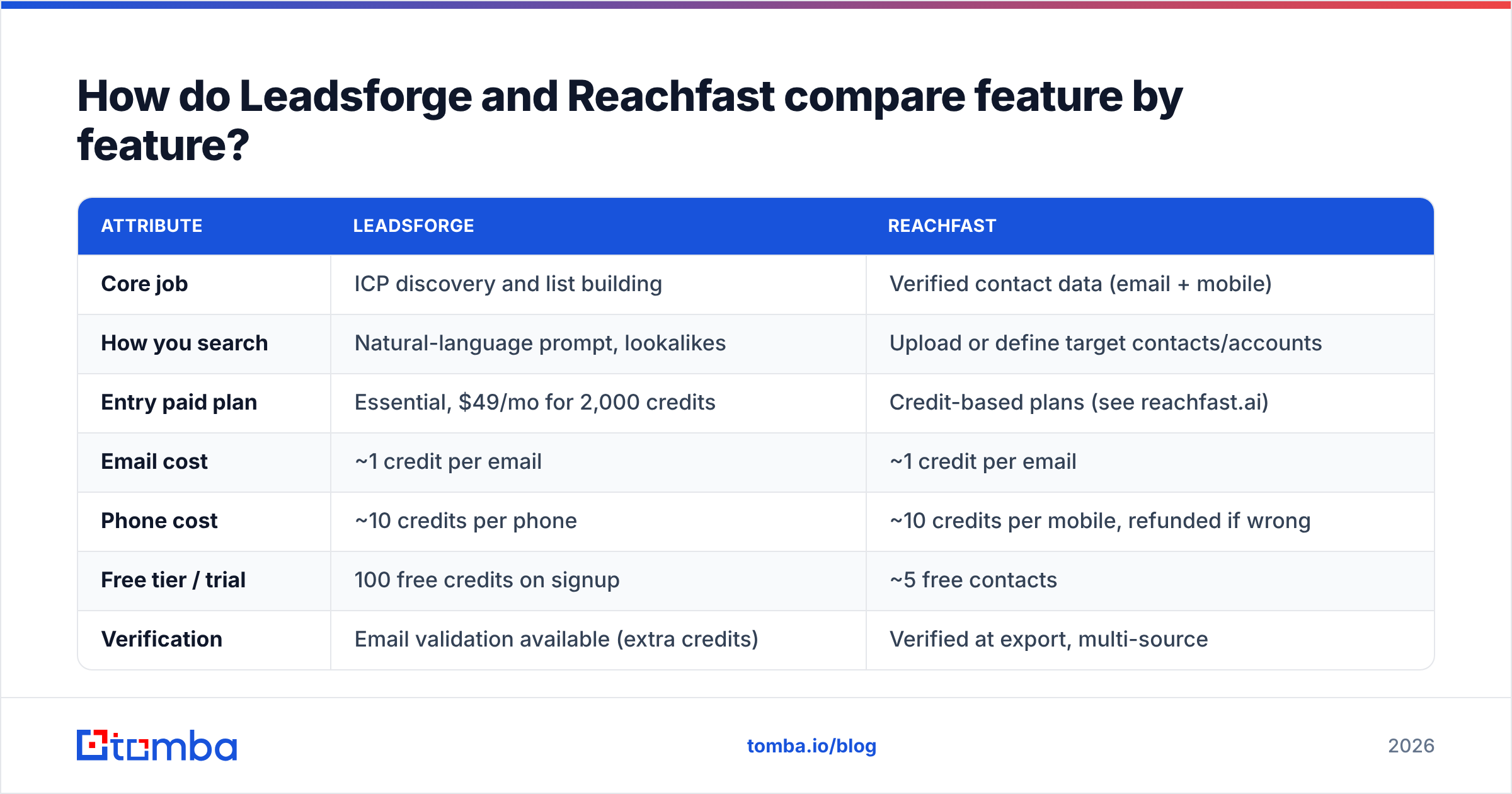
Here's how they line up on the attributes that matter to an outbound team. Pricing reflects public information at the time of writing. Both vendors adjust plans often, so check their pricing pages before you commit.
| Attribute | Leadsforge | Reachfast |
|---|---|---|
| Core job | ICP discovery and list building | Verified contact data (email + mobile) |
| How you search | Natural-language prompt, lookalikes | Upload or define target contacts/accounts |
| Entry paid plan | Essential, $49/mo for 2,000 credits | Credit-based plans (see reachfast.ai) |
| Email cost | ~1 credit per email | ~1 credit per email |
| Phone cost | ~10 credits per phone | ~10 credits per mobile, refunded if wrong |
| Free tier / trial | 100 free credits on signup | ~5 free contacts |
| Verification | Email validation available (extra credits) | Verified at export, multi-source |
| Credit rollover | Yes | Check current plan terms |
| Sequencer integration | Native Salesforge | CSV / CRM export |
| Best for | Founders, SDRs building net-new lists | Agencies, callers, teams with known targets |
| Main weakness | Prompt results need manual QA | Less help with deciding who to target |
The row that matters most is core job. Almost every other difference follows from it.
Which tool gives you better data quality?#
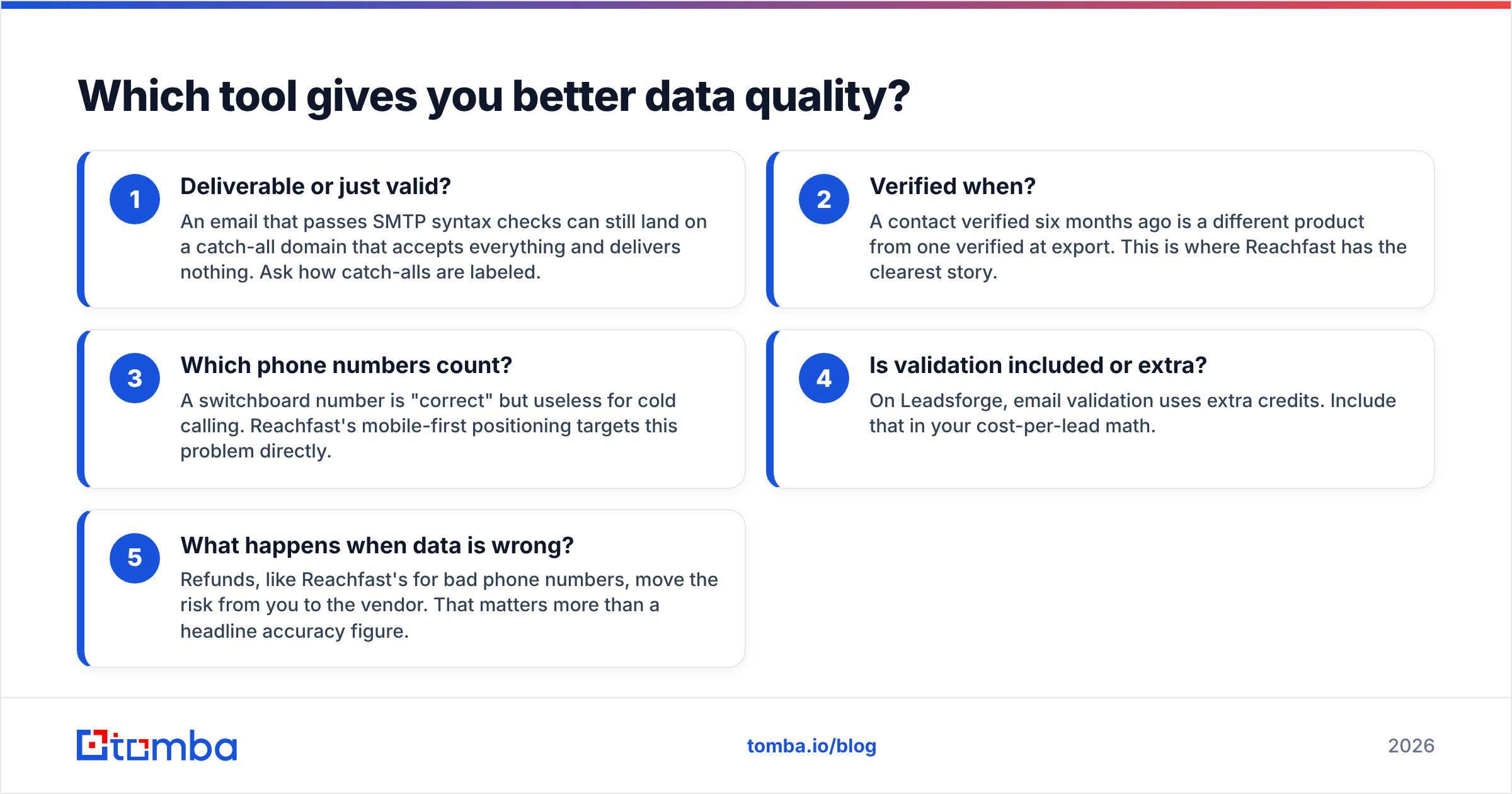
Accuracy claims in this category are hard to compare because each vendor measures something different. Before you trust any number, ask these five questions:
- Deliverable or just valid? An email that passes SMTP syntax checks can still land on a catch-all domain that accepts everything and delivers nothing. Ask how catch-alls are labeled.
- Verified when? A contact verified six months ago is a different product from one verified at export. This is where Reachfast has the clearest story.
- Which phone numbers count? A switchboard number is "correct" but useless for cold calling. Reachfast's mobile-first positioning targets this problem directly.
- Is validation included or extra? On Leadsforge, email validation uses extra credits. Include that in your cost-per-lead math.
- What happens when data is wrong? Refunds, like Reachfast's for bad phone numbers, move the risk from you to the vendor. That matters more than a headline accuracy figure.
In practice, Leadsforge's email data is solid for a prompt-driven list builder, but you should expect to QA the list itself. AI prompts sometimes return companies that match the words of your prompt but not what you meant. Reachfast's data is more carefully checked on a per-contact basis, but you have to supply the targeting judgment yourself.
Whichever tool you use, run exported emails through a dedicated email verifier right before you load a sequence. Even well-verified data decays by a few percent a month as people change jobs. A 3% bounce rate on a new sending domain is enough to start hurting inbox placement.
How much does a usable lead actually cost?#
Sticker prices mislead in this category, so work it out per usable contact.
Leadsforge example. On the $49/mo Essential plan you get 2,000 credits. If you only export emails at 1 credit each, that's up to 2,000 email contacts, about $0.025 each. Add phones at 10 credits each and you're down to around 180 contacts with both email and phone. If you also pay for email validation, the effective count drops further. Rollover credits soften this: a slow month isn't wasted.
Reachfast example. The per-credit logic is similar: about 1 credit for an email and 10 for a mobile. The difference is the refund on wrong phone numbers. If you run a call-heavy motion where many upstream mobiles would fail, you effectively pay only for connects-worthy numbers. For a caller, that can make Reachfast the cheaper option per dialable contact even if the per-credit price is higher.
A rough rule:
- Email-only outbound: Leadsforge usually wins on cost per contact, especially with the Salesforge handoff removing tool-switching time.
- Phone-heavy outbound: Reachfast usually wins on cost per working mobile number because of the refund model.
Where does each tool fall short?#
Neither tool is a full outbound stack. Know the gaps before you buy.
Leadsforge limitations
- Prompt results need a human check. Vague ICPs produce vague lists.
- Phone numbers cost 10x emails, so phone-heavy teams burn credits fast.
- Its best workflow assumes you're on Salesforge. If you use another sequencer, you lose some of the convenience.
Reachfast limitations
- It doesn't do much to help you discover new accounts. You need a target list or a clear persona first.
- The trial is small, so testing it properly on your own ICP means paying.
- It's positioned around mobile data. If you never call, you're paying for a strength you won't use.
Independent review sites such as Capterra's Reachfast listing and G2 are worth checking for recent user feedback. Both products change quickly, and reviews from 2024 may not reflect how they behave in 2026.
Is Leadsforge better than Reachfast?#
Neither is better in general. They fit different teams:
- Choose Leadsforge if you're a founder or small SDR team, your main problem is building target lists, you send mostly email, and you already use (or plan to use) Salesforge.
- Choose Reachfast if you're an agency or a call-heavy team, you already know which accounts and personas you want, and wrong mobile numbers are your biggest waste.
- Use both if you want Leadsforge to find the accounts and people, then Reachfast to fill in verified mobiles for your top-tier prospects. This works well for account-based outbound, where the top 50 accounts get calls and the long tail gets email only.
Where does Tomba fit alongside these tools?#
Tomba doesn't compete directly with either tool's main pitch. It isn't a prompt-based ICP builder like Leadsforge or a mobile-first refund model like Reachfast. It covers the job both leave partly open: finding and verifying professional emails from a domain or a name, on demand, inside the tools you already use.
Three situations where teams add it:
- You already have a target account list. Maybe it came from Leadsforge, a CRM export, or an event attendee sheet. Domain search pulls every public professional email at those companies, with sources.
- You need one specific person. Name plus company domain returns the most likely address and a confidence score. No new list build required.
- You need a final check before sending. Verification and catch-all handling catch the addresses that went stale between export and send.
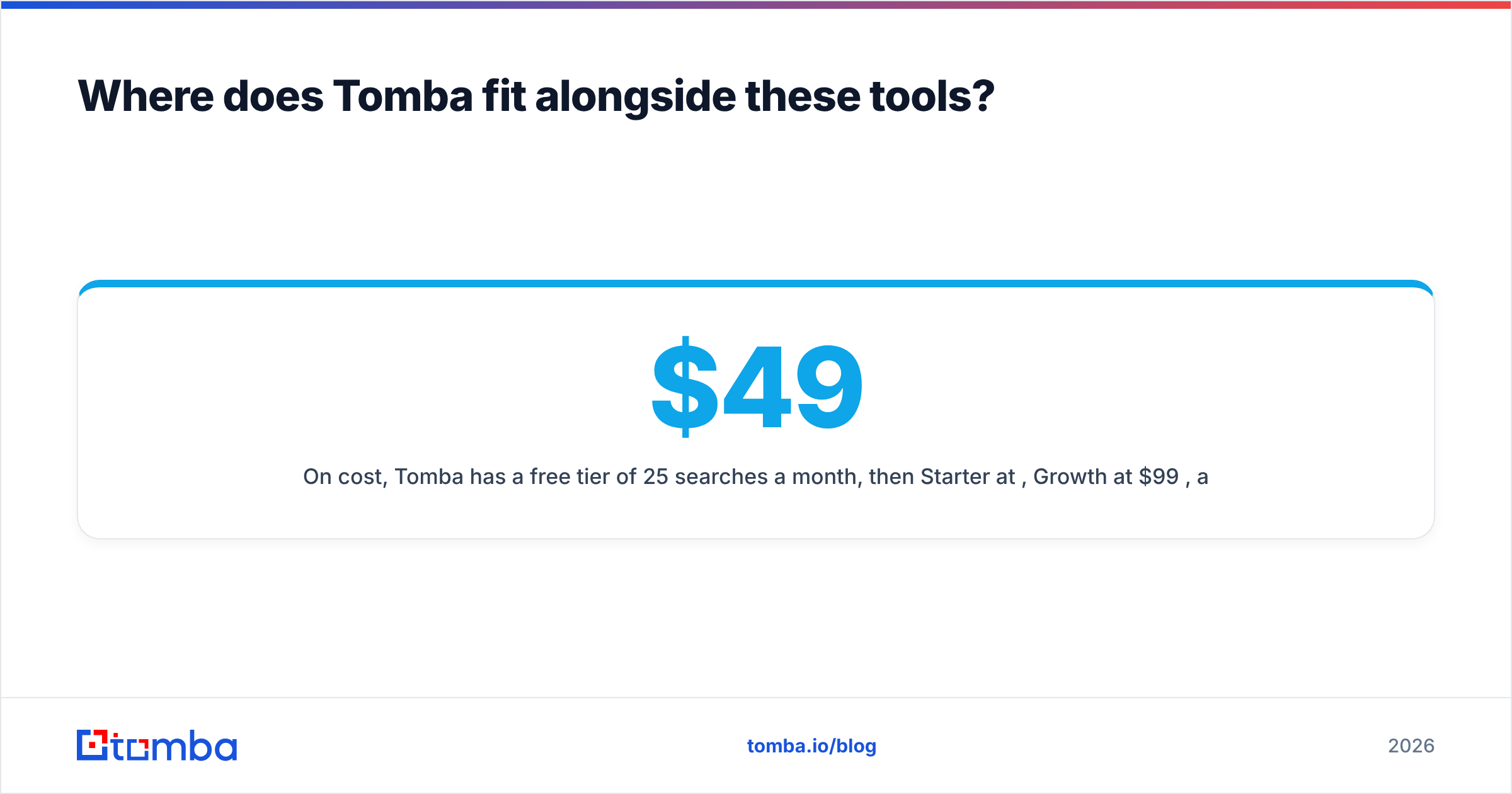
On cost, Tomba has a free tier of 25 searches a month, then Starter at $49/mo, Growth at $99/mo, and Pro at $249/mo. See the Tomba pricing page for credit details. If phones matter, the phone finder covers B2B numbers, though a mobile-first specialist like Reachfast has the edge for call-heavy teams.
Frequently asked questions#
Do Leadsforge and Reachfast integrate with each other? Not natively as one product. Both sit near the Forge ecosystem, and Reachfast has been offered through the Salesforge marketplace, but in practice you'll move data between them with CSV or CRM exports.
Which one is better for cold calling? Reachfast. Its mobile-first data and refunds for wrong numbers are built for callers. Leadsforge can return phone numbers, but at 10 credits each with no comparable refund model.
Which one is better for cold email? Leadsforge, especially if you use Salesforge. Prompt-to-sequence is its strongest workflow. Verify the list before sending either way.
Do Leadsforge credits expire? According to Leadsforge, credits roll over month to month, and yearly plans deliver all credits upfront. Confirm current terms on its pricing page before purchasing.
Can I trust "97% accuracy" style claims? Treat them as a starting point, not a guarantee. Ask how accuracy is measured, when data was last verified, and what happens when a contact is wrong. Then run a 100–200 contact pilot on your own ICP and measure bounces and connects yourself.
What's the bottom line?#
Leadsforge is the faster way to decide who to target. Reachfast is the more dependable way to reach them by phone. Most teams need one of those more than the other, so start there. The step every team needs, whichever tool supplies the list, is a final email check before anything goes out.
If you already know which companies you want and need the right people's addresses fast, try the Tomba Email Finder. Enter a domain or a name, get verified professional emails with sources, and start on the free tier of 25 searches a month before upgrading to Starter at $49/mo.
Related guides#
// get started
Find, verify and enrich your first contacts today
Start on the free plan with 25 searches a month, then scale when your team is ready.
Free plan · No credit card required · GDPR & CCPA
// about the author