Leadsforge vs Reoon: Lead Generation or Email Verification in 2026?
Leadsforge builds AI lead lists. Reoon verifies the emails you already have. They are different tools, and this comparison helps you decide which one your outbound stack needs, or whether you need both.
TL;DR
- Leadsforge is an AI lead-generation tool. You describe your ideal customer in plain English and it builds a contact list with emails. Reoon is an email verifier. It checks whether the addresses you already have will bounce.
- They do different jobs, so they don't really compete head to head. The real question is which step in your workflow is broken: finding leads or cleaning them.
- Choose Leadsforge if you have no list and want one quickly, especially if you already use the Salesforge/Forge stack. Choose Reoon if you have a list and want cheap, fast bounce protection.
- Plenty of teams end up paying for both. A single platform that finds and verifies, such as Tomba, removes a tool and a CSV hand-off.
- Pricing on both tools changes often. Treat the numbers below as a starting point and confirm them on each vendor's site before you buy.
What is Leadsforge?#
Leadsforge is an AI-first lead-generation product from the Forge family of outbound tools, which also includes Salesforge (sequencing), Mailforge and Infraforge (sending infrastructure) and Warmforge (warmup). You don't set dozens of filters. You type a prompt like "Series A SaaS companies in Germany with 50-200 employees, heads of RevOps," and Leadsforge turns it into a lead list.
The main points:
- Chat-style ICP search. Natural-language prompts instead of filter trees.
- Lookalike search. Give it a company you like and get similar accounts back.
- Enrichment on export. Leads come with work emails and firmographic data, and the vendor says the emails are verified before they reach you.
- Credit-based pricing. You pay for the leads you pull, on monthly plans that scale by credit volume.
- Native Forge integration. Lists go straight into Salesforge sequences without an export step.
The appeal is speed. A founder or SDR who has never built a lead list can have a usable one in minutes.
What is Reoon Email Verifier?#
Reoon Email Verifier is a dedicated verification tool. It doesn't find people. You upload a list, or call its API, and it tells you which addresses are safe to send to, which are invalid, which are disposable, and which sit on catch-all domains.
The main points:
- Two verification modes. A fast "quick" mode for syntax and domain-level checks, and a deeper "power" mode that talks to the mail server for a mailbox-level verdict.
- Bulk and single checks, plus an API for real-time verification on signup forms.
- Status categories. Safe, invalid, disposable, role-based, catch-all, unknown and spam-trap-risk labels.
- Aggressive pricing. Reoon is known as one of the cheapest verifiers around. It sells pay-as-you-go credit packs and daily-credit subscriptions, and it has a small recurring free allowance.
Reoon has a strong following among cold emailers who verify large volumes and care most about cost per check.

Leadsforge vs Reoon: what's the core difference?#
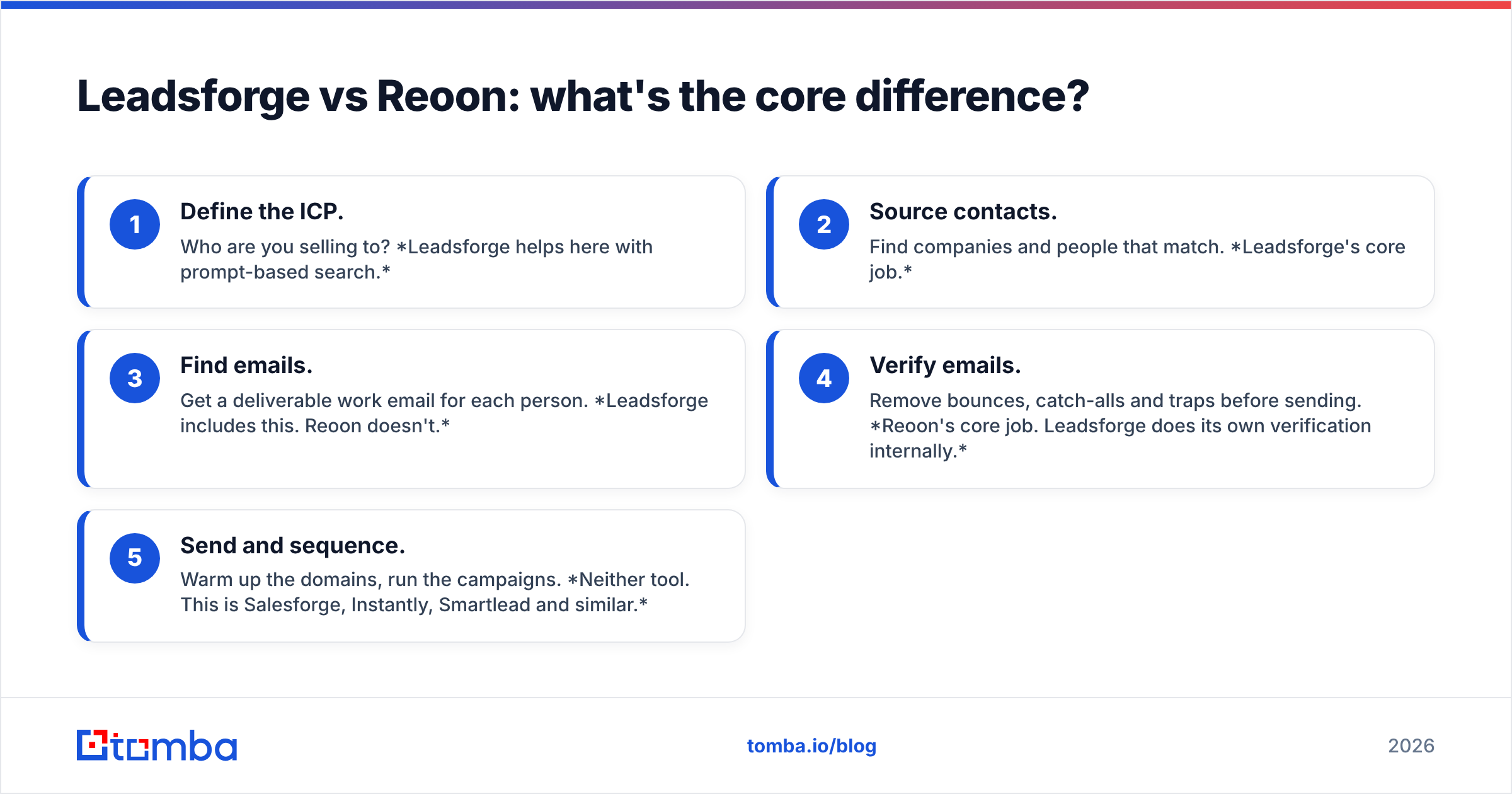
It comes down to where each tool sits in the outbound pipeline. A typical cold-email workflow has five stages, and the two products cover different ones:
- Define the ICP. Who are you selling to? Leadsforge helps here with prompt-based search.
- Source contacts. Find companies and people that match. Leadsforge's core job.
- Find emails. Get a deliverable work email for each person. Leadsforge includes this. Reoon doesn't.
- Verify emails. Remove bounces, catch-alls and traps before sending. Reoon's core job. Leadsforge does its own verification internally.
- Send and sequence. Warm up the domains, run the campaigns. Neither tool. This is Salesforge, Instantly, Smartlead and similar.
Comparing Leadsforge and Reoon is a bit like comparing a fishing boat with a fish scale. One brings the catch in. The other tells you what's worth keeping.
How do Leadsforge and Reoon compare feature by feature?#
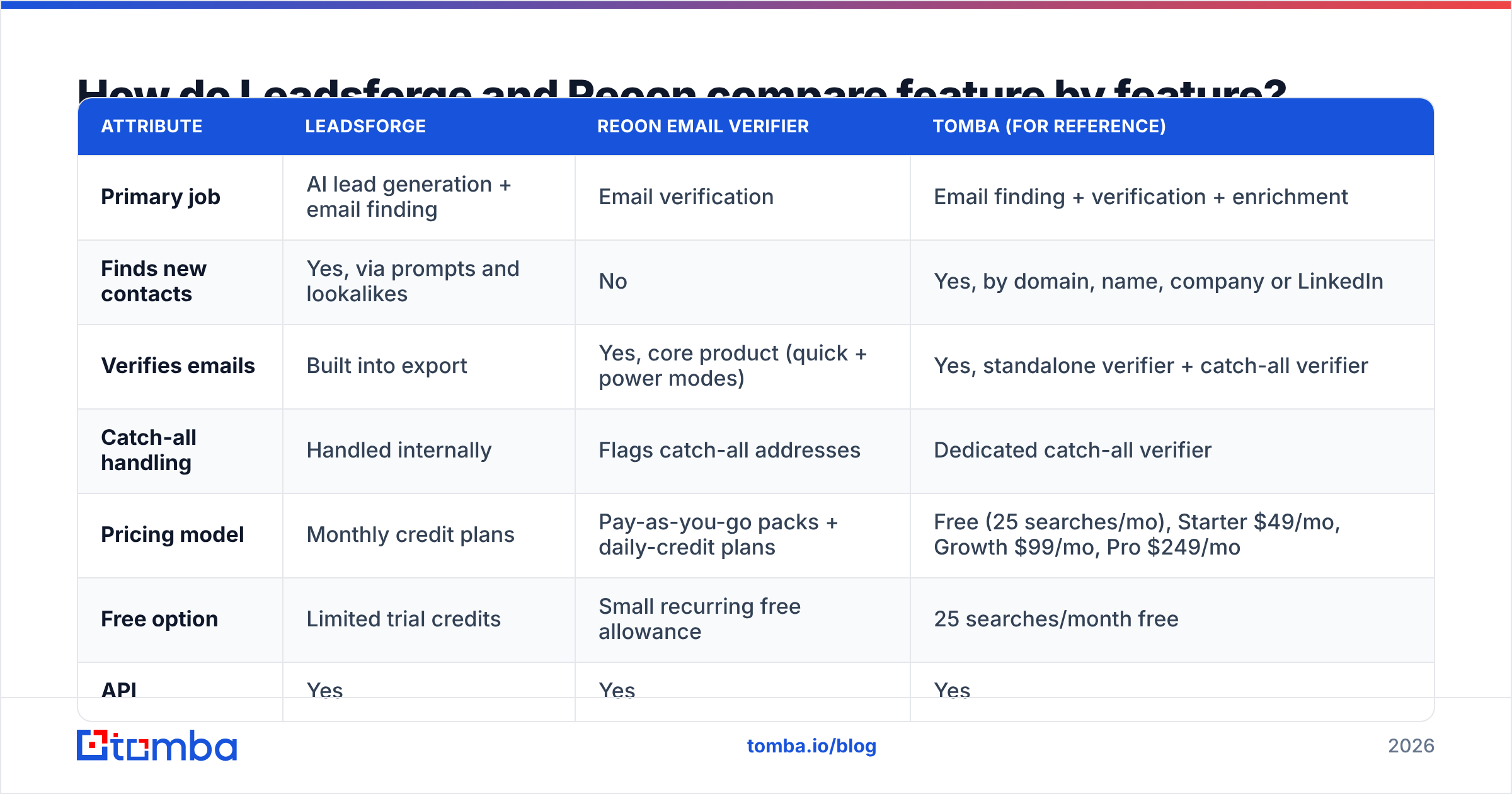
| Attribute | Leadsforge | Reoon Email Verifier | Tomba (for reference) |
|---|---|---|---|
| Primary job | AI lead generation + email finding | Email verification | Email finding + verification + enrichment |
| Finds new contacts | Yes, via prompts and lookalikes | No | Yes, by domain, name, company or LinkedIn |
| Verifies emails | Built into export | Yes, core product (quick + power modes) | Yes, standalone verifier + catch-all verifier |
| Catch-all handling | Handled internally | Flags catch-all addresses | Dedicated catch-all verifier |
| Pricing model | Monthly credit plans | Pay-as-you-go packs + daily-credit plans | Free (25 searches/mo), Starter $49/mo, Growth $99/mo, Pro $249/mo |
| Free option | Limited trial credits | Small recurring free allowance | 25 searches/month free |
| API | Yes | Yes | Yes |
| Best for | Teams without a list, Forge-stack users | High-volume list cleaning on a budget | Teams that want finding and verifying in one tool |
| Main limitation | You can't verify lists you got elsewhere | Can't source a single new lead | Not a sequencer, you still need a sending tool |
Plans and credit allowances for Leadsforge and Reoon change frequently. Check current numbers on each vendor's pricing page.
Is Leadsforge better than Reoon for building a lead list?#
Yes. Reoon doesn't build lead lists at all, so this is an easy one. If you start with nothing (no CRM export, no scraped list, no event attendee sheet), Reoon has nothing to verify.
Leadsforge's strength is how little effort it takes. Its prompt interface makes a lot of sense for:
- Founders doing their own outbound who don't want to learn a complex filter UI.
- Agencies testing new verticals that need quick sample lists before committing to a campaign.
- Salesforge users, because the list-to-sequence hand-off happens natively.
There are trade-offs. Prompt-based search is only as good as your prompt and the data underneath it. Niche titles, very small companies and non-English-speaking markets tend to have thinner coverage in any AI list builder. Before you commit to a big credit plan, run the same ICP through two or three sources and compare how many results overlap and how many emails actually deliver.
Is Reoon better than Leadsforge for email verification?#
For verifying lists that came from somewhere else, yes. Reoon is built for one job and priced for volume. If you:
- inherited an old CRM with years of stale contacts,
- bought or scraped a list from a vendor you don't fully trust,
- collect emails through signup forms and want real-time validation,
- or send more than 50,000 cold emails a month and need to re-verify often,
then a dedicated verifier is the right tool, and Reoon is one of the cheapest options per check.
Leadsforge's verification happens inside its own export flow. It's useful for leads Leadsforge generates, but it isn't meant as a general-purpose list cleaner.
One caveat applies to Reoon and every other SMTP-based verifier: catch-all domains. A catch-all server accepts mail for any address, so a verifier can't confirm whether a specific mailbox exists. Reoon labels these honestly as catch-all or unknown, but that label doesn't tell you whether to send. If a lot of your ICP is enterprise or mid-market (where catch-all setups are common), budget for a second pass with a dedicated catch-all verifier, or accept a higher bounce risk on that segment.
How accurate are Leadsforge and Reoon?#
Neither vendor publishes an independently audited accuracy benchmark, and you should be wary of any tool that claims 99%+ without showing how it was measured. What you can check is your own bounce rate.
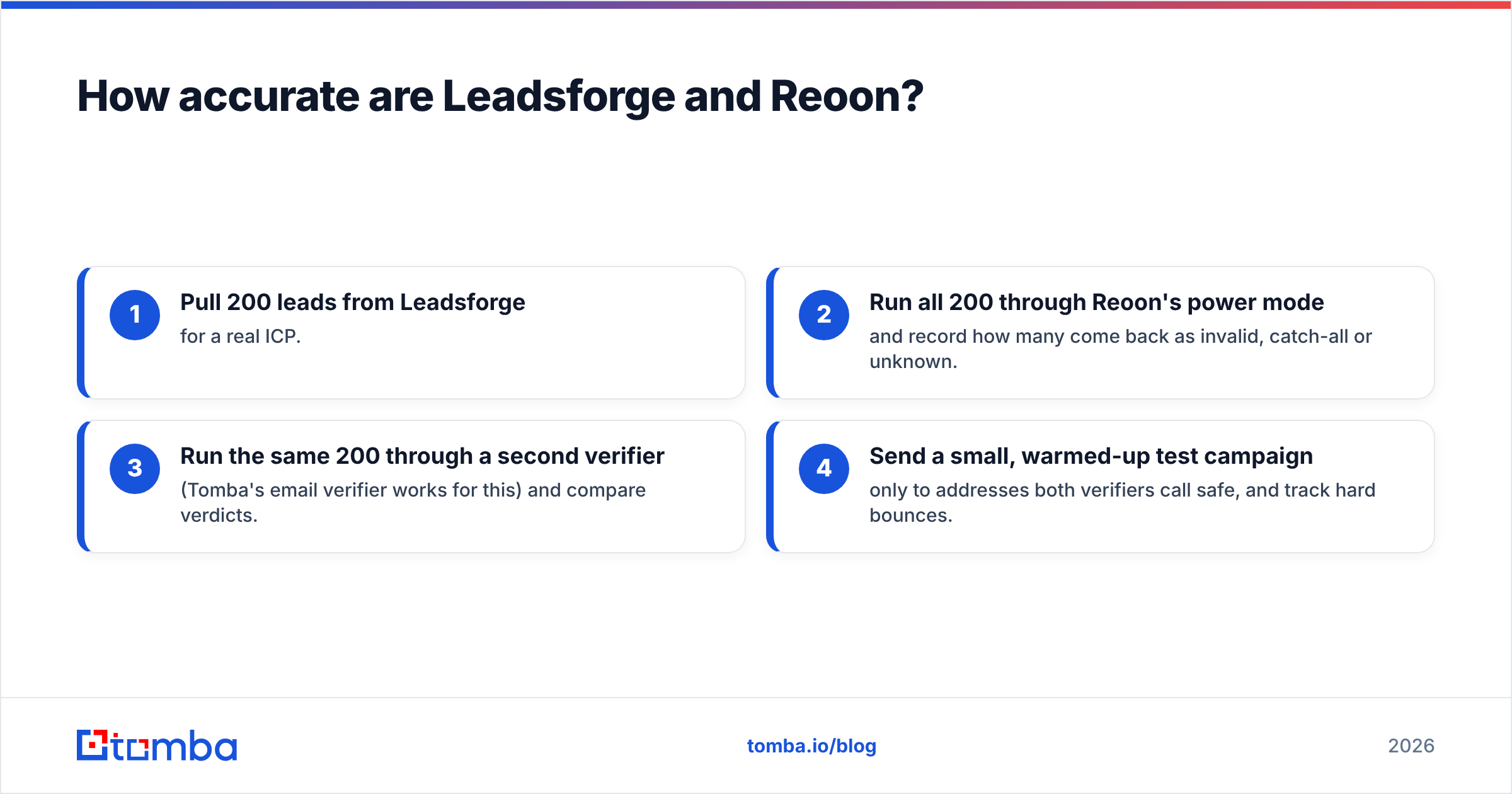
A practical test that takes about an hour:
- Pull 200 leads from Leadsforge for a real ICP.
- Run all 200 through Reoon's power mode and record how many come back as invalid, catch-all or unknown.
- Run the same 200 through a second verifier (Tomba's email verifier works for this) and compare verdicts.
- Send a small, warmed-up test campaign only to addresses both verifiers call safe, and track hard bounces.
If Leadsforge's exported emails come back almost entirely "safe" from Reoon, the built-in verification is doing its job and you may not need a separate verifier for those leads. If a large share come back catch-all or unknown, you know where your bounce risk sits.
Keep the stakes in mind. Mailbox providers watch hard bounces closely. A bounce rate much above 2% on a cold domain is a quick way to lose inbox placement, which is why verification is standard hygiene and not something extra. For background on how bounces work, the Wikipedia entry on bounce messages is a clear primer.
How does pricing compare between Leadsforge and Reoon?#
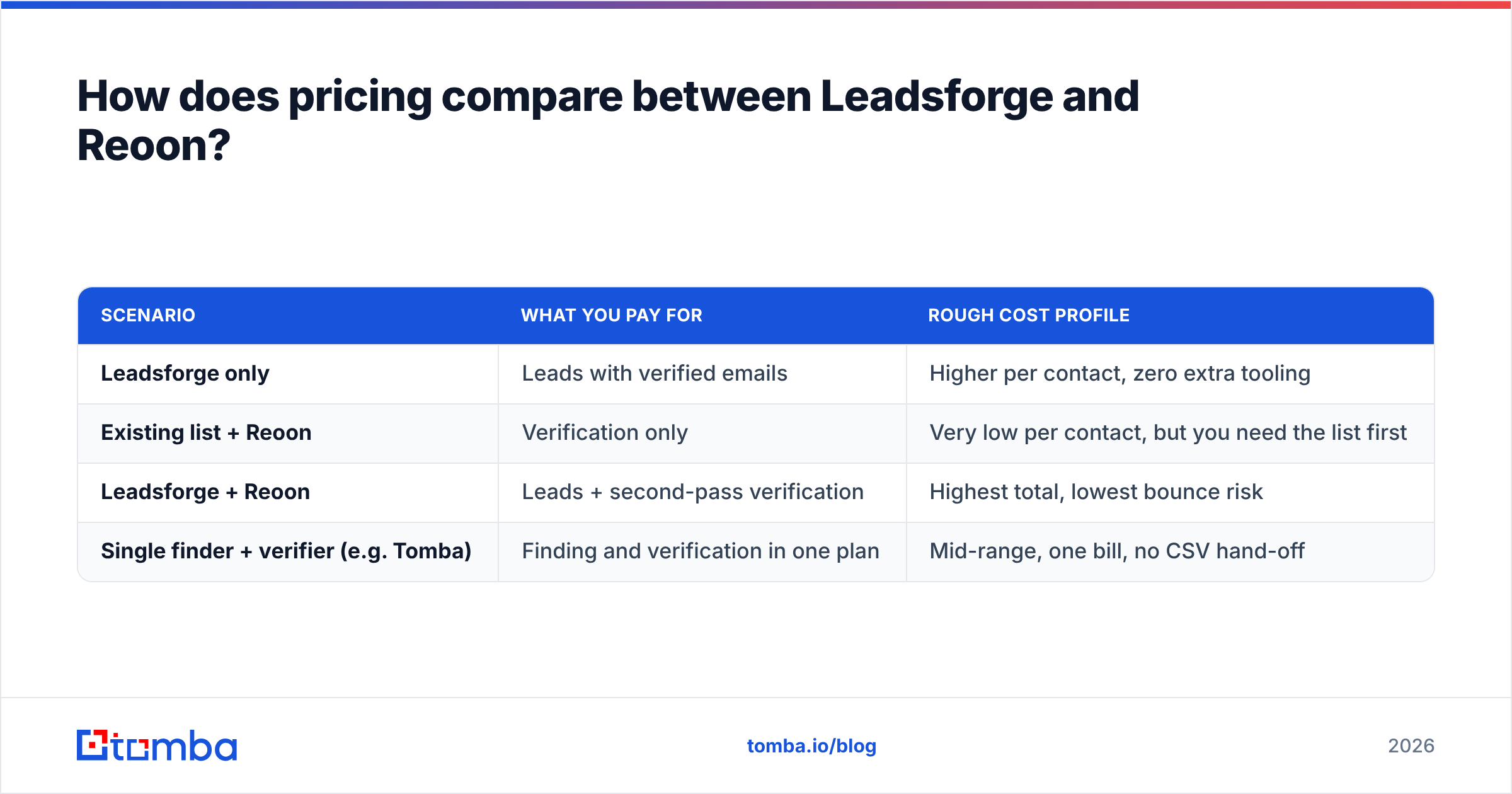
The two tools charge for different units, so comparing them directly is misleading:
- Leadsforge charges per lead. Each credit usually covers a contact, often with an email included. A lead costs more than a verification because it includes sourcing, enrichment and verification together.
- Reoon charges per verification. Each credit covers one email check. The unit cost is a small fraction of a cent to low cents depending on volume, which makes it one of the budget leaders in the category.
A fairer comparison is cost per deliverable contact:
| Scenario | What you pay for | Rough cost profile |
|---|---|---|
| Leadsforge only | Leads with verified emails | Higher per contact, zero extra tooling |
| Existing list + Reoon | Verification only | Very low per contact, but you need the list first |
| Leadsforge + Reoon | Leads + second-pass verification | Highest total, lowest bounce risk |
| Single finder + verifier (e.g. Tomba) | Finding and verification in one plan | Mid-range, one bill, no CSV hand-off |
Reviews on G2 are useful for seeing how real users experience credit consumption on both tools, especially around refunds for invalid results and whether unused credits roll over. Those two policies often matter more than the list price.

Should you use Leadsforge and Reoon together?#
Many teams do, and it can make sense. The pattern looks like this:
- Build the list in Leadsforge.
- Export to CSV.
- Upload to Reoon for a second verification pass.
- Import the cleaned list into your sequencer.
It works, but look at the costs before you make it permanent:
- Two subscriptions, two credit balances to watch.
- A manual CSV hop that someone has to do every time, and where lists get duplicated or lost.
- Two different verdicts when the tools disagree, and nobody on the team knows which one to trust.
- No shared history. Neither tool knows what the other has already checked, so you pay to re-verify the same addresses.
If you're a Salesforge shop sending at high volume, adding Reoon as a cheap safety net is reasonable. If you're a smaller team, the extra tool often costs more in time than it saves in bounces.
Which should you choose: Leadsforge or Reoon?#
Go by the bottleneck you actually have:
- "We don't know who to email." Choose Leadsforge. Its prompt-based sourcing is the fastest way from an ICP idea to a list, and it fits naturally if you already use Salesforge.
- "We have a list but our bounces are too high." Choose Reoon. It's cheap, fast and made for exactly this problem.
- "We have a CRM full of old contacts." Choose Reoon for cleanup, and add a catch-all verifier for enterprise-heavy segments.
- "We need to find specific people at specific companies." Neither tool is a perfect fit. Leadsforge is built for broad ICP discovery, not precise lookups like "the VP of Marketing at acme.com." A domain- or name-based email finder is better suited to that.
- "We want one tool for finding and verifying." Look at a combined platform. You get fewer hand-offs, one credit balance and consistent verdicts.
Leadsforge and Reoon are both good at what they're built for, and the mistake is expecting either one to do the other's job.
Where does Tomba fit in this comparison?#
Tomba sits between the two. Like Leadsforge, it finds emails. You can search by name and company, pull every public address on a domain, or work from a LinkedIn profile. Like Reoon, it verifies them, with a standalone verifier and a dedicated catch-all verifier for the domains where SMTP checks can't give a clear answer.
The trade-off: Tomba doesn't have Leadsforge's chat-style ICP prompt, and at very high volume Reoon will usually be cheaper per verification. What Tomba offers is precision lookups plus verification under one plan, starting with a free tier of 25 searches a month and paid plans from $49/month. See the Tomba pricing page for the full breakdown, or use the bulk email finder to process a spreadsheet of names and domains in one pass.
If you're weighing Leadsforge against Reoon because your current process involves too many tools and CSV hand-offs, try running your next target account list through the Tomba Email Finder. Search by name, domain or company, get verified addresses back in the same step, and see how many of your contacts you can reach without adding another subscription. The free plan is enough to test it on a real campaign before you decide.
Related guides#
// get started
Find, verify and enrich your first contacts today
Start on the free plan with 25 searches a month, then scale when your team is ready.
Free plan · No credit card required · GDPR & CCPA
// about the author