Leadsforge vs Safetymails: Which Tool Do You Actually Need in 2026?
Leadsforge builds lead lists from a plain-English prompt. Safetymails cleans the lists you already have. Here is which one your outbound stack needs, when you need both, and what to watch for on pricing.
TL;DR
- Leadsforge and Safetymails do different jobs. Leadsforge is an AI lead-generation tool that builds contact lists from a plain-English description of your ideal customer. Safetymails is an email verification service that checks whether addresses on a list you already have are deliverable.
- Pick Leadsforge if your problem is "I don't have enough of the right prospects." Pick Safetymails if your problem is "my list bounces, or my signup forms collect junk addresses."
- Most outbound teams eventually need both functions, finding and verifying. You can buy them from two vendors or get them from one platform.
- Pricing models differ. Leadsforge sells credits for contacts it finds. Safetymails charges per address checked, through subscriptions or one-off credit packs. Check both vendors' current pricing pages before you commit, because credit bundles change often.
- If you want finding and verification in one workflow, a combined email finder plus verifier such as Tomba means one less tool to manage.
What is Leadsforge?#
Leadsforge is the lead-generation product in the Forge family of sales tools, alongside Salesforge (sequencing), Warmforge (warmup), and Infraforge (sending infrastructure). Its main feature is a chat-style search. You describe your ideal customer profile in normal sentences, such as "Series A SaaS companies in Germany with 50-200 employees, heads of RevOps", and Leadsforge turns that into a filtered list of companies and contacts.
That's a real change from filter-heavy databases, where you click through dropdowns for industry, headcount, geography, seniority, and job title. Leadsforge still has filters. It just drafts them for you from your prompt, and you refine from there.
What Leadsforge is built for:
- Building lists from scratch when you have an ICP but no contacts
- Lookalike prospecting: start from companies that already buy from you and find similar ones
- Returning emails it has already checked, so the list you export is intended to be ready to send
- Pushing contacts straight into Salesforge or exporting to CSV for any other sequencer
Where it's less of a fit: you already have 40,000 contacts in your CRM and you only want to know which of them still exist. Leadsforge finds new people. It isn't mainly a tool for cleaning an existing list.
What is Safetymails?#
Safetymails is an email verification and list-hygiene service that started in Brazil and now sells internationally. You upload a list or call its API, and it sorts each address into a deliverability status: valid, invalid, risky, disposable, role-based, accept-all (catch-all), or unknown.
It has three main uses:
- Bulk list cleaning: upload a CSV before a campaign and remove addresses that would bounce
- Real-time API verification: check an address at the moment it enters your system
- Form protection: validate addresses as visitors type them into signup, lead-capture, or checkout forms, so typos and throwaway addresses never reach your database
Safetymails doesn't find anyone. It has no prospect database and no ICP search. It assumes you already have the addresses and helps you avoid sending to bad ones.
That makes it popular with marketing teams running newsletters and nurture programs, ecommerce brands protecting signup forms, and anyone who has inherited an old list and needs to know how much of it is still good.
How do Leadsforge and Safetymails compare side by side?#
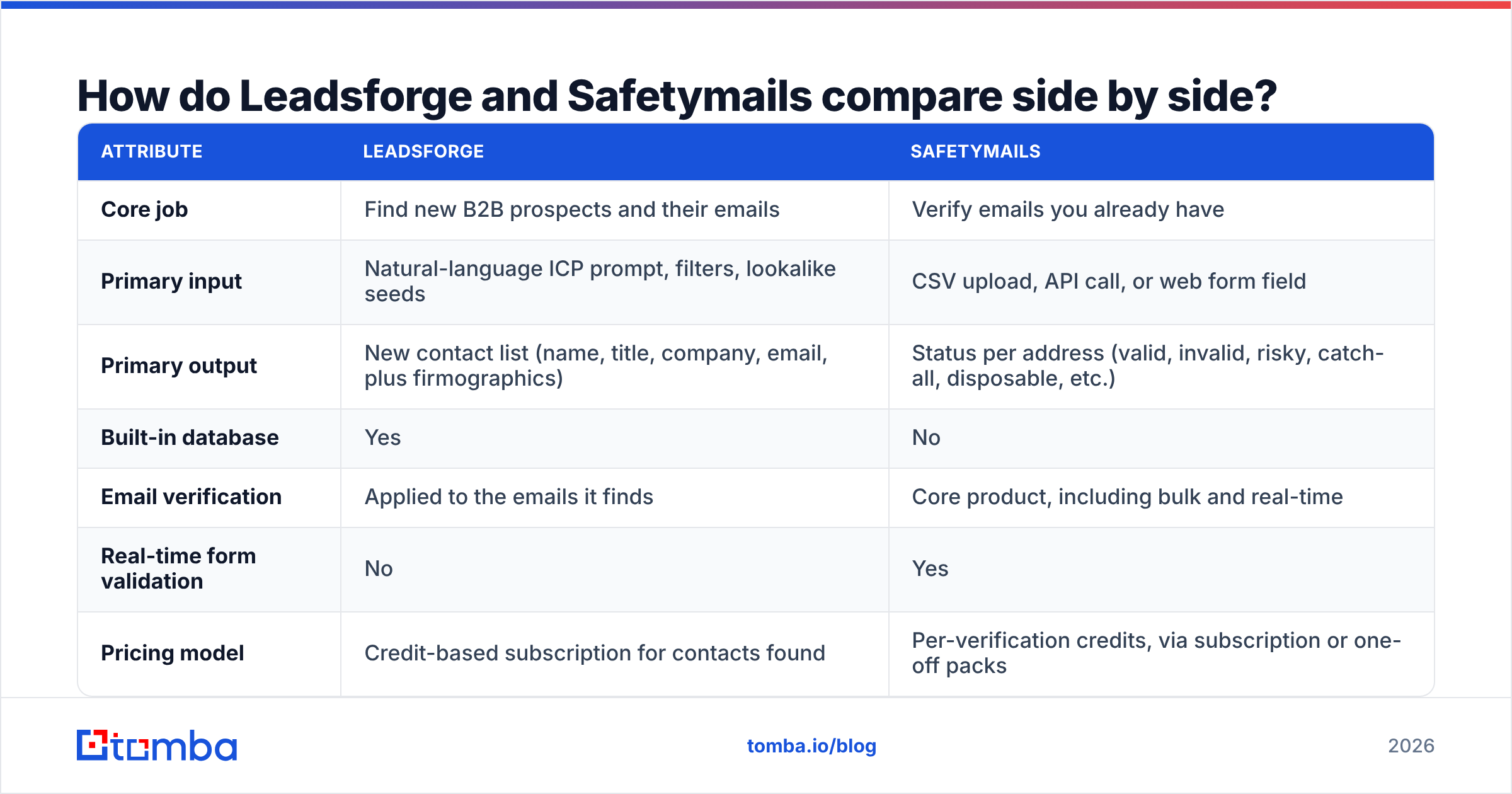
The table below compares them on the attributes that matter when you're choosing a tool, not on marketing claims.
| Attribute | Leadsforge | Safetymails |
|---|---|---|
| Core job | Find new B2B prospects and their emails | Verify emails you already have |
| Primary input | Natural-language ICP prompt, filters, lookalike seeds | CSV upload, API call, or web form field |
| Primary output | New contact list (name, title, company, email, plus firmographics) | Status per address (valid, invalid, risky, catch-all, disposable, etc.) |
| Built-in database | Yes | No |
| Email verification | Applied to the emails it finds | Core product, including bulk and real-time |
| Real-time form validation | No | Yes |
| Pricing model | Credit-based subscription for contacts found | Per-verification credits, via subscription or one-off packs |
| Free trial | Limited trial credits | Limited free test credits |
| Native ecosystem | Salesforge, Warmforge, Infraforge | Email marketing platforms and CRMs via integrations and API |
| Best for | SDRs, founders, and agencies starting outbound from zero | Marketers, ecommerce, and ops teams maintaining existing lists |
| Main limitation | Doesn't clean lists you bring from elsewhere | Can't source a single new lead |
Pricing note: both vendors change their credit bundles regularly, so confirm the current numbers on their sites. Also look at the structure, not only the headline price. With Leadsforge, you pay for what you find. With Safetymails, you pay for what you check. Those costs grow differently as you scale.

Which problem are you actually trying to solve?#
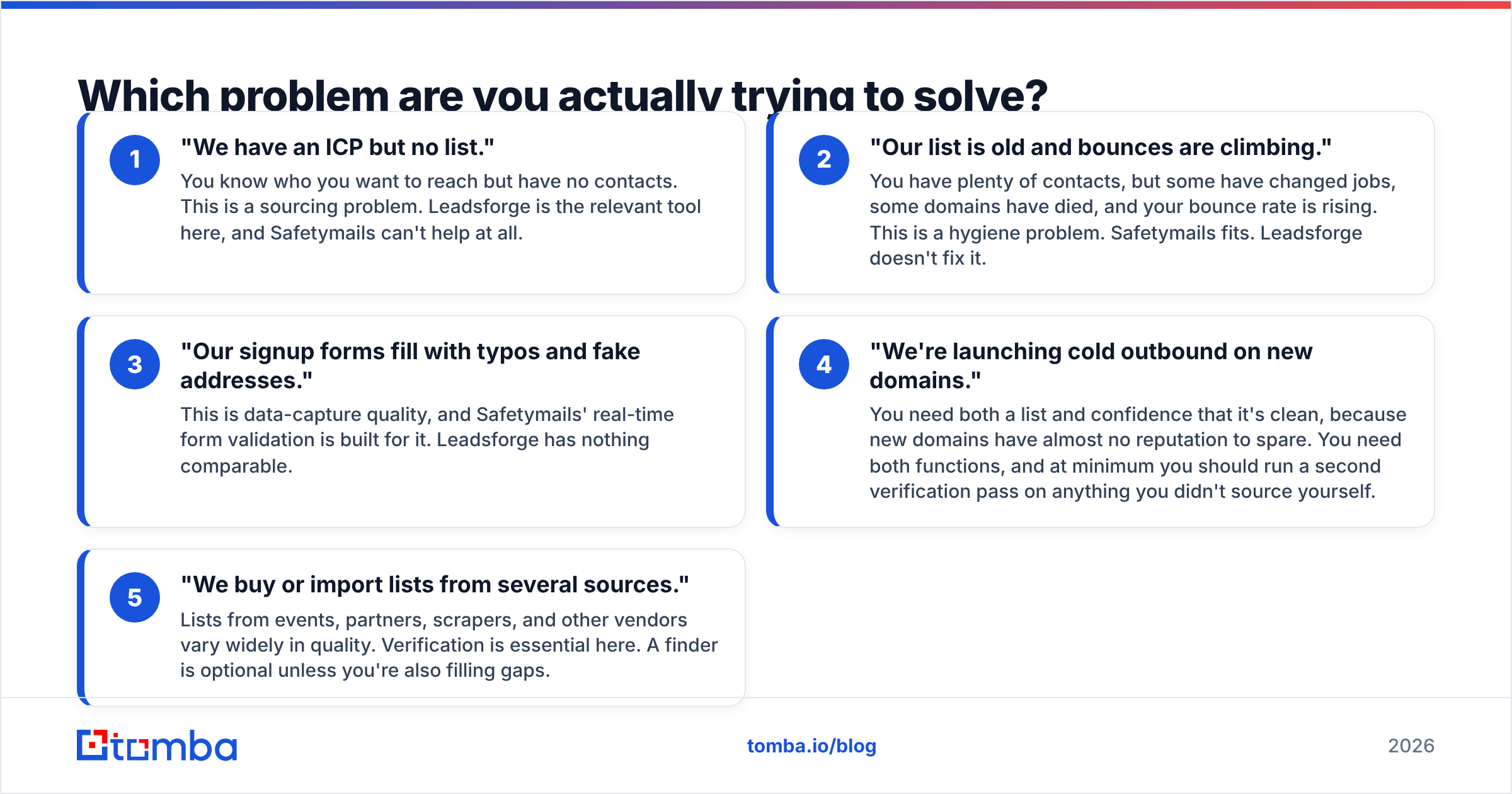
Most tool-buying mistakes happen because a team buys for the problem it wishes it had instead of the one it has. Go through these five situations and see which one describes your week.
- "We have an ICP but no list." You know who you want to reach but have no contacts. This is a sourcing problem. Leadsforge is the relevant tool here, and Safetymails can't help at all.
- "Our list is old and bounces are climbing." You have plenty of contacts, but some have changed jobs, some domains have died, and your bounce rate is rising. This is a hygiene problem. Safetymails fits. Leadsforge doesn't fix it.
- "Our signup forms fill with typos and fake addresses." This is data-capture quality, and Safetymails' real-time form validation is built for it. Leadsforge has nothing comparable.
- "We're launching cold outbound on new domains." You need both a list and confidence that it's clean, because new domains have almost no reputation to spare. You need both functions, and at minimum you should run a second verification pass on anything you didn't source yourself.
- "We buy or import lists from several sources." Lists from events, partners, scrapers, and other vendors vary widely in quality. Verification is essential here. A finder is optional unless you're also filling gaps.
If you picked 1, start with Leadsforge. If you picked 2 or 3, start with Safetymails. If you picked 4 or 5, you need finding and verifying to work together, and the question becomes whether that means two vendors or one.
Is Leadsforge better than Safetymails for cold email?#
For starting cold email, yes, because Leadsforge produces the list and Safetymails doesn't. Without prospects, there's no campaign to run.
For running cold email over months, it's less clear. Here's what happens in practice:
- Contact data decays. People change jobs, companies rebrand, and domains lapse. A list that was clean when you exported it degrades every week it sits in your sequencer.
- Sequences often go out over weeks. A lead verified on day one may bounce on day 30.
- Many teams combine sources: some from Leadsforge, some from LinkedIn, some from inbound, some from a trade show badge scan. Only the Leadsforge part was checked at the source.
So even a team that uses Leadsforge well benefits from an independent verification step before each major send, especially for anything not sourced from Leadsforge. That's the gap Safetymails, or any dedicated email verifier, fills.
The deliverability risk is real. Mailbox providers watch how your domain behaves, and a campaign with a high hard-bounce rate signals that you don't maintain your lists. Google's own email sender guidelines spell out authentication and complaint-rate requirements for bulk senders. Bounces aren't the only input, but they're one of the few you control completely before you press send.
How accurate is each tool, and where does accuracy break down?#
Neither vendor can promise 100%, and you should be skeptical of any vendor that does. Here's where each one is weak.
Leadsforge's accuracy depends on its underlying data. Any prospect database is a snapshot. The quality of the emails it returns depends on how recently each record was refreshed and how the address was confirmed. Verifying at the point of export helps, but it's still a check against a live mail server at one point in time.
Safetymails' accuracy depends on how mail servers respond. Verification works by talking to the recipient's mail server without sending a message. That works well for most domains, but two cases are hard for every verifier on the market:
- Catch-all (accept-all) domains accept mail for any address, so the server says "yes" whether or not
jane.doe@exists. Safetymails flags these as accept-all rather than calling them valid, which is the honest answer, but it leaves you with a group of uncertain contacts to decide on. If catch-alls are a large share of your market (common with enterprise and many European companies), look at a dedicated catch-all verifier that goes past the standard SMTP check. - Greylisting and rate-limiting servers temporarily reject or delay verification probes, which produces "unknown" results. Good verifiers retry. Some unknowns always remain.
The practical takeaway is to treat "valid" as low risk, not no risk, and to decide ahead of time what you'll do with risky, catch-all, and unknown addresses. Most outbound teams either drop them or send to them from a separate, lower-volume sequence so any bounces don't hurt the main domain.
What does each tool cost in practice?#
Headline prices are misleading for both, because they bill for different things.
Leadsforge charges for output. You spend credits when you reveal or export contacts. Your cost scales with how many new prospects you need each month. If your team books meetings from 2,000 new contacts a month, estimate from that, then add a buffer for contacts you'll filter out after seeing them.
Safetymails charges for input. You spend a credit for every address you check, including the ones that turn out invalid. Your cost scales with list size multiplied by how often you re-verify. A 50,000-contact newsletter list verified quarterly costs very differently from a 3,000-contact outbound list verified before each send.
Three cost traps to check on both vendors' pricing pages:
- Credit expiry. Do unused monthly credits roll over, or expire at the end of each cycle?
- Duplicate handling. Are you charged twice for the same address uploaded twice? (Deduplicate before uploading either way.)
- Unknown results. Does an "unknown" verification still use a credit? For most verifiers it does.
For a neutral view of how real users rate each product's value and support, the review pages on G2 are worth a few minutes, but keep in mind that small vendors often have few reviews, so a handful of opinions can skew the score.
Can you use Leadsforge and Safetymails together?#
Yes, and for some teams that's the right setup. The workflow is simple:
- Build your prospect list in Leadsforge.
- Merge it with contacts from other sources (CRM exports, event lists, inbound leads).
- Deduplicate.
- Run the merged list through Safetymails.
- Route valid addresses to your main sequence. Send catch-all and risky ones to a separate low-volume sequence, or drop them.
- Re-verify anything that has sat unused for more than a month or two before sending to it again.
The downsides of the two-vendor setup:
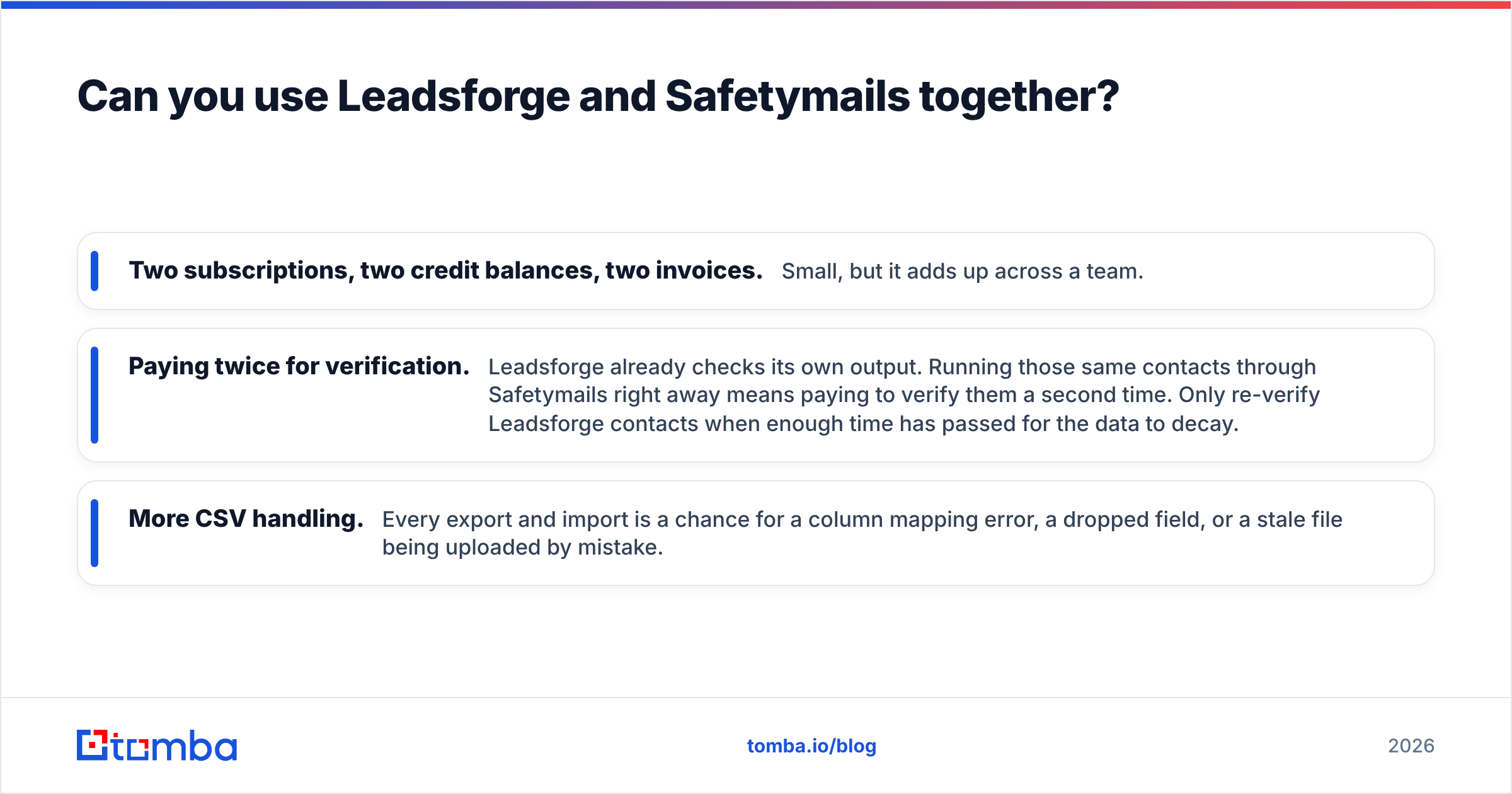
- Two subscriptions, two credit balances, two invoices. Small, but it adds up across a team.
- Paying twice for verification. Leadsforge already checks its own output. Running those same contacts through Safetymails right away means paying to verify them a second time. Only re-verify Leadsforge contacts when enough time has passed for the data to decay.
- More CSV handling. Every export and import is a chance for a column mapping error, a dropped field, or a stale file being uploaded by mistake.
If you're already committed to the Forge ecosystem for sequencing and warmup, Leadsforge plus a separate verifier for non-Leadsforge data is a sensible setup. If you aren't, it may make more sense to pick one platform that handles finding and verification in the same place.

Are there alternatives that do both jobs?#
Yes. There's a whole category of tools built on the idea that finding and verifying belong together, because every email you find should be checked, and every list you check will eventually have gaps you need to fill.
What to look for in a combined tool:
- Several ways to find contacts: by name plus company, by domain search to pull everyone publicly associated with a company, and by LinkedIn profile
- Built-in verification with clear statuses, including separate handling for catch-all domains
- Bulk operations for both finding and verifying, so you're not limited to one lookup at a time
- A real API and spreadsheet add-ons so the data goes where your team already works
- Transparent pricing where one credit balance covers both actions
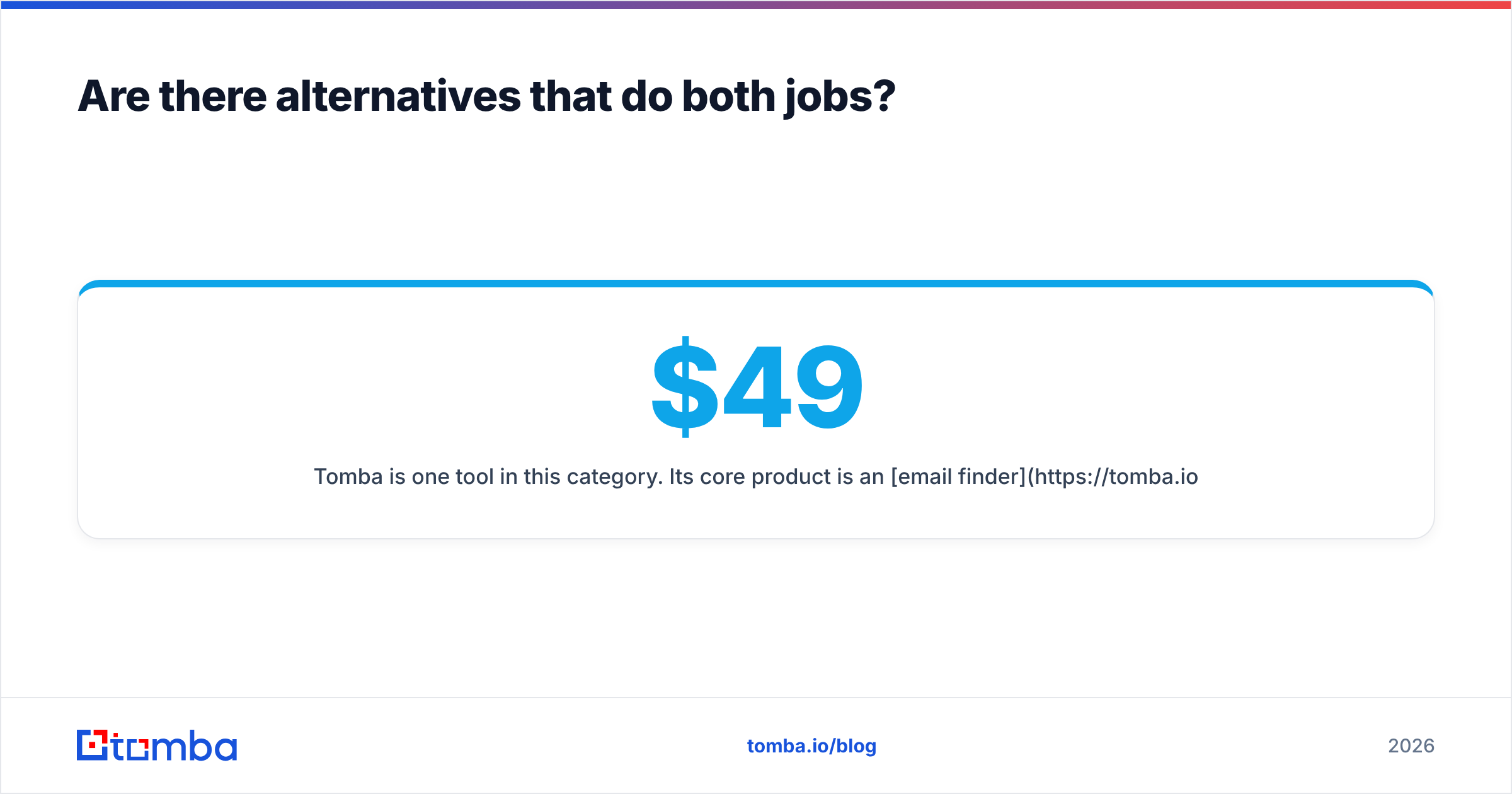
Tomba is one tool in this category. Its core product is an email finder, with a verifier, domain search, catch-all verification, phone finder, and enrichment alongside it. Plans start with a free tier of 25 searches a month, then Starter at $49/mo, Growth at $99/mo, Pro at $249/mo, and custom Enterprise pricing. The full breakdown is on the Tomba pricing page.
Tomba doesn't replace everything these two tools do. It has no natural-language ICP prompt like Leadsforge, and if real-time validation on public signup forms is your main need, a form-focused service like Safetymails is purpose-built for that. But for the outbound workflow of "find the right person, confirm the address works, send," having one tool removes a vendor from the chain.
So which should you choose: Leadsforge or Safetymails?#
Here's a direct recommendation for each type of buyer:
- Founder or first SDR starting outbound from zero: Leadsforge. You need a list before anything else matters. Add a verifier later, once you're bringing in contacts from other sources.
- Team already using Salesforge or Warmforge: Leadsforge, because the native integration saves real setup time.
- Marketing team with a large existing newsletter or nurture list: Safetymails. You don't need more contacts. You need to stop sending to dead ones.
- Ecommerce or SaaS team whose signup forms collect junk: Safetymails, specifically for real-time form validation.
- Agency running outbound for several clients from mixed sources: You need both functions. Compare the total cost of Leadsforge plus Safetymails against a single finder-plus-verifier platform before you sign anything.
- RevOps lead cleaning up CRM data before a big campaign: Safetymails, or any bulk verifier, possibly paired with enrichment to fill the gaps it exposes.
Leadsforge vs Safetymails isn't a contest where one tool wins. It's a question of which part of your data pipeline is broken. Fix the part that's costing you meetings right now, and add the other function when the next problem shows up.
Ready to find and verify in one place?#
If you'd rather not juggle a list builder and a separate verifier, try the Tomba Email Finder. Search by name, company, or domain, get addresses back with a verification status attached, and push them to your CRM, Google Sheets, or sequencer without extra CSV steps. The free tier covers 25 searches a month, which is enough to test it against your own ICP before you spend anything.
Related guides#
// get started
Find, verify and enrich your first contacts today
Start on the free plan with 25 searches a month, then scale when your team is ready.
Free plan · No credit card required · GDPR & CCPA
// about the author