Leadsforge vs Sellhack (2026): Which Lead Tool Fits Your Team?
Leadsforge builds whole lead lists from a plain-English ICP prompt. Sellhack finds and checks emails one contact at a time. Here is how they compare on data, workflow, pricing and fit, and when a third option is the better buy.
TL;DR
- Leadsforge is an AI list builder. You describe your ideal customer in plain English and it returns a filtered, verified lead list. It is part of the Forge suite (Salesforge, Warmforge, Mailforge).
- Sellhack is one of the first email-finder browser extensions. You look up and verify emails for contacts you have already picked, mostly from LinkedIn and company websites.
- Choose Leadsforge when you need to fill the top of the funnel fast and you already use (or plan to use) Salesforge for sequencing.
- Choose Sellhack when you only need occasional one-off lookups and your volume is low.
- If you need both finding and verification at scale, with an API, bulk jobs and a clear $49/mo entry tier, a dedicated email finder such as Tomba is worth adding to your shortlist.
What is the real difference between Leadsforge and Sellhack?#
These two tools start from opposite ends of the prospecting workflow.
Leadsforge starts with the question "who should I be selling to?" You type something like "Series A SaaS companies in Germany with 50 to 200 employees, VP of Sales or Head of RevOps". Its AI turns that into filters and gives you a list of contacts with enriched company data and emails.
Sellhack starts with the person you already chose. You open a LinkedIn profile or a company website, click the extension, and it tries to find and verify that person's business email. It does not decide who belongs on your list. It helps you reach someone you already picked.
So this comparison is less "which is better" and more "which job do you need done". If you mix up the two jobs, you will overpay. Plenty of teams buy an AI list builder when their real bottleneck is email accuracy. Others buy a lookup extension and then spend hours building lists by hand.
How does each tool actually work day to day?#
Here is how each workflow runs in practice. Each tool is broken into the steps a rep actually takes.
Leadsforge workflow
- Describe your ICP in chat. You write a prompt in natural language, and Leadsforge turns it into structured filters for industry, headcount, geography, job title and technology.
- Refine the filters. You review what the AI inferred and tighten it. Remove adjacent industries, change seniority, and so on.
- Use lookalikes. You can seed the search with a known good customer and ask for similar companies.
- Generate and verify. The list comes back with contact emails that have been checked for deliverability, plus firmographic enrichment.
- Export. You push the list to CSV or straight into Salesforge sequences.
Sellhack workflow
- Open a profile or site. You browse LinkedIn or a company domain as usual.
- Trigger the extension. Sellhack looks for a matching business email, using pattern data and public sources.
- Verify. You check the found address before sending.
- Save or export. You store contacts in your Sellhack account and export them to CSV or your CRM.
The difference in effort is large. With Leadsforge, one prompt can produce hundreds of rows. With Sellhack, you work one contact at a time unless you upload a list for bulk lookup.

How do Leadsforge and Sellhack compare feature by feature?#
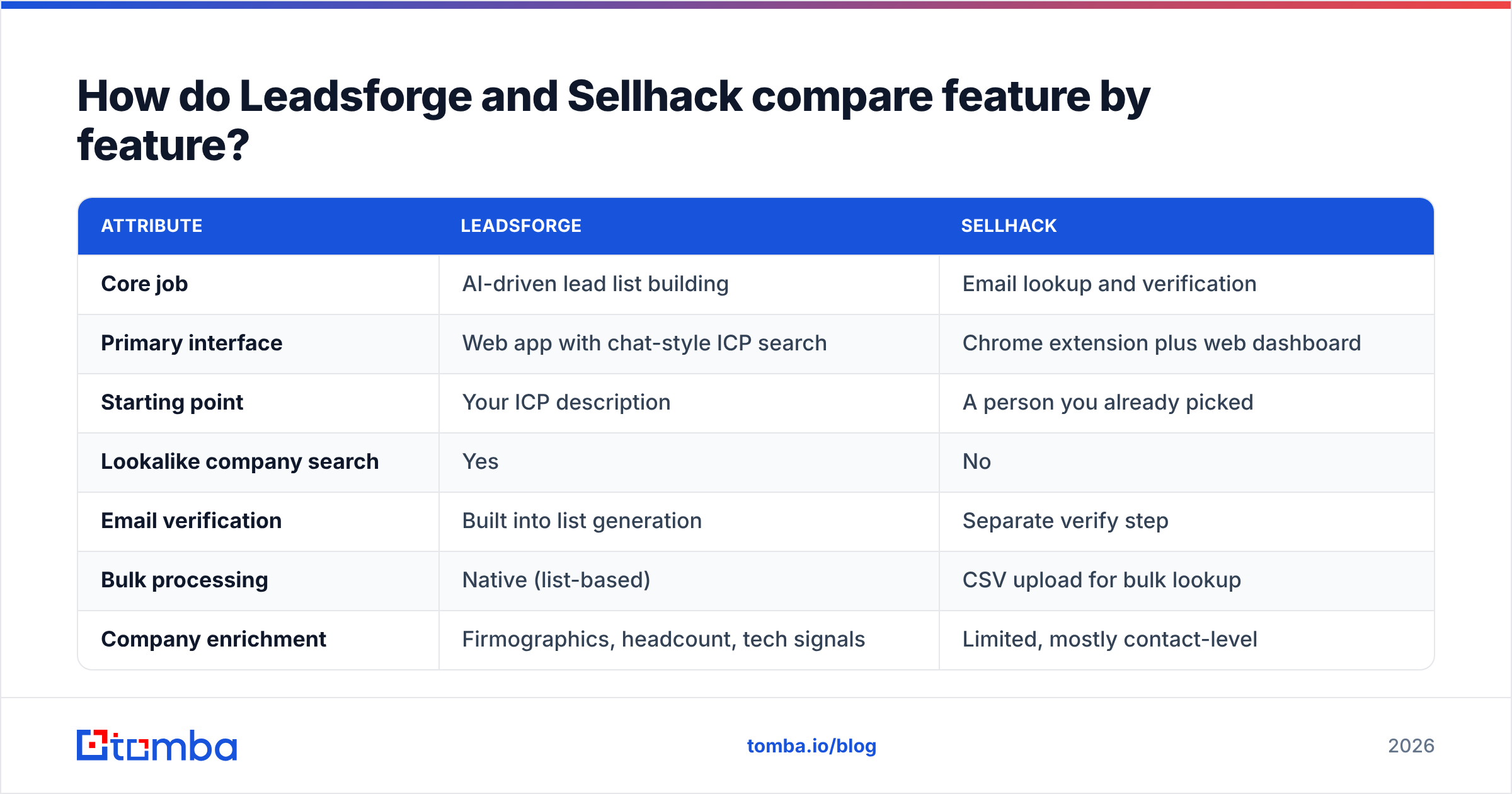
The table below covers what matters when you choose between them. Pricing changes often in this category, so treat the price rows as a starting point and confirm them on each vendor's current pricing page before you buy.
| Attribute | Leadsforge | Sellhack |
|---|---|---|
| Core job | AI-driven lead list building | Email lookup and verification |
| Primary interface | Web app with chat-style ICP search | Chrome extension plus web dashboard |
| Starting point | Your ICP description | A person you already picked |
| Lookalike company search | Yes | No |
| Email verification | Built into list generation | Separate verify step |
| Bulk processing | Native (list-based) | CSV upload for bulk lookup |
| Company enrichment | Firmographics, headcount, tech signals | Limited, mostly contact-level |
| Outreach integration | Tight with Salesforge / Forge stack | CRM and CSV export |
| Pricing model | Credit-based subscription | Free tier plus credit-based paid plans |
| Best for | Outbound teams building lists at volume | Solo sellers and occasional lookups |
| Main drawback | Less useful if you already have your list | Manual, slow to scale |
Two rows in that table matter more than the others.
Starting point. If you don't yet know who to target, Sellhack cannot help you. If you already have 300 named accounts from your AE team, most of what Leadsforge does is not needed.
Outreach integration. Leadsforge's value goes up sharply when you also run Salesforge. Lists flow straight into sequences, and the Forge suite handles warmup and mailbox infrastructure. Used alone, the advantage is smaller.
Which tool finds more accurate emails?#
Accuracy is where every vendor claims to win, and it is also the hardest thing to check from a landing page.

Here is what you can reasonably expect from each:
- Leadsforge verifies emails as part of generating the list. Every contact that reaches your export has already passed a deliverability check. The trade-off is coverage: strict verification means some contacts come back with no email, especially at small companies or on catch-all domains.
- Sellhack relies on email pattern detection plus public signals, then lets you verify. Pattern-based finding works well at companies with consistent formats (
firstname.lastname@). It struggles with irregular formats, recent hires, and domains that accept everything.
The weak spot for both is the catch-all domain. That is a mail server configured to accept every address, so a standard SMTP check can't tell you whether jane@company.com really exists. Many mid-market and enterprise companies run catch-all setups. If a large share of your targets sit on those domains, ask any vendor how they handle them before you buy. Tools with a dedicated catch-all verifier score these addresses on extra signals instead of marking them all "unknown".
A practical test is better than any vendor chart. Take 100 contacts whose emails you already know are valid, such as past customers or closed-won deals. Run them through each tool on a trial and count exact matches, wrong addresses, and blanks. It takes about an hour and tells you more than any review site.
How much do Leadsforge and Sellhack cost?#
Both use credit-based pricing, so the real cost depends on how many contacts you process and whether verification uses extra credits.
Leadsforge sells subscription tiers that include a monthly credit pool, with more credits per dollar on higher tiers. Enriched contacts cost credits, and phone numbers usually cost more than emails. It often provides trial credits so you can test list quality before you pay. Check the current tiers on the Leadsforge website, because the Forge suite has changed its packaging several times.
Sellhack has historically offered a small free monthly allowance of lookups, with paid plans that raise the lookup and verification limits. The free tier is enough to judge whether it works for your market. See the Sellhack site for current limits.
When you compare costs, calculate cost per usable contact, not cost per credit:
- Credits spent on the batch.
- Minus contacts with no email returned.
- Minus contacts that bounce after sending.
- Divide spend by what remains.
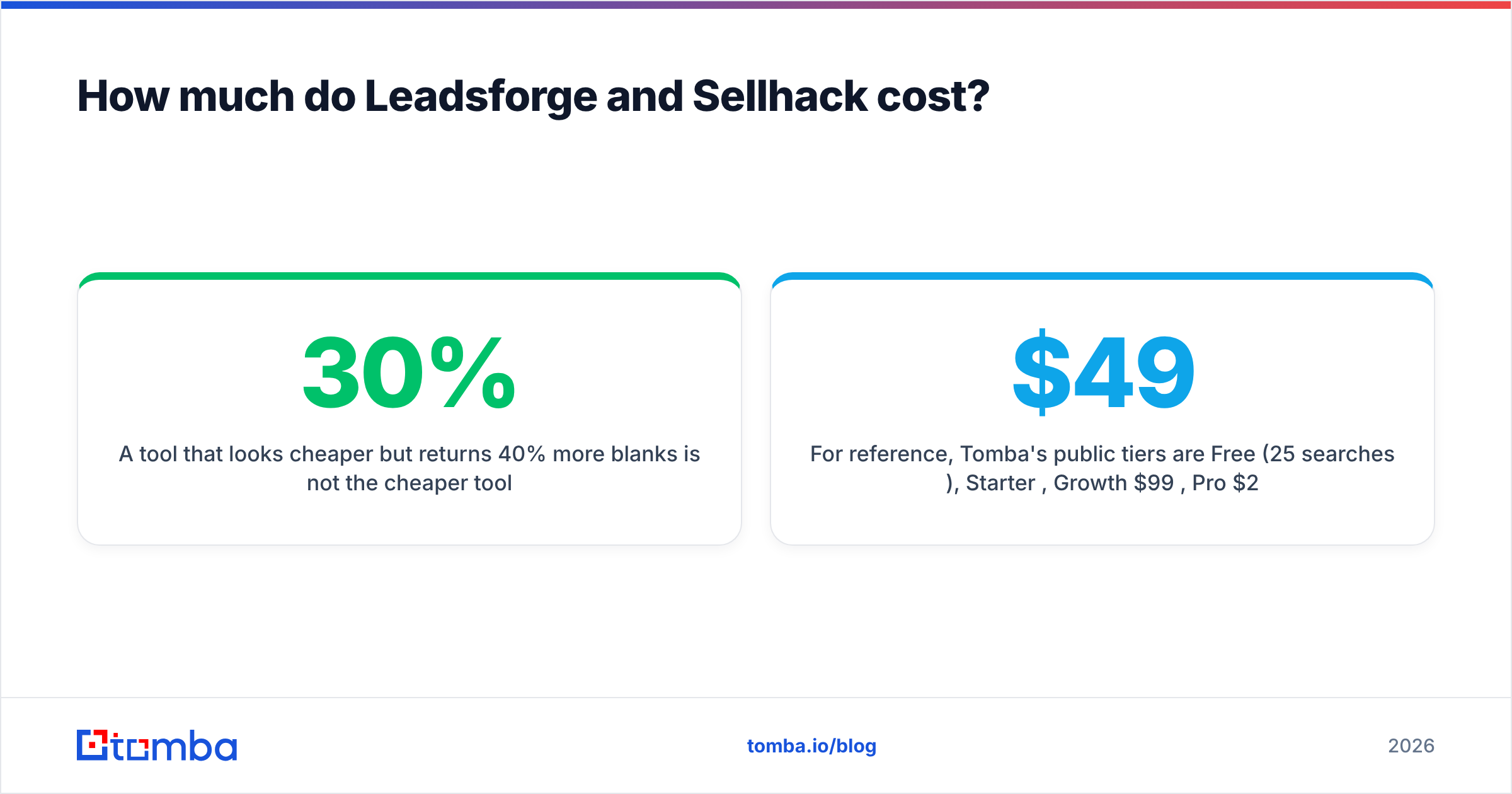
A tool that looks 30% cheaper per credit but returns 40% more blanks is not the cheaper tool.
For reference, Tomba's public tiers are Free (25 searches/mo), Starter $49/mo, Growth $99/mo, Pro $249/mo, and custom Enterprise. The full breakdown is on the Tomba pricing page. This gives you a baseline for what a dedicated finder-plus-verifier costs.
What do users say on review sites?#
User reviews on G2 and similar sites show a consistent pattern for both tools.
Leadsforge praise usually focuses on speed. People like going from an ICP idea to a usable list in minutes, and they like the chat interface for non-technical founders. Leadsforge criticism usually covers niche verticals, where the AI's filter interpretation needs manual correction, and credit use once you add phone numbers.
Sellhack praise focuses on simplicity. It is a light extension that does one job. Sellhack criticism focuses on slower development compared with newer tools, thinner enrichment, and hit rates that vary by region and company size.
Neither pattern is a dealbreaker. They just confirm the split described above: Leadsforge is a list engine and Sellhack is a lookup tool.
Is Leadsforge better than Sellhack?#
For most outbound teams in 2026, yes, if you need to build lists. Leadsforge compresses research, filtering, enrichment and verification into one step. That is where most SDR hours go. If you already use Salesforge, it is an easy choice.
But "better" depends on the job:
- You are a founder or solo AE sending 20 to 50 targeted emails a week to people you researched by hand. Sellhack's lightweight lookup (or any good extension) is enough, and a full list builder would be overkill.
- You run an SDR team that needs 1,000+ fresh contacts a month in a defined ICP. Leadsforge, or another list builder, saves real time.
- You already have target account lists from marketing, ABM or intent tools. Neither tool is ideal. You need a fast, accurate finder that runs in bulk against domains and names you already hold.
That third case is more common than vendors suggest, and it is where many teams end up looking for a third option.

When should you look beyond both tools?#
Consider a dedicated email finder and verifier alongside, or instead of, these two when:
- You bring your own list. Your accounts come from a CRM, an intent platform or event attendee lists, and you only need emails for named people. An email finder that accepts name plus domain in bulk fits this better than an ICP chat.
- You need an API. Your RevOps team wants to enrich leads automatically inside HubSpot or Salesforce, or in a custom pipeline. Browser extensions don't fit that workflow.
- You need verification on its own. You already have emails from webinars, old CRM records or partners, and you need to clean them before a campaign. A standalone email verifier handles this without making you rebuild the list.
- Catch-all domains are a big share of your market. You need more than "unknown" for those addresses.
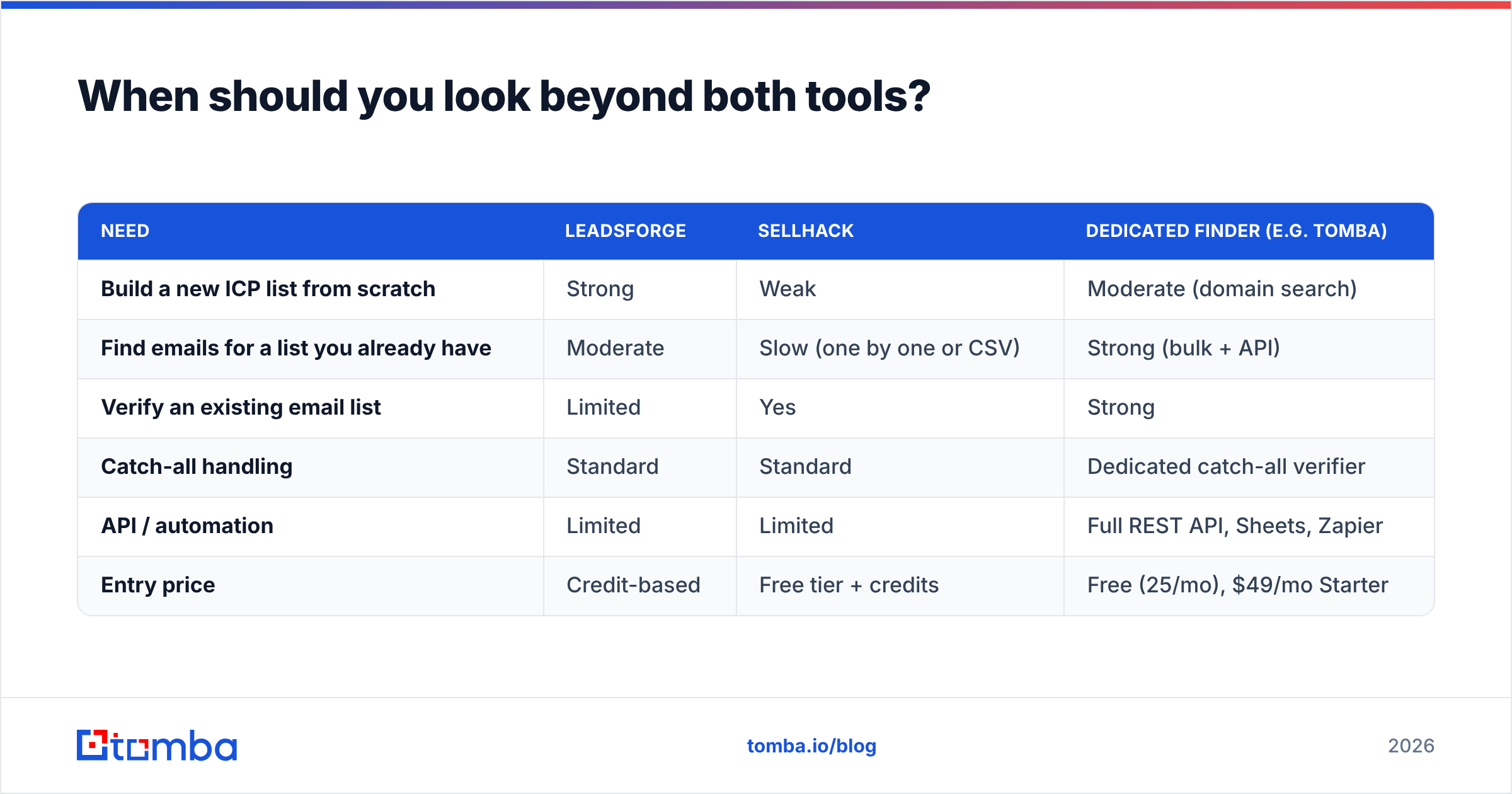
Here is how the three approaches line up for that "bring your own list" scenario:
| Need | Leadsforge | Sellhack | Dedicated finder (e.g. Tomba) |
|---|---|---|---|
| Build a new ICP list from scratch | Strong | Weak | Moderate (domain search) |
| Find emails for a list you already have | Moderate | Slow (one by one or CSV) | Strong (bulk + API) |
| Verify an existing email list | Limited | Yes | Strong |
| Catch-all handling | Standard | Standard | Dedicated catch-all verifier |
| API / automation | Limited | Limited | Full REST API, Sheets, Zapier |
| Entry price | Credit-based | Free tier + credits | Free (25/mo), $49/mo Starter |

How should you run a fair trial of Leadsforge vs Sellhack?#
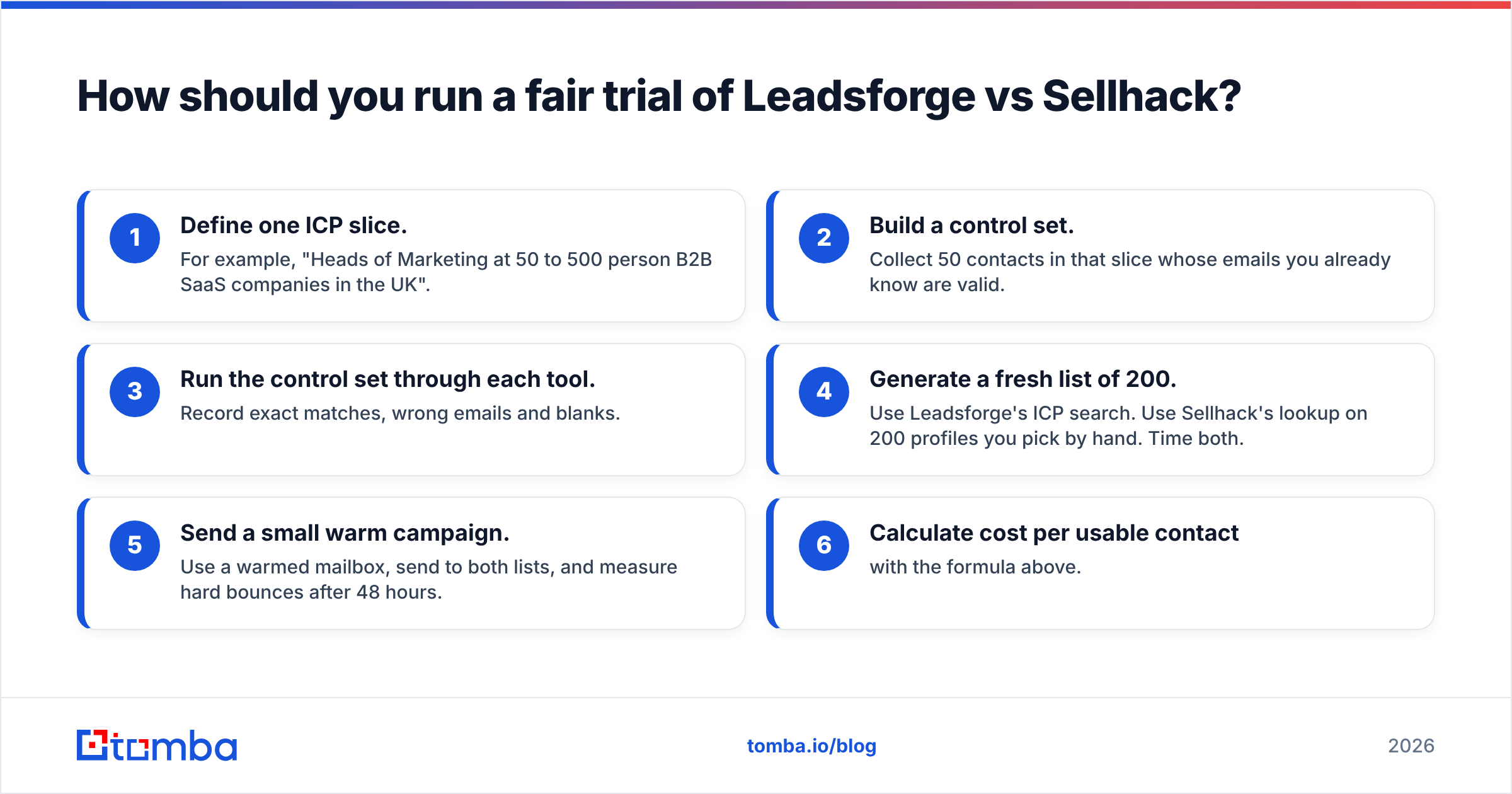
Don't pick a tool from a feature grid, including the ones in this post. Run a one-week bake-off:
- Define one ICP slice. For example, "Heads of Marketing at 50 to 500 person B2B SaaS companies in the UK".
- Build a control set. Collect 50 contacts in that slice whose emails you already know are valid.
- Run the control set through each tool. Record exact matches, wrong emails and blanks.
- Generate a fresh list of 200. Use Leadsforge's ICP search. Use Sellhack's lookup on 200 profiles you pick by hand. Time both.
- Send a small warm campaign. Use a warmed mailbox, send to both lists, and measure hard bounces after 48 hours.
- Calculate cost per usable contact with the formula above.
In this category, anything under a 3% hard bounce rate is good. If you see more than 5%, keep that data out of your main sending domain.
Which one should you choose?#
Pick Leadsforge if your bottleneck is who to contact, you want AI to handle list building, and you like the idea of one stack from lead to inbox with Salesforge.
Pick Sellhack if your bottleneck is occasionally finding one email, your volume is low, and you want a simple extension with a free tier.
Add a dedicated finder if your bottleneck is accurate emails for accounts you already have, at volume, with automation.
Ready to find accurate emails for the accounts you already target?#
If your lists already exist and what you need is reliable contact data, try Tomba Email Finder. Enter a name and company domain, or upload thousands in bulk, to get verified professional email addresses. Catch-all handling, API access and CRM integrations are included. The free plan gives you 25 searches a month to run the bake-off above against your own control set, and paid plans start at $49/mo when you're ready to scale.
Related guides#
// get started
Find, verify and enrich your first contacts today
Start on the free plan with 25 searches a month, then scale when your team is ready.
Free plan · No credit card required · GDPR & CCPA
// about the author