Leadsforge vs The Org (2026): AI Lead Lists or Org Charts?
Leadsforge builds prospect lists with an AI prompt. The Org shows you who reports to whom. They solve different prospecting problems, so here is how to tell which one you need, and when to use both.
TL;DR
- Leadsforge is an AI list builder. You describe your ideal customer in plain language, and it returns contacts with emails that are ready to push into an outbound sequence.
- The Org is a public org-chart platform. It shows who works at a company, who they report to, and how teams are set up. It does not give you contact data for outreach.
- These tools don't really compete. Leadsforge answers "who should I email?" and The Org answers "how is this account structured?"
- If you do high-volume outbound, start with Leadsforge. If you do account-based selling into complex enterprises, The Org is a useful free research layer.
- Neither tool removes the need to verify emails before you send. Bad data costs you replies and hurts your sender reputation.
What is the real difference between Leadsforge and The Org?#
Search "leadsforge vs the org" and you might expect two email finders going head to head. That's not what these tools are. They sit at opposite ends of the prospecting workflow.
Leadsforge belongs to the Forge product family, alongside Salesforge, Warmforge, and Infraforge. You type a request into a chat box, such as "Heads of RevOps at Series B SaaS companies in the US with 50-200 employees", and it returns a list of matching contacts with enriched fields and emails. The product is built to get you from "ideal customer profile" to "campaign-ready CSV" as quickly as possible.
The Org is a public database of company organizational charts. Companies claim and maintain their pages, and the community helps fill in positions. You can see who the VP of Engineering reports to, how many people are on the data team, and who joined recently. It also has a jobs product and company pages that employers use for employer branding.
A simple way to put it: Leadsforge gives you a list of names to contact, and The Org shows you how a company's teams fit together.
How do the two tools compare side by side?#
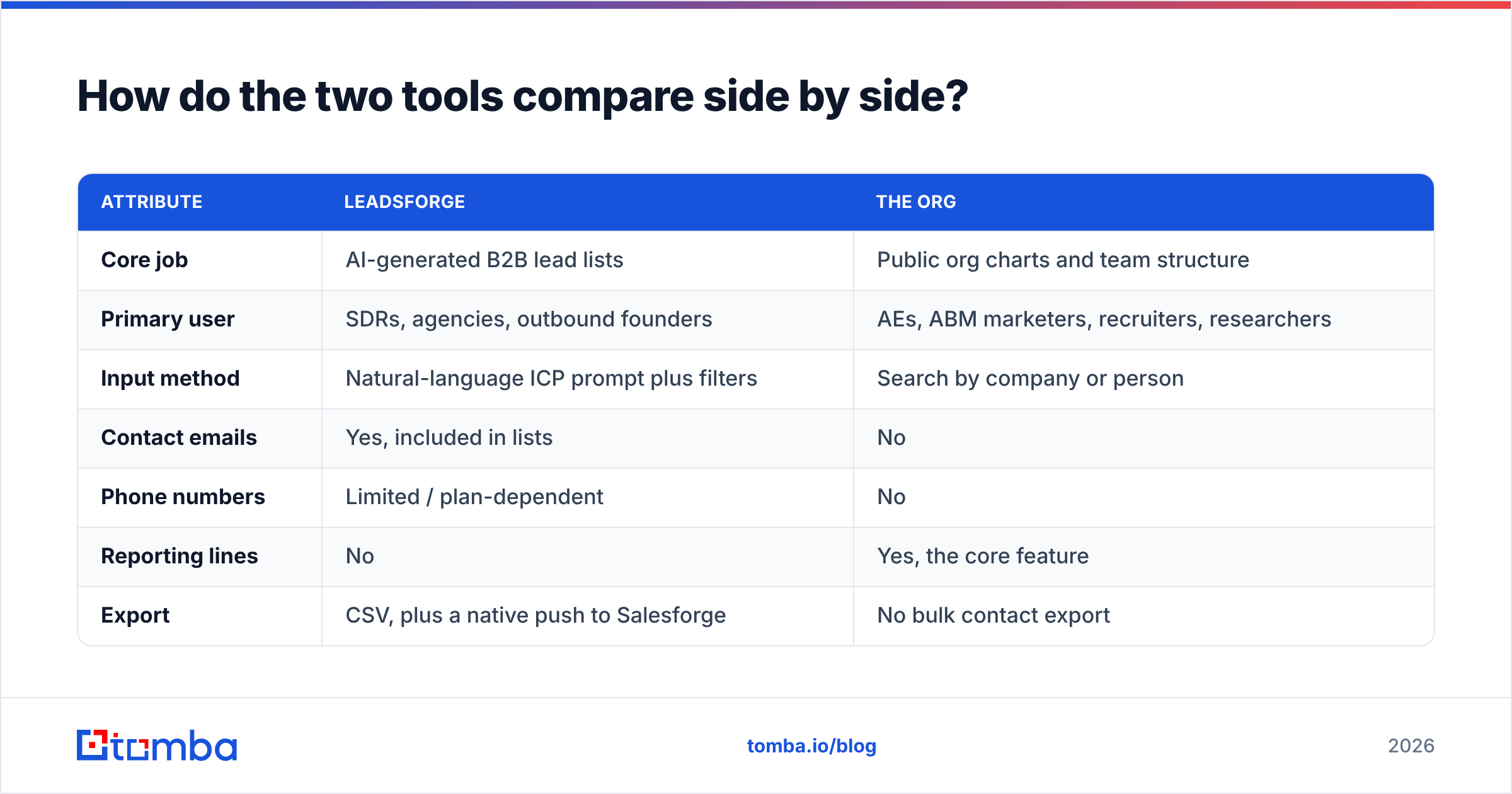
Here's the high-level comparison. Pricing on both sides changes often, so treat the pricing rows as directional and check each vendor's current page before you buy.
| Attribute | Leadsforge | The Org |
|---|---|---|
| Core job | AI-generated B2B lead lists | Public org charts and team structure |
| Primary user | SDRs, agencies, outbound founders | AEs, ABM marketers, recruiters, researchers |
| Input method | Natural-language ICP prompt plus filters | Search by company or person |
| Contact emails | Yes, included in lists | No |
| Phone numbers | Limited / plan-dependent | No |
| Reporting lines | No | Yes, the core feature |
| Export | CSV, plus a native push to Salesforge | No bulk contact export |
| Pricing model | Credit-based paid plans, trial credits available | Free to browse; paid plans aimed at employers |
| Best for | Filling outbound sequences fast | Multi-threading and account mapping |
| Biggest limitation | Coverage and accuracy vary by niche and region | Charts can be incomplete or out of date |
The table makes the verdict pretty clear. If your bottleneck is volume of qualified contacts, The Org won't fix it. If your bottleneck is figuring out who actually matters inside a 5,000-person account, Leadsforge won't fix that.
How does each tool fit into a prospecting workflow?#
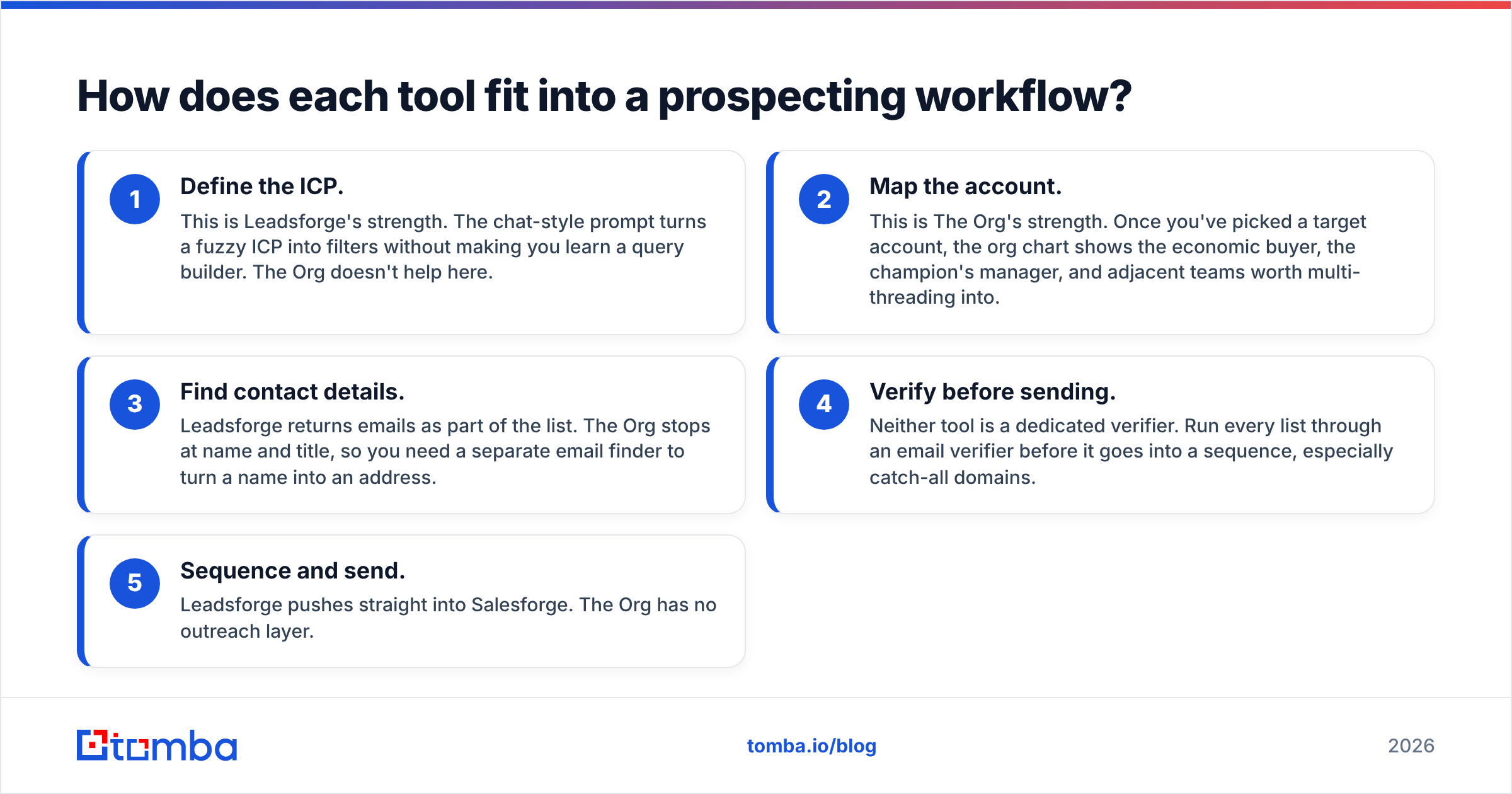
Most outbound motions follow the same five stages. Here's where each tool fits:
- Define the ICP. This is Leadsforge's strength. The chat-style prompt turns a fuzzy ICP into filters without making you learn a query builder. The Org doesn't help here.
- Map the account. This is The Org's strength. Once you've picked a target account, the org chart shows the economic buyer, the champion's manager, and adjacent teams worth multi-threading into.
- Find contact details. Leadsforge returns emails as part of the list. The Org stops at name and title, so you need a separate email finder to turn a name into an address.
- Verify before sending. Neither tool is a dedicated verifier. Run every list through an email verifier before it goes into a sequence, especially catch-all domains.
- Sequence and send. Leadsforge pushes straight into Salesforge. The Org has no outreach layer.
If you only need stages 1, 3, and 5, Leadsforge covers most of the workflow. If your deals depend on stage 2, you'll want The Org, or a similar account-mapping source, open in another tab.
What does Leadsforge do well?#
Speed from idea to list. Leadsforge's main selling point is that you don't have to build filter stacks. A prompt like "CFOs at logistics companies in Germany, 200+ employees, using SAP" gets you a first-draft list in minutes. For agencies juggling ten client ICPs, that saves real hours every week.
Lookalike-style discovery. You can start from companies that already convert for you and ask for similar accounts. This is a fast way to widen a total addressable market (TAM) that's getting thin.
Tight integration with the Forge stack. If you already send through Salesforge and warm up with Warmforge, the handoff is seamless. There's no CSV juggling and no mismatched column names.
Credit-based pricing. You pay for the contacts you pull, not for seats. Small teams and solo founders often prefer this to per-seat enterprise contracts.
Where does Leadsforge fall short?#
Coverage isn't uniform. Like every database-driven tool, results are strongest in well-covered markets such as US tech and SaaS, and weaker in niche verticals, SMB-heavy industries, and some non-English markets. Always spot-check a sample before you commit credits to a full pull.
AI prompts can drift. Natural-language search is convenient, but it can loosen a filter you meant to keep strict. "Heads of Sales" can pull in a Sales Operations Manager. Read the filters the AI applied, not just the list it returns.
It isn't an account-mapping tool. You get contacts, but you don't see hierarchy. When you're working a strategic account and need to know who signs off on budget, a flat list won't tell you.
Verification is still your responsibility. Bundled emails save time, but bounce rates depend on how fresh the data is. Teams that care about email deliverability re-verify right before sending, not at list-build time.
What does The Org do well?#
Reporting lines for free. You can see who reports to whom without a sales-intelligence contract. For account executives (AEs) prepping for discovery calls, this context is valuable.
Multi-threading intelligence. Enterprise deals rarely close through one contact. The Org helps you spot the champion's peers, their manager, and the adjacent team that will be affected by your product. Those are exactly the people you need on the thread.
Signals from team changes. New leaders, growing teams, and fresh job postings are all visible. A newly hired VP who is building a team from scratch is often a better prospect than a static title in a database.
Community-maintained freshness. Many companies claim their pages and keep them current, and those companies tend to be the high-growth ones you most want to sell to.
Where does The Org fall short?#
No contact data. This is the dealbreaker for outbound teams. You get a name and a title, and then you need another tool to reach that person.
Uneven completeness. Some companies have detailed charts. Others show three executives and nothing more. Traditional enterprises and privately held mid-market firms are often thin.
Not built for bulk work. The Org is a research tool. There's no workflow for "give me 2,000 people matching X", and that isn't what it's for.
Occasional staleness. People change roles faster than volunteer-maintained charts update. Confirm on LinkedIn before you mention someone's title in a cold email.
Is Leadsforge better than The Org for outbound?#
For classic outbound, meaning a volume of sequences aimed at a defined ICP, yes, Leadsforge is the better fit. It produces what a sequencer needs: names, titles, companies, and emails, in bulk.
For ABM, enterprise sales, and complex buying committees, The Org gives you something Leadsforge doesn't: structure. You'll send fewer emails, but each one lands with the right person, and you can reference the org context in your copy.
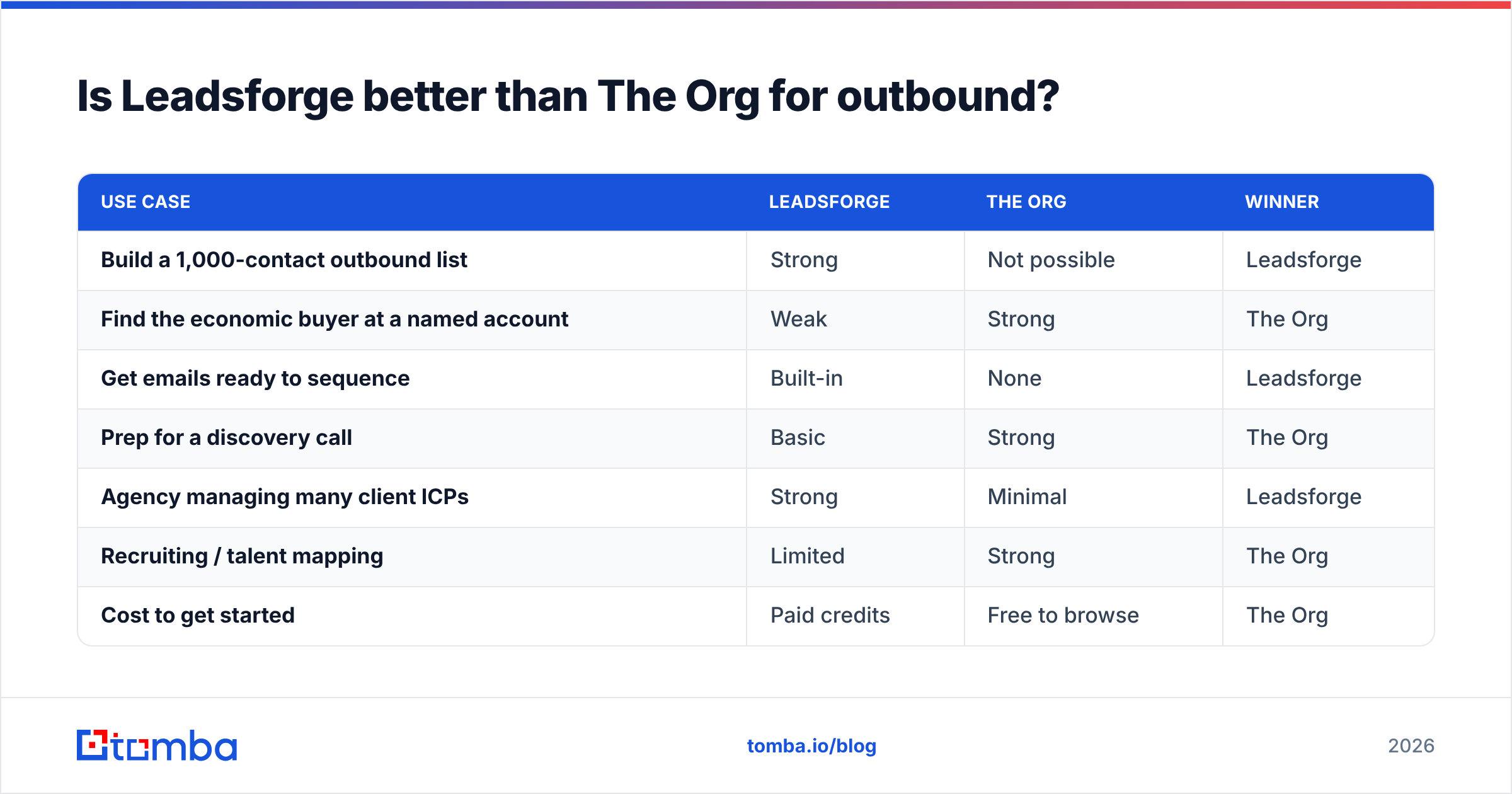
Scoring them on the jobs they're actually built for:
| Use case | Leadsforge | The Org | Winner |
|---|---|---|---|
| Build a 1,000-contact outbound list | Strong | Not possible | Leadsforge |
| Find the economic buyer at a named account | Weak | Strong | The Org |
| Get emails ready to sequence | Built-in | None | Leadsforge |
| Prep for a discovery call | Basic | Strong | The Org |
| Agency managing many client ICPs | Strong | Minimal | Leadsforge |
| Recruiting / talent mapping | Limited | Strong | The Org |
| Cost to get started | Paid credits | Free to browse | The Org |
Review sites such as G2 are worth checking for recent user feedback on data accuracy in your specific segment. Accuracy is the variable that most affects outcomes, and it changes from market to market.
Can you use Leadsforge and The Org together?#
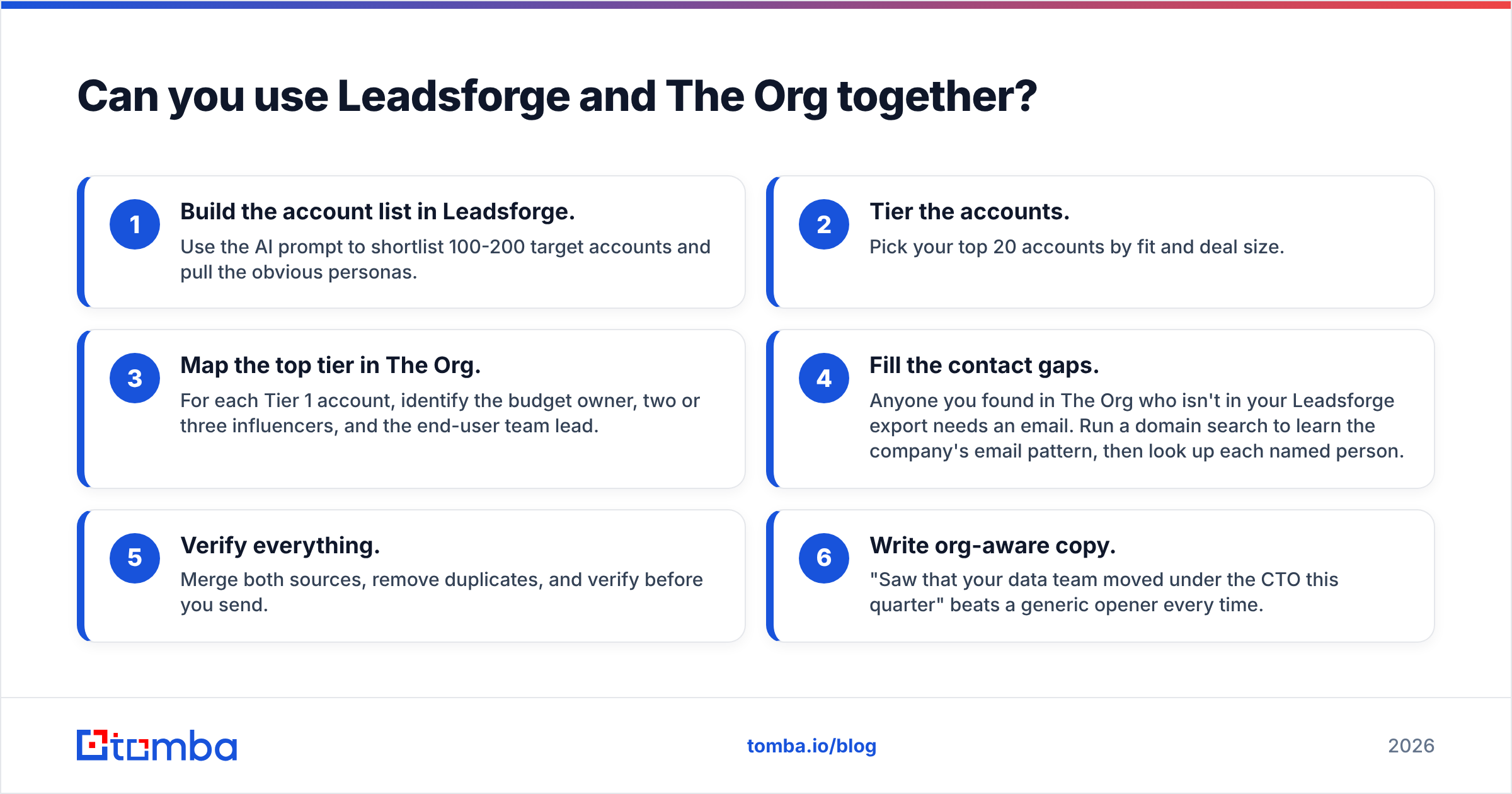
Yes, and for mid-market and enterprise teams this is often the best setup. A practical workflow looks like this:
- Build the account list in Leadsforge. Use the AI prompt to shortlist 100-200 target accounts and pull the obvious personas.
- Tier the accounts. Pick your top 20 accounts by fit and deal size.
- Map the top tier in The Org. For each Tier 1 account, identify the budget owner, two or three influencers, and the end-user team lead.
- Fill the contact gaps. Anyone you found in The Org who isn't in your Leadsforge export needs an email. Run a domain search to learn the company's email pattern, then look up each named person.
- Verify everything. Merge both sources, remove duplicates, and verify before you send.
- Write org-aware copy. "Saw that your data team moved under the CTO this quarter" beats a generic opener every time.
This combination gives you the volume of an AI list builder and the precision of org mapping, without paying for a six-figure intelligence platform.

What should you watch out for when choosing?#
A few things tend to trip up teams evaluating these tools:
- Treating them as substitutes. Most bad buying decisions here come from comparing apples to oranges. Decide which problem you're solving, volume or structure, before you open a pricing page.
- Skipping the sample test. Before you commit to any credit plan, pull 50 contacts from your real ICP and verify them. The bounce rate on that sample tells you more than any marketing claim.
- Ignoring catch-all domains. Many mid-market and enterprise companies accept all incoming mail at the server level, so a basic check can't confirm whether an individual mailbox exists. Addresses on those domains need a specialised check, or you'll get silent failures.
- Forgetting compliance. Both tools touch personal data. If you prospect into the EU or UK, document your lawful basis and honour opt-outs. HubSpot's guide to GDPR is a solid plain-English starting point.
- Over-trusting AI filters. Read the filters Leadsforge generates. One loose title match can quietly add hundreds of wrong-persona contacts to a list.
Which one should you pick?#
Pick Leadsforge if:
- You run volume outbound and need campaign-ready lists every week
- You're an agency juggling multiple client ICPs
- You already use (or plan to use) Salesforge for sending
- You'd rather describe your ICP in words than build filter stacks
Pick The Org if:
- You sell into large, complex accounts with buying committees
- Your AEs need account context before discovery calls
- You're doing ABM on a short list of named accounts
- You want free org-structure research without a contract
Use both if:
- You run a hybrid motion: volume outbound for mid-market and targeted multi-threading for enterprise
- You want to fill The Org's contact-data gap with a dedicated email lookup step
The honest verdict is that neither tool "wins" in general. Leadsforge wins at building lists, and The Org wins at mapping accounts. What decides it is where your pipeline is actually stuck.
How do you turn names into verified emails?#
Whichever tool you choose, the last step is the same: you need a reliable, verified email for every person you plan to contact. That's the gap The Org leaves open entirely, and one that Leadsforge users often want a second source for on hard-to-reach accounts.
Tomba Email Finder takes a name plus a company or domain and returns a professional email address with a confidence score and source data. Paste in the VP you found on The Org, or re-check the gaps in your Leadsforge export. Tomba also has built-in verification, so the address is checked before it goes into your sequence. You can start with 25 free searches a month, and paid plans begin at $49/mo. See the full Tomba pricing to match a plan to your volume.
Related guides#
// get started
Find, verify and enrich your first contacts today
Start on the free plan with 25 searches a month, then scale when your team is ready.
Free plan · No credit card required · GDPR & CCPA
// about the author