Leadsforge vs Vainu: AI Lead Lists or Company Intelligence?
Leadsforge builds contact lists from a chat prompt. Vainu builds a live company database around your CRM. They solve different problems, and picking the wrong one costs you a quarter.
- Leadsforge is an AI, chat-driven lead list builder. You describe your ideal customer in plain English and it returns contacts with emails, ready to push into a sequencer. It fits outbound teams that need lists fast.
- Vainu is a company-data and signals platform. It is strongest in the Nordics and parts of Europe, and it is built to enrich, clean, and monitor accounts inside your CRM. It fits account-based and RevOps teams.
- Pricing models differ sharply. Leadsforge sells self-serve, credit-based plans. Vainu is quote-based and usually sold on annual contracts.
- Neither replaces email verification. Whichever you choose, run a verifier over exported contacts before you send.
- Our pick: Leadsforge for SMB outbound teams that live in cold email. Vainu for mid-market and enterprise teams selling into European accounts that need CRM hygiene and buying signals.
What is Leadsforge?#
Leadsforge belongs to the "Forge" family of outbound tools, next to Salesforge (sequencing), Mailforge and Infraforge (sending infrastructure), and Warmforge (warmup). Its main idea is a conversational search interface. You don't have to click through thirty filters. You type something like "Heads of Finance at US SaaS companies with 50 to 200 employees that raised a Series A in the last year," and the tool turns that into a query and hands back a list of people.
What it does well:
- Natural-language ICP search. You get a usable list in minutes, including when your ICP is hard to express with standard filters.
- Lookalike discovery. Give it a company you've already closed and it suggests similar accounts.
- Contact-level output. You get people, titles, and email addresses, not just company records.
- Tight handoff to sequencing. Lists move straight into Salesforge or out as a CSV for any other sender.
Where it's thinner: Leadsforge is a list builder, not a system of record. It won't keep your CRM clean over time, it doesn't focus on account-level buying signals the way intelligence platforms do, and its coverage depends on its underlying data sources. It's clearly built for outbound at SMB and lower mid-market scale.
What is Vainu?#
Vainu is a Helsinki-founded company data platform. It started out as a way to search and segment Nordic companies using official registry data plus web-crawled signals. Since then it has grown into a broader European company intelligence and CRM-enrichment product.
What it does well:
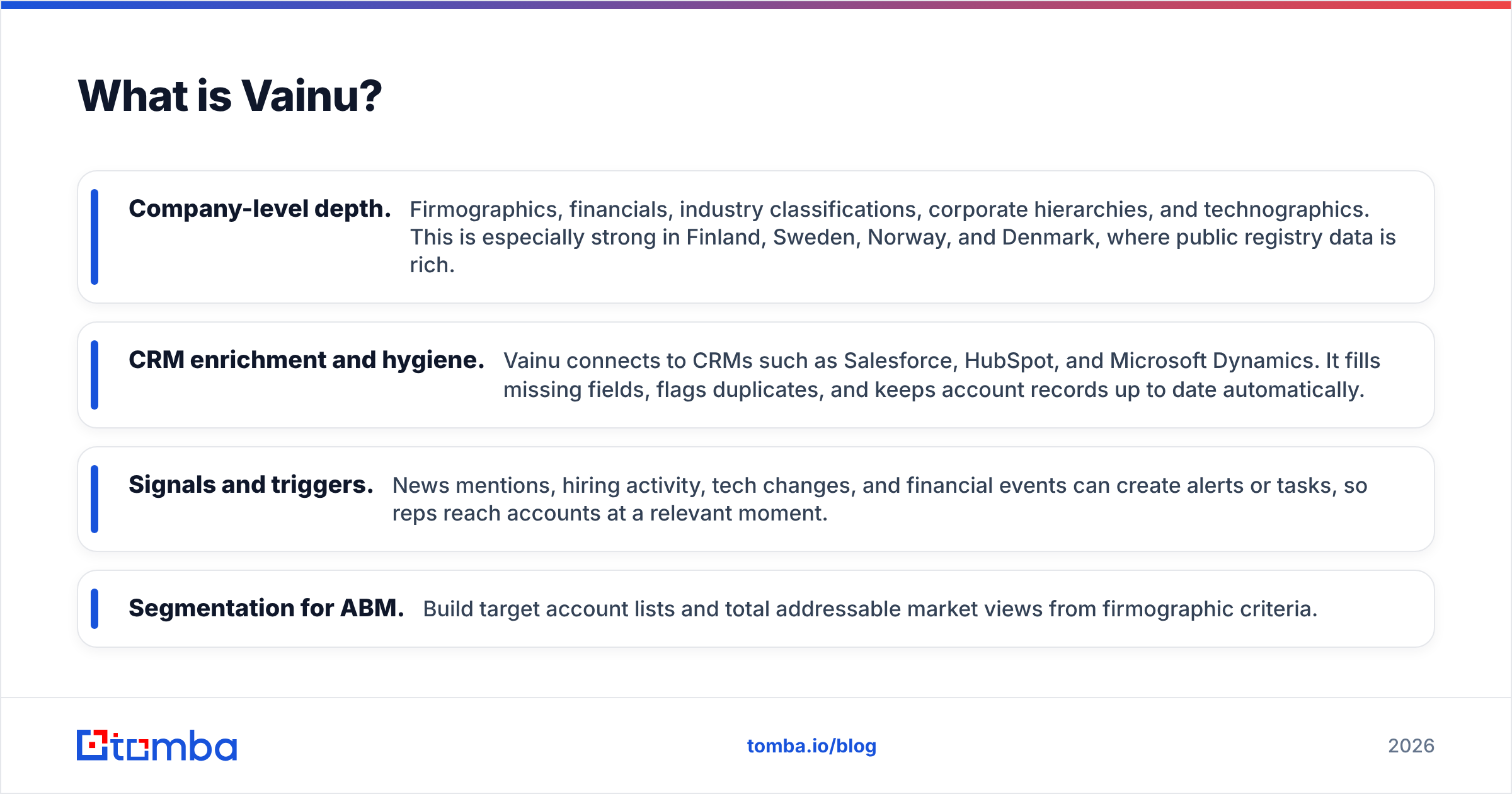
- Company-level depth. Firmographics, financials, industry classifications, corporate hierarchies, and technographics. This is especially strong in Finland, Sweden, Norway, and Denmark, where public registry data is rich.
- CRM enrichment and hygiene. Vainu connects to CRMs such as Salesforce, HubSpot, and Microsoft Dynamics. It fills missing fields, flags duplicates, and keeps account records up to date automatically.
- Signals and triggers. News mentions, hiring activity, tech changes, and financial events can create alerts or tasks, so reps reach accounts at a relevant moment.
- Segmentation for ABM. Build target account lists and total addressable market views from firmographic criteria.
Where it's thinner: Vainu is account-first. Contact-level data, and email addresses in particular, is not its main strength compared to dedicated email finders. It's also sold as a platform on contract, so small teams wanting a quick list for next week's campaign will find it heavy.
If you're weighing Vainu against other tools in general, our Vainu alternative breakdown covers the wider field.
How do Leadsforge and Vainu compare side by side?#
This is the short version. The table compares the attributes that tend to decide the purchase.
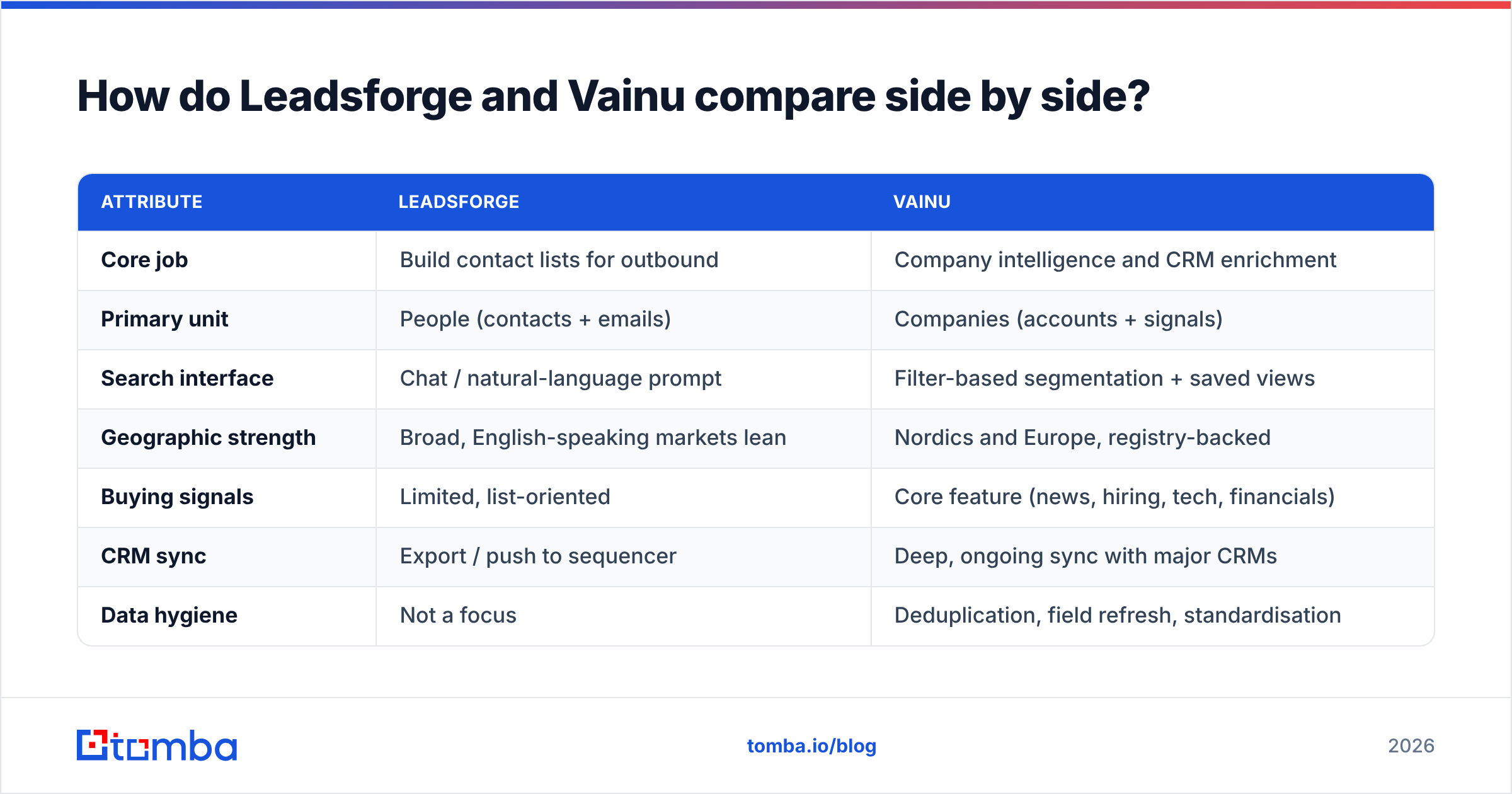
| Attribute | Leadsforge | Vainu |
|---|---|---|
| Core job | Build contact lists for outbound | Company intelligence and CRM enrichment |
| Primary unit | People (contacts + emails) | Companies (accounts + signals) |
| Search interface | Chat / natural-language prompt | Filter-based segmentation + saved views |
| Geographic strength | Broad, English-speaking markets lean | Nordics and Europe, registry-backed |
| Buying signals | Limited, list-oriented | Core feature (news, hiring, tech, financials) |
| CRM sync | Export / push to sequencer | Deep, ongoing sync with major CRMs |
| Data hygiene | Not a focus | Deduplication, field refresh, standardisation |
| Pricing model | Published, self-serve credit plans | Custom quote, typically annual contract |
| Time to first list | Minutes | Days to weeks (onboarding + CRM mapping) |
| Best buyer | Founder, SDR lead, agency | RevOps, sales ops, ABM team |
| Main drawback | Not a system of record | Contact/email coverage secondary; heavy for small teams |
The pattern is clear. Leadsforge answers "who should I email this week?" and Vainu answers "which accounts matter, and what's changing at them?" Those questions overlap, but they aren't the same.

Which workflow does each tool actually fit?#
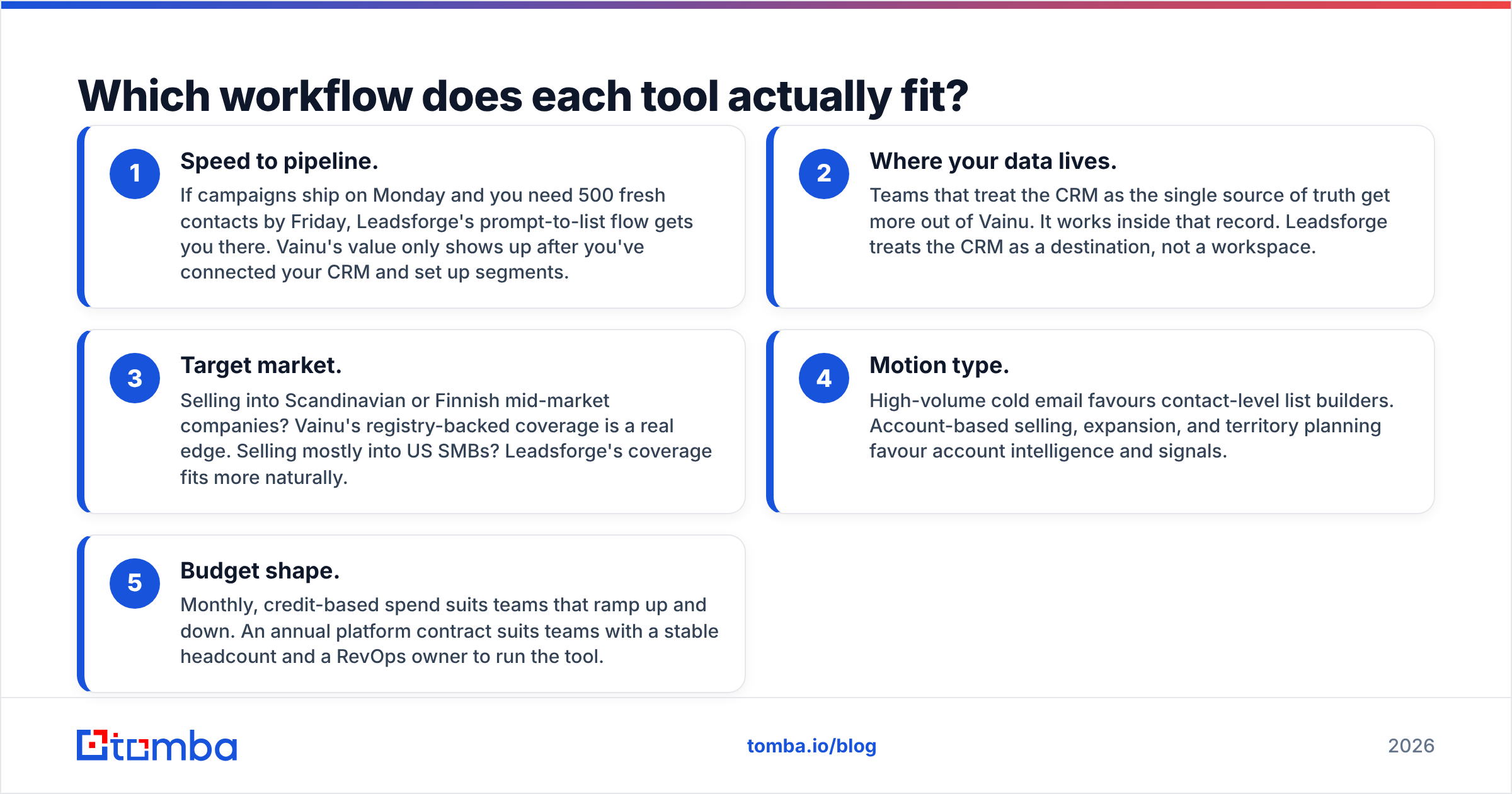
The fastest way to decide is to follow your team's actual week. Here are the five workflow factors that separate the two tools in practice:
- Speed to pipeline. If campaigns ship on Monday and you need 500 fresh contacts by Friday, Leadsforge's prompt-to-list flow gets you there. Vainu's value only shows up after you've connected your CRM and set up segments.
- Where your data lives. Teams that treat the CRM as the single source of truth get more out of Vainu. It works inside that record. Leadsforge treats the CRM as a destination, not a workspace.
- Target market. Selling into Scandinavian or Finnish mid-market companies? Vainu's registry-backed coverage is a real edge. Selling mostly into US SMBs? Leadsforge's coverage fits more naturally.
- Motion type. High-volume cold email favours contact-level list builders. Account-based selling, expansion, and territory planning favour account intelligence and signals.
- Budget shape. Monthly, credit-based spend suits teams that ramp up and down. An annual platform contract suits teams with a stable headcount and a RevOps owner to run the tool.
If three or more of those point the same way, you have your answer.
How does pricing compare?#
Pricing is where the two tools feel most different to buy.
Leadsforge publishes self-serve plans built around credits, with credits used per lead or contact revealed. You can sign up, pay by card, and start searching the same day. Plan sizes and prices change often, so check the current pricing page rather than trusting a number you saw in a review. The main cost risk is credit burn. Broad prompts pull in a lot of contacts, and if you don't tighten your ICP you'll pay for leads you never send to.
Vainu doesn't publish list prices. You go through a sales conversation, and contracts are usually annual, scoped by seats, modules (such as CRM integration or signals), and the countries you need. For a mid-market team that replaces manual CRM cleanup and a separate firmographic provider, the ROI case can be strong. For a three-person startup, the minimum commitment is often more than you want to spend on data.
Before you sign either, check what users say about renewal terms and data coverage in your target region on G2. Reviews filtered by company size and geography are far more useful than the overall star rating.
How good is the data from each?#
Both tools can be accurate in their home territory and weaker outside it. That's normal for B2B data. It's also why you should test with your own ICP rather than a vendor demo.
Leadsforge data quality depends on how precise your prompt is and on the upstream sources it aggregates. Contact-level data always decays. People change jobs, and domains change mail setups. Treat every exported list as "likely correct, not guaranteed."
Vainu data quality is strongest at the company level, especially where it pulls from official business registries. Company names, registration numbers, financials, and industry codes in the Nordics are hard to beat. Contact details are thinner and less central to the product.
Whichever you choose, add a verification step between export and send. A dedicated email verifier catches invalid, risky, and catch-all addresses before they hurt your bounce rate and sender reputation. It's cheap insurance, and it separates a clean campaign from one that lands your domain in spam folders for a month.
A practical test protocol for either tool:
- Pull 200 records that match your real ICP, not the vendor's showcase segment.
- Check 20 by hand against LinkedIn and company websites for title and company accuracy.
- Run all 200 emails (where available) through a verifier and record the valid, invalid, and catch-all split.
- Compare the cost per verified, correctly titled contact, not the cost per record.
That last number is the only one that matters.
Is Leadsforge better than Vainu?#
For outbound-first SMB teams, yes. Leadsforge is faster to adopt, cheaper to start, and produces what a cold email team needs: people with emails. The chat interface really does lower the skill needed to build a precise list.
For RevOps-led mid-market and enterprise teams selling into Europe, no. Vainu is the better tool. Its value compounds over time: cleaner CRM records, better account prioritisation, and signal-driven timing. A list builder can't match that, because a list builder forgets your accounts the moment you export.
Some teams use both patterns. Account intelligence (Vainu or a similar platform) decides which companies to target. A contact-level tool then finds who to reach at those companies. If that's your setup, you need the contact layer to be strong, which is where a dedicated email finder and data enrichment tool earns its place.

What are the pros and cons of each?#
Leadsforge pros
- Natural-language search makes precise ICPs easy to express
- Fast time to first list, fully self-serve
- Contact-level output with emails, built for outbound
- Fits naturally with the Forge sending and warmup stack
Leadsforge cons
- Not a CRM enrichment or hygiene tool
- Limited account-level signals
- Credit burn can climb with loose prompts
- Coverage outside its core markets varies
Vainu pros
- Deep, registry-backed company data in the Nordics and Europe
- Ongoing CRM enrichment, deduplication, and field refresh
- Buying signals and triggers for well-timed outreach
- Strong for ABM, territory planning, and TAM analysis
Vainu cons
- Quote-based, annual pricing is heavy for small teams
- Contact and email data is secondary to company data
- Longer onboarding before you see value
- Less compelling if your market is mostly outside Europe
Where does an email finder fit alongside either tool?#
Neither Leadsforge nor Vainu is mainly an email-finding and verification engine. Leadsforge bundles emails into its lists. Vainu focuses on accounts. In both cases, many teams add a dedicated email layer for three reasons:
- Filling gaps. You have the account (from Vainu) or the name (from a list) but no confirmed email address.
- Verifying before send. Exported emails decay, and a verification pass protects deliverability.
- Controlling cost. Paying per verified email found is often cheaper than paying per record in a larger platform, especially when you only need contacts at a short list of target accounts.
Tomba sits in that layer. You can search by domain, by name plus company, or in bulk, then verify results in the same workflow. The free tier covers 25 searches a month for testing, and paid plans start at $49/mo (Starter), with Growth at $99/mo and Pro at $249/mo. See Tomba pricing for current limits.
Frequently asked questions#
Is Leadsforge or Vainu better for Nordic prospects?#
Vainu. Its company data draws heavily on Nordic business registries, which gives it an edge on firmographics and financials for Finnish, Swedish, Norwegian, and Danish companies. For contact-level emails at those companies, pair it with a dedicated email finder.
Can Leadsforge replace a CRM enrichment tool?#
Not really. Leadsforge builds lists you export or push to a sequencer. It doesn't keep existing CRM records clean or refreshed over time, and that ongoing hygiene is where tools like Vainu earn their contract value.
Does Vainu provide email addresses?#
Vainu does include some contact data, but its core strength is company-level intelligence and signals. Teams running cold email at volume usually add a contact and email tool on top.
Which is cheaper, Leadsforge or Vainu?#
To get started, Leadsforge, because it's self-serve and credit-based. Over a year at mid-market scale, the comparison depends on how much manual CRM work and separate data spend Vainu replaces. Get a Vainu quote and model your cost per usable contact before you decide.
Do I still need to verify emails from these tools?#
Yes. Any exported email list decays over time. Run a verification pass before every campaign to keep bounce rates under control and protect your sending domains.
Which should you choose?#
Choose Leadsforge if you're an outbound-heavy SMB, agency, or founder-led sales team that needs targeted contact lists fast and wants to pay month to month. Choose Vainu if you're a RevOps-led team selling into European accounts that needs a clean CRM, account prioritisation, and buying signals, and you're ready for an annual platform commitment.
Whichever you pick, the weak point is the same: getting a correct, deliverable email address for the right person. If you need that layer, whether to fill gaps in a Vainu account list or to double-check a Leadsforge export, try the Tomba Email Finder. Search by domain or by name, verify in the same step, and start on the free tier before you commit to a plan.
Related guides#
// get started
Find, verify and enrich your first contacts today
Start on the free plan with 25 searches a month, then scale when your team is ready.
Free plan · No credit card required · GDPR & CCPA
// about the author