Leadsforge vs Validto: Lead Builder or Email Verifier in 2026?
Leadsforge builds lead lists from a plain-English prompt. Validto cleans lists you already have. Here is how they differ on pricing, credits, and workflow, and which one your team actually needs.
TL;DR
- Leadsforge and Validto do different jobs. Leadsforge creates lead lists from a natural-language description of your ICP. Validto checks email lists you already have.
- Pricing models differ too. Leadsforge runs on a subscription starting at $49/mo for 2,000 credits (1 credit per email, 10 per phone number). Validto is pay-as-you-go with no monthly commitment, and its per-email price drops at higher volumes.
- Pick Leadsforge if your problem is "I don't have enough leads." Pick Validto if your problem is "my list keeps bouncing."
- Plenty of teams need both jobs done. In that case, consider a single platform that handles finding and verification together, so you don't end up with two vendors, two credit balances, and a CSV passed back and forth.
People search "Leadsforge vs Validto" expecting a head-to-head. In practice you're comparing two different steps of the same workflow. This guide covers what each tool does, where each one is strong, how the pricing works out, and which one fits the problem you actually have.
What is Leadsforge?#
Leadsforge is an AI lead-generation tool from the Forge ecosystem, the same group behind Salesforge, Mailforge, and Warmforge. You don't build a list with dozens of filter dropdowns. You describe your target customer in plain English, something like "Heads of RevOps at US-based B2B SaaS companies with 50–200 employees that use HubSpot," and Leadsforge turns that into a search and returns a list of matching contacts.
The main value is speed. For an SDR or founder who wants a first list in minutes, the chat-style interface removes most of the setup work that older databases require. Contacts come with emails that Leadsforge has checked, and you can export them to CSV or send them straight into Salesforge sequences.
Key facts:
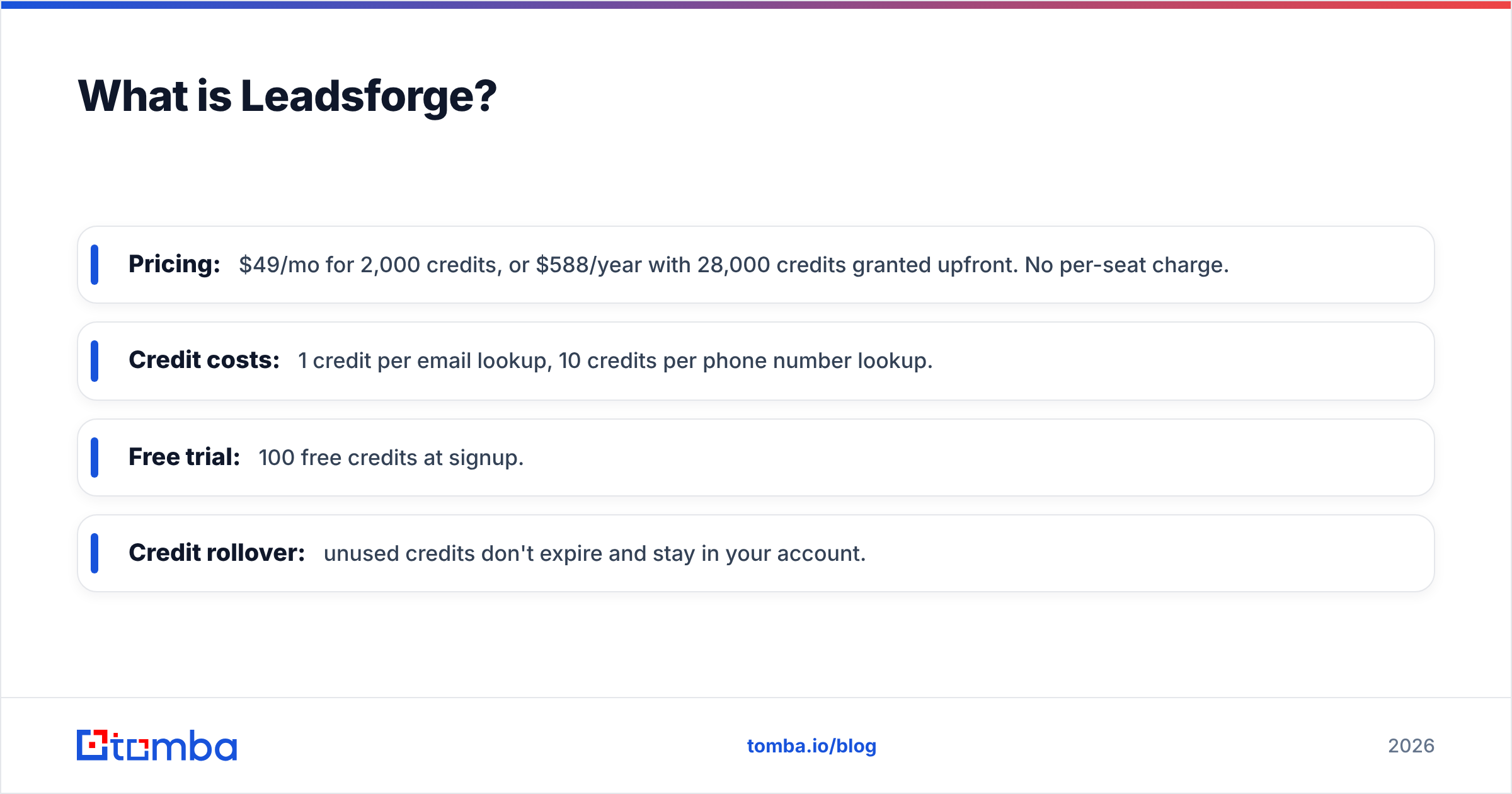
- Pricing: $49/mo for 2,000 credits, or $588/year with 28,000 credits granted upfront. No per-seat charge.
- Credit costs: 1 credit per email lookup, 10 credits per phone number lookup.
- Free trial: 100 free credits at signup.
- Credit rollover: unused credits don't expire and stay in your account.
What is Validto?#
Validto (styled "validTo") is an email verification and list-cleaning service. It does not find new contacts. You upload a list, usually a CSV, or call its API, and it tells you which addresses are safe to send to.
According to its published feature set, Validto runs deduplication, syntax, MX/DNS, and SMTP checks. It also flags disposable inboxes, role-based addresses (info@, sales@), catch-all domains, and likely spam traps. One detail that stands out: before you spend credits, Validto runs a free pre-analysis of your list so you can see roughly how dirty it is.
Key facts:
- Pricing: pay-as-you-go credit packs, no monthly subscription. Its marketing cites prices as low as $0.0004 per email at the top volume tiers.
- Credit costs: 1 credit per email verified.
- Free trial: 100 free verification credits at signup.
- Credit expiry: credits don't expire.
- Integrations: REST API for real-time checks, plus a Zoho CRM extension.
How do Leadsforge and Validto fit into a prospecting workflow?#
The simplest way to see the difference is to lay out the stages of an outbound workflow and mark where each tool fits:
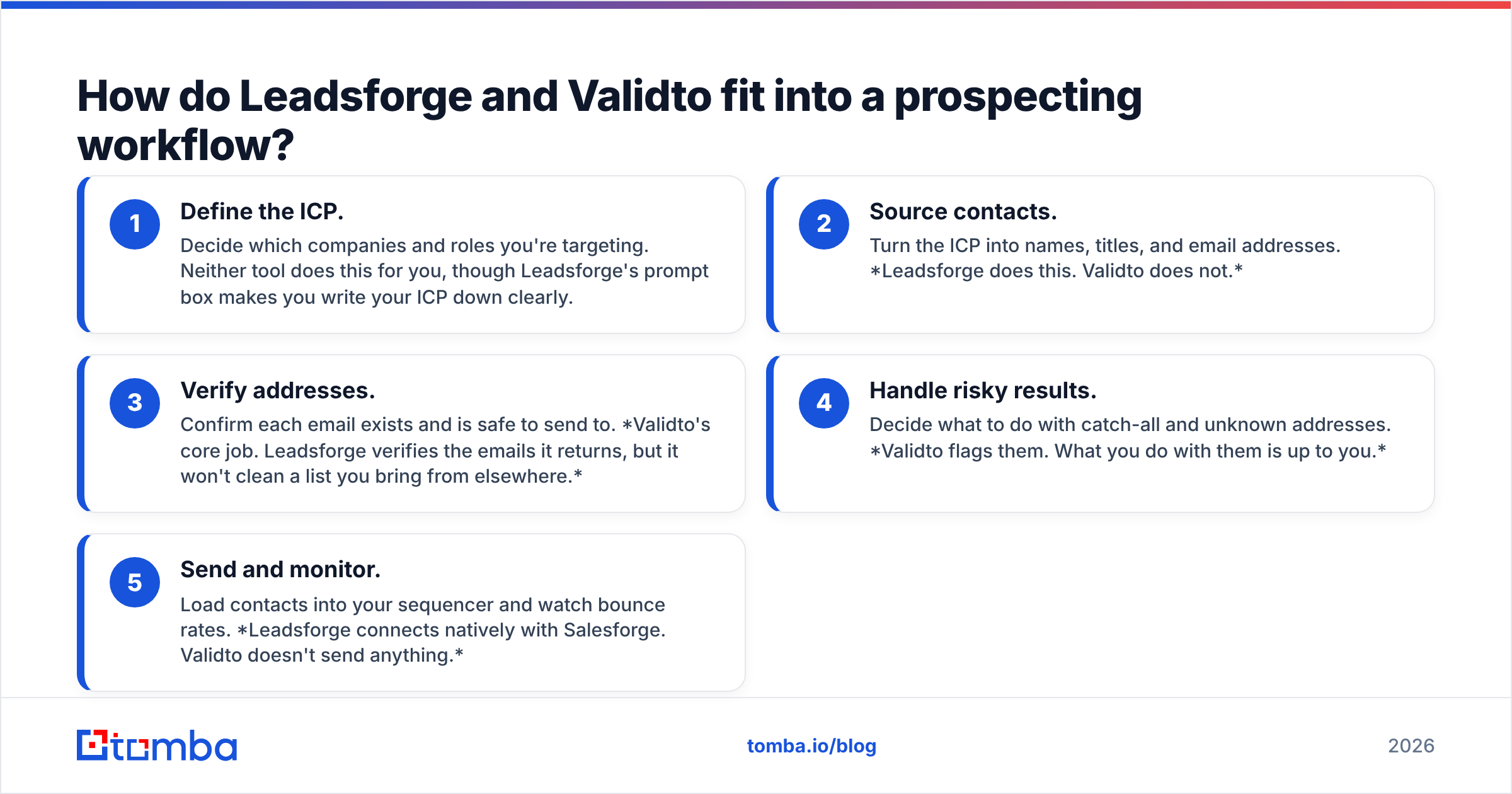
- Define the ICP. Decide which companies and roles you're targeting. Neither tool does this for you, though Leadsforge's prompt box makes you write your ICP down clearly.
- Source contacts. Turn the ICP into names, titles, and email addresses. Leadsforge does this. Validto does not.
- Verify addresses. Confirm each email exists and is safe to send to. Validto's core job. Leadsforge verifies the emails it returns, but it won't clean a list you bring from elsewhere.
- Handle risky results. Decide what to do with catch-all and unknown addresses. Validto flags them. What you do with them is up to you.
- Send and monitor. Load contacts into your sequencer and watch bounce rates. Leadsforge connects natively with Salesforge. Validto doesn't send anything.
So the tools overlap at one stage, verification. Everywhere else they don't touch. If you choose between them as if they were substitutes, you'll pick the wrong one.

Leadsforge vs Validto: how do they compare side by side?#
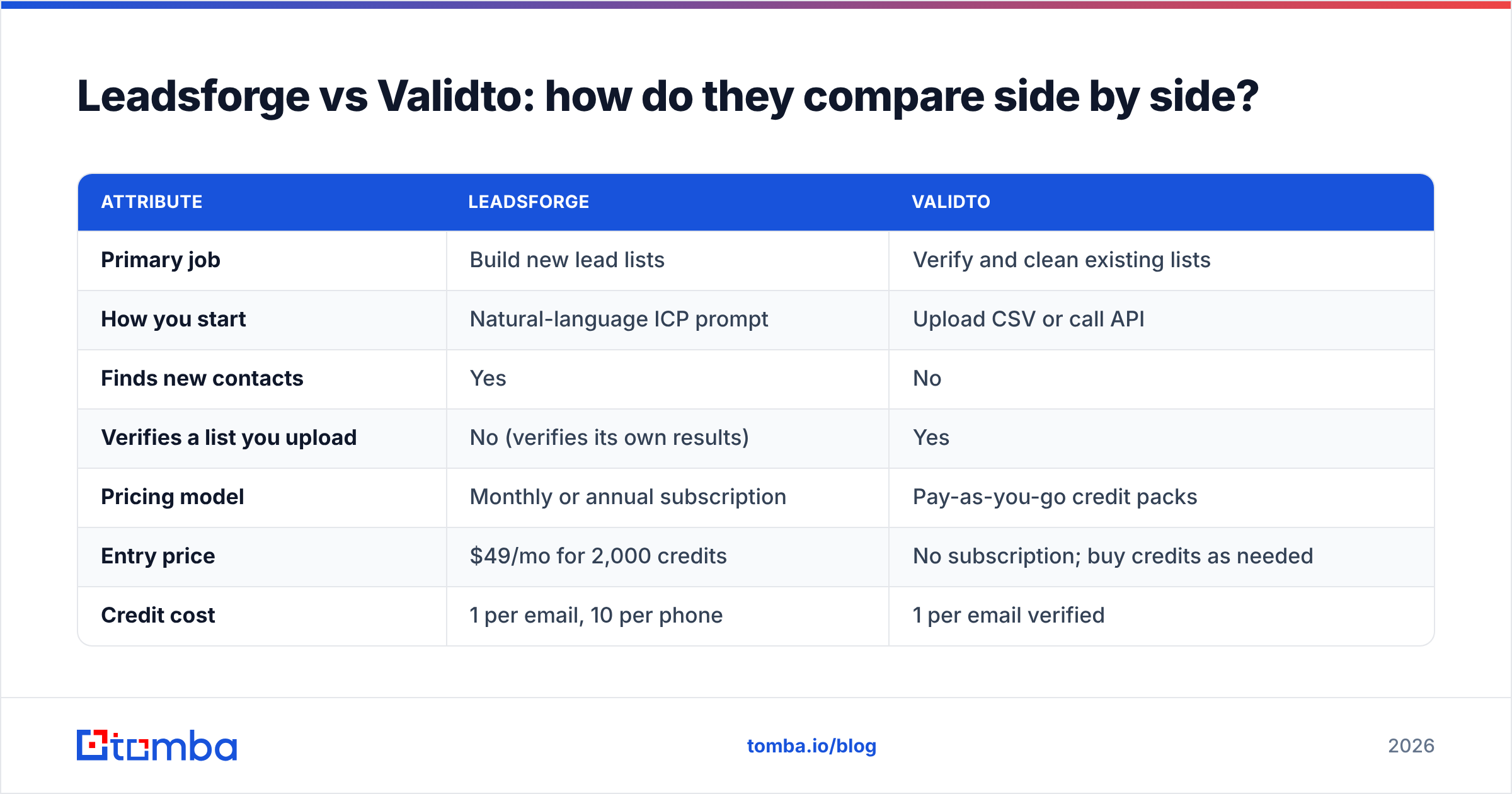
| Attribute | Leadsforge | Validto |
|---|---|---|
| Primary job | Build new lead lists | Verify and clean existing lists |
| How you start | Natural-language ICP prompt | Upload CSV or call API |
| Finds new contacts | Yes | No |
| Verifies a list you upload | No (verifies its own results) | Yes |
| Pricing model | Monthly or annual subscription | Pay-as-you-go credit packs |
| Entry price | $49/mo for 2,000 credits | No subscription; buy credits as needed |
| Credit cost | 1 per email, 10 per phone | 1 per email verified |
| Free trial | 100 credits | 100 credits |
| Credit expiry | Credits roll over | Credits don't expire |
| Phone numbers | Yes (10 credits each) | No |
| Catch-all detection | Not its focus | Yes, flagged in results |
| Free list pre-analysis | N/A | Yes |
| Native ecosystem | Salesforge, Mailforge, Warmforge | Zoho CRM extension, API |
| Best for | Founders and SDRs short on leads | Marketers and ops teams with aging lists |
Two things in this table matter more than the rest.
First, the pricing models suit different usage patterns. A subscription makes sense if you prospect every week. Pay-as-you-go makes sense if you clean a list every quarter before a big campaign. If you run a verification job twice a year, paying monthly would be wasted money. That's why pay-as-you-go verifiers like Validto are popular with marketing teams that send newsletters and webinar invites rather than daily cold outreach.
Second, look at how phone lookups are priced. At 10 credits per phone number, 2,000 Leadsforge credits cover 200 phone lookups, or 2,000 email lookups, or some mix. If your team relies on calling, work out your credit burn before you commit to a plan.
Is Leadsforge better than Validto for cold email?#
For cold email prospecting, yes, because Validto can't give you anyone to email. For cold email hygiene, not quite.
Leadsforge is built for outbound. Its natural-language search, its verified-email output, and its direct connection into Salesforge are all aimed at people running cold sequences. If you're a founder doing outreach yourself and you want to go from "idea of a customer" to "loaded sequence" in an afternoon, it's a very fast path.
It won't clean the lists you've built up elsewhere, though: the conference attendee export, the three-year-old CRM segment, the list a previous SDR left behind. Those lists decay. B2B contact data goes stale as people change jobs, companies rebrand, and domains lapse. Sending to that decay is what hurts your email deliverability, and that's the job Validto (or any dedicated email verifier) is for.
The honest answer: Leadsforge wins for new pipeline, and Validto wins for protecting sender reputation on data you already own.
How accurate is each tool, and what about catch-all domains?#
Both vendors describe their data as verified, and Validto cites 99% accuracy. Be careful with any single accuracy figure, from these vendors or anyone else. Accuracy depends a lot on what's in your list.
The biggest variable is catch-all domains. A catch-all server accepts mail for any address at the domain, so an SMTP check can't confirm whether jane.doe@company.com is a real inbox. Every verifier has this limit. What varies is how honestly the tool reports it:
- Validto flags catch-all addresses as a separate category rather than marking them valid, which is the correct behavior. Plan to treat them as "risky," not "safe."
- Leadsforge returns emails it has already checked, so you usually don't see the catch-all question directly. It's still worth sending to a small test batch before a large campaign.
If a big share of your market is enterprise companies, which often run catch-all or security gateways, check whether your toolset includes dedicated catch-all verification. Standard SMTP checks will leave that part of your list marked "unknown."
A practical rule: verify anything older than about 90 days before a send, regardless of where it came from. HubSpot's guidance on email bounce rates is a good reference for how quickly bounces start to damage sender reputation.
What does Leadsforge vs Validto actually cost at real volumes?#
Here's how the numbers work out for three typical buyers. Validto's per-email price depends on pack size, so check its pricing page for current tiers. The pattern below holds regardless.
Scenario 1: Solo founder, 1,500 new prospects per month, email only. Leadsforge's $49 plan covers it with credits left over, and unused credits roll forward. Validto doesn't apply, because you have no list yet.
Scenario 2: Marketing team cleaning a 50,000-contact CRM before a product launch. Validto is the obvious fit. It's a one-off job, the per-email price at that volume is a fraction of a cent, and there's no subscription to cancel afterwards. Leadsforge doesn't apply, because you're not sourcing.
Scenario 3: SDR team sourcing 3,000 leads a month and re-verifying 10,000 legacy CRM contacts per quarter. This is where it gets messy. You'd pay for a Leadsforge plan sized for your sourcing volume, plus Validto credit packs each quarter. That means two vendors, two credit balances, two sets of export and import steps, and one more place for a CSV to go missing.
Scenario 3 describes most growing outbound teams, and it's the reason bundled find-and-verify platforms exist.
What are the pros and cons of each?#
Leadsforge pros
- A natural-language prompt makes list building very fast
- No per-seat pricing, so the whole team can use one account
- Credits roll over
- Strong native fit if you already use Salesforge or the wider Forge stack
- Phone numbers available
Leadsforge cons
- Doesn't verify or clean lists you bring from elsewhere
- Phone lookups use credits 10x faster than email lookups
- Most useful inside the Forge ecosystem; less smooth if your sequencer is elsewhere
Validto pros
- Pay-as-you-go with no monthly commitment
- Low per-email cost at volume
- Free pre-analysis before you spend credits
- Flags catch-all, role-based, disposable, and spam-trap addresses separately
- Real-time API and a Zoho CRM extension
Validto cons
- Doesn't find new contacts at all
- No phone data
- A smaller integration list than the larger verification vendors
Is there an option that handles both finding and verification?#
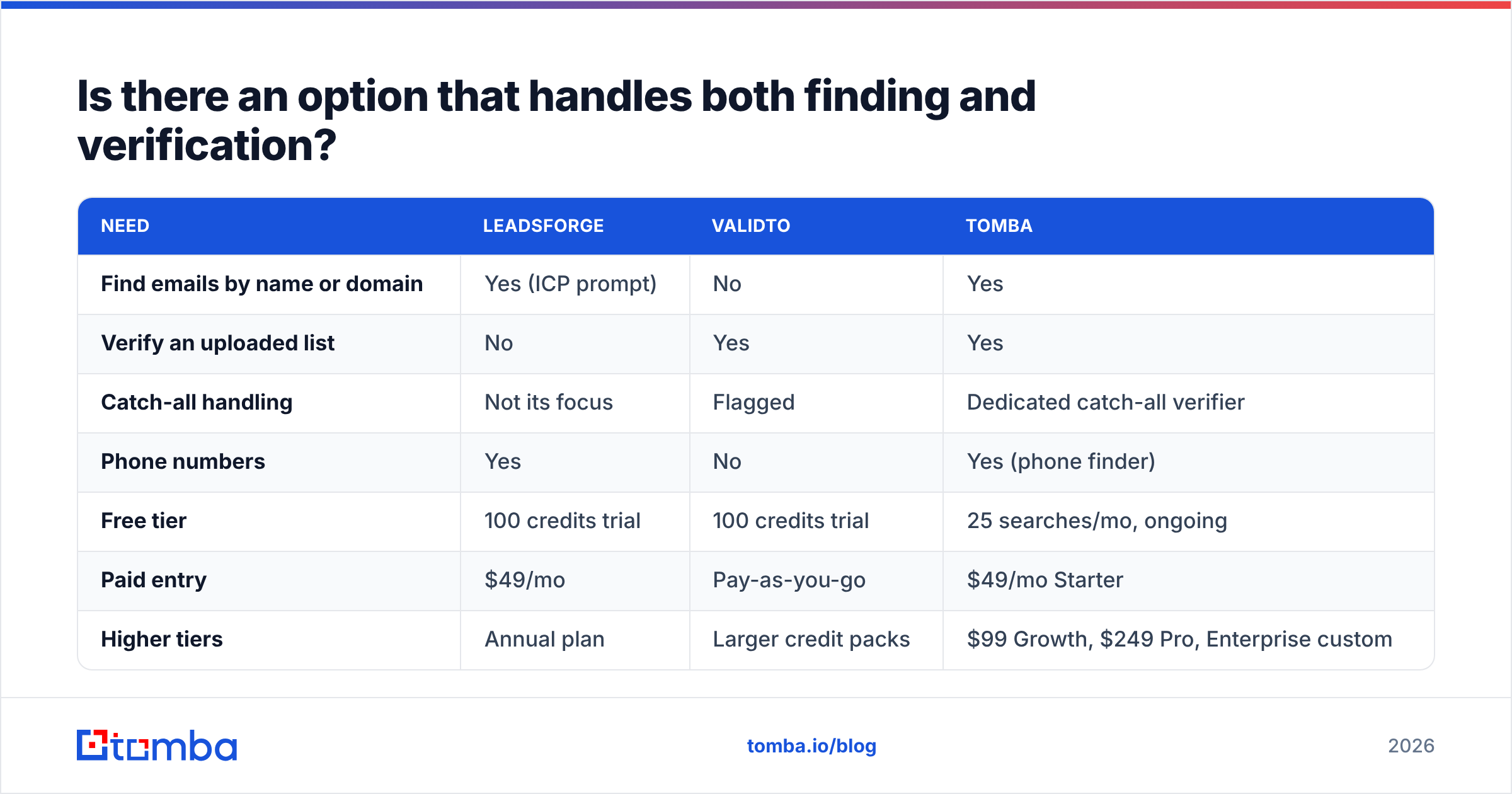
Yes. If you're in Scenario 3, look at tools that combine sourcing and verification in one account. Tomba is one of them, and here's where it fits.
| Need | Leadsforge | Validto | Tomba |
|---|---|---|---|
| Find emails by name or domain | Yes (ICP prompt) | No | Yes |
| Verify an uploaded list | No | Yes | Yes |
| Catch-all handling | Not its focus | Flagged | Dedicated catch-all verifier |
| Phone numbers | Yes | No | Yes (phone finder) |
| Free tier | 100 credits trial | 100 credits trial | 25 searches/mo, ongoing |
| Paid entry | $49/mo | Pay-as-you-go | $49/mo Starter |
| Higher tiers | Annual plan | Larger credit packs | $99 Growth, $249 Pro, Enterprise custom |
You can see the full breakdown in Tomba pricing. Tomba's approach is less conversational than Leadsforge's. You search by domain, name, or company rather than typing an ICP paragraph. In return, you can take a list you sourced yourself, or a stale CRM export, and verify it in the same place.
To be fair, it isn't the right answer for everyone. If you live inside Salesforge, Leadsforge's native connection is a real advantage. If you only ever clean lists and never source them, Validto's pay-as-you-go model is hard to beat on cost. Review sites like G2 are useful for checking how each tool holds up for teams your size.
Which should you choose: Leadsforge or Validto?#
Start from the problem, not the product:
- "I don't have enough leads." Choose Leadsforge. The fast ICP-to-list workflow is the main reason to buy it.
- "My bounce rate is climbing on lists I already have." Choose Validto. Pay-as-you-go verification with honest catch-all flagging is exactly what you need.
- "I need new leads every month and I need to keep old data clean." Stop comparing two single-purpose tools and look at a platform that does both, so your credits, exports, and verification history stay in one place.
Ready to find and verify in one place?#
If your outbound motion needs both a steady supply of new contacts and clean data you can trust, you don't need two subscriptions. The Tomba Email Finder finds professional email addresses by domain, name, or company, and verification is built into the same account, catch-all domains included. Start on the free tier with 25 searches a month, test it against your own ICP, and move up to Starter at $49/mo only when the results justify it.
Related guides#
// get started
Find, verify and enrich your first contacts today
Start on the free plan with 25 searches a month, then scale when your team is ready.
Free plan · No credit card required · GDPR & CCPA
// about the author