Leadsforge vs VerifiedEmail (2026): Lead Finder or Verifier?
Leadsforge builds lead lists and VerifiedEmail cleans them. That makes this less of a head-to-head than it looks. Here is which one your outbound stack needs first, what each costs, and when paying for both makes sense.
TL;DR
- Leadsforge and VerifiedEmail do different jobs. Leadsforge finds prospects: it's an AI lead search engine that builds contact lists from an ICP description. VerifiedEmail checks whether addresses you already have will accept mail.
- Pricing uses different units. Leadsforge's Essential plan is $49/mo for 2,000 credits (1 credit per email, 10 per phone number). VerifiedEmail is pay-as-you-go from about $7 per 1,000 verifications, and the first 200 are free.
- Choose Leadsforge when your problem is not having enough people to email. Choose VerifiedEmail when you already have lists and your bounce rate is hurting deliverability.
- Many teams end up paying for both, or they use one platform like Tomba that finds and verifies in the same workflow.
- Neither tool is "better." The real question is where your pipeline is failing.
What is the real difference between Leadsforge and VerifiedEmail?#
The "leadsforge vs verifiedemail" search usually comes from a buyer who is assembling an outbound stack and sees both names on "best tools" lists. They don't compete directly. Each one covers a different stage of the same pipeline.
Think of it as a restaurant. Leadsforge is the supplier that delivers the ingredients. VerifiedEmail is the quality inspector who throws out anything spoiled before it goes on a plate. You need both functions, but they aren't interchangeable.
Leadsforge (leadsforge.ai) belongs to the Forge product family alongside Salesforge, Warmforge, and Infraforge. You describe your ideal customer in plain language, for example "Series A fintech companies in the US with a Head of RevOps". Leadsforge then returns matching companies and contacts from its B2B database. You spend credits to reveal emails and phone numbers and to export the list.
VerifiedEmail (verified.email) is a dedicated email validation service. You give it addresses, either one at a time, as a bulk upload, or through its API, and it tells you which are valid, invalid, risky, or unknown. It does not find new contacts. Its workflows are organized around real-time verification, bulk list cleaning, ongoing list maintenance, and API/webhook integration.
So the useful question is "which stage of my pipeline is broken?", not "which tool wins?"
How do Leadsforge and VerifiedEmail compare side by side?#
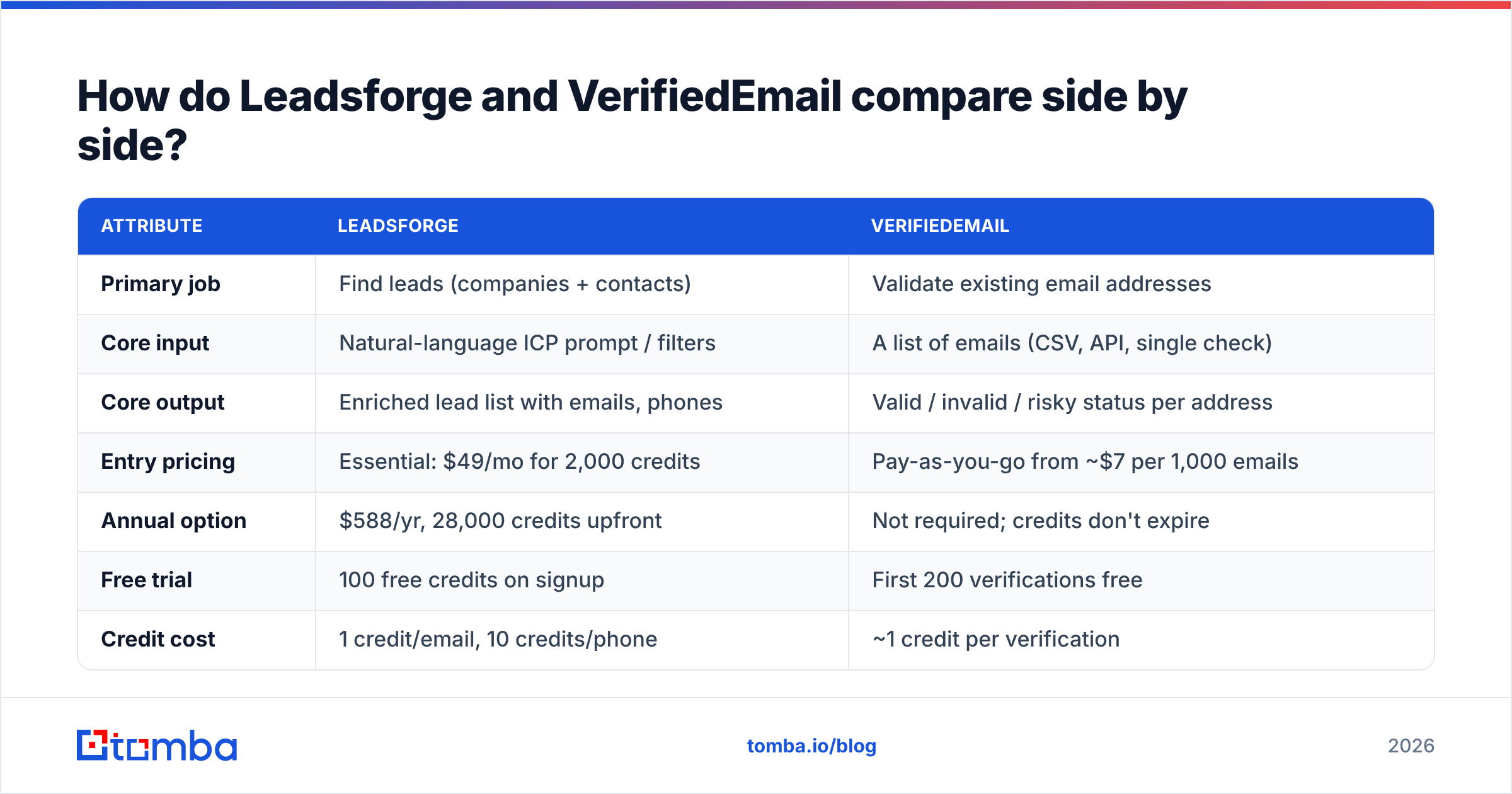
This table covers the attributes that usually decide the purchase. Pricing reflects publicly listed rates at the time of writing. Check each vendor's site before you commit, because credit systems change often.
| Attribute | Leadsforge | VerifiedEmail |
|---|---|---|
| Primary job | Find leads (companies + contacts) | Validate existing email addresses |
| Core input | Natural-language ICP prompt / filters | A list of emails (CSV, API, single check) |
| Core output | Enriched lead list with emails, phones | Valid / invalid / risky status per address |
| Entry pricing | Essential: $49/mo for 2,000 credits | Pay-as-you-go from ~$7 per 1,000 emails |
| Annual option | $588/yr, 28,000 credits upfront | Not required; credits don't expire |
| Free trial | 100 free credits on signup | First 200 verifications free |
| Credit cost | 1 credit/email, 10 credits/phone | ~1 credit per verification |
| Credit expiry | Credits roll over | Credits never expire |
| Phone numbers | Yes (higher credit cost) | No |
| API access | Yes, within the Forge ecosystem | Yes, API + webhooks |
| Best for | Building net-new outbound lists | Cleaning lists before sending |
| Main limitation | You still need to verify catch-alls and aging data | Can't create a single new lead |
Look at the "Main limitation" row. Each tool's weakness is exactly what the other tool does, which is why the two names keep appearing in the same search.
What does Leadsforge do well?#
Leadsforge is built for speed from an idea to a list. The chat-style search suits founders and small SDR teams who don't want to learn a filter-heavy interface like Apollo or ZoomInfo.
The strengths that matter in practice:
- Natural-language ICP search. You write the prompt the way you'd brief an SDR, and the tool turns it into filters. This makes the first list much faster to get.
- Lookalike discovery. You can start from a best customer and find similar companies. This is often more accurate than building firmographic filters by hand.
- Predictable seat economics. Pricing is based on credits, not seats, so adding a teammate doesn't automatically raise your bill.
- Rollover credits. Unused credits stay in your account. That helps teams whose outbound volume varies from month to month.
- Native fit with Salesforge. If you already send through Salesforge, lists move into sequences with less CSV handling.
Where Leadsforge needs help: every lead database, Leadsforge included, carries some percentage of addresses that were valid when collected and have gone stale since. People change jobs, domains get migrated, and catch-all servers accept everything at the SMTP level. Leadsforge does verify emails as part of its data process, but a second verification pass right before you send is standard practice for any list older than a few weeks.

What does VerifiedEmail do well?#
VerifiedEmail is a focused tool. It doesn't try to be a database, a sequencer, or a CRM. For a verifier, that's an advantage.
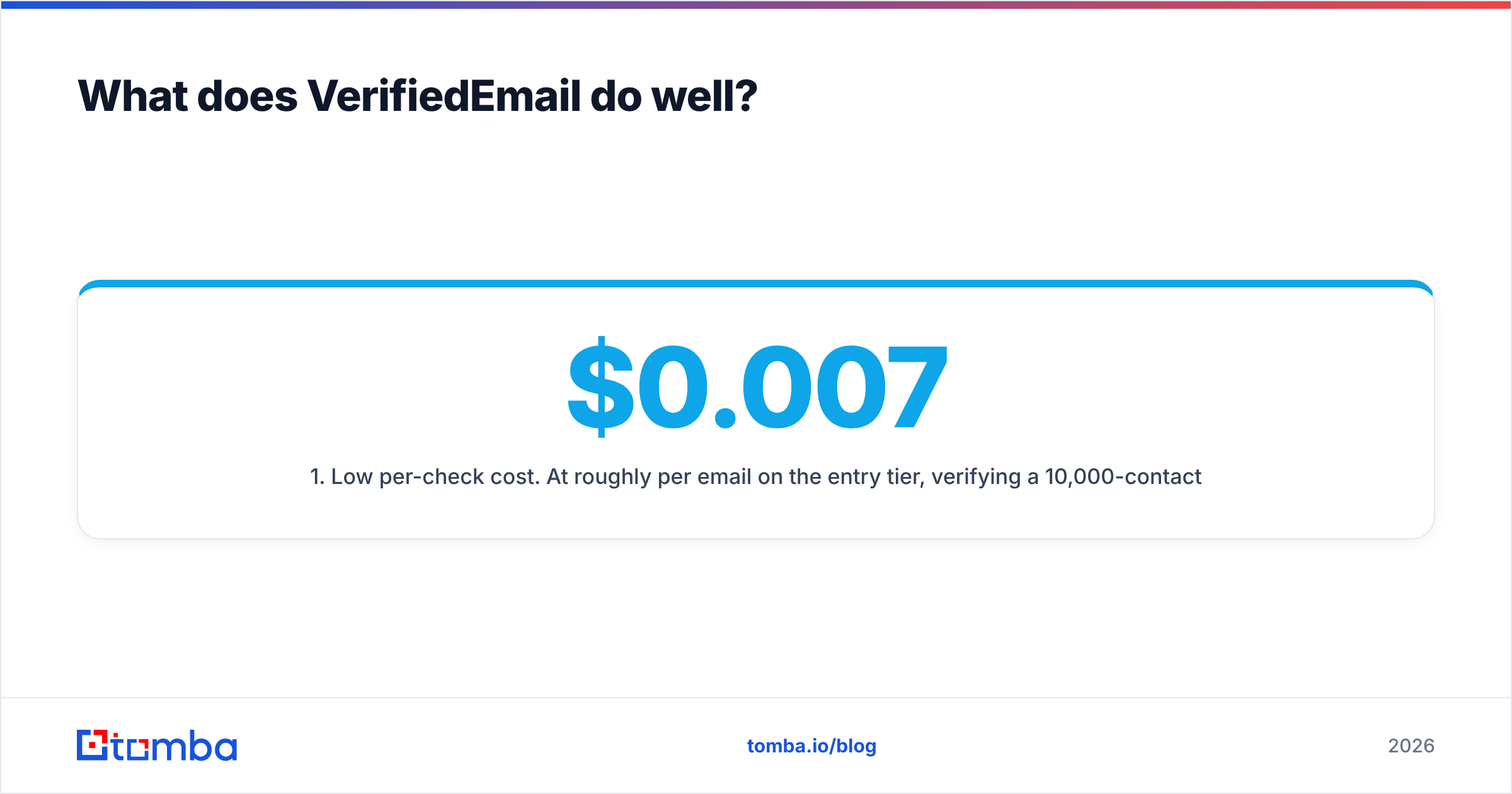
- Low per-check cost. At roughly $0.007 per email on the entry tier, verifying a 10,000-contact list costs about $70. That's cheap insurance compared with the sender-reputation damage from a 10% bounce rate.
- Non-expiring credits. You can buy once and use the credits across quarters. This works well for agencies with irregular client lists.
- Free re-checks within 24 hours. Re-verifying "unknown" results shortly after the first pass doesn't cost you twice.
- Four workflow modes. Real-time checks for signup forms, bulk cleaning for campaigns, ongoing maintenance for CRM data, and API/webhooks for automation.
- Volume pricing at scale. For lists over a million addresses, VerifiedEmail advertises that it will beat competitor pricing, which matters for large marketing databases.
Third-party review sites such as Capterra's VerifiedEmail listing are worth reading for user feedback on accuracy with catch-all domains. Every verifier struggles with catch-alls, and how a tool labels them ("risky" vs "unknown" vs "accept-all") changes what you send.
The obvious limitation: if your problem is "I don't have enough prospects", VerifiedEmail can't help.
Which one should you buy first?#
Start from your bottleneck, not from the feature list. Here are four scenarios you'll likely recognize.
Scenario 1: You're a founder with zero outbound list. Buy Leadsforge (or another finder) first. Verifying an empty spreadsheet does nothing. Once you've exported your first 500-1,000 contacts, run them through a verifier before the first send.
Scenario 2: You have 40,000 contacts in HubSpot from three years of trade shows. Buy VerifiedEmail first. Your problem is data decay, not data volume. B2B contact data decays noticeably every year as people change roles, so a list that old will contain a meaningful share of dead addresses. If you send to it unverified, you put your domain's sender reputation at risk.
Scenario 3: You run an agency doing outbound for 8 clients. You probably need both functions for every client. Doing that with two separate subscriptions means two billing cycles, two credit pools, and a CSV export and re-import between tools on every campaign.
Scenario 4: You're a RevOps lead building an automated enrichment flow. Look at API quality first. Both tools offer APIs, but ask yourself whether you want to maintain two integrations, two sets of rate limits, and two failure modes, or one.
How does pricing compare for a real campaign?#
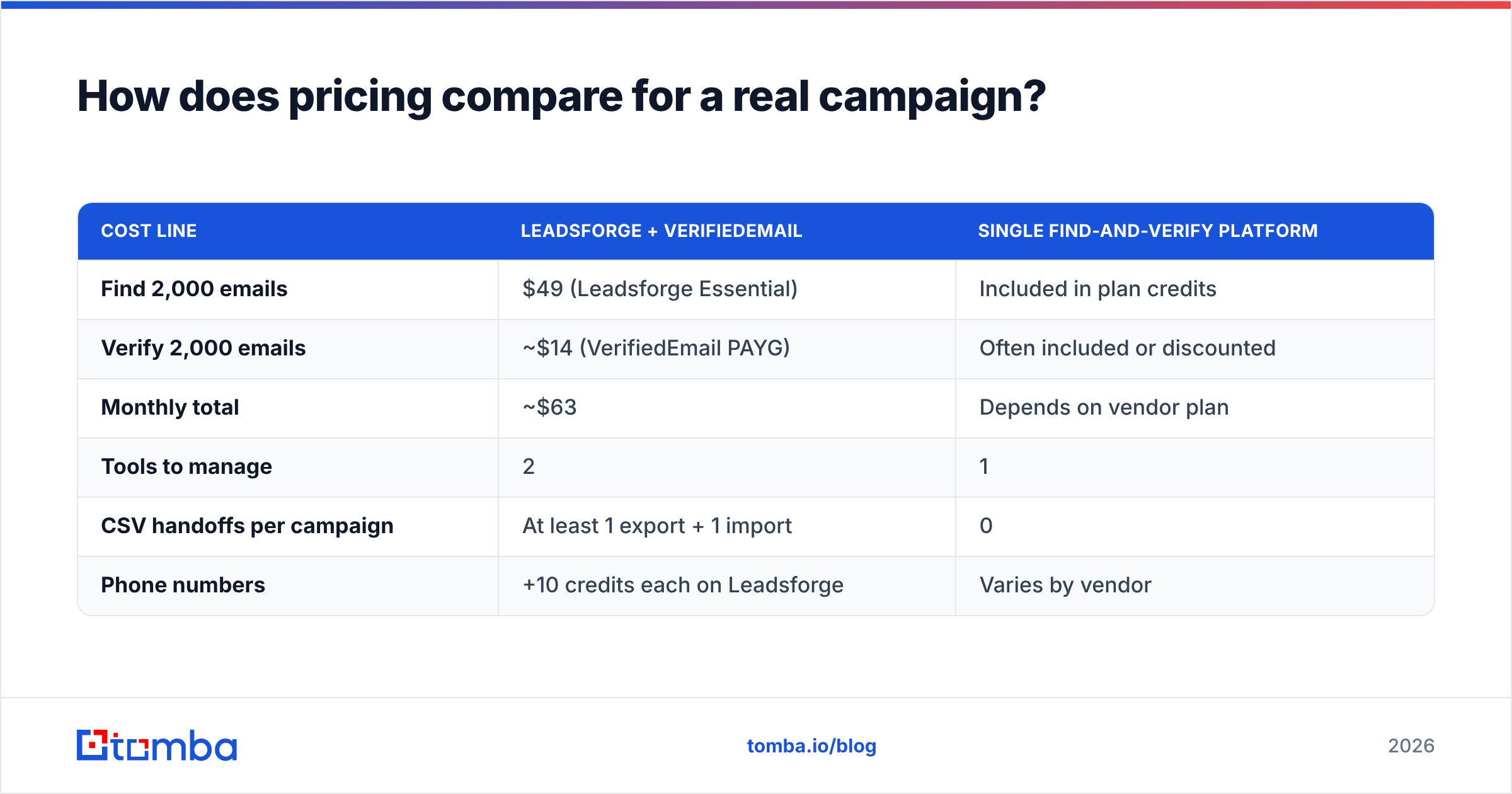
Here's an example: 2,000 new contacts per month for outbound, each verified before sending.
| Cost line | Leadsforge + VerifiedEmail | Single find-and-verify platform |
|---|---|---|
| Find 2,000 emails | $49 (Leadsforge Essential) | Included in plan credits |
| Verify 2,000 emails | ~$14 (VerifiedEmail PAYG) | Often included or discounted |
| Monthly total | ~$63 | Depends on vendor plan |
| Tools to manage | 2 | 1 |
| CSV handoffs per campaign | At least 1 export + 1 import | 0 |
| Phone numbers | +10 credits each on Leadsforge | Varies by vendor |
On raw cost, the two-tool combination is competitive. The hidden cost is operational: someone on your team has to export, upload, wait, download, merge the status column back in, and filter before sequencing. Across 8 clients and 4 campaigns a month, that adds up to many hours of work nobody wants to do.
This is also why most mature stacks put verification as close as possible to the moment of sending. A list verified 30 days ago has already started to decay.
Where does Tomba fit in this comparison?#
Full disclosure: this is the Tomba blog. Tomba isn't a replacement for everything Leadsforge does. Leadsforge's natural-language ICP search and Salesforge integration are real advantages if you're committed to the Forge ecosystem.
Tomba's angle is different. It combines the finder and the verifier in one account and one credit pool:
- The email finder returns professional addresses by name + domain, by domain, or by company.
- The email verifier checks those addresses (or any list you upload) with SMTP, MX, and syntax checks.
- The catch-all verifier handles the accept-all domains that standard verifiers label "unknown".
- Phone finder, domain search, and enrichment run from the same dashboard, the API, the Chrome extension, and Google Sheets.
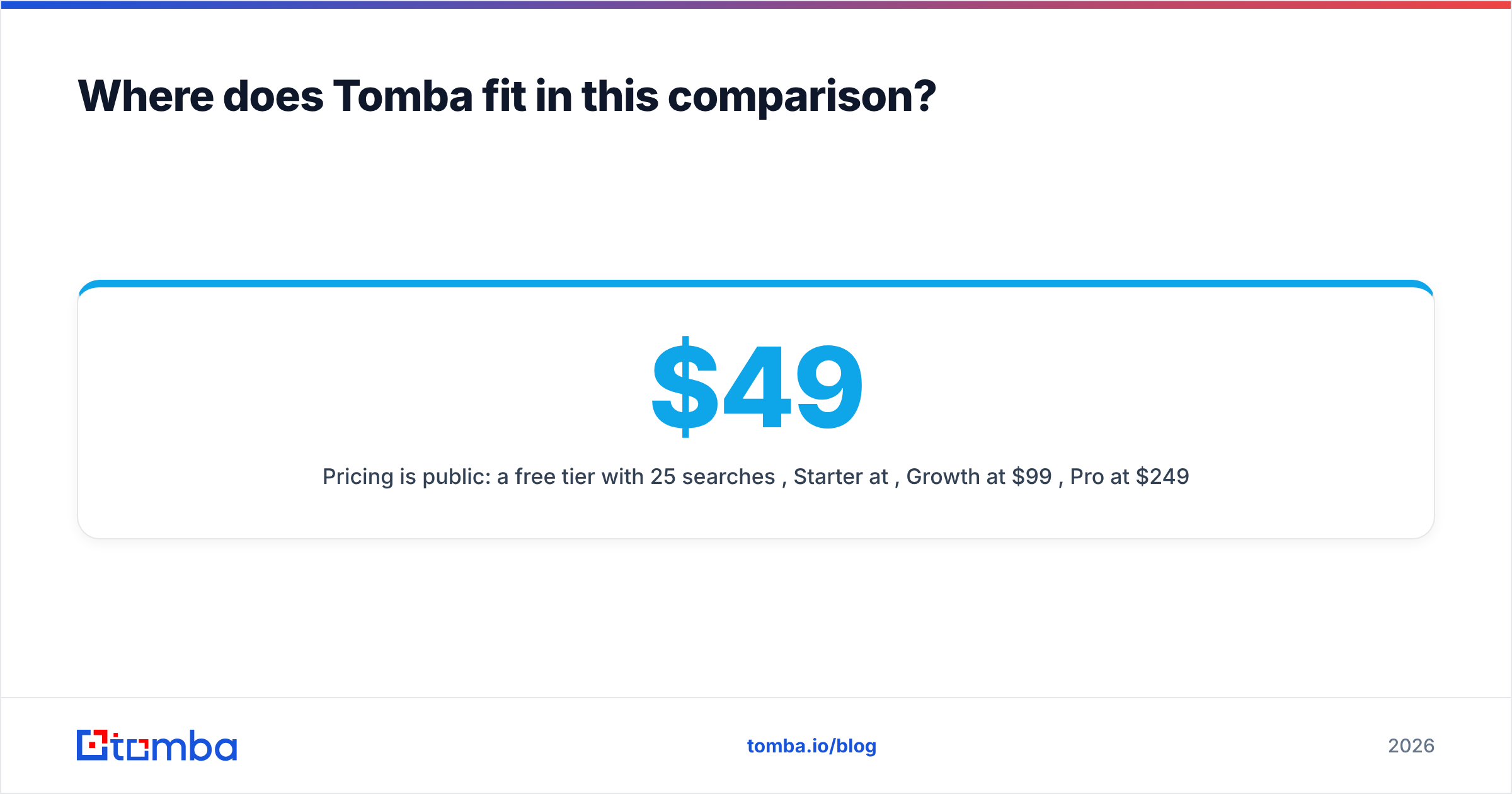
Pricing is public: a free tier with 25 searches/month, Starter at $49/mo, Growth at $99/mo, Pro at $249/mo, and custom Enterprise. See the full Tomba pricing for credit breakdowns.
If you're choosing between Leadsforge and VerifiedEmail because you need both functions, a combined tool removes the handoff. If you only need one of the two functions, buy the specialist.

What are the pros and cons of each tool?#
Leadsforge
- Pros: fast AI-driven list building, lookalike search, rollover credits, no seat fees, tight Salesforge integration.
- Cons: phone lookups cost 10 credits each, older exports need re-verification before sending, and you get the most value if you also use the rest of the Forge suite.
VerifiedEmail
- Pros: low per-check price, credits never expire, free 24-hour re-checks, real-time API for forms, aggressive high-volume pricing.
- Cons: verification only, so no prospect discovery or enrichment; catch-all handling needs a separate decision from you about what to send; and it's one more tool to connect to your CRM.
How do you run a clean find-then-verify workflow?#
Whichever tools you pick, the process looks the same:
- Define the ICP narrowly. Tighter targeting means fewer credits spent on contacts you'll never send to.
- Find and export in small batches. Pull what you'll send in the next 7-14 days, not a six-month backlog that will decay while it waits.
- Verify within 48 hours of sending. Remove invalids, and treat catch-alls as a separate, lower-volume segment.
- Warm and authenticate your domains first. SPF, DKIM, and DMARC need to be in place. Verification can't fix a misconfigured domain. HubSpot's guide to email deliverability is a good checklist.
- Track bounce rate per list source. If one source keeps bouncing above 2-3% after verification, fix it at the source.
- Re-verify anything older than 90 days before it goes back into a sequence.
Is Leadsforge better than VerifiedEmail?#
No, and it isn't worse either. Asking whether Leadsforge is better than VerifiedEmail is like asking whether a fishing net is better than a scale. Leadsforge wins if you need contacts. VerifiedEmail wins if you need cleaner data from contacts you already have. Most outbound teams eventually need both functions. The decision then becomes whether to run two specialists or one platform that covers both.
Frequently asked questions#
Does Leadsforge verify emails? Leadsforge verifies emails in its data process, and 1 credit reveals one email. Most teams still run a second verification pass before sending, especially for catch-all domains and lists that have sat unused for weeks.
Can VerifiedEmail find email addresses? No. VerifiedEmail validates addresses you already have. To discover new contacts you need a finder such as Leadsforge, Tomba, Apollo, or similar.
Which is cheaper, Leadsforge or VerifiedEmail? They charge for different actions. Leadsforge's Essential plan works out to about $0.025 per email revealed ($49 / 2,000). VerifiedEmail costs about $0.007 per verification. You're paying for discovery in one case and validation in the other.
Do credits expire? According to their published pricing, both vendors let unused credits carry over: Leadsforge credits stay in your account, and VerifiedEmail credits never expire.
What's the bottom line?#
If you need prospects, pick Leadsforge. If you need clean data, pick VerifiedEmail. If you're tired of passing CSVs between the two, try a single platform. The Tomba Email Finder finds professional emails by name, domain, or company and verifies them in the same credit pool. That includes catch-all checks, a free tier of 25 searches a month, and paid plans from $49/mo. Run your next 25 prospects through it and compare the bounce rate with your current setup.
Related guides#
// get started
Find, verify and enrich your first contacts today
Start on the free plan with 25 searches a month, then scale when your team is ready.
Free plan · No credit card required · GDPR & CCPA
// about the author