Leadsforge vs VerifyEmail.io: Lead Builder or Email Verifier?
Leadsforge builds AI lead lists. VerifyEmail.io checks whether addresses will bounce. We compare pricing, accuracy, and workflow fit so you know which one your outbound stack needs, or whether you need both.
TL;DR
- Leadsforge and VerifyEmail.io do different jobs. Leadsforge builds prospect lists from a plain-English description of your ICP. VerifyEmail.io checks addresses you already have to see whether they'll bounce.
- Leadsforge fits you if you have no list yet. Its Essential plan starts around $49/month for 2,000 non-expiring credits. An email costs 1 credit and a phone number costs 10.
- VerifyEmail.io fits you if the list already exists and you only need hygiene. Its listed plans start at $5/month for 1,000 checks, which is very cheap for pure verification.
- Most outbound teams end up needing both finding and verifying. If you'd rather not run two tools, an all-in-one email finder with a built-in verifier removes the handoff.
- Always check the final list before you send. One pass stops a 6% bounce rate from damaging a domain you spent weeks warming up.
What is the real difference between Leadsforge and VerifyEmail.io?#
Before comparing features, you need to see that these tools sit at different points in your outbound pipeline. Picking one for the other's job is the most common mistake we see in "Leadsforge vs VerifyEmail.io" searches.
Leadsforge is an AI lead-generation tool from the Forge ecosystem, the same company behind Salesforge, Mailforge, and Warmforge. You describe your ideal customer in natural language, for example "Series A fintech companies in Germany with a Head of Sales hired in the last 6 months". Leadsforge returns matching companies and contacts, which you can enrich with emails and phone numbers and export to CSV or straight into Salesforge sequences. Details are on the Leadsforge homepage.
VerifyEmail.io is an email validation service. It doesn't find new people. You give it addresses, one at a time, in bulk, or through its API. It runs syntax, domain, MX, and mailbox-level checks and tells you whether each address is safe to send to.
Put simply, Leadsforge answers "who should I email?" and VerifyEmail.io answers "will this email actually arrive?"
How do Leadsforge and VerifyEmail.io compare feature by feature?#
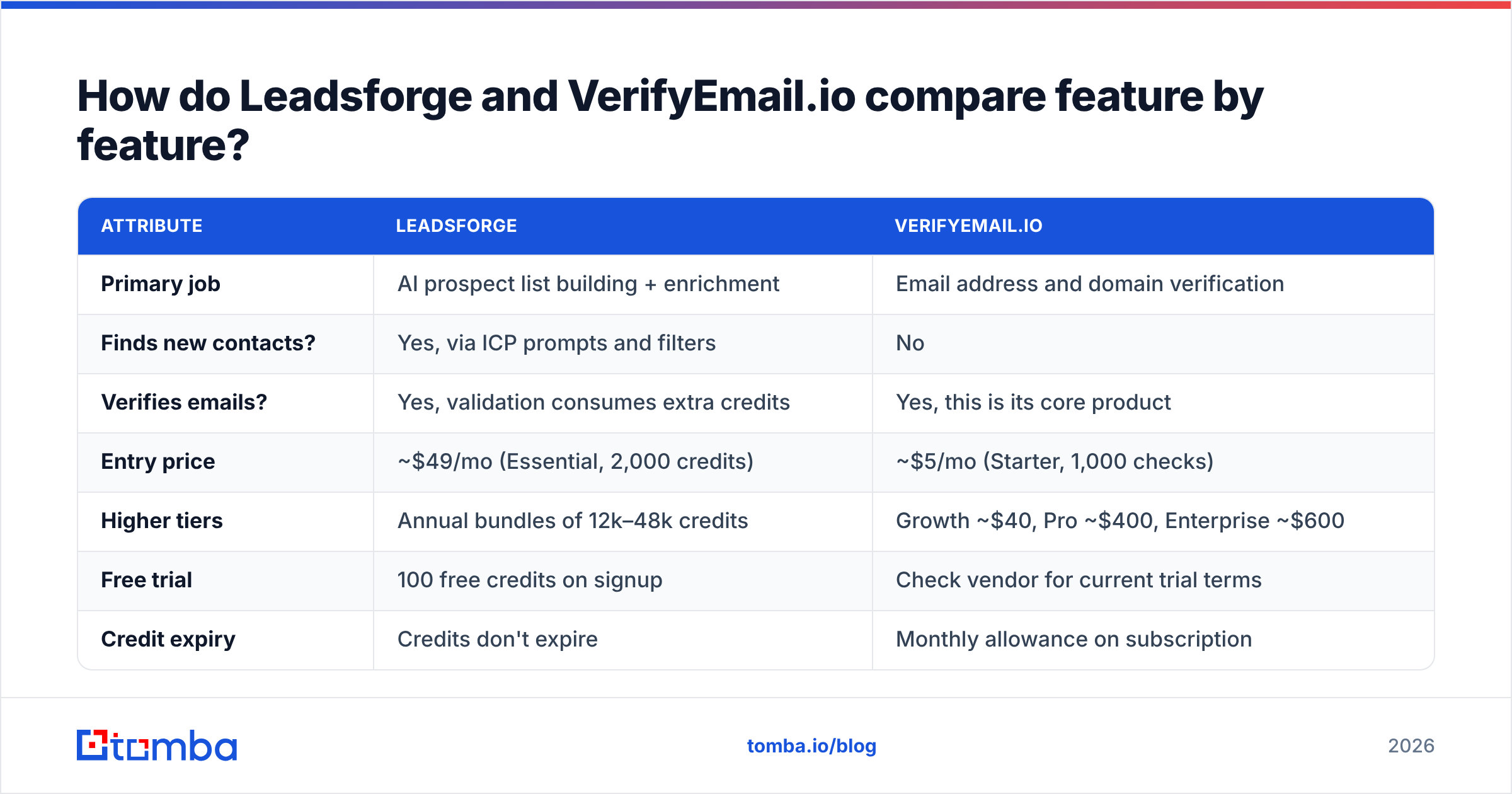
Here is the side-by-side, based on each vendor's public pricing pages and directory listings at the time of writing. Pricing in this category changes often, so confirm on the vendor site before you buy.
| Attribute | Leadsforge | VerifyEmail.io |
|---|---|---|
| Primary job | AI prospect list building + enrichment | Email address and domain verification |
| Finds new contacts? | Yes, via ICP prompts and filters | No |
| Verifies emails? | Yes, validation consumes extra credits | Yes, this is its core product |
| Entry price | ~$49/mo (Essential, 2,000 credits) | ~$5/mo (Starter, 1,000 checks) |
| Higher tiers | Annual bundles of 12k–48k credits | Growth ~$40, Pro ~$400, Enterprise ~$600 |
| Free trial | 100 free credits on signup | Check vendor for current trial terms |
| Credit expiry | Credits don't expire | Monthly allowance on subscription |
| Phone numbers | Yes (10 credits each) | No |
| API | Yes, geared to Forge ecosystem workflows | Yes, real-time verification API |
| Best for | Teams starting outbound from zero | Teams cleaning lists they already own |
Two things stand out. First, Leadsforge's credit model rewards teams with uneven prospecting cadence, since unused credits carry over. Second, VerifyEmail.io's entry price is low enough that it's barely a budget line item. The real question is whether you need a second tool at all.

How does each tool work in a real outbound workflow?#
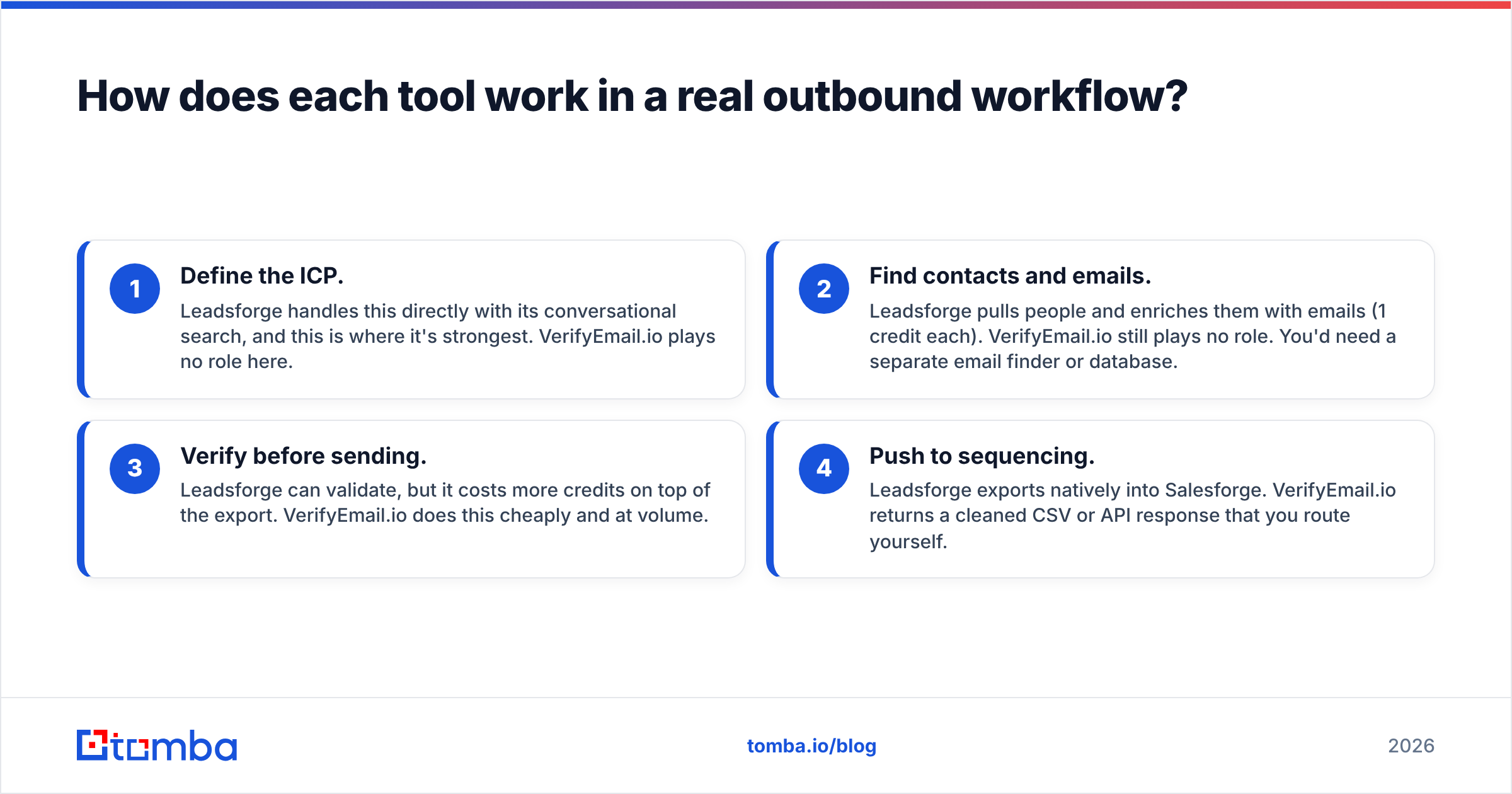
Here is how each tool fits into a typical four-step outbound build. This is where the "which one?" question usually answers itself.
- Define the ICP. Leadsforge handles this directly with its conversational search, and this is where it's strongest. VerifyEmail.io plays no role here.
- Find contacts and emails. Leadsforge pulls people and enriches them with emails (1 credit each). VerifyEmail.io still plays no role. You'd need a separate email finder or database.
- Verify before sending. Leadsforge can validate, but it costs more credits on top of the export. VerifyEmail.io does this cheaply and at volume.
- Push to sequencing. Leadsforge exports natively into Salesforge. VerifyEmail.io returns a cleaned CSV or API response that you route yourself.
If you already have a sequencing tool, a CRM full of contacts, and a steady flow of inbound or event lists, you're mostly living in step 3, and VerifyEmail.io is the more efficient purchase. If you're launching outbound for a new market with no data, you're in steps 1 and 2, and Leadsforge does the heavy lifting.
Is Leadsforge better than VerifyEmail.io for finding leads?#
Yes, because VerifyEmail.io doesn't find leads at all. The more useful question is whether Leadsforge is good at finding leads, and there the answer is mostly positive with some caveats.
Where Leadsforge is strong:
- Natural-language search. You don't have to fight a 40-field filter panel. You describe the buyer, then refine the results.
- Lookalike discovery. Seed it with your best customers and it proposes similar accounts, which is useful for territory expansion.
- Ecosystem fit. If you already run Salesforge for sequencing and Warmforge for warmup, the export path is one click.
- Credits that don't expire. Buying an annual bundle upfront carries no use-it-or-lose-it pressure.
Where to be careful:
- Phone lookups are expensive in credits. At 10 credits per number, a list of 500 dials uses 5,000 credits, which is more than two months of the Essential plan.
- Validation adds cost. If you validate every exported email, your effective cost per verified contact is higher than the headline 1 credit.
- AI search is only as good as the underlying data. Niche verticals, small regional companies, and non-English markets tend to have thinner coverage in any AI-driven database. Spot-check a sample before you commit a campaign to it.
Is VerifyEmail.io good enough for list hygiene?#
For straightforward verification, yes. VerifyEmail.io covers the checks you'd expect: syntax validation, domain and MX lookups, and mailbox-level SMTP checks, available as single lookups, bulk uploads, and a real-time API. User reviews on G2 generally praise its simplicity and price.
The limits are the ones every standalone verifier shares:
- Catch-all domains stay uncertain. When a company's mail server accepts every address, SMTP checks can't confirm a specific mailbox. You'll get "accept-all" or "unknown" results and have to decide whether to risk them. Dedicated catch-all verification uses extra signals to score these, and on B2B lists this matters because catch-all rates at mid-market companies are high.
- It doesn't fix bad data, it only flags it. A verifier tells you 18% of your list is invalid. It won't find the right address for those 18%.
- It adds a step. Export from your source, upload, download, re-import. That's fine weekly but tedious daily.
If your team pulls leads from three or four sources, such as events, partner lists, and scraped directories, a cheap standalone verifier makes sense as a central checkpoint. VerifyEmail.io's pricing page makes the low-volume tiers easy to justify.
What does each tool actually cost per usable contact?#
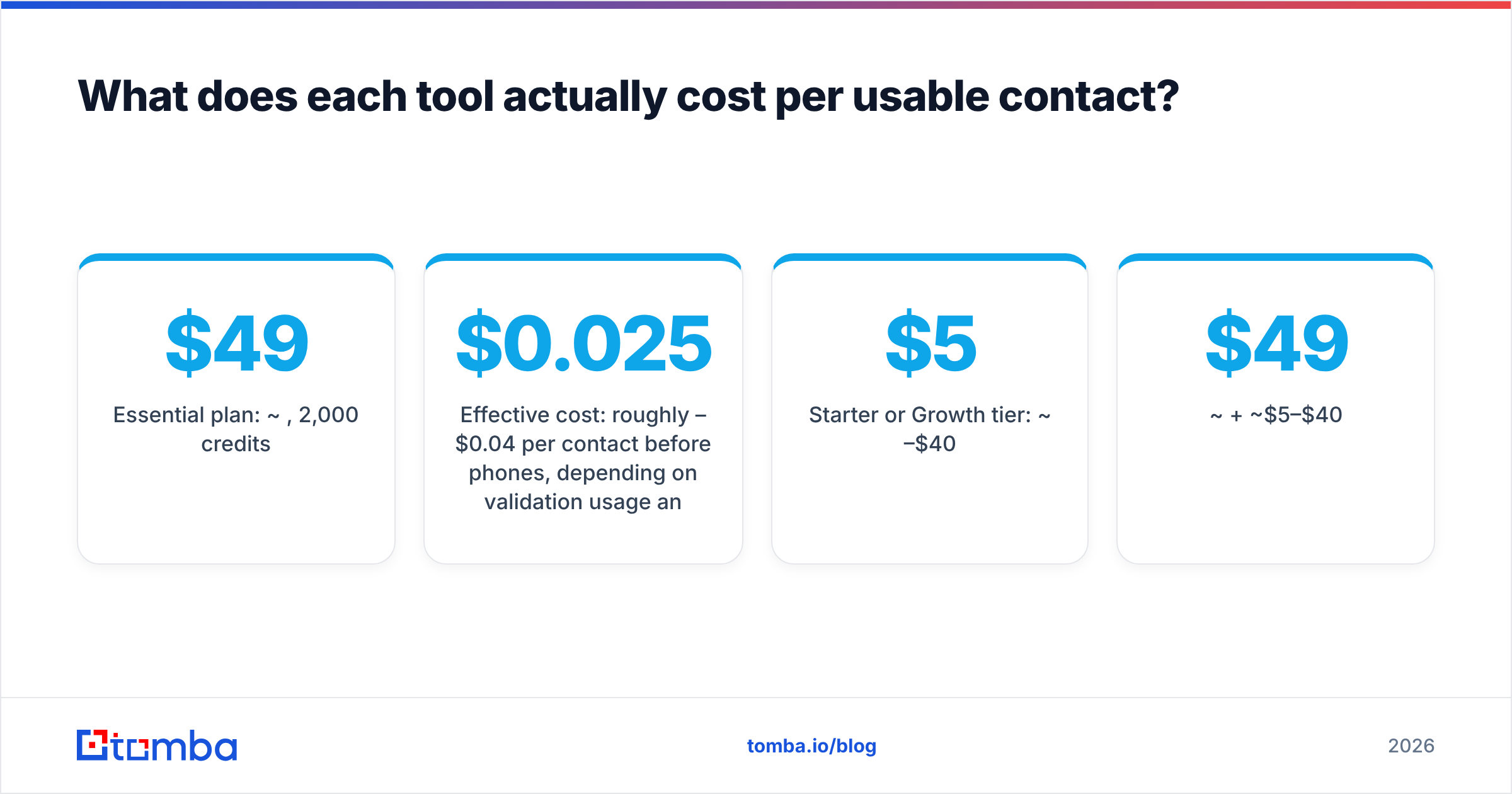
Headline prices hide the number that matters: cost per verified, sendable contact. Here is a rough worked example for 2,000 contacts a month.
Scenario A: Leadsforge only
- Essential plan: ~$49/month, 2,000 credits
- 2,000 email exports use 2,000 credits
- Validation uses additional credits, so you either buy more or validate a subset
- Effective cost: roughly $0.025–$0.04 per contact before phones, depending on validation usage and overage tier
Scenario B: VerifyEmail.io only
- Starter or Growth tier: ~$5–$40/month
- Covers verification of lists you already own
- Effective cost: fractions of a cent per check, plus whatever you paid to acquire the list
Scenario C: Leadsforge + VerifyEmail.io
- ~$49 + ~$5–$40/month
- You use Leadsforge credits for exports only and verify everything in VerifyEmail.io
- This works, but you're now managing two vendors, two logins, and a CSV handoff
Scenario D: Single finder-plus-verifier tool
- One subscription that finds and verifies in the same workflow
- For reference, Tomba pricing runs from a free tier (25 searches/month) through Starter at $49/month, Growth at $99/month, and Pro at $249/month
- The benefit isn't only price. You also skip the export/upload loop between two tools
No option wins on every axis. Scenario B is cheapest if you already have data, Scenario A is fastest if you don't, and Scenario D is simplest if your team values fewer moving parts.
Why does verification matter even if your lead source claims "verified" data?#
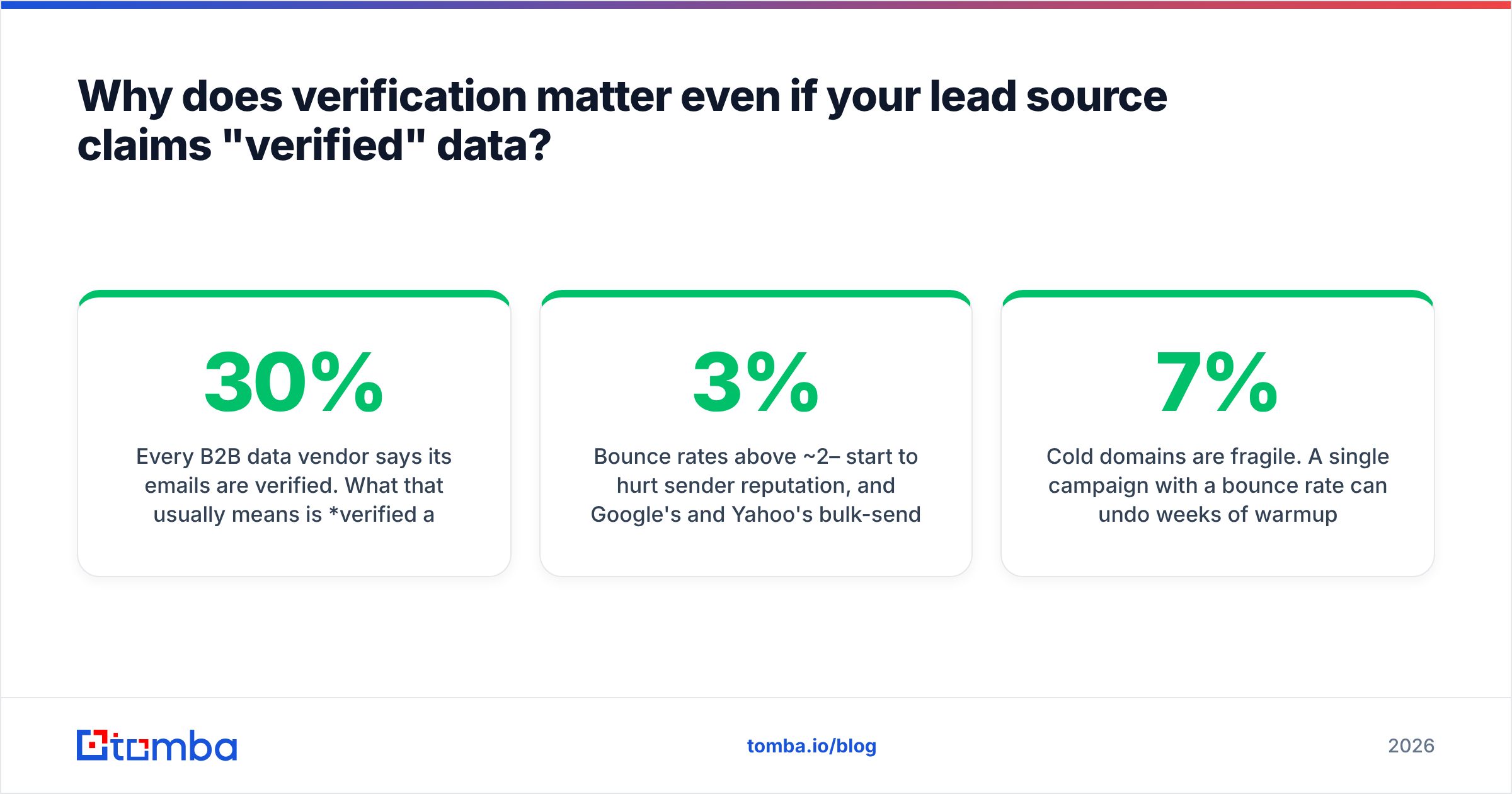
Every B2B data vendor says its emails are verified. What that usually means is verified at some point in the past. B2B contact data decays fast because people change jobs, companies rebrand domains, and mailboxes get deprovisioned. Research widely cited by HubSpot and others puts annual email list decay in the 20–30% range.
In practice:
- A list verified at export can be stale by send day if it sits in a spreadsheet for three weeks.
- Bounce rates above ~2–3% start to hurt sender reputation, and Google's and Yahoo's bulk-sender rules have made providers stricter about this since 2024.
- Cold domains are fragile. A single campaign with a 7% bounce rate can undo weeks of warmup.
So even if you pick Leadsforge for lead generation, it's worth re-verifying anything more than a couple of weeks old right before it goes into a sequence. VerifyEmail.io, Leadsforge's own validation, or a dedicated email verifier all work for that. The discipline matters more than the tool.

Which should you choose: Leadsforge or VerifyEmail.io?#
Here is the decision in one pass:
- Choose Leadsforge if you're starting outbound in a new segment, have no usable list, like describing ICPs in plain language, and already use (or plan to use) Salesforge. Budget for extra credits if you need phones or heavy validation.
- Choose VerifyEmail.io if you already have contacts from a CRM, events, partners, or another database and only need cheap, reliable hygiene before sends. It's hard to beat at the $5–$40 tiers.
- Choose both if you want Leadsforge's discovery but want to keep its credits for exports and run bulk validation somewhere cheaper. Accept the extra CSV step.
- Choose a combined finder-plus-verifier if you don't need AI list-building from scratch, since you already know your target accounts, and you want to go from domain or name to a verified email in one step without juggling vendors.
The "vs" framing is a bit misleading. Leadsforge and VerifyEmail.io only really compete for your budget, not for the same job. Most teams choose based on where their bottleneck is: not enough leads or too many bad emails.
What are the most common mistakes when pairing a lead builder with a verifier?#
- Verifying once, sending weeks later. Re-verify anything older than about 14 days.
- Dropping all catch-all results. On B2B lists that can mean throwing away 20–40% of good contacts. Score them instead of discarding them.
- Paying twice for validation. If you verify externally, turn off in-tool validation where you can so you don't burn credits on the same check.
- Ignoring role addresses. info@, sales@, and support@ often pass verification but kill reply rates. Filter them out of cold sequences.
- Skipping the sample test. Before buying a large credit bundle anywhere, run 100 contacts from your real ICP and hand-check a few in LinkedIn. Coverage claims mean little until you've tested your own niche.
Is there a simpler way to find and verify emails in one step?#
If you liked Leadsforge's discovery but not the extra verification step, or VerifyEmail.io's hygiene but still need somewhere to source addresses, consider combining both jobs in one tool. The Tomba Email Finder finds professional emails by domain, name, or company and verifies them in the same workflow. Catch-all handling, bulk runs, a Chrome extension, and API access are included, so you don't need a CSV relay between vendors. Start on the free tier with 25 searches a month, test it on your own ICP, and upgrade to Starter at $49/month when the numbers hold up.
Related guides#
// get started
Find, verify and enrich your first contacts today
Start on the free plan with 25 searches a month, then scale when your team is ready.
Free plan · No credit card required · GDPR & CCPA
// about the author