Leadsforge vs Zintlr (2026): Which B2B Data Tool Should You Pick?
Leadsforge builds lead lists from a chat prompt. Zintlr adds DISC personality profiles and strong APAC coverage. Here's how they compare on data, workflow, and credit pricing, and which one suits your team.
TL;DR
- Leadsforge is an AI list builder. You describe your ideal customer in plain English and it returns a lead list. It is part of the Forge ecosystem, alongside Salesforge for sequencing.
- Zintlr is a sales intelligence platform. It pairs contact data with DISC and OCEAN personality profiles, and its coverage of India and the wider APAC region is especially strong.
- Both paid plans start at about $49/mo. Leadsforge credits don't expire. Zintlr has a small free tier and a higher tier around $170/mo that adds more personality profiles.
- Pick Leadsforge if you need lots of lists quickly and already send through Salesforge. Pick Zintlr if your reps sell into fewer, higher-value accounts and need context on the buyer before a call.
- Neither tool removes the need to verify emails before you send. Budget for a verification step with either one.
What is the real difference between Leadsforge and Zintlr?#
Both tools sit in the B2B data category. The comparison tends to go wrong when people treat them as the same kind of product, because each one answers a different question.
Leadsforge answers "who should I contact?" You type a prompt like "Series A fintech companies in Germany with 50–200 employees, VP of Finance or CFO." The AI turns that into filters, builds the list, and you export contacts with credits. It's built for volume: SDR teams and agencies that need fresh lists every week, and founders who don't want to learn a complicated filter UI.
Zintlr answers "how should I talk to this person?" It has a searchable B2B database and a Chrome extension for pulling emails and phone numbers from LinkedIn profiles. What sets it apart is zPersonality, which adds DISC and OCEAN profiles, communication preferences, and likely objections. It also offers buyer-committee mapping and meeting intel. It's aimed at account executives and enterprise sellers who make fewer contacts but prepare more for each one.
An analogy: Leadsforge works like a fishing trawler and Zintlr like a spearfishing guide. One is built to fill the net, the other to help you land one specific fish.
How do Leadsforge and Zintlr compare feature by feature?#
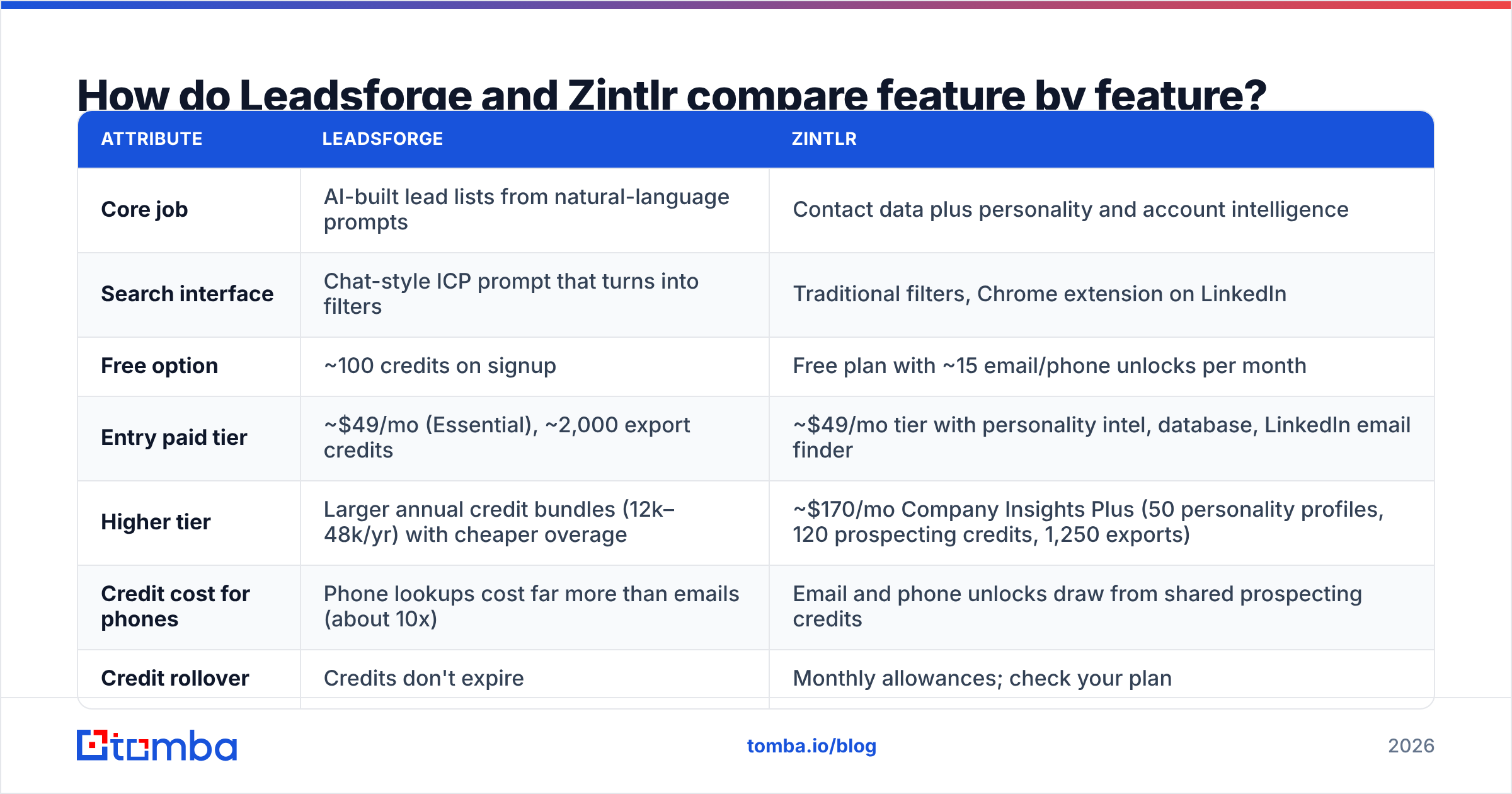
The table below reflects each vendor's public positioning and pricing pages at the time of writing. Credit rules change often, so check the Leadsforge pricing page and Zintlr's plans before you commit.
| Attribute | Leadsforge | Zintlr |
|---|---|---|
| Core job | AI-built lead lists from natural-language prompts | Contact data plus personality and account intelligence |
| Search interface | Chat-style ICP prompt that turns into filters | Traditional filters, Chrome extension on LinkedIn |
| Free option | ~100 credits on signup | Free plan with ~15 email/phone unlocks per month |
| Entry paid tier | ~$49/mo (Essential), ~2,000 export credits | ~$49/mo tier with personality intel, database, LinkedIn email finder |
| Higher tier | Larger annual credit bundles (12k–48k/yr) with cheaper overage | ~$170/mo Company Insights Plus (50 personality profiles, 120 prospecting credits, 1,250 exports) |
| Credit cost for phones | Phone lookups cost far more than emails (about 10x) | Email and phone unlocks draw from shared prospecting credits |
| Credit rollover | Credits don't expire | Monthly allowances; check your plan |
| Personality insights | No | Yes: DISC and OCEAN profiles, communication style |
| Buyer committee mapping | Limited (you filter by role) | Yes |
| Native sequencing | Via Salesforge (same ecosystem) | No native sequencer; export or integrate |
| Regional strength | Broad Western B2B coverage | Strong India/APAC coverage, plus global |
| Best fit | SDR teams, agencies, founder-led outbound | AEs, enterprise and strategic sales, APAC-focused teams |
The main point: the two starting prices look the same but buy different things. Leadsforge's $49 mostly pays for export volume. Zintlr's $49 mostly pays for depth of insight on each contact.
How does Leadsforge work in practice?#
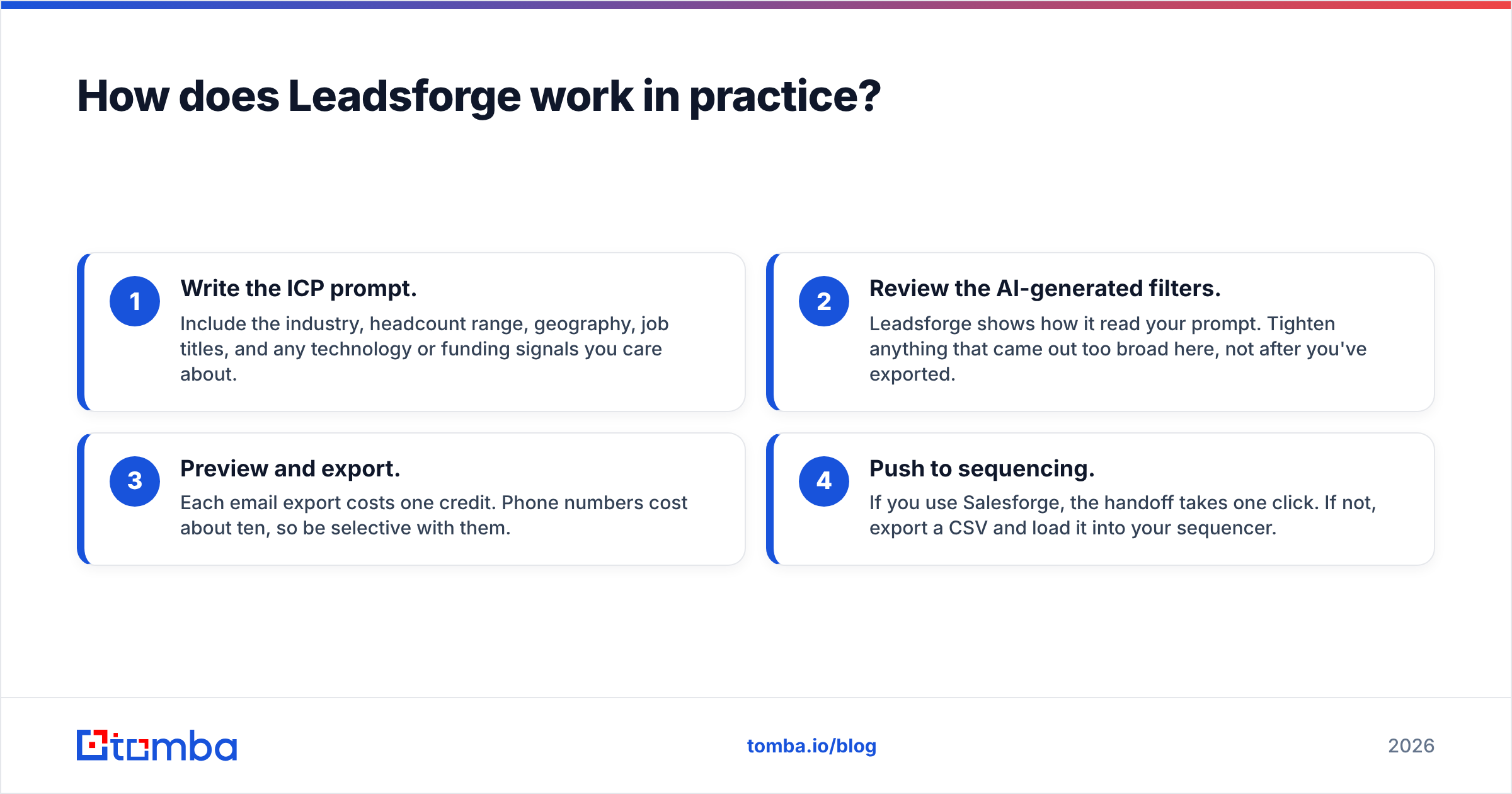
A typical Leadsforge session has four steps:
- Write the ICP prompt. Include the industry, headcount range, geography, job titles, and any technology or funding signals you care about.
- Review the AI-generated filters. Leadsforge shows how it read your prompt. Tighten anything that came out too broad here, not after you've exported.
- Preview and export. Each email export costs one credit. Phone numbers cost about ten, so be selective with them.
- Push to sequencing. If you use Salesforge, the handoff takes one click. If not, export a CSV and load it into your sequencer.
Where it shines: Speed. A new SDR can build a usable 500-contact list in minutes without learning a filter taxonomy. Because credits don't expire, you can buy annually without wasting quiet months.
Where to be careful: The quality of the list depends on your prompt. Vague prompts produce vague lists. And any fast list builder should be treated as a first draft. Before a list reaches your sending domain, run it through an email verifier. Bounces above 2–3% quickly damage email deliverability.
How does Zintlr work in practice?#
Zintlr's workflow centers on the account and the person, not on the list:
- Find the account in the database or via zBizLocator/zScout company search.
- Map the buyer committee to see who influences the deal, not only who signs.
- Unlock contacts (email, phone) with prospecting credits, either in the web app or from LinkedIn with the Chrome extension.
- Read the personality profile. For example, a "D" (dominant) buyer usually wants the bottom line in the first sentence. A "C" (conscientious) buyer wants data and proof before agreeing to a call.
- Prep the meeting with company insights and meeting intel.
Where it shines: Personalization for high-value deals. If your average contract is five or six figures and each rep works 30–50 accounts, knowing that your champion dislikes small talk is worth more than 2,000 extra rows in a spreadsheet. Zintlr's India and APAC coverage also earns consistent praise in reviews on G2 and Capterra, which matters if that region is your market.
Where to be careful: Personality inference is a guide, not a certainty. It's based on public signals, so use it to shape your tone, not to predict what someone will do. Zintlr is also not a high-volume list tool. If you try to run 10,000-contact campaigns on the $170 plan's 120 prospecting credits, you'll run out within a day.
Which tool has better data accuracy?#
Neither vendor publishes an independent, audited accuracy benchmark for this exact matchup, and you should be skeptical of anyone who says they have one. Here's what you can say reliably:
- Coverage differs by region. Leadsforge's database is weighted toward North American and European B2B. Zintlr's standout is India and APAC, where many Western-built databases are thin.
- Accuracy decays over time. B2B contact data goes stale at roughly 2–3% per month as people change jobs. Whenever the data was collected, your list starts aging the day you export it.
- Catch-all domains skew the results. Many mid-market and enterprise companies accept all mail at the server, so a basic check can't confirm the mailbox exists. Both tools will sometimes return addresses that look valid but can't be confirmed.
The practical answer: run a test with 200 contacts from your real ICP in each tool. Push both exports through the same verifier and compare valid, risky, and invalid rates. That result tells you more than any vendor claim.
Is Leadsforge or Zintlr cheaper?#
It depends on what you're paying for, so work out cost per usable contact rather than comparing monthly fees.
Scenario A: an outbound agency sending 3,000 new contacts a month (email only). Leadsforge's Essential plan (~2,000 credits at ~$49) covers most of that volume, and a larger annual bundle covers all of it with cheaper overage. That's a few cents per contact. On Zintlr, you'd need to move well beyond the entry tier to unlock that many contacts, and most of the personality features you're paying for would go unused.
Scenario B: an enterprise AE team of five, each working 40 named accounts. That's about 200 accounts and maybe 600–800 contacts a quarter. Zintlr's personality profiles and buyer-committee mapping are useful on every one of those contacts, and the higher per-contact cost is small next to deal size. Leadsforge would still produce the contacts cheaply, but reps would have to research each buyer themselves.
Hidden costs to budget for with either tool:
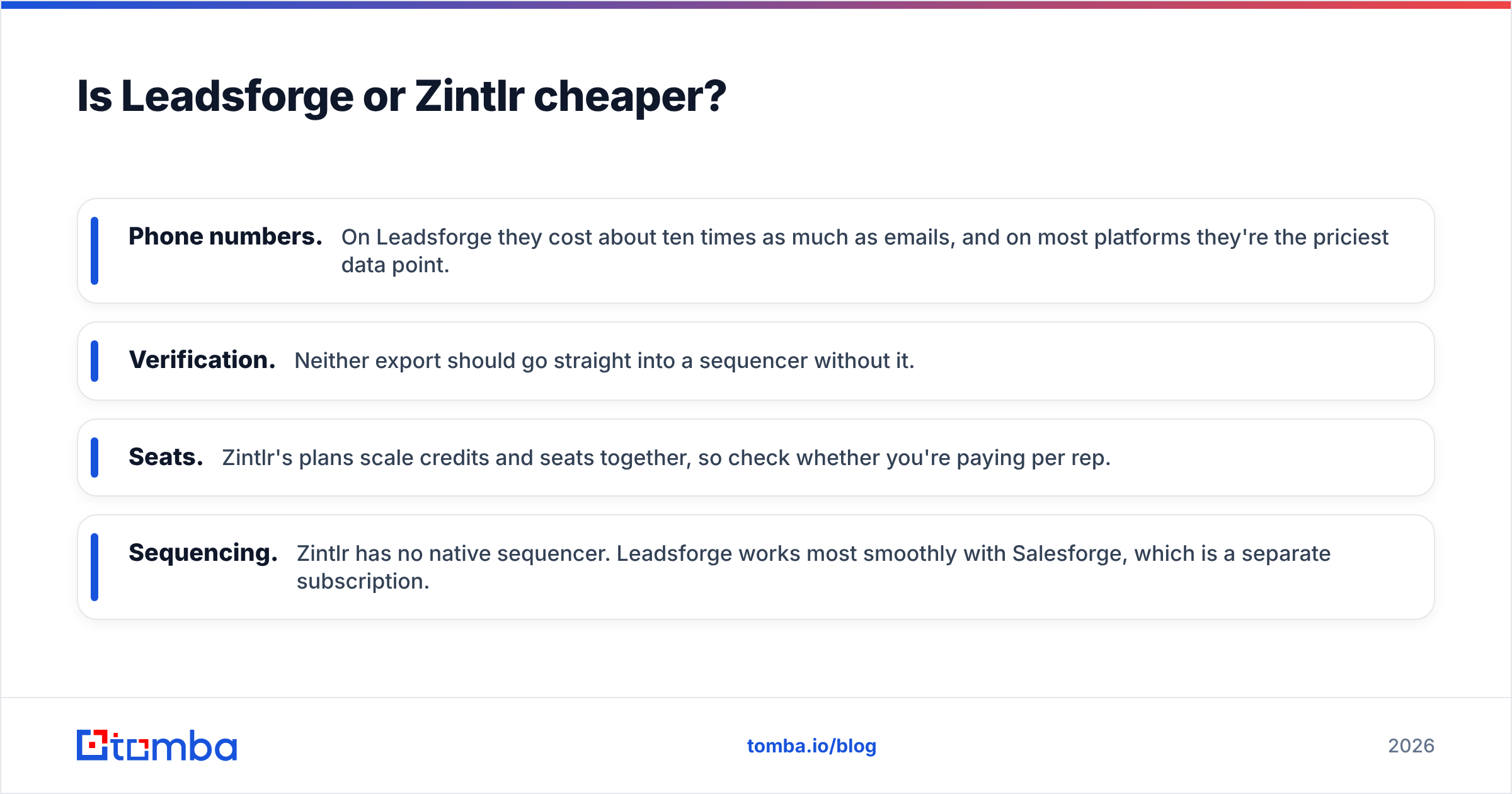
- Phone numbers. On Leadsforge they cost about ten times as much as emails, and on most platforms they're the priciest data point.
- Verification. Neither export should go straight into a sequencer without it.
- Seats. Zintlr's plans scale credits and seats together, so check whether you're paying per rep.
- Sequencing. Zintlr has no native sequencer. Leadsforge works most smoothly with Salesforge, which is a separate subscription.
Which one should you choose?#
Use your sales motion as a quick decision framework:
- High-volume outbound (SDRs, agencies, founders): Leadsforge. Prompt-based list building and credits that never expire suit teams that live on fresh lists.
- Named-account and enterprise selling: Zintlr. Personality and committee intel help most when every conversation matters.
- APAC-first go-to-market: Zintlr, mainly for regional coverage.
- Already on Salesforge: Leadsforge, because the integrated workflow saves real time.
- Hybrid teams: Some teams run both, using Leadsforge for SDR top-of-funnel and Zintlr for AE deal prep. That's reasonable if the budget allows. Just make sure contacts aren't bought twice.
If neither fits exactly, for example because you mostly need to find emails for a known list of companies or names, a dedicated email finder is often cheaper than either platform.

Where does verification and enrichment fit in either stack?#
This step gets skipped most often, and it's the reason good lists still end up in spam.
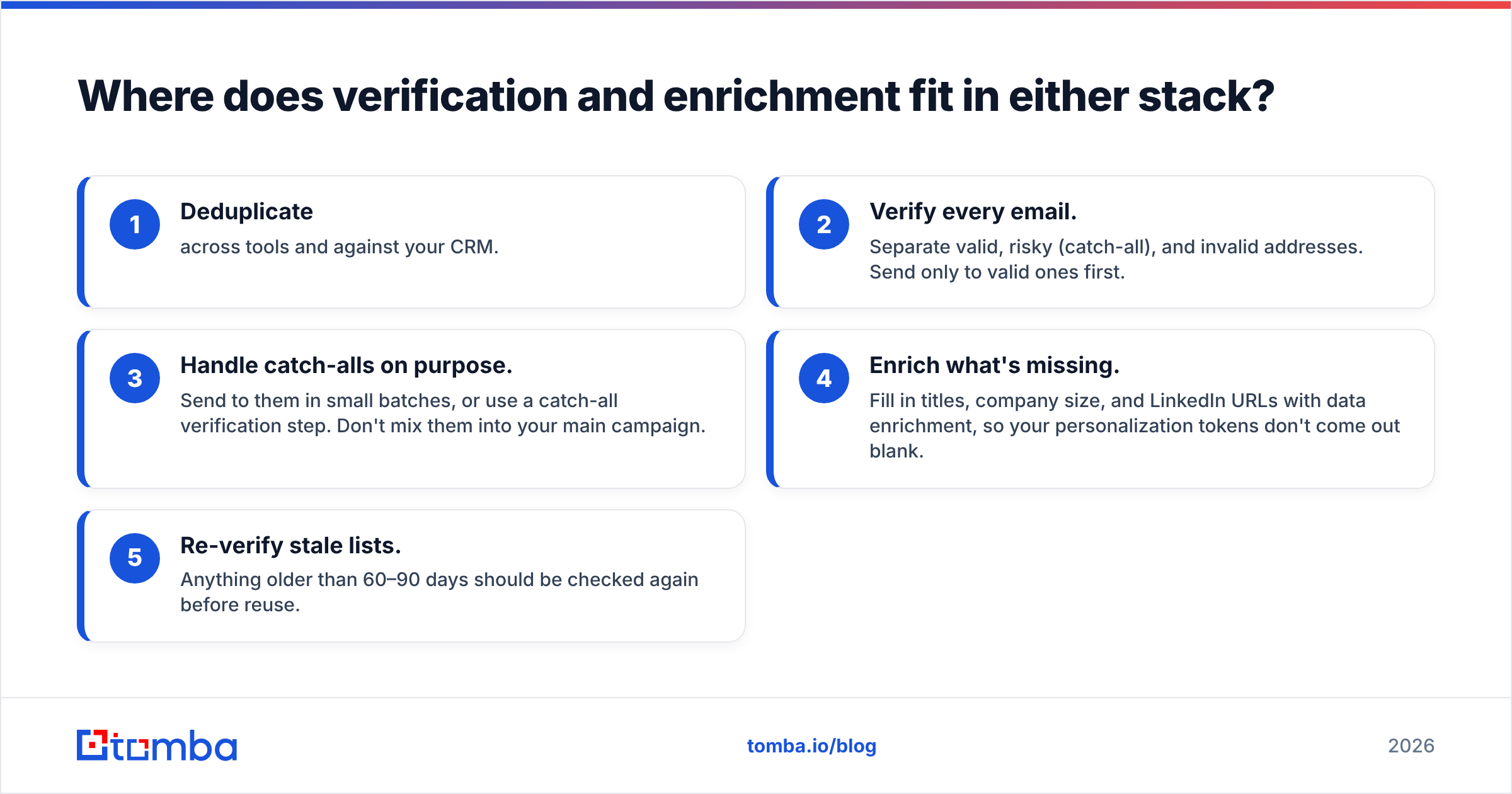
However good your source is, add these steps between export and send:
- Deduplicate across tools and against your CRM.
- Verify every email. Separate valid, risky (catch-all), and invalid addresses. Send only to valid ones first.
- Handle catch-alls on purpose. Send to them in small batches, or use a catch-all verification step. Don't mix them into your main campaign.
- Enrich what's missing. Fill in titles, company size, and LinkedIn URLs with data enrichment, so your personalization tokens don't come out blank.
- Re-verify stale lists. Anything older than 60–90 days should be checked again before reuse.
Keeping your bounce rate under about 2% protects your sender reputation. HubSpot's guidance on email bounce rates is a good reference if you want to set internal thresholds.
What are the pros and cons of each?#
Leadsforge pros
- A natural-language ICP prompt makes list building fast
- Credits don't expire
- Tight integration with Salesforge for sequencing
- Cheap per-email cost at volume
Leadsforge cons
- List quality depends on how precise your prompt is
- Phone numbers are expensive in credits
- No personality or buyer-context layer
Zintlr pros
- DISC and OCEAN personality profiles for personalization
- Buyer-committee mapping and meeting intel
- Strong India and APAC coverage
- Free plan to test the Chrome extension
Zintlr cons
- Prospecting credits are limited for high-volume outbound
- No native sequencing
- Personality inference needs judgment, not blind trust
Final verdict: Leadsforge vs Zintlr#
The deciding question is whether your bottleneck is volume or context. If reps are short of leads, Leadsforge will fill their pipeline faster and more cheaply. If reps have plenty of leads but low meeting-to-opportunity conversion, Zintlr's personality and account intelligence targets that problem directly.
Whichever you pick, test with your real ICP, measure verified-valid rates rather than raw export counts, and calculate cost per usable contact. That comparison will usually tell you more than any feature list.
Need accurate emails without a full sales-intelligence contract? Tomba Email Finder finds professional email addresses by domain, name, or company, and verification sits alongside it in the same account. You can start on the free tier with 25 searches a month, then move up to Starter at $49/mo when you're ready to scale. See Tomba pricing for every tier. It works well on its own for targeted outreach, and as a verification layer behind Leadsforge or Zintlr exports.
Related guides#
// get started
Find, verify and enrich your first contacts today
Start on the free plan with 25 searches a month, then scale when your team is ready.
Free plan · No credit card required · GDPR & CCPA
// about the author