LeadsRush Pricing 2026: Free Plan, Credit Math and Real Value
LeadsRush has a generous free plan and a credit rule that counts searches, not contacts. Here's how the pricing actually works, where the limits are, and when a dedicated email finder is the better buy.

- LeadsRush has a real free plan: $0/month for 50 searches, 100 email verifications and up to 250 saved prospects each month.
- It bills per search, not per contact. One credit covers up to 10 results, so exporting 46 contacts costs 5 credits and 160 costs 16.
- Finding and verifying use separate credit pools. Every user on the account draws from the same monthly pools, and unused credits disappear at the end of the month.
- Annual billing saves up to 30%. A lifetime deal has also been sold through RocketHub. That deal can't be upgraded or stacked.
- Choose LeadsRush if you want to browse a B2B and local-business database in bulk. Choose a dedicated email finder like Tomba if you mostly need specific people at specific companies, with a predictable price ladder ($49 / $99 / $249).
What is LeadsRush, and what are you actually paying for?#
LeadsRush is a lead generation tool built on a searchable B2B database. It combines business contacts, verified email addresses and a local businesses module, which is useful when your targets are dentists in Ohio rather than VPs of Engineering at Series B SaaS companies. The team says it has worked in lead generation for more than eight years. You pay for access to that database plus a verification engine.
That distinction shapes how you should judge the price. With a LeadsRush subscription you are buying list-building capacity, meaning the ability to pull batches of contacts that match a filter. You are not buying one-at-a-time lookups for a named person. Tools that work like a classic email finder (name + domain in, email out) charge in a different way. So comparing prices without comparing billing units will mislead you.
The official plan list is on the LeadsRush pricing page. Check it before you buy, because paid-tier allowances in this category change often. Below we cover what stays the same from tier to tier: the free plan, the credit rules and the costs that aren't obvious at first.
How much does LeadsRush cost in 2026?#
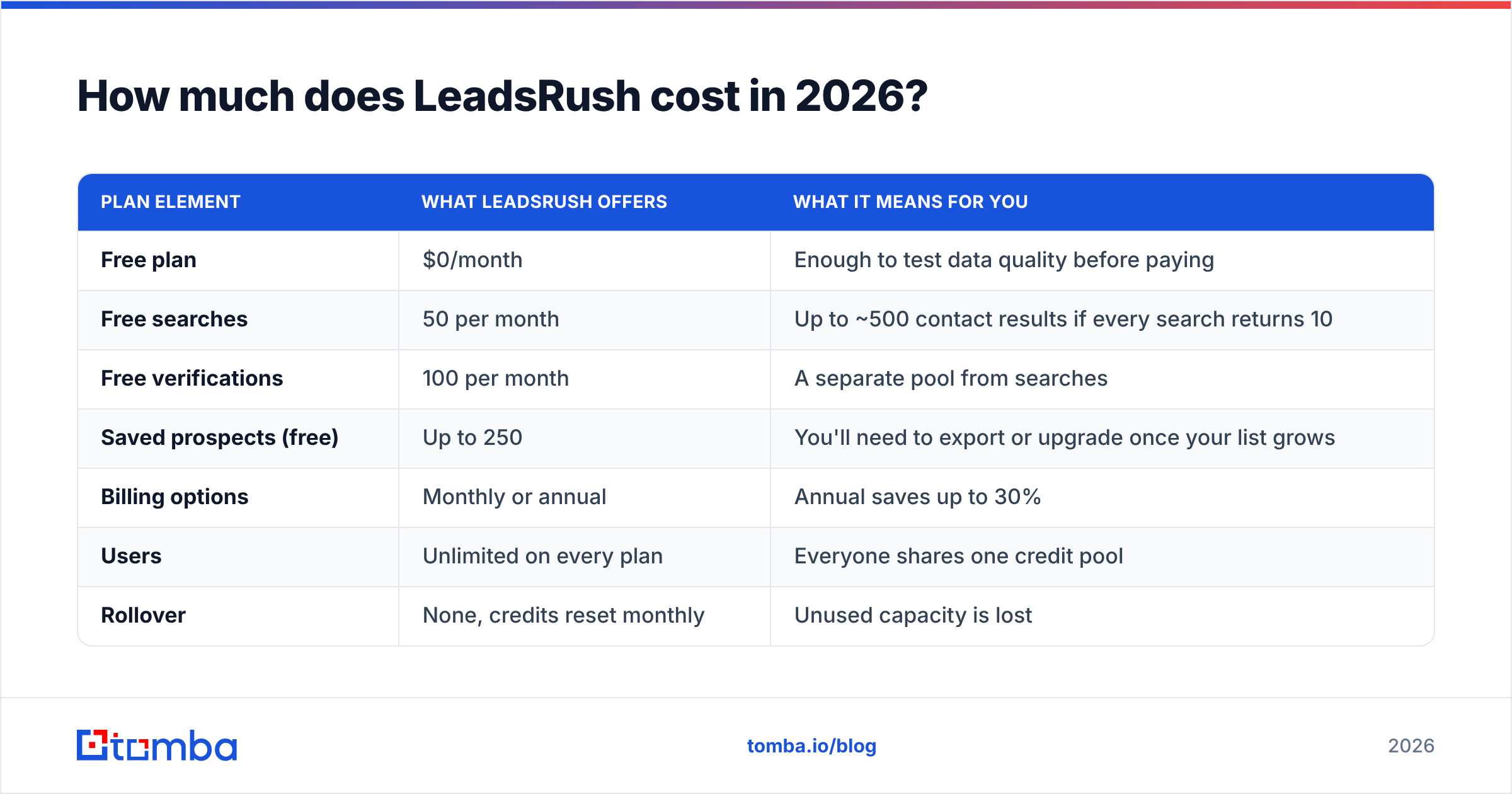
LeadsRush sells a free plan and several paid subscriptions aimed at individuals, small teams and larger organizations. You can pay monthly or yearly, and yearly billing is advertised as saving up to 30%.
Here is what we could confirm:
| Plan element | What LeadsRush offers | What it means for you |
|---|---|---|
| Free plan | $0/month | Enough to test data quality before paying |
| Free searches | 50 per month | Up to ~500 contact results if every search returns 10 |
| Free verifications | 100 per month | A separate pool from searches |
| Saved prospects (free) | Up to 250 | You'll need to export or upgrade once your list grows |
| Billing options | Monthly or annual | Annual saves up to 30% |
| Users | Unlimited on every plan | Everyone shares one credit pool |
| Rollover | None, credits reset monthly | Unused capacity is lost |
| Lifetime deal | Sold via RocketHub (advertised from $49 entry tier) | No upgrades or code stacking after purchase |
We are not printing paid-tier dollar amounts that we couldn't verify against the live page. A few third-party roundups list older numbers, and quoting them here would be guessing. The mechanics in the table above, especially how credits are spent, matter more to your real monthly cost than the price on the plan.

How do LeadsRush credits actually get consumed?#
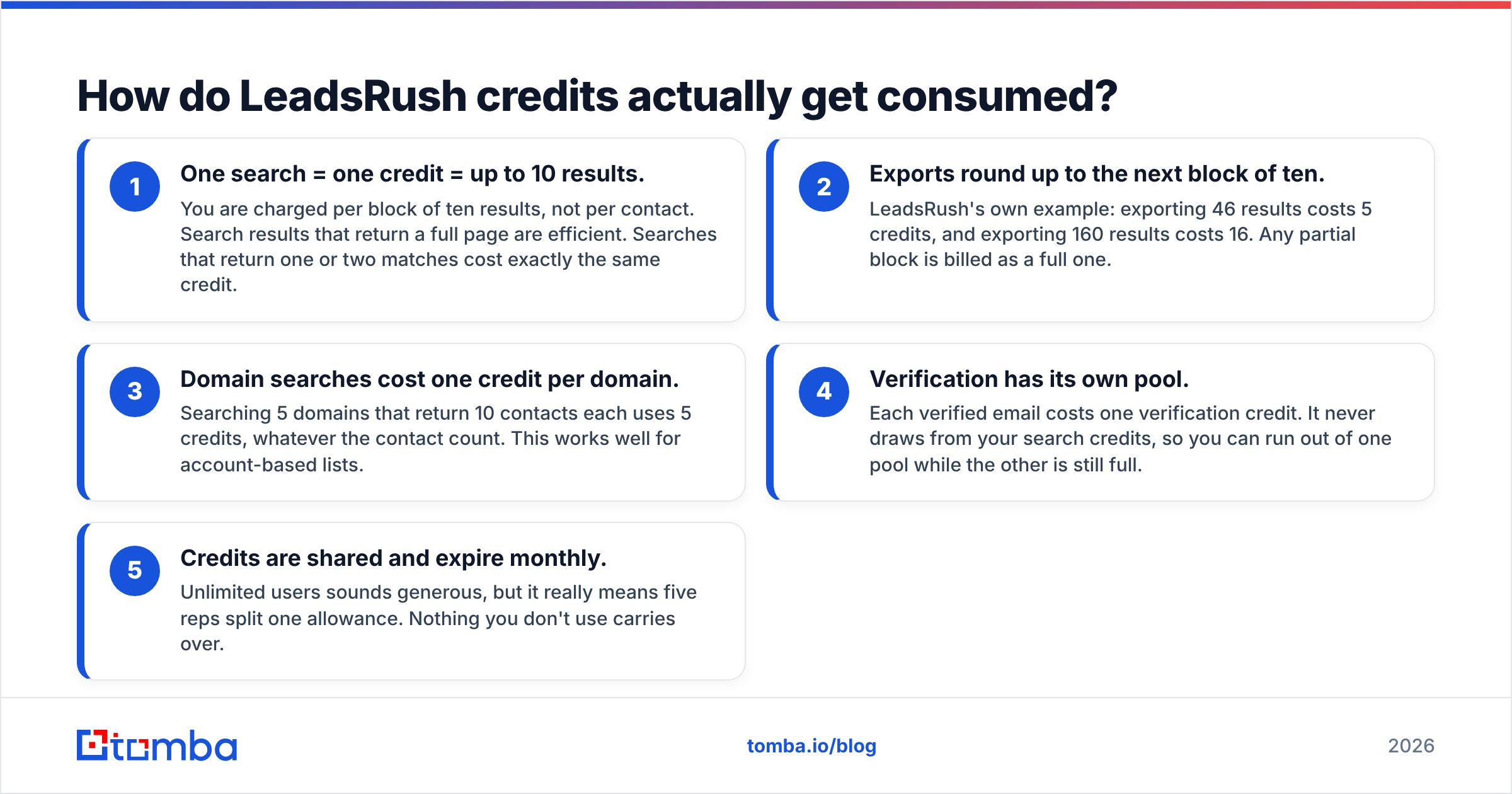
This is the part most buyers skip, and it is where LeadsRush can either be a bargain or a surprise. Five rules decide your effective price per contact:
- One search = one credit = up to 10 results. You are charged per block of ten results, not per contact. Search results that return a full page are efficient. Searches that return one or two matches cost exactly the same credit.
- Exports round up to the next block of ten. LeadsRush's own example: exporting 46 results costs 5 credits, and exporting 160 results costs 16. Any partial block is billed as a full one.
- Domain searches cost one credit per domain. Searching 5 domains that return 10 contacts each uses 5 credits, whatever the contact count. This works well for account-based lists.
- Verification has its own pool. Each verified email costs one verification credit. It never draws from your search credits, so you can run out of one pool while the other is still full.
- Credits are shared and expire monthly. Unlimited users sounds generous, but it really means five reps split one allowance. Nothing you don't use carries over.

So the headline "searches per month" number is really a count of ten-contact blocks. A plan that looks small can hold a lot if your filters are broad. A plan that looks big can run out quickly if you run many narrow searches, such as one specific persona at one specific company.
What does a typical month cost in credits?#
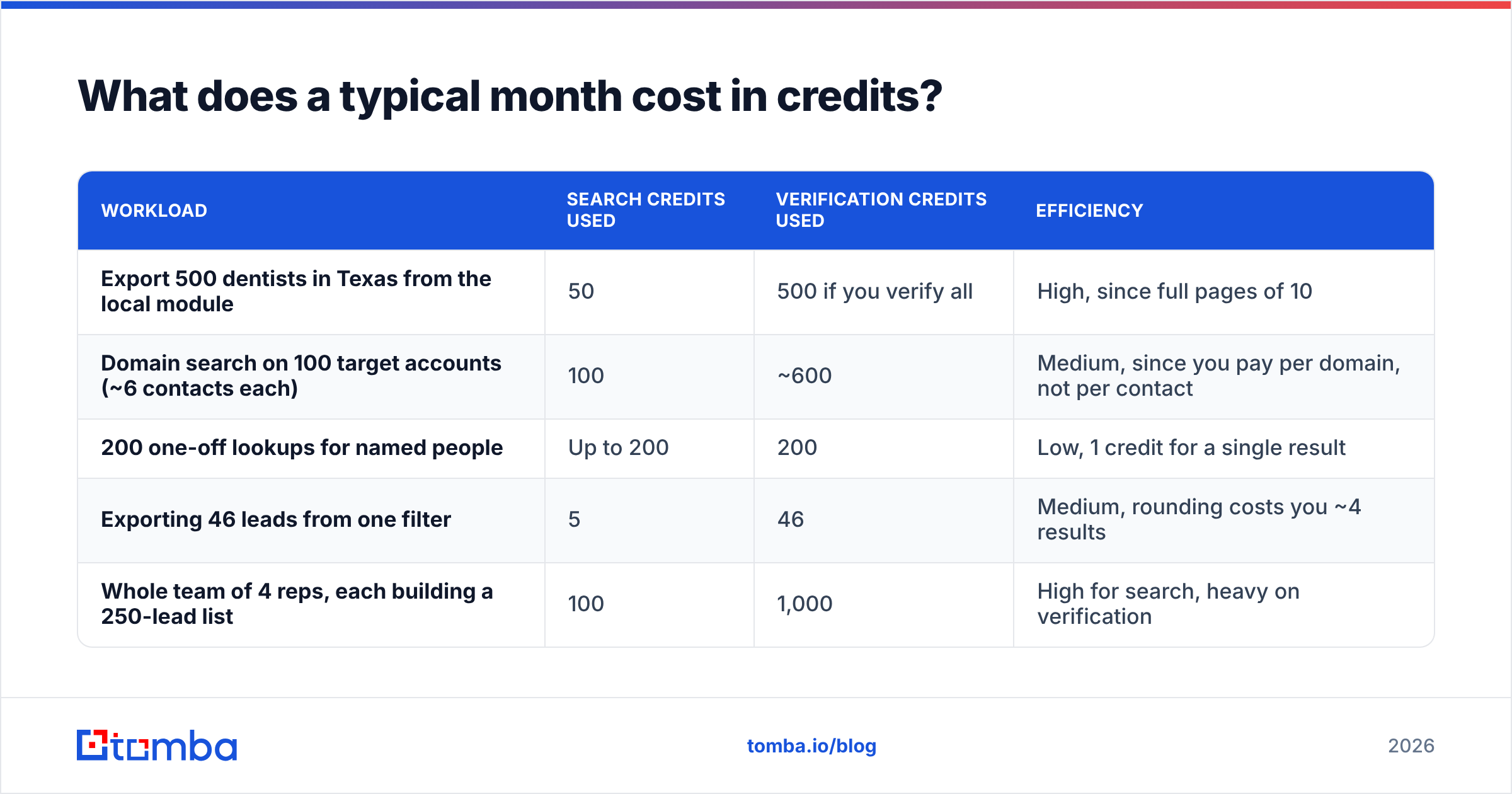
Here are some realistic workloads converted into LeadsRush credit usage under the rules above. The billing logic here is confirmed. Your plan allowance is whatever the current pricing page says.
| Workload | Search credits used | Verification credits used | Efficiency |
|---|---|---|---|
| Export 500 dentists in Texas from the local module | 50 | 500 if you verify all | High, since full pages of 10 |
| Domain search on 100 target accounts (~6 contacts each) | 100 | ~600 | Medium, since you pay per domain, not per contact |
| 200 one-off lookups for named people | Up to 200 | 200 | Low, 1 credit for a single result |
| Exporting 46 leads from one filter | 5 | 46 | Medium, rounding costs you ~4 results |
| Whole team of 4 reps, each building a 250-lead list | 100 | 1,000 | High for search, heavy on verification |
The pattern: LeadsRush rewards bulk list-building and punishes one-off lookups. Verification is usually the pool that runs out first, because each contact costs one verification credit while each search credit covers ten contacts.
If most of what you do is "I have a name and a company, give me the email," you are paying list-building prices for single-record work.
Is the LeadsRush free plan actually useful?#
Yes, and it's more generous than most. Fifty searches can bring back up to 500 contacts. Add 100 verifications and you have enough to:
- Test data freshness in your specific niche (the only test that counts)
- Build and send one small outbound campaign
- Compare bounce rates against whatever tool you use now
The 250 saved-prospect cap is the real limit. Once you are storing lists in the app instead of exporting them to a CRM, you will hit it fast.
How to run a fair free-plan test: pull 50 contacts from your actual ICP, verify them, and send a small plain-text sequence from a warmed domain. If the hard bounce rate stays under 2-3%, the data holds up for your market. If it doesn't, no paid tier will fix it.
What are the hidden costs of LeadsRush pricing?#
Nothing here is hidden in the sense of being concealed. These costs sit in the help docs. They just aren't visible on the pricing card:
- Rounding loss. Every export that isn't a multiple of ten wastes part of a credit. Over a month of small exports, that adds up to roughly 5-15% of your search allowance.
- Verification bottleneck. Search credits cover ten contacts each and verification credits cover one. A heavy list-builder can run out of verifications long before searches.
- Shared-pool contention. "Unlimited users" means the rep who runs the biggest export first can use up everyone else's month.
- No rollover. A slow month doesn't bank credits for a busy one.
- Lifetime deal lock-in. The RocketHub deal can't be upgraded or stacked. If your volume grows, you'll end up on a monthly plan anyway, so work out your 12-month volume before you choose it.
None of these are dealbreakers. They are the numbers to model before you compare LeadsRush with a per-lookup tool.
LeadsRush vs Tomba: which pricing model fits your workflow?#
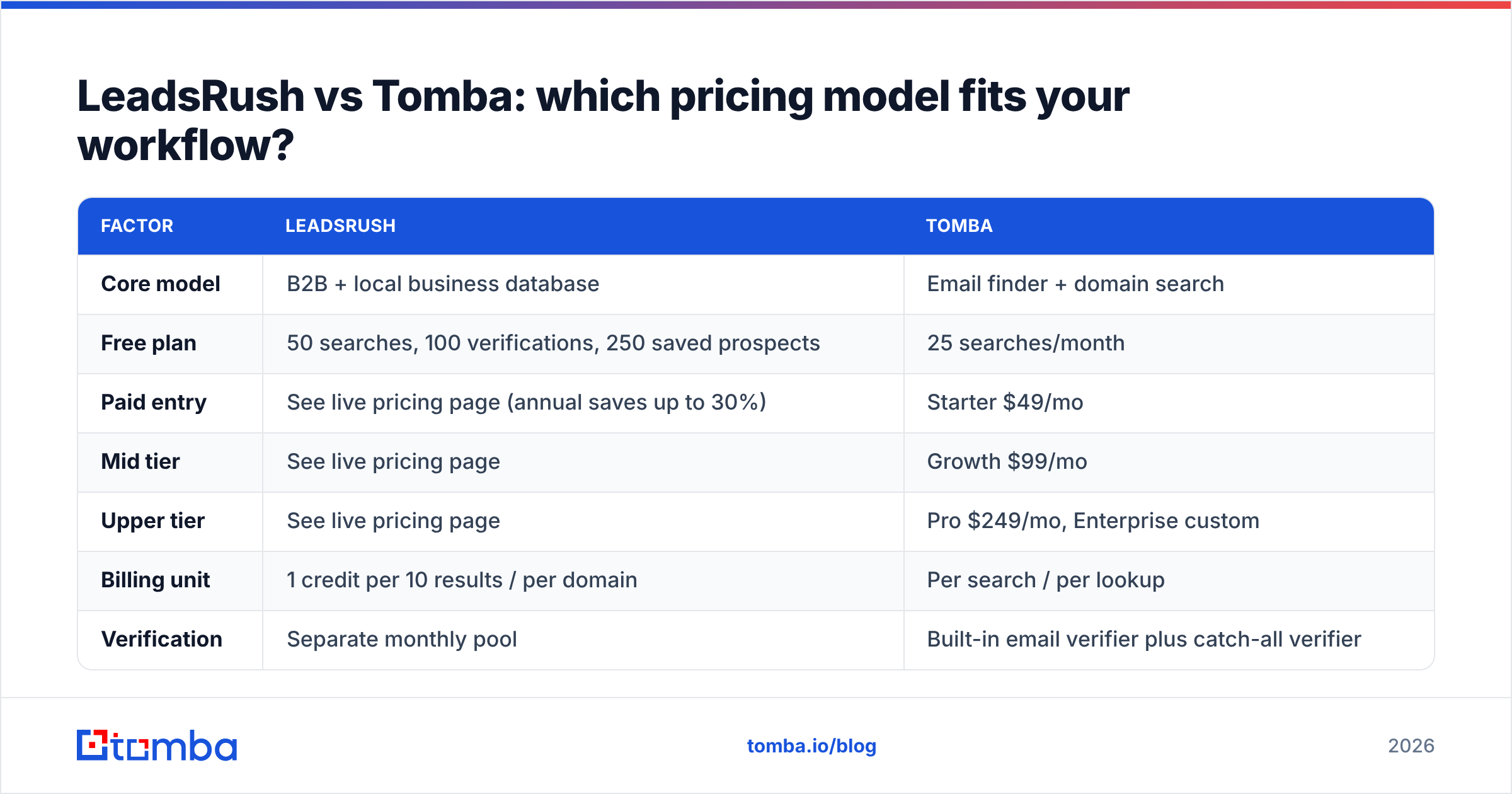
The two tools solve overlapping but different problems. LeadsRush works database-first: filter, browse, export. Tomba works finder-first. You bring a domain, a name or a company, and it returns and verifies the professional email, and it also offers domain search when you want every contact at an account.

| Factor | LeadsRush | Tomba |
|---|---|---|
| Core model | B2B + local business database | Email finder + domain search |
| Free plan | 50 searches, 100 verifications, 250 saved prospects | 25 searches/month |
| Paid entry | See live pricing page (annual saves up to 30%) | Starter $49/mo |
| Mid tier | See live pricing page | Growth $99/mo |
| Upper tier | See live pricing page | Pro $249/mo, Enterprise custom |
| Billing unit | 1 credit per 10 results / per domain | Per search / per lookup |
| Verification | Separate monthly pool | Built-in email verifier plus catch-all verifier |
| Local businesses module | Yes | Not the focus |
| Named-person lookups | Possible, but 1 credit per single result | The core use case |
| Lifetime deal | Yes (RocketHub, no upgrades) | No |
| Best for | Agencies and SMB-focused list builders | Account-based outbound, recruiting, enrichment via API |
Pick LeadsRush when:
- Your targets are local or SMB businesses that enterprise databases cover poorly
- You build large lists from broad filters and export in full pages of ten
- You want a very capable free tier to start with
Pick Tomba when:
- You work from a target account list and need specific decision-makers
- You want flat, published tiers (Tomba pricing runs $49 / $99 / $249) without per-block rounding
- You need API, CRM or spreadsheet integrations in your enrichment flow
Plenty of teams use both: a database tool for top-of-funnel list building and a dedicated finder and verifier for the accounts that matter most. Independent reviews on G2 are worth a skim for either tool before you commit to annual billing.

Is the LeadsRush lifetime deal worth it?#
It depends on how predictable your volume is. The RocketHub listing has advertised LeadsRush at a one-time price, with the entry tier promoted around $49. For a freelancer or small agency with steady, modest monthly volume, that can pay for itself within a couple of months compared with a subscription.
The catch is flexibility. At launch, RocketHub stated that plans can't be changed or upgraded after purchase and that codes can't be stacked. If you think your volume will double within a year, you'll be buying a subscription on top of the deal. As a rule of thumb, buy the lifetime tier that matches your current busiest month, not your average month, and only if the free-plan data test passed first.
How should you decide on a LeadsRush plan?#
A five-step check before you pay:
- Run the free-plan bounce test on your real ICP. Data quality comes before price.
- Estimate your monthly exports in blocks of ten, then add 10% for rounding.
- Estimate verifications separately. This is usually the pool that runs out first.
- Count the reps who share the account and divide the allowance between them.
- Compare against a per-lookup tool for the part of your workflow that is named-person lookups, not list-building.
If steps 2-4 point to a mid or upper tier, compare annual billing (up to 30% off) with the lifetime deal. If step 5 shows that most of your work is one-to-one lookups, a finder-first tool will likely cost less per usable email.
The bottom line on LeadsRush pricing#
LeadsRush pricing is fair and transparent once you understand the unit: credits buy ten-result blocks, verification is a separate meter, and everything resets monthly. The free plan is one of the better ones in the category, and the local-business data fills a real gap. It gets expensive when you use it for work it wasn't built for, like single-person lookups, narrow account research and verification-heavy lists.
If that second workflow sounds like yours, try the Tomba Email Finder. You enter a name and a company domain and get a verified professional email back. There's a free tier of 25 searches a month, and the paid ladder runs from $49 to $249 with no per-block rounding. Run the same 25 contacts through LeadsRush and Tomba, compare bounce rates, and let the numbers decide.
Related guides#
// get started
Find, verify and enrich your first contacts today
Start on the free plan with 25 searches a month, then scale when your team is ready.
Free plan · No credit card required · GDPR & CCPA
// about the author