Leadsrush vs Salesbot (2026): Which Prospecting Tool Fits You?
Leadsrush sells cheap, transparent search credits built around local businesses. Salesbot bundles a 685M-profile database with AI-written outreach. Here's which one fits your pipeline, and when you should pick neither.
TL;DR
- Leadsrush is a low-cost lead finder built around local business search, with an email finder and separate verification credits. Its paid plans start at $29/mo and there is a free tier.
- Salesbot (salesbot.io) is an AI sales platform. It pairs a database of 685M+ professionals with AI-generated email campaigns, and its Premium plan includes 1,000 email credits and 75 phone credits per month.
- Pick Leadsrush if you prospect SMBs by city and industry and already have a sending tool.
- Pick Salesbot if you want list building and AI outreach in one place and don't mind giving up some control over your sending.
- Pick neither if what you mostly need is accurate, verified emails for named companies. A dedicated email finder plus verifier is cheaper and easier to predict.
What is Leadsrush?#
Leadsrush (leadsrush.io) is an all-in-one lead generation tool. Its main feature is local business search. You pick an industry and a location, and it returns businesses along with the decision-makers it can find emails for. You save them to prospect lists and push them to your CRM or email marketing tool.
The main building blocks:
- Local business module. Search for businesses in any industry by city. Bulk search across several cities at once is available, but not on the Starter plan.
- Email finder. Look up professional emails one at a time or in bulk.
- Email verification. Verification runs on its own credit pool, separate from search credits.
- Prospect lists and export. Store leads and move them into a CRM or mailing tool.
Pricing is simple and published. Leadsrush uses two kinds of credits. One search credit returns up to ten results, and verification credits are counted separately. Both reset every month.
The tool also showed up as a lifetime deal on marketplaces like RocketHub. That tells you who it's built for: solo operators, agencies, and small outbound teams who care about cost per lead more than enterprise features.
What is Salesbot?#
Salesbot (salesbot.io) describes itself as an AI sales enablement platform. It covers the path from finding leads to sending personalized follow-ups. Leadsrush gives you data and expects you to bring your own sending tool. Salesbot tries to handle both.
Core capabilities:
- Prospect database of 685M+ professionals, with verified emails, phone numbers, and profile data. Salesbot says it sources contacts from public and private data sources and does not scrape.
- Real-time validation. Emails and phone numbers are checked when you export or contact a prospect.
- AI copilot. Describe your ideal customer profile (ICP) in plain language and link a marketing page. Salesbot builds a targeted list and drafts a campaign.
- Generative AI outreach. Emails are personalized per prospect and sent from inside the platform.
- Chrome extension for prospecting while you browse.
On pricing, Salesbot's help center confirms that Premium includes 1,000 email credits and 75 phone credits per month. Professional and Enterprise tiers add analytics, more features, and extra credits. Dollar amounts appear on Salesbot's billing page rather than in its public docs, so check current pricing there or on its Capterra listing before you budget.
How do Leadsrush and Salesbot compare side by side?#
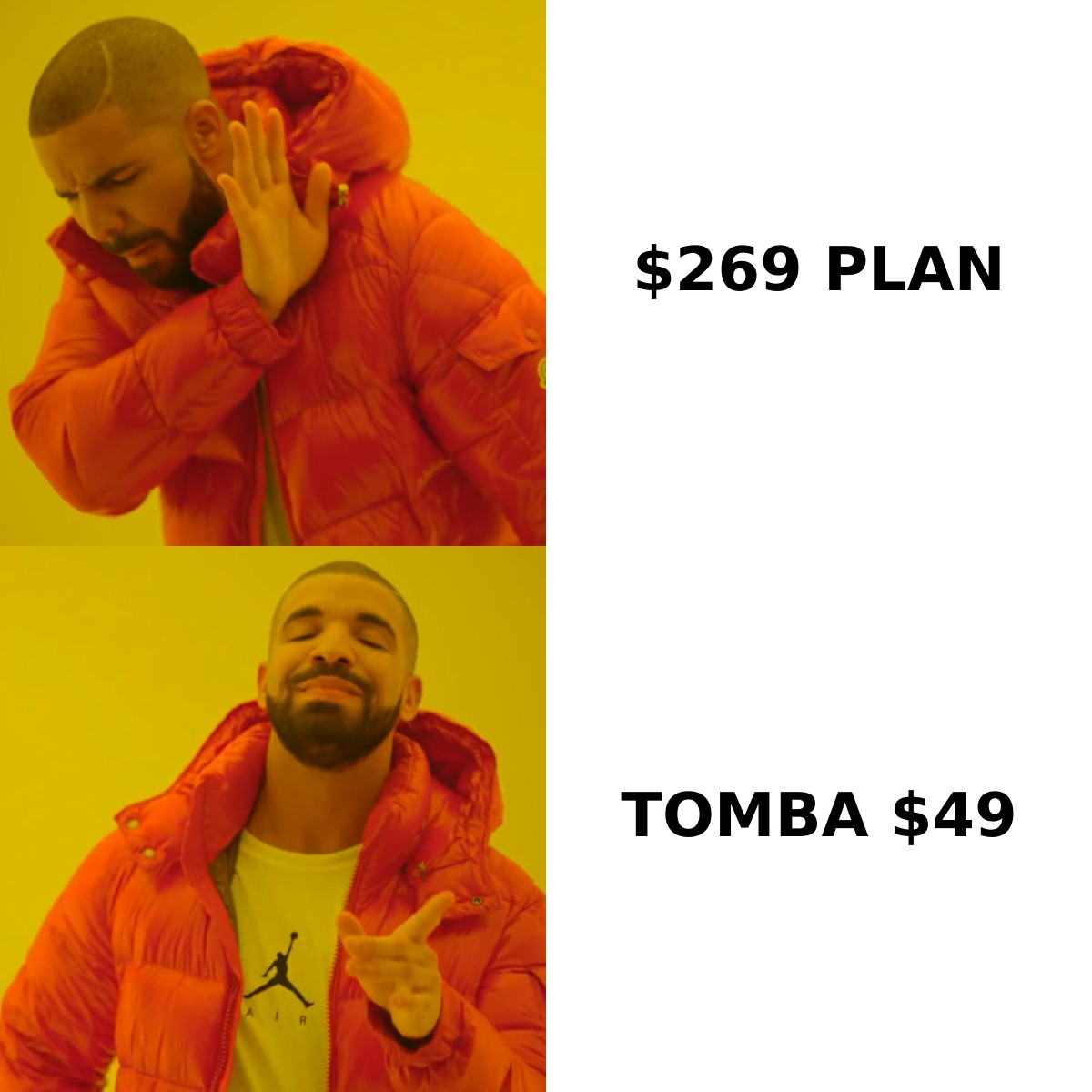
The short version: Leadsrush is a data tool, and Salesbot is a data-plus-engagement tool. Most of the differences below come from that split.
| Attribute | Leadsrush | Salesbot |
|---|---|---|
| Primary job | Local business + contact discovery | AI prospecting + outreach |
| Database angle | SMBs by industry and city | 685M+ professional profiles |
| Free tier | 50 searches + 100 verifications/mo | Check current offer |
| Entry paid plan | $29/mo (1,000 searches, 2,000 verifications) | Premium: 1,000 email + 75 phone credits/mo |
| Mid tiers | $59/mo (5,000 searches) and $129/mo (20,000 searches) | Professional (more analytics, add-on credits) |
| Top published tier | $269/mo (60,000 searches, 120,000 verifications) | Enterprise (custom) |
| Phone numbers | Not a core focus | Yes, credit-metered |
| Built-in sending | No, exports to CRM/ESP | Yes, AI-generated campaigns |
| AI list building | No | Yes, natural-language ICP prompt |
| Verification | Separate credit pool | Real-time at export/outreach |
| Annual discount | Up to 30% | Check billing page |
| Best for | Agencies, local-SMB outbound, tight budgets | Small teams who want one tool for list + send |
Two details matter more than they look:
- What a Leadsrush "search" is worth. One credit returns up to ten results. On paper, 1,000 searches on the $29 plan could mean up to 10,000 records. In practice, local business results usually include companies with no findable decision-maker email. Budget for real contact yield, not the headline number.
- Salesbot's phone credits. 75 phone credits a month is enough to test calling on a few accounts, but not enough to run a real calling motion. If phone matters to you, price the Professional tier or a separate phone tool.
Which tool finds better data?#
It depends on who you're prospecting. Neither vendor publishes an independent accuracy benchmark, so treat all accuracy claims as unverified until you've tested them on your own list.
Leadsrush is stronger for local SMBs. If your targets are dentists in Austin, roofing contractors in Leeds, or restaurants in Lyon, a local-first search matches how those markets work. Many of these businesses have small teams and no LinkedIn presence, so a contact database built from professional profiles will miss them.
Salesbot is stronger for B2B professionals at mid-market and larger companies. A database of 685M+ profiles is built for filtering by title, seniority, industry, and company size, which is how you'd find "VP of Finance at SaaS companies with 200–1,000 employees." Leadsrush's local model doesn't fit that kind of search.
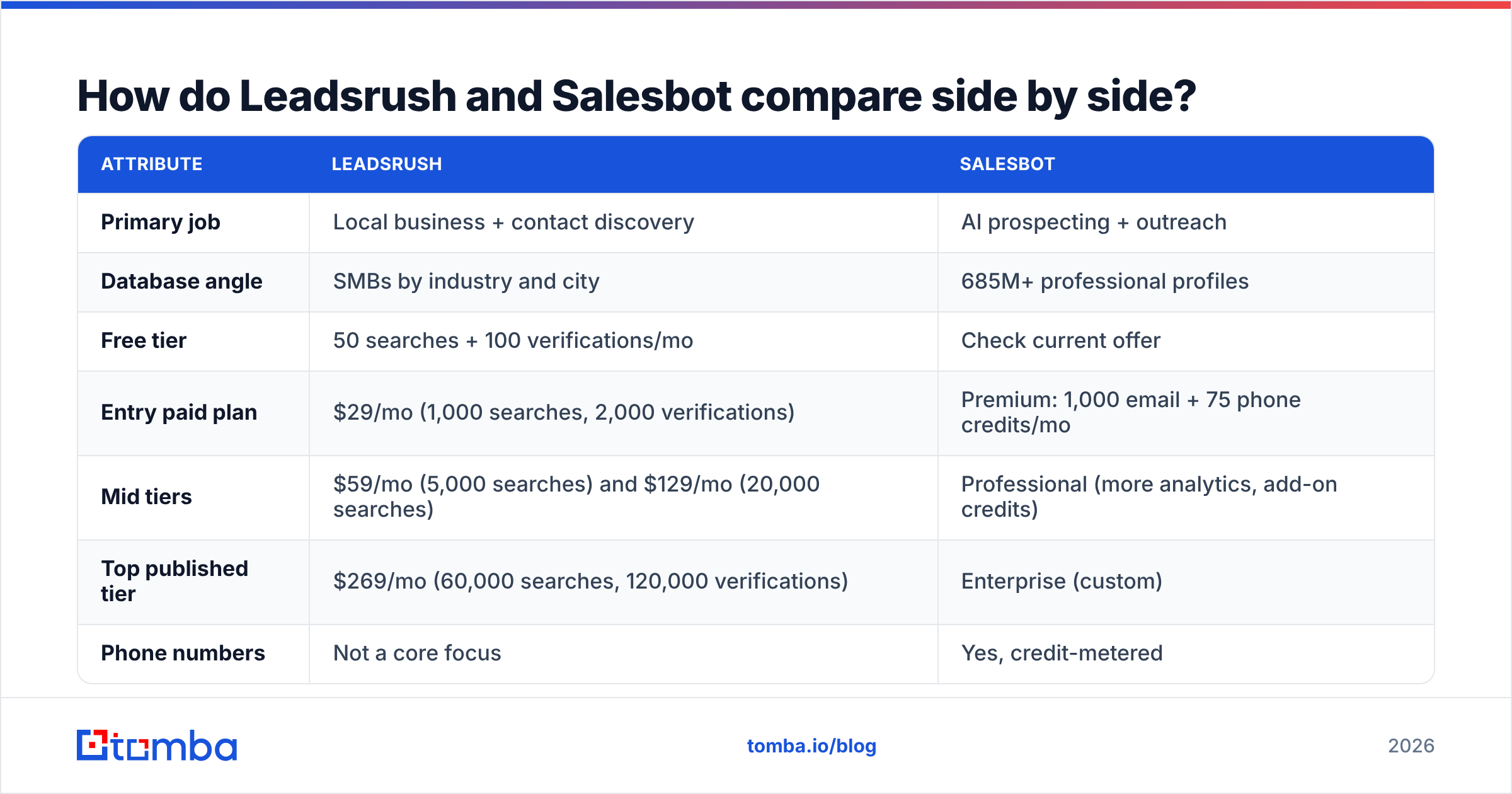
Whichever you choose, run this test before you commit:
- Pull 100 contacts that match your real ICP, not the vendor's demo filter.
- Verify them independently with a third-party email verifier, not the tool's own checker.
- Count the catch-alls separately. Catch-all domains accept every address, so "valid" doesn't mean "delivered." A dedicated catch-all verifier tells you which of those addresses are actually risky.
- Send a small, warmed batch and measure hard bounces after 72 hours.
- Compute cost per delivered contact, not cost per credit.
Step five is where these tools often trade places. A cheap credit that bounces costs more than an expensive one that lands.
Is Salesbot's AI outreach worth it compared to Leadsrush's export model?#
It's worth it only if you don't already have a sending setup you trust.
Salesbot's AI copilot is convenient. You describe your ICP, point it at a landing page, and get a list and a campaign draft back. For a founder doing sales without an SDR team, that saves real time.
The trade-off is control. When one platform owns your data, your copy, and your sending, it's harder to:
- Tune email deliverability settings like sending volume, domain rotation, and warmup schedules
- A/B test copy with the rigor a dedicated sequencer allows
- Swap the data source if match rates drop for your segment
Leadsrush avoids this by staying a data tool. You export to your CRM or ESP and keep sending in a tool built for it, whether that's Instantly, lemlist, HubSpot sequences, or something else. If you already have that stack, Salesbot's outreach layer mostly duplicates what you pay for elsewhere.
The deciding question: do you want a better list or a shorter workflow? Leadsrush optimizes for the list and cost. Salesbot optimizes for fewer tools.
What do the pricing models actually cost you?#
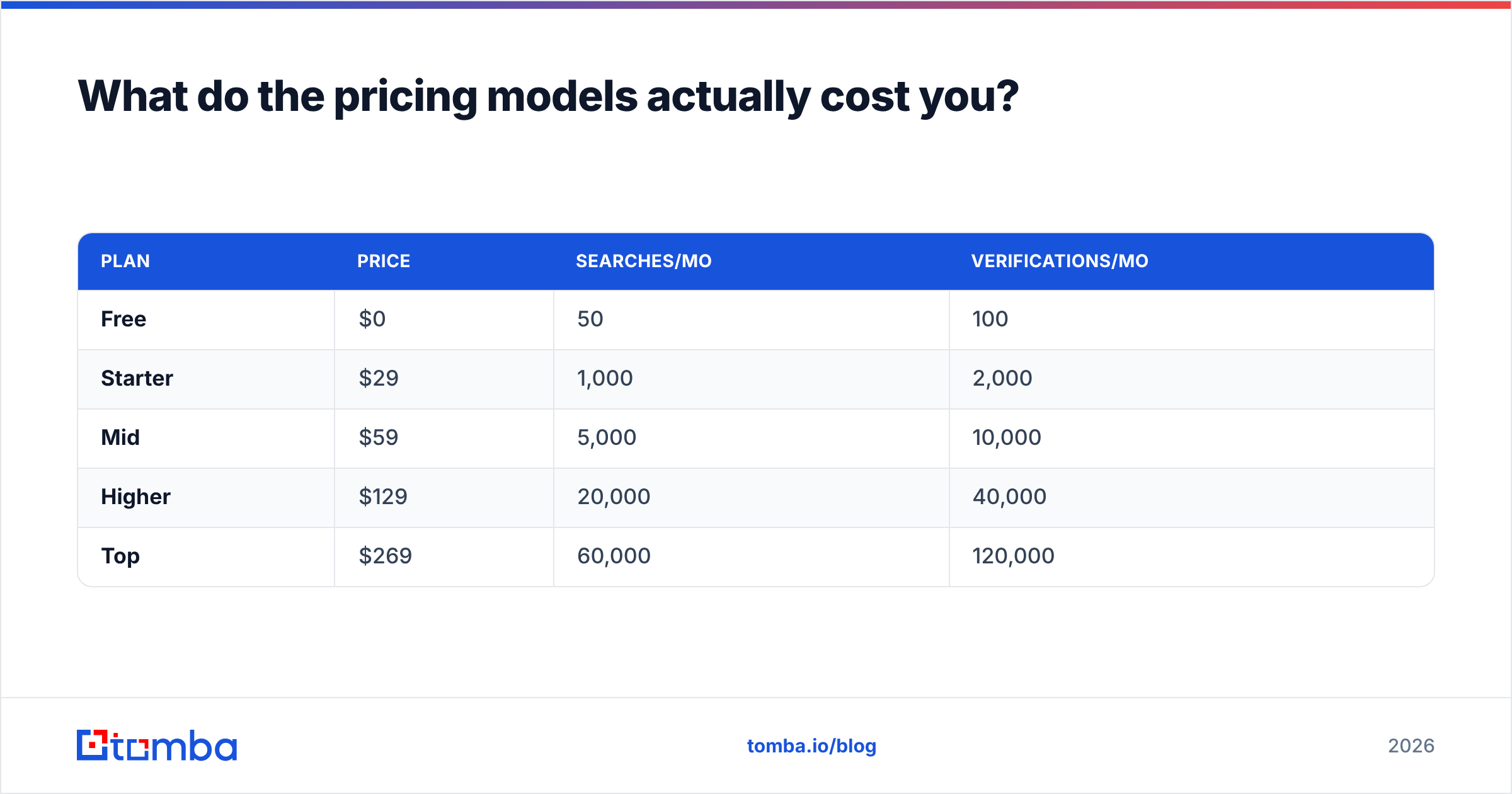
Leadsrush publishes its prices. Salesbot publishes its credit allowances. Here's how to think about each.
Leadsrush, published tiers (monthly):
| Plan | Price | Searches/mo | Verifications/mo |
|---|---|---|---|
| Free | $0 | 50 | 100 |
| Starter | $29 | 1,000 | 2,000 |
| Mid | $59 | 5,000 | 10,000 |
| Higher | $129 | 20,000 | 40,000 |
| Top | $269 | 60,000 | 120,000 |
Annual billing saves up to 30%. Multi-city local bulk search is not included in Starter, so agencies running campaigns across several cities should budget for $59 or more from the start.
Salesbot, what's confirmed: Premium includes 1,000 email credits and 75 phone credits per month. Professional and Enterprise add features and optional credit top-ups. Because Salesbot bundles AI outreach, compare its price against data tool plus sequencer, not data tool alone.
A simple way to compare:
- Leadsrush total cost = Leadsrush plan + your sending tool + your time spent on copy
- Salesbot total cost = Salesbot plan + top-up credits + whatever deliverability tooling you still need
If you already pay for a sequencer, Leadsrush almost always costs less. If you'd otherwise buy a sequencer from scratch, the gap narrows.

Which one should you choose?#
Use this decision list:
- Local-SMB outbound (agencies, home services, hospitality, healthcare clinics): Choose Leadsrush. Search by city and industry is the whole reason to use it.
- B2B SaaS or mid-market targeting by title and seniority: Choose Salesbot. The professional database and ICP-prompt list building fit that search.
- Solo founder with no sending stack: Choose Salesbot, but warm your domains and keep volume conservative.
- Team with an established sequencer and CRM: Choose Leadsrush, or skip both and use a dedicated email finder.
- Phone-heavy motion: Neither is ideal on its entry tier. Add a dedicated phone data source.
- Enrichment-first workflows (you already have company lists): Neither is the best fit. You need an email finder that works on domains and names, not a discovery database.
Option 6 is more common than most teams expect. If your target accounts come from your CRM, a trade-show list, or an ABM platform, you don't need someone else's database. You need to turn "Jane Doe, Acme Corp" into a verified email address. Discovery tools charge for discovery you aren't using.
Where does a dedicated email finder fit in?#
A dedicated finder is the layer both tools rely on. It's also the piece you can buy on its own when you already know who you want to reach.
Tomba works this way. Instead of browsing a database, you give it a domain or a name plus a company:
- Domain search returns the public professional emails tied to a company domain, along with the domain's email pattern.
- Email finder takes first name, last name, and domain and returns the most likely address with a confidence score.
- Email verifier and catch-all verifier check deliverability before a send can hurt your sender reputation.
- Bulk, API, Sheets, and CRM integrations handle list-scale work without CSV juggling.
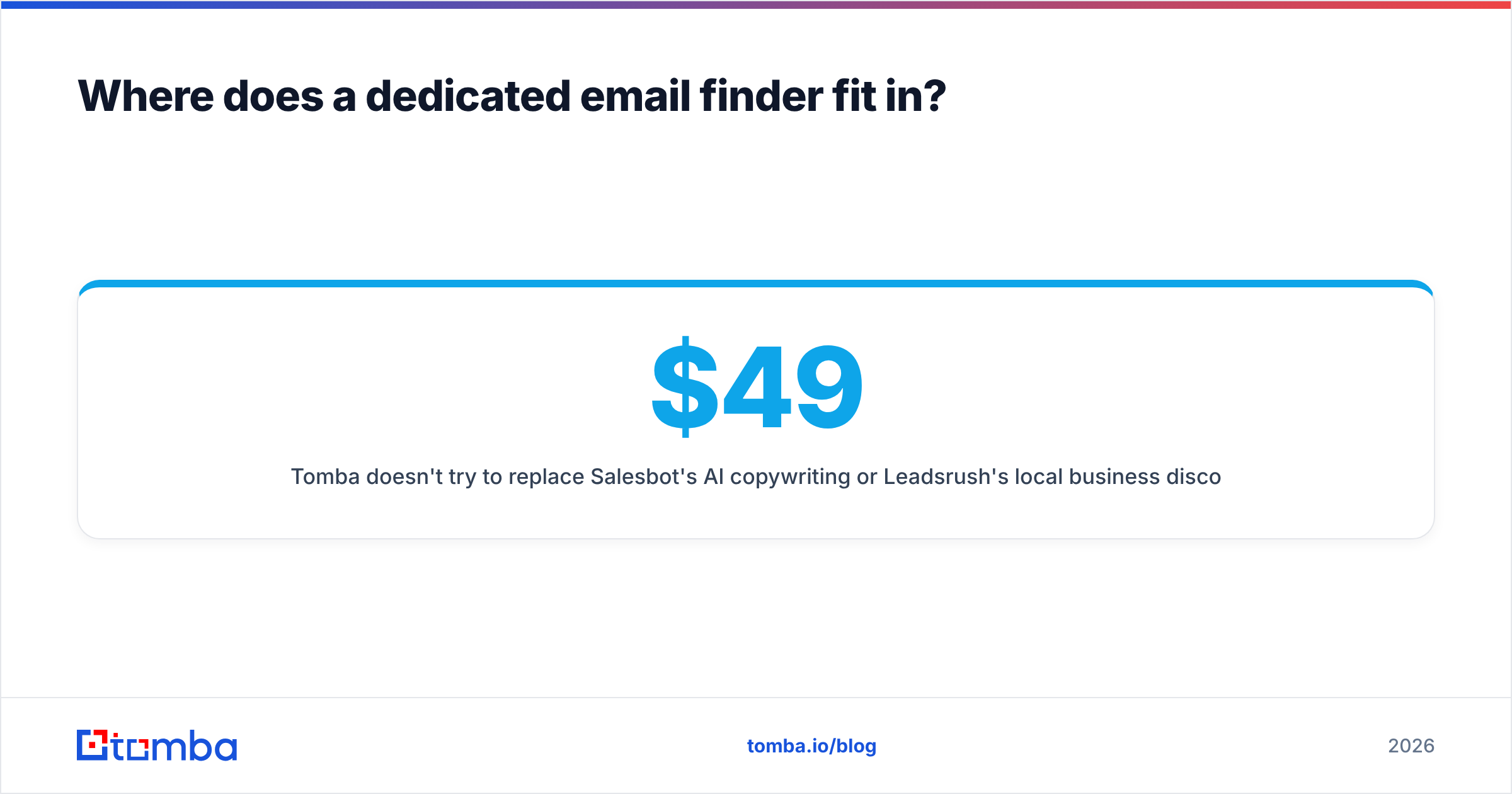
Tomba doesn't try to replace Salesbot's AI copywriting or Leadsrush's local business discovery. Its advantage is being predictable: you pay to find and verify specific people, not to browse. Plans start with a free tier of 25 searches a month, then Starter at $49/mo, Growth at $99/mo, and Pro at $249/mo. Full details are on the Tomba pricing page.
Many teams end up combining tools. They use Leadsrush or Salesbot to discover accounts, then run every export through an independent finder and verifier before anything gets sent. That second check is what protects your domain.
What are the pros and cons of each?#
Leadsrush — pros
- Transparent, published pricing with a usable free tier
- Local business search that professional-profile databases don't cover well
- Separate verification credits, so you can check before exporting
- Annual plans save up to 30%
Leadsrush — cons
- No built-in sending, so you need another tool
- Multi-city bulk search is locked out of Starter
- Results per search don't equal usable contacts, so expect lower real yield in SMB segments
Salesbot — pros
- Large professional database (685M+ profiles) with emails and phones
- AI copilot turns a plain-language ICP into a list and a campaign
- Real-time validation at export or outreach
- One platform instead of two or three
Salesbot — cons
- Dollar prices aren't in its public help docs, so you have to check the billing page
- 75 phone credits a month on Premium is thin for any calling motion
- Bundled sending means less control over deliverability tuning
Final verdict: Leadsrush vs Salesbot#
Neither tool wins everywhere. Leadsrush is the better pick for cheap, predictable, local-first lead lists that you send from your own stack. Salesbot is the better pick for teams who want AI list building and outreach in one place and can accept less control over sending.
Before you commit to either, test 100 real ICP contacts through independent verification and calculate your cost per delivered email. That number tells you more than any feature list.
If what you really need is to find and verify the right person's email at a company you've already chosen, you may not need a discovery platform at all. Tomba Email Finder finds professional email addresses by domain, name, or company, scores each one, and verifies it before you send. Start on the free plan with 25 searches a month and compare its hit rate against whichever tool you're considering.
Related guides#
// get started
Find, verify and enrich your first contacts today
Start on the free plan with 25 searches a month, then scale when your team is ready.
Free plan · No credit card required · GDPR & CCPA
// about the author