LeadzenAI vs Mailarrow (2026): Lead Data or Cold Email Engine?
LeadzenAI finds the prospects. Mailarrow sends the emails. We compare data, deliverability, pricing and fit so you know which one your outbound stack is missing, or whether you need both.
TL;DR
- LeadzenAI is a B2B lead data platform. It finds prospects and their contact details (emails, phone numbers, company data), and it has LinkedIn and Chrome extensions.
- Mailarrow is a cold email sending platform. It handles unlimited mailboxes, AI warmup, inbox rotation, sequences and campaign analytics, starting at $39/mo.
- They solve different problems, so comparing them is really about which half of your outbound stack is missing: who to email or how to email them.
- Pick LeadzenAI if your list is empty. Pick Mailarrow if you already have contacts but your sending setup is weak or doesn't scale.
- Whichever you choose, verify every address before it goes into a sequence. Bounces damage the sender reputation Mailarrow's warmup is trying to protect.
What is the real difference between LeadzenAI and Mailarrow?#
Most "X vs Y" posts compare two tools that do the same job. This one doesn't, and knowing that up front will save you a bad purchase.
Think of outbound as a restaurant. LeadzenAI supplies the ingredients: names, job titles, company details, email addresses and phone numbers. Mailarrow is the kitchen: the mailboxes, warmup, scheduling, follow-ups and analytics that turn a contact list into booked replies. A great kitchen with no ingredients serves nothing, and a pantry full of ingredients with no kitchen feeds nobody.
So when people search "LeadzenAI vs Mailarrow", they're usually asking one of three things:
- "I have budget for one tool. Which one first?"
- "Does either tool do both jobs well enough that I can skip the other?"
- "How do these two fit together in a lean outbound stack?"
This guide answers all three.
What does LeadzenAI actually do?#
LeadzenAI calls itself an AI-driven B2B lead generation platform aimed at startups and SMEs. The core workflow looks like this:
- Prospect search with intelligent filters (industry, role, company attributes) to build target lists.
- Contact data for the people you find: email addresses, phone numbers and company information.
- Bulk search so you can pull lists instead of searching one record at a time.
- LinkedIn and Chrome extensions that pull contact data while you browse profiles.
Its strength is discovery. If your SDRs lose hours every week hunting down email addresses by hand, LeadzenAI is built to remove that work.
Pricing caveat: LeadzenAI's pricing is hard to pin down. Third-party directories list editions ranging from roughly $133/mo to several thousand dollars a month, and some listings describe a done-for-you, pay-per-meeting model on top of the self-serve product. A limited free trial is available. Get a current quote before you budget, and ask exactly what a "credit" or "meeting" includes.
What does Mailarrow actually do?#
Mailarrow is cold email outreach and warmup software. Its job starts once you have contacts. Headline features:
- Unlimited sending mailboxes on every plan, so you can spread volume across many inboxes rather than burning one domain.
- AI-powered email warmup, included without limits, to build and maintain inbox placement.
- Smart inbox rotation that spreads a campaign across your group of mailboxes automatically.
- AI personalization to vary copy and lift reply rates.
- Campaign analytics that track each prospect through the sequence.
- Provider-agnostic sending: Gmail, Office 365, Exchange, Mailgun, SendGrid, or any SMTP/IMAP provider.
According to Mailarrow's pricing page, the Basic plan is $39/mo and includes 2,000 active prospects, 6,000 emails, unlimited warmup and unlimited mailboxes. The Professional and Growth tiers raise the prospect and email caps.
Mailarrow doesn't try to be a big contact database. It assumes you bring the list.

How do LeadzenAI and Mailarrow compare feature by feature?#
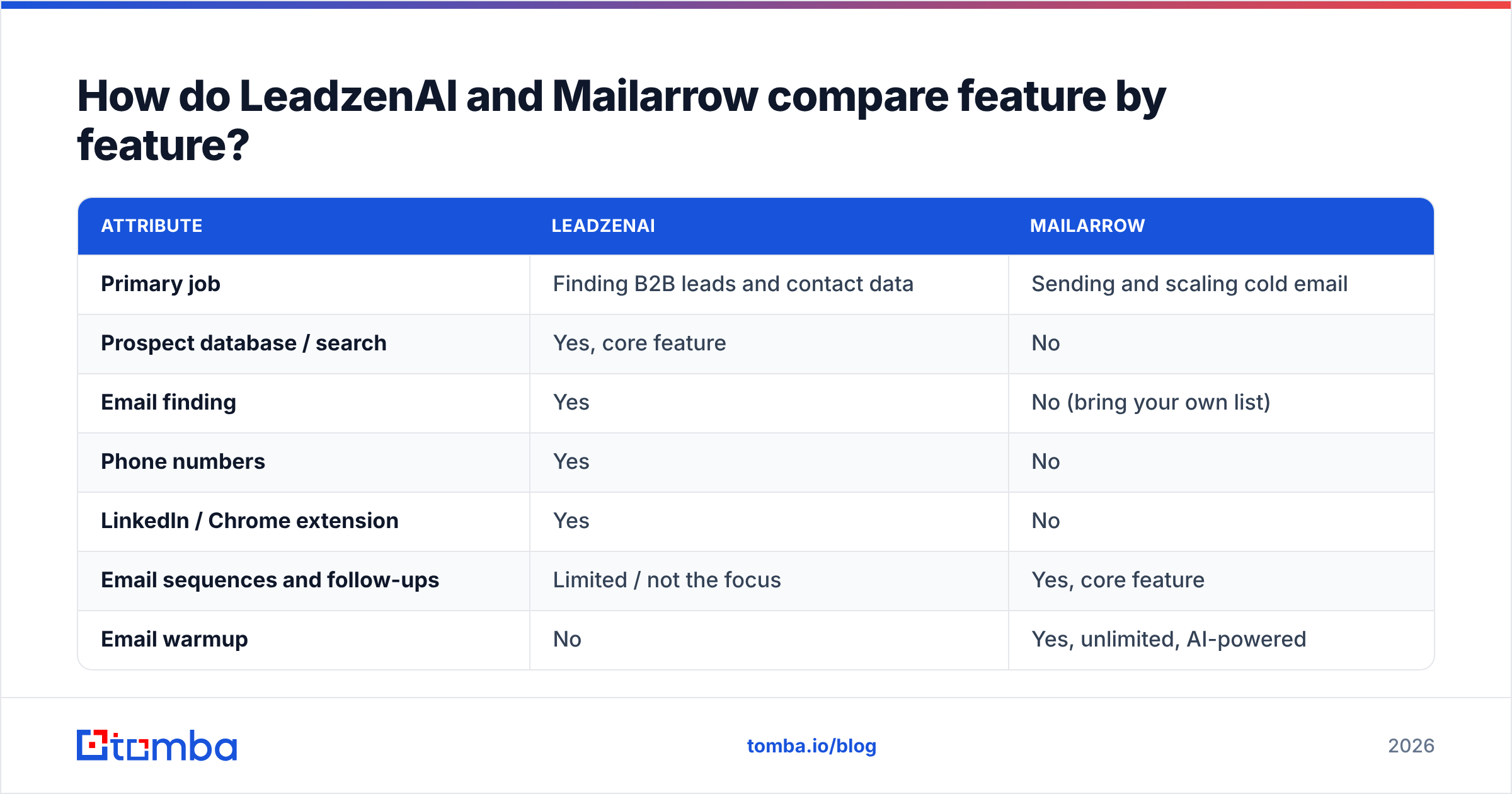
Here's the side-by-side. "Partial" means the capability exists but isn't the product's focus.
| Attribute | LeadzenAI | Mailarrow |
|---|---|---|
| Primary job | Finding B2B leads and contact data | Sending and scaling cold email |
| Prospect database / search | Yes, core feature | No |
| Email finding | Yes | No (bring your own list) |
| Phone numbers | Yes | No |
| LinkedIn / Chrome extension | Yes | No |
| Email sequences and follow-ups | Limited / not the focus | Yes, core feature |
| Email warmup | No | Yes, unlimited, AI-powered |
| Unlimited mailboxes + inbox rotation | No | Yes |
| Campaign analytics | Partial (lead-level) | Yes, prospect-level journey tracking |
| Entry pricing | Quote-dependent; listings from ~$133/mo | $39/mo (Basic) |
| Free trial | Yes, limited | Yes |
| Best for | Teams with no list or a thin one | Teams with contacts but weak sending infrastructure |
The table makes the verdict fairly clear: these tools barely overlap. The one area where they touch is personalization. LeadzenAI's data gives you firmographic hooks, and Mailarrow's AI personalizes the copy those hooks feed into.
Which one should you buy first?#
Work backwards from your bottleneck. Use this decision framework:
- You have no list and no ICP data. Start with a data tool. Sending software is useless until you have people to send to. LeadzenAI (or another enrichment tool) comes first.
- You have a CRM full of contacts but campaigns land in spam. Your problem is sending, not data. Mailarrow's warmup and inbox rotation go straight at it.
- You send from one Gmail account and hit daily limits. Mailarrow's unlimited mailboxes and rotation are the upgrade. Adding more data won't help.
- You have both tools but reply rates are flat. Look at list quality and copy before buying anything else. Check bounce rates, targeting and the first line of every email.
- You're a solo founder on a tight budget. Pair a low-cost email finder with Mailarrow Basic at $39/mo. That's usually cheaper than a full-stack platform and does everything you need at low volume.
Is Mailarrow's deliverability good enough to skip list verification?#
No, and this is where many teams get burned.
Warmup builds sender reputation slowly by generating positive engagement signals. A single campaign sent to a list with a 10% bounce rate can undo weeks of that work. Mailbox providers read hard bounces as a sign that you're mailing addresses you never had permission to contact. For background, see our primer on email deliverability.
Mailarrow can't fix bad data. Inbox rotation spreads the damage across more mailboxes, but it doesn't remove it. And any B2B contact database, LeadzenAI's included, loses accuracy over time as people change jobs. Industry estimates put B2B contact decay at around 20–30% a year.
The fix is simple: run every exported list through an email verifier before you upload it to your sender. Pay extra attention to catch-all domains, which accept any address at the SMTP level and hide the invalid ones until they bounce later.
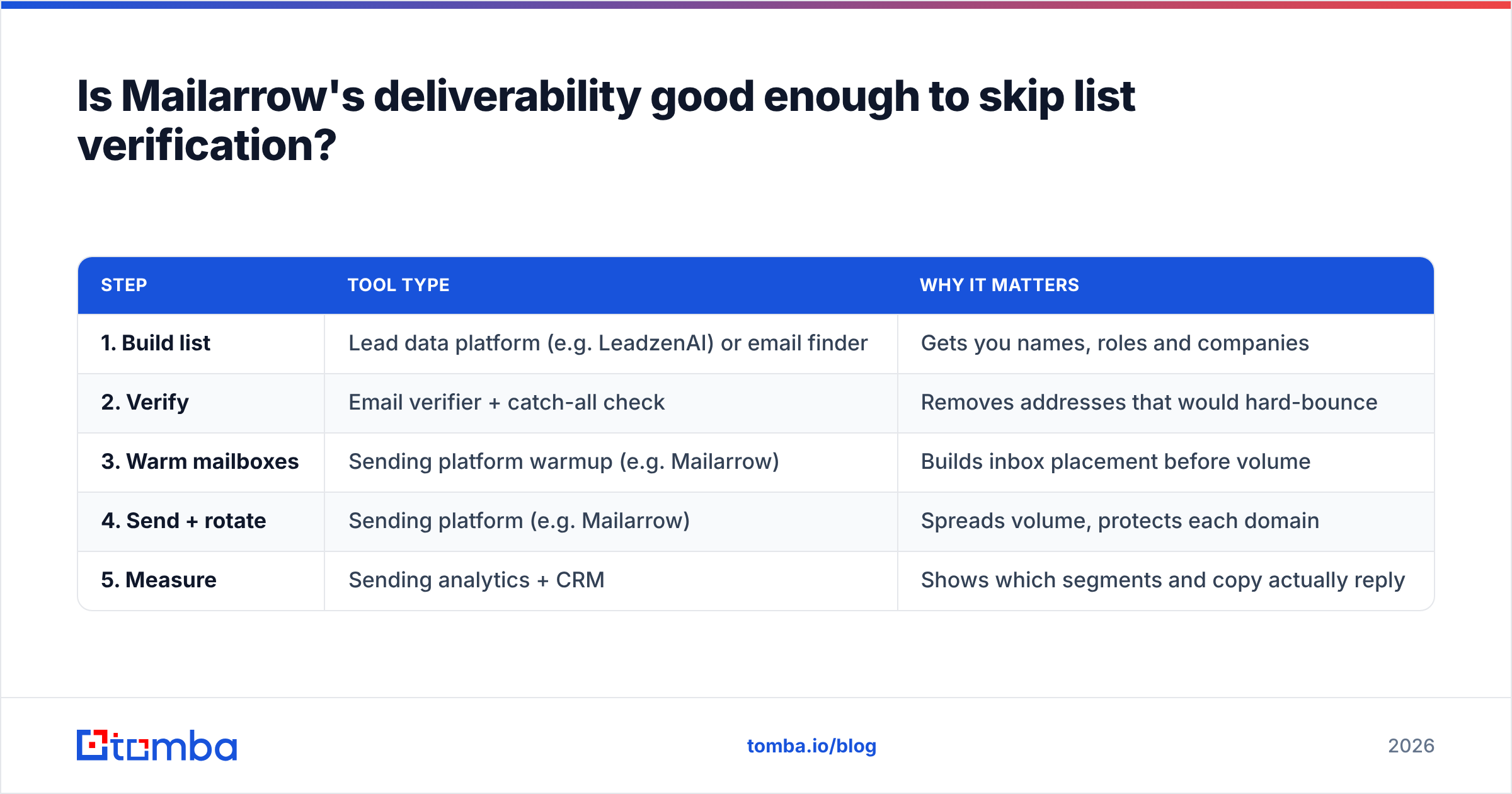
A sensible pipeline looks like this:
| Step | Tool type | Why it matters |
|---|---|---|
| 1. Build list | Lead data platform (e.g. LeadzenAI) or email finder | Gets you names, roles and companies |
| 2. Verify | Email verifier + catch-all check | Removes addresses that would hard-bounce |
| 3. Warm mailboxes | Sending platform warmup (e.g. Mailarrow) | Builds inbox placement before volume |
| 4. Send + rotate | Sending platform (e.g. Mailarrow) | Spreads volume, protects each domain |
| 5. Measure | Sending analytics + CRM | Shows which segments and copy actually reply |
Skip step 2 and steps 3 and 4 get much harder.
What are the pros and cons of each tool?#
LeadzenAI pros
- Covers the discovery problem: search, filter and pull contacts in bulk.
- Includes phone numbers, useful if you run multichannel or cold call.
- LinkedIn and Chrome extensions fit how SDRs already prospect.
- AI-assisted filtering helps small teams narrow an ICP without a data analyst.
LeadzenAI cons
- Pricing isn't transparent, and published figures vary a lot between sources.
- Not a sending tool, so you still need outreach software.
- Like every database, its data needs verification before sending.
Mailarrow pros
- Clear entry price ($39/mo) with unlimited mailboxes and warmup included, which many competitors charge extra for.
- Inbox rotation is built in, not bolted on.
- Works with nearly any email provider via SMTP/IMAP.
- Prospect-level analytics show where each lead stalls.
Mailarrow cons
- No contact data, so you have to bring your own list.
- Plan caps are based on active prospects and email volume, so check that the tier matches your monthly throughput.
- Smaller ecosystem and community than the largest cold email platforms. Review sites like G2 have fewer reviews to judge it by.
Can one tool replace the other?#
Not realistically.
- Mailarrow can't replace LeadzenAI because it has no prospect database. You could manually paste contacts from LinkedIn, but that's exactly the manual work you were trying to escape.
- LeadzenAI can't replace Mailarrow for serious outbound because it isn't built around warmup, rotation and multi-step sequences. Sending cold campaigns from a data tool, or straight from your main Google Workspace inbox, is a quick way to damage your primary domain.
If you want a single vendor, you're looking at an all-in-one platform (data plus sequencing). Those exist, but you usually trade depth on one side for convenience. Many teams still end up stacking a specialist data tool with a specialist sender.

How much does a LeadzenAI + Mailarrow stack cost?#
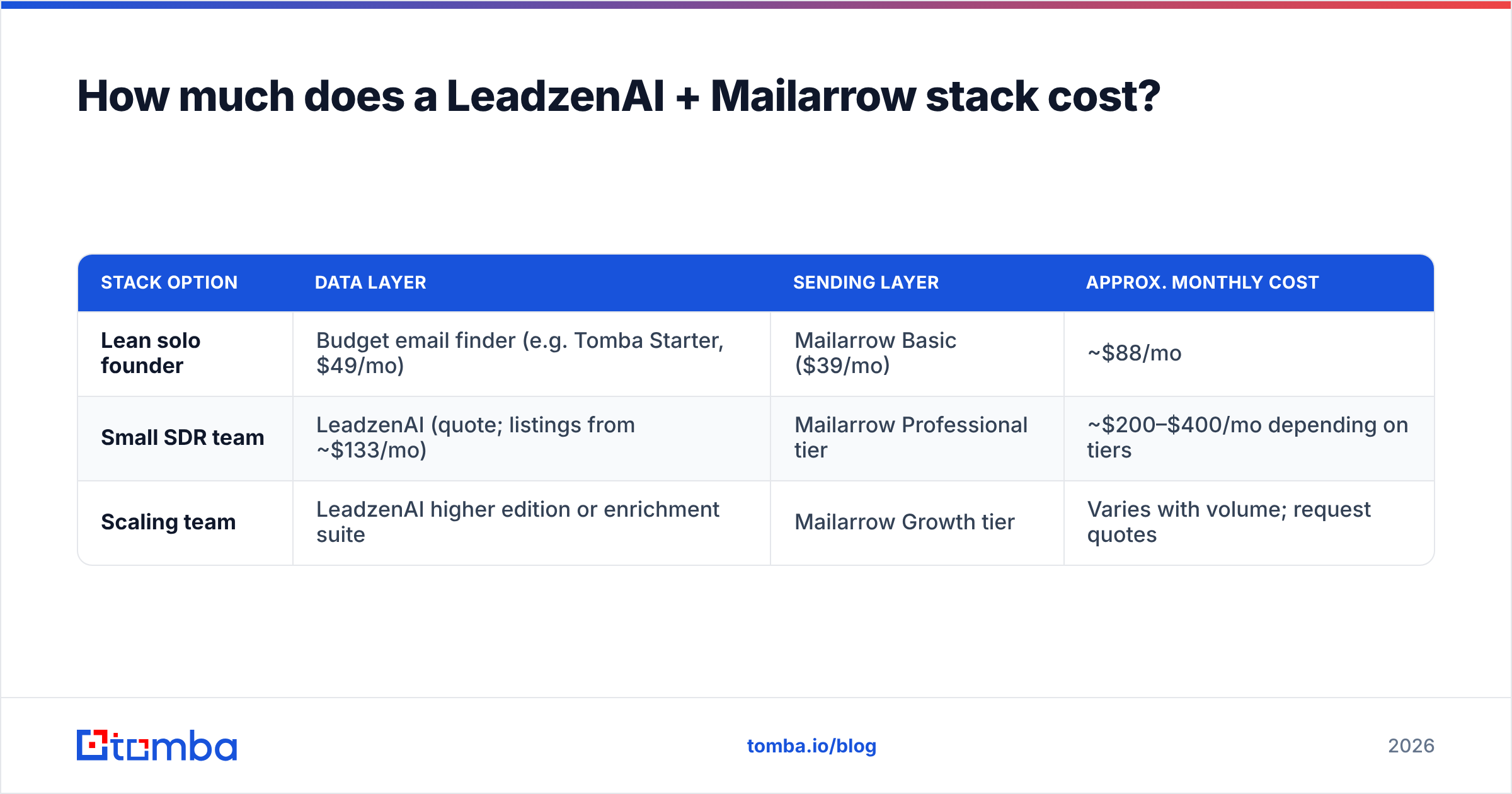
Rough monthly math for a small team:
| Stack option | Data layer | Sending layer | Approx. monthly cost |
|---|---|---|---|
| Lean solo founder | Budget email finder (e.g. Tomba Starter, $49/mo) | Mailarrow Basic ($39/mo) | ~$88/mo |
| Small SDR team | LeadzenAI (quote; listings from ~$133/mo) | Mailarrow Professional tier | ~$200–$400/mo depending on tiers |
| Scaling team | LeadzenAI higher edition or enrichment suite | Mailarrow Growth tier | Varies with volume; request quotes |
Treat these as planning ranges, not quotes. LeadzenAI especially needs a direct conversation. Always budget for verification too, either as part of your data tool or as a separate line item.
Where does Tomba fit into this comparison?#
Tomba sits in the data layer, the same slot as LeadzenAI. It's worth a look if you want something narrower and more predictable in price. Tomba's core product is an email finder that looks up professional addresses by domain, name or company. Email verification, catch-all verification, phone finding and enrichment sit alongside it.
Here's how the options compare for a team that already plans to send with Mailarrow:
- Choose LeadzenAI if you want AI-assisted prospect discovery, a searchable database and phone data in one place, and you're comfortable with quote-based pricing.
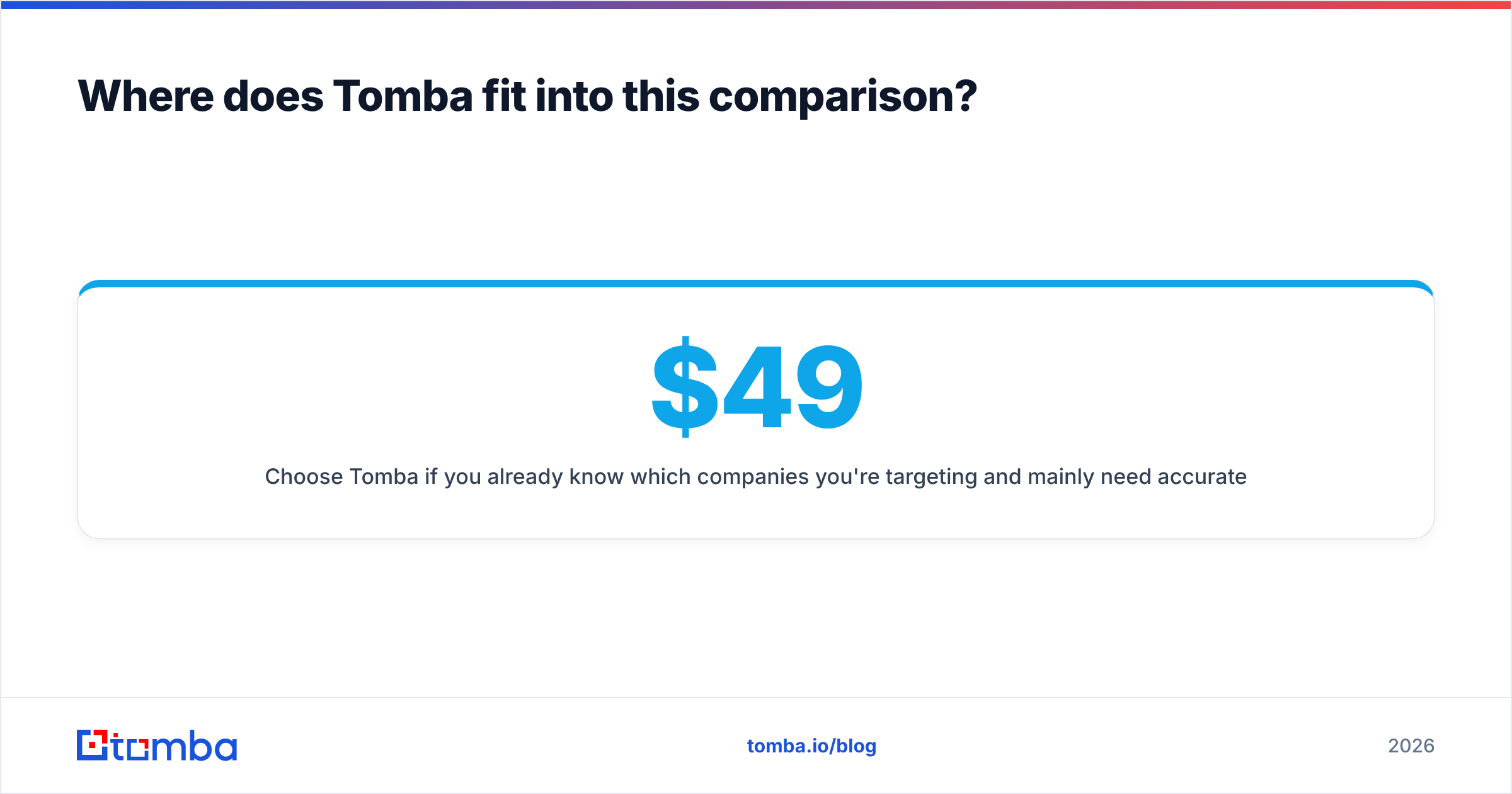
- Choose Tomba if you already know which companies you're targeting and mainly need accurate emails for them, verified before export, at a published price. Plans start with a free tier (25 searches/mo), then Starter at $49/mo, Growth at $99/mo and Pro at $249/mo. Full pricing details are public.
Either data tool pairs cleanly with Mailarrow. Export a CSV, verify it, and upload it to a campaign.
Frequently asked questions#
Is LeadzenAI a Mailarrow alternative? No. LeadzenAI finds leads and Mailarrow emails them. They complement each other rather than compete.
Does Mailarrow include an email finder? Mailarrow focuses on sending, warmup and analytics. You bring your own contact list from a data tool or email finder.
How much does Mailarrow cost in 2026? The Basic plan is $39/mo for 2,000 active prospects and 6,000 emails, with unlimited mailboxes and warmup. Higher tiers raise those limits.
Is LeadzenAI pricing public? Only partly. Third-party listings range widely, and some describe a pay-per-meeting service. Ask LeadzenAI for a current quote.
Do I still need to verify emails from LeadzenAI? Yes. Any database decays over time, and verifying before you send protects the reputation your Mailarrow warmup has built.
What's the final verdict on LeadzenAI vs Mailarrow?#
There's no single winner, because each tool wins its own category:
- Best for finding leads: LeadzenAI.
- Best for sending cold email at scale on a budget: Mailarrow.
- Best overall setup: a data tool plus Mailarrow, with verification between them.
If you only have budget for one, buy for your bottleneck. No list means a data tool first. A list but poor inbox placement means Mailarrow first.
If your bottleneck is getting accurate, verified email addresses for the companies you already want to reach, try Tomba Email Finder. Enter a domain or a name plus company, get professional emails with confidence scores, verify them in the same place, and export a clean CSV that goes straight into Mailarrow. The free tier gives you 25 searches a month to test it on your own target accounts before you pay anything.
Related guides#
// get started
Find, verify and enrich your first contacts today
Start on the free plan with 25 searches a month, then scale when your team is ready.
Free plan · No credit card required · GDPR & CCPA
// about the author