Leadzenai vs Nymeria: Which B2B Contact Finder Fits Your Team?
Leadzen.ai sells AI-driven lead lists. Nymeria sells fast contact lookups from LinkedIn and GitHub. Here is how they compare on data, workflow, API and pricing, and when neither one is the right fit.
TL;DR
- Leadzen.ai is a prospecting and list-building platform. You describe your ideal customer, and it returns company and contact lists with AI-assisted filtering. It has particularly strong coverage in India and APAC.
- Nymeria is a lookup tool. You open a LinkedIn, GitHub or X profile, click the extension, and it returns emails and phone numbers. It is lean and developer-friendly, and it has a clean API.
- Pick Leadzen.ai if you need to discover who to contact. Pick Nymeria if you already know who to contact and only need their details.
- Neither tool replaces a separate verification step. Budget for one before you send, whichever you choose.
- If you want finding, domain search and verification on one bill, compare both against a single-platform option such as Tomba before you commit.
What are Leadzen.ai and Nymeria, and why compare them?#
People search "leadzenai vs nymeria" because both show up on shortlists for "cheap B2B email finder with a Chrome extension." They fill different jobs in your stack, though, and choosing the wrong one tends to cost more in wasted workflow than in subscription fees.
Leadzen.ai (leadzen.ai) is an AI-driven B2B lead generation platform based in India. It is built around search. You set filters for industry, geography, company size and job title, or you describe your target in plain language. Leadzen then returns lists of companies and decision-makers along with contact data. It also has a LinkedIn Chrome extension and bulk enrichment, but most of its value comes from building lists.
Nymeria (nymeria.io) is a contact-lookup tool. Its main feature is a browser extension that runs on LinkedIn, GitHub and X profiles and returns work emails, personal emails and phone numbers where it has them. It adds an API and bulk enrichment on top, and developers and technical recruiters like it because it is quick and does little beyond that.
Put simply, Leadzen tells you who to talk to, and Nymeria tells you how to reach someone you have already chosen.
How do Leadzen.ai and Nymeria compare feature by feature?#
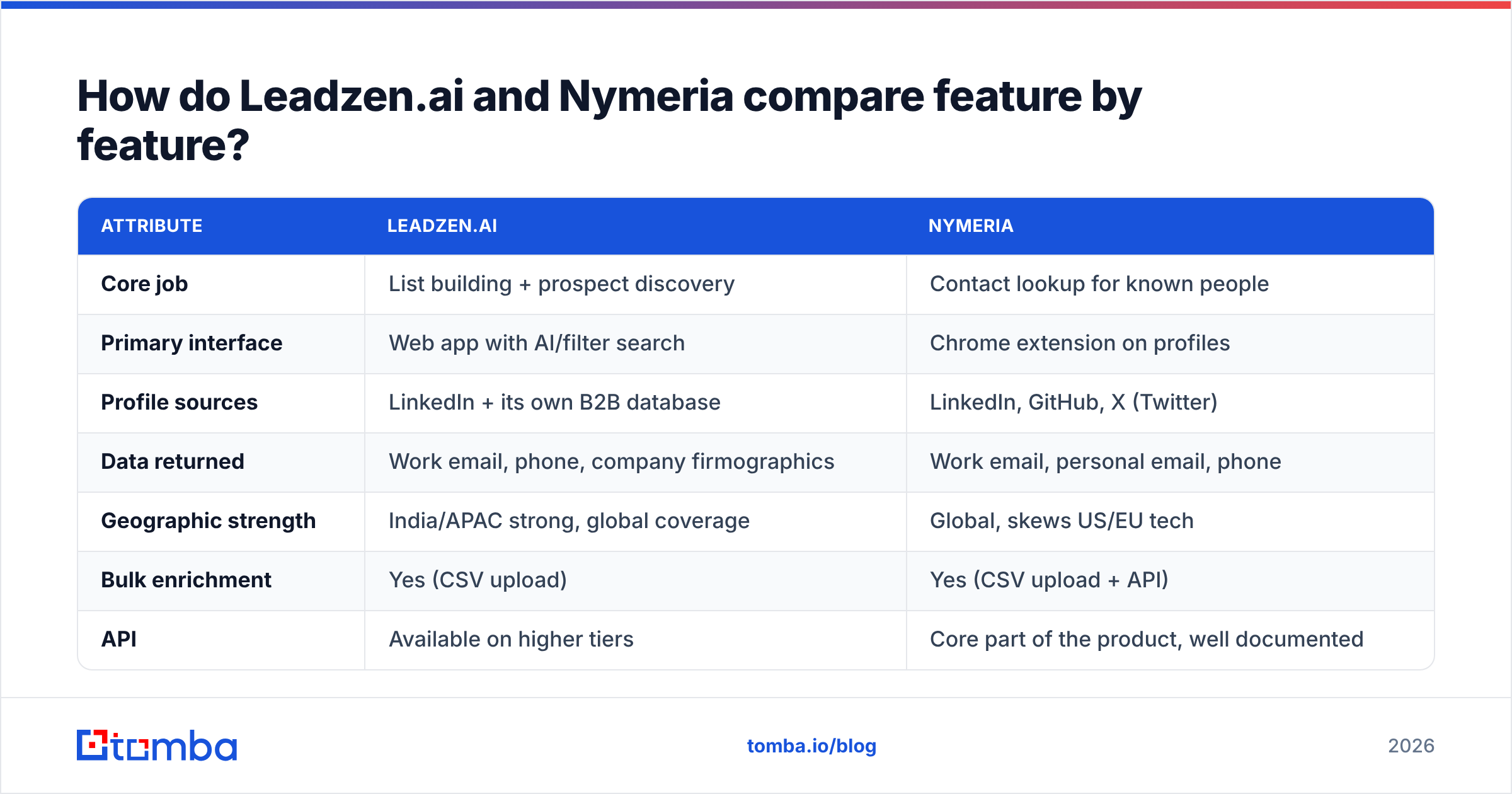
Here is the side-by-side view. Pricing on both tools changes often and is credit-based, so check the vendor pages before you buy. The table focuses on structural differences, which change less often.
| Attribute | Leadzen.ai | Nymeria |
|---|---|---|
| Core job | List building + prospect discovery | Contact lookup for known people |
| Primary interface | Web app with AI/filter search | Chrome extension on profiles |
| Profile sources | LinkedIn + its own B2B database | LinkedIn, GitHub, X (Twitter) |
| Data returned | Work email, phone, company firmographics | Work email, personal email, phone |
| Geographic strength | India/APAC strong, global coverage | Global, skews US/EU tech |
| Bulk enrichment | Yes (CSV upload) | Yes (CSV upload + API) |
| API | Available on higher tiers | Core part of the product, well documented |
| CRM integrations | Native integrations with major CRMs | Lighter; API/Zapier-style workflows |
| Built-in verification | Basic validity status | Basic validity status |
| Free option | Trial credits | Free plan with small monthly credit allowance |
| Pricing model | Credit-based subscription tiers | Credit-based subscription tiers |
| Best for | SDR teams building net-new lists | Recruiters, devs, founders doing targeted outreach |
The table shows the main split. Leadzen puts its effort into discovery, with filters, AI search and firmographics. Nymeria puts its effort into resolution: given one person, it returns their contact details quickly. You could build most of an outbound workflow with Leadzen alone. With Nymeria, you would still need a separate way to decide who belongs on your list.
Which tool has better data accuracy?#
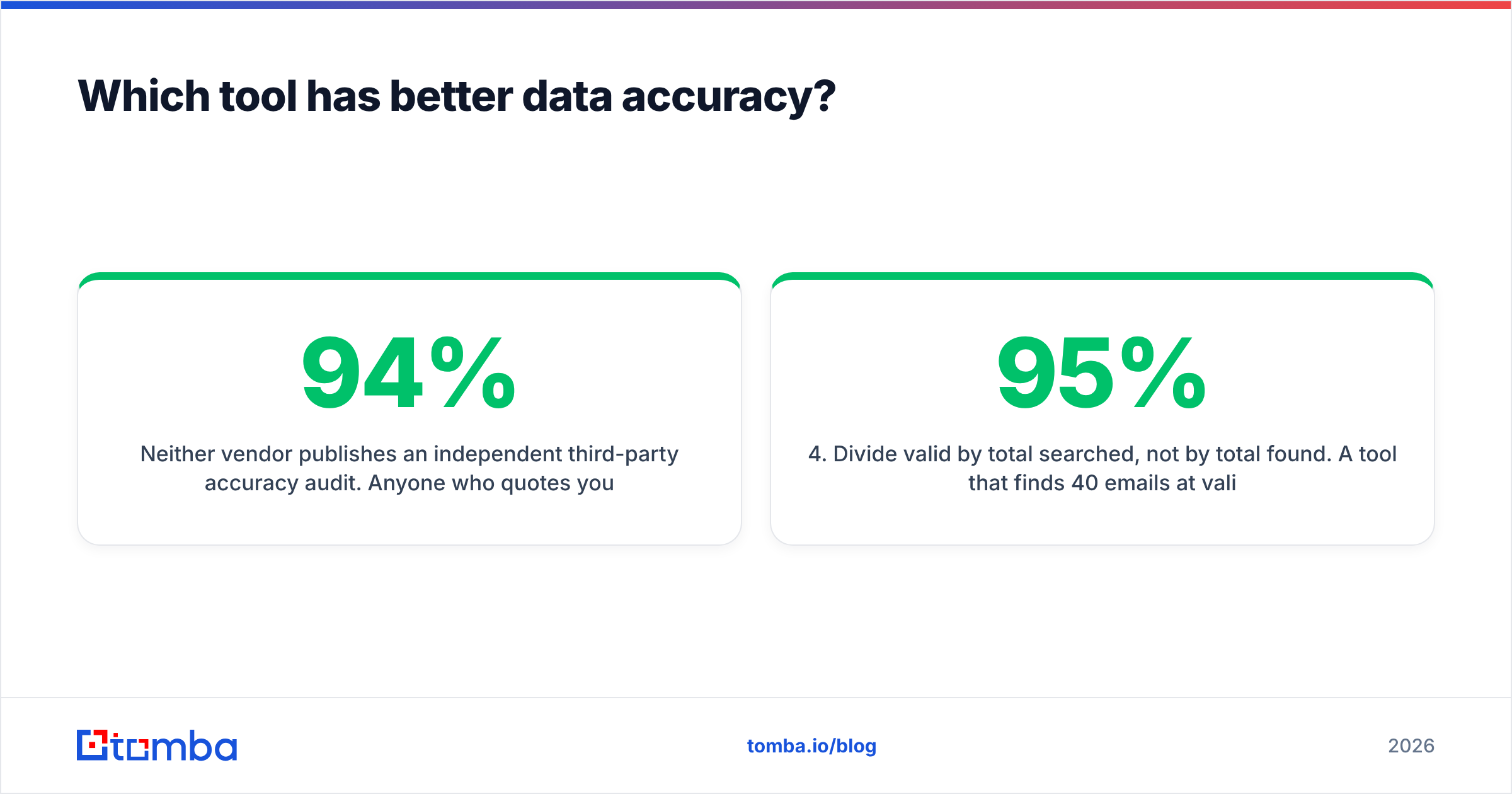
Neither vendor publishes an independent third-party accuracy audit. Anyone who quotes you a precise "Leadzen is 94% accurate" figure is repeating marketing copy. What you can reason about is where each tool's data is likely to be strong.

Leadzen.ai does best on Indian and broader APAC companies. That market is badly covered by US-centric databases, and a lot of global tools return empty or stale records there. If your territory is Bangalore, Mumbai or Singapore mid-market, that alone can decide it. For US enterprise contacts, results are more mixed. Test it on your own target accounts.
Nymeria does best on technical and startup people, who tend to have active GitHub and X profiles. Because it resolves contacts from several public profile sources, it often returns a personal email when a work email is locked behind a catch-all domain. That is useful for recruiting. For cold B2B sales it is a compliance question, which we cover below.
For both tools, the practical test looks like this:
- Pull 100 contacts that match your actual ICP, not the vendor's demo list.
- Run every email through an independent email verifier before you trust the in-app status.
- Count three buckets: valid, invalid, and catch-all or unknown.
- Divide valid by total searched, not by total found. A tool that finds 40 emails at 95% validity can beat one that finds 70 at 60%.
- Repeat monthly for the first quarter, because data decay differs between providers.
Step 4 is where most teams go wrong. "Find rate" and "accuracy" are separate metrics, and vendors usually advertise whichever one looks better.
How do the workflows differ day to day?#
The workflow difference matters more than the feature list, because it decides whether your reps actually use the tool.
A typical Leadzen.ai session:
- You open the web app and set filters (for example "SaaS, 50–200 employees, India, VP Sales or Head of Growth") or type a natural-language prompt.
- You review the returned company and contact list, then tag or discard rows.
- You export to CSV or push to your CRM, then enrich missing fields in bulk.
- You use the Chrome extension to spot-check or add individual LinkedIn profiles.
A typical Nymeria session:
- You are already on a LinkedIn or GitHub profile, maybe from a Sales Navigator search or a candidate pipeline.
- You click the extension, and within a few seconds you get the email and phone number if Nymeria has them.
- You copy the details into your sequencer or ATS, or let the API sync them.
- For volume, you upload a CSV of profile URLs and enrich them in one batch.
Leadzen suits a batch prospecting rhythm: build a list on Monday and sequence it for the rest of the week. Nymeria suits a continuous, one-at-a-time rhythm, which is how recruiters and founder-led sales usually work. If your team lives in Sales Navigator, Nymeria's extension (or any LinkedIn finder) fits in with little friction. If nobody on your team knows who to target yet, Leadzen's discovery layer does work that Nymeria does not attempt.
Is Nymeria or Leadzen.ai better for developers and API use?#
Nymeria wins on API ergonomics. Its API is a first-class product. Endpoints are simple (enrich a person by profile URL, email or name plus company), responses are predictable JSON, and the docs are written for engineers rather than sales ops. If you are building enrichment into your own product, a recruiting tool, or an internal data pipeline, Nymeria is easier to integrate.
Leadzen.ai's API exists and covers enrichment and search, but it sits on higher tiers and is clearly an add-on to the web app. Teams that want everything inside a UI with native CRM sync will find Leadzen more complete. Engineers who want to call an endpoint and move on will find Nymeria cleaner.
A practical note: whichever API you pick, wrap it with a verification call before writing to your CRM. Both tools return a validity flag, but a flag from the same system that generated the guess is not independent confirmation.
What about pricing and hidden costs?#
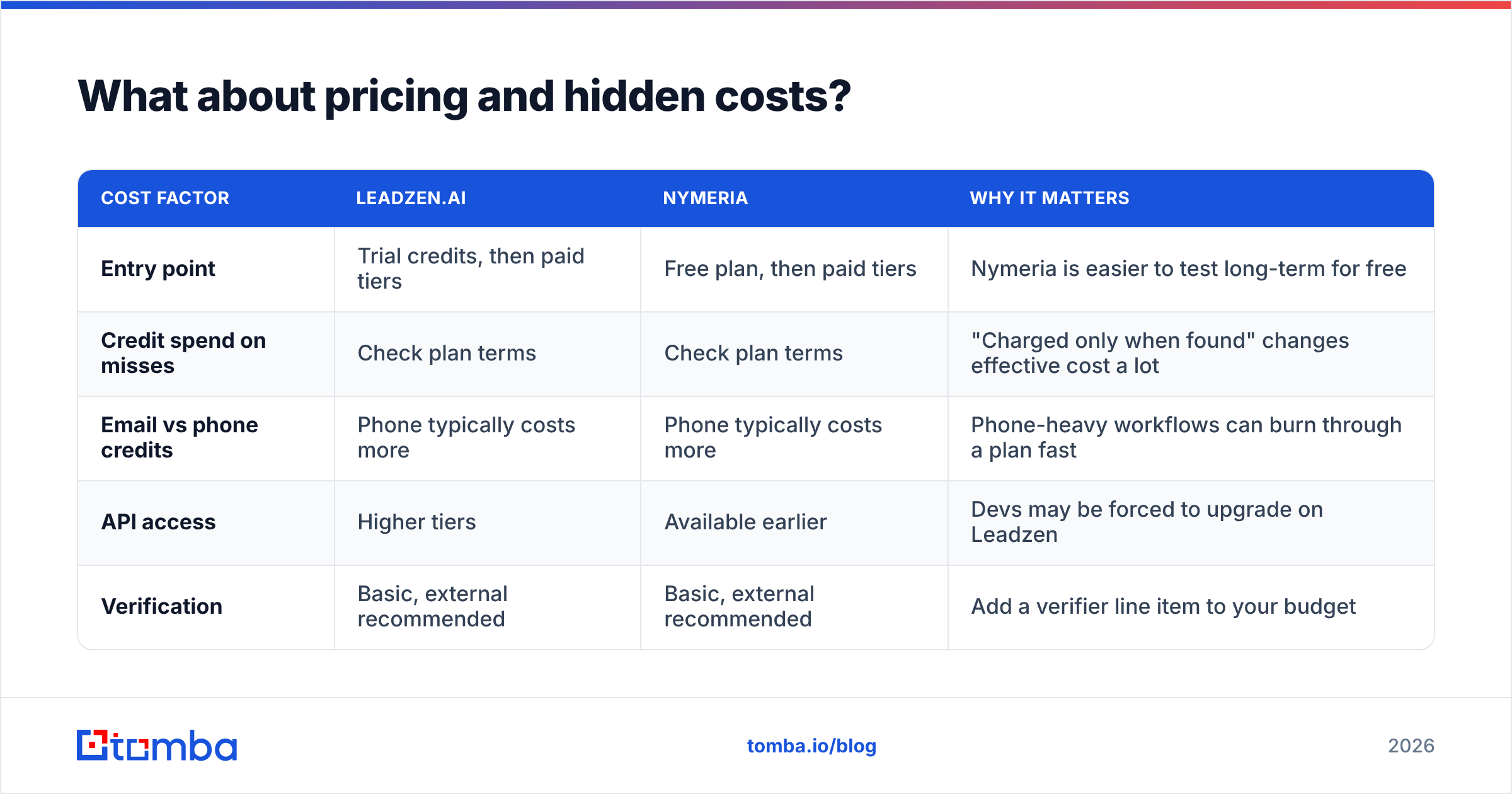
Both tools use credit-based tiers, and both have changed their plans more than once, so treat any number in a third-party post, including this one, as a starting point and confirm on the vendor's pricing page. The structural costs are more useful to understand:
| Cost factor | Leadzen.ai | Nymeria | Why it matters |
|---|---|---|---|
| Entry point | Trial credits, then paid tiers | Free plan, then paid tiers | Nymeria is easier to test long-term for free |
| Credit spend on misses | Check plan terms | Check plan terms | "Charged only when found" changes effective cost a lot |
| Email vs phone credits | Phone typically costs more | Phone typically costs more | Phone-heavy workflows can burn through a plan fast |
| API access | Higher tiers | Available earlier | Devs may be forced to upgrade on Leadzen |
| Verification | Basic, external recommended | Basic, external recommended | Add a verifier line item to your budget |
Effective cost per usable contact is the only number that matters. Calculate it as: monthly price ÷ (contacts found × verified-valid rate). A plan that costs twice as much but delivers twice the valid contacts in your market costs the same per contact and saves your rep time.
For reference, single-platform tools that bundle finding and verification publish flat tiers. Tomba pricing, for example, starts with a free tier of 25 searches a month, then Starter at $49/mo, Growth at $99/mo, Pro at $249/mo, and custom Enterprise. That is useful as a baseline when you compare what Leadzen or Nymeria plus a separate verifier add up to.

Are there compliance risks with either tool?#
Yes. The risk comes less from the vendor and more from how you use the data.
- Personal emails. Nymeria's ability to return personal addresses helps recruiters, but cold-selling to a personal Gmail can put you on weaker legal footing under GDPR's legitimate-interest test, and it annoys prospects. For B2B sales outreach, stick to work emails.
- Geography. Leadzen's India focus means much of your data falls under India's Digital Personal Data Protection Act (DPDP). Consent and purpose-limitation rules there are still being interpreted, so document your lawful basis.
- EU/UK contacts. With either tool, EU and UK contacts need a documented legitimate-interest assessment and a working opt-out in every email.
- Deliverability. Sending to unverified addresses is not illegal, but bounce rates above roughly 2–3% will damage your email deliverability faster than any compliance audit.
Both vendors have reviews on G2, where you can read how actual users describe data quality in their own regions. Filter reviews by company size and region to get a signal that applies to you.
Which should you choose: Leadzen.ai or Nymeria?#
Decide by the job, not by the brand:
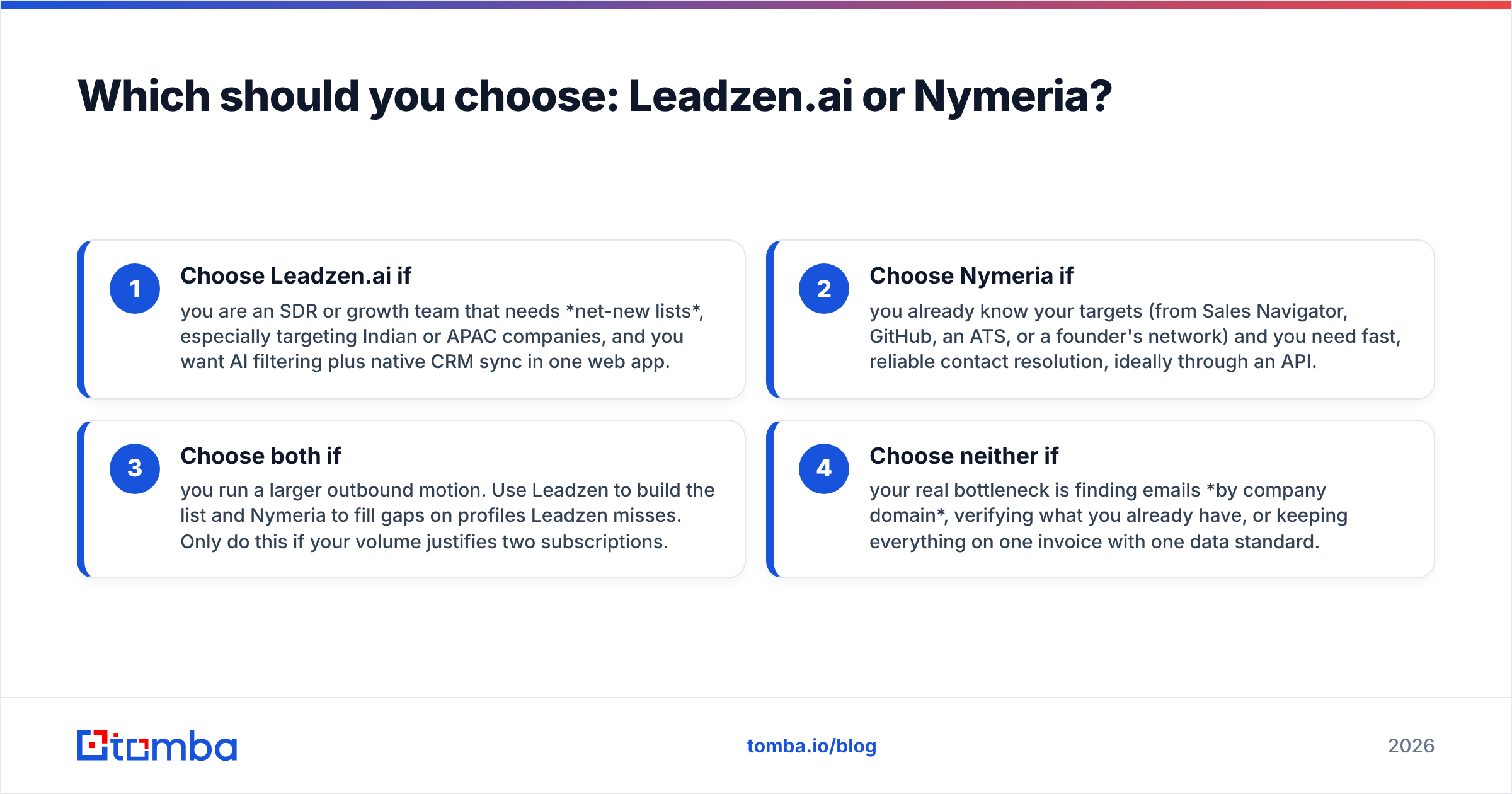
- Choose Leadzen.ai if you are an SDR or growth team that needs net-new lists, especially targeting Indian or APAC companies, and you want AI filtering plus native CRM sync in one web app.
- Choose Nymeria if you already know your targets (from Sales Navigator, GitHub, an ATS, or a founder's network) and you need fast, reliable contact resolution, ideally through an API.
- Choose both if you run a larger outbound motion. Use Leadzen to build the list and Nymeria to fill gaps on profiles Leadzen misses. Only do this if your volume justifies two subscriptions.
- Choose neither if your real bottleneck is finding emails by company domain, verifying what you already have, or keeping everything on one invoice with one data standard.
That fourth case is more common than it sounds, and it is the one where neither tool is the right pick. Many teams arrive at this comparison when what they actually need is a domain search ("show me everyone at acme.com"), a verifier they trust, and an extension that works on both LinkedIn and company websites. Leadzen discovers people and Nymeria resolves them, but neither makes domain-level search and independent verification its core product.
What does a sensible 2026 contact-data stack look like?#
Whichever tool wins your trial, the working stack looks roughly the same:
- Discovery layer: Leadzen.ai, Sales Navigator, or your own ICP-scored account list.
- Resolution layer: Nymeria, or an email finder that handles name + domain, LinkedIn URL and bulk CSV.
- Verification layer: an independent verifier with catch-all handling, run on every contact before it reaches a sequence.
- Activation layer: your CRM (see HubSpot's own guide to CRM data hygiene) and a sequencer with sending limits you respect.
The most common failure is skipping the verification layer because the finder "already checks." It checks against its own model, and you need a second opinion before your domain's reputation is at stake.
Final verdict and next step#
Leadzen.ai and Nymeria are both good tools that solve different problems. Leadzen is the better choice when you need to discover who to contact, particularly in India and APAC. Nymeria is the sharper choice when you already have the person and need their email or phone number fast, especially through an API. Run the 100-contact test above on your own ICP and compare effective cost per verified contact, not headline credit counts.
If your trial shows you mainly need to find and verify work emails by name, domain or LinkedIn profile, test Tomba Email Finder alongside them. It combines email finding, domain search and verification in one platform, has a free tier of 25 searches a month so you can run the same benchmark at no cost, and publishes flat plans from $49/mo if the numbers hold up.
Related guides#
// get started
Find, verify and enrich your first contacts today
Start on the free plan with 25 searches a month, then scale when your team is ready.
Free plan · No credit card required · GDPR & CCPA
// about the author