LeadzenAI vs UnwrapEmail: Lead Finder or Email Verifier in 2026?
LeadzenAI and UnwrapEmail get compared a lot, but they do different jobs. One finds and works B2B leads. The other screens email addresses at signup. Here's how to tell which one your team needs.
- LeadzenAI and UnwrapEmail do different jobs. LeadzenAI is a B2B lead-generation platform: it finds contacts and helps you work them. UnwrapEmail is a developer API that checks email addresses for disposable domains, MX records, and domain risk.
- LeadzenAI suits sales teams, especially ones selling into India. Third-party listings put its plans between $133/mo and $800/mo, with a custom tier above that.
- UnwrapEmail suits product and data teams that need to block fake signups or clean CRM imports. It gives you 1,000 free validations a month, then charges a flat fee plus usage.
- Picking one over the other is usually the wrong question. A working outbound stack needs a way to find emails and a way to verify them. Ask which of those two gaps you actually have.
- If you need both in one place on a small budget, Tomba covers finding and verifying from $49/mo, with a 25-search free tier.
What is the real difference between LeadzenAI and UnwrapEmail?#
People search "leadzenai vs unwrapemail" as if the two were rival products. They aren't. Think of a fishing boat and a fish inspector. The boat goes out and brings back the catch. The inspector checks each fish on the dock and throws out the bad ones. You'd never ask which one to buy, because a working fishery needs both.
LeadzenAI (leadzen.ai) is the boat. It's an AI-assisted B2B lead-generation platform. You get contact discovery (emails and phone numbers), company data, bulk search, filters, a LinkedIn and Chrome extension, and a built-in CRM pipeline for moving leads from first touch to close. Its positioning leans toward Indian SDR teams. It pulls company data from public sources, including Ministry of Corporate Affairs (MCA) filings, and supports outreach over email, LinkedIn, WhatsApp, and calling.
UnwrapEmail (unwrap.email) is the inspector. It's an email verification API built for signup forms, CRM imports, and data pipelines. You send it an address. It returns disposable-email detection, MX record checks, domain health, and related risk signals in one fast response. It doesn't find anyone's email address. It tells you whether the address you already have deserves to be trusted.
One naming note. A self-hosted script called "LeadzenAI – Smart Lead Generation & Outreach CRM" is sold on CodeCanyon by a vendor called wStacks. It's a separate product. This post covers the SaaS platform at leadzen.ai.
How do LeadzenAI and UnwrapEmail compare feature by feature?#
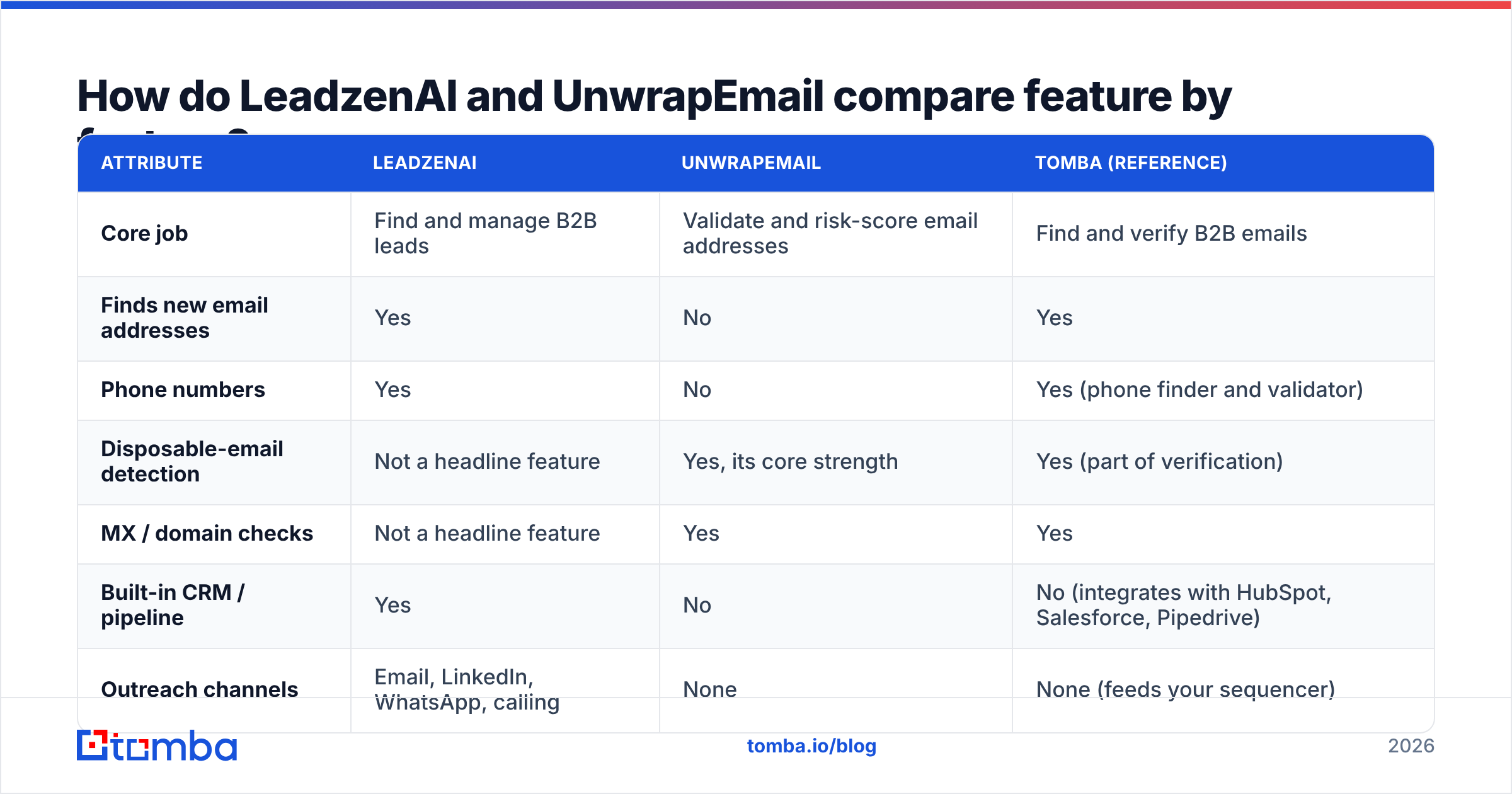
The table below lines up the attributes that matter when you're choosing a tool. Tomba is included as a reference point, because it covers both finding and verification and makes a useful baseline.
| Attribute | LeadzenAI | UnwrapEmail | Tomba (reference) |
|---|---|---|---|
| Core job | Find and manage B2B leads | Validate and risk-score email addresses | Find and verify B2B emails |
| Finds new email addresses | Yes | No | Yes |
| Phone numbers | Yes | No | Yes (phone finder and validator) |
| Disposable-email detection | Not a headline feature | Yes, its core strength | Yes (part of verification) |
| MX / domain checks | Not a headline feature | Yes | Yes |
| Built-in CRM / pipeline | Yes | No | No (integrates with HubSpot, Salesforce, Pipedrive) |
| Outreach channels | Email, LinkedIn, WhatsApp, calling | None | None (feeds your sequencer) |
| Primary interface | Web app plus Chrome/LinkedIn extension | REST API | Web app, extension, API, Sheets, Excel |
| Free tier | Free trial (details vary by source) | 1,000 validations/mo | 25 searches/mo |
| Entry paid price | ~$133/mo (per third-party listings) | Flat monthly fee plus per-validation charges | $49/mo |
| Regional strength | India (MCA company data) | Region-agnostic | Global |
| Best buyer | SDR teams that want data and pipeline in one tool | Developers protecting signup and import flows | Teams that need find and verify without a full CRM |
The "Finds new email addresses" row settles it. If you're prospecting and don't have the email yet, UnwrapEmail can't help. If you already have millions of addresses coming through a signup form, LeadzenAI is the wrong tool for screening them.

What does LeadzenAI do well, and where does it fall short?#
LeadzenAI is built for sales teams that would rather not glue five tools together. A typical workflow looks like this:
- Search: filter by industry, geography, company size, and role, or run a bulk search against a list of companies.
- Enrich: pull emails, phone numbers, and company details for each match. LeadzenAI describes this as a "360-degree" profile.
- Capture on the fly: use the Chrome and LinkedIn extensions to grab contact data while you browse profiles.
- Work the pipeline: move leads through the built-in CRM with segmentation, follow-up management, templates, and campaign analytics.
- Reach out: run email, LinkedIn, WhatsApp, or calling touches from the same place.
Where it's strong:
- Indian market coverage. MCA-sourced company data gives you firmographics on Indian private companies that global databases often miss. If your territory is Bengaluru, Mumbai, or Pune, that's a real advantage.
- Phone-first channels. In markets where WhatsApp and calls outperform cold email, having those channels built in matters.
- Fewer tools to manage. Small teams without a RevOps person don't have to wire together a data provider, a CRM, and a sequencer.
Where to be careful:
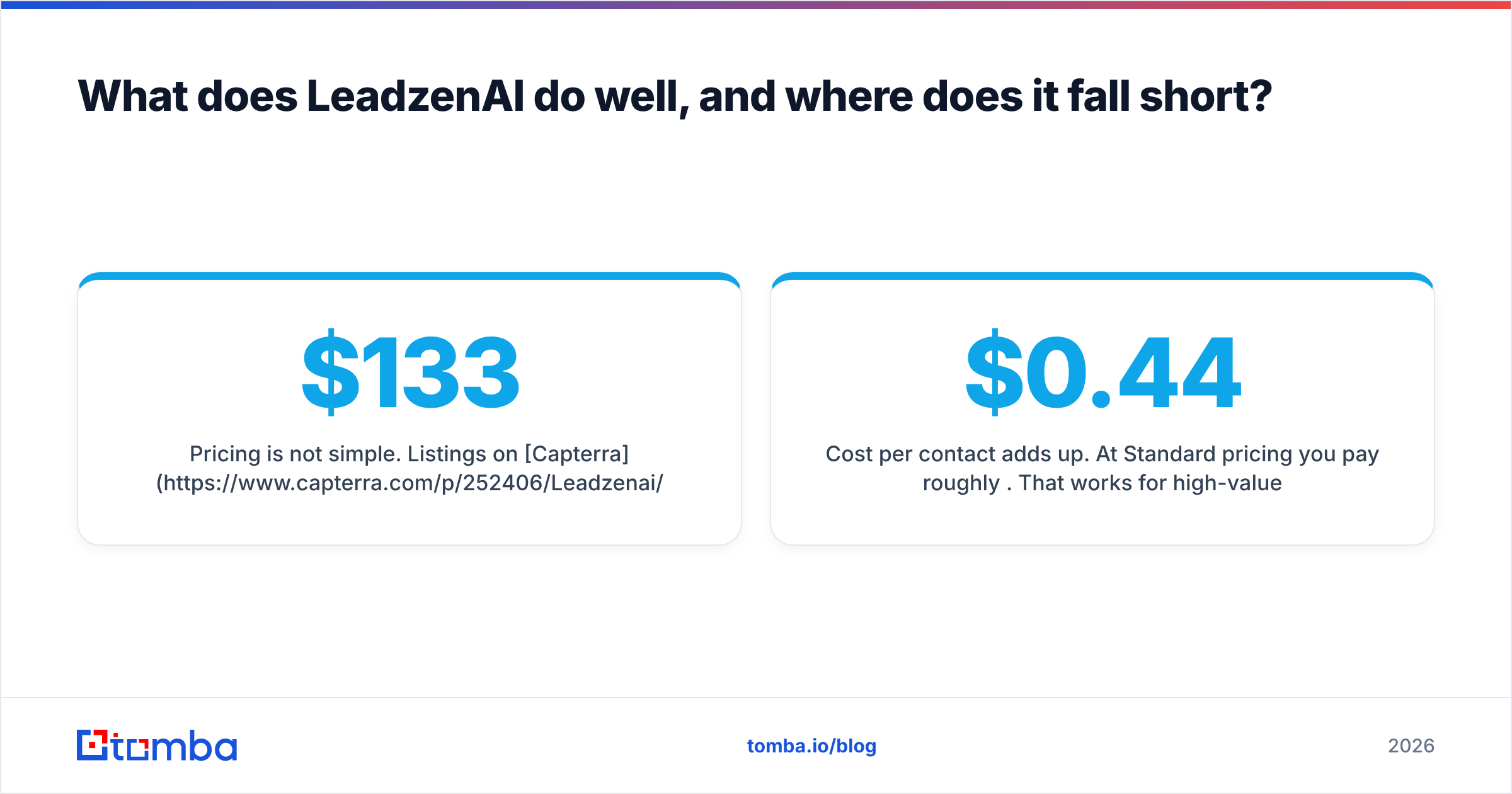
- Pricing is not simple. Listings on Capterra and TrustRadius show Standard at about $133/mo (300 credits per user), Starter at about $400/mo (1,100 credits), and Growth at about $800/mo (2,600 credits), plus a Custom tier. Other reviewers quote figures up to several thousand dollars a month for enterprise editions. Get a written quote before you commit, and check how many credits a full profile with a phone number costs.
- Cost per contact adds up. At Standard pricing you pay roughly $0.44 per credit. That works for high-value enterprise targets. It's expensive if you're building volume lists for cold email.
- You're buying into an ecosystem. If you already run HubSpot or Salesforce, the built-in CRM is duplicate work and one more place for data to get out of sync.
What does UnwrapEmail do well, and where does it fall short?#
UnwrapEmail is for a different reader: the engineer who owns the signup form, or the data-ops person whose job is to keep junk out of the CRM. Its documentation is API-first. You send an address and get back structured signals you can branch on in code.
Where it's strong:
- Disposable-email detection. Temp-mail addresses are one of the main sources of fake trials, coupon abuse, and inflated signup numbers. Blocking them at the form is cheap and pays off right away.
- Speed and structure. The response bundles MX checks, domain intelligence, and routing signals, so you can apply rules like "block disposable, flag role accounts, allow the rest" without chaining several services.
- A usable free tier. 1,000 free validations a month is enough to run it on real traffic before you pay. Past that, you pay a flat monthly fee plus per-validation charges.
- Pipeline hygiene. Running CRM imports and enrichment output through it before they reach downstream tools keeps bounce-causing records out of your sequences.
Where to be careful:
- It doesn't prospect. No search, no contact data, no company database. If you need leads, you'll need a separate tool.
- Check how deep the checks go before cold outbound. UnwrapEmail's positioning centers on disposable detection and domain-level signals. Cold email needs mailbox-level verification and catch-all handling, so read the docs to confirm what the API actually checks for your use case. Domain health tells you the company accepts mail. It doesn't prove
jane.doe@exists. - Developer effort. There's no drag-and-drop list cleaner in the core pitch. A non-technical SDR won't get much out of it without someone setting it up.
Is LeadzenAI better than UnwrapEmail for cold email?#
For starting a cold email campaign, LeadzenAI is the only one of the two that helps, because you can't email a lead you haven't found. For protecting a cold email campaign, neither is a perfect fit on its own.
Here's why. Your email deliverability depends mostly on bounce rate, and bounce rate depends on whether each address was verified at the mailbox level right before you sent to it. Lead databases go stale. People change jobs, and domains switch mail providers. Most outbound teams therefore verify every list right before sending, whichever tool produced it.
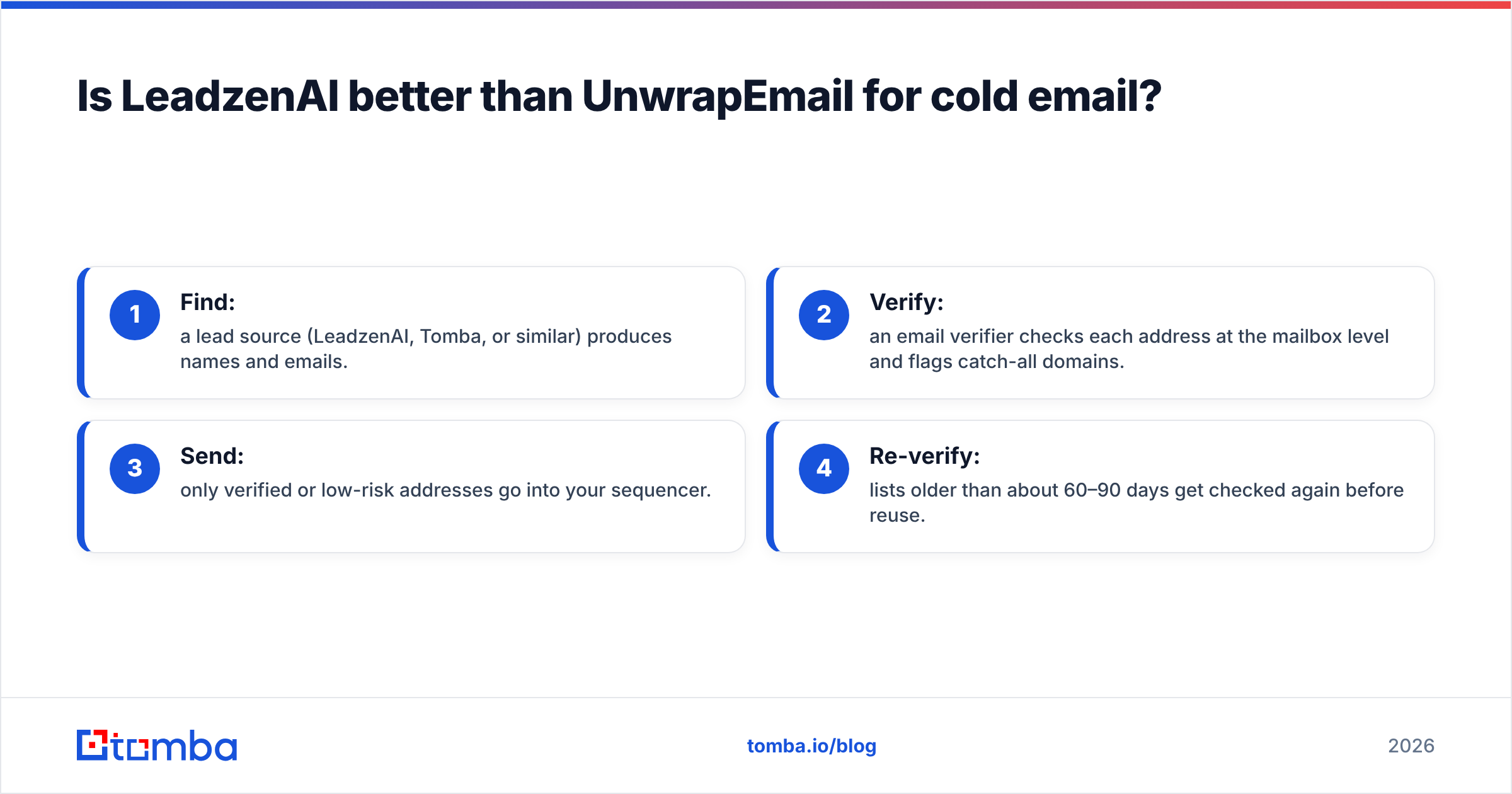
So the realistic cold-email stack looks like this:
- Find: a lead source (LeadzenAI, Tomba, or similar) produces names and emails.
- Verify: an email verifier checks each address at the mailbox level and flags catch-all domains.
- Send: only verified or low-risk addresses go into your sequencer.
- Re-verify: lists older than about 60–90 days get checked again before reuse.
UnwrapEmail fits step 2 if its checks cover what you need. If you're doing sales outbound, a verifier built for that job (mailbox checks plus catch-all handling) is usually the better fit.
Which tool should you choose for your use case?#
Pick based on the problem you have, not the category name.
- You sell into India and want data, CRM, and WhatsApp outreach in one place: go with LeadzenAI. Get a written quote first, and confirm the credit cost of phone-inclusive profiles.
- You run a SaaS product and fake signups are hurting your metrics: go with UnwrapEmail. Put it in the signup form, block disposable domains, and track trial-to-paid before and after.
- You import leads from events, partners, or scraped lists into a CRM: go with UnwrapEmail, or any verifier with an API, as a gate in the import pipeline.
- You run global cold email and need to both find and verify addresses: neither tool covers the whole job. You want a finder and verifier in one tool, or two tools wired together.
- You're a small team with a small budget: a $133/mo credit plan plus a separate verifier can cost more than you expect. Compare that against a combined tool like Tomba starting at $49/mo (see Tomba pricing).

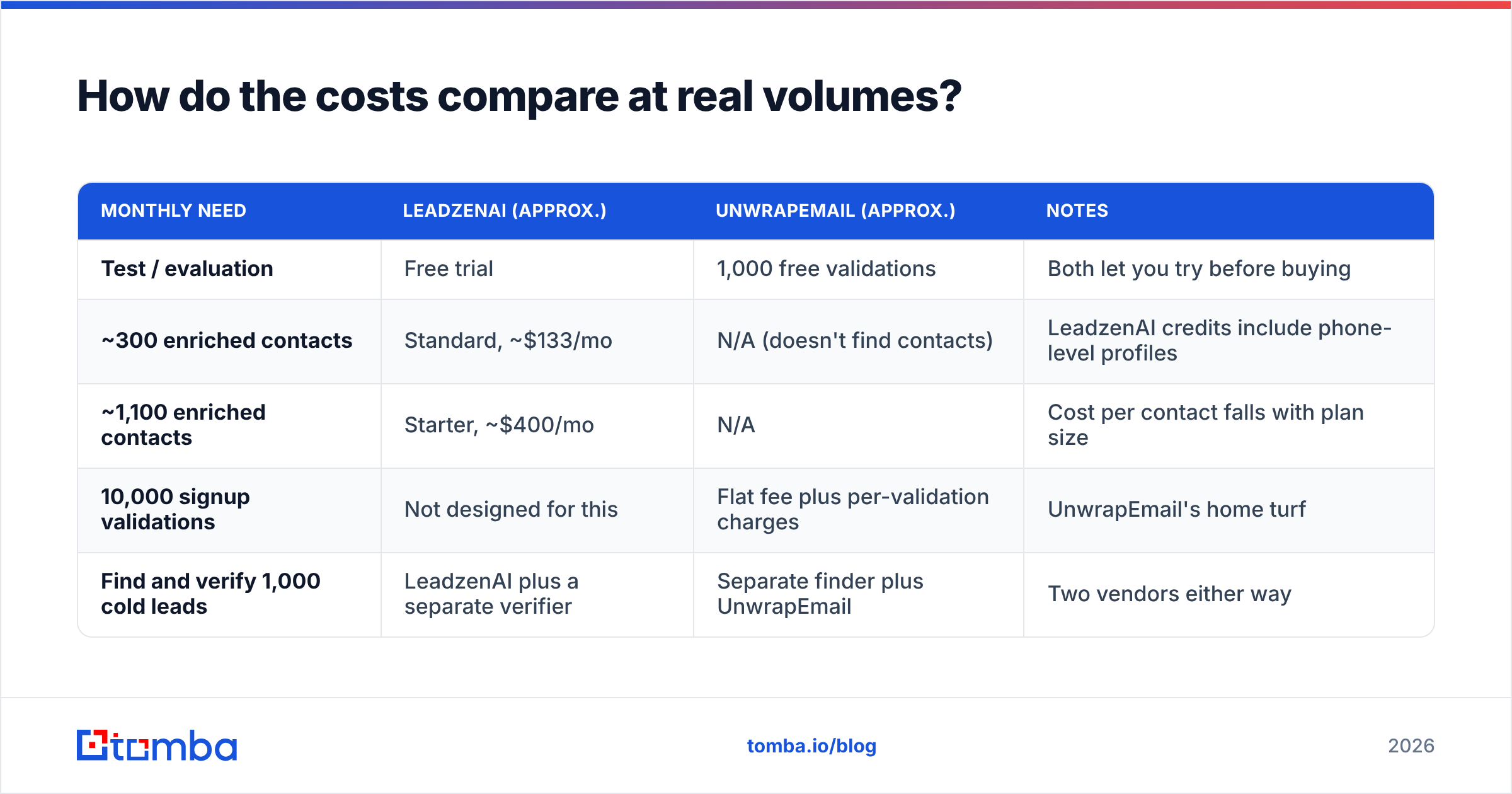
How do the costs compare at real volumes?#
Published numbers differ by source, so treat these as ballpark figures and confirm current rates with each vendor.
| Monthly need | LeadzenAI (approx.) | UnwrapEmail (approx.) | Notes |
|---|---|---|---|
| Test / evaluation | Free trial | 1,000 free validations | Both let you try before buying |
| ~300 enriched contacts | Standard, ~$133/mo | N/A (doesn't find contacts) | LeadzenAI credits include phone-level profiles |
| ~1,100 enriched contacts | Starter, ~$400/mo | N/A | Cost per contact falls with plan size |
| 10,000 signup validations | Not designed for this | Flat fee plus per-validation charges | UnwrapEmail's home turf |
| Find and verify 1,000 cold leads | LeadzenAI plus a separate verifier | Separate finder plus UnwrapEmail | Two vendors either way |
The last row is the one that surprises teams at renewal. When one tool only finds and the other only screens, the stack you actually need for outbound means two subscriptions, two billing cycles, and a sync step between them.
What should you check before you buy either one?#
Run a small, fair test. It'll tell you more than any review, this one included.
- Build a truth set. Take 100 contacts you've already emailed and whose status you know: delivered, bounced, or replied.
- Test LeadzenAI's find rate. Strip the emails, run the names and companies through LeadzenAI, and count how many it returns and how many match the known-good addresses.
- Test UnwrapEmail's classification. Send the full 100 addresses through the API and compare its verdicts against your known bounces. Look at whether it catches mailbox-level failures or only domain-level ones.
- Price it out. Use the credit consumption from your test to project the cost of your real monthly volume.
- Check the integration path. Confirm the output lands in your CRM or sequencer without manual CSV work. Pick native integrations over Zapier chains where you can.
If either vendor won't give you enough trial capacity to run this test, count that against them.
How does Tomba fit next to LeadzenAI and UnwrapEmail?#
In short, Tomba overlaps with part of each. Like LeadzenAI, it helps you find email addresses by name, domain, or company. It doesn't try to be your CRM or your WhatsApp dialer. Like UnwrapEmail, it verifies addresses through an API, but its checks are built for outbound: mailbox-level verification plus catch-all detection, so sales teams can decide what's safe to send.
That makes Tomba a good fit if:
- you already have a CRM and sequencer and only need the data layer;
- you prospect globally rather than mainly in India;
- you'd rather pay $49–$249/mo for find and verify than stack two vendors.
It's a weaker fit if you specifically want an all-in-one India-focused platform with built-in WhatsApp outreach. LeadzenAI is built for that. It's also a weaker fit if all you need is a lightweight disposable-email blocker on a signup form, where UnwrapEmail's narrow focus and free tier are hard to beat.
So, LeadzenAI vs UnwrapEmail: which one wins?#
Neither wins outright, because they don't compete. Here's the verdict:
- LeadzenAI wins for sales teams that need lead discovery, a lightweight CRM, and multichannel outreach, especially in the Indian market. Budget for credit-based pricing and get a quote.
- UnwrapEmail wins for product and data teams that need fast, API-first screening of disposable and risky addresses. The free tier makes it an easy first choice for signup protection.
- For outbound sales teams, the honest answer is that you need both capabilities: finding and mailbox-level verification. Buy them as two focused tools or as one combined tool.
If the second path appeals to you, start with the Tomba Email Finder. Look up a few of your target accounts by domain or by name, and every result comes with a verification status, so you know what's safe to send before it reaches your sequencer. The free plan gives you 25 searches a month to test it on your own truth set, and paid plans start at $49/mo when you're ready to scale.
Related guides#
// get started
Find, verify and enrich your first contacts today
Start on the free plan with 25 searches a month, then scale when your team is ready.
Free plan · No credit card required · GDPR & CCPA
// about the author