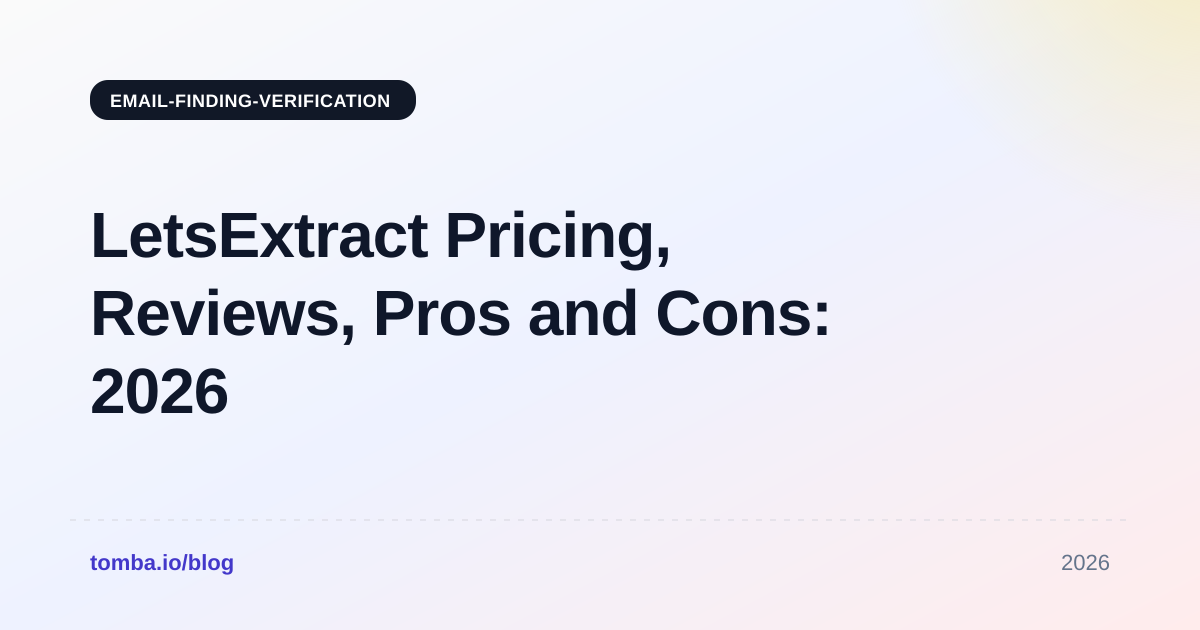
LetsExtract Pricing Reviews: Pros, Cons and 2026 Verdict
LetsExtract costs very little up front, with one-time licenses under $80. The extra costs show up later in proxies, bounces and cleanup time. Here is what you actually pay, what reviewers say and when a cloud email finder is the better choice.
- LetsExtract sells desktop licenses, not monthly credits. Most LetsExtract pricing reviews start here. Directory listings in 2026 show the Contact Extractor at about $59 for one year or $79 for a lifetime license. The Email Verifier and Email Sender modules are sold separately, starting around $39.
- The low sticker price leaves out some costs. You run the scraping and SMTP checks from your own Windows machine and IP address. At volume, that usually means paying for proxies and spending time cleaning lists.
- Reviewers like the price and the raw volume. The common complaints are noisy results (generic inboxes, old addresses) and no enrichment data such as job titles or seniority.
- It suits scraping public directories and websites. It is a weaker fit for reaching named decision-makers at specific companies. For that, a cloud email finder with verified, person-level data does the job better.
- Always verify before you send. No matter where the addresses come from, sending to unverified harvested emails is the quickest way to damage your sender reputation.
What is LetsExtract?#
LetsExtract is a Windows desktop suite, sold as LetsExtract Email Studio, for collecting email addresses and other contact details from the open web. You give it keywords, URLs or search-engine queries. It crawls the matching pages and pulls out anything that looks like an email address, phone number or social profile link.
The suite has three modules:
- Contact Extractor crawls websites, search engine results and online directories and collects emails, phones and links.
- Email Verifier checks the collected addresses for syntax, domain and mailbox existence using SMTP checks.
- Email Sender is a simple bulk mailer for sending campaigns to the list you built.
This is a different kind of product from cloud email finders like Tomba, Hunter or Apollo. Those tools look up a specific person at a specific company in an indexed database. LetsExtract collects whatever addresses are publicly visible on the pages you point it at. A fishing net and a fishing rod both catch fish, but you pick one based on whether you want volume or one particular fish.
Because the software runs on your own machine, the vendor's costs are low. That is why the licenses are cheap. It is also why the operational costs move over to you.
How much does LetsExtract cost in 2026?#
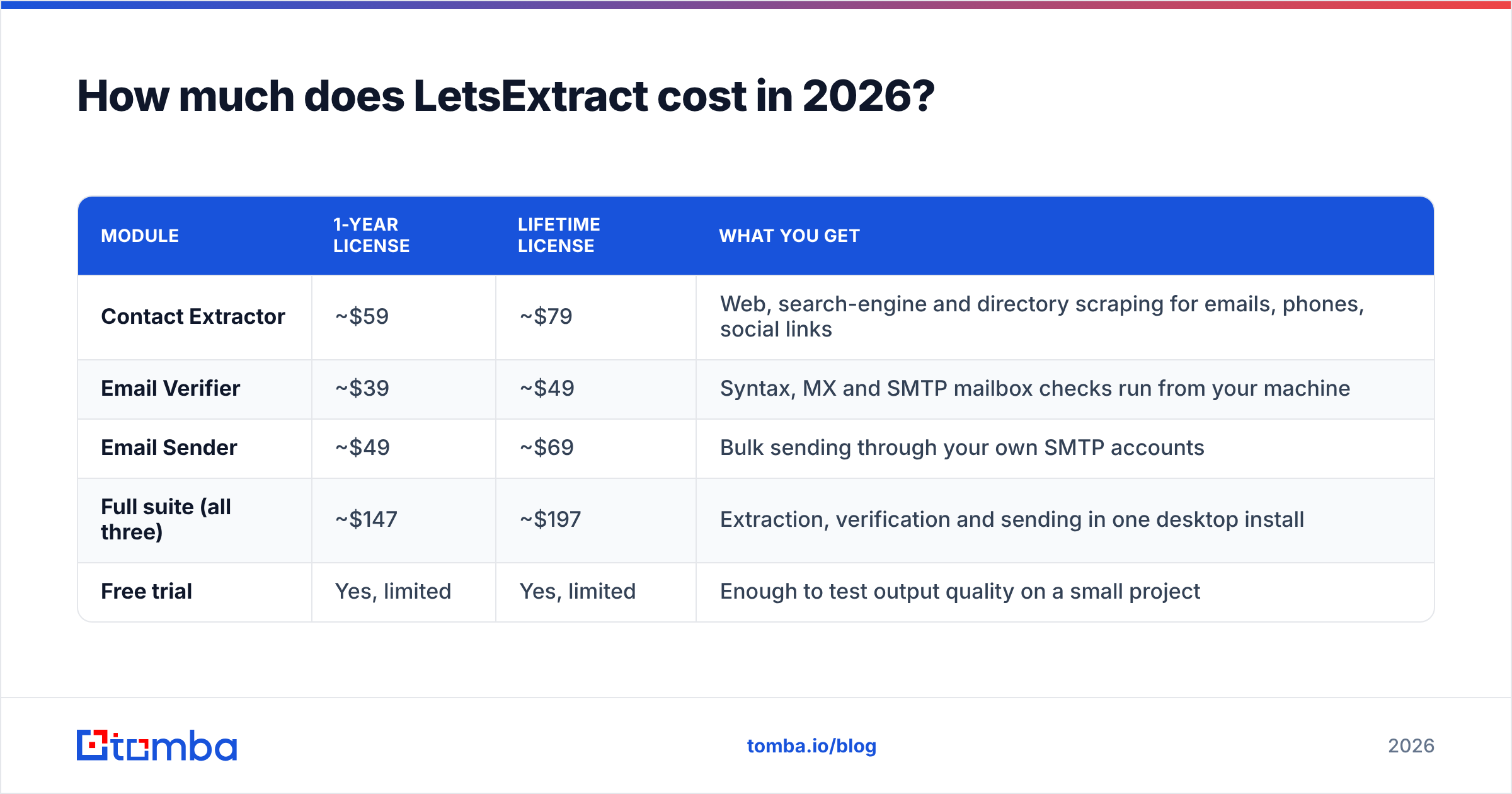
LetsExtract sells each module separately, with a one-year or lifetime license. The table below uses prices published on third-party software directories in 2026. Coupons regularly take 20–47% off these numbers, so check the current prices on the official LetsExtract site before you buy.
| Module | 1-year license | Lifetime license | What you get |
|---|---|---|---|
| Contact Extractor | ~$59 | ~$79 | Web, search-engine and directory scraping for emails, phones, social links |
| Email Verifier | ~$39 | ~$49 | Syntax, MX and SMTP mailbox checks run from your machine |
| Email Sender | ~$49 | ~$69 | Bulk sending through your own SMTP accounts |
| Full suite (all three) | ~$147 | ~$197 | Extraction, verification and sending in one desktop install |
| Free trial | Yes, limited | Yes, limited | Enough to test output quality on a small project |
The suite totals simply add up the individual list prices. Bundles and promo codes often come in lower.
At first glance this looks very cheap. A lifetime Contact Extractor license costs less than two months of most cloud prospecting tools. If your only question is "what is the lowest possible one-time payment to get a lot of email addresses," LetsExtract is hard to beat.
That is not the only cost question, though. The next section covers what the price table leaves out.

What are the hidden costs of LetsExtract?#
There are three costs the price table doesn't show. Include all three before you compare LetsExtract with a subscription tool.
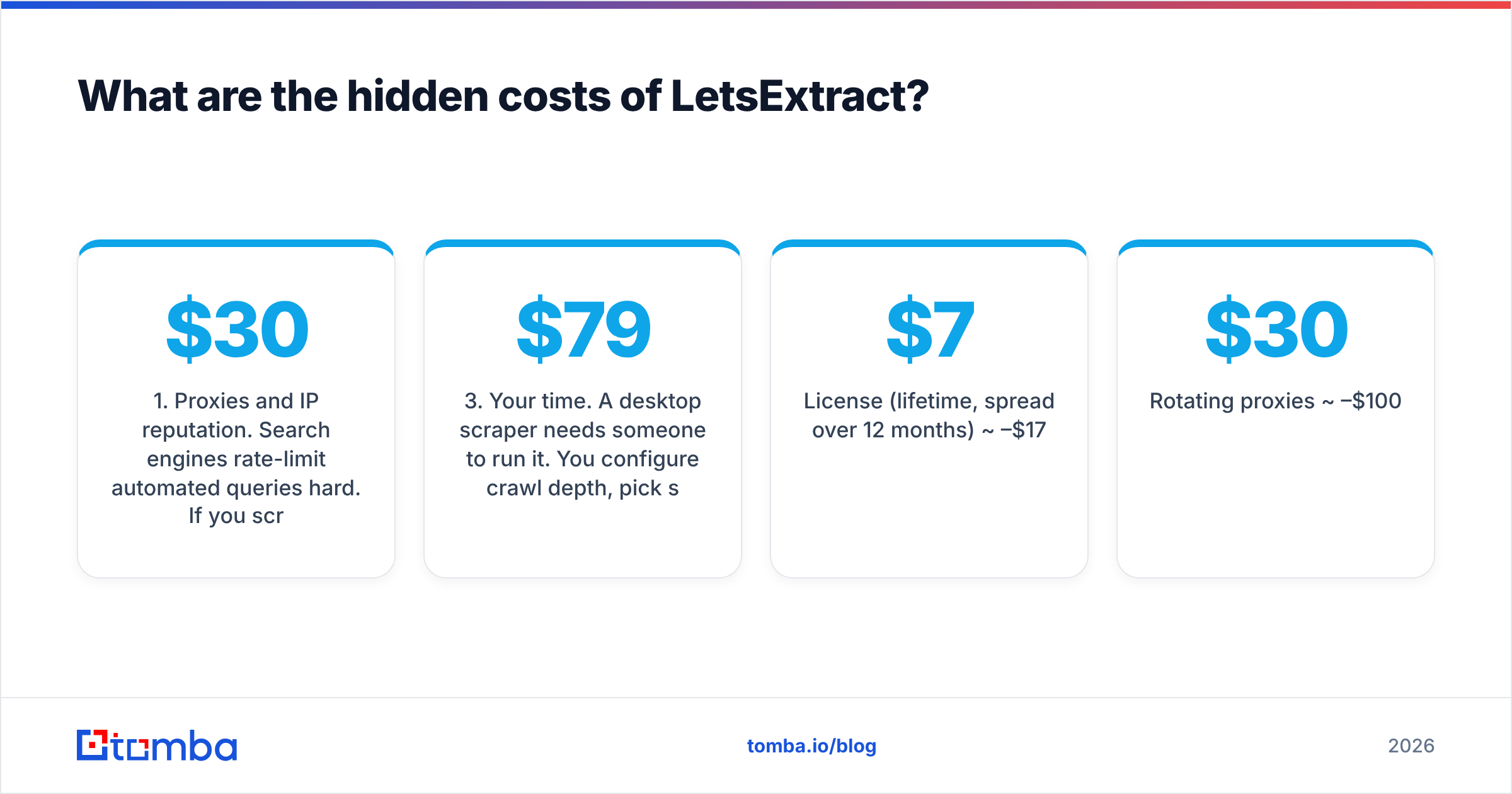
1. Proxies and IP reputation. Search engines rate-limit automated queries hard. If you scrape Google or Bing results at any real volume from your office IP, you will run into CAPTCHAs and blocks. Most heavy users pay for rotating proxies, often $30–$100+ per month depending on volume.
The Email Verifier has the same issue. SMTP mailbox checks run from your IP. Many mail servers throttle or flag IPs that make lots of these checks. A cloud verifier takes on that risk for you. A desktop verifier puts it on your IP.
2. Bounces and list hygiene. Scraped lists are always messy. You get info@, sales@, webmaster@, obfuscated addresses parsed wrongly, and emails from pages that haven't been updated since 2019. The built-in verifier catches some of this. But SMTP-only checks struggle with catch-all domains. These accept every address, so they can't confirm any single one. If you send to those unconfirmed, your bounce rate and your email deliverability will suffer.
3. Your time. A desktop scraper needs someone to run it. You configure crawl depth, pick sources, watch the jobs, export CSVs, deduplicate, filter out generic inboxes and then match the addresses to real people. None of that appears on an invoice. But if an SDR spends four hours a week on it, the tool costs far more than $79.
A fair total for a team scraping a few thousand contacts a month looks like this:
| Cost line | Typical monthly range |
|---|---|
| License (lifetime, spread over 12 months) | ~$7–$17 |
| Rotating proxies | ~$30–$100 |
| Extra verification for catch-alls | ~$10–$50 |
| Operator time (3–5 hrs at $40/hr) | ~$120–$200 |
| Realistic total | ~$170–$370/mo |
The license is the smallest line in that table.
What do LetsExtract pricing reviews say?#
Public LetsExtract pricing reviews are fairly thin compared with the big cloud prospecting platforms. Many directory listings have only a few reviews. So treat any single star rating with caution and look for the patterns that repeat across sources.
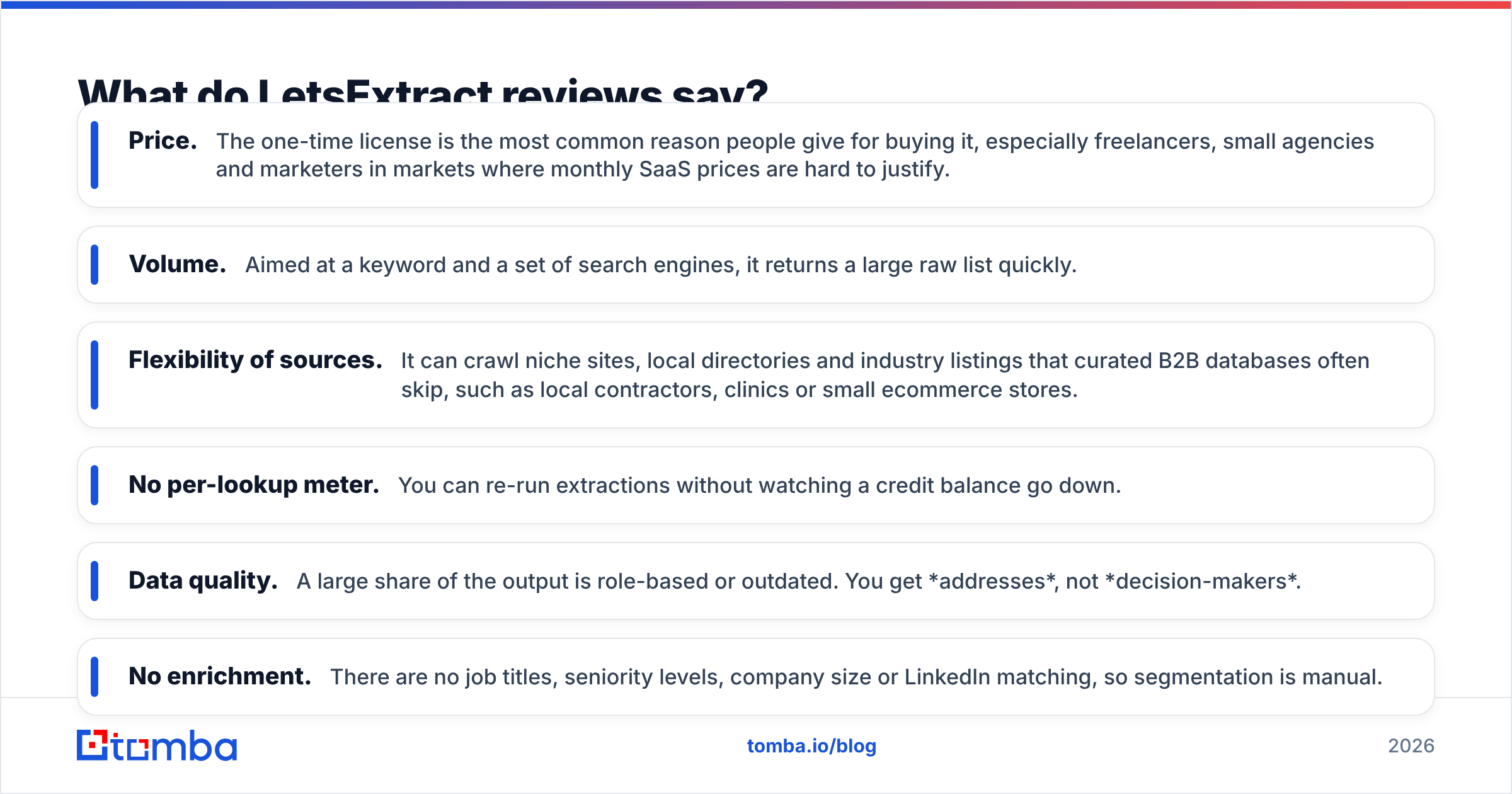
What reviewers consistently praise:
- Price. The one-time license is the most common reason people give for buying it, especially freelancers, small agencies and marketers in markets where monthly SaaS prices are hard to justify.
- Volume. Aimed at a keyword and a set of search engines, it returns a large raw list quickly.
- Flexibility of sources. It can crawl niche sites, local directories and industry listings that curated B2B databases often skip, such as local contractors, clinics or small ecommerce stores.
- No per-lookup meter. You can re-run extractions without watching a credit balance go down.
What reviewers consistently criticize:
- Data quality. A large share of the output is role-based or outdated. You get addresses, not decision-makers.
- No enrichment. There are no job titles, seniority levels, company size or LinkedIn matching, so segmentation is manual.
- Windows-only desktop app. Mac users need a VM, and nothing syncs with a team.
- Blocking and CAPTCHAs. Search-engine scraping without proxies stalls quickly.
- Verification limits. Reviewers mention catch-all domains and greylisting producing "unknown" results that still need a second check.
If you want to read the reviews yourself, Capterra and similar directories are a good starting point. Sort by most recent, because scraping tools change a lot as search engines update their anti-bot measures.
What are the pros and cons of LetsExtract?#
Here is the short summary.
| Pros | Cons |
|---|---|
| Very low one-time license cost (~$49–$79 per module) | Proxy spend needed for serious search-engine scraping |
| No credit meter; unlimited re-runs | Output skews to generic inboxes (info@, sales@) |
| Reaches long-tail local and niche websites | No person-level enrichment (titles, seniority, LinkedIn) |
| Extracts phones and social links alongside emails | Windows desktop only; no native team collaboration |
| Bundled verifier and sender in one suite | SMTP checks from your IP can hurt your IP's standing |
| Data stays on your machine | Harvested-email compliance burden (GDPR, CAN-SPAM) sits with you |
The last con matters more than most reviews suggest. Automated email address harvesting is legal in many places for B2B use. But under the EU's GDPR, you still need a lawful basis for every contact you email. You also need a legitimate-interest assessment and an easy opt-out. In the US, CAN-SPAM treats harvested addresses as an aggravating factor in violations. A cloud provider that documents where its data comes from doesn't make you compliant automatically. It does give you a paper trail, which a scraper can't.
Is LetsExtract accurate?#
Accuracy means two different things here, and it helps to separate them.
Extraction accuracy asks whether the tool correctly pulls the addresses that appear on a page. LetsExtract does this reasonably well. If an address is printed in plain text on a page it crawls, it will usually find it.
Targeting accuracy asks whether the address belongs to the person you actually want to reach. Scrapers are weak here by design. A web page tells you contact@acmecorp.com. It rarely tells you the VP of Operations' direct address. Cloud email finders solve a different problem. They infer and verify addresses for named people from company email patterns, multiple public sources and ongoing re-verification.

If your campaign depends on reaching specific roles, compare the two approaches on valid addresses for named decision-makers, not on total rows exported. A 10,000-row scrape with 800 usable decision-maker contacts is worth less than 1,500 verified person-level results.
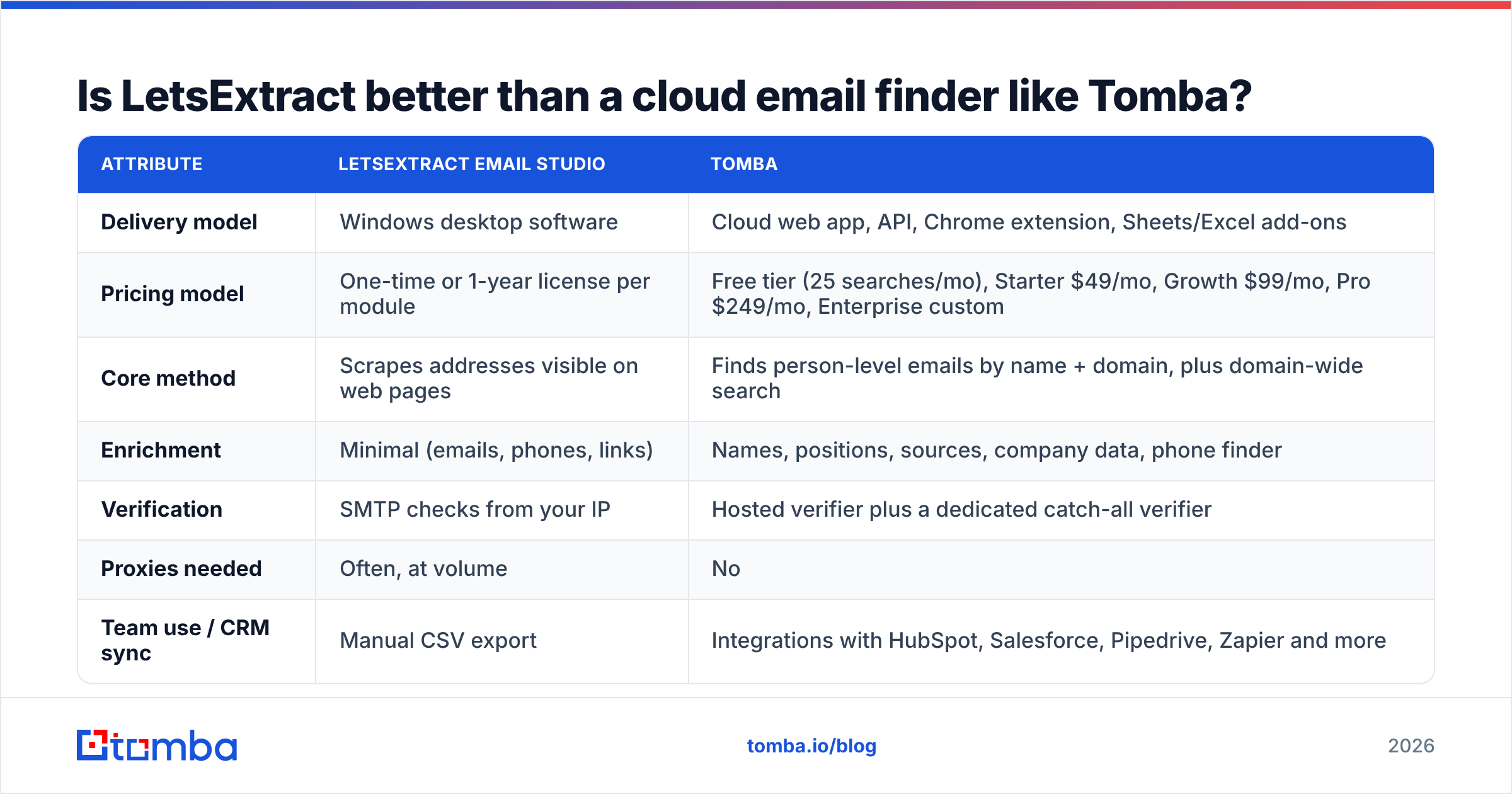
Is LetsExtract better than a cloud email finder like Tomba?#
The two tools are built for different jobs, so neither is better in every case. Here is how they compare on the attributes that affect cost and results.
| Attribute | LetsExtract Email Studio | Tomba |
|---|---|---|
| Delivery model | Windows desktop software | Cloud web app, API, Chrome extension, Sheets/Excel add-ons |
| Pricing model | One-time or 1-year license per module | Free tier (25 searches/mo), Starter $49/mo, Growth $99/mo, Pro $249/mo, Enterprise custom |
| Core method | Scrapes addresses visible on web pages | Finds person-level emails by name + domain, plus domain-wide search |
| Enrichment | Minimal (emails, phones, links) | Names, positions, sources, company data, phone finder |
| Verification | SMTP checks from your IP | Hosted verifier plus a dedicated catch-all verifier |
| Proxies needed | Often, at volume | No |
| Team use / CRM sync | Manual CSV export | Integrations with HubSpot, Salesforce, Pipedrive, Zapier and more |
| Best for | Mass-harvesting long-tail local/niche sites | Reaching named decision-makers at target accounts |

Pick LetsExtract if:
- You prospect very long-tail local businesses. Think plumbers in a region, independent dental clinics or small hotels, where the owner's inbox is the generic inbox and curated B2B databases have few records.
- Your budget is truly one-time. You can pay $79 once but can't commit to a monthly subscription.
- You already run proxies and verification infrastructure and have someone technical to manage the crawls.
- You mainly need phone numbers and social links from websites, not people-level data.
Pick a cloud email finder if:
- You sell into companies with buying committees, where you need the Head of RevOps and not
info@. - Deliverability is critical, because your sending domain supports the whole pipeline.
- Several reps need the same data inside a CRM without passing CSVs around.
- You need an audit trail of where each contact came from.
With Tomba you can find email addresses for a named person, or run a domain search to see every indexed contact at a company along with their sources. For a small team, Starter at $49/mo usually works out cheaper than the realistic monthly cost of running a desktop scraper, once you add proxies and hours. Full Tomba pricing is public, so you can check that against your own volumes.
How do you get the most value if you already own LetsExtract?#
If you already bought a license, you don't need to throw it away. Use it for the jobs it does well and add controls where it is weak.
- Scrape narrow, not wide. Point it at curated directories and industry association member lists instead of broad keyword searches across Google. You'll get fewer rows but much better signal.
- Filter generic inboxes right away. Remove
info@,admin@,webmaster@,noreply@before verification, unless you are deliberately targeting owner-operated micro-businesses. - Send catch-all results to a second check. An "unknown" or "accept-all" result from an SMTP check isn't a green light. Run those through a hosted email verifier that handles catch-all domains before any of them get into a sequence.
- Enrich the domains, not the addresses. Use the scrape to build a list of target companies. Then look up the actual decision-makers at those domains with a person-level finder.
- Warm up and throttle. Even with a verified list, start small, keep daily volume low per inbox and watch bounce rates. Pause at around 2%.

The hybrid approach works well if you're price-sensitive. LetsExtract finds long-tail companies cheaply, and a cloud tool supplies the people and the verification. You pay for credits only on accounts you've already qualified.
Is LetsExtract worth it in 2026?#
Yes, for a narrow use case. Most LetsExtract pricing reviews agree on this point. If you are a freelancer, a small agency or a local-services marketer collecting contacts from niche websites, a $79 lifetime license is excellent value. You just need to manage proxies and list hygiene yourself. Few tools give you that much raw extraction for a single payment.
No, as your main B2B prospecting tool. If your pipeline depends on reaching named buyers at mid-market or enterprise accounts, the low license fee is misleading. The proxy bills, bounced sends, manual matching and compliance risk soon cost more than a subscription would have. You get more rows, but fewer of them turn into replies.
Before you decide, ask yourself one question: do you need more email addresses, or do you need the right person's email address? If you need more addresses, LetsExtract is a good choice. If you need the right person's address, use a person-level finder.
Where should you go from here?#
If your prospecting depends on the right person rather than the most rows, try Tomba Email Finder. Enter a name and a company domain and you get a verified professional address with its public sources. You don't need proxies, a Windows install or a scraping workflow. The free tier gives you 25 searches a month, so you can test it on your real target accounts before paying anything. When you're ready to scale, Starter at $49/mo covers most small teams.
Related guides#
// get started
Find, verify and enrich your first contacts today
Start on the free plan with 25 searches a month, then scale when your team is ready.
Free plan · No credit card required · GDPR & CCPA
// about the author