Limeleads vs Logvalid: Lead Database or Email Verifier in 2026?
Limeleads sells you new B2B contacts. Logvalid checks whether the emails you already have will bounce. Here is how they compare on pricing, data, and accuracy, and when you actually need both.
TL;DR
- Limeleads and Logvalid aren't direct rivals. Limeleads is a B2B lead database that gives you new contacts. Logvalid is an email verifier that checks addresses you already have.
- Pick Limeleads if your problem is an empty pipeline and you sell mostly into US small and mid-sized businesses. Paid plans start at about $99/mo for 500 credits.
- Pick Logvalid if you already have lists from events, forms, your CRM, or scraping and want to cut bounces cheaply with usage-based pricing.
- Many teams need both jobs done: first find contacts, then verify them before sending. If you use two tools for that, you pay two bills and run two workflows.
- Tomba does both in one account. It has an email finder and a verifier, starting at $49/mo, with a 25-search free tier.
What is the real difference between Limeleads and Logvalid?#
People search "Limeleads vs Logvalid" because both tools show up on shortlists for "cleaner outbound data." They handle different stages of the workflow, though.
Limeleads is a prospecting database. You filter companies and contacts by industry, company size, location, and job title, then spend credits to reveal and export verified emails and mobile numbers. Its value is the data it already holds.
Logvalid is an email validation service. You upload a list or call its API, and it tells you which addresses are valid, invalid, disposable, or risky. It doesn't give you new leads. Its value is protecting what you already own: your sender reputation and your domain.
An analogy: Limeleads is the fishing boat, and Logvalid is the inspector checking the catch before it goes to market. You can run one without the other, but that only works if someone else is handling the other job.
So before you compare pricing pages, work out which problem you actually have:
- No leads at all? A database like Limeleads is the right place to start.
- Plenty of leads but a bounce rate above 3%? A verifier like Logvalid is the fix.
- Both? Then you need a finder plus a verifier, either as two tools or as one platform that does both.

How do Limeleads and Logvalid compare feature by feature?#
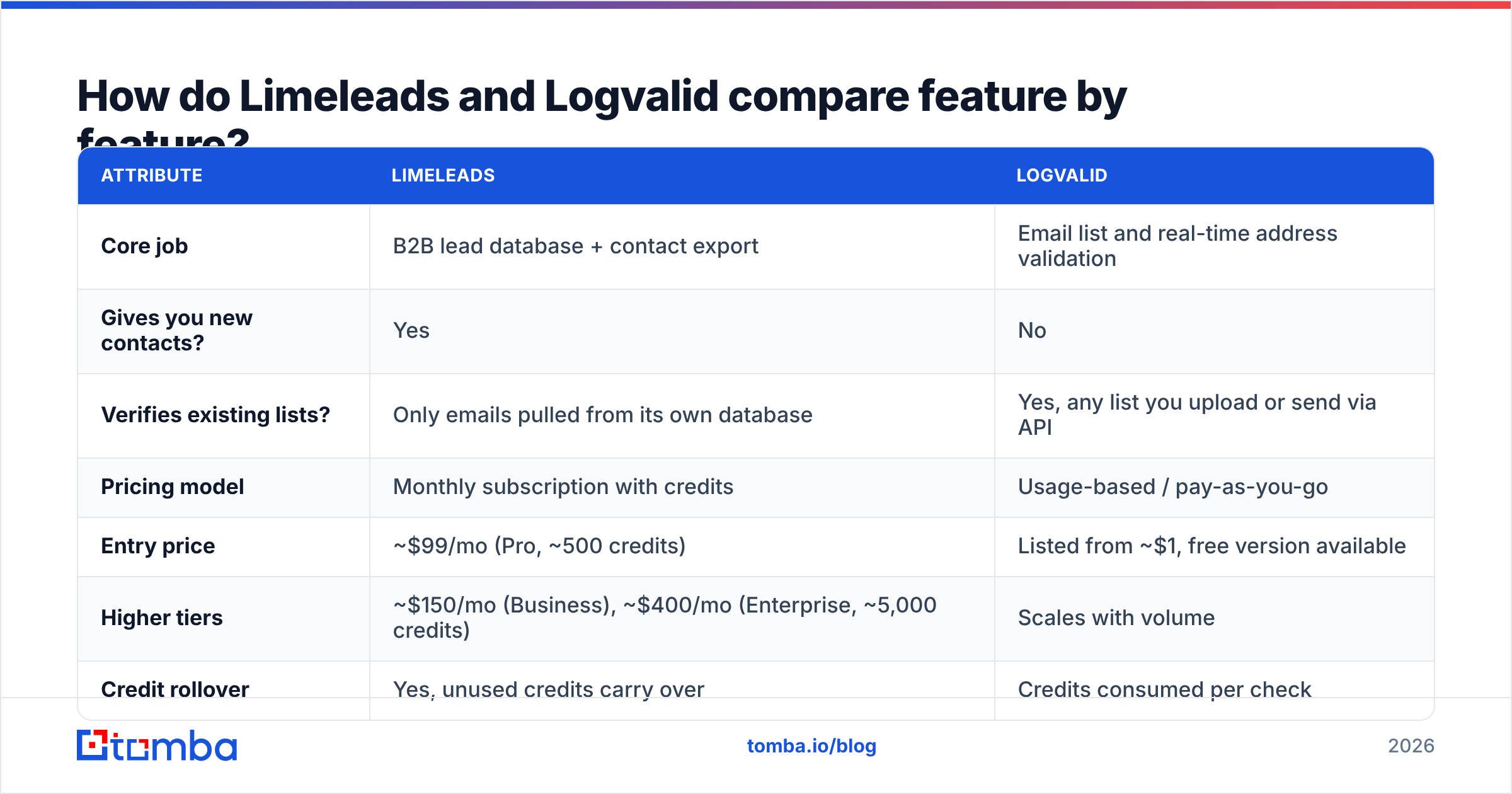
Here is the comparison at a glance. Pricing reflects publicly listed plans as of 2026. Both vendors change tiers from time to time, so confirm on their sites before you buy.
| Attribute | Limeleads | Logvalid |
|---|---|---|
| Core job | B2B lead database + contact export | Email list and real-time address validation |
| Gives you new contacts? | Yes | No |
| Verifies existing lists? | Only emails pulled from its own database | Yes, any list you upload or send via API |
| Pricing model | Monthly subscription with credits | Usage-based / pay-as-you-go |
| Entry price | ~$99/mo (Pro, ~500 credits) | Listed from ~$1, free version available |
| Higher tiers | ~$150/mo (Business), ~$400/mo (Enterprise, ~5,000 credits) | Scales with volume |
| Credit rollover | Yes, unused credits carry over | Credits consumed per check |
| Annual discount | Up to ~35% | Varies by pack |
| Phone numbers | Mobile numbers on paid tiers | No |
| API | Via integrations and higher plans | Yes, real-time validation API |
| Best fit | US SMB-focused outbound teams | Marketers, e-commerce, SaaS signup flows |
Third-party listings like Limeleads' pricing page on G2 and Logvalid's Capterra profile are worth checking for user reviews on data freshness and support speed. Those two things matter more than feature lists once you're past the first month.
What does Limeleads do well?#
Limeleads is built around one idea: find contacts through search filters and trust that the emails won't bounce. A few things stand out:
- Simple filters. Industry, headcount, geography, and title filters cover most SMB targeting. The learning curve is short compared with enterprise data platforms.
- Verified emails at export. Limeleads positions its emails as verified, so you aren't handed a raw scrape. That makes it more useful for small teams without a separate verification step.
- Credits that roll over. Unused credits carry forward, which helps teams whose outbound volume changes from month to month.
- No per-seat pricing at the entry tier. Pricing is based on credits rather than users, so a founder and an SDR can share an account without doubling the bill.
Where it's weaker:
- Coverage is US-leaning. If you target DACH, the Nordics, or APAC, test a sample export before committing.
- $99/mo for 500 credits works out to about $0.20 per contact. That's fine for targeted outreach but expensive for high-volume campaigns.
- It can't clean data from other sources. Lists from webinars, trade shows, or your CRM still need a separate verifier.
What does Logvalid do well?#
Logvalid covers the verification side, which people tend to ignore until a campaign bounces at 12% and Google Postmaster turns red.
- Real-time validation. It checks syntax, domain, and mailbox existence. It can sit on a signup form and reject bad addresses before they reach your database.
- Disposable and spam-address detection. This is useful for SaaS trial flows and e-commerce lists where throwaway emails skew your metrics.
- Usage-based pricing. You pay for what you verify. For a team cleaning one 10,000-row list per quarter, that's usually cheaper than any subscription.
- API-first. Developers can connect it to a signup form, a CRM sync, or an enrichment pipeline without much work.
Where it's weaker:
- It doesn't find anyone. If your pipeline is empty, Logvalid can't fill it.
- Catch-all handling matters, and you should test it. Every verifier struggles with accept-all domains. Ask how Logvalid labels catch-all results ("valid," "risky," or "unknown") and whether it charges for them.
- Smaller brand footprint. It has fewer public reviews than the big verifiers, so run your own test list of known-good and known-bad addresses before trusting its results at scale.
Which one is cheaper in practice?#
Plan price alone won't tell you. Compare cost per usable contact instead.
Consider a typical outbound month: 1,000 new prospects, plus 5,000 existing CRM contacts that haven't been emailed in a year.
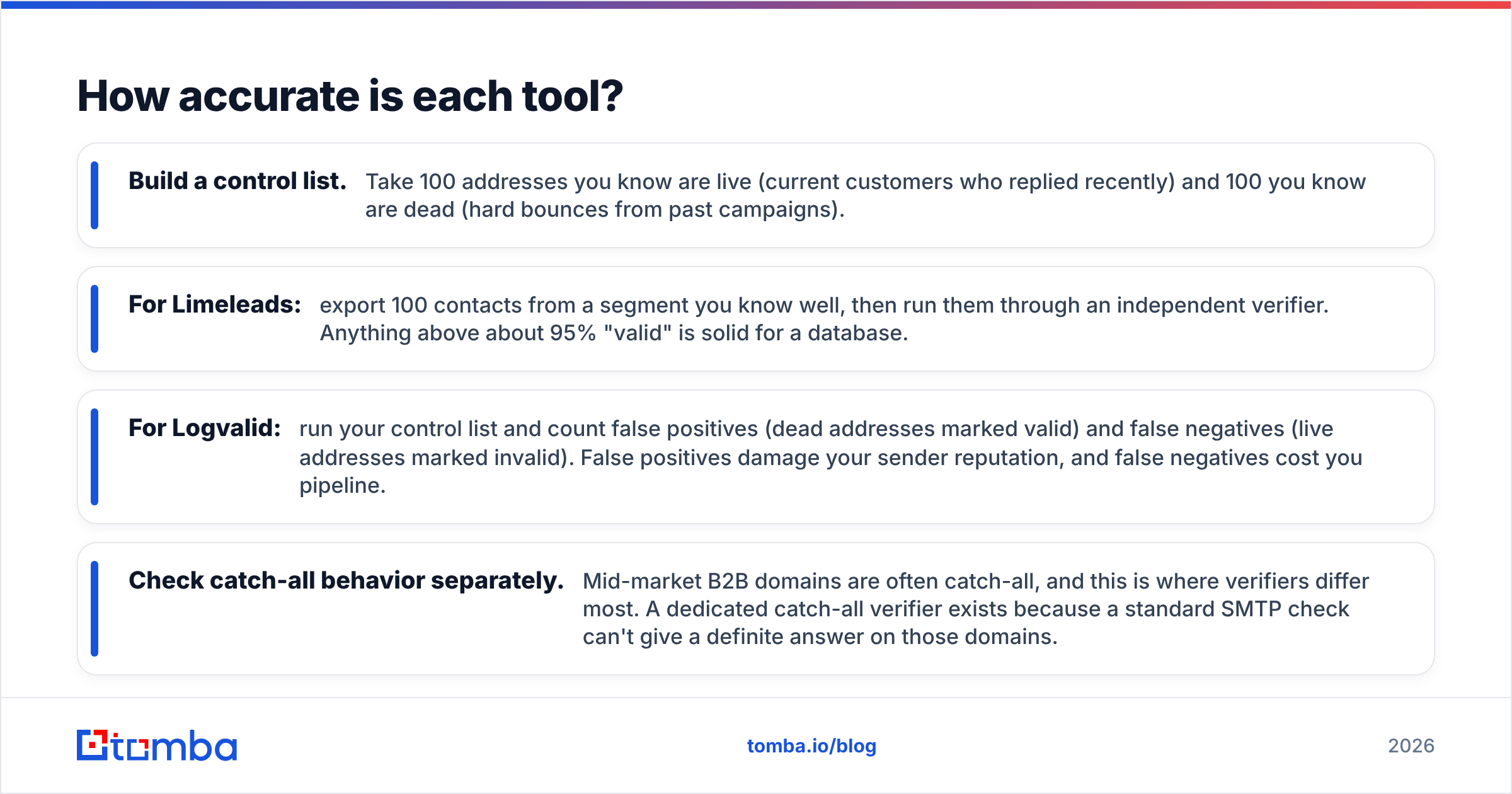
- Limeleads alone. The Pro plan's 500 credits won't cover 1,000 prospects, so you'd move up to Business at about $150/mo. The 5,000 CRM contacts stay unverified because Limeleads doesn't clean outside lists.
- Logvalid alone. Verifying 5,000 CRM contacts costs little on usage pricing. You still have zero new prospects.
- Limeleads plus Logvalid. You get about $150/mo in database credits plus a verification pack. Both jobs get done, but you now run two logins, two CSV hand-offs, and two invoices.
- One platform that finds and verifies. Tomba's Growth plan at $99/mo covers finding and email verification in the same credit pool. The Starter plan at $49/mo is enough for many solo founders.
The hidden cost of two tools is the time spent moving data between them. Every export and re-import is a chance to lose a column, duplicate a row, or send to a list you forgot to clean.
How accurate is each tool?#
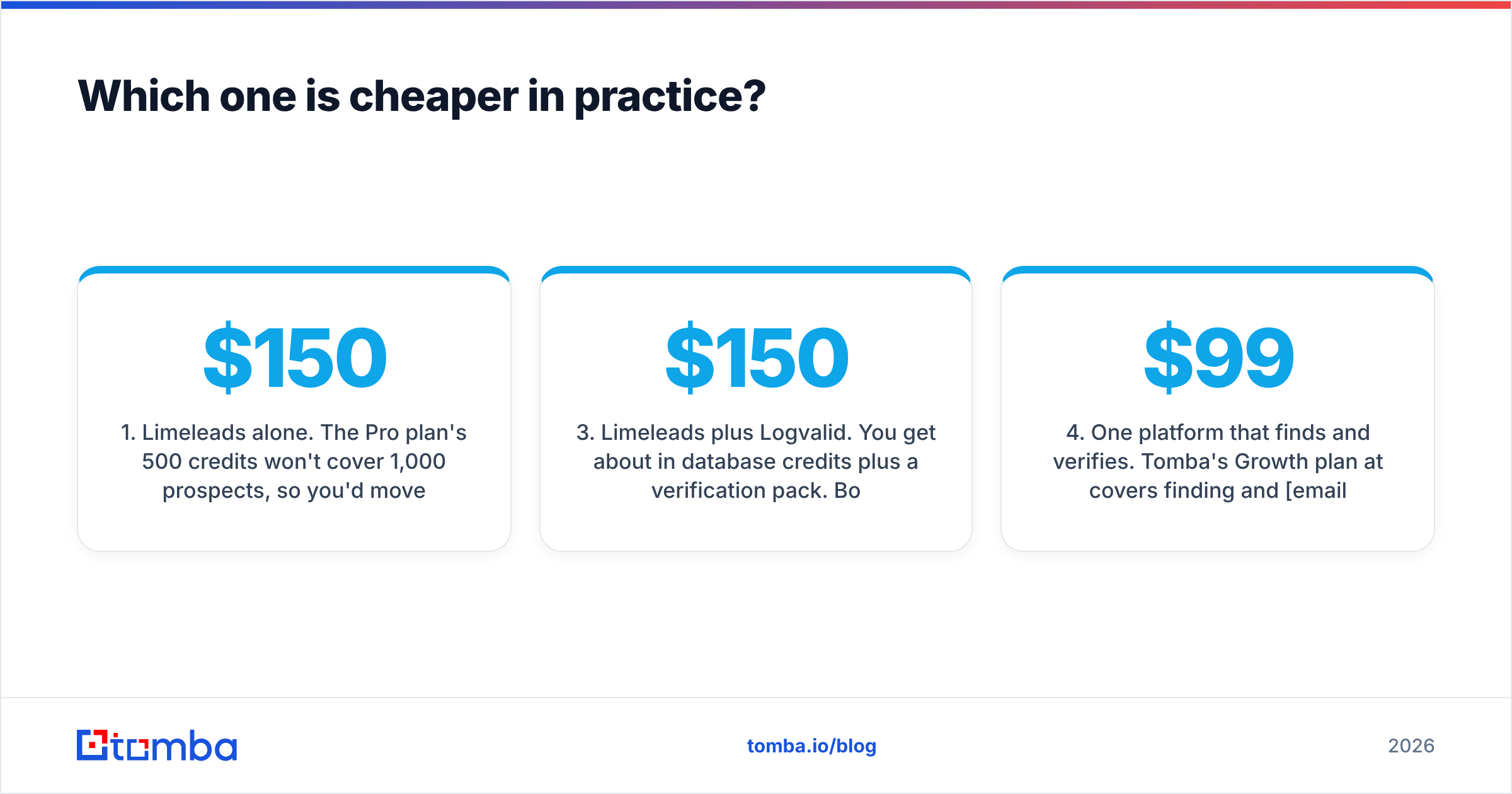
Neither vendor publishes an independent third-party benchmark, so treat accuracy claims (yours included) with caution until you've tested them yourself. Here is a fair way to test:
- Build a control list. Take 100 addresses you know are live (current customers who replied recently) and 100 you know are dead (hard bounces from past campaigns).
- For Limeleads: export 100 contacts from a segment you know well, then run them through an independent verifier. Anything above about 95% "valid" is solid for a database.
- For Logvalid: run your control list and count false positives (dead addresses marked valid) and false negatives (live addresses marked invalid). False positives damage your sender reputation, and false negatives cost you pipeline.
- Check catch-all behavior separately. Mid-market B2B domains are often catch-all, and this is where verifiers differ most. A dedicated catch-all verifier exists because a standard SMTP check can't give a definite answer on those domains.
For background on why bounces matter beyond one campaign, HubSpot's guide to email deliverability explains how mailbox providers use bounce rates in their filtering decisions.

Who should choose Limeleads?#
Limeleads fits you if:
- You're a founder or small sales team with no existing list and you need targeted SMB contacts this week.
- Your ICP is mostly US-based and defined by industry, headcount, and title rather than technographic or intent signals.
- You want mobile numbers alongside emails for a call-plus-email sequence.
- Your volume varies and you value credits that roll over.
Skip it if you mainly target outside the US, need very high volume at low per-contact cost, or already have more leads than you can work.
Who should choose Logvalid?#
Logvalid fits you if:
- You already have data. That might be CRM exports, event lists, inbound signups, or a list bought elsewhere.
- You run marketing email at volume and need to keep list hygiene tight between sends.
- You have a signup form that's filling up with fake or disposable addresses and want an API check at the point of entry.
- Your usage is irregular and a monthly subscription would sit idle most of the year.
Skip it if your pipeline is empty. Verifying nothing doesn't help.
Is there a setup that covers both jobs?#
Yes, and it's what most outbound teams end up with once they scale: find, verify, send, in that order, every time.
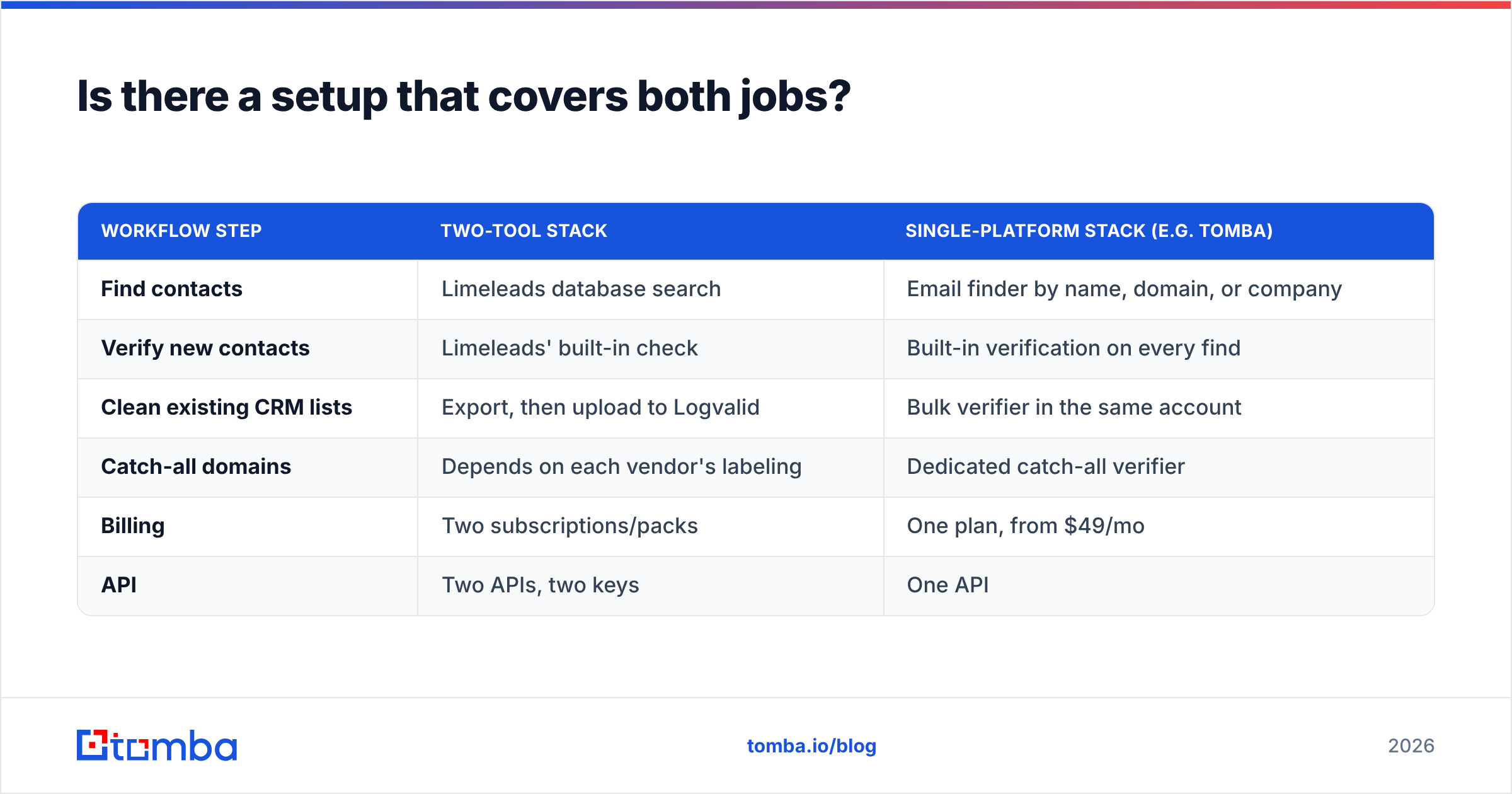
You can do this with two specialist tools (Limeleads for sourcing, Logvalid for hygiene), and for some teams that's the right call. If you're happy with Limeleads' US SMB coverage and only need occasional verification, the pairing works.
The alternative is one platform that handles both:
| Workflow step | Two-tool stack | Single-platform stack (e.g. Tomba) |
|---|---|---|
| Find contacts | Limeleads database search | Email finder by name, domain, or company |
| Verify new contacts | Limeleads' built-in check | Built-in verification on every find |
| Clean existing CRM lists | Export, then upload to Logvalid | Bulk verifier in the same account |
| Catch-all domains | Depends on each vendor's labeling | Dedicated catch-all verifier |
| Billing | Two subscriptions/packs | One plan, from $49/mo |
| API | Two APIs, two keys | One API |
Neither approach is automatically better. Two specialists can each go deeper in their area, while one platform means fewer hand-offs and one set of numbers to trust. If you're unsure which to pick, run the accuracy test above on both setups with the same control list and let the bounce data decide.
What is the final verdict on Limeleads vs Logvalid?#
Choose Limeleads when you need new US SMB contacts quickly and don't mind about $0.10–$0.20 per credit for pre-verified emails and mobile numbers.
Choose Logvalid when you already have lists and need cheap, pay-as-you-go verification or a real-time API check on signup forms.
Choose neither on its own if your outbound motion needs both sourcing and hygiene every month. In that case a two-tool stack or a combined platform will serve you better. Compare total cost per usable, verified contact, not plan price.
Whichever way you go, verify before you send. A clean list protects your domain, and it's much harder to repair a damaged domain than to prevent the damage.
Ready to find and verify in one place?#
If you'd rather not juggle a database subscription and a separate verification pack, try the Tomba Email Finder. You can find professional emails by name, domain, or company, and every result is verified in the same account. You get 25 free searches a month to test it against your own control list. Paid plans start at $49/mo, and you can see the tiers on the Tomba pricing page.
Related guides#
// get started
Find, verify and enrich your first contacts today
Start on the free plan with 25 searches a month, then scale when your team is ready.
Free plan · No credit card required · GDPR & CCPA
// about the author