Limeleads vs Power Almanac: Which Contact Database Fits You?
Limeleads sells credit-based access to private-sector B2B contacts. Power Almanac sells phone-verified contacts for US local government officials. Here is how to tell which one your pipeline needs, and what each costs.
TL;DR
- Limeleads is a credit-based B2B contact database for private-sector companies. Listed plans start at $99/mo for 500 credits. It suits SMB sales teams that prospect US businesses by industry, headcount and job title.
- Power Almanac is a specialist database of US local government officials in cities, counties and townships. Its records are phone-verified. Listed annual plans run from about $5,400 to $16,000, and there is a free entry tier.
- These tools don't really compete. The right choice depends on who you sell to: businesses or municipalities.
- Whichever one you pick, check emails again right before you send. Contact data goes stale between refresh cycles.
- If you already know the companies you want to reach, a domain-based email finder can cost less than either database.
What is the real difference between Limeleads and Power Almanac?#
People search for these two side by side because both show up under "B2B contact database" on review sites. In practice they sell to different markets.
Limeleads is a New York company founded in 2014. It sells access to a database of private-sector companies and the people who work at them. You filter by industry, company size, location and job title, then spend credits to unlock contacts and export them. Its pitch is "triple-verified" emails and a database refreshed roughly every 90 days, according to its Capterra listing and public pricing trackers.
Power Almanac covers one segment in depth: senior officials in US local government. Think city managers, county administrators, clerks, finance directors, police and fire chiefs, and public works directors. Its G2 profile and vendor materials describe roughly 343,000 records across about 22,000 cities, counties and townships. The records are verified by phone rather than scraped.
A useful comparison: Limeleads is a general store and Power Almanac is a specialist supplier. If you need a wide range of commercial contacts, the general store is the obvious place to go. If you need one specific thing, like the purchasing director of a 40,000-person county in Ohio, the specialist is where you'll find it.
How do Limeleads and Power Almanac compare side by side?#
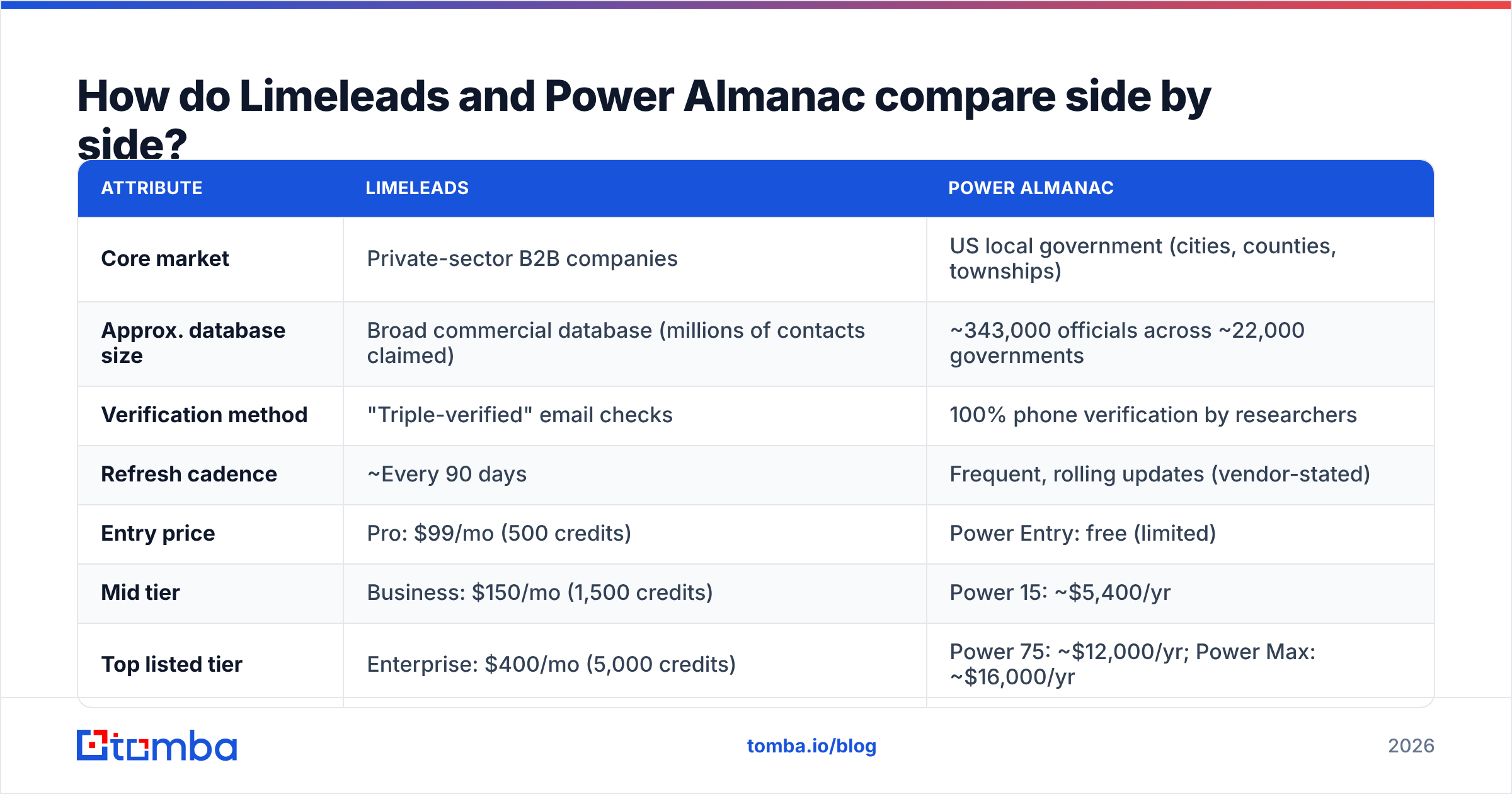
Here is the head-to-head on the attributes that usually decide a purchase. Pricing reflects publicly listed 2026 figures. Confirm current numbers on each vendor's site before you buy.
| Attribute | Limeleads | Power Almanac |
|---|---|---|
| Core market | Private-sector B2B companies | US local government (cities, counties, townships) |
| Approx. database size | Broad commercial database (millions of contacts claimed) | ~343,000 officials across ~22,000 governments |
| Verification method | "Triple-verified" email checks | 100% phone verification by researchers |
| Refresh cadence | ~Every 90 days | Frequent, rolling updates (vendor-stated) |
| Entry price | Pro: $99/mo (500 credits) | Power Entry: free (limited) |
| Mid tier | Business: $150/mo (1,500 credits) | Power 15: ~$5,400/yr |
| Top listed tier | Enterprise: $400/mo (5,000 credits) | Power 75: ~$12,000/yr; Power Max: ~$16,000/yr |
| Billing model | Monthly credits, ~35% off annually | Annual subscription |
| Seats | 1 (Pro), 2 (Business), 5 (Enterprise) | Varies by plan |
| Key filters | Industry, headcount, location, job title | Role, state/region, government type, population |
| Best for | SMB outbound to US companies | GovTech, public-sector consulting, municipal suppliers |
| Main limitation | 90-day refresh means some decay between cycles | Useless outside local government |
The table makes the main point clear. Pick based on your ideal customer profile. Features and price come second. A GovTech startup that buys Limeleads will struggle to find reliable municipal contacts. A marketing agency that buys Power Almanac will get nothing it can use.
Which one should you choose? A decision checklist#
Before you compare prices, answer these five questions. They settle the decision in most cases.
- Who signs your contracts? If the buyer is a private company, start with Limeleads or a similar commercial database. If the buyer is a city council, county board or township, Power Almanac was built for you.
- How narrow is your target list? Power Almanac's value is completeness within a closed universe. There are only so many US local governments, and it aims to cover all of them. Limeleads gives you breadth across an open market where no database is complete.
- Do you need phone numbers you can trust? Public-sector sales often runs on phone calls and relationships. Power Almanac's phone verification matters here. Commercial databases tend to focus on email.
- How much volume do you need per month? Limeleads prices by unlocked contact, from about $0.08 to $0.20 per credit depending on tier. Power Almanac prices by annual access. Heavy users of a niche segment usually do better on annual access. Light users testing a market usually do better with monthly credits.
- What will you do between refreshes? Both databases are snapshots. People change jobs, and public-sector turnover jumps after elections. Plan a re-verification step no matter which you choose.

How does Limeleads pricing work in practice?#
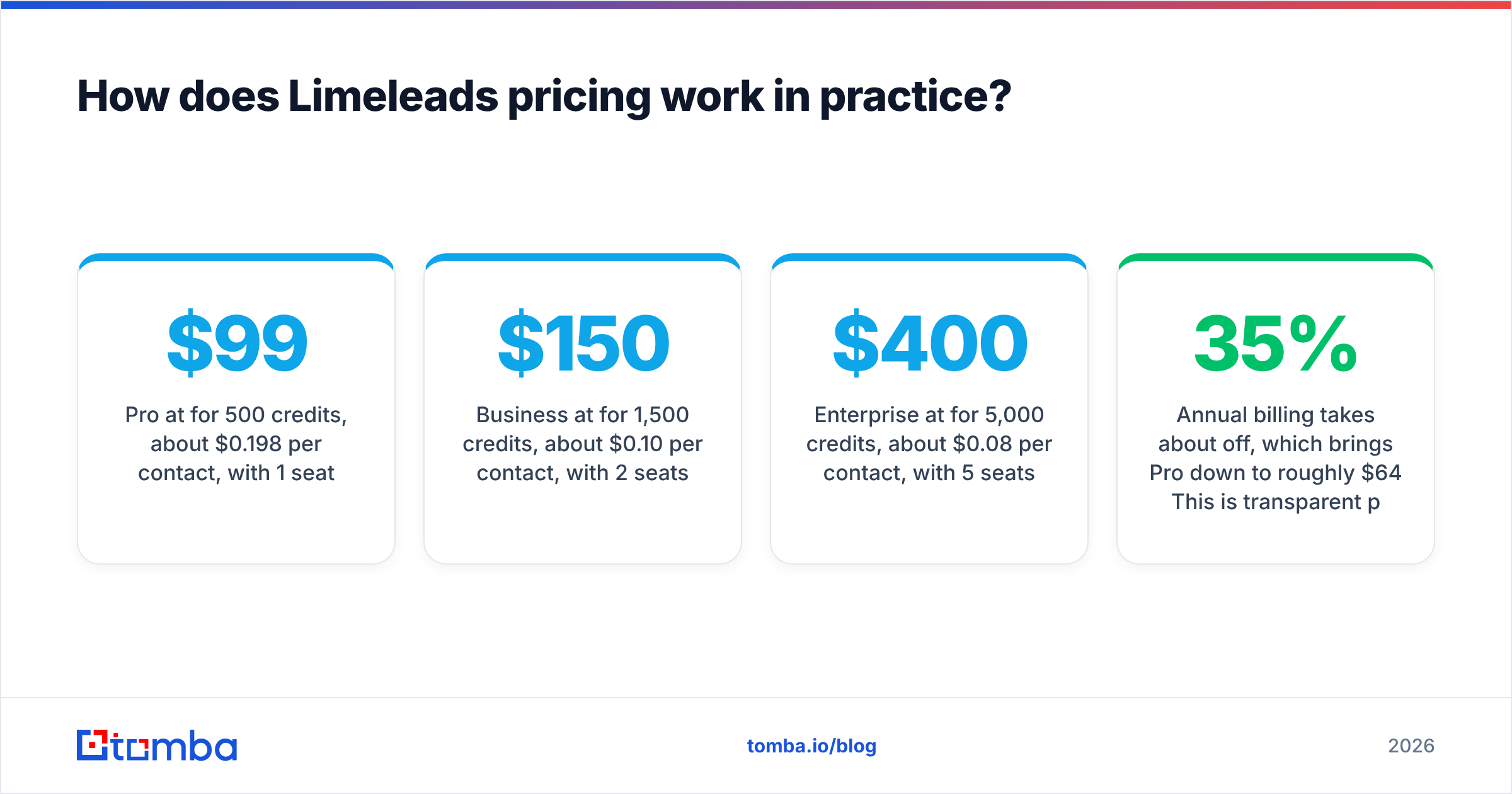
Limeleads uses a simple credit model: one credit unlocks one contact. The three listed tiers are:
- Pro at $99/month for 500 credits, about $0.198 per contact, with 1 seat
- Business at $150/month for 1,500 credits, about $0.10 per contact, with 2 seats
- Enterprise at $400/month for 5,000 credits, about $0.08 per contact, with 5 seats
Annual billing takes about 35% off, which brings Pro down to roughly $64/month. This is transparent pricing for the category. You can estimate your spend in about a minute. Take the number of new contacts you need each month and match it to a tier.
Two things to watch:
- Seat caps. Limeleads markets itself as a shared team account, but seats are limited on each tier. If you have five SDRs, you're effectively pushed to Enterprise.
- Credits vs. usable contacts. Credits pay for access, not for replies. If a contact has changed jobs since the last 90-day refresh, you've still spent the credit. Run exports through an email verifier before they go into a sequence. It protects your bounce rate and your domain.
Limeleads is a reasonable fit for SMB agencies, early-stage SaaS companies and small outbound teams in the US. It's especially useful for teams that want a list-building tool without a platform-sized contract.
How does Power Almanac pricing work in practice?#
Power Almanac sells annual access in tiers. The numbers in the plan names appear to relate to access or export volume, so check the details with sales. Publicly listed figures are:
- Power Entry, free, with limited access
- Power 15 at about $5,400/year
- Power 75 at about $12,000/year
- Power Max at about $16,000/year
- Custom plans on request
Compared with Limeleads' $99 entry price, these numbers look expensive. That comparison is misleading. Consider what the alternative to Power Almanac costs. Without it, someone on your team visits thousands of municipal websites, reads PDF org charts, calls city halls to confirm who currently holds each role, and repeats all of it every election cycle. For a team whose entire market is local government, $5,400 to $16,000 a year is cheap next to one full-time researcher.
For a team that sells to local government now and then, the maths doesn't work. Start with the free tier, and buy a paid plan only once public sector becomes a dedicated segment with its own pipeline targets.
Where does each tool fall short?#
Neither product is weak. Each one has limits that follow directly from its design.
Limeleads limitations
- Freshness gap. A 90-day refresh cycle means some contacts go out of date between updates. That's normal for commercial databases, but it's worth knowing.
- US-centric coverage. International prospecting is not its strength.
- List tool, not a full platform. You won't get built-in sequencing, intent data or a dialer. You export and work elsewhere.
Power Almanac limitations
- Single-segment by design. Nothing outside US local government. State and federal agencies are not its focus.
- Annual commitment. The paid tiers are annual, which is a real commitment for teams still testing the public sector.
- Email formats vary by government. Many municipalities use unusual addresses, shared inboxes or aggressive spam filtering. Even correct records need careful sending.
Can you skip both and build your list another way?#
Sometimes you can. Buying a database makes sense when you don't yet know which accounts to target and need the database to find them for you. If your account list already exists, from a CRM export, a conference attendee list or a set of target municipalities, you're paying database prices for work you've already done.
In that situation, a domain-based workflow is usually cheaper and fresher:
- Put your target accounts into a domain search to see the email pattern and the contacts publicly associated with each domain.
- Use an email finder for the specific decision-makers you've identified by name.
- Verify every address just before it goes into a sequence, not weeks earlier when you exported it.
- Add phone numbers only for the contacts who actually need a call.
This approach works for private companies and for many local governments, since most US municipalities publish on their own .gov or .us domains. Its weakness is discovery. It won't tell you who the finance director of a township is if you don't already know the name. For that, Power Almanac's curated role mapping is hard to beat.
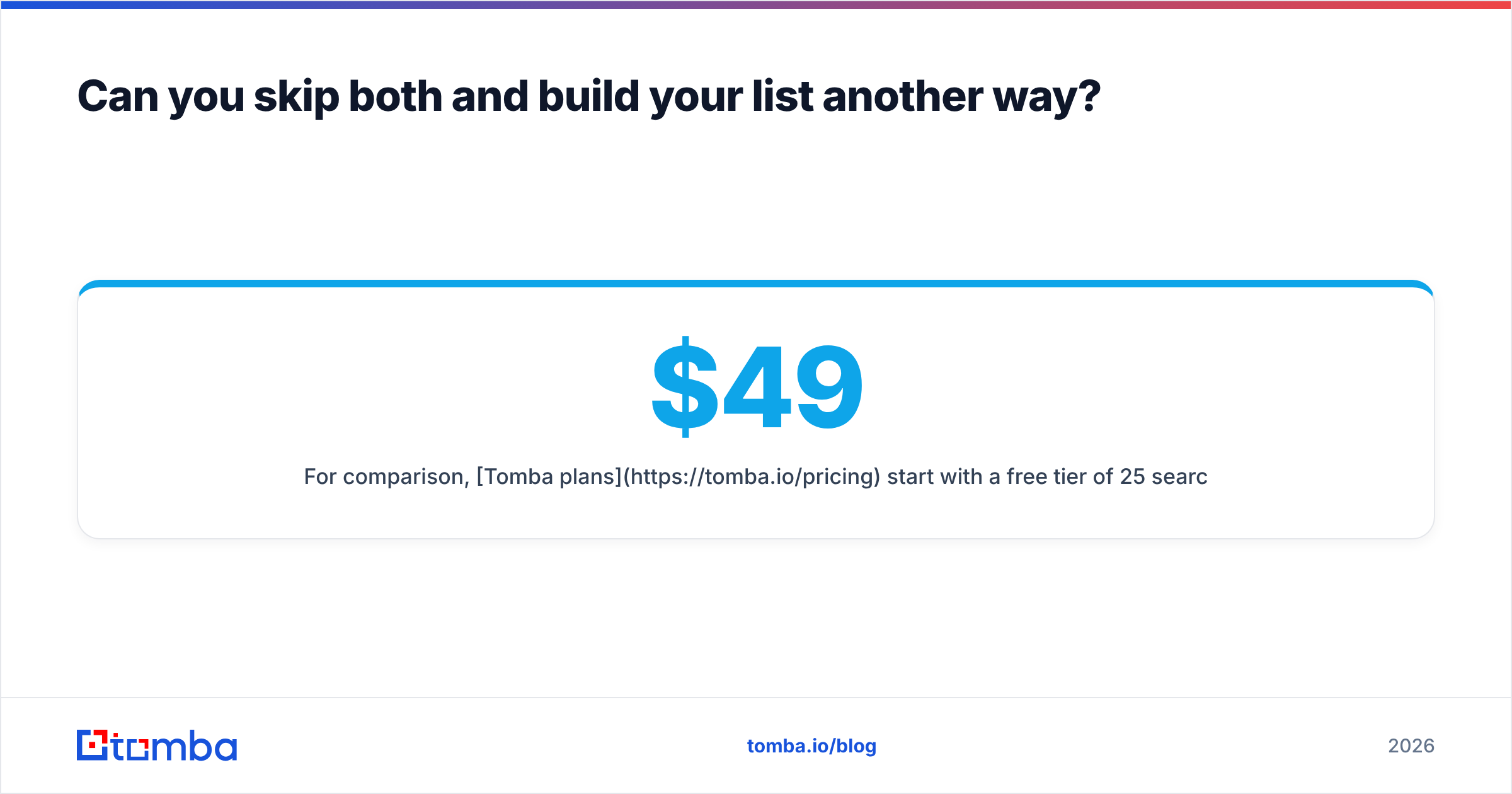
For comparison, Tomba plans start with a free tier of 25 searches per month, then Starter at $49/mo, Growth at $99/mo and Pro at $249/mo. You pay for lookups and verifications rather than bulk database access. That's the better model when you care more about accuracy per contact than about the total number of contacts.

Is Limeleads better than Power Almanac?#
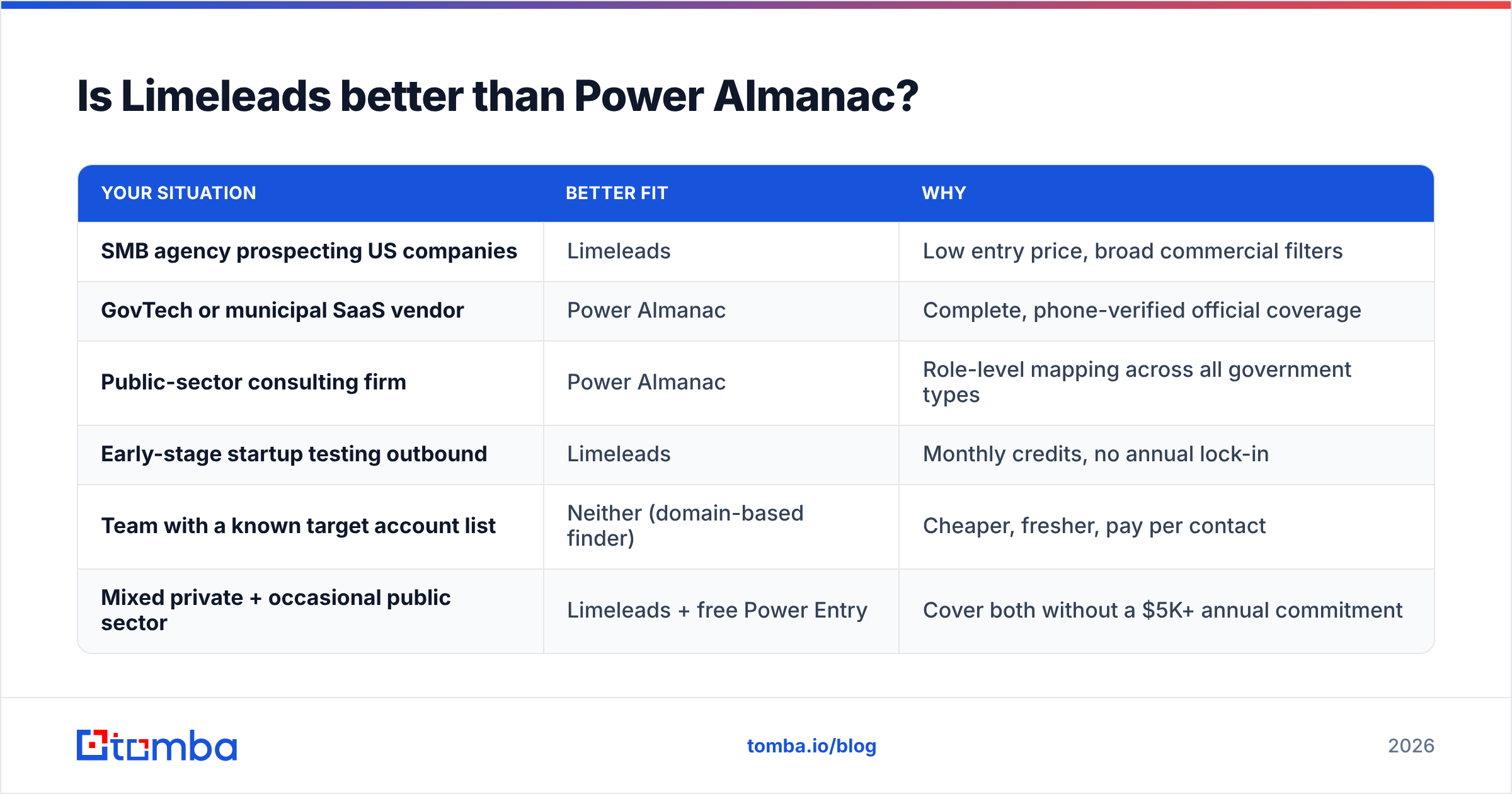
Neither is better overall. They serve different buyers. Here's how the verdict breaks down by use case:
| Your situation | Better fit | Why |
|---|---|---|
| SMB agency prospecting US companies | Limeleads | Low entry price, broad commercial filters |
| GovTech or municipal SaaS vendor | Power Almanac | Complete, phone-verified official coverage |
| Public-sector consulting firm | Power Almanac | Role-level mapping across all government types |
| Early-stage startup testing outbound | Limeleads | Monthly credits, no annual lock-in |
| Team with a known target account list | Neither (domain-based finder) | Cheaper, fresher, pay per contact |
| Mixed private + occasional public sector | Limeleads + free Power Entry | Cover both without a $5K+ annual commitment |
If you still can't decide, the tiebreaker is where most of your closed-won revenue came from last year. Buy the database that matches it. Add the other segment only once it has earned its own quota.
What should you do after you export the list?#
The database is where your pipeline starts. Whether a list turns into meetings depends on what you do with it next:
- Verify right before you send. Both tools verify at collection time. Your bounce rate depends on whether the data is still valid on the day you hit send. HubSpot's guidance on email bounce rates is a useful benchmark for what's acceptable.
- Segment by role, not just title. "Director of Operations" at a 20-person SaaS company and a "Public Works Director" in a county have very different buying authority. Personalise for that.
- Respect public-sector cadence. Local government buying often follows fiscal years and council meeting schedules. Time your outreach around budget season, not only your own quarter.
- Track decay. Log bounces and "no longer here" replies by source. After two or three campaigns you'll know how fresh each database really is for your segment.
Final verdict#
Choose Limeleads if you sell to US businesses and want low-commitment, credit-based access to a broad commercial database. Choose Power Almanac if local governments are your market and you need phone-verified contacts for every official who matters. Choose neither if your account list already exists. In that case, pay for accurate lookups on named people rather than bulk database access.
Whichever path you take, the teams that get the best results keep their contact data fresh. They treat any export as a starting point and re-verify it before it reaches a sequence.
If you're working from a defined list of target companies or municipalities, try the Tomba Email Finder. Enter a name and a domain, get the professional email address with a confidence score, and verify it in the same workflow. The free tier gives you 25 searches a month to test it on your own accounts before you commit to an annual database contract.
Related guides#
// get started
Find, verify and enrich your first contacts today
Start on the free plan with 25 searches a month, then scale when your team is ready.
Free plan · No credit card required · GDPR & CCPA
// about the author