Limeleads vs Salesbot: Lead Database or AI Outreach Platform?
Limeleads sells verified US B2B contacts. Salesbot bundles a 655M-lead database with AI-written outreach. Here's which one fits your pipeline, your budget, and your team's workflow.
TL;DR
- Limeleads is a lead database focused on the US. You filter, verify, and export contacts, and the plans run $99 to $400/mo with credits that roll over.
- Salesbot is an AI sales-automation platform that combines a database of 655M+ leads with AI-personalized outreach and analytics. Pricing starts at a $49/mo flat rate.
- If you already run a sequencer and only need clean US contacts, pick Limeleads. If you want one tool to find leads and send the messages, especially outside the US, pick Salesbot.
- Neither tool removes the need to verify before you send. Bounce rates decide whether your domain survives, whatever the vendor says about its data.
- For named-account prospecting (a known person at a known company), a dedicated email finder is usually cheaper per contact than either database.
The "Limeleads vs Salesbot" question comes up a lot, but the two tools don't really compete head-to-head. They solve neighboring problems. Limeleads sells you the list. Salesbot sells you the list plus the machine that works it. Once you see that split, the right choice depends on what your stack already does.
This guide covers both tools on data, pricing, workflow fit, and hidden costs, and ends with a clear recommendation for each type of buyer.
What is Limeleads?#
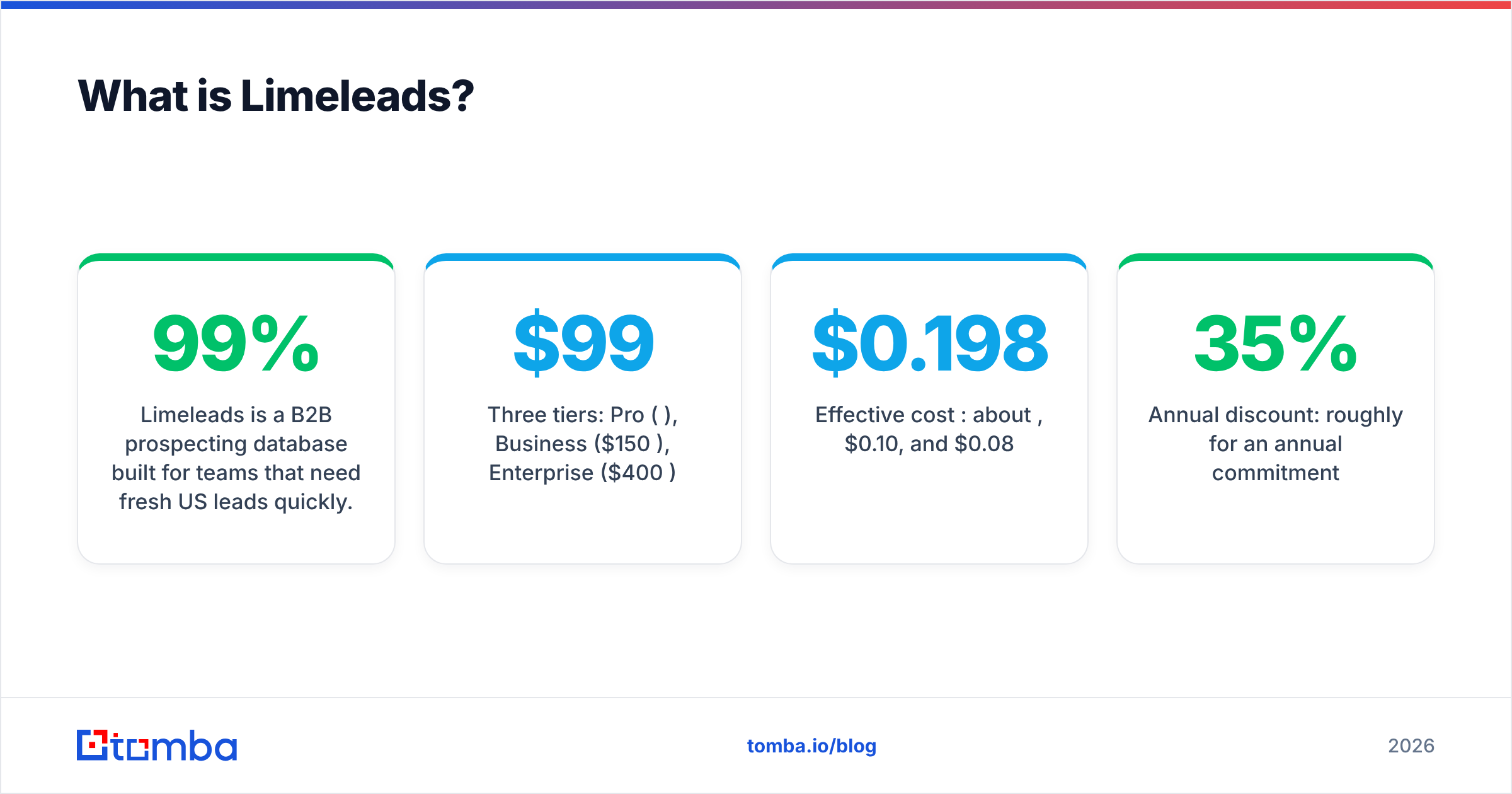
Limeleads is a B2B prospecting database built for teams that need fresh US leads quickly. You use its filters (job title, company size, industry, location, revenue, technologies) to build a segment, and Limeleads checks the email addresses in real time before you export. The company claims 99% email data accuracy on those verified contacts.
The product does very little beyond that, on purpose. Limeleads has no sequencer and no AI copywriter, and it doesn't try to be your CRM. You get the list, then push it into Instantly, Lemlist, HubSpot, or whatever tool sends your email.
What stands out in the pricing:
- Three tiers: Pro ($99/mo), Business ($150/mo), Enterprise ($400/mo)
- Credits: 500, 1,500, and 5,000 per month respectively
- Effective cost per credit: about $0.198, $0.10, and $0.08
- Rollover: unused credits carry forward, which many database vendors don't allow
- Annual discount: roughly 35% for an annual commitment
You can check current plan details and user reviews on Limeleads' Capterra listing.
What is Salesbot?#
Salesbot is a cloud-based, AI-enabled sales automation platform. It gives you access to a database of 655M+ leads and adds outreach automation on top: AI-personalized messaging for each prospect, campaign execution, and analytics on what's working.
Put simply, Salesbot is closer to an all-in-one prospecting workspace than a data vendor. The value is in the workflow: search a segment, have AI draft personalized openers, launch the campaign, and read the results in one place.
Key facts:
- Starting price: $49/mo flat rate, with a free trial available
- Database: 655M+ leads, with global rather than US-only coverage
- AI: per-prospect message personalization
- Extras: contact management, data import/export, reporting
Reviewers on Salesbot's Capterra page rate its prospecting and lead-management features as its strong points. Capterra's feature grid lists no standalone "contact database" module, which reflects that the data sits inside the automation workflow rather than being sold as a separate product.
How do Limeleads and Salesbot compare side by side?#
The quickest way to decide is to line up the attributes that actually change your cost per meeting.
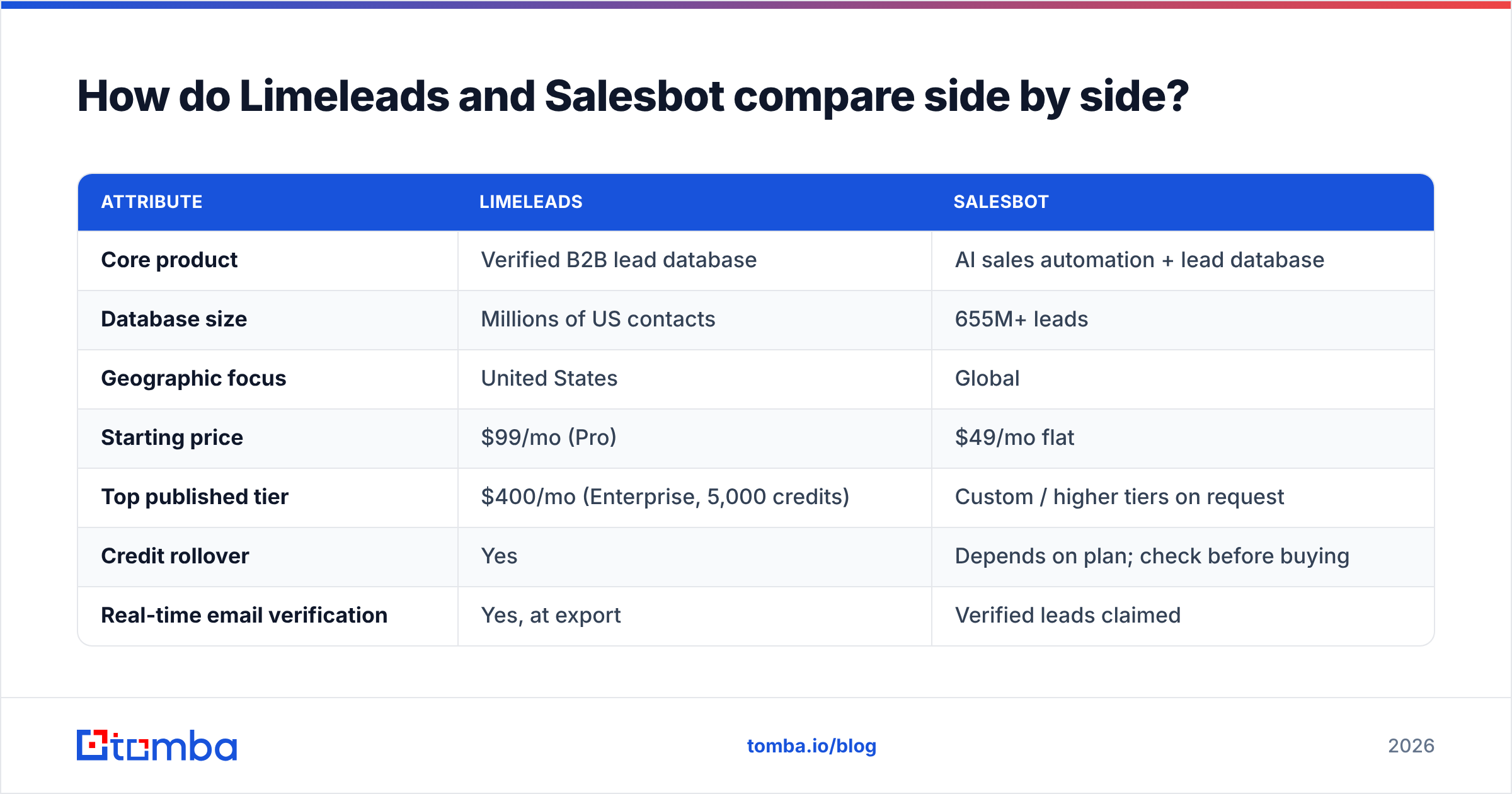
| Attribute | Limeleads | Salesbot |
|---|---|---|
| Core product | Verified B2B lead database | AI sales automation + lead database |
| Database size | Millions of US contacts | 655M+ leads |
| Geographic focus | United States | Global |
| Starting price | $99/mo (Pro) | $49/mo flat |
| Top published tier | $400/mo (Enterprise, 5,000 credits) | Custom / higher tiers on request |
| Credit rollover | Yes | Depends on plan; check before buying |
| Real-time email verification | Yes, at export | Verified leads claimed |
| Built-in outreach / sequencing | No | Yes |
| AI message personalization | No | Yes |
| Analytics on campaigns | No (export-only) | Yes |
| Best for | Teams with an existing sequencer | Lean teams wanting one tool |
Prices reflect published 2026 figures at the time of writing. Both vendors adjust plans often, so confirm on their sites before you commit.
Which tool fits which workflow?#
Most "vs" articles skip this part: the right choice depends on your stack, not the feature count. Here are the four setups we see most often.
- You already run a sequencer (Instantly, Smartlead, Lemlist, Apollo sequences). Pick Limeleads. You're paying for outreach infrastructure already, and Salesbot's automation would overlap with it. Limeleads' credit rollover also suits bursty campaign calendars.
- You're a founder or a one-person SDR team with no stack yet. Pick Salesbot. At $49/mo you get data, AI copy, and sending in one login, and you skip three separate subscriptions and the integration work that comes with them.
- You sell outside the US. Pick Salesbot. Limeleads' strength is US coverage. If your ICP sits in DACH, the UK, or APAC, a 655M+ global database is the safer starting point.
- You target a named list of accounts, not a filtered segment. Pick neither as your primary tool. When you already know the company and the person, a per-lookup email finder or a domain search against the target company's website costs less per contact than burning database credits on broad filters.
- You care most about deliverability because you run a new or fragile sending domain. Pick Limeleads plus an independent verifier. Real-time checks at export help, but lists go stale between export and send, and a second pass cuts your bounce exposure.
Is Limeleads cheaper than Salesbot?#
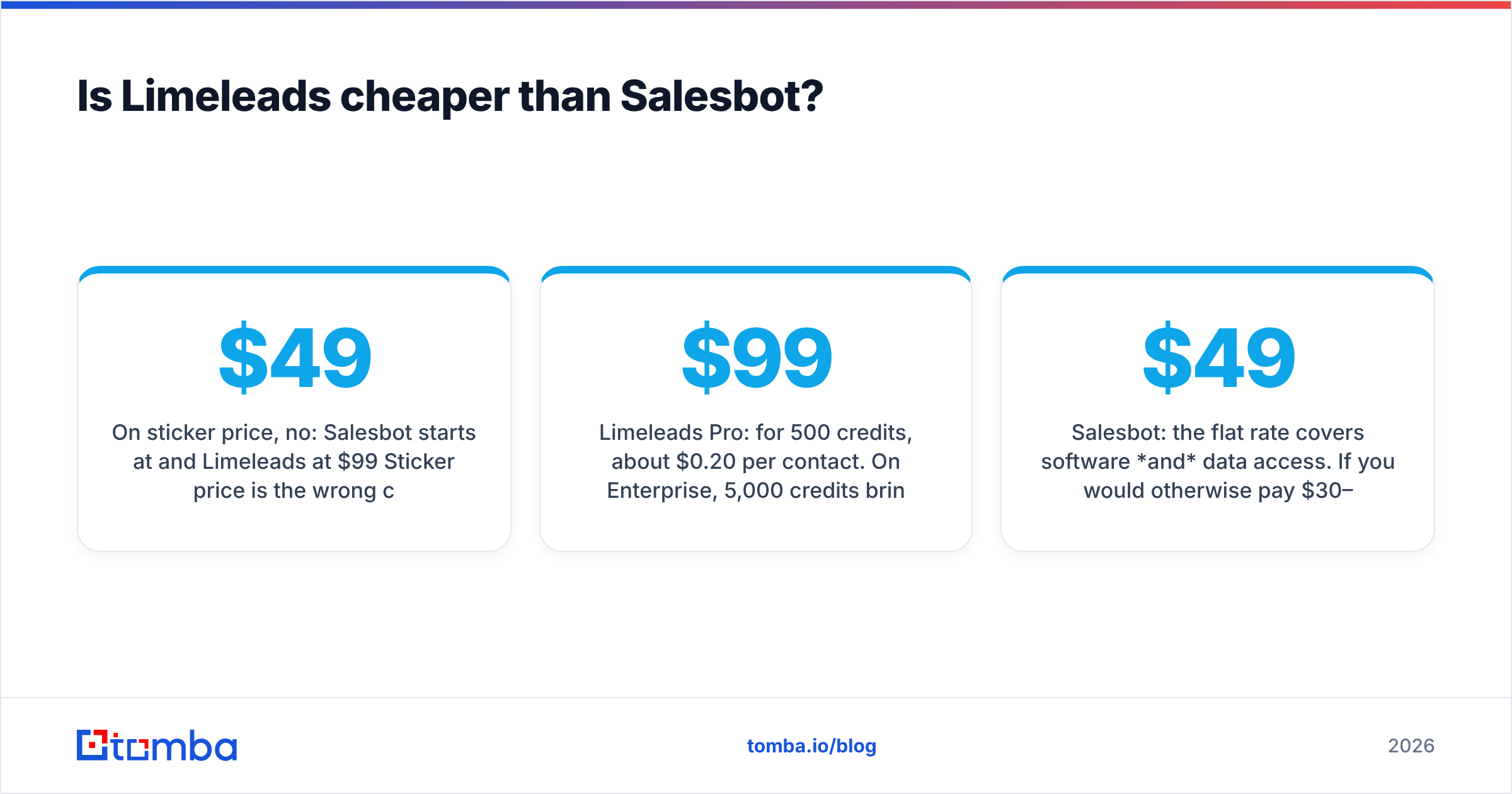
On sticker price, no: Salesbot starts at $49/mo and Limeleads at $99/mo. Sticker price is the wrong comparison, though, because the two plans buy different things.
Compare cost per usable contact instead:
- Limeleads Pro: $99 for 500 credits, about $0.20 per contact. On Enterprise, 5,000 credits bring that to about $0.08. Because credits roll over, a slow month doesn't waste money.
- Salesbot: the $49 flat rate covers software and data access. If you would otherwise pay $30–$100/mo for a separate sequencer and $20–$50/mo for an AI writing tool, Salesbot's bundle wins on total cost of ownership for small teams.
The hidden-cost question is where your volume sits. A team sending 5,000+ new contacts a month into an existing sequencer will usually find Limeleads Enterprise cheaper per contact. A team sending a few hundred personalized emails a month will find Salesbot's bundle cheaper overall.
Before you sign either annual contract, check three things:
- Overage pricing. What happens when you run out of credits mid-campaign?
- Export limits. Can you take the data out as CSV, or is it locked inside the platform?
- Re-verification. Does re-exporting a contact you've already pulled cost a second credit?
How accurate is the data in each tool?#
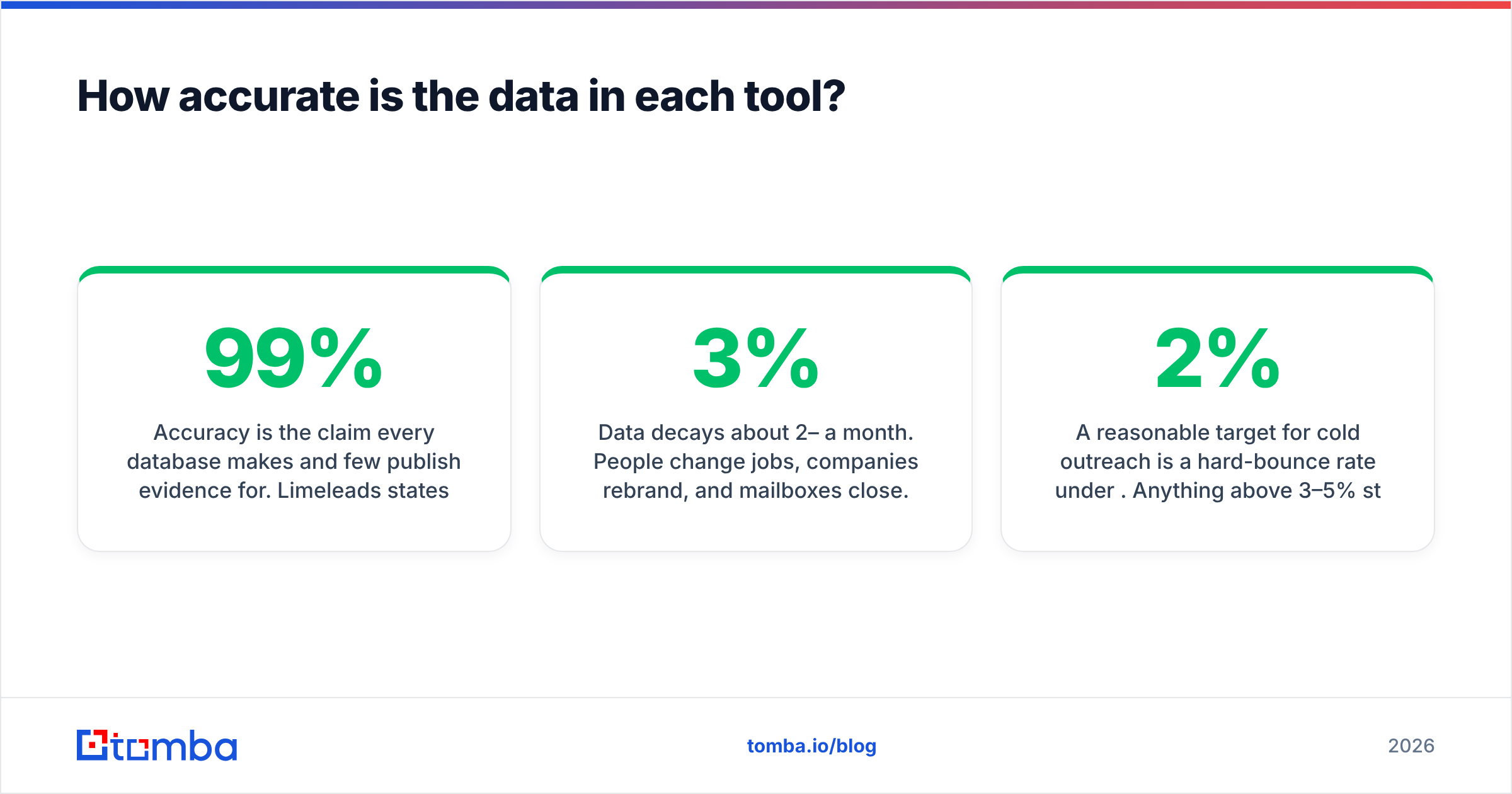
Accuracy is the claim every database makes and few publish evidence for. Limeleads states 99% accuracy on verified emails. Salesbot describes its 655M+ records as verified leads. Neither figure is independently audited, and you should treat both as marketing numbers until your own bounce reports back them up.
Three practical points apply to both tools:
- Data decays about 2–3% a month. People change jobs, companies rebrand, and mailboxes close. A contact verified at export can bounce three weeks later.
- Catch-all domains skew the numbers. Many mid-market and enterprise domains accept every address at the SMTP level. A database can mark those "valid" when it can't actually confirm the mailbox exists.
- Your bounce rate is the real benchmark. Run a 200-contact pilot from each tool through the same email verifier and the same sending domain, then compare hard bounces. That test tells you more than any vendor claim.
A reasonable target for cold outreach is a hard-bounce rate under 2%. Anything above 3–5% starts to damage your sender reputation, and mailbox providers like Google treat that as a spam signal. Google's own sender guidelines are explicit that bulk senders must keep lists clean.
What do users like and dislike about each?#
Based on public reviews and the product scope, here's the balanced picture.
Limeleads — pros
- Clean, fast filtering for US segments
- Real-time verification at export reduces immediate bounces
- Credit rollover protects you from wasted spend
- Simple product with very little learning curve
Limeleads — cons
- US-focused coverage limits international campaigns
- No outreach, AI, or analytics layer, so you'll need other tools
- $99/mo entry point is steep for occasional users
Salesbot — pros
- Low $49/mo entry for data plus automation
- Large 655M+ global database
- AI personalization saves SDR writing time
- One login from search to send
Salesbot — cons
- An all-in-one tool means you depend on its sending infrastructure and deliverability setup
- Overlaps with tools many teams already pay for
- Fewer granular data-export controls than a pure database
Is Limeleads vs Salesbot even the right comparison for you?#
Sometimes it isn't. Both tools assume you prospect by segment: "VP Marketing, SaaS, 50–200 employees, US." Many B2B teams actually prospect by account. They have a target list from intent data, a trade-show attendee list, or an ABM program, and they need the right person's address at each company.
For that motion, a database is the wrong shape. You pay for filter-based access when what you need is a lookup:
- Enter a company domain and see every public professional email and the company's email pattern.
- Enter a first name, last name, and domain, and get the most likely address with a confidence score.
- Verify the result before it reaches your sequencer.
That's the job of an email finder, and per-lookup pricing usually beats database credits at low to mid volume. If you're weighing tools in this category, compare them on Tomba pricing against Limeleads' per-credit cost. The Starter plan is $49/mo, and there's a free tier of 25 searches a month for testing.
How should you choose between Limeleads and Salesbot?#
Use this decision rule:
- Choose Limeleads if your market is the US, you already own a sequencer, you want predictable per-contact data costs, and rollover credits suit your campaign rhythm.
- Choose Salesbot if you need global coverage, you don't have an outreach stack yet, and you'd rather pay one $49/mo bill than stitch together three tools.
- Choose a dedicated email finder if you work from a named account list, run ABM, or only need a few hundred verified contacts a month.
Whichever you choose, run a two-week pilot. Pull the same ICP segment from each option, verify it, send from the same warmed domain, and measure three numbers: hard-bounce rate, response rate, and meetings booked per 100 contacts. The winner is the tool with the best meetings-per-dollar figure, whatever its database size.
Frequently asked questions#
Is Limeleads only for US leads? Its database and verification are built around US B2B contacts. If most of your pipeline is international, a global database like Salesbot's is a better fit.
Does Salesbot send emails for me? Yes. Salesbot includes outreach automation and AI-personalized messaging, so you can find leads and run campaigns from the same platform.
Do Limeleads credits expire? According to published plan details, unused Limeleads credits roll forward instead of expiring at the end of the month.
Can I use both tools together? You can. Some teams pull US segments from Limeleads and import them into an outreach platform. Watch for duplicate spend, though: if Salesbot's data already covers your ICP, you'd be paying twice for the same contacts.
Should I still verify emails from these databases? Yes. Data decays monthly, and catch-all domains can pass a database's checks without being deliverable. Always verify right before you send.
Ready to find the exact contact instead of buying the whole list?#
If your prospecting starts with a company or a name rather than a broad filter, you don't need a full database subscription. Tomba Email Finder returns professional email addresses by domain, name, or company, shows a confidence score and the public sources behind each result, and pairs with built-in verification so the address is safe to send before it reaches your sequencer. Start with the free tier's 25 searches a month, compare the bounce rate against your current Limeleads or Salesbot export, and scale from $49/mo once the numbers hold up.
Related guides#
// get started
Find, verify and enrich your first contacts today
Start on the free plan with 25 searches a month, then scale when your team is ready.
Free plan · No credit card required · GDPR & CCPA
// about the author