Limeleads vs Saleshandy: Lead Database or Outreach Platform?
Limeleads sells verified B2B contacts. Saleshandy sends the cold emails and now includes its own lead finder. Here's how they compare on data, cost per lead, deliverability, and which outbound stack each one suits.
TL;DR
- Limeleads is a B2B contact database. You filter, unlock contacts with credits, and export them. It doesn't send email.
- Saleshandy is a cold email platform (sequences, inbox rotation, warmup) that now puts its Lead Finder credits in the same subscription.
- On price per contact, Saleshandy's bundled credits beat Limeleads' lower tiers. Limeleads credits roll over, though, and its filtering suits people who only want lists.
- Choose Limeleads if you already have a sequencer and only need data. Choose Saleshandy if you want data and sending under one bill.
- Whichever you pick, verify every export before it goes into a sequence. Bounce rate depends on the data, not the tool.
What is the real difference between Limeleads and Saleshandy?#
These two tools don't really compete head to head. They sit at different stages of the outbound workflow, and they overlap only because Saleshandy added a data product.
Limeleads is a lead database. You search by industry, job title, company size, location and similar filters. You spend a credit to unlock each contact, then export to CSV or push the list to your CRM. Once you've exported, Limeleads has done its job. Getting those contacts into a sequence is up to you.
Saleshandy is a cold email engagement platform. It connects your sending inboxes, rotates across them, warms them up, runs multi-step sequences and tracks replies. In 2026 it combined its Email Outreach and Lead Finder products into a single platform plan. Every tier now includes monthly credits for revealing verified work emails and phone numbers.
So "Limeleads vs Saleshandy" usually comes down to this: do you want a dedicated data vendor next to your sequencer, or one tool that does both reasonably well?
How do Limeleads and Saleshandy compare feature by feature?#
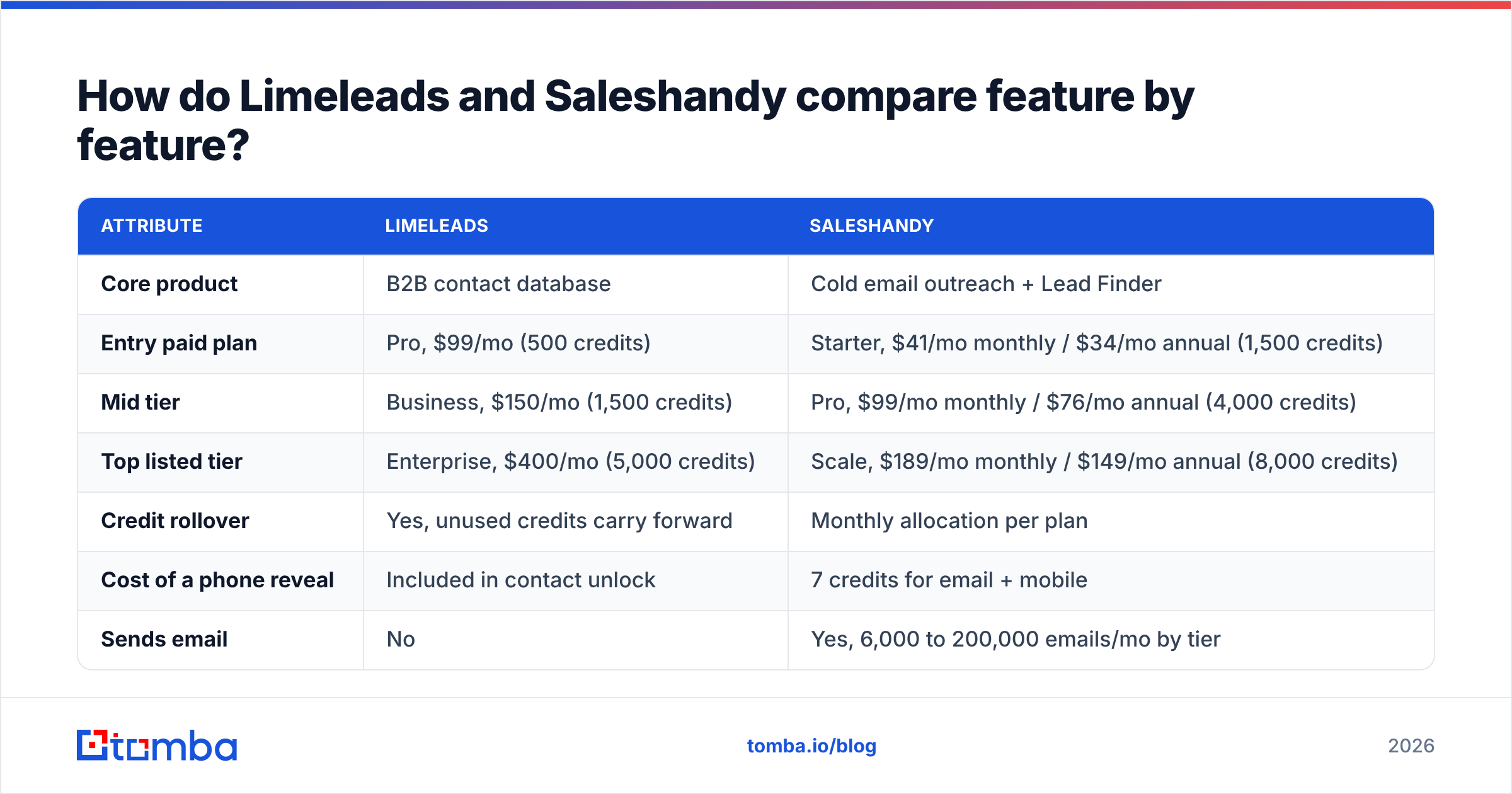
Here's how the two stack up on the attributes that matter most when you're building an outbound stack. Pricing reflects the vendors' published plans at the time of writing. Check their pricing pages before you buy, because both companies adjust tiers fairly often.
| Attribute | Limeleads | Saleshandy |
|---|---|---|
| Core product | B2B contact database | Cold email outreach + Lead Finder |
| Entry paid plan | Pro, $99/mo (500 credits) | Starter, $41/mo monthly / $34/mo annual (1,500 credits) |
| Mid tier | Business, $150/mo (1,500 credits) | Pro, $99/mo monthly / $76/mo annual (4,000 credits) |
| Top listed tier | Enterprise, $400/mo (5,000 credits) | Scale, $189/mo monthly / $149/mo annual (8,000 credits) |
| Credit rollover | Yes, unused credits carry forward | Monthly allocation per plan |
| Cost of a phone reveal | Included in contact unlock | 7 credits for email + mobile |
| Sends email | No | Yes, 6,000 to 200,000 emails/mo by tier |
| Inbox warmup and rotation | No | Yes |
| Annual discount | About 35% | About 17% |
| Best fit | Teams with an existing sequencer that need lists | Small teams wanting one tool for data + sending |
The numbers show the trade-off clearly. Saleshandy's credits cost less per contact, and you get a sending engine thrown in. Limeleads charges more per unlock but lets unused credits roll over. That matters if your prospecting runs in bursts, like one big list-build per quarter instead of a steady weekly pull.

How good is the data in each tool?#
Neither vendor publishes an independent accuracy audit, so be skeptical of any blog that gives you a precise bounce-rate figure for either one. Here's what's structurally true.
Limeleads built its reputation on real-time email verification at export time. The pitch is that you only spend a credit on a contact whose email checks out when you pull it. That's a sensible design, but verification at export only tells you the address was deliverable on that day. It says nothing about the address three weeks later, when your sequence reaches step four.
Saleshandy Lead Finder also advertises verified work emails. The data is tied closely to the sending engine, so you can reveal a contact and drop it straight into a sequence. That's convenient, and it also means a bad record can hit your inbox reputation before anyone looks at it.
Both tools struggle in the same places:
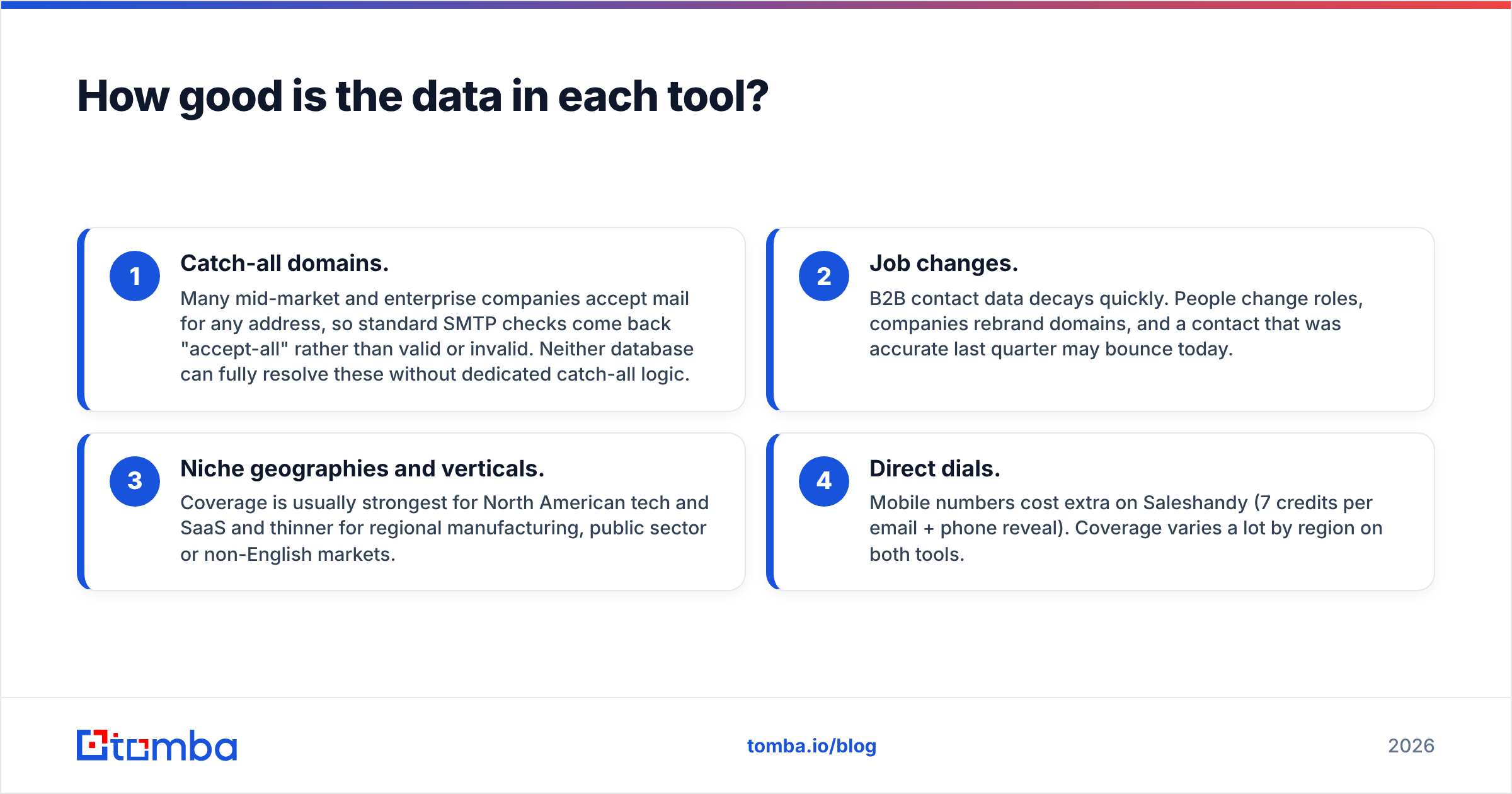
- Catch-all domains. Many mid-market and enterprise companies accept mail for any address, so standard SMTP checks come back "accept-all" rather than valid or invalid. Neither database can fully resolve these without dedicated catch-all logic.
- Job changes. B2B contact data decays quickly. People change roles, companies rebrand domains, and a contact that was accurate last quarter may bounce today.
- Niche geographies and verticals. Coverage is usually strongest for North American tech and SaaS and thinner for regional manufacturing, public sector or non-English markets.
- Direct dials. Mobile numbers cost extra on Saleshandy (7 credits per email + phone reveal). Coverage varies a lot by region on both tools.
The practical fix is the same whichever you pick. Run the export through an independent email verifier before it goes into a sequence. You'd do that even with a perfect database, because it's cheap insurance for your sender reputation.
How much does each tool really cost per usable lead?#
Sticker price is misleading here. What you actually care about is cost per contact that gets delivered, and per reply.
Take a rep who needs roughly 1,500 new contacts a month:
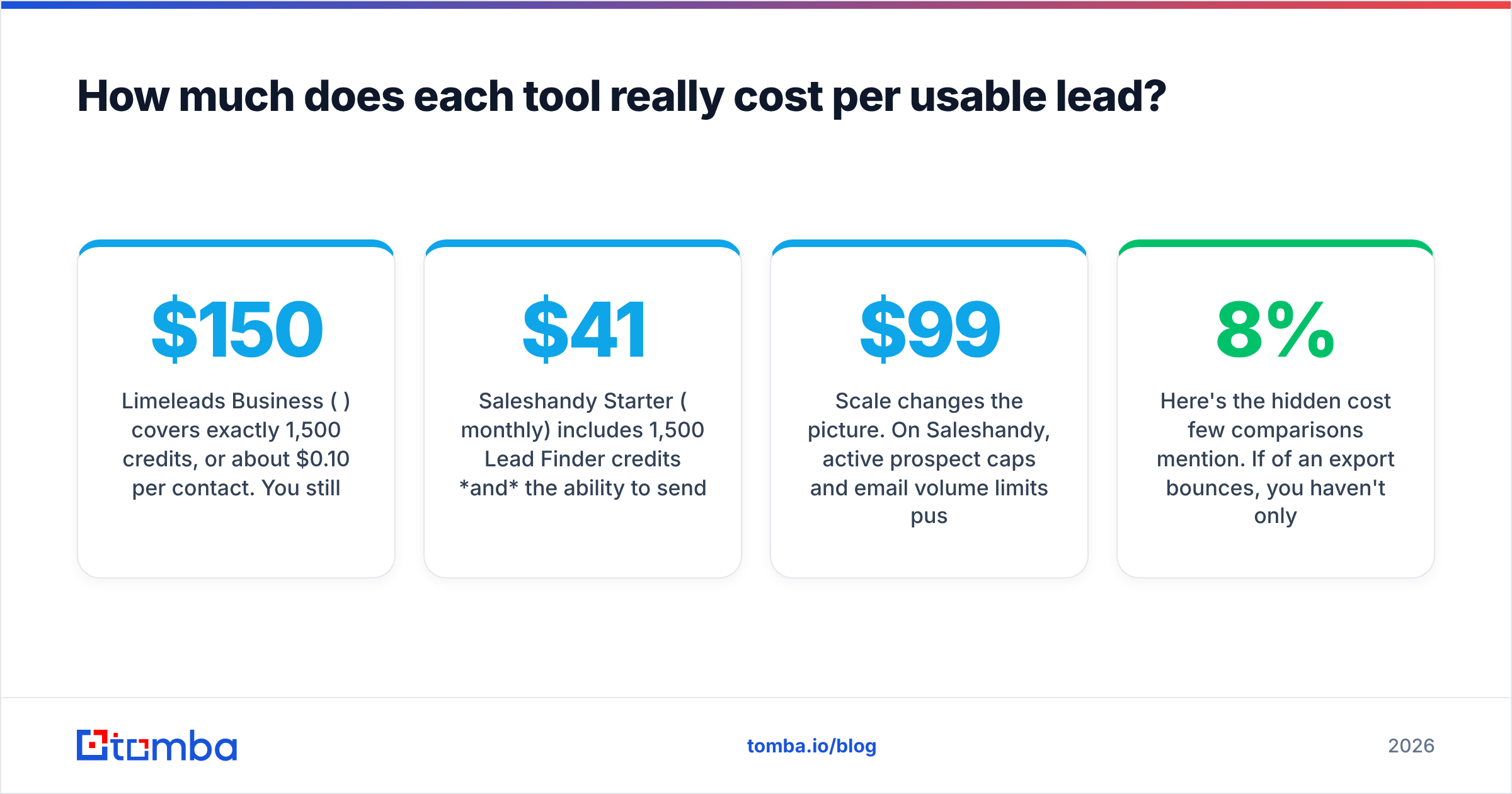
- Limeleads Business ($150/mo) covers exactly 1,500 credits, or about $0.10 per contact. You still need a sequencer, so add your sending tool's cost on top.
- Saleshandy Starter ($41/mo monthly) includes 1,500 Lead Finder credits and the ability to send 6,000 emails a month to 2,000 active prospects. For a single rep that's hard to beat on price.
Scale changes the picture. On Saleshandy, active prospect caps and email volume limits push you to Pro ($99/mo) or Scale ($189/mo) well before you run out of credits. On Limeleads, your sequencer's seat cost grows separately from your data spend, so the two budgets are easier to reason about.
Here's the hidden cost few comparisons mention. If 8% of an export bounces, you haven't only wasted 8% of your credits. You've also sent bounce signals to mailbox providers that hurt delivery for the other 92%. A tool that looks cheaper per credit can cost you more overall if it hurts inbox placement. Google's own sender guidelines spell out how seriously bulk-sender complaints and invalid recipients are weighed.
Which one is better for deliverability?#
This question only really applies to Saleshandy, because Limeleads never touches your sending infrastructure.
Saleshandy covers the deliverability basics most cold email teams need:
- Unlimited email account connections on its platform plans, so you can spread volume across several inboxes and domains.
- Inbox rotation that spreads sends across those accounts automatically.
- Warmup to build reputation on new domains before you send cold volume.
- Sequence throttling so you don't spike volume on a fresh domain.
With Limeleads, deliverability depends entirely on the sequencer you pair it with, whether that's Instantly, Smartlead, Lemlist, Reply.io or something else. That isn't a weakness, just a different design. Many experienced outbound teams deliberately keep data and sending in separate vendors, so one bad list can't compromise their sending platform account.
Is Limeleads better than Saleshandy?#
It depends on where your gap is. A simple decision guide:
Pick Limeleads if:
- You already pay for a sequencer and are happy with it.
- Your list-building is bursty and credit rollover saves you money.
- You want to pull lists for things other than cold email too: ABM ads, direct mail, event invites, SDR call blocks.
- You want your data vendor to be independent of your sending vendor.
Pick Saleshandy if:
- You're a solo founder, freelancer or small team that wants one login and one bill.
- You want to reveal a contact and push it straight into a sequence.
- Your monthly contact needs fit within the bundled credits.
- You need warmup and inbox rotation and don't yet own a sending tool.
Consider neither as your only data source if:
- You sell into enterprise accounts with lots of catch-all domains.
- You need to find a specific named person at a specific company, rather than filtering a database for anyone who matches.
- You're enriching an existing CRM rather than building net-new lists.
That last group is where a dedicated email finder helps. Databases are built for "give me 500 VPs of Marketing at 50-200 person SaaS companies in Germany." Email finders are built for "I know Jane Doe is Head of RevOps at acme.com, so what's her address?" The two jobs call for different tools.
What do users say on review sites?#
Review aggregators are a useful sanity check, as long as you read the actual reviews and not just the star averages. On G2, Saleshandy has a large review base. Users regularly praise its price-to-feature ratio and its ease of setup. The most common complaints involve the learning curve for advanced sequence logic and occasional support delays at lower tiers.
Limeleads has a smaller review footprint. Feedback tends to highlight clean exports and a straightforward interface. Criticism centres on coverage gaps outside core markets and pricing that is high at the entry tier compared with bundled alternatives.
Treat any review-site score as directional. Small sample sizes and vendor-prompted review campaigns skew averages in both directions.
How should you combine these tools with an email finder?#
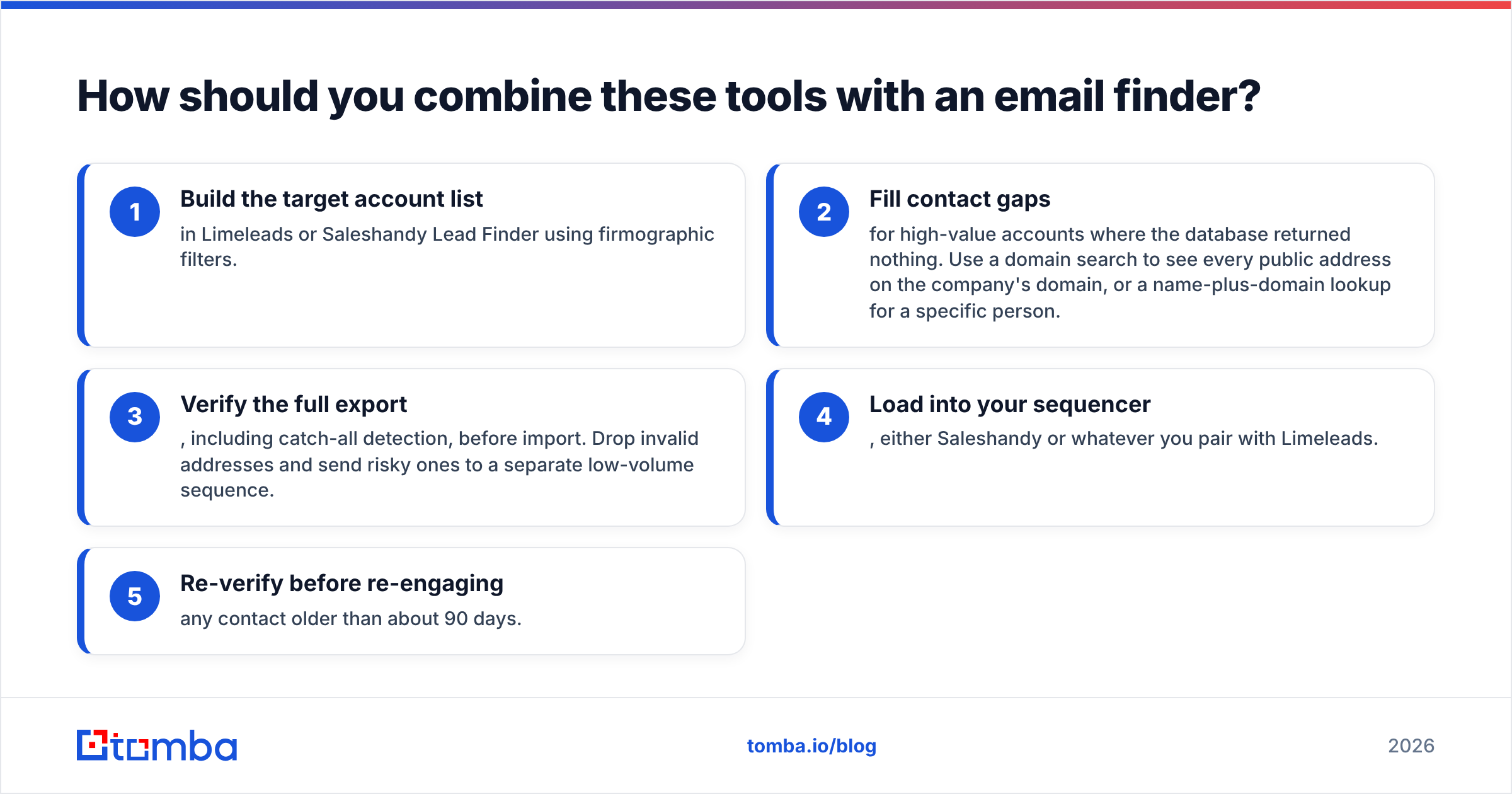
A lot of teams get the most out of whichever tool they choose by adding a third, lighter layer for accuracy and gap-filling. A sensible workflow looks like this:
- Build the target account list in Limeleads or Saleshandy Lead Finder using firmographic filters.
- Fill contact gaps for high-value accounts where the database returned nothing. Use a domain search to see every public address on the company's domain, or a name-plus-domain lookup for a specific person.
- Verify the full export, including catch-all detection, before import. Drop invalid addresses and send risky ones to a separate low-volume sequence.
- Load into your sequencer, either Saleshandy or whatever you pair with Limeleads.
- Re-verify before re-engaging any contact older than about 90 days.
The added cost is small next to the domain reputation it protects. It also helps when you're comparing platforms. If you're weighing other outreach tools, our Saleshandy alternative breakdown covers where the sending-plus-data bundle fits and where it doesn't.
What's the final verdict on Limeleads vs Saleshandy?#
For most small teams starting from scratch, Saleshandy gives you more per dollar. For $41 to $99 a month you get sending, warmup, rotation and a decent monthly block of verified contacts. That's hard to match by buying a database and a sequencer separately.
For teams that already run a mature sending stack, Limeleads is the cleaner choice. It does one job, doesn't tie you to a sequencer, and rolls unused credits forward instead of letting them expire. The higher per-credit cost at the Pro tier falls away at Business and Enterprise volumes.
Neither one fully replaces a dedicated email finder for account-based work, catch-all-heavy enterprise targets, or enriching records you already have.
Where does Tomba fit?#
If your gap is finding the right address for a specific person at a specific company, rather than bulk list-building, try Tomba Email Finder. Enter a name and domain and it returns the professional email along with its public sources, and it works alongside Limeleads, Saleshandy or any sequencer you already use. There's a free tier with 25 searches a month so you can test it on your hardest accounts first. Paid plans start at $49/mo, and you can compare every tier on the Tomba pricing page.
Related guides#
// get started
Find, verify and enrich your first contacts today
Start on the free plan with 25 searches a month, then scale when your team is ready.
Free plan · No credit card required · GDPR & CCPA
// about the author