LimeLeads vs SignalHire: Pricing, Data, and Which to Pick in 2026
LimeLeads is a filter-first US B2B database. SignalHire is a profile-first contact finder built around a browser extension. Here is how they compare on price, coverage, and workflow, and which one fits your team.
TL;DR
- LimeLeads is a filter-first B2B database aimed at the US. You build a list by industry, title, headcount, and location, then unlock contacts with credits. Paid plans start at about $99/mo for 500 credits, and unused credits roll over.
- SignalHire is a profile-first contact finder. You open a LinkedIn (or similar) profile, and the browser extension shows emails and phone numbers. Email-only plans start at about $69/mo, and credits are only charged when a result comes back.
- Choose LimeLeads if you need to build a new US account list from scratch and export it in bulk.
- Choose SignalHire if you already know who you want to reach, especially outside the US, or if you recruit as well as sell.
- If what you need is a verified work email for a known domain or person, a dedicated email finder with built-in verification is usually cheaper per valid contact than either tool.
What are LimeLeads and SignalHire, in one sentence each?#
The two tools get compared often, but they solve different problems.
LimeLeads (limeleads.com) is a searchable B2B contact database. It focuses on US companies, and it verifies emails at the moment you unlock them. You start with a blank filter panel and finish with a CSV of companies and decision-makers.
SignalHire (signalhire.com) is a contact lookup tool. It started as a recruiting product and is used heavily by sales teams now. You start with a person, usually a LinkedIn profile, a GitHub page, or a name plus company, and get back their personal email, work email, and phone number.
In short, LimeLeads helps you find out who to contact. SignalHire helps you reach a person you've already picked. Most "which is better" arguments go away once you work out which of those two problems you have.
How do LimeLeads and SignalHire compare feature by feature?#
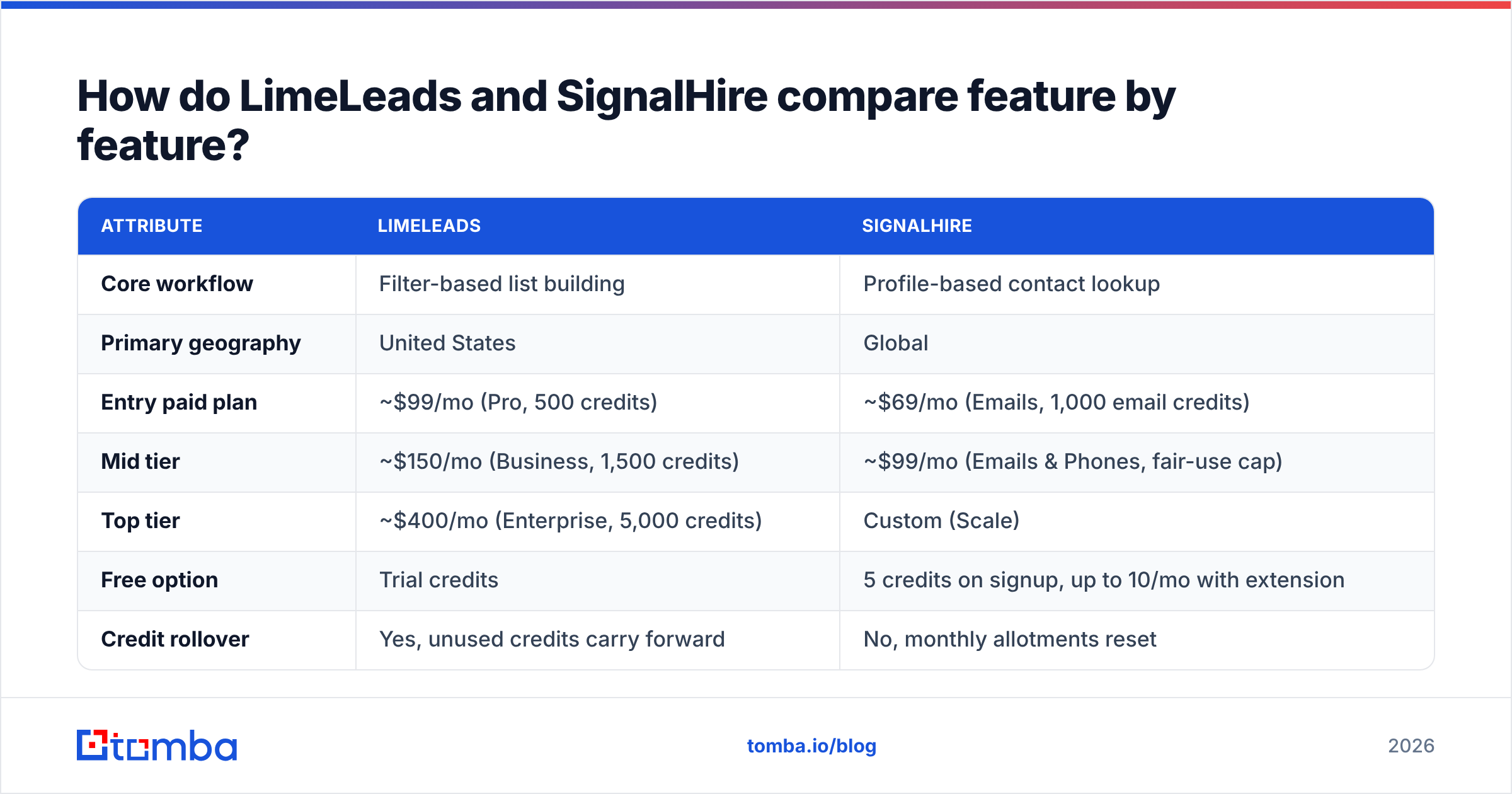
Here's the comparison at a glance. Pricing reflects public plan pages and third-party trackers at the time of writing. Both vendors change tiers often, so check the live pricing page before you buy.
| Attribute | LimeLeads | SignalHire |
|---|---|---|
| Core workflow | Filter-based list building | Profile-based contact lookup |
| Primary geography | United States | Global |
| Entry paid plan | ~$99/mo (Pro, 500 credits) | ~$69/mo (Emails, 1,000 email credits) |
| Mid tier | ~$150/mo (Business, 1,500 credits) | ~$99/mo (Emails & Phones, fair-use cap) |
| Top tier | ~$400/mo (Enterprise, 5,000 credits) | Custom (Scale) |
| Free option | Trial credits | 5 credits on signup, up to 10/mo with extension |
| Credit rollover | Yes, unused credits carry forward | No, monthly allotments reset |
| Charged on miss? | Credit spent per unlocked contact | Only charged when data is returned |
| Phone numbers | Company-level and some direct lines | Mobile and direct dials (separate phone credits) |
| Browser extension | Limited, web app is the main UI | Core product (LinkedIn, GitHub, others) |
| Seats | Capped per plan (1 / 2 / 5) | No per-seat fee |
| Best for | US SMB/mid-market list building | Recruiters, known-account outreach, international |
Two differences matter more than the rest.
- Rollover vs fair-use. LimeLeads credits carry forward, which suits teams whose outreach volume swings month to month. SignalHire's "unlimited" plans run under a fair-use policy. Buyers report a practical ceiling of about 5,000 lookups a month, so don't plan a high-volume enrichment job around the word "unlimited."
- Charged on miss. SignalHire only charges when it finds something. LimeLeads shows you a record before you unlock it, so in practice you're also paying for data you've already seen. Both models are fair. They just reward different habits.
How does the data actually differ?#
When a contact tool disappoints, the cause is almost always the data, not the interface. Here's how the two tools differ on the dimensions that affect bounce rate and connect rate.
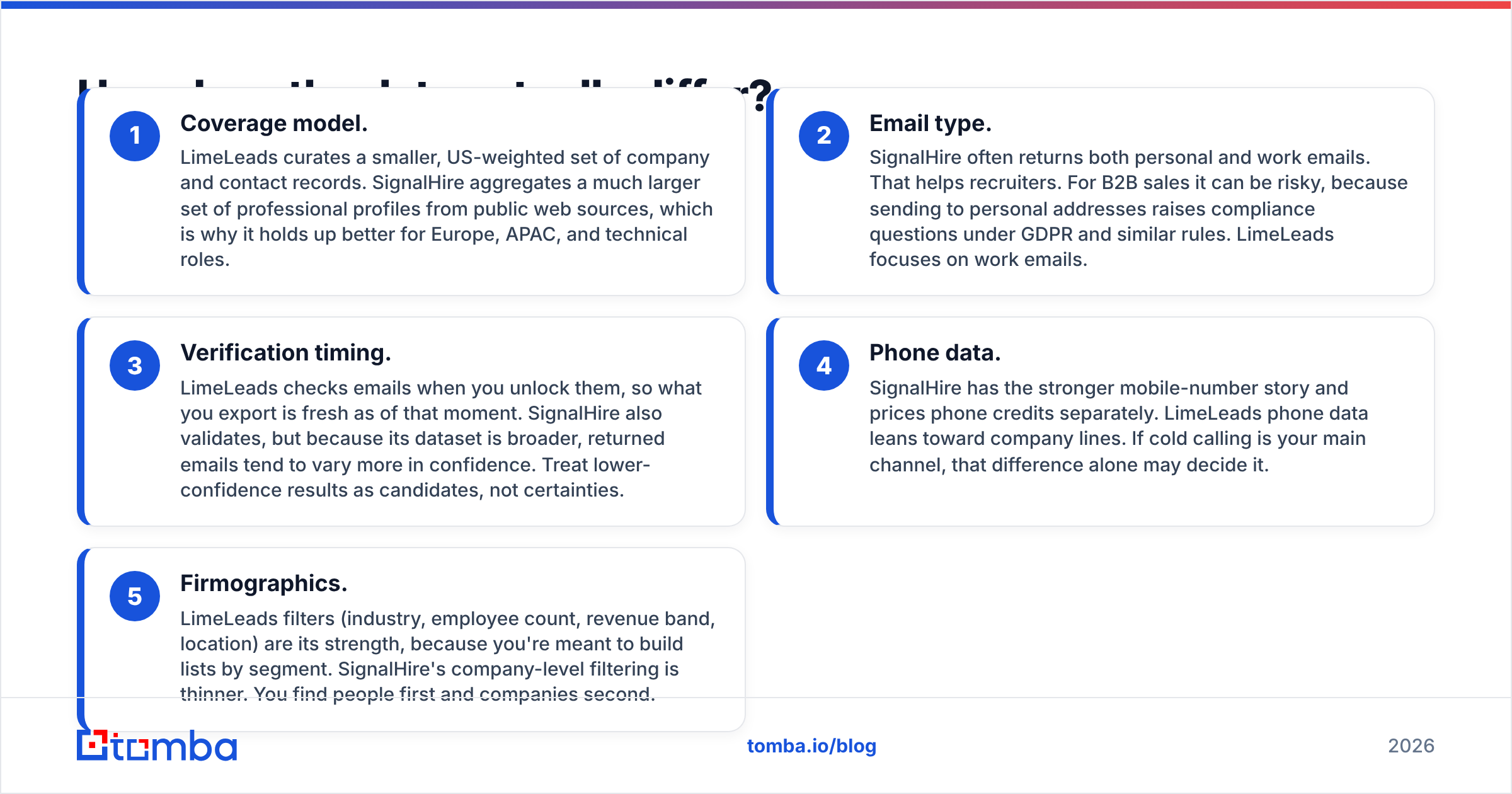
- Coverage model. LimeLeads curates a smaller, US-weighted set of company and contact records. SignalHire aggregates a much larger set of professional profiles from public web sources, which is why it holds up better for Europe, APAC, and technical roles.
- Email type. SignalHire often returns both personal and work emails. That helps recruiters. For B2B sales it can be risky, because sending to personal addresses raises compliance questions under GDPR and similar rules. LimeLeads focuses on work emails.
- Verification timing. LimeLeads checks emails when you unlock them, so what you export is fresh as of that moment. SignalHire also validates, but because its dataset is broader, returned emails tend to vary more in confidence. Treat lower-confidence results as candidates, not certainties.
- Phone data. SignalHire has the stronger mobile-number story and prices phone credits separately. LimeLeads phone data leans toward company lines. If cold calling is your main channel, that difference alone may decide it.
- Firmographics. LimeLeads filters (industry, employee count, revenue band, location) are its strength, because you're meant to build lists by segment. SignalHire's company-level filtering is thinner. You find people first and companies second.
Whichever tool you pick, run exports through a separate email verifier before sending. Neither vendor promises zero bounces. Catch-all domains, recent job changes, and aggressive corporate spam filters beat every database at some point.

Which tool is cheaper per usable contact?#
The sticker price misleads here. What matters is cost per contact you can actually email or call.
Take a US outbound team that needs 1,000 decision-maker emails a month:
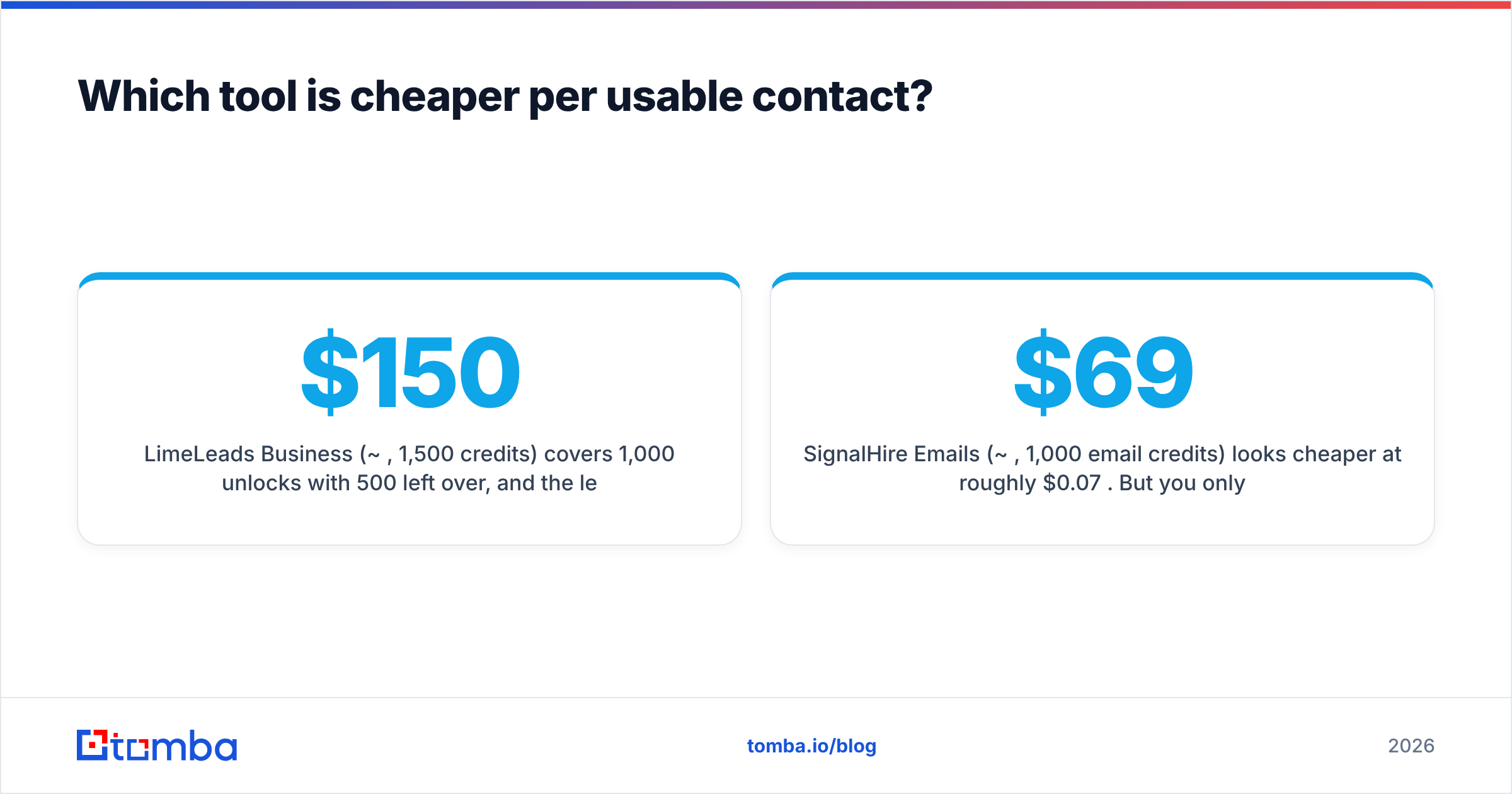
- LimeLeads Business (~$150/mo, 1,500 credits) covers 1,000 unlocks with 500 left over, and the leftover rolls into next month. The effective cost is about $0.10–$0.15 per contact, before you account for bounces.
- SignalHire Emails (~$69/mo, 1,000 email credits) looks cheaper at roughly $0.07 per credit. But you only get charged on a hit, and you still have to find each profile first. If your team spends 30 seconds per LinkedIn lookup, 1,000 contacts is more than eight hours of rep time a month. That labor cost doesn't appear on the invoice.
Now take a recruiter or an international seller who needs 200 specific people across five countries:
- LimeLeads probably can't return most of them, because the coverage is US-weighted.
- SignalHire handles this well. The Emails plan covers it with room to spare.
So neither tool is cheaper in the abstract. LimeLeads costs less for bulk US list building. SignalHire costs less for targeted, global, one-at-a-time lookups.
Is LimeLeads better than SignalHire for outbound sales?#
For US SMB and mid-market outbound, LimeLeads usually wins. The workflow suits how SDR teams actually prospect: define an ICP, filter, export, load into a sequencer. You spend less time per contact, credits roll over, and export-time verification cuts down on list hygiene work.
For account-based outbound, where you already have a named account list and need the three to five buying-committee members at each account, SignalHire is often the better fit. You work from LinkedIn anyway, and the extension puts the contact data next to the context you're reading.
LimeLeads falls short when you need anyone outside North America, or roles its dataset doesn't cover well, such as engineers, researchers, and niche technical titles. SignalHire falls short when you need 5,000 fresh contacts by Friday. The extension-first workflow and the fair-use cap both slow down bulk work.
Is SignalHire better than LimeLeads for recruiting?#
Yes, and by a clear margin. SignalHire was built for recruiting, and it shows:
- Personal emails and mobiles are what recruiters need, because candidates often don't want to be contacted at their current employer's address.
- Coverage of technical profiles on GitHub and similar platforms goes well beyond a sales-focused database.
- Global reach matters because talent searches rarely stay inside one country.
LimeLeads was never designed for this, and it doesn't try to be. If your team does both recruiting and sales, SignalHire covers more of your needs from one subscription. G2 reviews for SignalHire include feedback from both recruiters and sales users, which gives you a useful look at how the same tool works for each.
What do real users complain about?#
Review sites give you the failure modes marketing pages leave out. Across Capterra and G2, the recurring themes are:
LimeLeads (see Capterra's LimeLeads listing):
- Coverage thins out quickly outside the US, and in some niche verticals.
- Seat caps per plan can pinch growing teams.
- The web app works, but CRM integrations are lighter than enterprise buyers expect.
SignalHire:
- "Unlimited" plans have a fair-use ceiling that surprises high-volume users.
- Email and phone credits are separate buckets, so budgeting takes some care.
- Results vary more in confidence, especially for work emails at smaller companies.
None of these rule either tool out. They just tell you where to test before you commit.
How should you run a fair trial between them?#
Don't compare them on each vendor's demo data. Run the same test on both:
- Pick 50 real targets from your ICP: 25 you've already emailed successfully (your control group) and 25 new ones.
- Look up all 50 in both tools. Record hit rate, time spent, and credits consumed.
- Verify every returned email with the same third-party verifier, so neither tool grades its own homework.
- Send a small, identical sequence to the verified contacts from a warmed-up domain, and track bounces and replies.
- Calculate cost per delivered email, not cost per credit. That's the number that should decide your purchase.
This takes about a week and costs less than one month of either plan. It's worth doing. The "best" tool depends on your ICP, and no review, including this one, knows your ICP better than your own send data does.

When should you use neither and pick a dedicated email finder instead?#
Plenty of teams comparing LimeLeads and SignalHire don't actually need a database or a profile scraper. They have a domain or a name plus company and need one verified work email. For that job, a purpose-built email finder is usually faster and cheaper per valid address, because:
- It resolves the company's email pattern and verifies the specific address in one step.
- It works from a spreadsheet, API, or extension, so you're not limited to one interface.
- It doesn't charge you for firmographic data you'll never use.
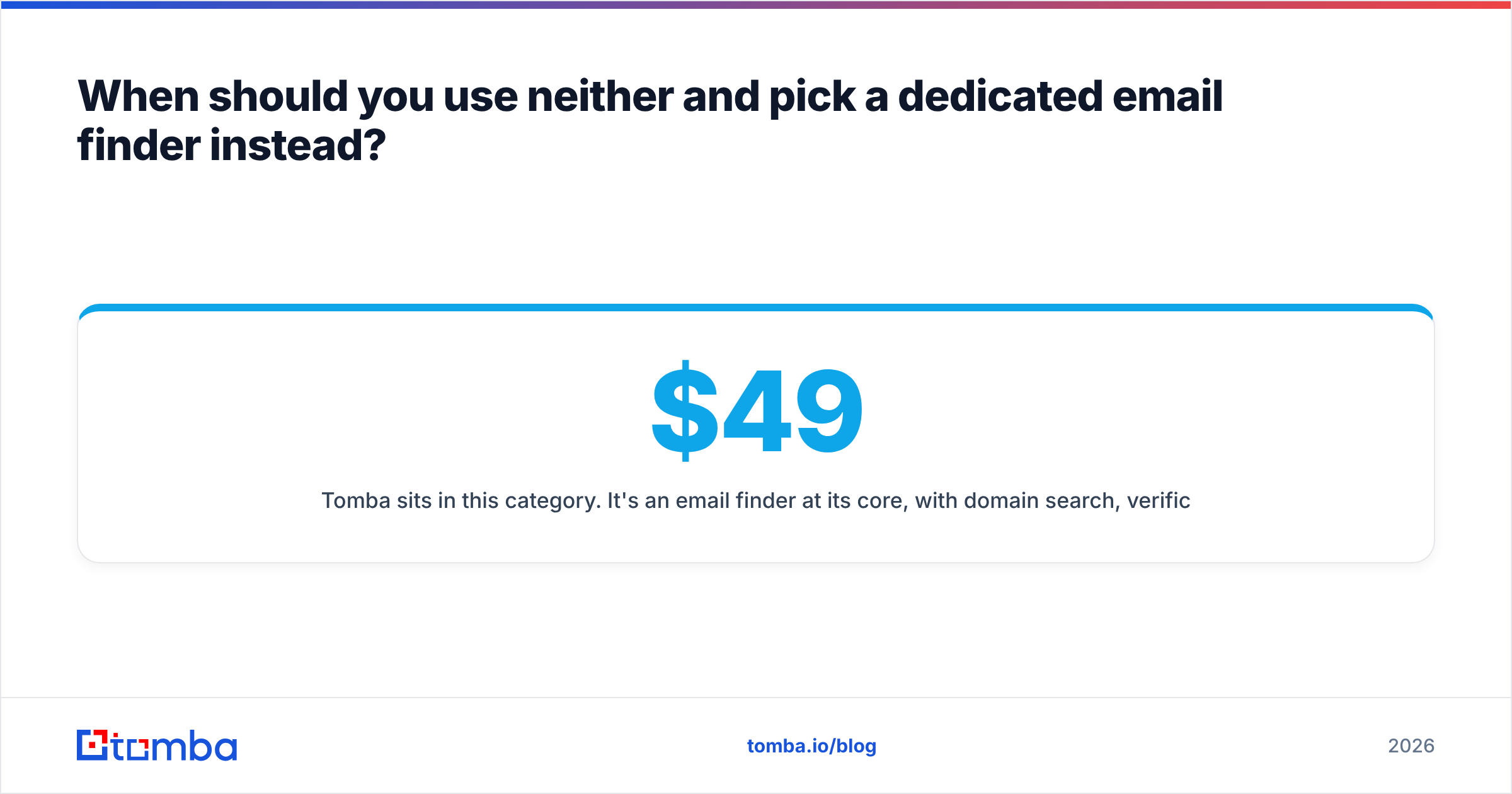
Tomba sits in this category. It's an email finder at its core, with domain search, verification, catch-all checking, phone finding, and enrichment alongside it. Plans start with a free tier of 25 searches a month, then Starter at $49/mo, Growth at $99/mo, and Pro at $249/mo, with custom Enterprise pricing (full breakdown on the Tomba pricing page). If LinkedIn is where your prospecting happens, the LinkedIn finder covers the same profile-first workflow SignalHire is known for. For large lists, the bulk email finder handles CSV uploads without a copy-paste loop.
That doesn't make it a replacement for everything. If you need LimeLeads-style ICP filtering to find companies in the first place, or SignalHire-style personal mobiles for recruiting, those tools still earn their place. Many teams pair a list-building source with a dedicated finder and verifier and get better deliverability than any single tool gives them.
So which should you choose: LimeLeads or SignalHire?#
Use this decision rule:
- Your market is mostly the US, and you build lists from scratch by segment: choose LimeLeads. Rollover credits and export-time verification make it an efficient list factory.
- You work named accounts, sell internationally, or recruit: choose SignalHire. The extension-first workflow and global profile coverage fit how you already work.
- You need high-volume cold calling: lean SignalHire for mobile coverage, and budget for phone credits separately.
- You mostly need verified work emails for known companies or people: consider a dedicated email finder first, and add a database only if you run out of accounts to target.
Both are credible tools with real strengths. The wrong choice is usually buying a database when you needed a finder, or the reverse. Work out which problem you have, run the 50-contact trial, and let cost per delivered email make the decision.
If your bottleneck is getting from "I know the company" to "I have a verified work email," try Tomba Email Finder. Enter a domain or a name plus company, get the address with a verification status, and start on the free tier before you commit to a plan.
Related guides#
// get started
Find, verify and enrich your first contacts today
Start on the free plan with 25 searches a month, then scale when your team is ready.
Free plan · No credit card required · GDPR & CCPA
// about the author