Lindy vs Relevance AI: Which AI Agent Platform Fits Your Sales Team?
Lindy and Relevance AI both promise AI agents that do sales work for you, but they suit different buyers. We compare how you build agents, how pricing works, the sales use cases each handles, and the data input that decides whether either one works.
TL;DR
- Lindy is the easier pick if you want an AI assistant that works inside your inbox, calendar, and meetings, and you want it running this afternoon. Pricing is per seat, starting around $29.99/user/month (September 2026).
- Relevance AI is better for building an "AI workforce": multi-agent sales systems like an AI BDR that researches accounts, qualifies leads, and writes outreach at volume. It bills on two meters, Actions and Vendor Credits.
- Solo founders and small teams usually get value from Lindy faster. RevOps teams that want to design and own their agent logic usually outgrow Lindy and move to Relevance AI.
- Neither tool fixes bad contact data. An AI SDR that emails guessed addresses is still sending to bad addresses, just more of them. Verify your inputs first.
- Our pick: Lindy for personal productivity and meeting-to-CRM work, Relevance AI for building outbound agents.
What are Lindy and Relevance AI?#
Both are no-code platforms for building AI agents: software that takes a trigger (a new email, a form fill, a CRM update), reasons about it with a large language model, and then acts across your other tools. That shared description hides two different product philosophies.
Lindy started as a way to build "AI employees" from templates and has moved steadily toward being a personal AI assistant. It triages your inbox, drafts replies, schedules meetings, takes meeting notes, and pushes updates to your CRM. You can still build custom workflows with a visual builder, but the product is designed so a non-technical user gets something useful in minutes.
Relevance AI is a Sydney-founded platform built around multi-agent systems. You build tools (reusable steps such as "scrape this company's website" or "score this lead against our ICP"), give them to agents, and group agents into teams that pass work to each other. Its best-known use case is the AI BDR, an agent that researches prospects, writes personalized outreach, and routes replies.
A simple way to picture the difference: Lindy is a very capable executive assistant you hire. Relevance AI is an empty office where you design the job descriptions, the handoffs, and the workflows yourself.
How do Lindy and Relevance AI compare on core features?#
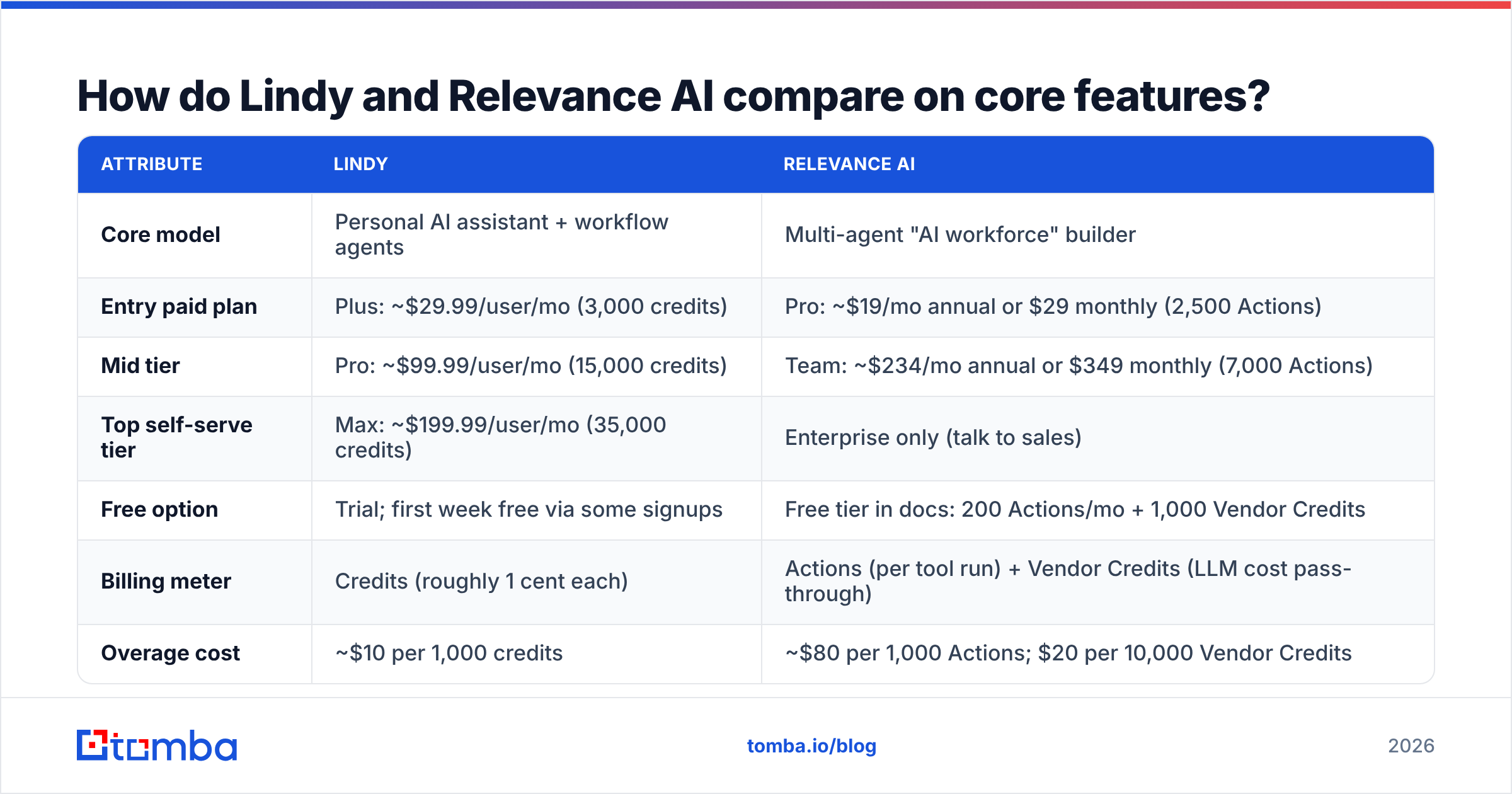
This table summarizes the differences that matter most to sales and RevOps teams. Pricing reflects public and documented plans as of September 2026. Both vendors change plans often, so check their pricing pages before you buy.
| Attribute | Lindy | Relevance AI |
|---|---|---|
| Core model | Personal AI assistant + workflow agents | Multi-agent "AI workforce" builder |
| Entry paid plan | Plus: ~$29.99/user/mo (3,000 credits) | Pro: ~$19/mo annual or $29 monthly (2,500 Actions) |
| Mid tier | Pro: ~$99.99/user/mo (15,000 credits) | Team: ~$234/mo annual or $349 monthly (7,000 Actions) |
| Top self-serve tier | Max: ~$199.99/user/mo (35,000 credits) | Enterprise only (talk to sales) |
| Free option | Trial; first week free via some signups | Free tier in docs: 200 Actions/mo + 1,000 Vendor Credits |
| Billing meter | Credits (roughly 1 cent each) | Actions (per tool run) + Vendor Credits (LLM cost pass-through) |
| Overage cost | ~$10 per 1,000 credits | ~$80 per 1,000 Actions; $20 per 10,000 Vendor Credits |
| Setup time | Minutes for templates | Hours to days for a real multi-agent system |
| Best sales use case | Meeting notes, inbox triage, follow-ups, CRM updates | AI BDR, account research, lead qualification at scale |
| Learning curve | Low | Medium to high |
| Multi-agent orchestration | Basic (agents can call each other) | Core feature (agent teams, sub-agents) |
| Enterprise controls | SSO, SCIM, audit logs, HIPAA on Enterprise | SSO, RBAC, data residency options on Enterprise |
On paper, Relevance AI's entry price is lower. In practice the comparison depends on what an Action costs you in a real workflow. A Relevance AI agent that researches one lead might run five or six tools, so it burns five or six Actions per lead. Lindy's credits are also consumed per step and per model call. Estimate one full run of your real workflow on each platform before you compare prices.
How do you build an agent in each tool?#
The building experience is where the two platforms differ most.
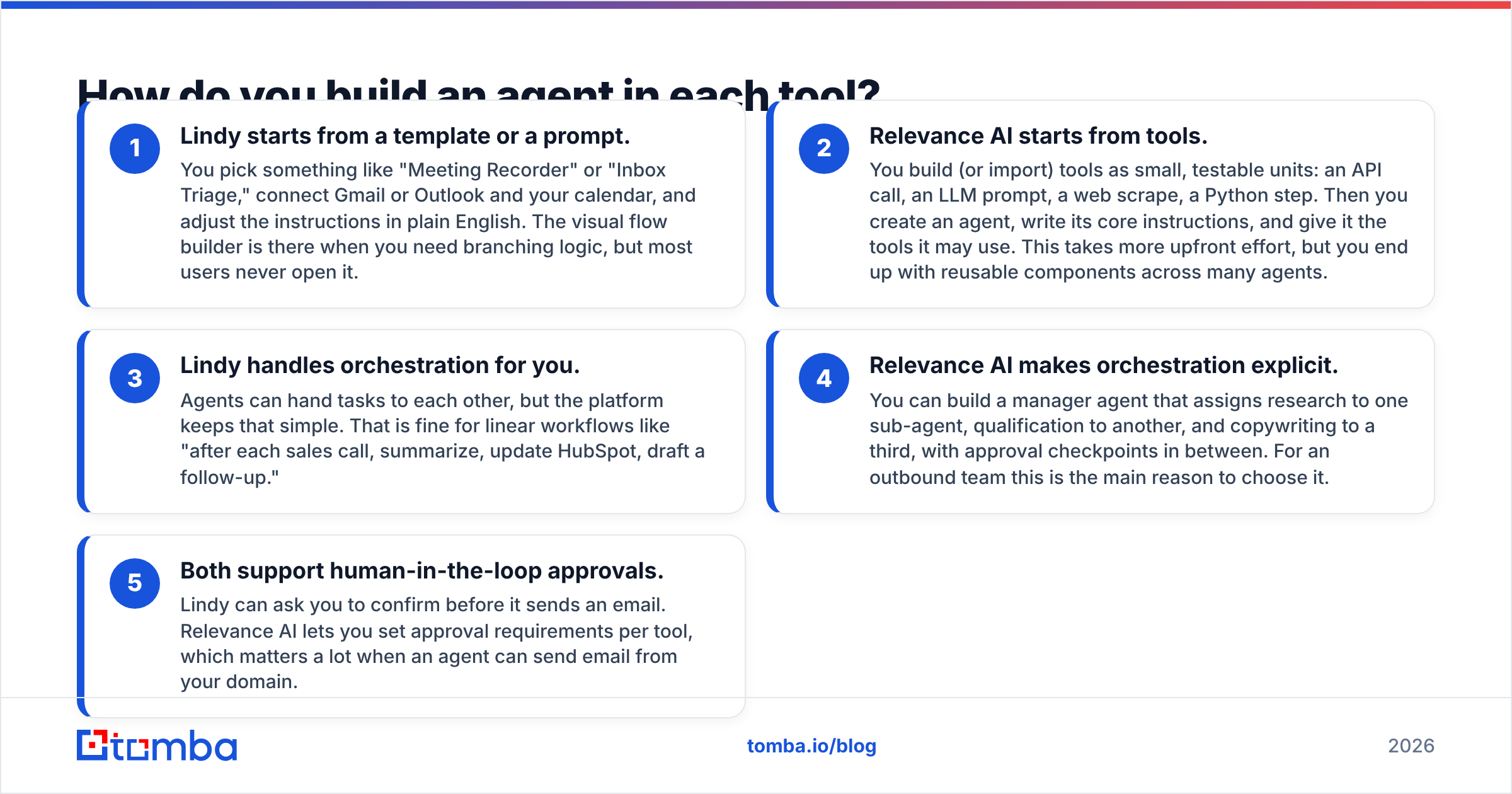
- Lindy starts from a template or a prompt. You pick something like "Meeting Recorder" or "Inbox Triage," connect Gmail or Outlook and your calendar, and adjust the instructions in plain English. The visual flow builder is there when you need branching logic, but most users never open it.
- Relevance AI starts from tools. You build (or import) tools as small, testable units: an API call, an LLM prompt, a web scrape, a Python step. Then you create an agent, write its core instructions, and give it the tools it may use. This takes more upfront effort, but you end up with reusable components across many agents.
- Lindy handles orchestration for you. Agents can hand tasks to each other, but the platform keeps that simple. That is fine for linear workflows like "after each sales call, summarize, update HubSpot, draft a follow-up."
- Relevance AI makes orchestration explicit. You can build a manager agent that assigns research to one sub-agent, qualification to another, and copywriting to a third, with approval checkpoints in between. For an outbound team this is the main reason to choose it.
- Both support human-in-the-loop approvals. Lindy can ask you to confirm before it sends an email. Relevance AI lets you set approval requirements per tool, which matters a lot when an agent can send email from your domain.
If your team has no one who enjoys designing systems, Lindy's defaults will save you weeks. If you have a RevOps lead who already builds in Zapier, Make, or n8n, Relevance AI's structure will feel familiar and give them far more control.
Which is better for sales prospecting and outbound?#
For outbound prospecting at volume, Relevance AI is the stronger platform.
Its BDR agent template reflects how outbound actually works: take a list of accounts, research each one (website, news, hiring signals, tech stack), score it against your ICP, find the right contact, write a personalized first line, and push the result to your sequencer or CRM. Because each step is a separate tool, you can swap out the research source, adjust the scoring prompt, or add a verification step without rebuilding the agent.
Lindy can do prospecting too. There are templates for lead research and outreach drafting, and it can do web research. But it works best as an assistant around a salesperson's day rather than as an autonomous outbound engine. Where Lindy stands out:
- Post-call workflows. Record the call, summarize it, extract next steps, update the deal in your CRM, and draft the follow-up before you've closed the tab.
- Inbox management for reps. Triage replies, flag hot responses, and draft answers in your voice.
- Scheduling. Handle the back-and-forth of booking meetings with prospects.
- Lightweight research. Pull a one-page brief on a company before a call.
So the question is less "which is better for sales" and more "which part of sales are you automating?" Top-of-funnel, high-volume work points to Relevance AI. Rep productivity and deal hygiene point to Lindy.
What does each platform really cost for a sales team?#
List prices don't tell you much here. Look at cost per completed task.
Lindy example. A five-person sales team on the Pro plan pays roughly $500/month and gets about 75,000 pooled credits. If a meeting-notes-plus-CRM-update workflow uses a few hundred credits per call, and each rep runs 15 to 20 calls a week, you are well inside the allowance. The cost is predictable because it scales with headcount.
Relevance AI example. An AI BDR that processes 1,000 accounts a month, running six tools per account, uses about 6,000 Actions. That fits the Team plan's 7,000 Actions, plus Vendor Credits for model usage (which depend on the LLM you pick and how long your prompts are). If you scale to 3,000 accounts a month, you'll need top-ups at around $80 per 1,000 Actions, or an Enterprise contract.
Three cost traps to watch on either platform:
- Premium models. Choosing the most capable LLM for every step can multiply your model costs. Use a cheaper model for classification and extraction and save the expensive one for writing.
- Retry loops. Agents that fail and retry on bad inputs (dead URLs, invalid emails, empty enrichment results) spend credits for nothing.
- Over-researching. An agent told to "research the company thoroughly" will happily run ten tools when three would do. Limit the scope explicitly.
Third-party reviews on G2 are useful for checking whether real teams found their bills predictable. Filter reviews by company size close to yours.
Where do both tools fall short?#
Both platforms depend on the data you give them. That limitation gets less attention than it should.
An AI agent is a multiplier. Give it a clean list of verified decision-makers and it produces personalized outreach at a pace no human SDR can match. Give it a scraped list full of guessed email patterns, catch-all domains, and people who left the company last year, and it produces well-written emails that bounce, at the same pace. Your bounce rate climbs, your sender reputation drops, and your emails start landing in spam, including the ones your human reps send.
Other shared limitations:
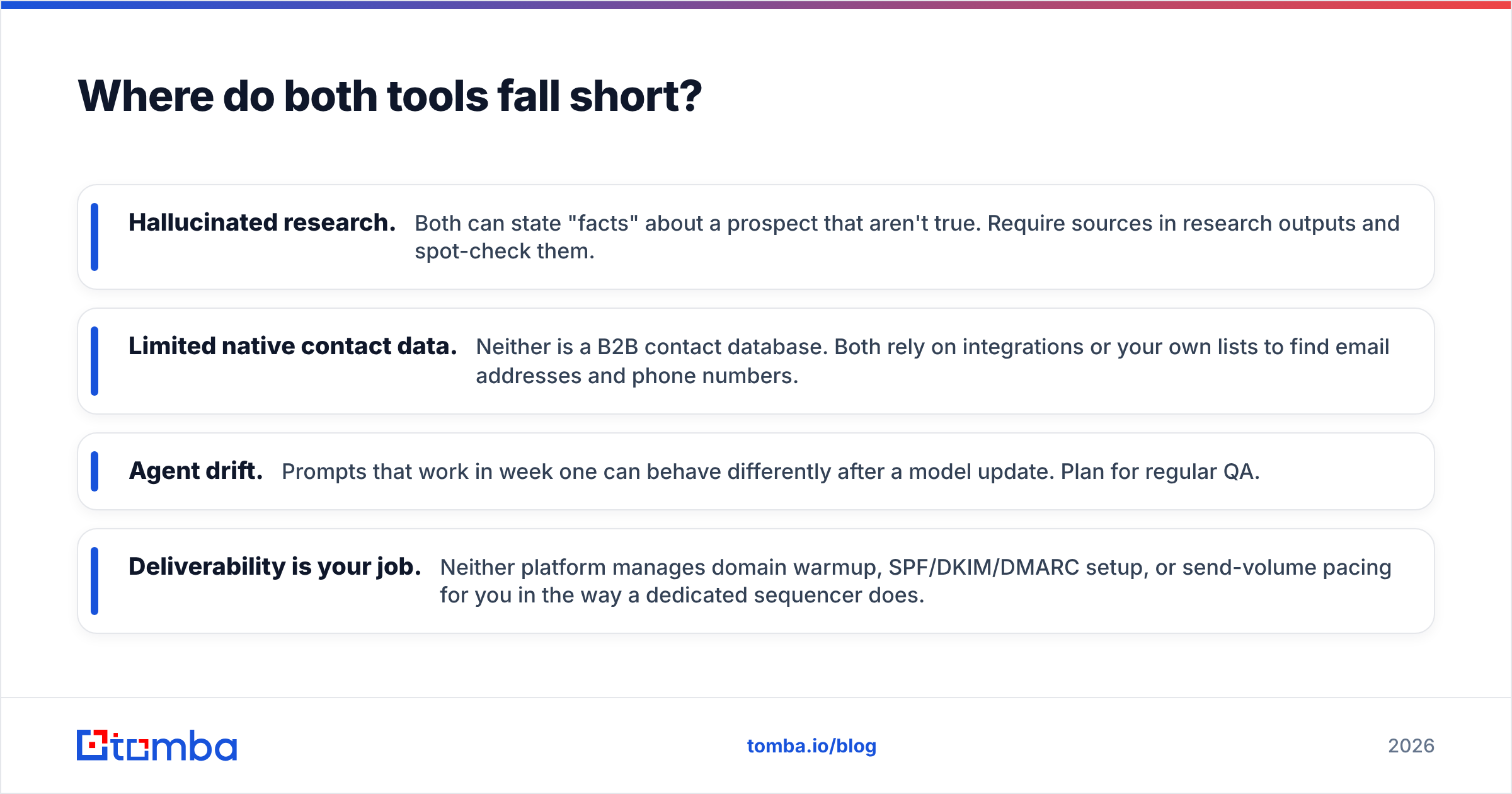
- Hallucinated research. Both can state "facts" about a prospect that aren't true. Require sources in research outputs and spot-check them.
- Limited native contact data. Neither is a B2B contact database. Both rely on integrations or your own lists to find email addresses and phone numbers.
- Agent drift. Prompts that work in week one can behave differently after a model update. Plan for regular QA.
- Deliverability is your job. Neither platform manages domain warmup, SPF/DKIM/DMARC setup, or send-volume pacing for you in the way a dedicated sequencer does.
The practical fix is to put a contact-data layer ahead of the agent. Before an account reaches your AI BDR, run it through an email finder to get the right person's address, then through an email verifier to confirm it will accept mail. Both Lindy and Relevance AI can call external APIs as a tool step, so you can build this directly into the workflow with the Tomba API instead of cleaning lists by hand.
Is Lindy better than Relevance AI for small teams?#
Usually, yes. For a founder or a team of two or three, Lindy's advantage is time to value. You connect your inbox and calendar, turn on a couple of templates, and within a day you're getting meeting summaries, drafted follow-ups, and cleaner CRM records. You don't have to design anything.
Relevance AI's free and Pro tiers are affordable, but the platform rewards investment. A small team that doesn't have time to build and maintain tools will likely end up with a half-built agent that never goes live. The exception is a technical founder who wants to build an outbound machine from day one. For that person, Relevance AI's structure pays off quickly.
Is Relevance AI better than Lindy for scaling outbound?#
For teams running outbound as a system, yes. Relevance AI suits cases where:
- You process hundreds or thousands of accounts per month.
- You want explicit control over each step: research, scoring, contact selection, copy.
- You need different agents for different segments or regions.
- A RevOps owner will maintain the system as models and data sources change.
Lindy scales well across people because each seat gets its own assistant. Relevance AI scales well across volume because one well-designed agent team can process a large pipeline. Identify which of those is your bottleneck.
How should you decide between Lindy and Relevance AI?#
Work through these questions in order:
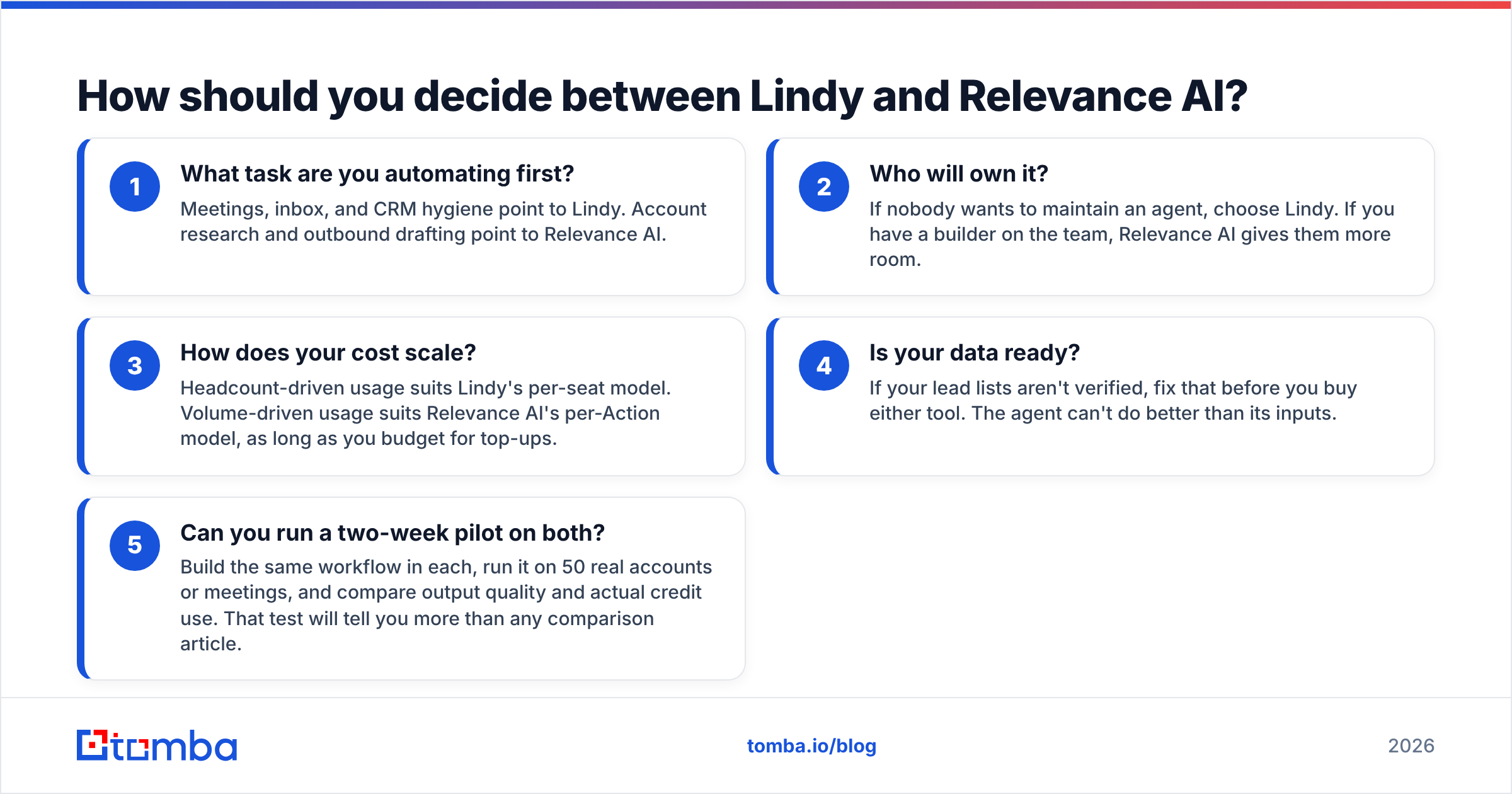
- What task are you automating first? Meetings, inbox, and CRM hygiene point to Lindy. Account research and outbound drafting point to Relevance AI.
- Who will own it? If nobody wants to maintain an agent, choose Lindy. If you have a builder on the team, Relevance AI gives them more room.
- How does your cost scale? Headcount-driven usage suits Lindy's per-seat model. Volume-driven usage suits Relevance AI's per-Action model, as long as you budget for top-ups.
- Is your data ready? If your lead lists aren't verified, fix that before you buy either tool. The agent can't do better than its inputs.
- Can you run a two-week pilot on both? Build the same workflow in each, run it on 50 real accounts or meetings, and compare output quality and actual credit use. That test will tell you more than any comparison article.
Many teams end up using both: Lindy for each rep's daily assistant work and Relevance AI for a centralized outbound agent. They don't compete for the same budget line as much as their marketing suggests.
Final verdict: Lindy or Relevance AI?#
Choose Lindy if you want an AI assistant that makes each rep faster tomorrow, with minimal setup and predictable per-seat pricing.
Choose Relevance AI if you want to build and own a multi-agent outbound system, you have someone to maintain it, and you need it to process real volume.
Whichever you choose, the agent will only be as good as the contacts you feed it. Before you point an AI SDR at your target accounts, give it verified, current email addresses. Tomba Email Finder finds professional emails by name, domain, or company, and you can plug it into Lindy or Relevance AI as an API step so every lead is found and verified before an agent writes to it. Start on the free tier with 25 searches a month, and check Tomba pricing when you're ready to scale to agent-level volume.
Related guides#
// get started
Find, verify and enrich your first contacts today
Start on the free plan with 25 searches a month, then scale when your team is ready.
Free plan · No credit card required · GDPR & CCPA
// about the author