Listclean vs SalesQL: Email Verifier or LinkedIn Finder in 2026?
Listclean and SalesQL keep turning up in the same shortlists, but they do different jobs. One cleans a list you already have. The other finds contacts you don't have yet. Here is how to tell which one you need, what each costs in 2026, and when neither is enough on its own.
TL;DR
- Listclean and SalesQL don't really compete. Listclean is a bulk email verifier. You give it emails you already have and it tells you which ones are safe to send to. SalesQL is a LinkedIn-first contact finder. You give it a prospect and it gives you back an email and a phone number.
- Listclean costs much less per record. Listed pay-as-you-go packs start at $5 for 10,000 verifications and credits don't expire. SalesQL is a monthly subscription that runs from a free tier (about 50 credits) to roughly $179/mo for 1,200 credits.
- Choose Listclean if you already have a list (old CRM exports, event lists, newsletter signups) and your bounce rate is hurting deliverability.
- Choose SalesQL if your reps prospect on LinkedIn every day and need contact details on the spot.
- If you need both finding and verifying, one platform that does both, such as Tomba, usually costs less than running two tools side by side.
What is the real difference between Listclean and SalesQL?#
When people search "Listclean vs SalesQL", they usually expect two email tools that do the same thing. They don't. The two sit at opposite ends of an outbound data workflow.
Listclean is an email verification service. You upload a CSV or call the API, and it checks each address with syntax checks, DNS and MX lookups, and SMTP-level checks. Each address comes back labelled as clean, dirty or unknown. It doesn't find new contacts. What it offers is protection: fewer hard bounces, fewer spam traps and a healthier sending domain.
SalesQL is a contact-finding tool built around LinkedIn. Its Chrome extension sits on LinkedIn and Sales Navigator profiles. One click reveals a prospect's work email, personal email and phone number from SalesQL's database. It also offers a searchable contact database, CSV enrichment and an API.
Think of it like a kitchen. SalesQL is the grocery run that brings in ingredients. Listclean is the step where you throw out anything spoiled before you cook. Both matter, but they happen at different stages.
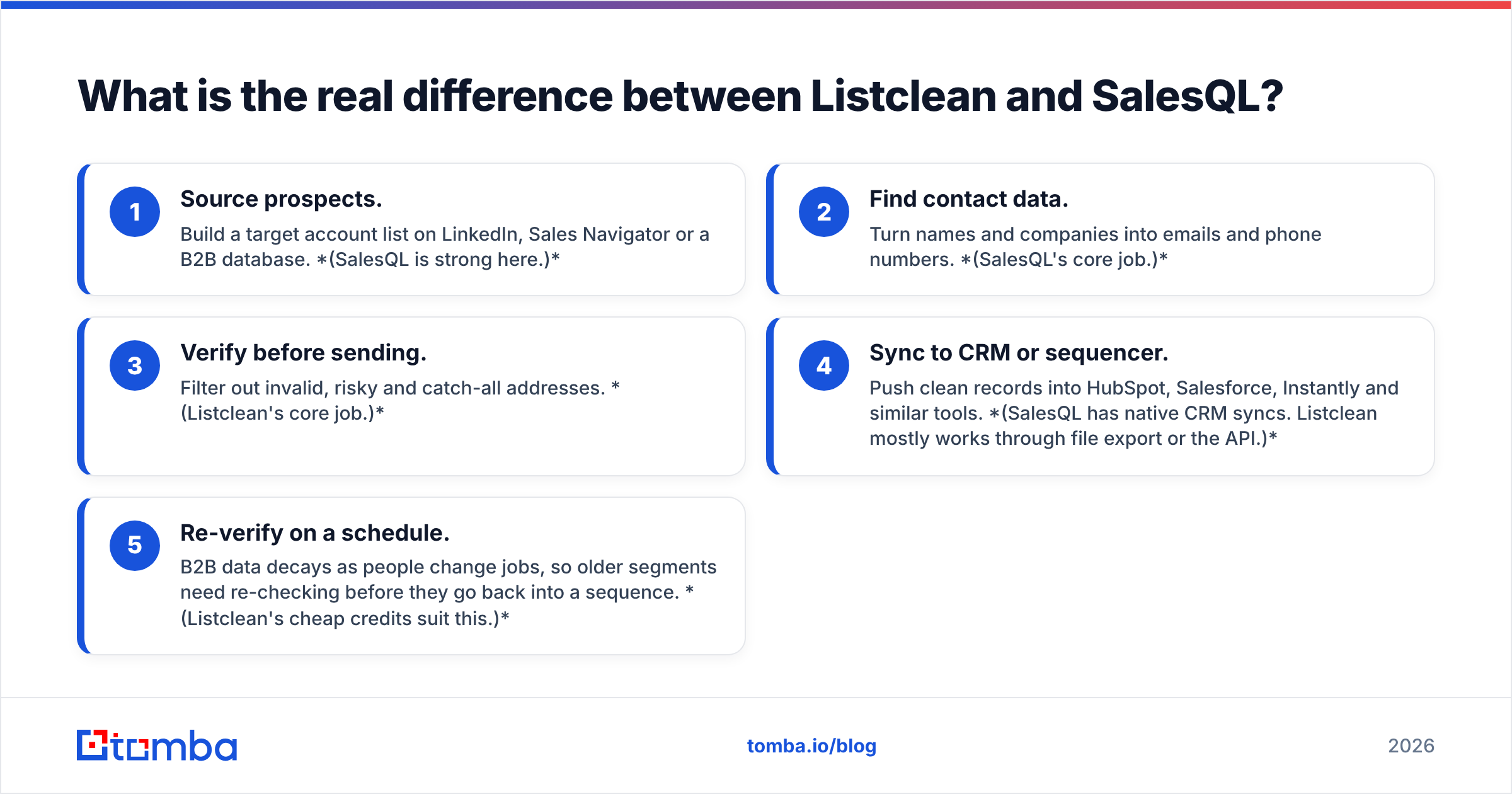
Here is where each tool fits in a typical outbound pipeline:
- Source prospects. Build a target account list on LinkedIn, Sales Navigator or a B2B database. (SalesQL is strong here.)
- Find contact data. Turn names and companies into emails and phone numbers. (SalesQL's core job.)
- Verify before sending. Filter out invalid, risky and catch-all addresses. (Listclean's core job.)
- Sync to CRM or sequencer. Push clean records into HubSpot, Salesforce, Instantly and similar tools. (SalesQL has native CRM syncs. Listclean mostly works through file export or the API.)
- Re-verify on a schedule. B2B data decays as people change jobs, so older segments need re-checking before they go back into a sequence. (Listclean's cheap credits suit this.)
Once you see the two tools as stages rather than rivals, the decision gets easier. What you're really asking is which stage is currently costing you pipeline.
How do Listclean and SalesQL compare feature by feature?#
Here's the side-by-side. Prices reflect each vendor's publicly listed plans as of late 2026. Check the vendor pages before you buy, because credit bundles change often.
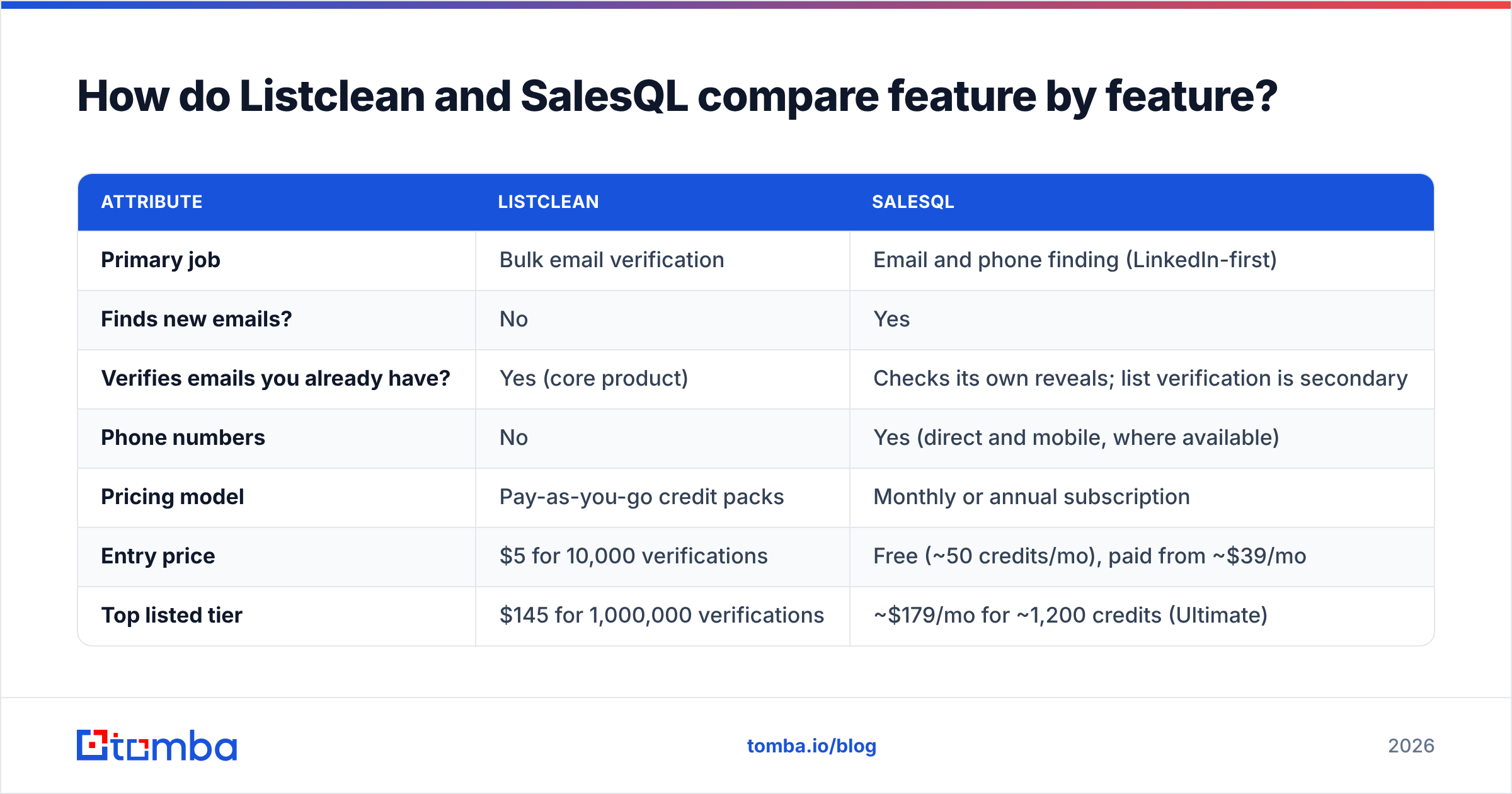
| Attribute | Listclean | SalesQL |
|---|---|---|
| Primary job | Bulk email verification | Email and phone finding (LinkedIn-first) |
| Finds new emails? | No | Yes |
| Verifies emails you already have? | Yes (core product) | Checks its own reveals; list verification is secondary |
| Phone numbers | No | Yes (direct and mobile, where available) |
| Pricing model | Pay-as-you-go credit packs | Monthly or annual subscription |
| Entry price | $5 for 10,000 verifications | Free (~50 credits/mo), paid from ~$39/mo |
| Top listed tier | $145 for 1,000,000 verifications | ~$179/mo for ~1,200 credits (Ultimate) |
| Free allowance | First 100 verifications | ~50 credits/month |
| Credit expiry | Credits never expire | Monthly credits reset |
| Charges for "unknown" results? | No (unknown and duplicate results are free) | Credit charged per revealed contact |
| Chrome extension | No | Yes (LinkedIn and Sales Navigator) |
| API | Yes | Yes |
| CRM integrations | Limited; export or API | HubSpot, Salesforce, Pipedrive and others |
| Best for | Marketers and ops teams cleaning big lists | SDRs and recruiters prospecting on LinkedIn |
A few rows stand out.
Unit economics are completely different. A Listclean verification costs a fraction of a cent: about $0.0005 at the 10k tier and about $0.00015 at the 1M tier. A SalesQL credit costs somewhere between roughly $0.15 and $0.40 depending on the plan. That isn't overpricing. Finding a verified contact from scratch simply takes far more work than confirming an address you already have.
Credit expiry changes the maths. Listclean credits never expire, so buying a big pack for one quarterly cleanup carries no risk. SalesQL credits reset each month, so an unused allowance in a slow month is money lost. That's normal for SaaS prospecting tools, but plan your volume around it.
"Unknown" handling matters more than you'd think. Listclean doesn't charge for unknown or duplicate results. Lists with many catch-all or greylisting domains produce a lot of unknowns, so this can noticeably lower the effective cost of a cleanup.

Which is more accurate, Listclean or SalesQL?#
You can't compare their accuracy directly, because they measure different things.
Listclean's accuracy is about classification. When it labels an address "clean", does that address actually accept mail? When it labels one "dirty", is it really dead? The hard cases for any verifier are catch-all domains (servers that accept every address, so SMTP checks can't separate real mailboxes from fake ones) and aggressive greylisting. Listclean returns those as "unknown" instead of guessing, and it doesn't charge for them. That is honest, but it leaves you to decide what to do with the unknown bucket.
SalesQL's accuracy is about coverage and freshness. Does it have an email for this person at all, and is it still correct after their last job change? Coverage is usually strongest for mid-market and enterprise profiles with an active LinkedIn presence. It's thinner for small businesses, non-English markets and people who rarely update their profiles. Reviews on SalesQL's Capterra listing generally praise how fast the extension is. The same reviews mention the familiar patchy results in niche segments that every LinkedIn-based finder shows.
The practical takeaway: a finder's output still deserves a verification pass before a big send, especially for contacts sourced more than a few weeks ago. Even well-maintained B2B databases lose accuracy as people change roles. That's why teams that use a finder often pair it with a verifier, or pick a platform that runs both steps on the same record.
How much do Listclean and SalesQL cost in real workflows?#
Sticker prices mean little without a volume attached. Here are three common scenarios.
Scenario 1: A marketing team cleaning a 150,000-address newsletter and event list before a relaunch.
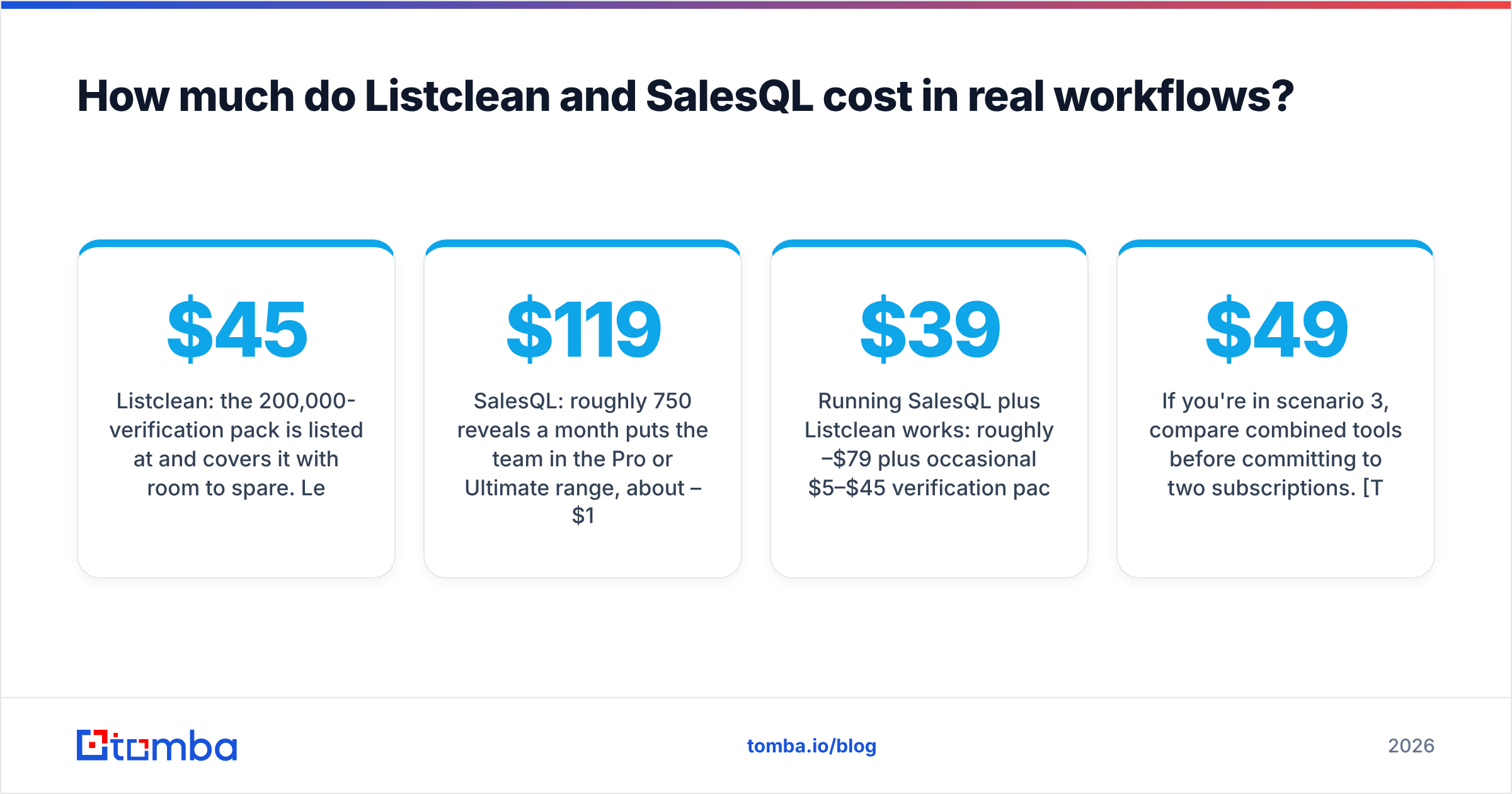
- Listclean: the 200,000-verification pack is listed at $45 and covers it with room to spare. Leftover credits don't expire, so you can re-check next quarter.
- SalesQL: wrong tool. It isn't built for bulk hygiene on a list you already own.
Scenario 2: Three SDRs each revealing ~250 new LinkedIn contacts per month.
- SalesQL: roughly 750 reveals a month puts the team in the Pro or Ultimate range, about $119–$179/mo depending on how credits are pooled. Confirm seat and credit-sharing rules with the vendor.
- Listclean: can't produce those contacts at all.
Scenario 3: A founder-led team that both finds new prospects and re-activates an old CRM export.
- Running SalesQL plus Listclean works: roughly $39–$79/mo plus occasional $5–$45 verification packs. The cost is two logins, two exports and a CSV round-trip whenever you want a found contact verified.
- A combined finder-plus-verifier platform removes that round-trip, and it's usually the simpler buy for this profile.
If you're in scenario 3, compare combined tools before committing to two subscriptions. Tomba pricing is one reference point: Free (25 searches/mo), Starter $49/mo, Growth $99/mo, Pro $249/mo, and custom Enterprise. Finding and verification share one credit system.
Is Listclean better than SalesQL?#
For its own job, list verification, Listclean is the better choice. SalesQL isn't trying to compete there.
Where Listclean wins
- Very low cost per verification, with some of the cheapest listed pay-as-you-go rates in the category.
- Credits never expire, which suits occasional or seasonal cleanups.
- No charge for unknown or duplicate results.
- Simple: upload, verify, download. There's little to learn. G2's Listclean pricing page shows the same tier structure if you want to cross-check.
Where Listclean falls short
- It can't find a single new contact.
- No phone data.
- No LinkedIn or browser workflow. It lives in its dashboard and API.
- Catch-all domains come back "unknown", so you need another method to decide whether to email them.
Is SalesQL better than Listclean?#
For prospecting, yes, and it isn't close, because Listclean doesn't prospect at all.
Where SalesQL wins
- One-click reveals on LinkedIn and Sales Navigator profiles, the workflow most SDRs already spend their day in.
- Returns phone numbers as well as emails, which matters for call-heavy teams.
- Native CRM syncs, so revealed contacts land in the right place without CSV cleanup.
- A usable free tier for testing coverage in your market before paying.
Where SalesQL falls short
- Credits reset monthly, so unused capacity is lost.
- Cost per record is far higher than a pure verifier. Using SalesQL credits to re-check an existing list is expensive.
- Coverage depends on LinkedIn footprint. Industries and regions with light LinkedIn use see lower match rates.
- Its main surface is LinkedIn. If your prospect lists come from websites, conference attendee lists or domain search, it's less natural to work with.
When should you use Listclean and SalesQL together?#
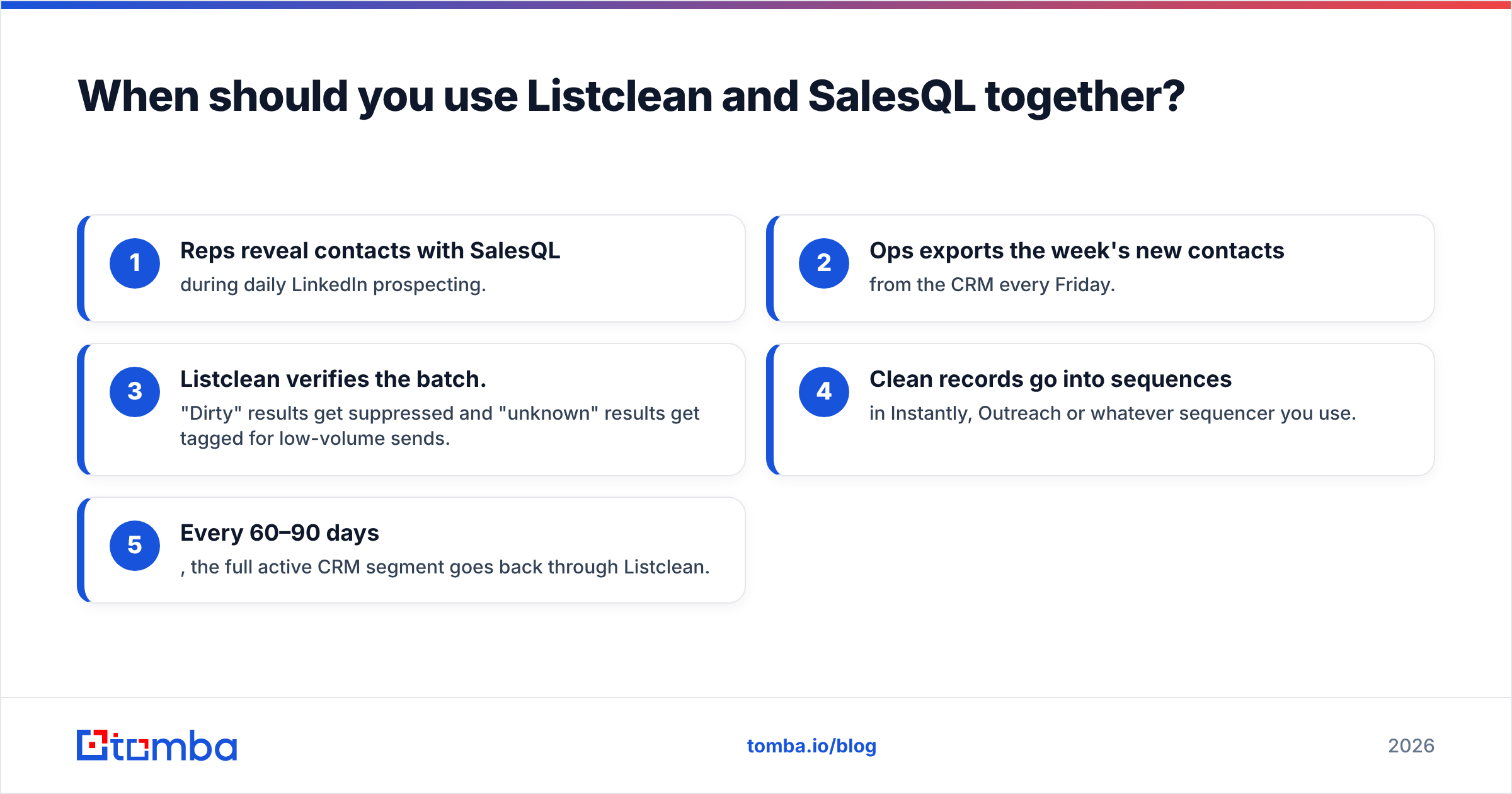
Pairing them is a reasonable setup, and some teams run it on purpose:
- Reps reveal contacts with SalesQL during daily LinkedIn prospecting.
- Ops exports the week's new contacts from the CRM every Friday.
- Listclean verifies the batch. "Dirty" results get suppressed and "unknown" results get tagged for low-volume sends.
- Clean records go into sequences in Instantly, Outreach or whatever sequencer you use.
- Every 60–90 days, the full active CRM segment goes back through Listclean.
This works, and the Listclean part costs very little. The friction is operational. Someone owns the export and re-import. Verification runs a few days behind discovery. And the two tools don't share data, so a contact SalesQL revealed is never automatically checked.
For a team with a dedicated RevOps person, that's manageable. For a two-person sales team, the Friday CSV ritual is usually the first thing that gets skipped. Then bounce rates creep up and your sender reputation takes the hit.
What should you use if you need both finding and verification?#
If your honest answer to "Listclean or SalesQL?" is "both, really", look at tools that find and verify in one pass. The criteria worth scoring:
- Multiple input methods. Can it find emails by name plus company, by domain and from a LinkedIn URL, not just from a LinkedIn profile page?
- Built-in verification on every result. Is each found email checked before you pay for it or export it?
- Catch-all handling. Does it have a dedicated way to assess catch-all domains, or does it just return "unknown"?
- Bulk and API parity. Do the Chrome extension, bulk upload and API give the same results and use the same credits?
- Pricing transparency. Are credits shared across finding and verifying, and do they roll over or reset?
Tomba is one option built this way. Its email finder works from a name and domain, a company or a LinkedIn profile. Results are checked by the same engine behind the standalone email verifier. It won't match Listclean's per-verification price on a million-address hygiene job; pure verifiers are cheaper for that. But it removes the two-tool handoff for teams whose main problem is "find, then make sure it won't bounce."
Browse SalesQL's official site and Listclean's plans alongside any combined tool. Then run the same 100-contact sample through each one and compare match rate, verified rate and bounce rate after a small send.
Frequently asked questions#
Is Listclean an email finder? No. Listclean only verifies addresses you already have. It doesn't discover new emails.
Does SalesQL verify emails? SalesQL checks the emails it reveals, and its credits can be used for enrichment and verification tasks. It isn't priced or designed as a bulk list-hygiene tool, though. For large existing lists, a dedicated verifier is far cheaper per record.
Which is cheaper, Listclean or SalesQL? Per record, Listclean by a wide margin, because verification takes much less work than discovery. They buy different outcomes, though, so compare each against its real alternatives rather than against each other.
Do I need a verifier if my finder already verifies? For fresh finds, often not. For contacts older than a couple of months, or anything imported from events, purchased lists or old CRMs, a re-verification pass before a large send is cheap insurance for your email deliverability.
What's the best choice for a small team? If you prospect mostly on LinkedIn and your lists are small, SalesQL's free or entry tier is a sensible start. If you also inherit or import lists regularly, a single platform that finds and verifies saves the most time.
Final verdict: Listclean or SalesQL?#
- Pick Listclean if you already own your contact data and need to protect your sending domain cheaply. It's hard to beat at $5 per 10,000 verifications with credits that never expire.
- Pick SalesQL if your reps live on LinkedIn and need emails and phone numbers the moment they open a profile.
- Pick a combined finder-plus-verifier if you'd otherwise end up paying for both and handling the CSV handoff every week.
If that last case is you, try Tomba Email Finder. Start on the free plan with 25 searches a month and run a sample of your real target accounts through it. You'll find emails by name, domain or LinkedIn profile, and each result is checked for deliverability before it reaches your sequence. If the match rate holds up for your market, Starter at $49/mo covers most small teams without a second tool.
Related guides#
// get started
Find, verify and enrich your first contacts today
Start on the free plan with 25 searches a month, then scale when your team is ready.
Free plan · No credit card required · GDPR & CCPA
// about the author