ListKit vs Listmint: Lead Database or Catch-All Verifier in 2026?
ListKit and Listmint get compared a lot, but they solve different problems. ListKit builds verified lead lists. Listmint recovers catch-all emails that other verifiers mark as risky. Here's which one your outbound stack actually needs.
TL;DR
- ListKit and Listmint are different kinds of tool. ListKit is a B2B lead database that exports contacts it has already verified. Listmint is an email verifier built around one job: resolving catch-all addresses.
- Pick ListKit if you don't have leads yet. You filter by ICP, export, and send. Verification is included in the workflow.
- Pick Listmint if you already have leads (from Apollo, Clay, scraping, or a CRM) and a large share of them come back as "catch-all" or "risky" from your current verifier.
- Entry pricing is close on paper: ListKit is about $97/month on monthly billing, and Listmint's starter plan is $99/month. The two plans buy different things, so compare cost per usable contact, not the sticker price.
- Plenty of teams need both jobs done. If that's you, an all-in-one finder plus verifier (Tomba starts at $49/mo) can replace a two-tool setup.
What is the real difference between ListKit and Listmint?#
People searching "ListKit vs Listmint" usually expect two competing email tools. They aren't competing for the same step in your pipeline.
Think of a restaurant kitchen. ListKit is the supplier that delivers boxes of ingredients that have already been checked. Listmint is the inspector who checks a box you already own and tells you which items are safe to cook with, including the ones other inspectors wouldn't open.
- ListKit is a prospecting database. You filter by industry, title, headcount, location, and technology, and it exports contacts with what it calls "triple-verified" emails. It markets a database of 600M+ contacts and pitches itself to cold email agencies and outbound teams that need volume.
- Listmint is a verification platform. You upload a list or call its API, and it runs syntax, MX, SMTP, DNS, role-based, disposable, and spam-trap checks. Its main feature is real-time catch-all verification, which returns
catch_all_validorcatch_all_invalidinstead of a vague "accept-all."
So the question to ask is which gap in your stack you're filling: lead sourcing or list hygiene.
How do ListKit and Listmint compare feature by feature?#
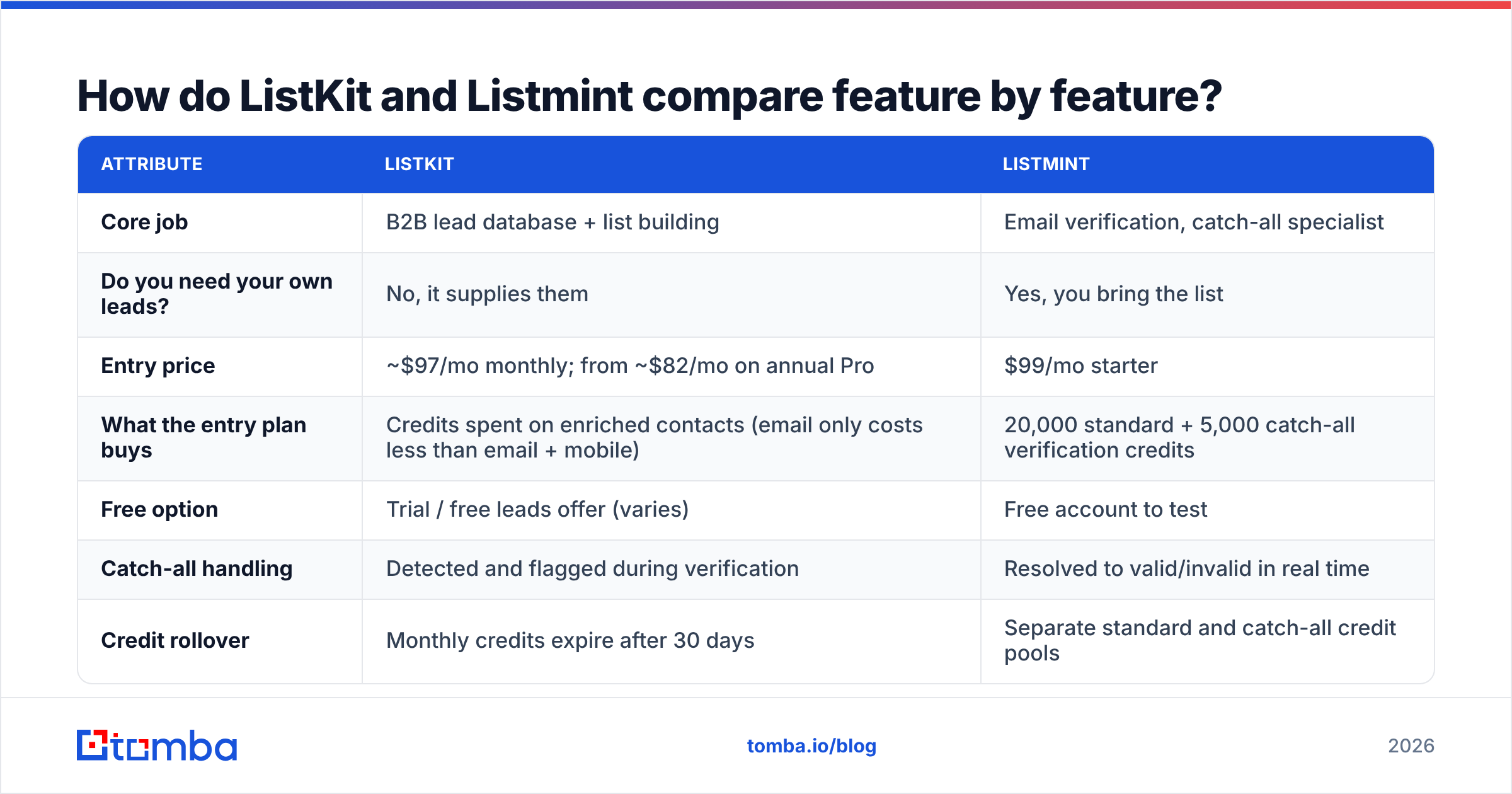
This table summarises each tool based on vendor pages and third-party reviews at the time of writing. Pricing in this category changes often, so check the vendor sites before you buy.
| Attribute | ListKit | Listmint |
|---|---|---|
| Core job | B2B lead database + list building | Email verification, catch-all specialist |
| Do you need your own leads? | No, it supplies them | Yes, you bring the list |
| Entry price | ~$97/mo monthly; from ~$82/mo on annual Pro | $99/mo starter |
| What the entry plan buys | Credits spent on enriched contacts (email only costs less than email + mobile) | 20,000 standard + 5,000 catch-all verification credits |
| Free option | Trial / free leads offer (varies) | Free account to test |
| Catch-all handling | Detected and flagged during verification | Resolved to valid/invalid in real time |
| Credit rollover | Monthly credits expire after 30 days | Separate standard and catch-all credit pools |
| API | Yes (higher tiers) | Yes, real-time verification API |
| Best for | Agencies and SDR teams that need fresh ICP lists | Teams with big existing lists full of "risky" results |
| Main drawback | Some users still report bounces; pricey for solo senders | Doesn't source a single new lead |
Two rows matter most. The first is "Do you need your own leads?" If you don't have leads, Listmint can't help you yet. The second is catch-all handling. If your market is enterprise, mid-market finance, or healthcare, where catch-all domains are common, a verifier that only flags catch-alls leaves a big part of your total addressable market marked "maybe."
How does each tool actually work in a workflow?#
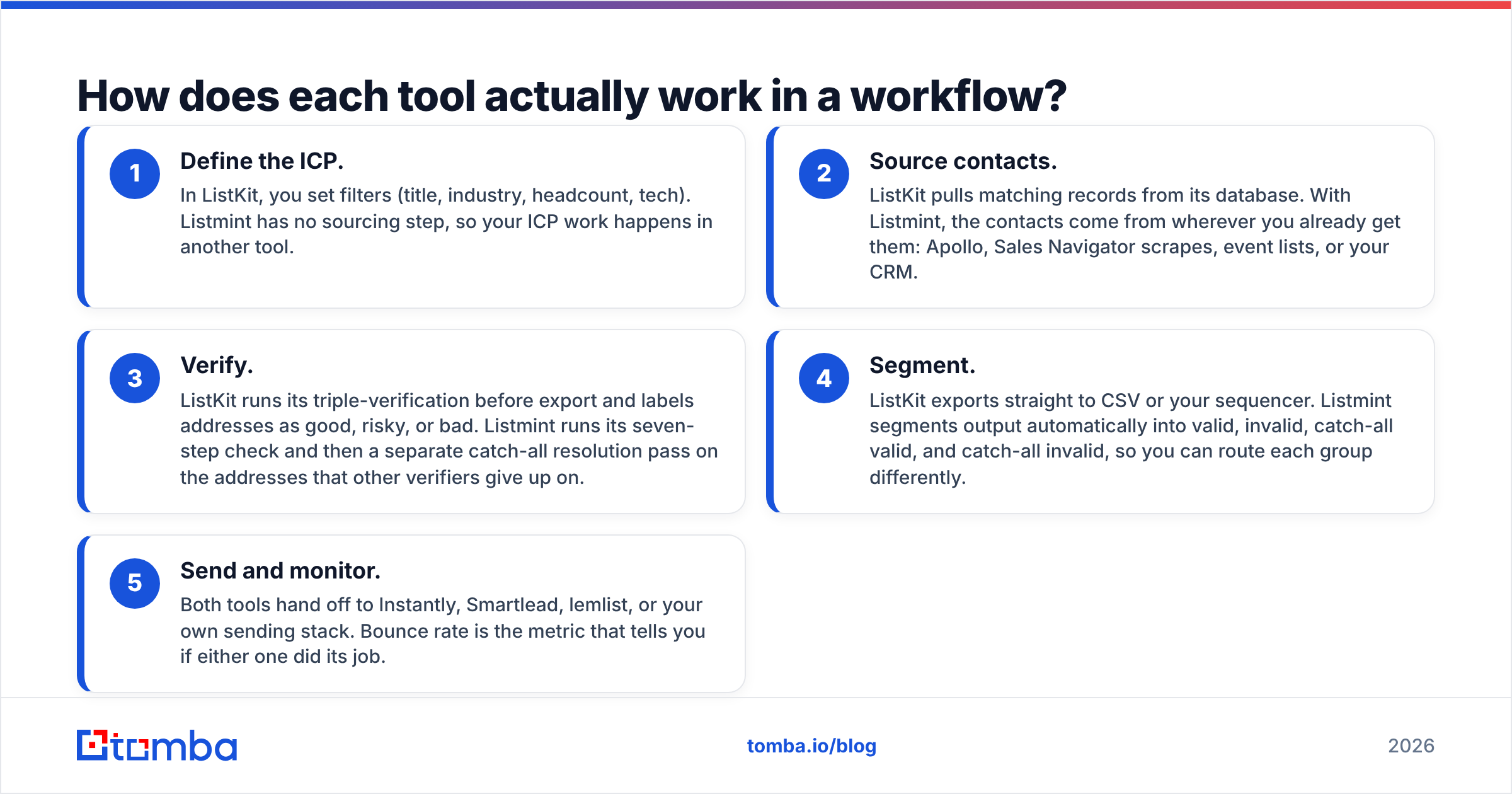
Here is how each tool fits into a typical outbound pipeline:
- Define the ICP. In ListKit, you set filters (title, industry, headcount, tech). Listmint has no sourcing step, so your ICP work happens in another tool.
- Source contacts. ListKit pulls matching records from its database. With Listmint, the contacts come from wherever you already get them: Apollo, Sales Navigator scrapes, event lists, or your CRM.
- Verify. ListKit runs its triple-verification before export and labels addresses as good, risky, or bad. Listmint runs its seven-step check and then a separate catch-all resolution pass on the addresses that other verifiers give up on.
- Segment. ListKit exports straight to CSV or your sequencer. Listmint segments output automatically into valid, invalid, catch-all valid, and catch-all invalid, so you can route each group differently.
- Send and monitor. Both tools hand off to Instantly, Smartlead, lemlist, or your own sending stack. Bounce rate is the metric that tells you if either one did its job.
The gap to watch is step 3. A lead database verifies its own data and has no reason to aggressively flag its own exports as unusable. A dedicated verifier has the opposite incentive, which is why many agencies run database exports through a second verifier before sending.

Which tool gives you more usable emails per dollar?#
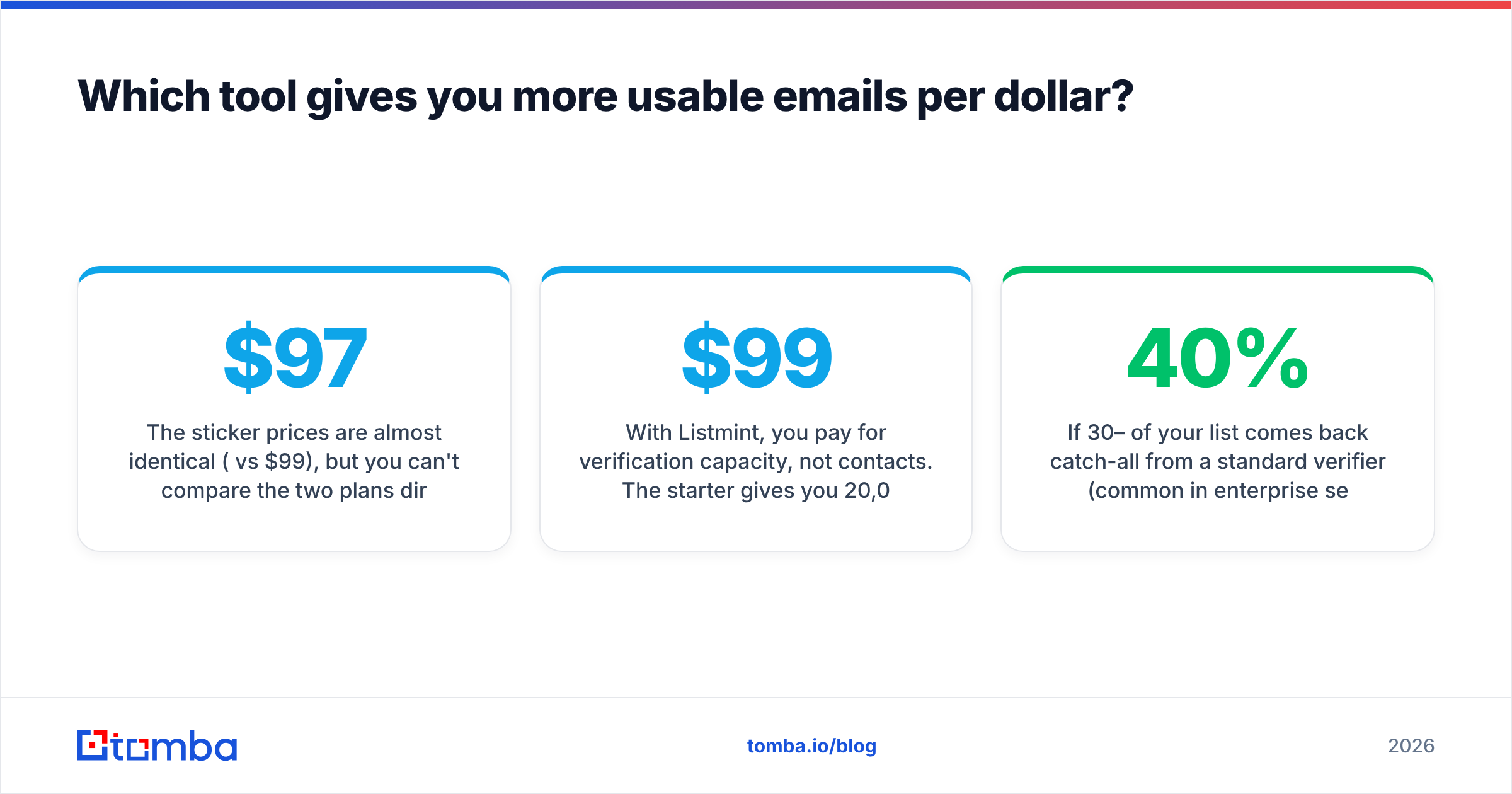
The sticker prices are almost identical ($97 vs $99), but you can't compare the two plans directly.
With ListKit, credits are spent per enriched contact. According to Saleshandy's breakdown, a business email alone costs 1 credit, email plus LinkedIn URL costs 2, and full enrichment with a mobile number can cost 8–10 credits per lead. ListKit also announced a credit price cut in 2026. Credits expire 30 days after issue, so if you under-send in a given month, you lose them.
With Listmint, you pay for verification capacity, not contacts. The $99 starter gives you 20,000 standard checks and 5,000 catch-all checks. Catch-all credits cost more because the check is harder. Listmint's own testing claims it verifies 84% of catch-all leads as valid, compared with about 55% for other verifiers. That's a vendor benchmark, so test it on your own data before you rely on it.
A useful way to compare:
- If 30–40% of your list comes back catch-all from a standard verifier (common in enterprise segments), recovering even half of those can be worth more than buying new contacts. That favours Listmint.
- If you have no list at all, verification capacity has nothing to work on. That favours ListKit.
- If you're buying a list from ListKit and then verifying it again, you're paying twice for overlapping work. Before you add a second tool, test whether ListKit's "risky" bucket actually bounces.
How do ListKit and Listmint handle catch-all emails?#
Catch-all handling is where the two tools differ most, and it's where most bounce problems start.
A catch-all (accept-all) domain tells an SMTP server that every address exists, whether it does or not. A standard SMTP ping gets a "yes" for jane@company.com and also for asdfgh@company.com, so a normal verifier can't tell them apart and labels both "risky." If you want to go deeper on the mechanics, Tomba's catch-all verifier page explains how accept-all detection works.
- ListKit detects catch-alls as one of its three verification layers and tells you which exports are risky. You decide whether to send to them, usually through a separate low-volume inbox.
- Listmint is built specifically to resolve them. It returns a definitive valid or invalid verdict in real time without sending a test email. That's the main reason to buy it.
If your sequences target SMB and startups, where catch-all rates are low, this difference barely matters. If you sell into banks, hospitals, universities, or large enterprises, it can decide whether a third of your list is usable.
What do real users say about each tool?#
ListKit has a strong review profile. It's rated around 4.8–4.9/5 across 300+ reviews on G2, and reviewers repeatedly praise:
- The built-in triple verification, which means no separate verifier on day one
- A free onboarding call that helps new users tighten targeting
- A simple, filter-first interface
Common complaints are that some bounces still happen despite the verification, and that pricing feels steep for a solo founder sending small volumes.
Listmint is newer and has a smaller public review footprint, so there's less independent feedback to rely on. Most of the published performance data comes from Listmint's own resources hub. That doesn't make it wrong, but you should run your own head-to-head test (details below) before committing to an annual plan.

Is ListKit better than Listmint?#
Neither tool is better across the board. Each is better at its own job.
Choose ListKit when:
- You're an agency or SDR team that needs a steady supply of new ICP contacts every month
- You want sourcing and first-pass verification in one place
- Your targets are mostly SMB and mid-market, where catch-all rates are manageable
- You'd rather pay for contacts than build lists by hand
Choose Listmint when:
- You already have leads from another database, scraping, or inbound, and your current verifier leaves 20%+ of them "unknown"
- You sell into enterprise or regulated industries with heavy catch-all usage
- You need real-time verification at the point of capture (forms, API) as well as bulk cleaning
- Bounce rate is hurting your domain reputation and you need a stricter gate before sending
Consider running both when:
- You run high volume (tens of thousands of sends per month) across multiple client domains, and a 1–2 point drop in bounce rate protects enough inboxes to justify two subscriptions
How should you test ListKit vs Listmint before buying?#
Don't trust either vendor's accuracy claims, or this article's, without running a test on your own segment. A clean test takes an afternoon:
- Pull 500 contacts matching your real ICP. If you're testing ListKit, export them from ListKit. If you're testing Listmint, use a list you already own.
- Run them through a neutral verifier as a control, such as Tomba's email verifier or any tool you already pay for, and record the valid, invalid, and catch-all split.
- Run the same list through the tool under test and compare the buckets. How many "risky" results became definitive?
- Send from a warmed secondary domain to a small slice of each bucket, never your primary domain.
- Measure hard bounces after 72 hours. The tool whose "valid" bucket bounces least on your segment wins, regardless of what the marketing page says.
Keep hard bounces under roughly 2% on any campaign. Mailbox providers like Google treat sustained bounce rates as a reputation signal, and recovering a burned domain costs far more than either subscription.
Is there a simpler option that covers both jobs?#
For many teams, yes. The ListKit-plus-Listmint combination solves two problems with two bills, two credit systems, and two sets of expiring credits. If your volume is moderate, a single platform that finds and verifies emails usually costs less per usable contact.
That's the gap Tomba fills. The Tomba Email Finder finds professional addresses by name, domain, or company. Email verification, catch-all verification, domain search, and enrichment all run on the same account. You don't pay for a full contact database you won't use, and you don't need a second vendor to clean the output.
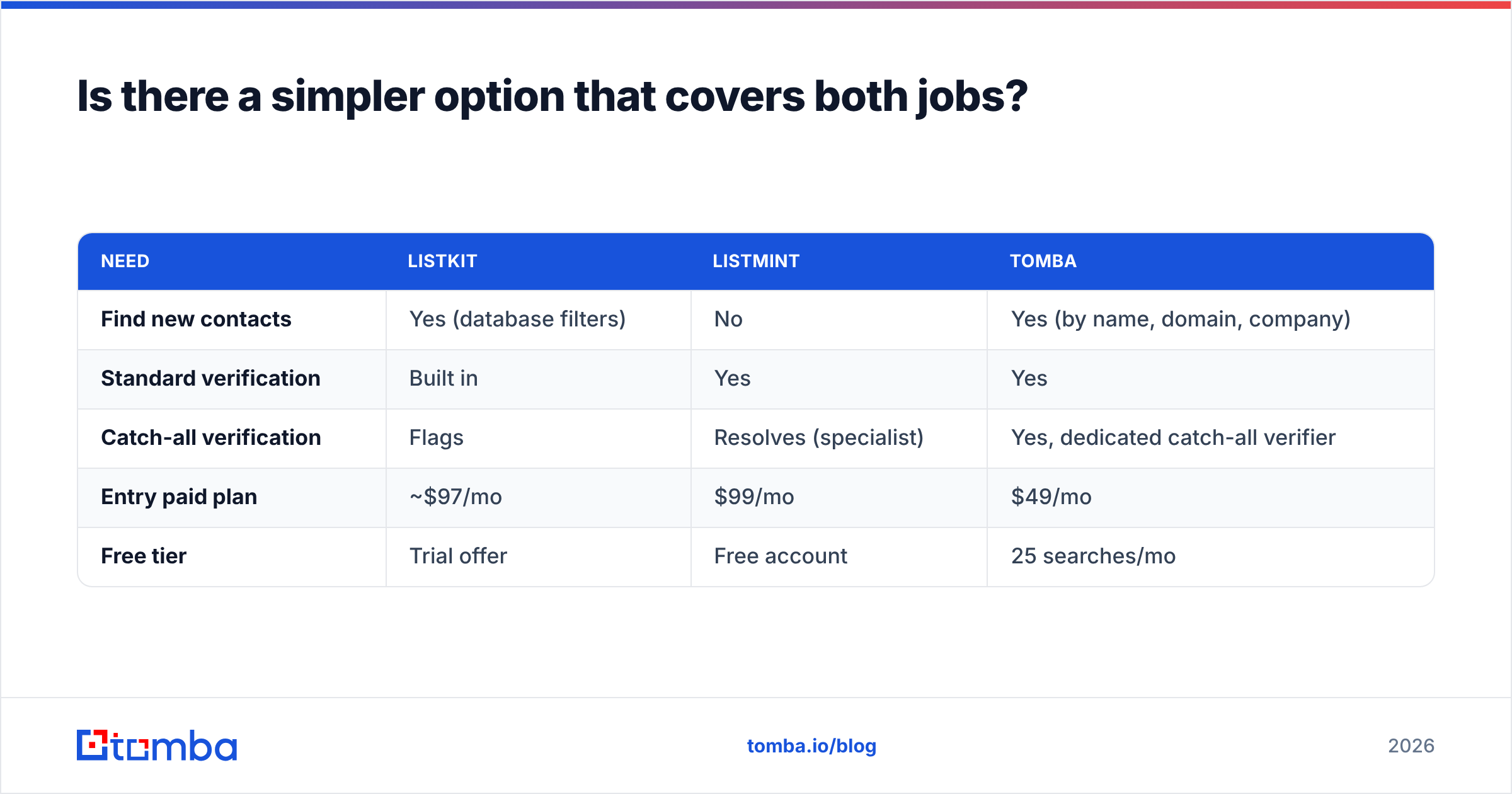
Here is where Tomba sits next to the two tools compared above:
| Need | ListKit | Listmint | Tomba |
|---|---|---|---|
| Find new contacts | Yes (database filters) | No | Yes (by name, domain, company) |
| Standard verification | Built in | Yes | Yes |
| Catch-all verification | Flags | Resolves (specialist) | Yes, dedicated catch-all verifier |
| Entry paid plan | ~$97/mo | $99/mo | $49/mo |
| Free tier | Trial offer | Free account | 25 searches/mo |
Tomba doesn't replace ListKit's filter-heavy list builder for agencies that need thousands of fresh ICP contacts a week, and it isn't marketed as a catch-all specialist the way Listmint is. For teams that build targeted lists account by account and want finding and verification in one workflow, it's the lighter, cheaper option. Full tier details are on the Tomba pricing page: Starter $49/mo, Growth $99/mo, Pro $249/mo, and custom Enterprise.
What's the final verdict on ListKit vs Listmint?#
- No leads yet, and you need volume? ListKit.
- Plenty of leads, but too many "risky" results? Listmint.
- Enterprise-heavy ICP with high send volume? Test both together against your bounce data.
- Moderate volume, account-based targeting, one budget line? An all-in-one finder and verifier.
Whichever you pick, judge the tool by hard bounces on your own segment, not by the database size or accuracy percentage on its homepage.
If you want to find and verify prospects' emails in one place without paying for two subscriptions, try the Tomba Email Finder. Start on the free plan with 25 searches a month, run the 500-contact test above against your current stack, and only upgrade if your bounce rate improves.
Related guides#
// get started
Find, verify and enrich your first contacts today
Start on the free plan with 25 searches a month, then scale when your team is ready.
Free plan · No credit card required · GDPR & CCPA
// about the author