ListKit vs MailCleanup: Lead Database or List Cleaner in 2026?
ListKit sells you verified leads. MailCleanup cleans the lists you already have. They solve different problems, so here is how to tell which one your outbound stack needs, or whether you need both.
TL;DR
- These aren't the same kind of tool. ListKit is a B2B lead database that exports "triple-verified" emails. MailCleanup is a bulk email verifier. It cleans lists you already own and doesn't find new contacts.
- The pricing models are opposites. ListKit bills yearly (third-party breakdowns list Professional at about $83/mo, Scale at about $253/mo and Ultimate at about $508/mo). MailCleanup sells one-time credit packs from $5 per 1,000 emails, with no subscription.
- Pick ListKit if you don't have leads yet and want to filter, export and send from one place.
- Pick MailCleanup if you already have lists from a CRM, events, old exports or scraped sources and you only need to cut bounces cheaply.
- Many teams need both jobs done: finding contacts and verifying them again right before a send. Tools like Tomba combine the two, so it's worth pricing that option too.
What is the real difference between ListKit and MailCleanup?#
The short answer: ListKit gives you new contacts, and MailCleanup cleans the contacts you already have.
People search "ListKit vs MailCleanup" because both show up when you research lower bounce rates. They sit at different points in the outbound workflow, though.
ListKit is a prospecting database. You filter by job title, industry, company size, location and similar criteria, then export contacts. It is known for "triple-verified" business emails, meaning each address goes through several verification passes before you get it. Phone numbers are available at an extra credit cost. There's also an AI script writer for outreach copy.
MailCleanup is a list-cleaning service. You upload a CSV of addresses you already have, and it runs them through a series of checks: syntax, MX records, SMTP handshake, catch-all detection, disposable-domain detection, spam-trap risk indicators and duplicate removal. You get back a file sorted into valid, invalid and risky. According to its Capterra listing, it claims up to 99% verification accuracy and has processed billions of emails for thousands of businesses.
A comparison can still be useful, because the right choice depends on where your pipeline is failing: getting contacts, or keeping them clean.
How do ListKit and MailCleanup compare feature by feature?#
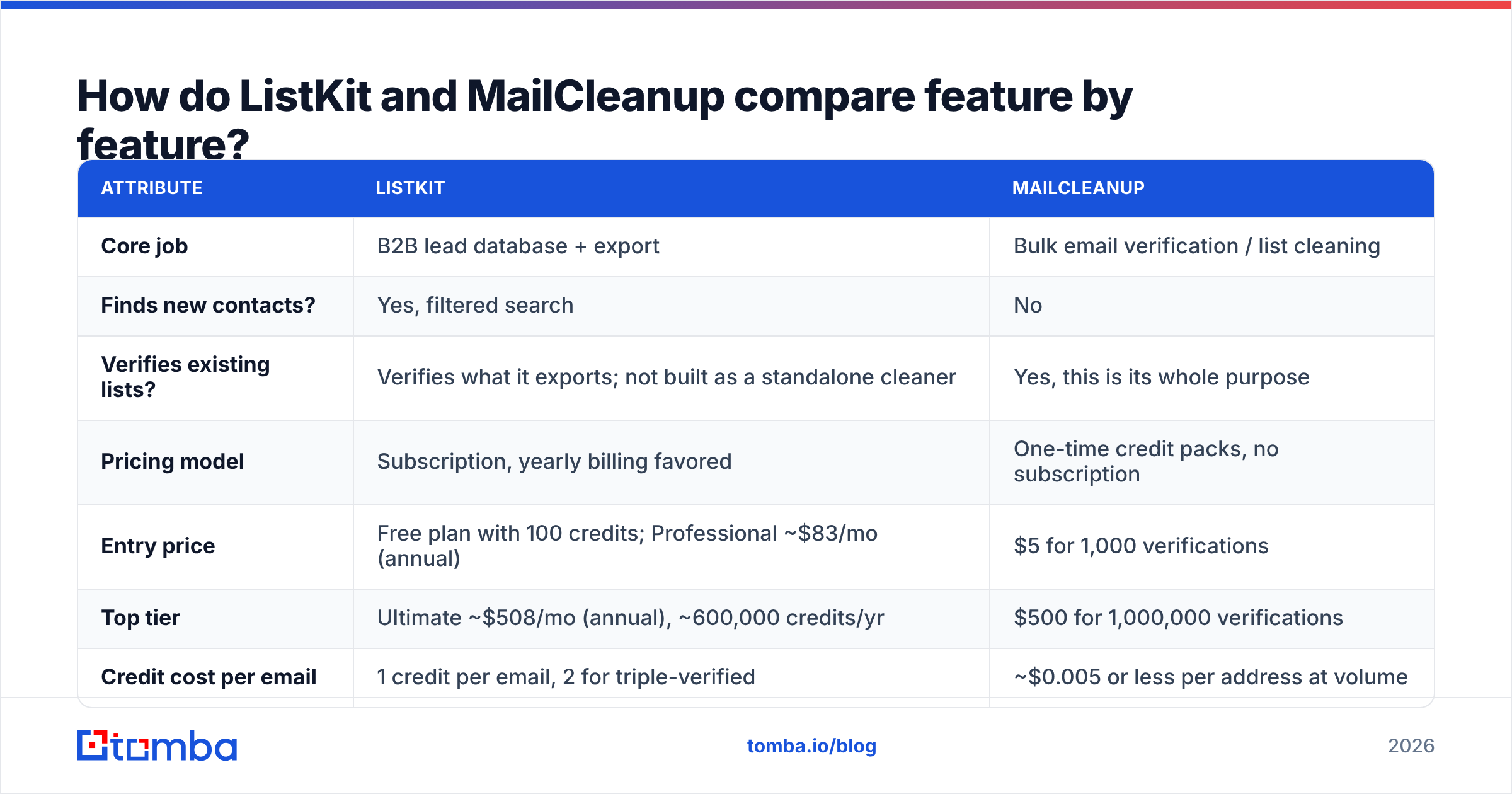
| Attribute | ListKit | MailCleanup |
|---|---|---|
| Core job | B2B lead database + export | Bulk email verification / list cleaning |
| Finds new contacts? | Yes, filtered search | No |
| Verifies existing lists? | Verifies what it exports; not built as a standalone cleaner | Yes, this is its whole purpose |
| Pricing model | Subscription, yearly billing favored | One-time credit packs, no subscription |
| Entry price | Free plan with 100 credits; Professional ~$83/mo (annual) | $5 for 1,000 verifications |
| Top tier | Ultimate ~$508/mo (annual), ~600,000 credits/yr | $500 for 1,000,000 verifications |
| Credit cost per email | 1 credit per email, 2 for triple-verified | ~$0.005 or less per address at volume |
| Phone numbers | Yes (3 credits per number found) | No |
| Catch-all handling | Filtered/flagged during verification | Dedicated catch-all detection |
| Disposable / spam-trap checks | Not the main focus | Yes, part of the 12+ checks |
| Best for | Teams without a lead source | Teams with lists they already own |
Pricing figures come from ListKit's docs and 2026 third-party pricing breakdowns, plus MailCleanup's public credit packs. Both vendors change pricing, so check their sites before you buy.

How does ListKit pricing actually work?#
ListKit uses a credit system, and billing frequency matters a lot:
- Free plan: 100 credits to test data quality.
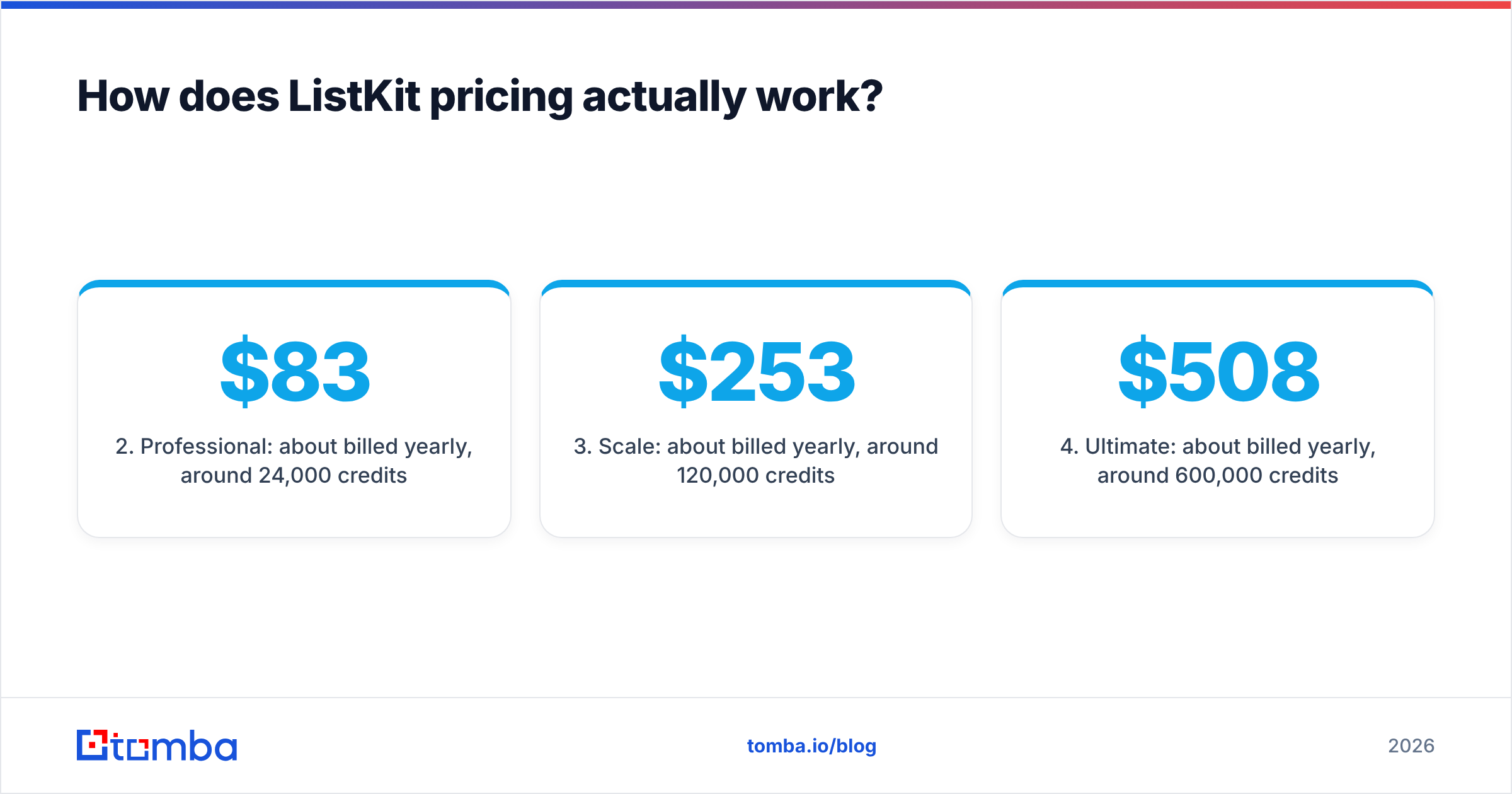
- Professional: about $83/mo billed yearly, around 24,000 credits per year.
- Scale: about $253/mo billed yearly, around 120,000 credits per year.
- Ultimate: about $508/mo billed yearly, around 600,000 credits per year.
Credit usage per action, according to ListKit's documentation:
- A business email costs 1 credit.
- A triple-verified business email costs 2 credits.
- A phone number costs 3 credits when found.
- An AI-written script costs 100 credits.
Monthly billing costs noticeably more and includes fewer credits, so the yearly price is what you should budget with. If you only prospect occasionally, a yearly commitment is a real cost to weigh.
What you get for that commitment is convenience. You aren't stitching together a finder, a verifier and a spreadsheet, and you can go from filters to a send-ready CSV in minutes.
How does MailCleanup pricing work?#
MailCleanup is simpler: you buy credits once and use them. Packs start at $5 for 1,000 emails and go up to $500 for 1,000,000. There are no monthly plans, auto-renewals or expiring subscription tiers.
That makes it one of the cheapest ways to clean a list, particularly if you:
- run campaigns in bursts instead of continuously
- inherited a CRM full of addresses that haven't been emailed in a while
- collect leads from webinars, trade shows or gated content, where fake or mistyped addresses are common
The limitation is that MailCleanup can only verify what you give it. A clean list of the wrong people is still the wrong list. If your pipeline problem is "we don't have enough contacts," MailCleanup won't solve it.
Which tool is more accurate?#
This depends on what you mean by accuracy, because the two tools measure different things.
ListKit's accuracy is about data quality. The question is whether the exported email belongs to that person at that company today. Triple verification helps, but no database is completely current. People change jobs all the time, and B2B contact data decays year over year. An email that was verified at export time can bounce three months later.
MailCleanup's accuracy is about how well it classifies addresses. The question is whether a given address will accept mail right now. Its 12+ checks, including SMTP verification, anti-greylisting and catch-all detection, are aimed at that. The claimed "up to 99%" figure is a vendor number. As with every verifier, catch-all domains are the hard part: the server accepts everything during the SMTP check, so a verifier can only label those addresses "risky" instead of "valid."
In practice, verify close to send time no matter where the data came from. Even if you buy leads from ListKit, re-verify anything that has sat in your CRM for more than a few weeks. If catch-all domains make up a big share of your list, use a dedicated catch-all verifier. A generic "risky" label leaves a lot of good contacts unused.
When should you choose ListKit?#
Choose ListKit if most of these are true:
- You don't have a reliable lead source yet. You need a database, not a cleaner.
- Your ICP can be expressed as filters. For example, title, headcount, industry and region.
- You send outbound every week. That's what justifies a yearly credit subscription.
- You want phones as well as emails. ListKit gives you both in the same export.
- Your team is small and you don't want to manage a multi-tool stack. One login, one export, one invoice.
ListKit is popular with agencies and early outbound teams for these reasons. It removes steps.
When should you choose MailCleanup?#
Choose MailCleanup if most of these are true:
- You already have the contacts, from a CRM, events, partners, past campaigns or another data provider.
- Your sending volume is irregular. You don't want to pay a subscription during slow months.
- Bounce rate is the metric you're trying to fix. Your sending domain is getting hurt and you need to cut invalid addresses before the next campaign.
- You care about disposable and spam-trap signals. This is common with inbound and marketing lists.
- You're on a tight budget. $5 per 1,000 is very hard to beat.
MailCleanup is effectively insurance for your email deliverability. It's cheap, low-commitment and does one job well.
Can you use ListKit and MailCleanup together?#
Yes, and plenty of teams do. A typical setup:
- Export leads from ListKit (or any database).
- Store them in the CRM and add them to sequences over the following weeks.
- Before each new campaign batch, run the older segments through MailCleanup to catch job changes and addresses that have gone bad.
This works, but you pay for two tools, move CSVs between them and repeat the upload step every time. Moving files around is where mistakes creep in: duplicate uploads, wrong columns, segments that never got re-verified.
What are the alternatives if you need both finding and verification?#
If you need to find contacts and verify them on an ongoing basis, a combined platform is worth pricing against ListKit + MailCleanup. For neutral coverage of the options, G2's email verification category and Capterra's listings are good places to start.
Tomba is one option in this category. Its core product is an email finder that works by domain, by name or by company, and it includes an email verifier, domain search, catch-all verification and phone finding on the same account and API. You search with filters or by domain rather than from a large pre-built list, so it suits account-based prospecting better than broad list pulls.
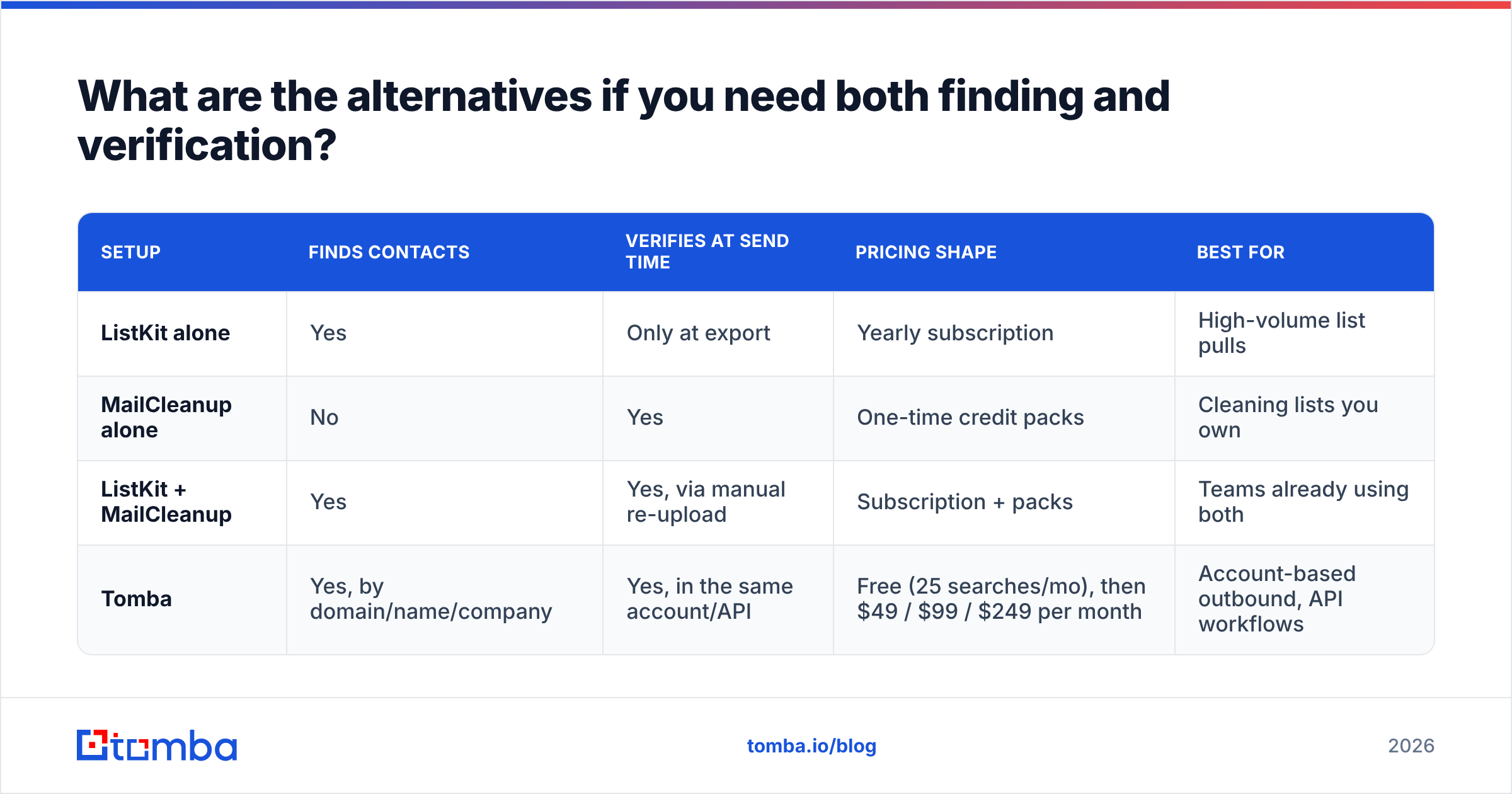
Here's how the three approaches compare on cost and workflow:
| Setup | Finds contacts | Verifies at send time | Pricing shape | Best for |
|---|---|---|---|---|
| ListKit alone | Yes | Only at export | Yearly subscription | High-volume list pulls |
| MailCleanup alone | No | Yes | One-time credit packs | Cleaning lists you own |
| ListKit + MailCleanup | Yes | Yes, via manual re-upload | Subscription + packs | Teams already using both |
| Tomba | Yes, by domain/name/company | Yes, in the same account/API | Free (25 searches/mo), then $49 / $99 / $249 per month | Account-based outbound, API workflows |
Tomba's full tier breakdown is on the Tomba pricing page. None of these is the best choice for every team. If you need very large filtered list pulls, ListKit's database model is built for that. If all you need is cheap cleaning, MailCleanup's price per 1,000 is hard to beat.
What mistakes should you avoid when choosing?#
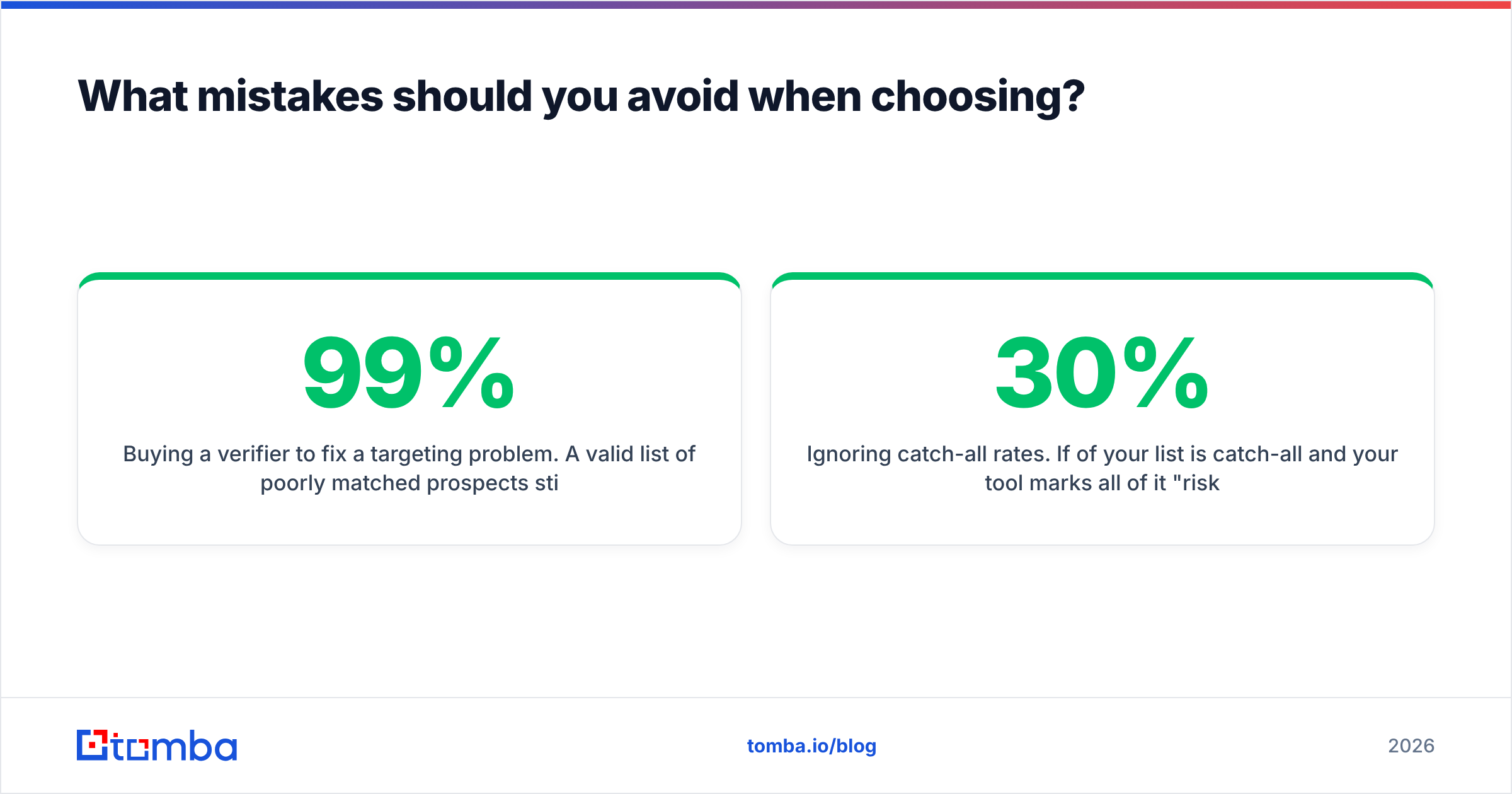
- Buying a verifier to fix a targeting problem. A 99% valid list of poorly matched prospects still gets a 0% reply rate.
- Assuming "verified at export" stays true. Data decays, so re-verify aging segments.
- Ignoring catch-all rates. If 30% of your list is catch-all and your tool marks all of it "risky," you're either throwing away good leads or sending blind.
- Comparing monthly and yearly prices. ListKit's advertised rates assume yearly billing. Compare total yearly cost against MailCleanup's pay-per-use spend at your real volume.
- Skipping domain health. No verifier protects a sending domain that has poor authentication or is sending too much too soon.
So, ListKit vs MailCleanup: which should you pick?#
- You need leads: ListKit.
- You have leads and they're bouncing: MailCleanup.
- You need both, continuously: either run the two together and accept the CSV handling, or use a single platform that finds and verifies in one workflow.
Start from where your pipeline is failing, not from which tool has the longer feature list.
If you prospect by account (specific companies, specific decision-makers), try the Tomba Email Finder. Enter a domain or a name and company, get the professional address with a verification status, and check catch-all addresses in the same account. The free tier includes 25 searches a month, so you can test it on your own target accounts before paying for anything.
Related guides#
// get started
Find, verify and enrich your first contacts today
Start on the free plan with 25 searches a month, then scale when your team is ready.
Free plan · No credit card required · GDPR & CCPA
// about the author