ListKit vs MillionVerifier: Lead Database or Email Verifier?
One builds lead lists, the other cleans them. Here is how ListKit and MillionVerifier differ on pricing, accuracy and workflow, and when to use both.
- ListKit is a B2B lead database: you filter by title, industry and company size, then export contacts with emails that ListKit says it has already verified.
- MillionVerifier is only an email verifier. It finds no one. It checks lists you already have and tells you which addresses are safe to send to.
- Price models are opposites. ListKit is a monthly subscription (about $97/mo to start) with credits that expire every month. MillionVerifier sells prepaid credit packs (from $37 for 10,000) that never expire.
- You rarely have to pick one. Plenty of outbound teams build the list in a database, then run it through a separate verifier before it goes into a sequence.
- If what you actually need is to find specific people's emails, not buy lists or clean them, a dedicated email finder with verification built in may cover both jobs.
What is the real difference between ListKit and MillionVerifier?#
Most "X vs Y" posts compare two tools that do the same job. This one doesn't. ListKit and MillionVerifier sit at two different steps of the same outbound pipeline, so the useful question isn't "which is better?" It's "which step am I stuck on?"
Think of a restaurant kitchen. ListKit is the supplier who delivers the ingredients. MillionVerifier is the inspector who checks those ingredients before they reach a plate. A great inspector can't cook anything if nothing has been delivered, and a supplier with a great catalogue will still send the odd bad crate.
In practice:
- Your problem is "I don't have anyone to email." You need a data source, which puts ListKit in scope.
- Your problem is "My bounce rate is killing my domains." You need verification, which puts MillionVerifier in scope.
- Both are true. You probably need both kinds of tool, or one tool that does both reasonably well.
Get this framing wrong and you pay a subscription for data you don't need, or you buy verification credits and have nothing to verify.
What does ListKit do?#
ListKit is a prospecting database aimed at cold email agencies and outbound teams. You search with the usual B2B filters (job title, seniority, industry, headcount, location, technology) and export the matching contacts to CSV or straight into your sending tool.
Its main selling point is email quality. ListKit markets its emails as verified several times before export, so you should get a list you can send to with little or no extra cleaning. Across review sites, the praise is fairly consistent: it's simple to use, the filters are good enough for most SMB and mid-market targeting, and the pricing sits well below enterprise platforms.
Things to know before you subscribe:
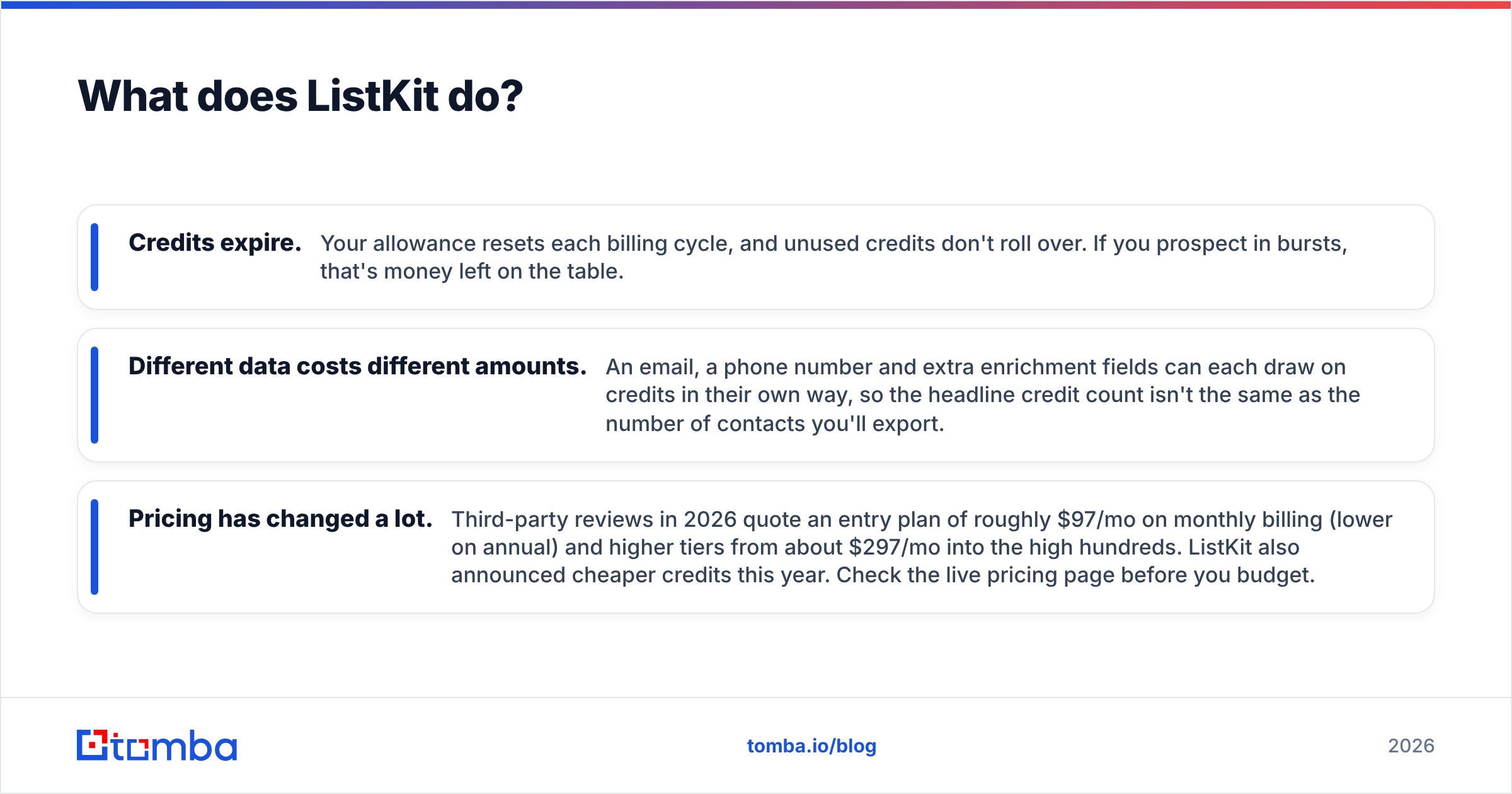
- Credits expire. Your allowance resets each billing cycle, and unused credits don't roll over. If you prospect in bursts, that's money left on the table.
- Different data costs different amounts. An email, a phone number and extra enrichment fields can each draw on credits in their own way, so the headline credit count isn't the same as the number of contacts you'll export.
- Pricing has changed a lot. Third-party reviews in 2026 quote an entry plan of roughly $97/mo on monthly billing (lower on annual) and higher tiers from about $297/mo into the high hundreds. ListKit also announced cheaper credits this year. Check the live pricing page before you budget.
What does MillionVerifier do?#
MillionVerifier does one thing: it tells you whether an email address is likely to accept mail. You upload a CSV, connect an integration, or call the API. Each address comes back labelled as good, bad, risky (typically catch-all domains) or unknown.
Its pitch is price and simplicity:
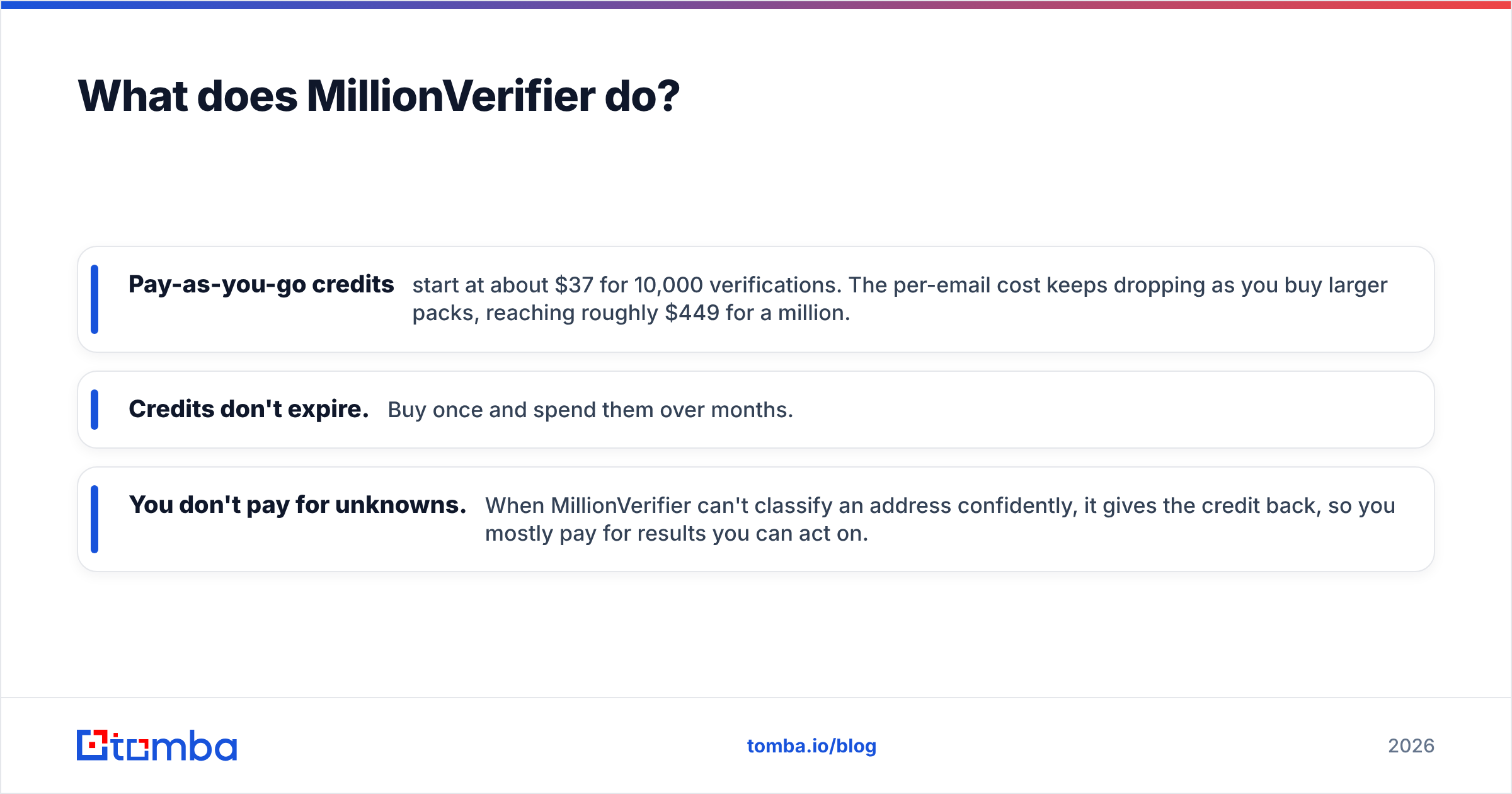
- Pay-as-you-go credits start at about $37 for 10,000 verifications. The per-email cost keeps dropping as you buy larger packs, reaching roughly $449 for a million.
- Credits don't expire. Buy once and spend them over months.
- You don't pay for unknowns. When MillionVerifier can't classify an address confidently, it gives the credit back, so you mostly pay for results you can act on.
What it doesn't do is just as important. It has no contact database, no prospect search and no enrichment. Hand it a list of 50,000 addresses and it will tell you which 42,000 are safe. It can't tell you who you should be emailing.

How do ListKit and MillionVerifier compare side by side?#
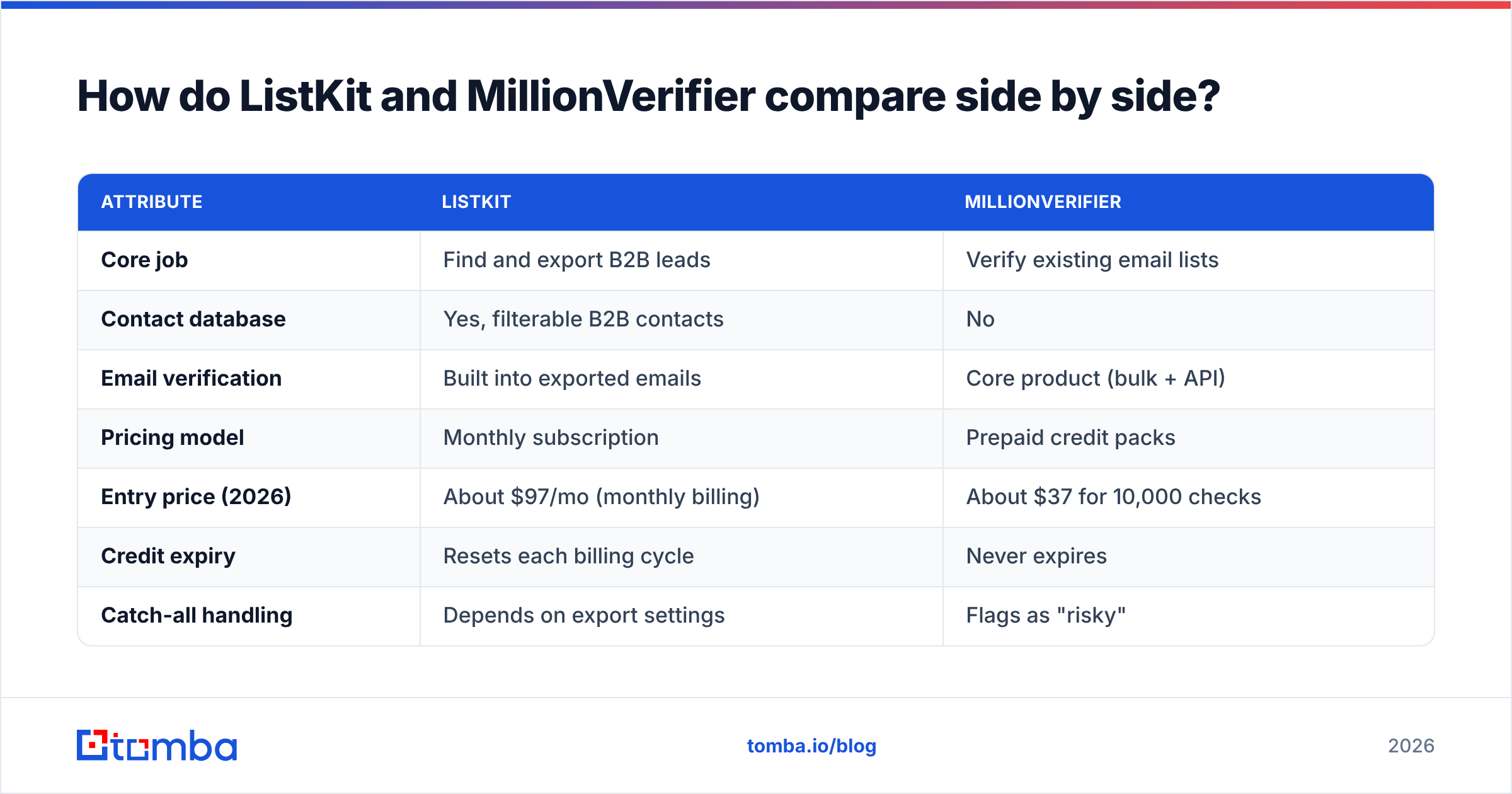
| Attribute | ListKit | MillionVerifier |
|---|---|---|
| Core job | Find and export B2B leads | Verify existing email lists |
| Contact database | Yes, filterable B2B contacts | No |
| Email verification | Built into exported emails | Core product (bulk + API) |
| Pricing model | Monthly subscription | Prepaid credit packs |
| Entry price (2026) | About $97/mo (monthly billing) | About $37 for 10,000 checks |
| Credit expiry | Resets each billing cycle | Never expires |
| Catch-all handling | Depends on export settings | Flags as "risky" |
| Refund on unknowns | Not applicable | Yes, credit returned |
| Best for | Agencies and SDRs who need fresh lists | Anyone cleaning lists before sending |
| Main limitation | Pays off only if you prospect every month | Can't source a single new contact |
The table makes the point clearer than any paragraph: these tools aren't substitutes. The only real overlap is verification. ListKit verifies as part of export, while MillionVerifier verifies whatever you hand it, wherever that data came from.
Which is cheaper: ListKit or MillionVerifier?#
Comparing their sticker prices doesn't tell you much, because one is buying data and the other is buying a quality check. Cost per useful action is a better way to compare.
Scenario 1: you already have a 20,000-row list (from a CRM export, an old campaign or a scraped event list). ListKit adds nothing here. MillionVerifier cleans the list for well under $100, and you keep any credits you don't use. Winner: MillionVerifier, clearly.
Scenario 2: you need 2,000 new ICP contacts every month. MillionVerifier can't help until you have the contacts. A ListKit subscription gives you a steady monthly supply of pre-verified leads. Winner: ListKit, because it's the only option that actually solves the problem.
Scenario 3: you prospect heavily for one quarter, then pause. ListKit's expiring credits hurt here, since you pay in the quiet months too unless you cancel and resubscribe. MillionVerifier's non-expiring credits suit bursty work. You still need somewhere to get the data, though.
The hidden cost that matters most in all three scenarios is bounces. Mailbox providers treat a high bounce rate as a spam signal, and a bounce message from a dead address costs you more in sender reputation than the verification would have cost. Most deliverability practitioners aim to keep hard bounces under 2%. Whichever tool you pick, verification isn't optional. The only question is where in the pipeline it happens.
How accurate is each tool?#
Neither vendor publishes an independent, reproducible accuracy benchmark, so be sceptical of any single percentage you see quoted. What you can judge is how each tool behaves on the addresses that are hard to verify.
Catch-all domains are where most accuracy claims fall apart. A catch-all server accepts mail for any address at that domain, so an SMTP check can't confirm that jane.doe@company.com really exists. MillionVerifier labels these as risky rather than good, which is the honest answer. With ListKit, what you get depends on how its verification treats catch-alls at export, so check the status fields in your CSV rather than assuming every row is equally safe.
Data decay is the other issue. B2B contact data decays steadily as people change jobs, and a database email that was valid when it was verified may not be valid when you send. That's a property of every database, not a flaw specific to ListKit. It's also why many agencies re-verify database exports with a standalone verifier before they launch a campaign.
A practical accuracy test you can run in an afternoon:
- Export 500 contacts from your data source.
- Run all 500 through a verifier.
- Send a small, low-volume test campaign from a warmed secondary domain only to the addresses marked "good".
- Compare the real bounce rate with what each tool predicted.
That tells you more than any vendor landing page. If catch-alls make up a big share of your market (many mid-market and enterprise domains are set up that way), add a dedicated catch-all verifier to the test.
When should you choose ListKit?#
Choose ListKit if:
- You run a cold email agency, or an in-house SDR team that needs new contacts every month.
- Your ICP is mostly SMB and mid-market in well-covered regions, where standard filters are enough.
- You want exported emails that are pre-verified, so most lists can go straight into a sequencer.
- You'd rather have one simple tool than build a data stack from several vendors.
Skip it if you prospect in rare bursts (expiring credits will waste money), or if your targeting depends on niche signals that a general database doesn't capture.
When should you choose MillionVerifier?#
Choose MillionVerifier if:
- You already have data: CRM records, webinar sign-ups, event lists or exports from another database.
- You send at volume and want the lowest per-email verification cost.
- You like prepaid credits that don't expire and don't want another subscription.
- You want to re-verify old lists before a reactivation campaign.
Skip it if you don't have a reliable source of contacts yet. It's an excellent filter, but a filter is useless without something to run through it.

Can you use ListKit and MillionVerifier together?#
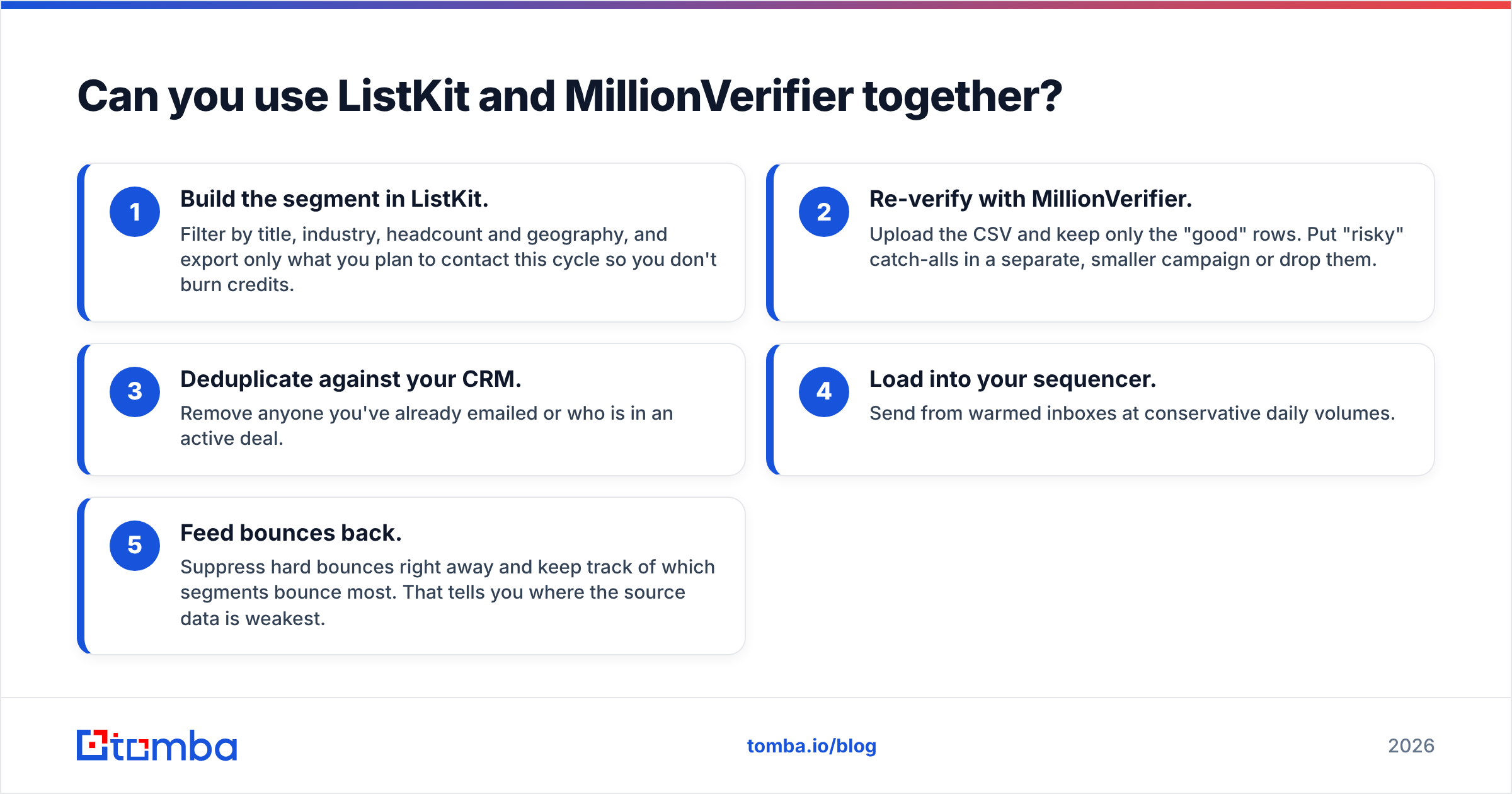
Yes. For agencies it's one of the most common setups. A typical workflow looks like this:
- Build the segment in ListKit. Filter by title, industry, headcount and geography, and export only what you plan to contact this cycle so you don't burn credits.
- Re-verify with MillionVerifier. Upload the CSV and keep only the "good" rows. Put "risky" catch-alls in a separate, smaller campaign or drop them.
- Deduplicate against your CRM. Remove anyone you've already emailed or who is in an active deal.
- Load into your sequencer. Send from warmed inboxes at conservative daily volumes.
- Feed bounces back. Suppress hard bounces right away and keep track of which segments bounce most. That tells you where the source data is weakest.
The cost of this setup is complexity: two vendors, two billing models, and CSVs moving between them. For a high-volume agency that trade-off is usually worth it. For a founder-led team sending 300 emails a week, it's probably overkill.
Where does Tomba fit between the two?#
A lot of teams don't actually need a bulk lead database or a standalone bulk verifier. What they need is the right email for a specific person at a specific account, for example a named buyer from a target-account list, a LinkedIn profile, or a company domain.
That's the gap an email finder fills. You enter a name and domain, or just a domain, and get addresses that are checked as they're found. Tomba also offers a standalone email verifier and catch-all verification for lists you already have. That means one account can cover finding and verifying for account-based outbound without juggling two credit models.
To be fair about it: if you need 20,000 fresh SMB contacts every month, a list-building database like ListKit is built for exactly that. If you're verifying millions of old addresses as cheaply as possible, MillionVerifier's per-email pricing is hard to beat. Tomba fits best when you want precise, person-level lookups plus verification in one place. Its free tier (25 searches/mo) and $49/mo Starter plan on Tomba pricing let you test it without a big commitment.
So which should you pick: ListKit or MillionVerifier?#
Pick by the bottleneck you have:
- No contacts: ListKit.
- Contacts, but bounces: MillionVerifier.
- High-volume agency: both, in the pipeline above.
- Account-based, person-level outbound: a verified email finder is usually the leaner choice.
Don't let a comparison table talk you into the wrong category of tool. Once you know which step of your pipeline is broken, the choice becomes much easier.
Frequently asked questions#
Does ListKit replace an email verifier?#
Partly. ListKit verifies emails before export, so many users send its lists as they are. Data decays over time, though, and catch-all domains can't be confirmed, so teams sending at volume often re-verify with a standalone tool before a big launch.
Can MillionVerifier find email addresses?#
No. MillionVerifier only verifies addresses you give it. To get new contacts you need a database, an email finder or your own first-party data.
Do MillionVerifier credits expire?#
No. MillionVerifier credits are prepaid and don't expire, which suits teams that verify in irregular batches.
What bounce rate should I aim for?#
Keep hard bounces under about 2% per campaign, and lower if you can. Verifying before every send is the simplest way to stay there.
Find the right person's email, already verified#
If your bottleneck is reaching specific decision-makers rather than buying bulk lists, try Tomba Email Finder. Enter a name and company domain and you get a professional email address that's checked as it's found, so it's ready to use in your sequence. Start on the free plan and see how many of your target accounts it can reach.
Related guides#
// get started
Find, verify and enrich your first contacts today
Start on the free plan with 25 searches a month, then scale when your team is ready.
Free plan · No credit card required · GDPR & CCPA
// about the author