ListKit vs NeverBounce (2026): Lead Lists vs Pure Verification
ListKit sells you verified leads plus sending infrastructure. NeverBounce cleans lists you already own. Here is how to tell which one your cold email stack needs, and when you need neither.
TL;DR
- ListKit and NeverBounce don't do the same job. ListKit is a lead database bundled with cold email infrastructure: it gives you contacts, domains, inboxes and warmup. NeverBounce is a standalone email verifier: it checks emails you already have.
- Pick ListKit if you're starting outbound from scratch and want leads plus sending setup on one monthly subscription.
- Pick NeverBounce if you already have lists (CRM exports, event signups, purchased data) and just need them cleaned, in bulk or in real time.
- Pricing models differ a lot. NeverBounce bills per verification, and the price per email falls as volume rises. ListKit bills a flat subscription that includes a monthly lead allowance.
- If you need both finding and verifying but don't want a full sending bundle, a finder that verifies each result (such as Tomba) sits between the two.
What is the real difference in ListKit vs NeverBounce?#
Most "ListKit vs NeverBounce" searches come from people who think they're comparing two versions of the same thing. They aren't.
A useful comparison: ListKit is a meal-kit subscription. You get the ingredients (leads), the recipe (scripts and training) and the pots and pans (domains, inboxes, warmup) in one box. NeverBounce is a food-safety inspector. It doesn't bring ingredients. It checks the ones already in your kitchen and tells you which will make you sick.
In practice:
- ListKit is a B2B lead database with an AI search layer. You describe your ideal customer, filter, and export contacts. ListKit says every exported email is "triple-verified" at export time: syntax and mailbox validity, catch-all detection, and risky-address screening. Its Bundles plans also include sending domains, Google inboxes, warmup and cold email scripts.
- NeverBounce is an email verification service owned by ZoomInfo, which acquired it in 2019. It has no lead database. You upload a list or call its API, and each address comes back as valid, invalid, disposable, catch-all (accept-all) or unknown.
So the real question isn't which tool is better. It's which problem you have: no leads, or dirty leads.
How do ListKit and NeverBounce compare feature by feature?#
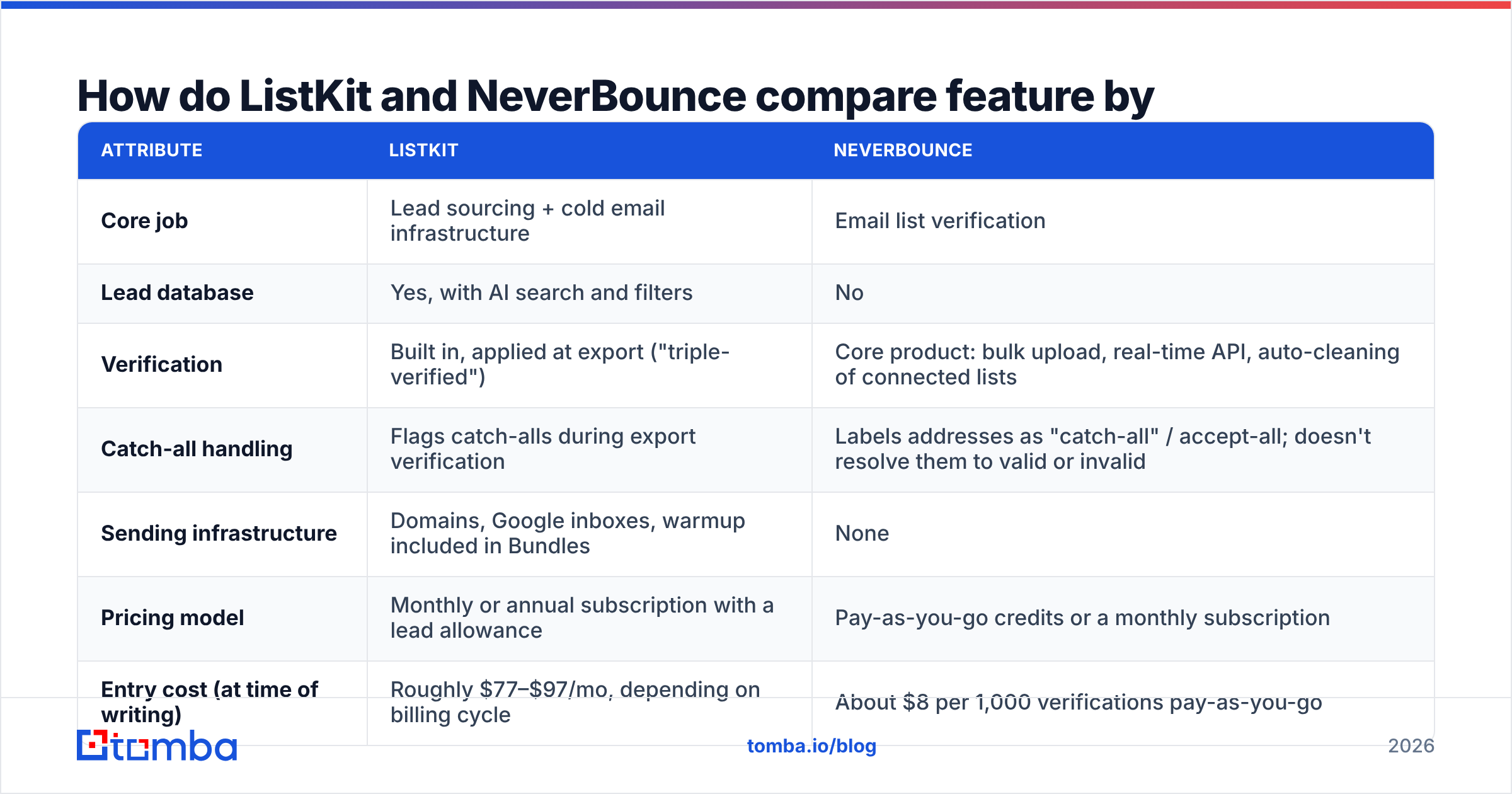
| Attribute | ListKit | NeverBounce |
|---|---|---|
| Core job | Lead sourcing + cold email infrastructure | Email list verification |
| Lead database | Yes, with AI search and filters | No |
| Verification | Built in, applied at export ("triple-verified") | Core product: bulk upload, real-time API, auto-cleaning of connected lists |
| Catch-all handling | Flags catch-alls during export verification | Labels addresses as "catch-all" / accept-all; doesn't resolve them to valid or invalid |
| Sending infrastructure | Domains, Google inboxes, warmup included in Bundles | None |
| Pricing model | Monthly or annual subscription with a lead allowance | Pay-as-you-go credits or a monthly subscription |
| Entry cost (at time of writing) | Roughly $77–$97/mo, depending on billing cycle | About $8 per 1,000 verifications pay-as-you-go |
| Best for | Founders and small SDR teams launching outbound | Marketers and RevOps teams cleaning existing databases |
| Integrations | Exports to major cold email tools and CRMs | Native integrations with ESPs and CRMs (HubSpot, Mailchimp and others) plus API |
Vendors change prices often. Check both pricing pages before you commit, because ListKit in particular has restructured its plans more than once.

Which tool gives you more for your money?#
The two pricing models reward different behaviour, so a head-to-head "cheaper" verdict would mislead you. Here's how the math works in each case.
How NeverBounce pricing works#
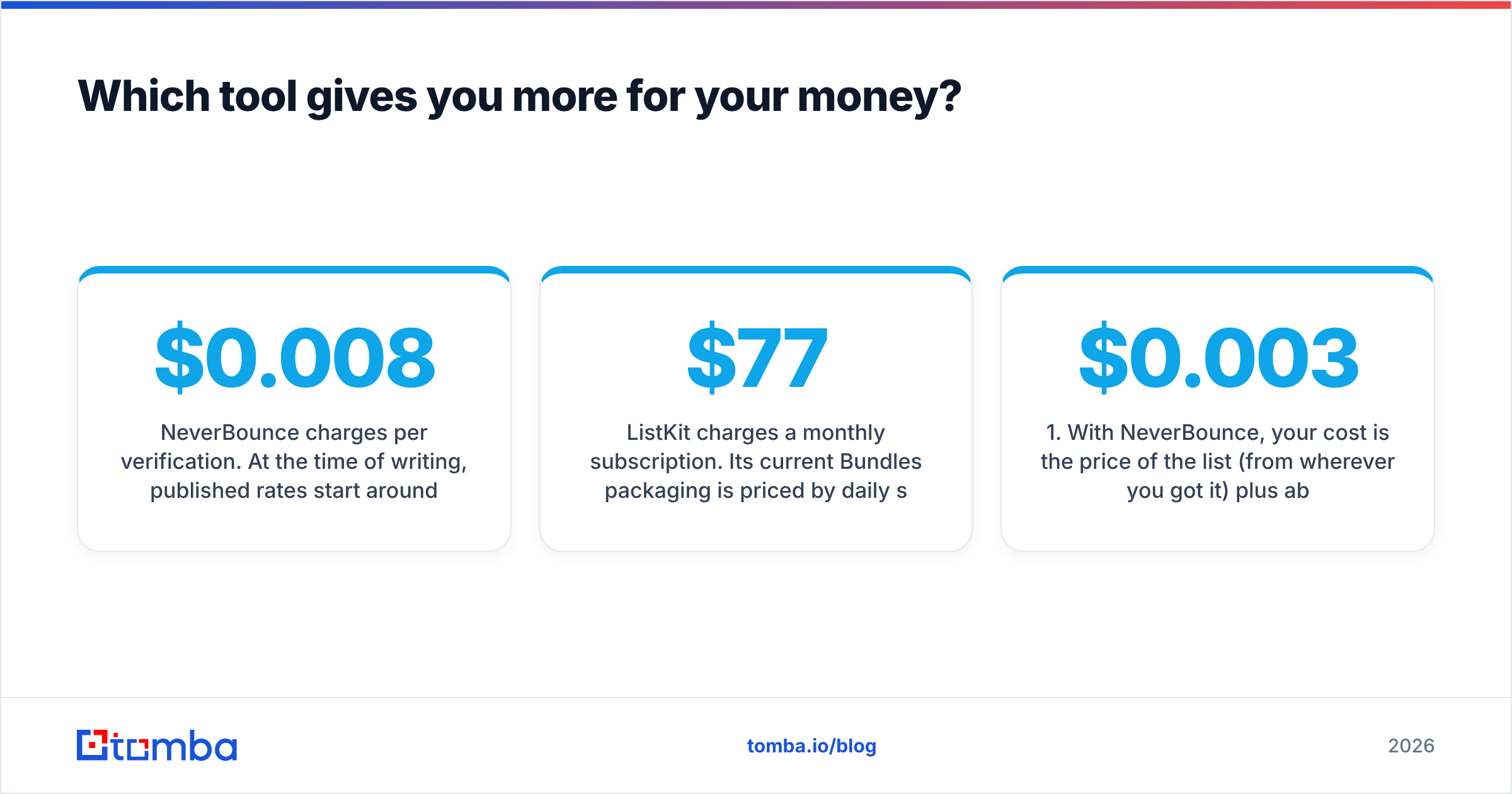
NeverBounce charges per verification. At the time of writing, published rates start around $0.008 per email for small batches: $8 for 1,000 checks, about $50 for 10,000. The rate drops to roughly $0.003 per email at 250,000+ and lower at the million-email tier. Pay-as-you-go credits don't expire the way monthly allowances do. There's also a subscription option for teams that verify continuously, such as real-time checks on signup forms.
This model is efficient when:
- you verify in irregular bursts (a quarterly CRM clean, a list after a trade show)
- your list sizes swing a lot from month to month
- you want to verify inside a signup form or CRM via API
How ListKit pricing works#
ListKit charges a monthly subscription. Its current Bundles packaging is priced by daily sending volume and includes a lead allowance (ListKit's docs cite 10,000 triple-verified leads per month on Bundles), plus domains and inboxes that ListKit registers and warms for you. Entry pricing sits around $77–$97/mo, and higher tiers cost several hundred dollars a month. Several third-party reviews say annual billing is much better value than monthly.
This model is efficient when:
- you'd otherwise pay separately for a data tool, a domain registrar, Google Workspace seats and a warmup service
- you'll actually use most of the monthly lead allowance
- you want a single vendor to set up your infrastructure
The cost-per-useful-contact test#
The fair way to compare is cost per contact you can safely send to:
- With NeverBounce, your cost is the price of the list (from wherever you got it) plus about $0.003–$0.008 per email to verify. If your source list is 30% invalid, you pay to verify those 30% and then throw them away.
- With ListKit, verification is already in the subscription, so your cost per usable lead is roughly your monthly fee divided by the leads you actually export and send to. If you export 2,000 leads on a plan that allows 10,000, your effective cost per lead is five times higher than the headline rate.
If you already own a big list, NeverBounce almost always wins on cost. If you own nothing, NeverBounce can't help until you've bought or built a list somewhere else.
How accurate is verification in each tool?#
Accuracy here means one thing: how many emails marked "valid" actually bounce when you send. Both vendors market high accuracy. NeverBounce is widely quoted in the 97–99% range. ListKit positions its triple verification as its main quality guarantee. Neither figure is an independent audit, so treat them as upper bounds.
What matters more than the headline number:
- Catch-all domains. Many B2B companies run mail servers that accept every address, so SMTP checks can't tell whether
jane@company.comreally exists. NeverBounce returns these as "catch-all" and leaves the send-or-skip decision to you. ListKit flags them during export. Both approaches are honest, but if your market is mid-market or enterprise, catch-alls can be 20–40% of a list. Plan for that segment separately, for example with a dedicated catch-all verifier. - Data decay. A verified email doesn't stay verified. B2B contact data decays steadily as people change jobs. A ListKit lead verified at export in January can bounce by June. NeverBounce's auto-cleaning of connected lists is the more natural fit for long-lived databases.
- Verification timing. Always re-verify right before a campaign if the data is more than about 30 days old, no matter which tool supplied it.
If you're weighing verifiers in general, it's worth running the same 1,000-row sample through two or three tools, including an email verifier you already have access to, and comparing the valid/invalid/unknown splits yourself. Your own data is the only benchmark that counts.
Who should choose ListKit?#
ListKit fits best when outbound doesn't exist yet at your company and you want to go from zero to sending in days, not weeks.
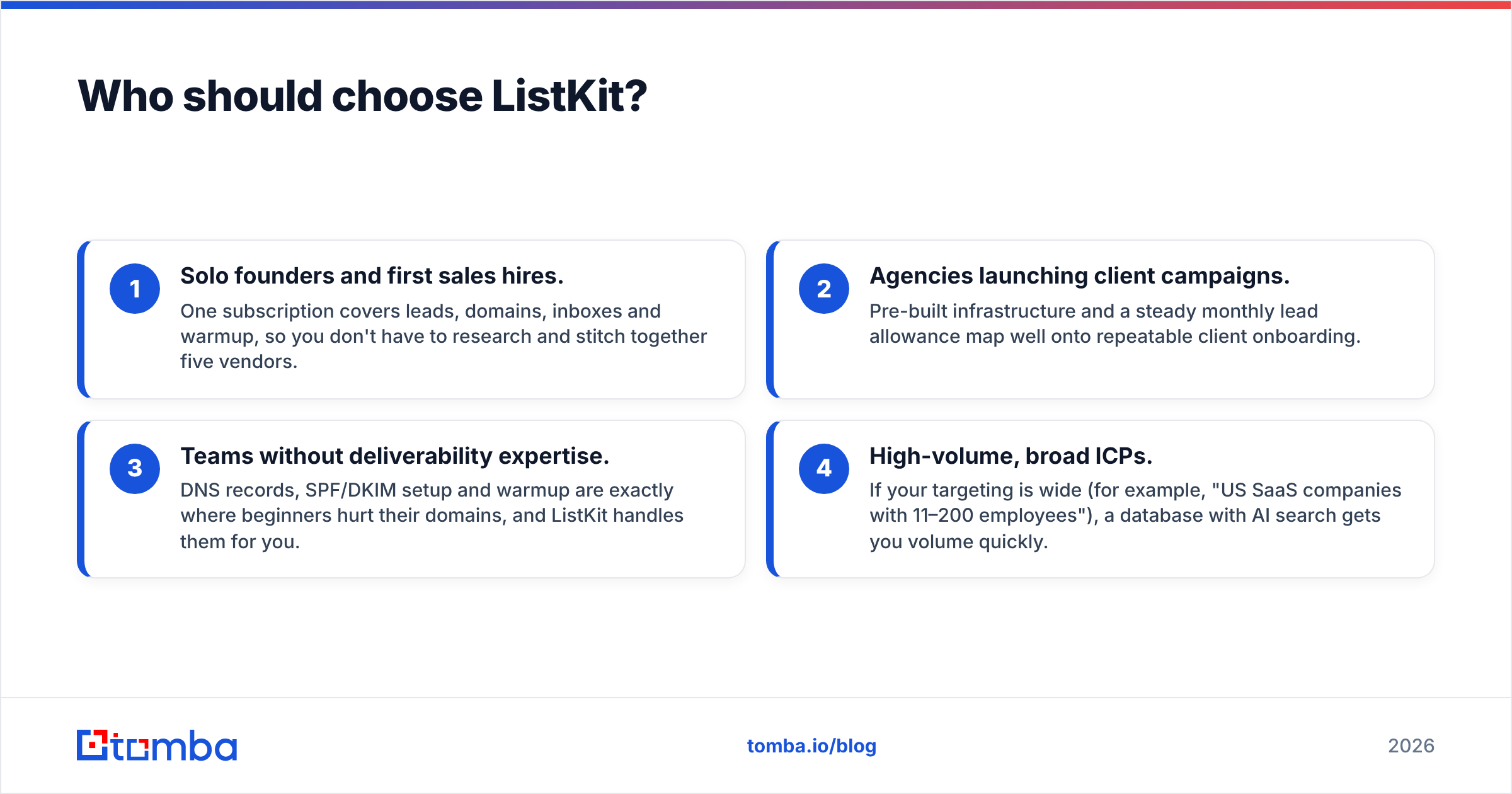
- Solo founders and first sales hires. One subscription covers leads, domains, inboxes and warmup, so you don't have to research and stitch together five vendors.
- Agencies launching client campaigns. Pre-built infrastructure and a steady monthly lead allowance map well onto repeatable client onboarding.
- Teams without deliverability expertise. DNS records, SPF/DKIM setup and warmup are exactly where beginners hurt their domains, and ListKit handles them for you.
- High-volume, broad ICPs. If your targeting is wide (for example, "US SaaS companies with 11–200 employees"), a database with AI search gets you volume quickly.
Where ListKit is a weaker fit: very niche ICPs the database covers thinly, teams that already run their own sending infrastructure (you'd pay for bundled parts you don't need), and anyone whose main problem is an existing messy CRM.
Who should choose NeverBounce?#
NeverBounce fits best when you already have data and your problem is quality, not quantity.
- Marketing teams with large newsletter or product lists. Bulk cleaning before a big send protects your sender reputation. Few verifiers integrate as smoothly with ESPs.
- RevOps teams maintaining a CRM. Scheduled cleaning of synced lists stops slow decay from dragging down bounce rates.
- Product teams validating signups. The real-time API blocks typos and disposable addresses at the form, before they reach your database.
- Anyone buying or scraping lists from mixed sources. A standalone verifier sits in front of every source and applies the same checks to all of them.
Where NeverBounce is a weaker fit: it won't generate a single new lead, it doesn't find emails for names you have, and it doesn't touch sending infrastructure. Its catch-all output is also a label, not a resolution, so risky segments still need a separate decision.
Can you use ListKit and NeverBounce together?#
Yes, and plenty of teams do, but make sure you'd actually get value from paying twice.
A sensible combined workflow looks like this:
- Source new leads in ListKit (already verified at export).
- Store them in your CRM alongside older contacts from other sources.
- Re-verify the whole CRM segment with NeverBounce before each major campaign, especially contacts older than 30–60 days.
That combination makes sense for teams sending tens of thousands of emails a month. For smaller teams, re-verifying fresh ListKit exports with NeverBounce is mostly paying twice for the same check. Spend that money on re-verifying old data instead.

Is there a middle option between ListKit and NeverBounce?#
There's a gap between these two tools that many teams fall into: you know exactly who you want to contact (names, companies, domains) but you don't have their emails, and you don't want a full sending bundle.
- ListKit is overkill here, because you'd pay for domains, inboxes and a broad database when you need targeted lookups.
- NeverBounce can't help, because there's nothing to verify yet.
This is where an email finder with built-in verification fits. With a tool like the Tomba Email Finder, you enter a name and company domain (or run a domain search across a whole company), get the most likely professional address, and each result comes back with a verification status. You get targeted finding and verification in one step, without the infrastructure bundle.
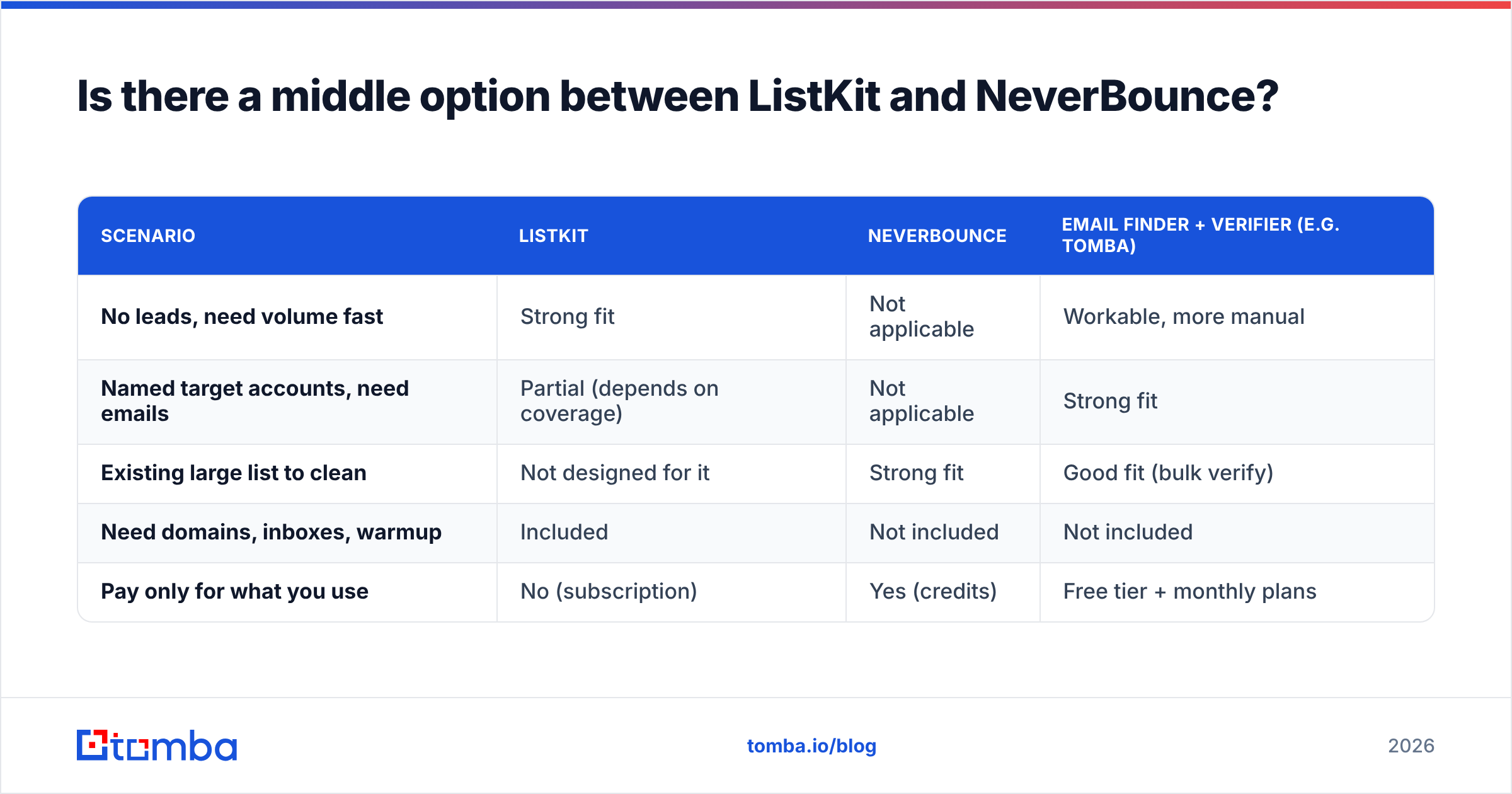
Here's how the three approaches line up:
| Scenario | ListKit | NeverBounce | Email finder + verifier (e.g. Tomba) |
|---|---|---|---|
| No leads, need volume fast | Strong fit | Not applicable | Workable, more manual |
| Named target accounts, need emails | Partial (depends on coverage) | Not applicable | Strong fit |
| Existing large list to clean | Not designed for it | Strong fit | Good fit (bulk verify) |
| Need domains, inboxes, warmup | Included | Not included | Not included |
| Pay only for what you use | No (subscription) | Yes (credits) | Free tier + monthly plans |
Tomba's free tier includes 25 searches a month, and paid plans start at $49/mo for Starter, then $99/mo Growth and $249/mo Pro. See the Tomba pricing page for current limits. It won't replace ListKit's sending setup or NeverBounce's ESP integrations, but it covers the "I know who, not their email" case that neither tool is built for.
ListKit vs NeverBounce: which should you pick in 2026?#
The verdict depends on the problem you're solving:
- You have no leads and no sending setup: go with ListKit. The bundle removes weeks of setup and verification is included.
- You have plenty of leads and a bounce problem: go with NeverBounce. Per-email pricing, strong integrations and real-time API checks make it the better cleaning tool.
- You have named targets and need accurate emails without a bundle: use an email finder with built-in verification, and keep a verifier on hand for older CRM data.
- You run high-volume outbound across many sources: use both, with ListKit for sourcing and NeverBounce for periodic re-verification.
Before you sign anything, run a small test: export or upload 500–1,000 contacts, send a low-volume campaign from a warmed domain, and measure the real bounce rate. That number will tell you more than any vendor accuracy claim.
What should you do next?#
If your outbound starts with a target account list rather than a blank page, you don't need a full infrastructure bundle or a verifier with nothing to check. The Tomba Email Finder lets you find professional email addresses by name, domain or company, with verification built into every result. You can start on the free tier with 25 searches a month and test it against your own ICP before you commit to any subscription.
Related guides#
// get started
Find, verify and enrich your first contacts today
Start on the free plan with 25 searches a month, then scale when your team is ready.
Free plan · No credit card required · GDPR & CCPA
// about the author