ListKit vs NinjaPear: Lead Lists or a B2B Data API in 2026?
ListKit sells ready-to-send lead lists. NinjaPear sells an API for company and customer data. Here's how they compare on data, pricing, and fit, and which one belongs in your outbound stack.
TL;DR
- ListKit is a lead-list tool for outbound teams. You filter a large contact database, export contacts whose emails have already been verified, and load them into your sequencer. It's built for SDRs and agencies who want to click through a UI.
- NinjaPear is a B2B data API from Nubela, the team that used to run Proxycurl. Its main strengths are company intelligence: who a company's customers, investors, and competitors are, plus person enrichment and work-email lookup. It's built for developers and data teams.
- On price, ListKit's paid plans start at about $97/month billed monthly. NinjaPear's subscriptions start at $49/month but come with a 12-month commitment. It also sells pay-as-you-go credits that stay valid for 18 months.
- Pick ListKit if you need send-ready lists this week. Pick NinjaPear if you're building account research, enrichment, or "find companies that buy from X" workflows into your own product or pipeline.
- Neither is a cheap standalone email finder. If what you actually need is verified emails by name and domain, a dedicated finder is usually the better fit.
What is the real difference between ListKit and NinjaPear?#
Most comparison pages put these two side by side as if they did the same job. They don't. The simplest way to see it: ListKit sells you a filled shopping cart, and NinjaPear sells you access to the warehouse's inventory system.
ListKit is a prospecting database with a web app on top. You choose job titles, industries, headcount, and locations. ListKit returns contacts whose emails it says it has verified three times before export, and you download a CSV or push it to your outreach tool. The whole product is designed so you don't have to think about the data layer.
NinjaPear is an API platform. You send it a company domain, a person's work email, or a profile identifier. It returns structured JSON: company description, industry, executives, funding, customers, investors, partners, competitors, and enriched person profiles. It ships Python and JavaScript SDKs, and it pitches itself as real-time B2B enrichment for applications and AI agents.
So the question isn't really "which database is bigger?" It's whether your team works in a spreadsheet or in code.
How do ListKit and NinjaPear compare feature by feature?#
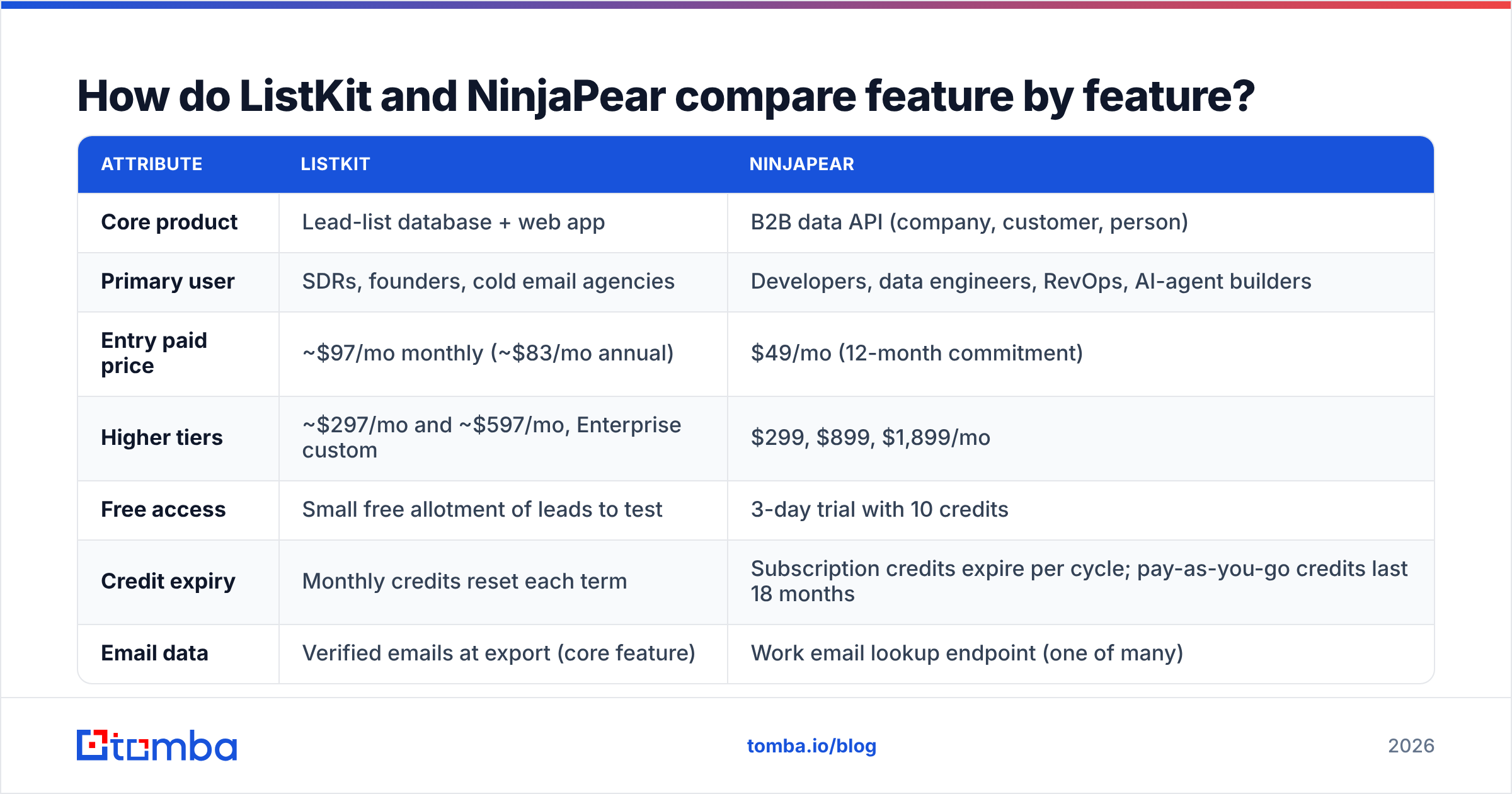
Here's how they line up on the attributes that matter when you're choosing. Pricing reflects the vendors' public pages as of late 2026. Both companies have changed their credit models this year, so check the live pages before you buy.
| Attribute | ListKit | NinjaPear |
|---|---|---|
| Core product | Lead-list database + web app | B2B data API (company, customer, person) |
| Primary user | SDRs, founders, cold email agencies | Developers, data engineers, RevOps, AI-agent builders |
| Entry paid price | $49/mo (12-month commitment) | |
| Higher tiers | ~$297/mo and ~$597/mo, Enterprise custom | $299, $899, $1,899/mo |
| Free access | Small free allotment of leads to test | 3-day trial with 10 credits |
| Credit expiry | Monthly credits reset each term | Subscription credits expire per cycle; pay-as-you-go credits last 18 months |
| Email data | Verified emails at export (core feature) | Work email lookup endpoint (one of many) |
| Signature capability | Filter-and-export targeted lists fast | Customer Listing API: who buys from, invests in, or partners with a company |
| Competitor discovery | No | Yes (keyword and product overlap) |
| Interface | No-code UI, CSV export | API + SDKs, docs-first |
| Billing on failures | Credits per exported contact | Failed requests not charged; cached records within freshness window cost 0 |
| Best fit | Filling a sequencer with contacts this week | Building enrichment and account intelligence into a product or pipeline |
The row that matters most is "Signature capability." ListKit is about people you can email. NinjaPear is about relationships between companies. Those are different research questions.
How does ListKit work in practice?#
ListKit's workflow will look familiar if you've used any modern lead database:
- Sign up and open the search UI.
- Filter by job title, seniority, industry, company size, location, and similar firmographic fields.
- Preview the matching contacts.
- Spend credits to reveal and export them. ListKit runs its triple-verification pass so exported emails are flagged as deliverable.
- Push the list into Instantly, Smartlead, a CRM, or wherever you send from.
It's good at the thing cold email teams hate doing by hand: building a clean, filtered list at volume without juggling a separate scraper, finder, and verifier. ListKit markets a contact database in the hundreds of millions of records, and its whole brand centers on low bounce rates at export.
The tradeoffs are the usual ones for list vendors:
- Credits reset monthly. If your outbound volume swings, you'll either waste credits or pay for top-ups.
- The filters are the product. When your ideal customer is defined by behavior ("companies that use Snowflake and just raised a Series B") rather than by title and headcount, a filter UI starts to feel limiting.
- Shared lists. Every other ListKit customer targeting "VP Sales, SaaS, 50-200 employees" is pulling from the same pool. The data being verified doesn't make the list unique.
How does NinjaPear work in practice?#
NinjaPear came out of a forced pivot. LinkedIn sued Proxycurl in January 2025, and Nubela shut Proxycurl down afterward. The team now builds NinjaPear, which it describes as structured B2B data drawn from public web sources rather than LinkedIn scraping. That history is useful context: it's an API company first, and the product reflects that.
Its main endpoint groups are:
- Customer Listing API. Give it a company and get back that company's customers, investors, and partners or platforms. Pricing is 1 credit per request plus 2 credits per customer returned. This is the endpoint you won't easily find elsewhere.
- Company profile and funding. Description, industry, executives, financials, funding rounds, and investors.
- Competitor discovery. Competitors ranked by keyword and product overlap.
- Person profile enrichment. You can pass a work email and get back work history, education, location, and sometimes social handles.
- Work email lookup. Returns a work email for a professional profile.
- Monitoring. Track changes at accounts you care about.
The NinjaPear docs are clean and the SDKs are maintained. Nubela also says V2 of the API is several times faster than V1, which matters if you call it inside a live workflow or an AI agent loop.
Where NinjaPear gets awkward for a typical sales team:
- There's no list-builder UI in the ListKit sense. You write code, use a no-code connector, or hire someone who does.
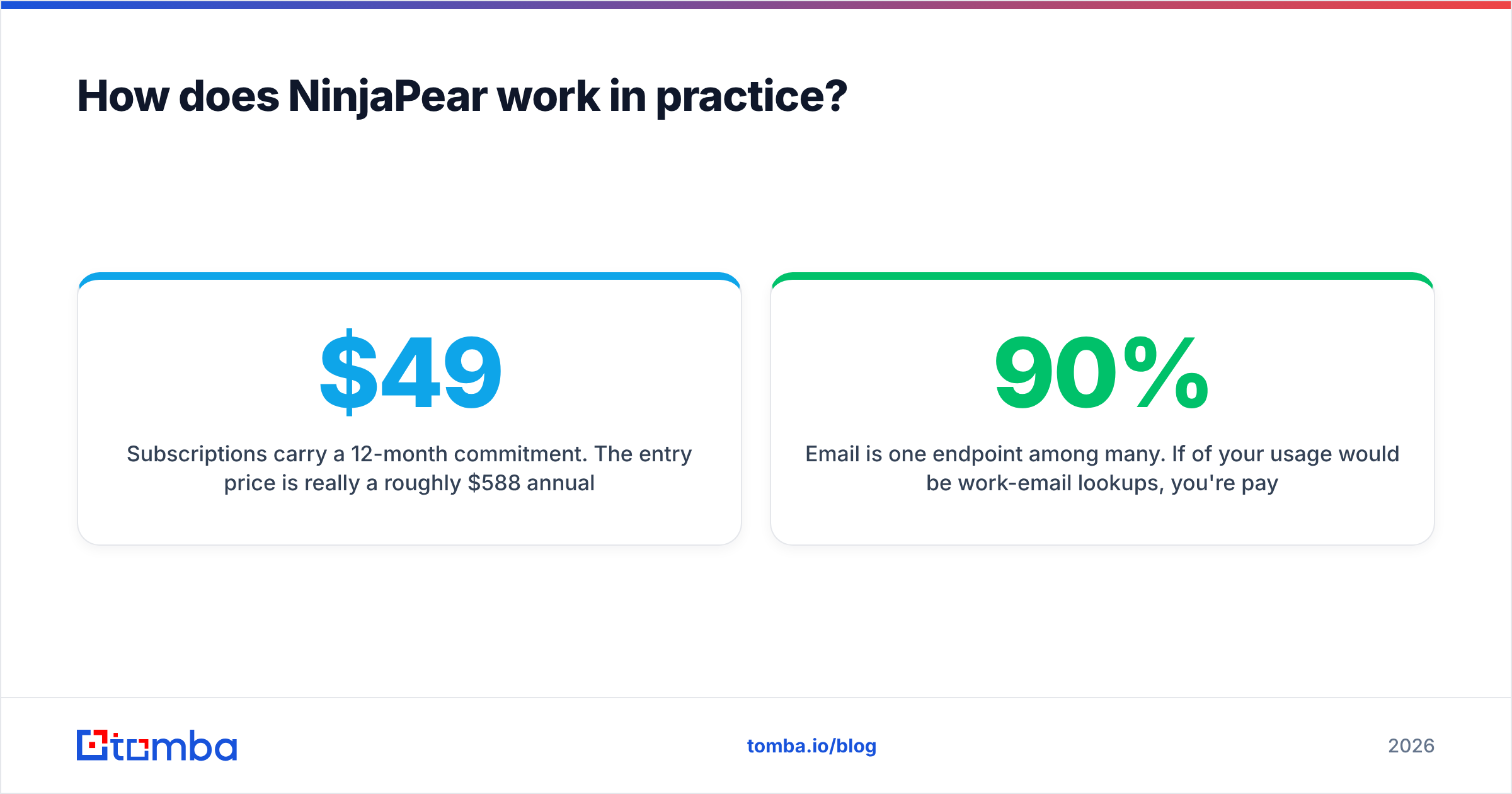
- Subscriptions carry a 12-month commitment. The $49/month entry price is really a roughly $588 annual commitment. Pay-as-you-go is more flexible but costs more per credit.
- Email is one endpoint among many. If 90% of your usage would be work-email lookups, you're paying for a platform built around company intelligence.
Which one has better data for outbound?#
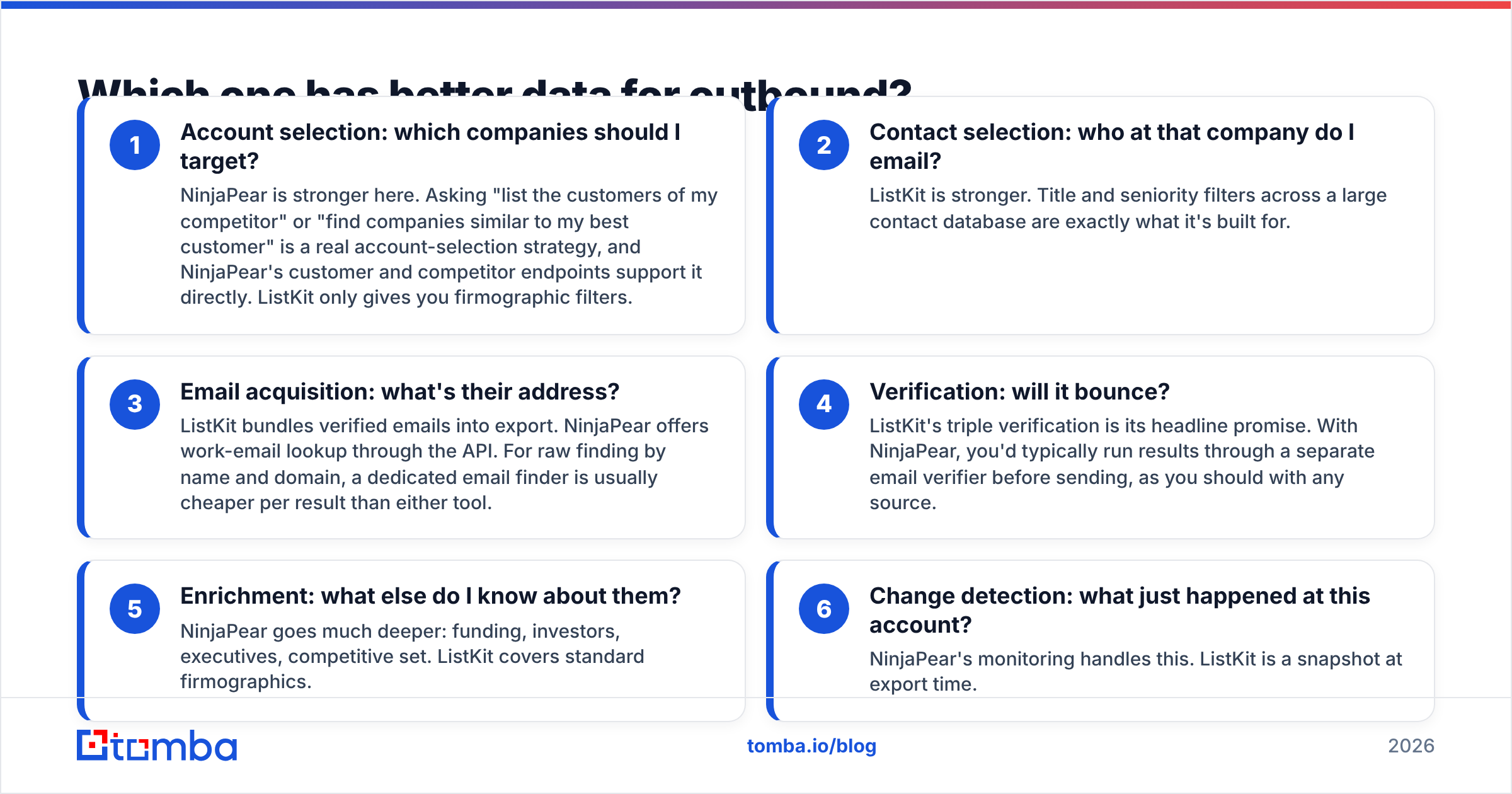
Better for what, exactly? The two tools answer different outbound questions, so it helps to split outbound research into its separate jobs:
- Account selection: which companies should I target? NinjaPear is stronger here. Asking "list the customers of my competitor" or "find companies similar to my best customer" is a real account-selection strategy, and NinjaPear's customer and competitor endpoints support it directly. ListKit only gives you firmographic filters.
- Contact selection: who at that company do I email? ListKit is stronger. Title and seniority filters across a large contact database are exactly what it's built for.
- Email acquisition: what's their address? ListKit bundles verified emails into export. NinjaPear offers work-email lookup through the API. For raw finding by name and domain, a dedicated email finder is usually cheaper per result than either tool.
- Verification: will it bounce? ListKit's triple verification is its headline promise. With NinjaPear, you'd typically run results through a separate email verifier before sending, as you should with any source.
- Enrichment: what else do I know about them? NinjaPear goes much deeper: funding, investors, executives, competitive set. ListKit covers standard firmographics.
- Change detection: what just happened at this account? NinjaPear's monitoring handles this. ListKit is a snapshot at export time.
An honest summary: ListKit wins steps 2 through 4 for a team that works in a UI. NinjaPear wins steps 1, 5, and 6 for a team that works in code.
Is ListKit cheaper than NinjaPear?#
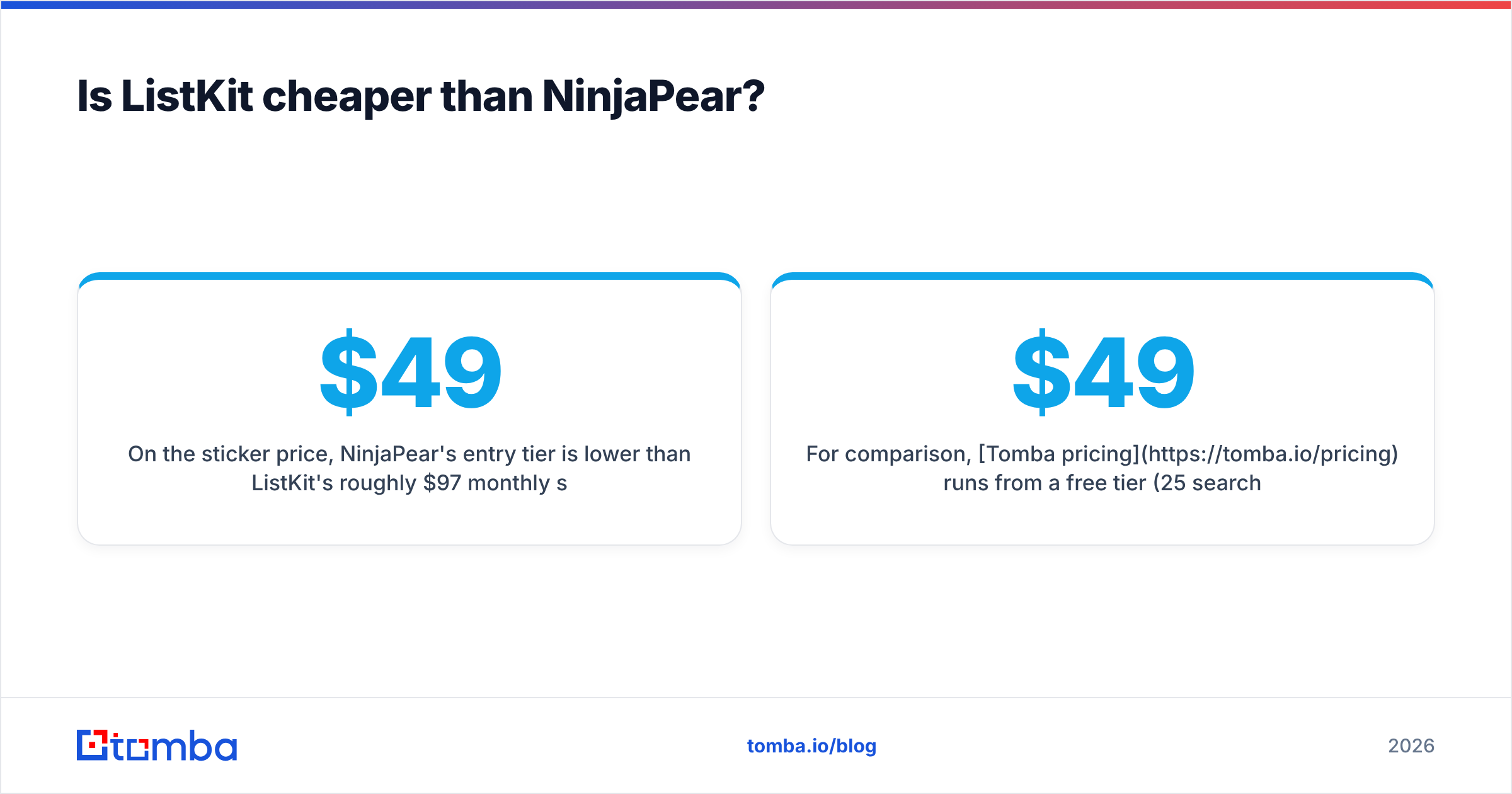
On the sticker price, NinjaPear's $49 entry tier is lower than ListKit's roughly $97 monthly starter. In practice the comparison flips depending on how you use them.
If you export a steady, predictable number of contacts each month, ListKit's model is simple. You know roughly how many verified contacts you'll get, and you don't sign an annual contract on monthly billing. Credits reset, so size the plan to your real sending volume.
If your usage is lumpy or you're experimenting, NinjaPear's pay-as-you-go credits are the better deal on flexibility. They last 18 months, failed requests are free, and cached records inside the freshness window cost nothing. That's an unusually developer-friendly billing model.
If you need customer or competitor data, there's nothing to compare. ListKit doesn't sell it, and the Customer Listing API's per-customer pricing (2 credits each) adds up quickly on large companies. Budget for it.
The hidden cost to watch with NinjaPear is the 12-month commitment on subscriptions. With ListKit, it's credit reset: unused monthly credits are money you've already spent.
For comparison, Tomba pricing runs from a free tier (25 searches/month) through Starter at $49/month, Growth at $99/month, and Pro at $249/month, with Enterprise on custom terms. That's worth knowing if your need turns out to be narrower than either platform: finding and verifying emails, not building lists or mapping company relationships.
Who should choose ListKit?#
Choose ListKit if most of these describe you:
- You run cold email campaigns, whether in-house or as an agency, and you need thousands of verified contacts a month.
- Your ideal customer profile is defined by title, industry, headcount, and geography.
- Nobody on your team wants to write code or maintain an integration.
- You care more about bounce rate at export than about account-level intelligence.
- You want to go from sign-up to a loaded sequence the same day.
ListKit also suits the agency model well: build a list per client, export, send, repeat. G2 and similar review sites cluster ListKit reviews around ease of use and deliverability, which fits its positioning.
Who should choose NinjaPear?#
Choose NinjaPear if most of these describe you:
- You have a developer, or you are one, and you want B2B data inside your own app, CRM enrichment job, or AI agent.
- Your targeting strategy starts from relationships: competitors' customers, a VC's portfolio, companies built on a specific platform.
- You need company-level depth such as funding history, executives, and competitive sets, not just contact rows.
- You want to monitor target accounts for changes over time.
- You value a data source that explicitly avoids LinkedIn scraping, given what happened to Proxycurl.
NinjaPear is also a sensible fit for RevOps teams building an account-scoring model. Customer and competitor data make strong features for "is this account likely to buy?" scoring.

Can you use ListKit and NinjaPear together?#
Yes, and for some teams that's the best setup. A workable pipeline:
- Use NinjaPear to pick accounts. Pull your top competitor's customer list, filter by funding stage and size, and enrich each company.
- Use ListKit to pick contacts. Search those specific companies for your target titles and export the verified contacts.
- Verify again before sending if the list has been sitting for a few weeks. Emails decay fast as people change jobs.
- Load into your sequencer and personalize using the NinjaPear context: "Saw you work with [competitor]..."
The downside is running two vendor contracts, two credit systems, and some glue code. If your volume is modest, that overhead may cost more than it earns. For many small teams, the leaner version is NinjaPear (or a CSV of target domains) plus a domain-level email finder and verifier. That replaces ListKit's contact step at lower cost.
Where does an email finder like Tomba fit in this comparison?#
Many people searching "ListKit vs NinjaPear" actually have a narrower problem. They already know which companies they want to reach, and they just need verified email addresses for the right people. That's neither a list database nor a company-intelligence API. It's an email finder.
Tomba covers that job directly. You can find emails by domain, look up a specific person by name and company, verify addresses (including catch-all domains), and do it through the web app, the browser extension, Google Sheets, or the Tomba API. It won't tell you your competitor's customers the way NinjaPear does, and it isn't a filter-and-export list builder like ListKit. When the task is "turn these 500 target accounts into reachable, verified contacts," though, it's the more direct tool.
FAQ#
Is NinjaPear the same as Proxycurl? It's the same team (Nubela), but a different product. Proxycurl shut down after LinkedIn's 2025 lawsuit. NinjaPear is built on public web sources and focuses on company, customer, and person data rather than LinkedIn scraping.
Does ListKit have an API? ListKit is primarily a web app with export and integrations to outreach tools. If API-first access is a hard requirement, NinjaPear is built for that model.
Does NinjaPear provide verified emails? It offers a work email lookup endpoint. As with any data source, verify addresses before sending at volume.
Which is better for a solo founder? If you don't write code, pick ListKit. If you do and your targeting starts from competitors' customers, pick NinjaPear's pay-as-you-go credits. If you only need emails for accounts you've already chosen, a dedicated email finder will be cheaper than either.
Do credits roll over? ListKit's monthly credits reset each term. NinjaPear's subscription credits expire each cycle, but its pay-as-you-go credits stay valid for 18 months.
So, ListKit or NinjaPear?#
ListKit wins for outbound teams that want verified, send-ready lead lists with no code and no setup. NinjaPear wins for technical teams that want company intelligence (customers, competitors, investors, enrichment, monitoring) through an API with flexible billing. They overlap far less than their shared "B2B data" label suggests. Decide based on whether your bottleneck is finding the right accounts or reaching the right people.
If your bottleneck is really the last step, getting a verified email for a known person at a known company, start with the Tomba Email Finder. Enter a name and domain, or search a whole domain, to get professional email addresses with verification built in. You can test it on the free tier (25 searches/month) before deciding whether you need a full list database or data API at all.
Related guides#
// get started
Find, verify and enrich your first contacts today
Start on the free plan with 25 searches a month, then scale when your team is ready.
Free plan · No credit card required · GDPR & CCPA
// about the author