ListKit vs RampedUp: Pricing, Data Quality and Which to Pick in 2026
ListKit sells verified lead lists on a monthly subscription for cold emailers. RampedUp sells contacts one at a time, with personal emails and mobiles included. Here's how they compare on price, data and workflow, and which one fits your outbound motion.
TL;DR
- ListKit is a subscription lead database built for cold emailers. It sells triple-verified business emails and lets you build lists in bulk. Plans start around $97/mo when billed monthly, and unused credits don't roll over.
- RampedUp charges per contact, with no mandatory monthly plan. Professional contacts cost about $0.50 each and personal contacts (personal email, mobile, social) about $0.25.
- Choose ListKit if you send cold email at volume every month and want ready-to-send lists. Choose RampedUp if you buy data in small batches, need personal emails or mobiles, or want to append data to an existing CRM.
- Neither tool removes the need to re-verify just before you send. B2B data decays by roughly 2% or more per month, whoever sold it to you.
- If what you need is to find a specific person's work email on demand instead of buying lists, a dedicated email finder is usually cheaper per useful contact.
What are ListKit and RampedUp, and why compare them?#
At first glance they look like the same kind of product: a B2B contact database you search, filter and export from. In practice they are built for different buyers.
ListKit is aimed at agencies and outbound teams that send thousands of cold emails a month. You filter by title, industry, headcount, location and technographics, then export a list of emails that ListKit has already verified. The company's main claim is deliverability: every email is run through several verification passes before you download it, so bounce rates stay low enough to protect your sending domains.
RampedUp comes from the contact-data and enrichment side. It advertises 500M+ contacts and 50M+ businesses. What sets it apart is that it covers personal data (personal emails, mobile numbers, social profiles) as well as professional data, and you pay per contact instead of per month. Many RampedUp customers use it to append data to records they already have, not to build prospect lists from scratch.
So the real question is which buying model and data type fit your workflow. Raw database size matters less than that.
How do ListKit and RampedUp compare feature by feature?#
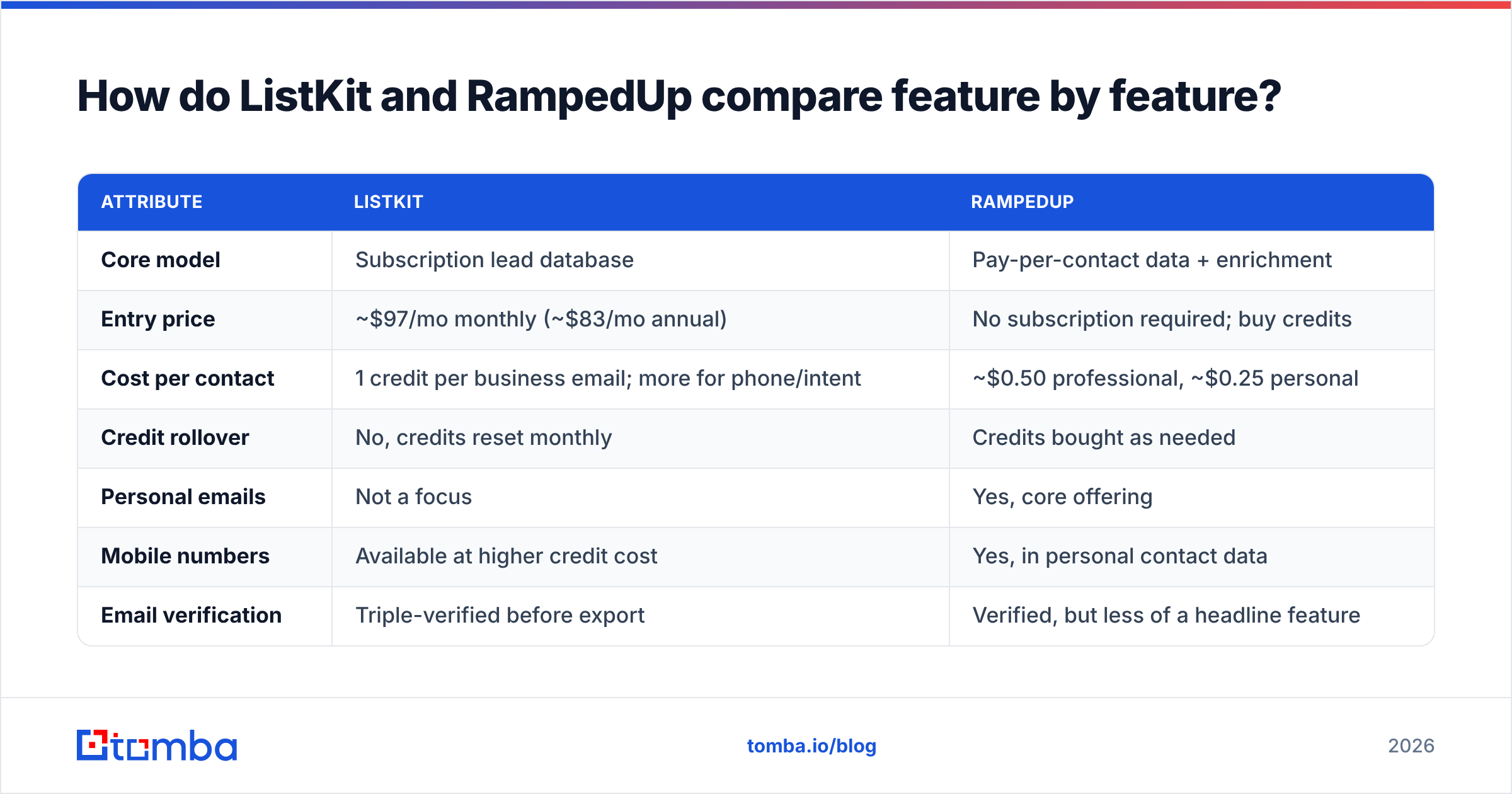
Here are the attributes that matter most when you're choosing between them. Pricing reflects each vendor's public pages at the time of writing. Both change their plans often, so confirm on the vendor site before you buy.
| Attribute | ListKit | RampedUp |
|---|---|---|
| Core model | Subscription lead database | Pay-per-contact data + enrichment |
| Entry price | No subscription required; buy credits | |
| Cost per contact | 1 credit per business email; more for phone/intent | ~$0.50 professional, ~$0.25 personal |
| Credit rollover | No, credits reset monthly | Credits bought as needed |
| Personal emails | Not a focus | Yes, core offering |
| Mobile numbers | Available at higher credit cost | Yes, in personal contact data |
| Email verification | Triple-verified before export | Verified, but less of a headline feature |
| Best fit | High-volume cold email, agencies | CRM append, personal data, low-volume buys |
| Main drawback | Monthly spend even in quiet months | Per-contact cost adds up at scale |
The table shows the split clearly. ListKit makes sense when your volume is steady. RampedUp makes sense when your volume is irregular, or when professional work emails aren't enough.
How do the pricing models actually differ in practice?#
The list price tells you less than the cost per contact you actually use. Here is how each model behaves.
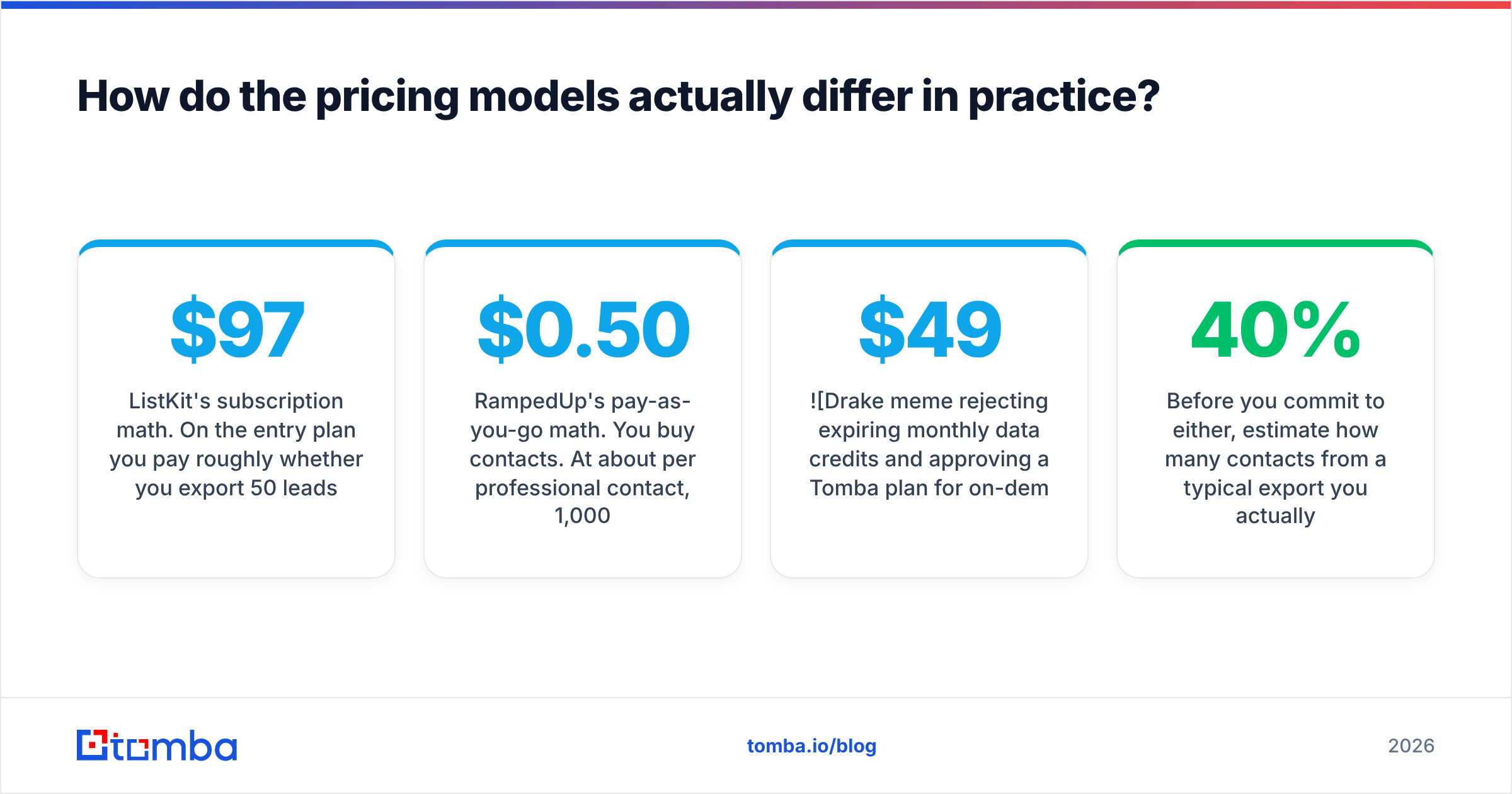
ListKit's subscription math. On the entry plan you pay roughly $97/mo whether you export 50 leads or your full allowance. Credits reset every billing cycle. ListKit also charges more credits for richer records: a business email costs 1 credit, email plus LinkedIn costs more, and full enrichment with a mobile number can cost 8-10 credits per lead. If you only pull business emails and use the whole allowance, your cost per lead is low. If you pull mobiles, or skip a month, it goes up quickly.
RampedUp's pay-as-you-go math. You buy contacts. At about $0.50 per professional contact, 1,000 business contacts cost around $500. That's more than a subscription gives you for the same volume, but you don't lose anything in months you don't prospect. Personal contacts at about $0.25 are one of the cheaper ways to get personal emails and mobiles from a mainstream vendor.
Some rough breakpoints:
- Under ~200 contacts a month: RampedUp is usually cheaper because you aren't paying for an unused subscription.
- 200-1,000 business emails a month: Close. It depends on how many ListKit credits you actually use and whether you need mobiles.
- 1,000+ business emails every month: ListKit's subscription usually wins on cost per lead, provided you only pull emails and not full enrichment.
- Any volume where personal data is required: RampedUp is the better fit, because ListKit isn't built around personal emails.

Before you commit to either, estimate how many contacts from a typical export you actually email. Most teams exporting purchased lists end up throwing away 20-40% of rows after deduplication, ICP filtering and suppression. That waste raises your real cost per contact on both platforms.
Which has better data quality and coverage?#
Neither vendor publishes an independent accuracy audit, so be skeptical of any "98% accurate" claim, including ones made in comparison posts like this.
ListKit's strength is verification. It markets its data as triple-verified: each email goes through several checks before you export it. For cold emailers this matters more than database size. A list that bounces 8% can get a sending domain throttled or blocklisted within days. Users on review sites generally say bounce rates are low on fresh exports. The usual complaints are about thinner coverage outside the US and in niche verticals.
RampedUp's strength is breadth and personal data. With 500M+ contacts, it covers people who barely show up in B2B-only datasets: small-business owners, field roles, and people whose work email follows an unusual pattern. The personal-to-professional append is useful when you have a list of names and personal emails (from events, webinars or form fills) and want to link them to a company. User reviews on G2 praise the personal data coverage and mention that accuracy on professional emails varies by segment.
What neither can fix is data decay. People change jobs, companies rebrand, and mailboxes get shut down. An email that verified at export can hard-bounce six weeks later. Whichever platform you choose, run exports through an email verifier right before the sequence launches, not just at purchase time.
How does each tool fit into a real outbound workflow?#
Features matter less than how each tool fits between your data source and your sending tool. This is the usual workflow for each.
A typical ListKit workflow:
- Define the ICP with ListKit filters: title, seniority, headcount, industry, location and technographics.
- Export a verified CSV. Business emails come pre-verified, so the list is close to send-ready.
- Deduplicate against your CRM and suppression lists, so you don't email current customers or earlier opt-outs.
- Import into your sequencer (Instantly, Smartlead, Lemlist and similar) and launch.
- Refill next month when credits reset.
A typical RampedUp workflow:
- Start from existing records. These might be CRM contacts with missing fields, event attendees, or a target account list.
- Append data such as professional email, direct phone, mobile, personal email or social profiles, paying per contact.
- Enrich selectively. Only buy the fields you'll use, since personal and professional credits are priced separately.
- Sync back to the CRM or export to a dialer or sequencer.
- Buy again when needed. There's no monthly spend.
The contrast is simple. ListKit generates lists, and RampedUp fills gaps in data you already have. Teams that treat them as interchangeable tend to end up unhappy with either one.
What are the pros and cons of each?#
ListKit pros
- Verification is built into every export, so bounce risk is lower on fresh lists.
- Filters and export formats are designed around cold email.
- Cost per business email is predictable at steady high volume.
- Agency-friendly: it's quick to build many client lists.
ListKit cons
- Credits expire every month, so quiet months waste money.
- Mobiles and full enrichment cost many more credits per lead.
- Little coverage of personal emails.
- Buying lists is a different job from finding one specific person's email.
RampedUp pros
- Pay-per-contact pricing with no subscription lock-in.
- Personal emails and mobiles at about $0.25 per contact.
- Large database that includes SMB and non-traditional roles.
- Strong for CRM append and enrichment.
RampedUp cons
- Per-contact cost gets expensive at high monthly volume.
- Professional email accuracy varies by segment, so re-verify.
- Sending cold email to personal addresses carries more compliance risk in some regions.
- Less built for the "export and send" cold email workflow.
Is ListKit better than RampedUp for cold email?#
For pure cold email at volume, ListKit is usually the better fit. Its product is built around pre-verified business emails, which is what protects your sender reputation, and a subscription suits steady monthly volume.
RampedUp wins when your outbound is multichannel or data-poor. Examples: a sales team that calls mobiles as well as emailing, a recruiter who needs personal contact details, or a RevOps lead trying to fill empty fields across thousands of CRM records. In those cases ListKit's business-email focus is too narrow.
Compliance deserves a warning. Sending cold email to personal addresses is treated very differently from contacting business addresses under GDPR in Europe and under some US state laws. RampedUp's personal data is legitimate for enrichment and identity matching, but check with your legal team before you put personal emails into a cold sequence.

When should you skip both and use an email finder instead?#
Many teams compare lead databases when their real problem is narrower: they already know who they want to reach and just need the right email.
If your prospecting starts from a target account list, a LinkedIn search, a conference roster or a referral, buying a pre-built list means paying for thousands of rows you don't need. In that case an on-demand email finder is usually more efficient. You enter a name and a company domain, get the most likely address with a confidence score, and only spend credits on people you've already chosen.
That approach differs from both tools in a few ways:
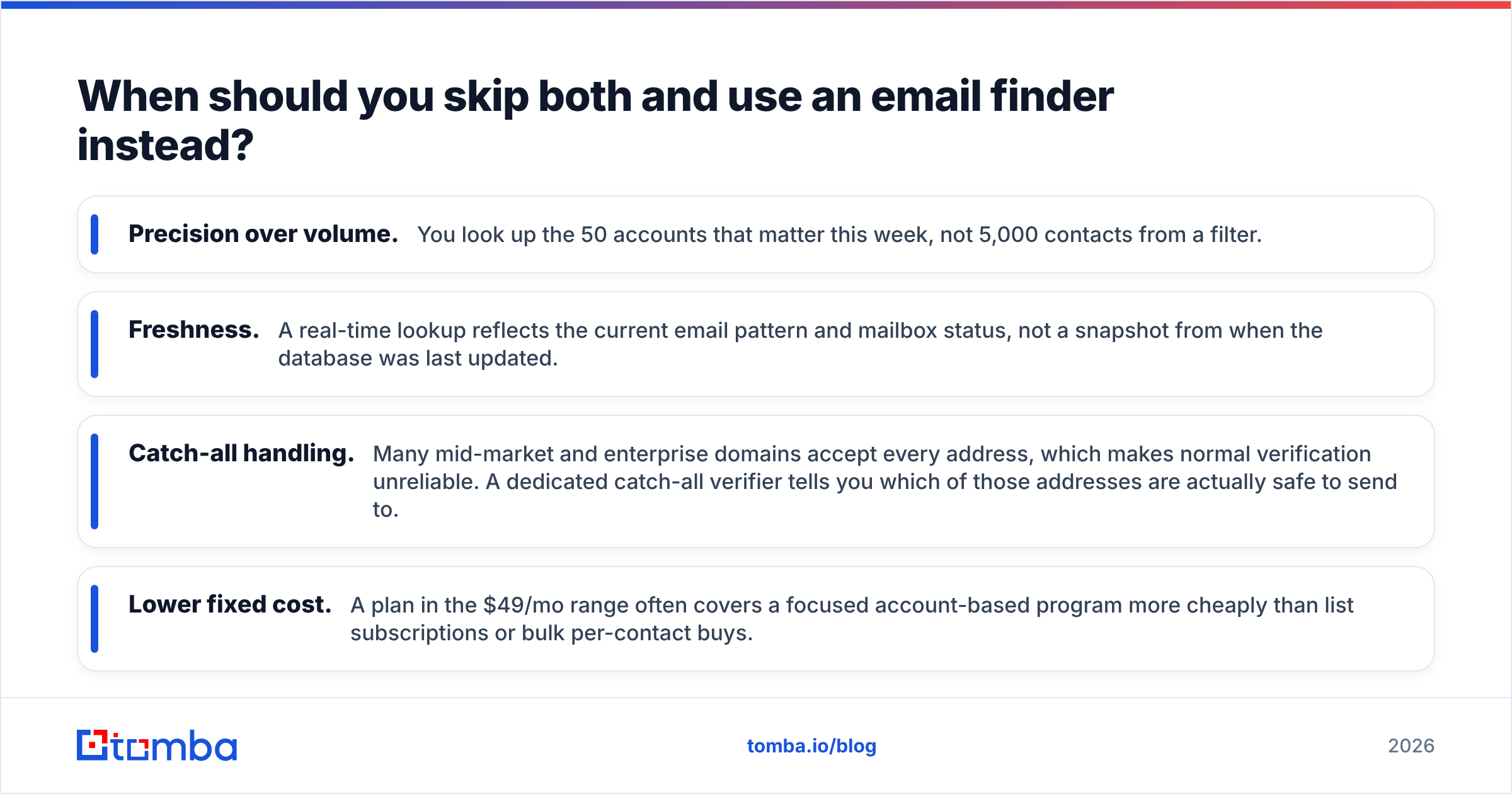
- Precision over volume. You look up the 50 accounts that matter this week, not 5,000 contacts from a filter.
- Freshness. A real-time lookup reflects the current email pattern and mailbox status, not a snapshot from when the database was last updated.
- Catch-all handling. Many mid-market and enterprise domains accept every address, which makes normal verification unreliable. A dedicated catch-all verifier tells you which of those addresses are actually safe to send to.
- Lower fixed cost. A plan in the $49/mo range often covers a focused account-based program more cheaply than list subscriptions or bulk per-contact buys.
This doesn't replace ListKit or RampedUp for every team. If you need 10,000 net-new SMB contacts a month, a database is the right tool. But if most exported rows go unused, pay for lookups instead of lists.
How should you decide between ListKit and RampedUp?#
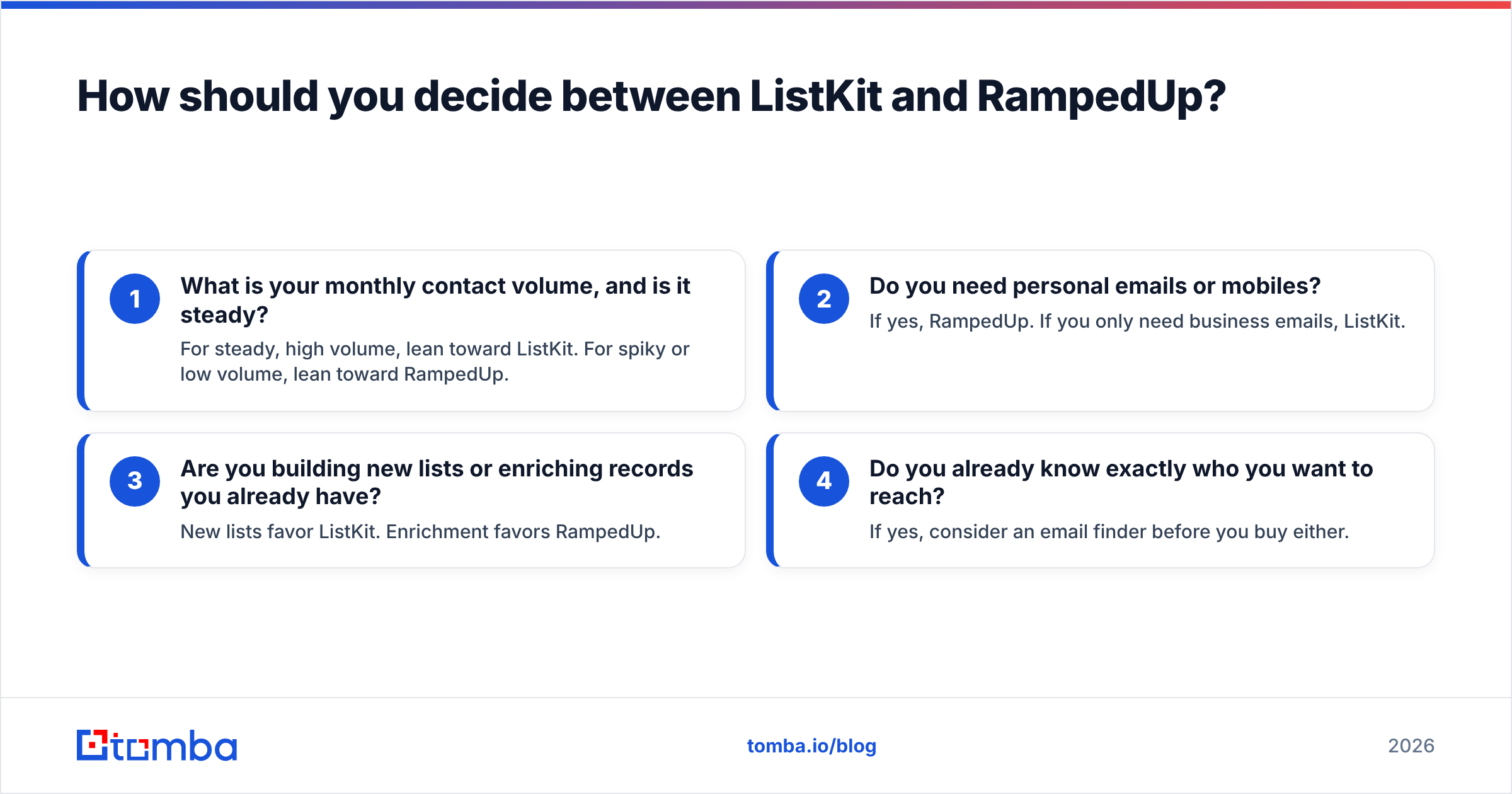
Answer these four questions in order:
- What is your monthly contact volume, and is it steady? For steady, high volume, lean toward ListKit. For spiky or low volume, lean toward RampedUp.
- Do you need personal emails or mobiles? If yes, RampedUp. If you only need business emails, ListKit.
- Are you building new lists or enriching records you already have? New lists favor ListKit. Enrichment favors RampedUp.
- Do you already know exactly who you want to reach? If yes, consider an email finder before you buy either.
Then run a small paid test on each shortlisted option. Pull 200 contacts from the same ICP, verify them all with the same third-party verifier, and compare three numbers: deliverable rate, ICP match rate, and cost per usable contact. That comparison will tell you more than any vendor claim or review roundup.
For broader context on how buyers rate B2B data vendors on ease of use, support and data quality, G2's B2B data category is useful for reading reviews from companies similar to yours.
Our verdict: ListKit or RampedUp?#
ListKit is the stronger choice for agencies and outbound teams that run cold email at high, steady volume and care most about keeping bounce rates low. Its pre-verified exports and subscription pricing suit that workflow.
RampedUp is the stronger choice for teams that buy data irregularly, need personal emails or mobile numbers, or mainly enrich an existing CRM. Paying per contact keeps spending tied to actual use.
Neither is better in every case. They solve different problems, and the wrong choice usually comes from mixing up list building with enrichment.
If your outbound is account-based and you usually know the person before you need their email, you may not need a lead database at all. Tomba Email Finder returns the most likely work email from a name and domain, flags catch-all domains, and verifies in the same step. You pay only for the people you actually want to reach. It includes a free tier of 25 searches a month so you can test it on your own target accounts, and paid plans start at $49/mo. See Tomba pricing for the full plan breakdown.
Related guides#
// get started
Find, verify and enrich your first contacts today
Start on the free plan with 25 searches a month, then scale when your team is ready.
Free plan · No credit card required · GDPR & CCPA
// about the author