ListKit vs RemoveBounce (2026): Which Tool Fits Your Outbound Stack?
ListKit builds verified lead lists. RemoveBounce cleans the lists you already have. They solve different problems, so here is how to tell which one your outbound stack is actually missing.
TL;DR
- ListKit and RemoveBounce aren't direct substitutes. ListKit is a B2B lead database that exports contacts it has already verified. RemoveBounce is a pay-as-you-go email verifier that cleans lists you already own.
- Pick ListKit if your bottleneck is finding ICP-matched contacts and you want verification bundled into every export.
- Pick RemoveBounce if you already have contacts from a CRM, event, scrape, or another vendor and you need to cut bounces before a send, without paying a subscription.
- The pricing models differ. ListKit uses monthly credits that don't roll over. RemoveBounce sells credit packs that third-party listings say never expire.
- Plenty of teams need both jobs done. A tool that finds and verifies in one workflow can replace the two-tool setup.
What is ListKit?#
ListKit is a lead list builder for outbound teams. You filter a large B2B database by title, industry, headcount, location and similar attributes, then export contacts. Before an email reaches your CSV, it goes through what ListKit calls triple-verification.
ListKit positions itself around three things:
- Company and contact search. It includes an AI-assisted company search and, per ListKit's own marketing, a database of 700M+ profiles.
- Verification before export. Each email is checked for deliverability before you're charged the verification credit.
- Cold-email-ready output. The exports are designed to drop straight into Instantly, Smartlead or a similar sequencer.
The pitch is simple: you shouldn't have to buy leads from one vendor and then pay a second vendor to find out which ones will bounce.
How ListKit credits work#
ListKit charges by credit. Based on its help docs and 2026 pricing breakdowns:
- Business email: 1 credit
- Triple-verification: +1 credit
- Personal email: 2 credits
So a verified business email costs 2 credits. On the free plan's 100 credits, that works out to about 50 verified contacts a month. The tiers differ mainly in credit volume, annual billing saves roughly 15%, and unused credits expire monthly. That last point matters if your outbound volume is uneven.
What is RemoveBounce?#
RemoveBounce is a standalone email verification service. You upload a list, or call its API, and it sorts every address into buckets: valid, invalid, catch-all, spam trap, and so on. You download whichever segments you want to keep.
RemoveBounce doesn't find new contacts. It assumes you already have them. Its main strengths are:
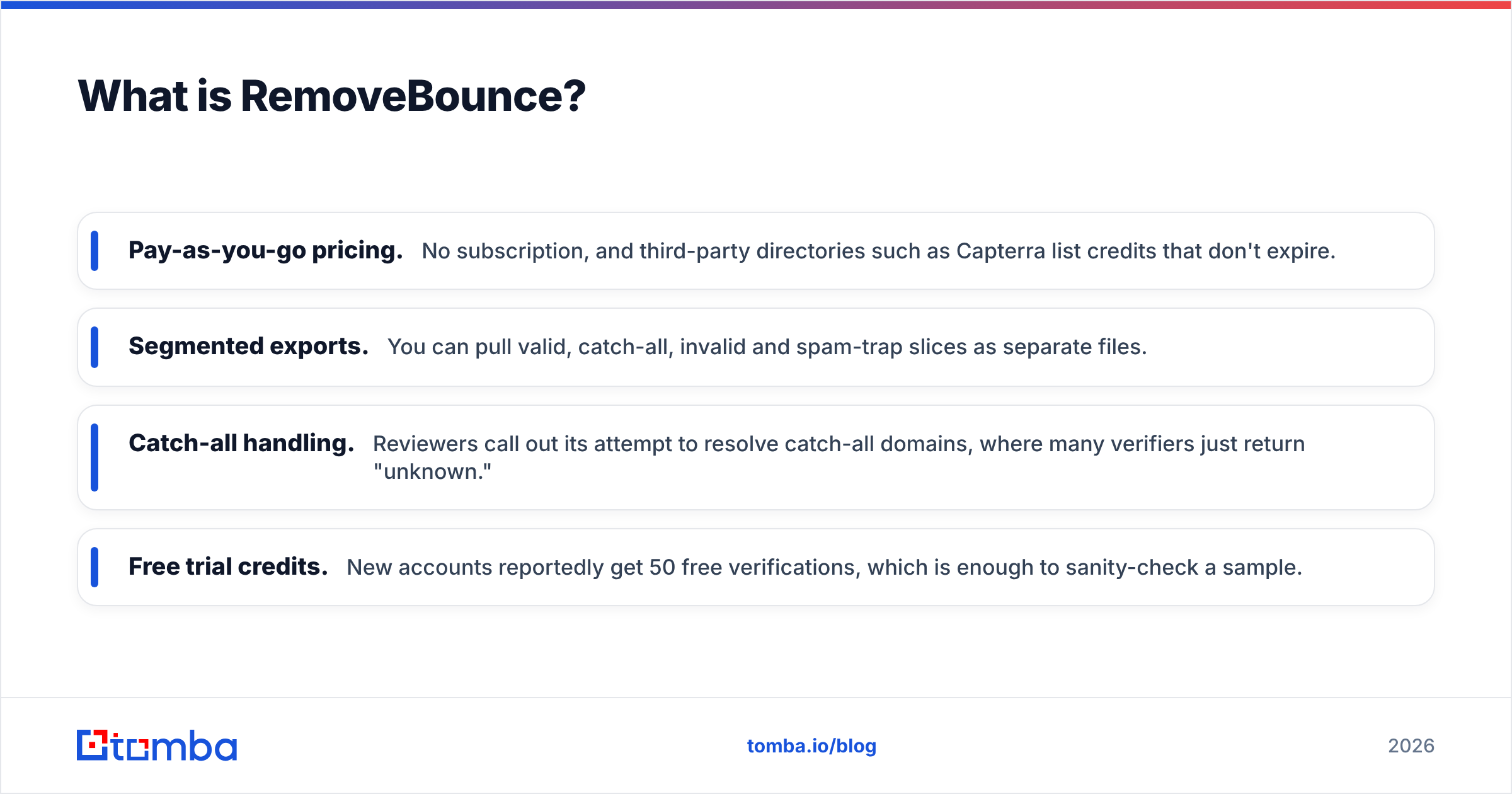
- Pay-as-you-go pricing. No subscription, and third-party directories such as Capterra list credits that don't expire.
- Segmented exports. You can pull valid, catch-all, invalid and spam-trap slices as separate files.
- Catch-all handling. Reviewers call out its attempt to resolve catch-all domains, where many verifiers just return "unknown."
- Free trial credits. New accounts reportedly get 50 free verifications, which is enough to sanity-check a sample.
If you've ever inherited a 40,000-row spreadsheet from a trade show and wondered how much of it is still alive, RemoveBounce is built for that.
How do ListKit and RemoveBounce compare side by side?#
Here's the core comparison. Prices reflect public listings and third-party breakdowns as of 2026, so confirm current numbers on each vendor's site before you buy.
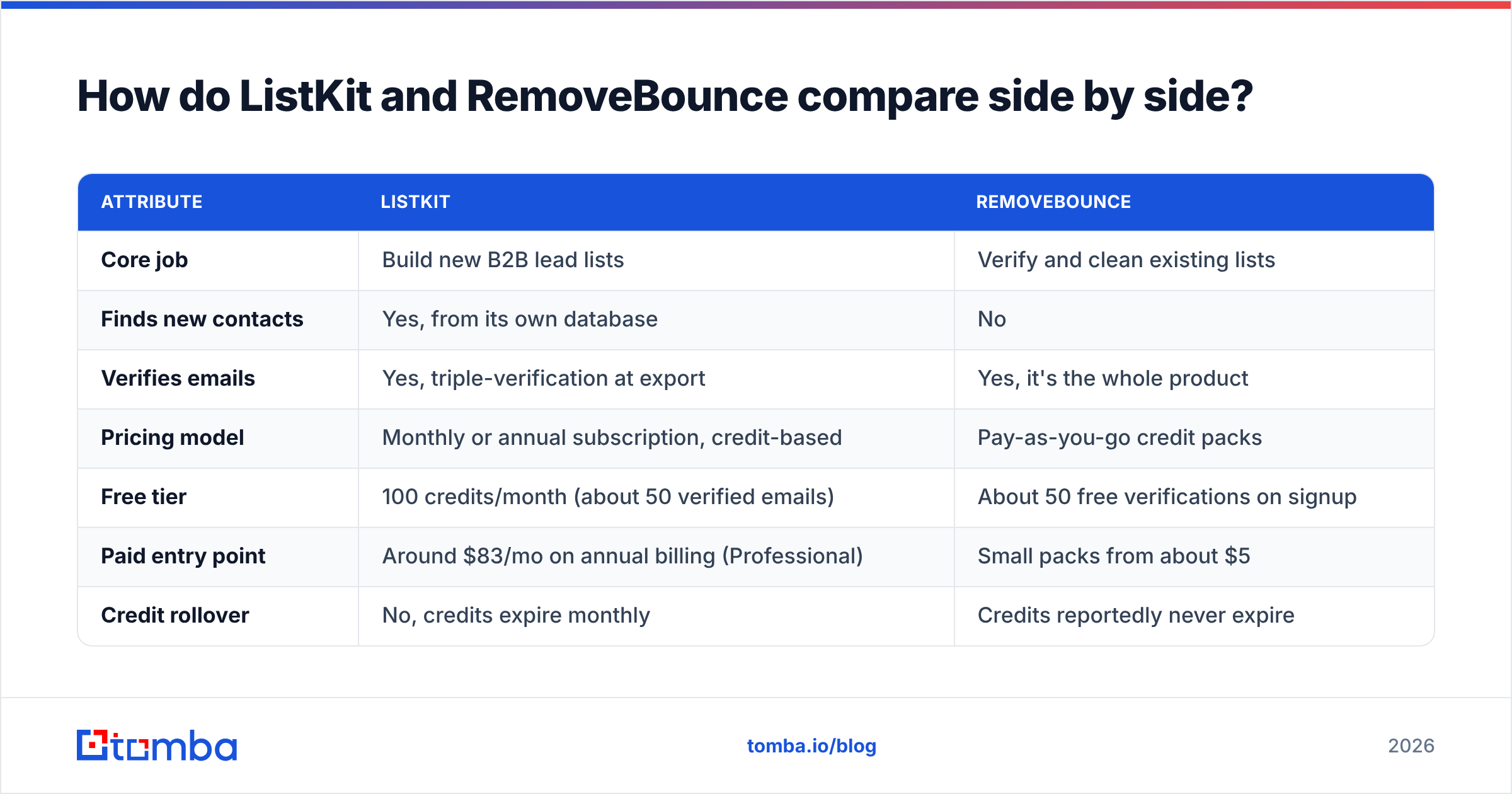
| Attribute | ListKit | RemoveBounce |
|---|---|---|
| Core job | Build new B2B lead lists | Verify and clean existing lists |
| Finds new contacts | Yes, from its own database | No |
| Verifies emails | Yes, triple-verification at export | Yes, it's the whole product |
| Pricing model | Monthly or annual subscription, credit-based | Pay-as-you-go credit packs |
| Free tier | 100 credits/month (about 50 verified emails) | About 50 free verifications on signup |
| Paid entry point | Around $83/mo on annual billing (Professional) | Small packs from about $5 |
| Credit rollover | No, credits expire monthly | Credits reportedly never expire |
| Catch-all handling | Filtered during verification | Dedicated catch-all segment and resolution |
| Spam-trap removal | Not a headline feature | Yes, separate spam-trap slice |
| Best for | Agencies and SDR teams that need net-new pipeline | Teams sitting on CRM data, event lists or old exports |
| Main trade-off | You pay monthly even in quiet months | You still need a source of contacts |
The table shows the main takeaway: choosing between these two tools really means choosing which problem you're solving.

Which problem are you actually solving?#
A lot of "ListKit vs RemoveBounce" buyers are really asking one of these three questions:
- "I don't have enough people to email." That's a sourcing problem, and ListKit addresses it. RemoveBounce can't help, because verifying zero contacts gives you zero contacts.
- "I have contacts, but my bounce rate is killing my domain." That's a hygiene problem, and RemoveBounce addresses it. Paying for ListKit here means buying new data when the actual fix is cleaning what you have.
- "I need new contacts and I have a messy CRM." You need both jobs done. You can run two tools, or use one platform that does both.
Answer honestly before you compare feature lists. The wrong tool can still look great in a demo.
How accurate is verification in each tool?#
Neither vendor publishes an independent, third-party accuracy benchmark we could verify, so be skeptical of any single "99% accuracy" number you see quoted. What you can compare is how each tool approaches verification.
ListKit verifies at the moment of export. The advantage is freshness: the email was checked minutes before it entered your CSV. The limitation is that you can only verify what ListKit itself exports. If you bring in a list from somewhere else, ListKit's verification doesn't apply to it.
RemoveBounce runs a standard verification pipeline (syntax, domain/MX, mailbox checks) and then sorts the results. Reviewers say its biggest difference from other verifiers is catch-all handling. A catch-all domain accepts mail for any address, so a basic SMTP check can't tell you whether jane.doe@ is a real mailbox. Many verifiers mark those as "unknown" and leave the decision to you. RemoveBounce tries to resolve them.
Catch-all handling matters more than most buyers expect. In B2B lists, catch-all domains can make up a large share of mid-market and enterprise contacts, so how a tool handles them can decide whether you reach an account at all. If you want to understand the mechanics, a catch-all verifier is the specific capability to look for in any tool you evaluate.
A practical accuracy test you can run yourself#
Don't trust either vendor's marketing, or ours. Run this instead:
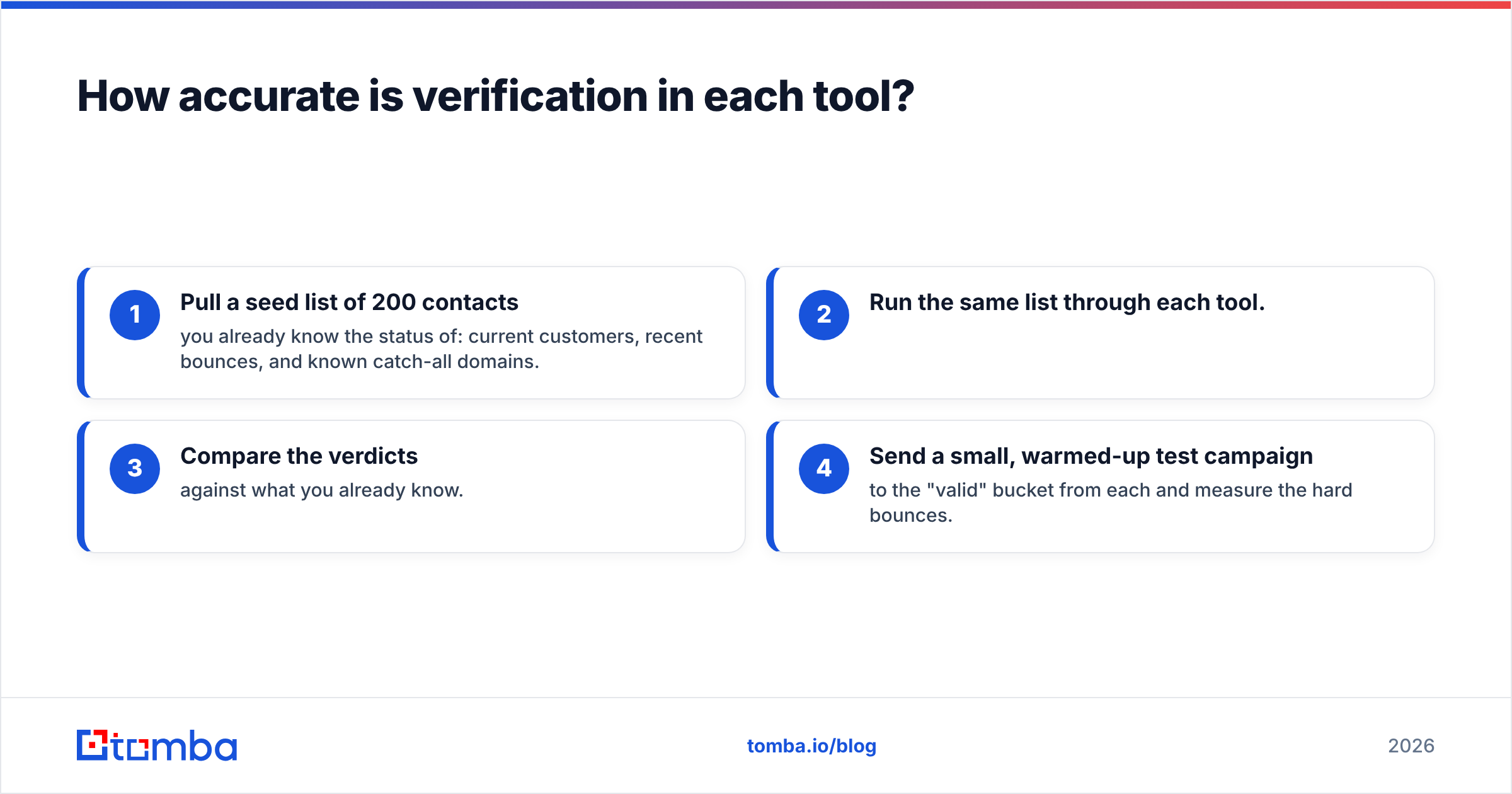
- Pull a seed list of 200 contacts you already know the status of: current customers, recent bounces, and known catch-all domains.
- Run the same list through each tool.
- Compare the verdicts against what you already know.
- Send a small, warmed-up test campaign to the "valid" bucket from each and measure the hard bounces.
Two hundred rows costs almost nothing on either platform and tells you more than any review, including this one.
How does pricing compare in real-world scenarios?#
Headline prices can mislead, because the two tools bill for different things. Here's how the cost works out in three common situations.
Scenario 1: A solo founder sending about 500 cold emails a month to net-new prospects. ListKit fits naturally. You need the contacts anyway, and verification comes bundled. RemoveBounce alone doesn't work here because you have no list to clean.
Scenario 2: A RevOps lead cleaning a 60,000-contact CRM once a quarter. RemoveBounce's non-expiring credits work in your favor. Buy one pack, run the cleanup, and hold the remaining credits for next quarter. ListKit's monthly credits would expire in the two quiet months between cleanups.
Scenario 3: An agency running outbound for eight clients. You'll probably need sourcing (ListKit or similar) and a verifier to re-check older client lists before each campaign. This is where two separate subscriptions start adding up, and where a single platform that finds and verifies deserves a look.
Where does each tool fall short?#
Neither tool is bad. Each one is narrow in its own way.
ListKit limitations
- Credit expiry. If you skip a month, you lose that month's credits.
- Verification only covers ListKit's own data. It isn't a general-purpose list cleaner for data you bring in.
- Personal emails cost double. If your motion depends on personal addresses (some founder-led or SMB outreach does), your credits run out faster.
RemoveBounce limitations
- No sourcing. You'll always need a second tool or data source.
- Thin integrations compared with larger platforms. Check whether it connects directly to your CRM or sequencer before you commit, or plan on CSV round-trips.
- Less third-party review volume. It has fewer reviews on sites like G2 and Capterra than older verifiers, so there's less independent signal to go on.

Is there a way to avoid running two tools?#
Yes, and it's worth considering before you commit to either one. The pattern many outbound teams settle on looks like this:
- Find contacts by company domain or by name and company
- Verify each result, including catch-all resolution, before it goes into a sequence
- Re-verify older CRM records on a schedule
- Enrich records with phone numbers, LinkedIn URLs or firmographics when needed
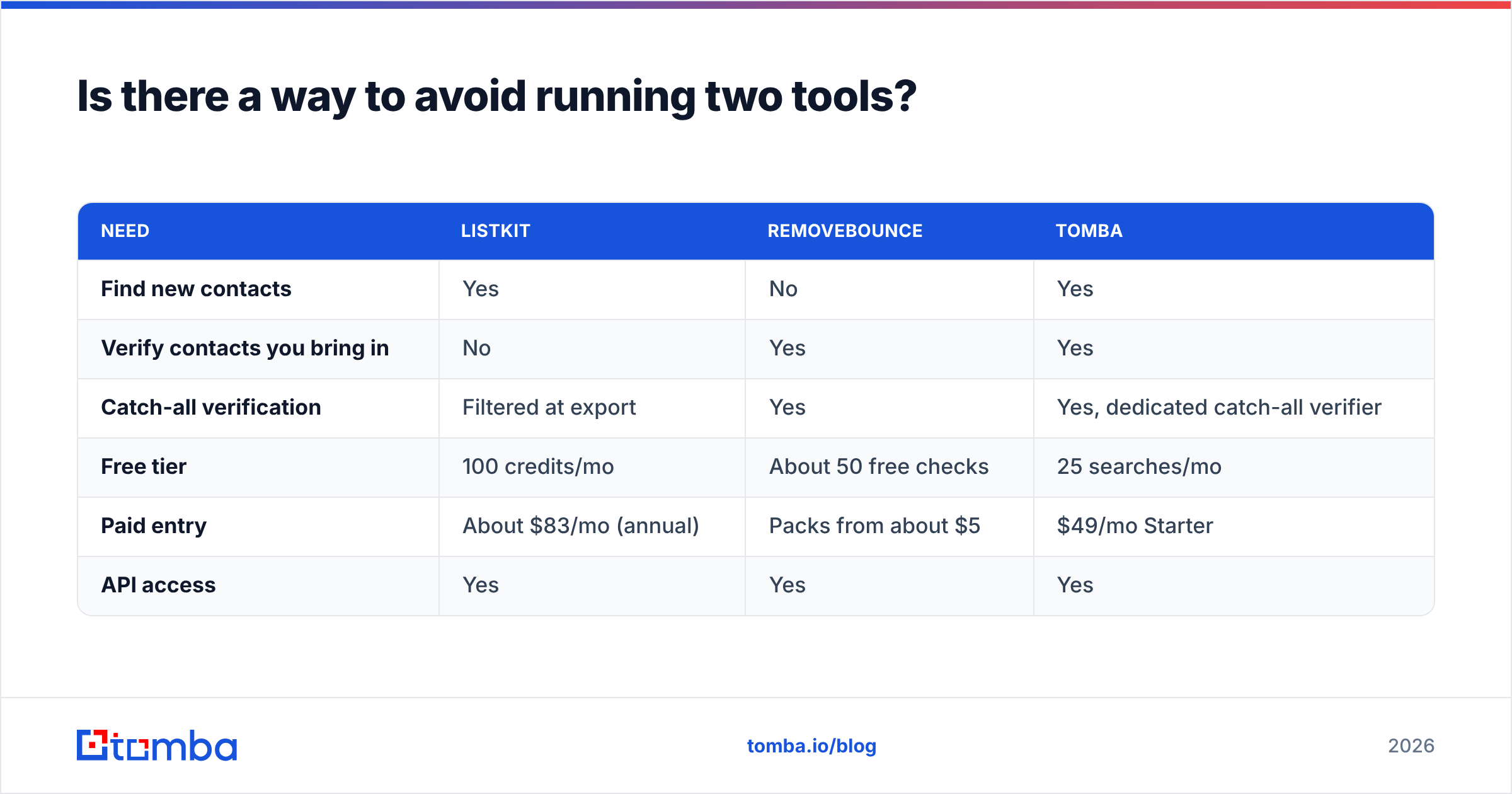
Platforms like Tomba cover that whole loop. You can find email addresses by domain or by person, run an email verifier on anything you already have, including lists from other vendors, and send catch-all results to a dedicated checker. It isn't the right answer for every team. If you only clean a list twice a year, RemoveBounce's pay-as-you-go packs are hard to beat on cost. But if you both source and verify every week, one tool means fewer CSV exports, fewer billing lines, and a single consistent definition of "valid" across your stack.
Here's how the three approaches compare:
| Need | ListKit | RemoveBounce | Tomba |
|---|---|---|---|
| Find new contacts | Yes | No | Yes |
| Verify contacts you bring in | No | Yes | Yes |
| Catch-all verification | Filtered at export | Yes | Yes, dedicated catch-all verifier |
| Free tier | 100 credits/mo | About 50 free checks | 25 searches/mo |
| Paid entry | About $83/mo (annual) | Packs from about $5 | $49/mo Starter |
| API access | Yes | Yes | Yes |
For the full tier breakdown, see Tomba pricing: Starter at $49/mo, Growth at $99/mo, Pro at $249/mo, and custom Enterprise.
ListKit vs RemoveBounce: which should you choose?#
Here's the direct recommendation for each situation:
- Choose ListKit if you're an SDR team or agency whose main constraint is net-new, ICP-matched pipeline, and you'd rather not think about verification because it happens at export.
- Choose RemoveBounce if you already have plenty of contacts, send in bursts, and want a cheap, no-commitment way to protect your domain before each campaign.
- Choose an all-in-one finder plus verifier if you're doing both jobs every week and the two-tool setup is costing you time and money.
Whatever you pick, keep one rule in place: nothing goes into a sequence unless it was verified recently. Most mailbox providers treat hard bounces as a strong negative signal for sender reputation, and a sender reputation is much harder to repair than it is to protect. HubSpot's guide to email bounce rates is a good primer if you need to explain this to your team.
Frequently asked questions#
Is RemoveBounce a ListKit alternative? Only partly. RemoveBounce replaces the verification part of ListKit, not the lead database. You'd still need somewhere to source contacts.
Can I use RemoveBounce to re-verify ListKit exports? Yes. If a ListKit export has been sitting unused for a few months, re-verifying it before a send is reasonable, because people change jobs and mailboxes get shut down.
Do ListKit credits roll over? Based on ListKit's documentation and 2026 pricing breakdowns, no. They reset monthly.
Do RemoveBounce credits expire? Third-party listings say they don't. Confirm on RemoveBounce's pricing page before you buy a large pack.
Which is cheaper? For occasional cleanup, RemoveBounce. For ongoing sourcing, ListKit, since RemoveBounce can't source at all. For teams that need both, compare the combined cost of two tools against a single platform that does both.
Ready to find and verify in one place?#
If this comparison showed that you need both halves (new contacts and clean data), try Tomba Email Finder. Search by domain or by person, verify every result before export, run catch-all addresses through a dedicated check, and send clean contacts to your CRM or sequencer without switching tools. The free tier gives you 25 searches a month, enough to run the 200-row seed test above on a small sample and compare the results with whatever you use today.
Related guides#
// get started
Find, verify and enrich your first contacts today
Start on the free plan with 25 searches a month, then scale when your team is ready.
Free plan · No credit card required · GDPR & CCPA
// about the author