ListKit vs SellHack (2026): Which Lead Tool Should You Pick?
ListKit sells you ready-made lead lists with verified emails. SellHack finds emails one prospect at a time from LinkedIn and the web. Here is how to tell which workflow your team needs before you pay for credits.
TL;DR
- ListKit is a B2B lead database. You filter by industry, title, headcount and location, then export lists with verified emails in bulk. It suits teams sending cold email at volume.
- SellHack is a lightweight email finder, mostly used as a browser extension. It finds and checks emails for prospects you have already picked, one at a time or in small batches. It suits reps who research each account by hand.
- On price, ListKit's paid plans start around $83/mo billed annually for 24,000 credits a year. SellHack's individual plans start at $5/mo, but you get far fewer lookups.
- Our pick: go with ListKit if you need thousands of contacts a month. Go with SellHack if you need a few hundred accurate lookups on prospects you already chose. If you need both, a hybrid finder with domain search and verification can cover both jobs.
- Whichever you choose, verify before you send. Bounces cost you more than credits do.
What is the real difference between ListKit and SellHack?#
These two tools rarely compete for the same buyer, even though they show up side by side in "email finder" searches. They answer different questions.
- ListKit asks: "Who should I contact?" You start with a blank page and an ideal customer profile. ListKit gives you a filtered list of people who match, with emails attached.
- SellHack asks: "What is this person's email?" You already know the prospect. Maybe you found them on LinkedIn, or on a company's team page. SellHack fills in the missing address.
A simple way to picture it: ListKit is a wholesale market where you buy produce by the crate. SellHack is the corner shop you visit when you need one specific ingredient. Both sell food, but you wouldn't stock a restaurant from the corner shop, and you wouldn't drive to the wholesaler for one lemon.
Buyers who miss this difference end up disappointed in predictable ways. A founder buys SellHack hoping to build a 5,000-contact campaign and runs out of credits in a week. An SDR buys ListKit to research ten strategic accounts and finds the database doesn't have the three people who actually matter at each one.
How do ListKit and SellHack work day to day?#
Each tool's workflow tells you more about fit than its feature list does. Here is how a typical session looks in each.
- Define the target. In ListKit, you set filters in the web app: job title, seniority, industry, company size, geography. In SellHack, you open a LinkedIn profile or company website in your browser.
- Pull contacts. ListKit returns a list of matching people, and you can preview counts before you spend credits. SellHack's extension reads the page and looks for a matching professional email.
- Verify. ListKit markets its emails as "triple-verified" before export. SellHack runs a verification check on each address it finds.
- Export. ListKit exports CSVs sized for sequencing tools like Instantly or Smartlead. SellHack saves contacts to your account for export or syncing, one prospect or small batch at a time.
- Send. Both hand off to a separate sending tool. Neither replaces your sequencer or your inbox warmup.
- Iterate. In ListKit, you tweak filters and pull a new segment. In SellHack, you move to the next profile.
The key difference sits in steps 1 and 2. ListKit makes the targeting decision inside the tool. SellHack assumes you made it before you opened the tool.
How do ListKit and SellHack compare feature by feature?#
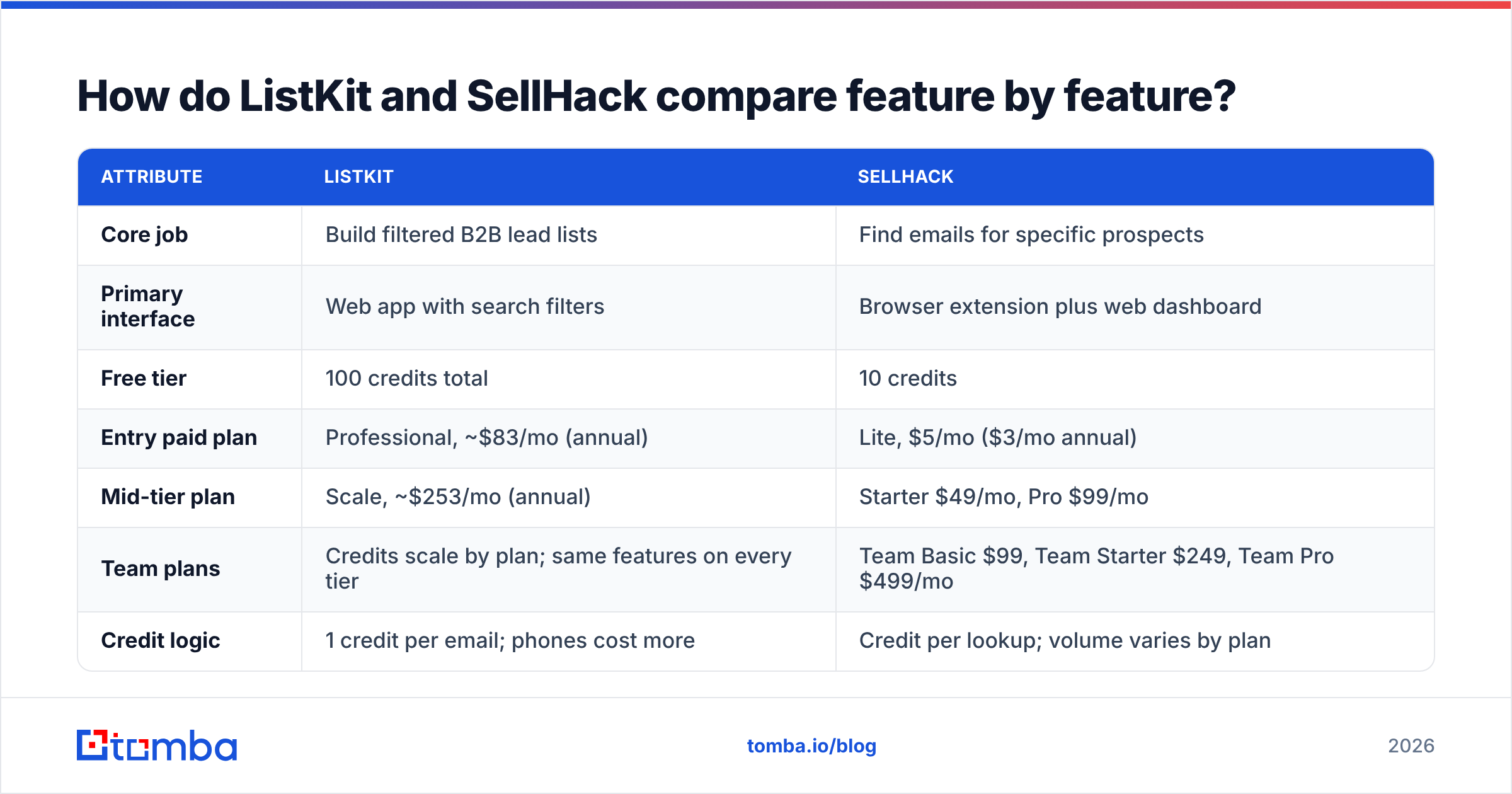
The table below covers the attributes that usually decide the purchase. Pricing reflects publicly listed plans at the time of writing, and both vendors change packaging often, so confirm on ListKit's site and SellHack's site before you buy.
| Attribute | ListKit | SellHack |
|---|---|---|
| Core job | Build filtered B2B lead lists | Find emails for specific prospects |
| Primary interface | Web app with search filters | Browser extension plus web dashboard |
| Free tier | 100 credits total | 10 credits |
| Entry paid plan | Professional, ~$83/mo (annual) | Lite, $5/mo ($3/mo annual) |
| Mid-tier plan | Scale, ~$253/mo (annual) | Starter $49/mo, Pro $99/mo |
| Team plans | Credits scale by plan; same features on every tier | Team Basic $99, Team Starter $249, Team Pro $499/mo |
| Credit logic | 1 credit per email; phones cost more | Credit per lookup; volume varies by plan |
| Phone numbers | Yes, at a higher credit cost | Limited focus; mainly email |
| Email verification | Built in ("triple-verified" before export) | Built in, per lookup |
| Best for | Agencies and outbound teams at volume | Account-based reps and solo sellers |
| Main weakness | Coverage gaps on niche or senior contacts | Slow for list building at scale |
Two details deserve a closer look.
ListKit gives every plan the same features. You pay for credits, not for features. ListKit's own credit documentation explains that emails and phone numbers draw down credits at different rates, and add-ons like the AI script writer use credits too. That's simple to budget for, but you can burn through credits quickly if you export phone numbers for every contact.
SellHack's plans are small by design. A $5 plan makes sense for someone who needs a few dozen lookups a month. It makes no sense for a campaign. The team tiers push the price toward ListKit's range, so be clear about your monthly volume before you compare sticker prices.
Which is cheaper per email: ListKit or SellHack?#
At volume, ListKit is cheaper. At low volume, SellHack is.
Here is the math on ListKit's annual plans, assuming you export emails only:
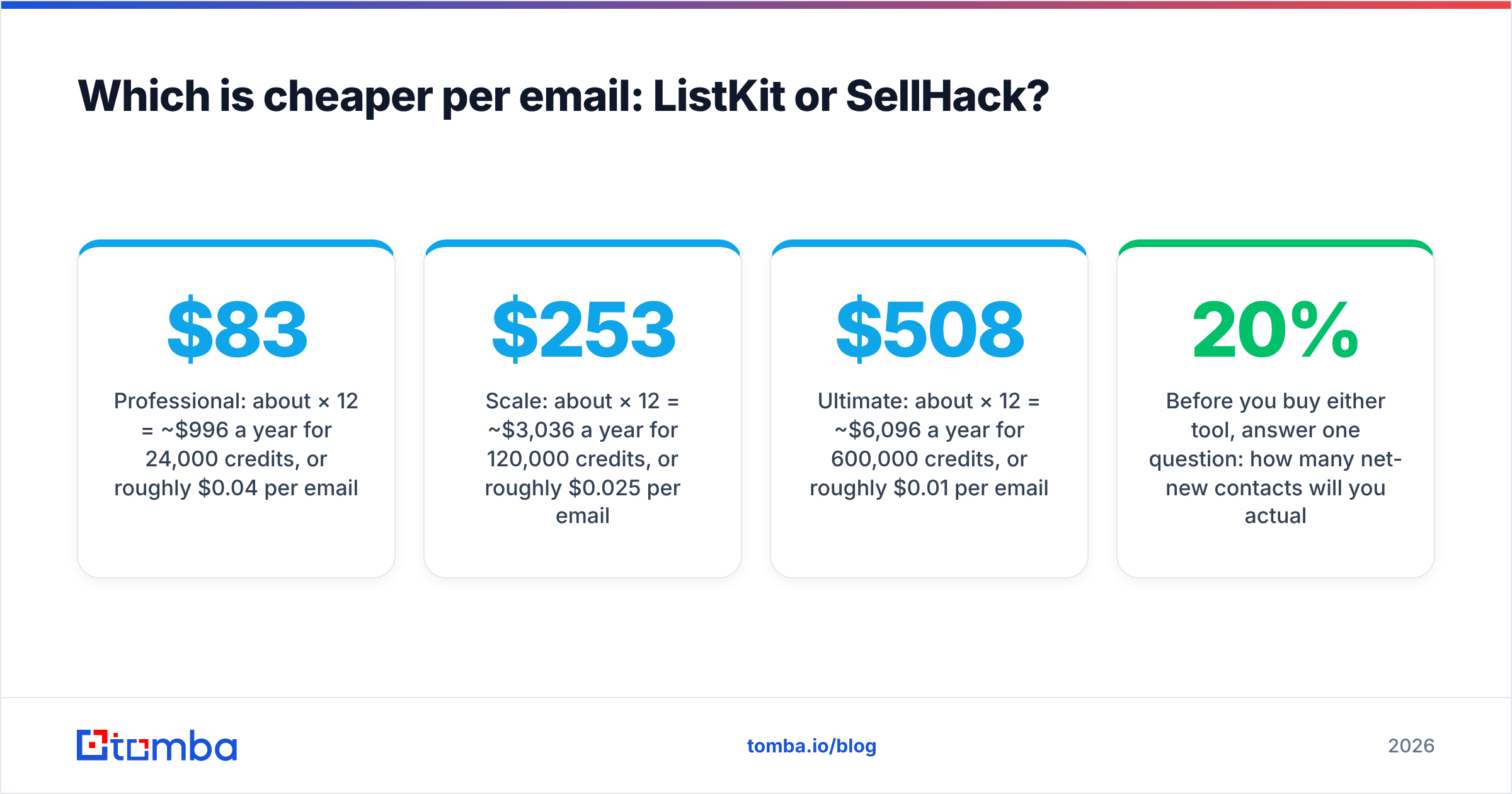
- Professional: about $83/mo × 12 = ~$996 a year for 24,000 credits, or roughly $0.04 per email.
- Scale: about $253/mo × 12 = ~$3,036 a year for 120,000 credits, or roughly $0.025 per email.
- Ultimate: about $508/mo × 12 = ~$6,096 a year for 600,000 credits, or roughly $0.01 per email.
Add phone numbers and those figures climb fast, because each phone number uses several credits.
SellHack is harder to compare directly because its credit allotments depend on plan and billing cycle. The pattern holds, though. The entry tiers cost very little in total but a lot more per lookup than a bulk database. If you only need 50 to 200 emails a month, SellHack's Lite or Basic plan will cost you less overall than any ListKit paid plan. Once you need thousands of emails a month, a per-lookup tool costs more than a database.
Before you buy either tool, answer one question: how many net-new contacts will you actually email next month? Most teams overestimate. Take last quarter's real send volume, divide by three, and buy for that number plus 20%.
Is ListKit data more accurate than SellHack?#
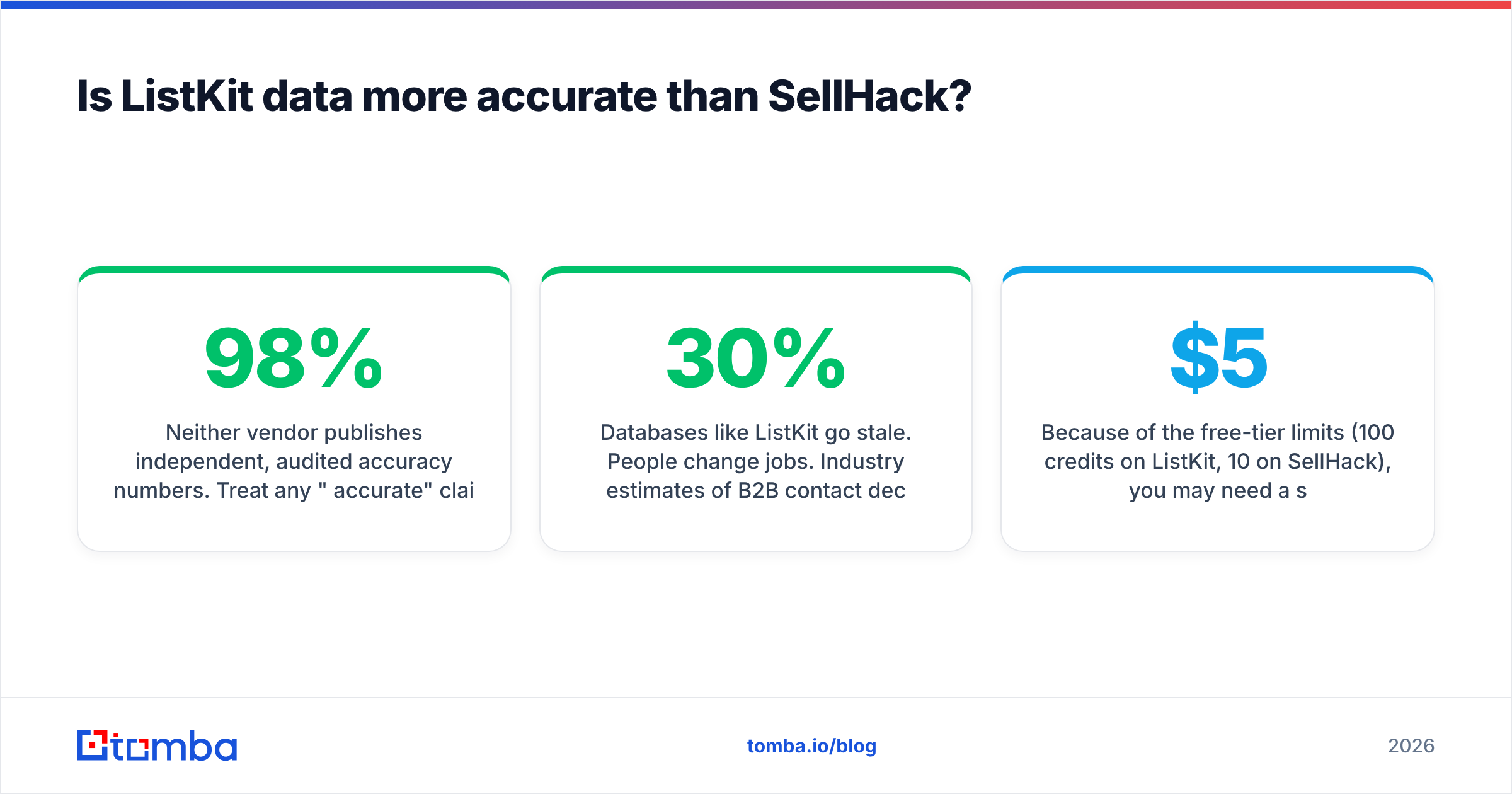
Neither vendor publishes independent, audited accuracy numbers. Treat any "98% accurate" claim from any vendor, including those two, as a marketing figure until you've tested it yourself.
What we can say is where each model tends to break:
- Databases like ListKit go stale. People change jobs. Industry estimates of B2B contact decay commonly sit around 20–30% a year. A list built from a database refreshed last quarter will include people who have left. ListKit's pre-export verification helps catch dead mailboxes, but it can't tell you someone switched roles and still has an active forwarding address.
- Lookup tools like SellHack guess on thin signals. When there's no known address, finders build candidates from name and domain patterns and verify them over SMTP. That works well on normal domains. It struggles on catch-all domains, where the mail server accepts every address. There, "valid" often really means "unknown."
A reliable way to compare is to run a blind test on your own ICP:
- Pick 100 prospects you have already confirmed emails for (from past replies or your CRM).
- Run them through each tool's free credits.
- Count exact matches, wrong addresses, and "not found."
- Send nothing. Just compare.
Because of the free-tier limits (100 credits on ListKit, 10 on SellHack), you may need a starter month on one of them to test fairly. A $5–$19 month on SellHack is a cheap price for real data.
Whatever you pick, run exports through a separate email verifier before they enter a sequence. It's cheap insurance for your sender reputation, and your domain is the one asset you can't buy more of with credits.
Who should choose ListKit?#
ListKit is the stronger pick if most of these describe you:
- You run cold email at volume. Several inboxes, a sequencer, and weekly list refreshes.
- Your ICP is broad and filterable. For example, "Heads of Marketing at US SaaS companies with 50–500 employees" is a filter set, not a research project.
- You're an agency. Building lists for several clients from one account, with predictable credit use per client, works well on ListKit.
- You want one bill. Every feature on every plan makes budgeting simple.
Where ListKit falls short: highly specific accounts, senior executives who keep a low profile, and non-English markets where database coverage tends to be thinner. For those, you'll still need a lookup tool.
Who should choose SellHack?#
SellHack is the stronger pick if most of these describe you:
- You sell account-based. You pick 20–50 target accounts a quarter and research each buyer committee by hand.
- You live on LinkedIn. The extension lets you grab an email without leaving the profile you're already reading.
- Your volume is low. A few hundred lookups a month fits the individual plans nicely.
- You're testing outbound for the first time. A $5 plan is an easy way to learn whether cold email works for you before you commit to a database contract.
Where SellHack falls short: it won't tell you who to target, and building a 2,000-person list with it would take a long time.
What are the alternatives if neither fits?#
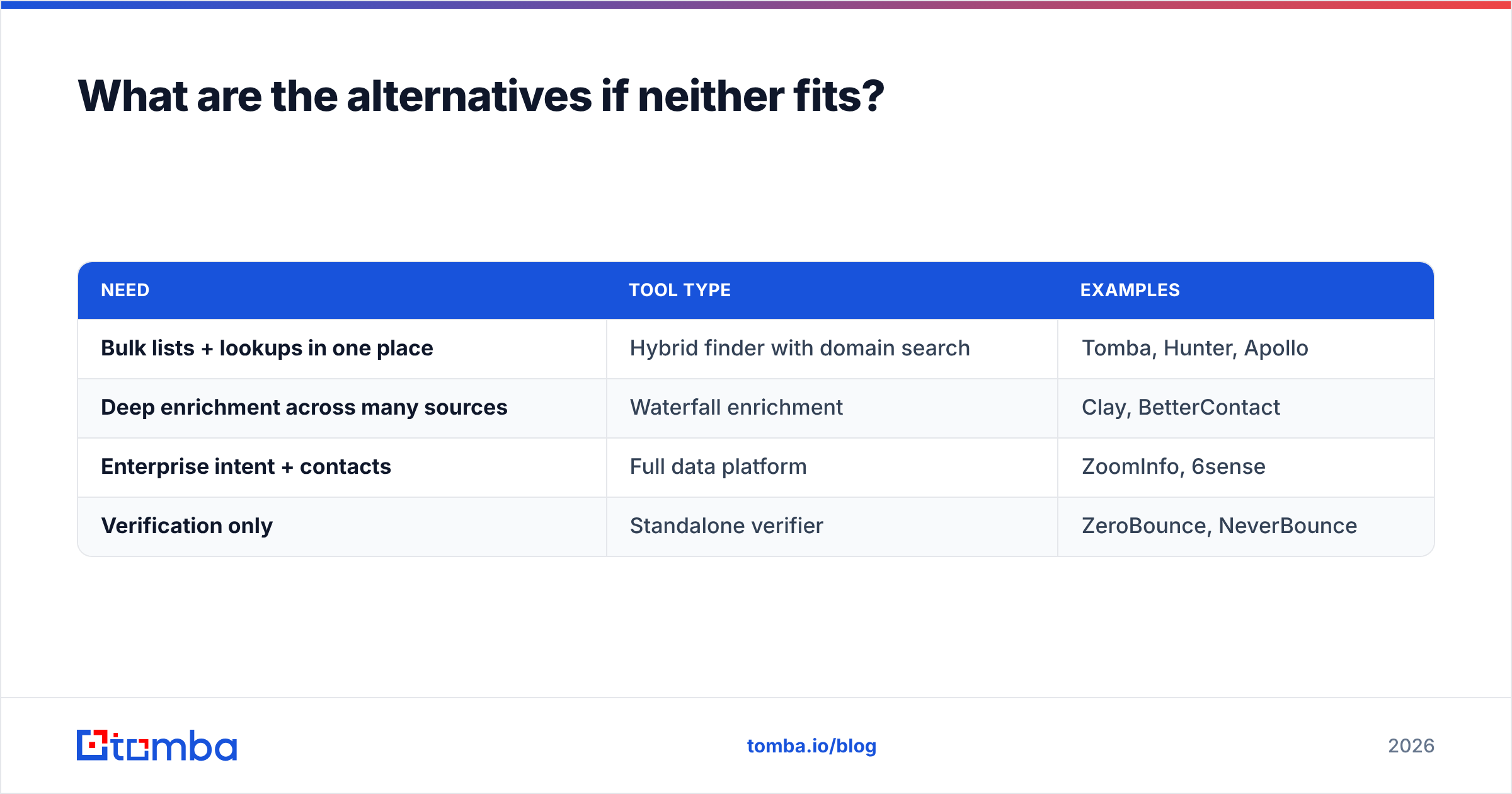
Many teams end up needing both jobs done: some bulk list building and precise lookups on key accounts. Paying for two tools works, but it means two credit pools, two data sources that can contradict each other, and two exports to merge.
Some options worth considering:
| Need | Tool type | Examples |
|---|---|---|
| Bulk lists + lookups in one place | Hybrid finder with domain search | Tomba, Hunter, Apollo |
| Deep enrichment across many sources | Waterfall enrichment | Clay, BetterContact |
| Enterprise intent + contacts | Full data platform | ZoomInfo, 6sense |
| Verification only | Standalone verifier | ZeroBounce, NeverBounce |
A hybrid tool like Tomba sits between ListKit and SellHack. You can run a domain search to pull every public professional email at a target company (closer to list building). You can also look up one named person through the web app or the browser extension (closer to SellHack's workflow). Tomba's free tier includes 25 searches a month, and paid plans start at $49/mo. The full breakdown is on the Tomba pricing page. It isn't a filter-first database like ListKit, so if your workflow starts with "show me every VP of Sales in fintech," a dedicated database still fits that job better.
For independent user reviews of any of these tools, G2 is the most useful place to read complaints from real users. Sort by lowest rating first. The complaints tell you more than the praise.
How do you decide in five minutes?#
Use this quick decision path:
- Do you already know who you want to contact?
- Yes → you need a lookup tool (SellHack or a hybrid).
- No → you need a database (ListKit or similar).
- How many new contacts per month?
- Under 300 → SellHack's individual plans or a free/low hybrid tier.
- 300–2,000 → either works; test both on your ICP.
- Over 2,000 → ListKit's per-email economics win.
- Do you need phone numbers?
- Rarely → either is fine.
- Often → budget ListKit's higher phone credit cost, or use a dedicated phone tool.
- Is your market niche, senior, or non-US?
- Yes → run a blind test before committing. Database coverage varies most here.
Frequently asked questions#
Is ListKit or SellHack better for cold email agencies?#
ListKit, in most cases. Agencies need repeatable bulk lists across clients, and ListKit's per-email cost at the Scale and Ultimate tiers is hard for a per-lookup tool to match.
Does SellHack work without LinkedIn?#
Yes. SellHack can find emails from names and company domains, but its extension workflow is built around browsing prospect profiles and company pages, so that's where it's most convenient.
Can I use ListKit and SellHack together?#
You can. A common setup is ListKit for the main campaign list and a lookup tool for the handful of key contacts the database missed. Just dedupe before you import, and verify the merged file once.
Do I still need an email verifier if both tools verify?#
It's strongly recommended. Verification at export time is a snapshot. If a list sits for two weeks before you send, re-verify it. A bounce rate above roughly 2% is a warning sign for most mailbox providers.
Which should you buy: ListKit or SellHack?#
Buy ListKit if your bottleneck is volume: you know your ICP, and you need thousands of verified contacts a month at a low per-email cost. Buy SellHack if your bottleneck is precision on known prospects: you research accounts by hand and need a cheap, fast way to fill in missing emails.
If you want both jobs covered by one account, try the Tomba Email Finder. Look up a named prospect by name and company, or pull every professional email on a domain, with verification built in. Start on the free plan's 25 monthly searches, run the same blind test described above on your own ICP, and only upgrade once the numbers hold up.
Related guides#
// get started
Find, verify and enrich your first contacts today
Start on the free plan with 25 searches a month, then scale when your team is ready.
Free plan · No credit card required · GDPR & CCPA
// about the author