ListKit vs Verifalia: Lead Database or Email Verifier in 2026?
ListKit sells you leads. Verifalia checks the ones you already have. Here's how the two compare on pricing, credits and accuracy, and how to tell which one your outbound stack is actually missing.
TL;DR
- ListKit and Verifalia do different jobs. ListKit is a B2B lead database that sells pre-verified contact lists. Verifalia is a pure email verification service that checks addresses you already have.
- Pricing works differently too. ListKit's annual plans start around $83/mo, and each credit buys contact data. Verifalia starts at $9/mo for 250 verifications a day, or you can buy credit packs that never expire.
- Pick ListKit if you have no leads yet. It's the right choice when you need to build targeted prospect lists from scratch for cold email.
- Pick Verifalia if you already have data. It fits when you have CRM contacts, event leads or scraped lists and need to clean them before you send.
- Many teams need both jobs done. An all-in-one tool like Tomba covers finding and verifying in one account, so you don't have to pay for two subscriptions.
People searching "ListKit vs Verifalia" usually assume the two tools are competitors. For the most part they aren't. One gives you contacts and the other tells you whether contacts are safe to email. The real question is which of those two problems you have today, and this guide is built to help you answer it.
What is ListKit?#
ListKit is a B2B prospecting database built for cold email teams. You filter by job title, industry, company size, location and technology. ListKit then returns contact lists whose emails it says are triple-verified before export.
The workflow is simple: build a search, preview the results, spend credits to export, and push the list into your sequencer. ListKit's pitch is "data that's ready to send." You shouldn't need to run a separate verification pass before a campaign.
A few things to know about how it works:
- Credits pay for data, not checks. A business email costs 1 credit and a phone number costs 5, so a fully enriched contact can use up to 10 credits.
- Annual billing is where the value is. Monthly plans cost more and include far fewer credits. Most buyers should treat the yearly price as the real one.
- It has moved toward bundled outbound. ListKit now sells "Bundles" priced per 1,000 emails sent per day. These package data and sending capacity together, starting at about $597/mo.
ListKit is mainly a lead source. Its verification exists to protect the data it sells you. It isn't a standalone service for cleaning your own lists.
What is Verifalia?#
Verifalia is a dedicated email verification service that has been running for more than a decade. It does one thing: you give it email addresses, and it tells you which ones are deliverable, risky, catch-all, disposable or invalid.
You can upload files (CSV, Excel, TXT), paste lists, verify single addresses in real time, or connect through its REST API and SDKs. Every address goes through syntax checks, DNS and MX lookups, mailbox-level SMTP checks, and detection of disposable and role-based addresses.
The pricing model is unusual:
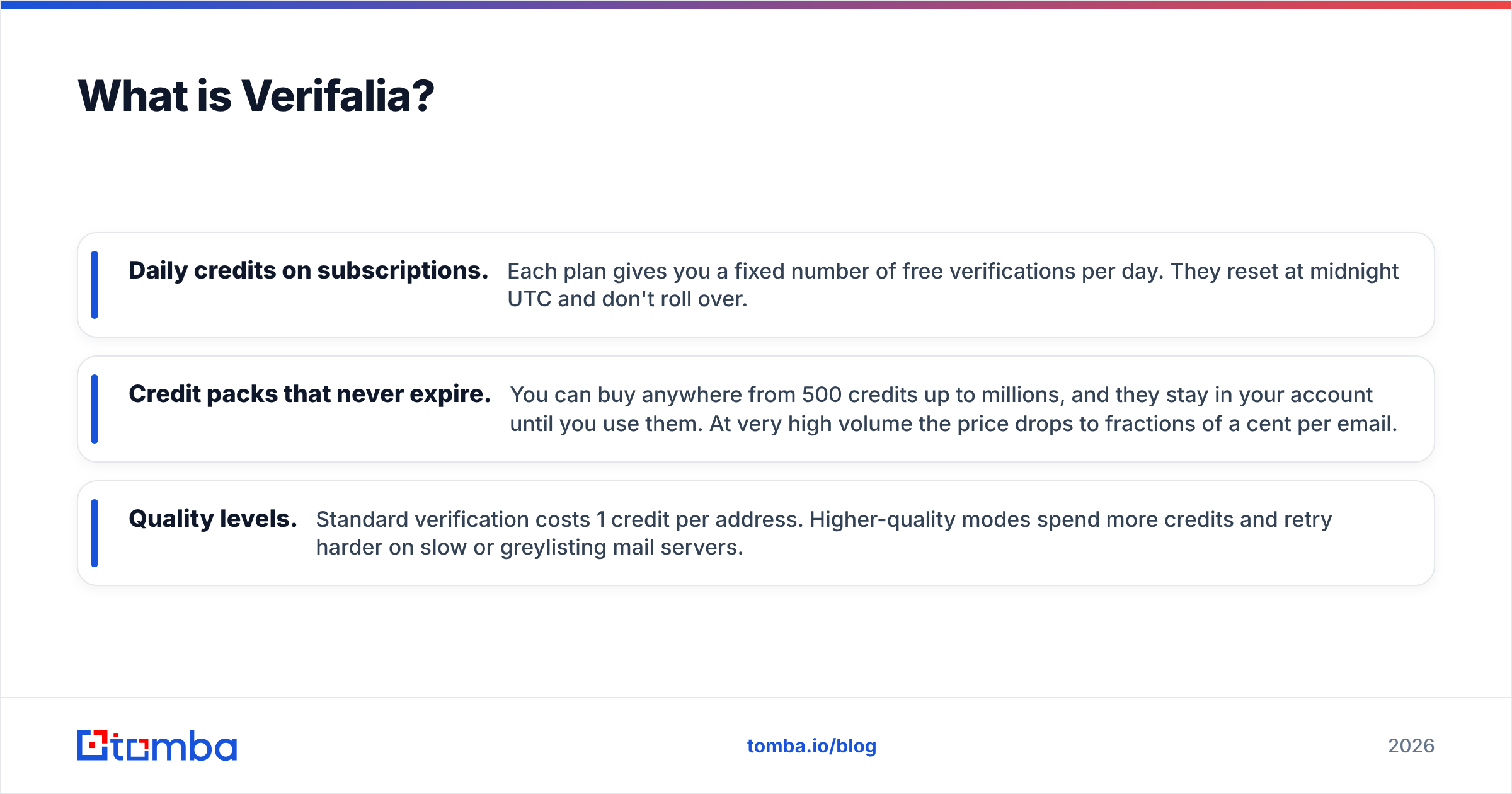
- Daily credits on subscriptions. Each plan gives you a fixed number of free verifications per day. They reset at midnight UTC and don't roll over.
- Credit packs that never expire. You can buy anywhere from 500 credits up to millions, and they stay in your account until you use them. At very high volume the price drops to fractions of a cent per email.
- Quality levels. Standard verification costs 1 credit per address. Higher-quality modes spend more credits and retry harder on slow or greylisting mail servers.
Verifalia doesn't find new contacts. If your list is empty, it can't help you.

How do ListKit and Verifalia compare side by side?#
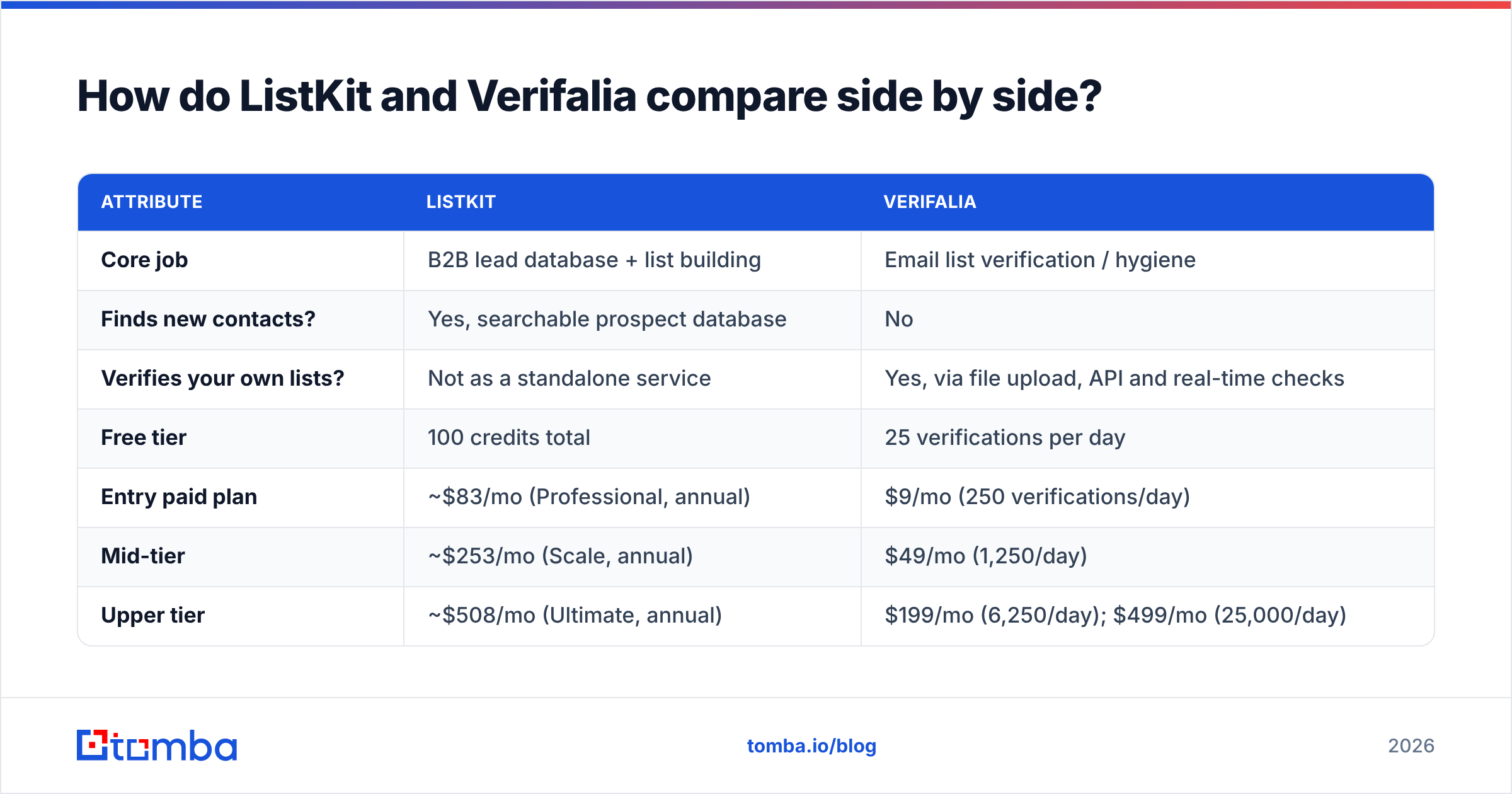
The table below compares the attributes that usually decide the purchase. Pricing reflects publicly listed plans as of 2026. Both vendors change their tiers often, so check their pricing pages before you buy.
| Attribute | ListKit | Verifalia |
|---|---|---|
| Core job | B2B lead database + list building | Email list verification / hygiene |
| Finds new contacts? | Yes, searchable prospect database | No |
| Verifies your own lists? | Not as a standalone service | Yes, via file upload, API and real-time checks |
| Free tier | 100 credits total | 25 verifications per day |
| Entry paid plan | ~$83/mo (Professional, annual) | $9/mo (250 verifications/day) |
| Mid-tier | ~$253/mo (Scale, annual) | $49/mo (1,250/day) |
| Upper tier | ~$508/mo (Ultimate, annual) | $199/mo (6,250/day); $499/mo (25,000/day) |
| Credit expiry | Plan credits are tied to billing period | Daily credits reset; purchased packs never expire |
| Phone numbers | Yes (5 credits each) | No |
| API | Limited, focused on exports | Full REST API + SDKs |
| Best for | Outbound teams starting from zero leads | Teams cleaning CRM, event, or inbound data |
One thing stands out: the two tools barely overlap. The only shared feature is that both care whether an email bounces. ListKit handles that before it sells you a contact. Verifalia handles it after you already own one.
Which is more accurate: ListKit or Verifalia?#
You can't compare them head to head on accuracy because they measure different things.
ListKit's accuracy is about data quality. Is the person still at the company? Is the title right? Does the email match the person? Its multi-step verification cuts down on hard bounces from exported lists. But like any database, records go stale as people change jobs. B2B contact data decays by a meaningful percentage every year, which is why database vendors re-verify constantly.
Verifalia's accuracy is about verification verdicts. Given an address, does it correctly call it deliverable or undeliverable? Its SMTP-level checks are thorough. The paid higher-quality modes also help with mail servers that throttle or greylist verification attempts.
Both tools share one weak spot: catch-all domains. When a company's mail server accepts every address, no SMTP check can prove a specific mailbox exists. Verifalia labels these as catch-all or risky. ListKit either filters them out or flags them depending on your export settings. If much of your target market sits on catch-all domains, which is common with enterprise Microsoft 365 setups, look at tools with a dedicated catch-all verifier that scores likelihood rather than just shrugging.
How does pricing actually work out per contact?#
Headline prices don't tell you much here, so it helps to convert both tools to cost per usable email.
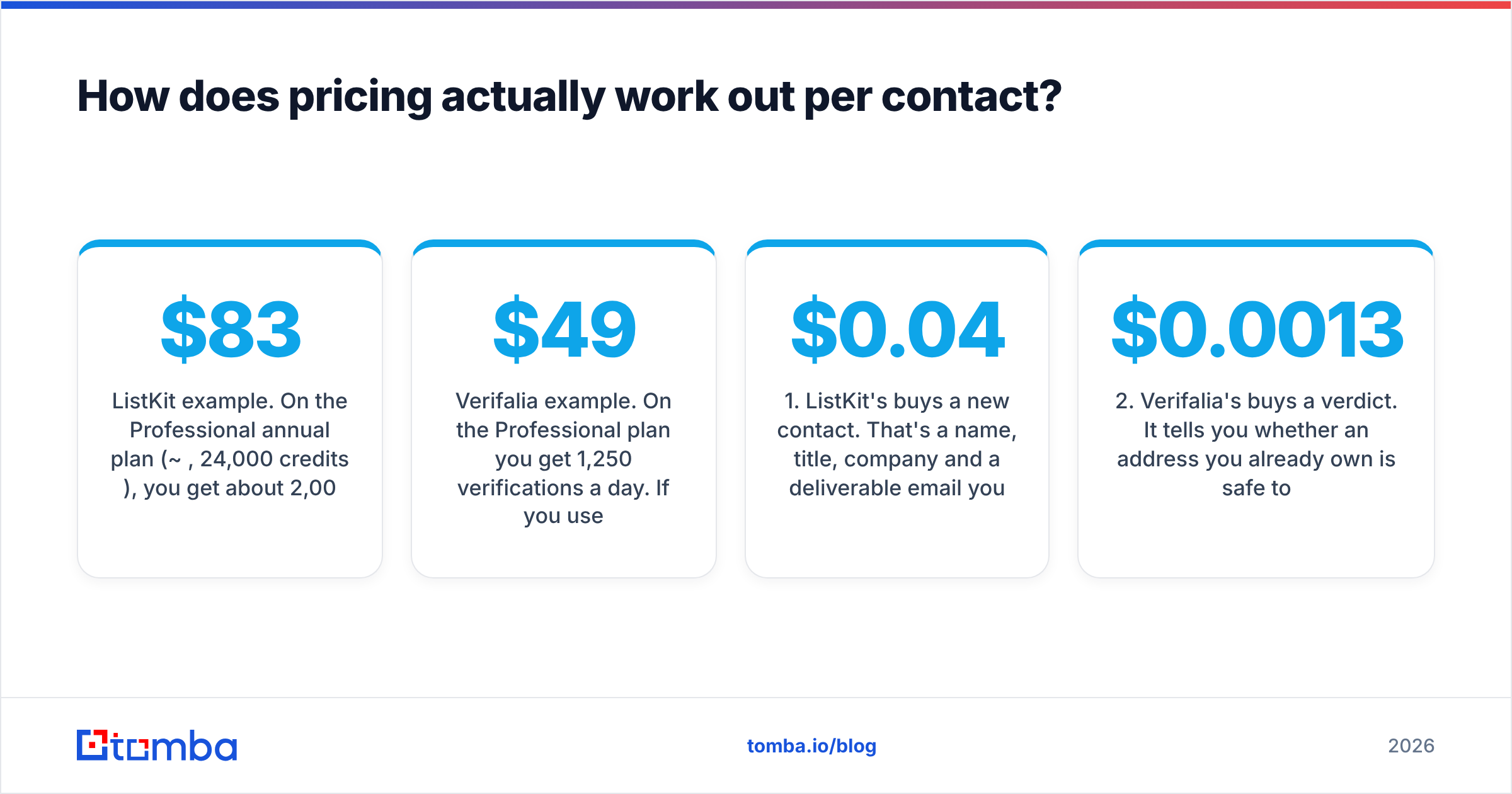
ListKit example. On the Professional annual plan (~$83/mo, 24,000 credits/year), you get about 2,000 credits per month. If you only export emails at 1 credit each, that's about 2,000 contacts, or roughly $0.04 per verified lead. Add phone numbers and the cost per lead rises quickly. For a lead source, that's still competitive.
Verifalia example. On the $49/mo Professional plan you get 1,250 verifications a day. If you use them every day, that's about 37,500 checks a month, or roughly $0.0013 per verification. If you verify in batches once a week, most of those daily credits expire unused. In that case a one-off credit pack is usually cheaper.
So the comparison isn't really about cost. It's about what you get:
- ListKit's $0.04 buys a new contact. That's a name, title, company and a deliverable email you didn't have before.
- Verifalia's $0.0013 buys a verdict. It tells you whether an address you already own is safe to email.
- Unused credits cost you in different ways. ListKit credits expire with the billing period. Verifalia's daily subscription credits expire every night.
- Volume changes the math. Verifying 500k CRM records once a quarter favors a Verifalia credit pack. Building 5,000 net-new leads a month favors a ListKit subscription.
- Stacking both costs more than either one. Running ListKit and a separate verifier means two subscriptions and two logins.
Which one should you choose for your use case?#
Choose based on what you already have, not on feature count.
Choose ListKit if:
- You're launching outbound and your prospect list is empty.
- Your ICP is well defined (titles, industries, headcount) and you want export-ready lists fast.
- You want data and sending capacity bundled, and you're ready to pay Bundle-level pricing.
- You'd rather not run a separate cleaning step before every campaign.
Choose Verifalia if:
- You already have contacts, whether from a CRM, webinars, trade shows, form fills or an older data vendor.
- You need to verify on an ongoing basis through an API, such as checking sign-up forms in real time.
- You're a marketer protecting sender reputation on large newsletter lists, not just a sales team.
- You want credits that don't expire because your verification volume is irregular.
Choose neither on its own if you need to find emails for specific named people, like a list of 300 target accounts where you know the decision-maker. You also need both jobs if you want to find contacts and re-verify them before every send. That's where a combined tool makes sense.

What do real users say about each tool?#
Reviews on sites like G2 follow a consistent pattern for each tool.
ListKit gets praise for how quickly you can go from filters to an export-ready list, and for low bounce rates on fresh exports. Common complaints are about how quickly credits run out when you add phone numbers, and the pricing jump when moving to Bundles.
Verifalia gets praise for thorough verification, a clean API and developer docs, and the flexibility of credit packs that never expire. Common complaints are that the interface feels dated compared with newer verifiers, and that the daily-credit model punishes teams who verify in occasional large batches.
Neither tool has a pattern of serious reliability complaints. Both are established products. Any regret usually comes from buying the wrong type of tool for the job.
Is there a simpler option that finds and verifies emails?#
If you've read this far and thought "I need both," you're like most small outbound teams. You need new contacts, and you need to check contacts you already have. Paying for a database plus a separate verifier works, but it doubles your spend and splits your workflow across two tools.
Tomba combines the two. You can find a specific person's address with the email finder, pull every public address at a company with domain search, and run your existing lists through the email verifier. Catch-all checks and phone lookups sit in the same account.
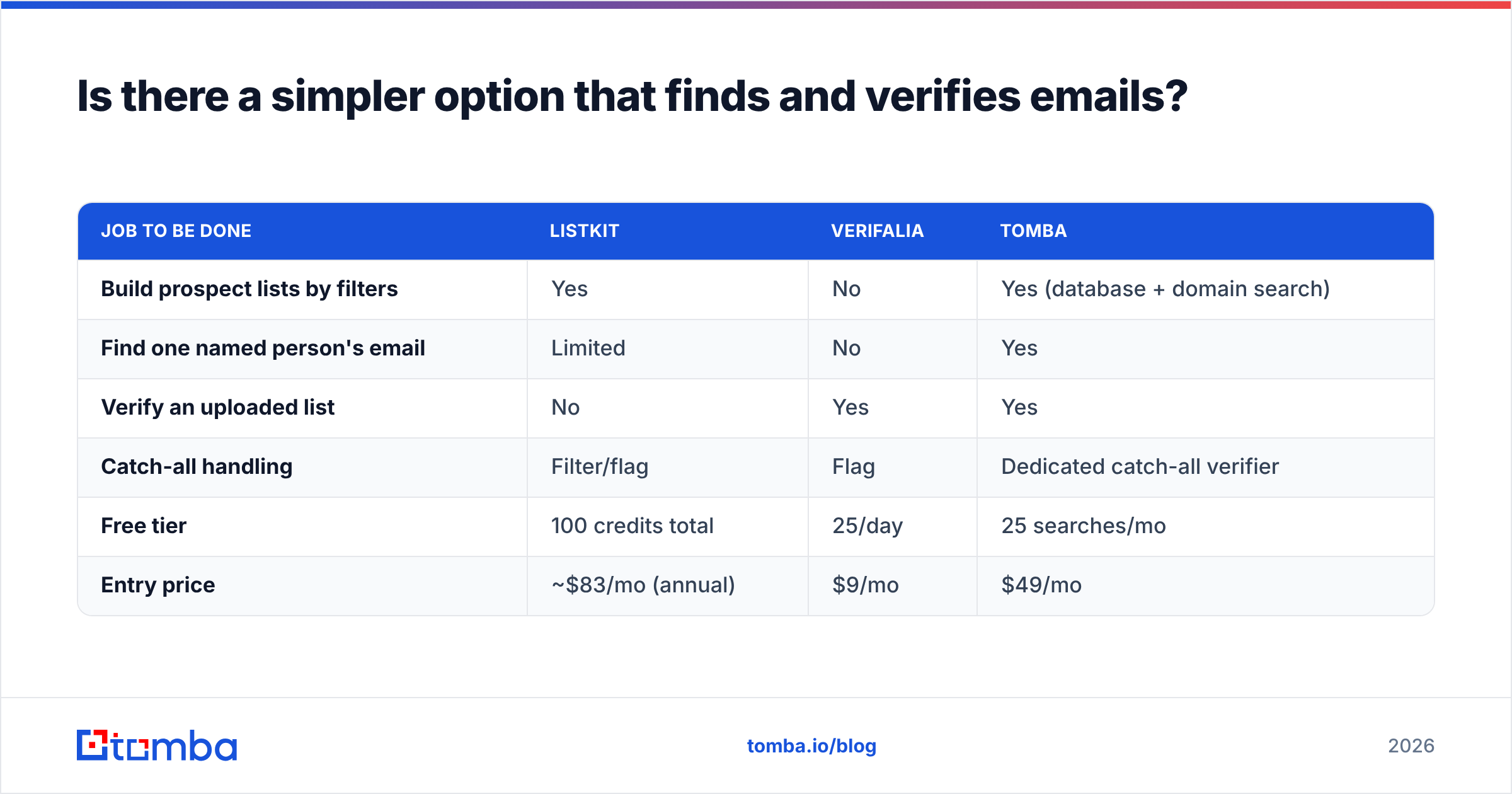
Here's how the three options compare on the jobs discussed in this post:
| Job to be done | ListKit | Verifalia | Tomba |
|---|---|---|---|
| Build prospect lists by filters | Yes | No | Yes (database + domain search) |
| Find one named person's email | Limited | No | Yes |
| Verify an uploaded list | No | Yes | Yes |
| Catch-all handling | Filter/flag | Flag | Dedicated catch-all verifier |
| Free tier | 100 credits total | 25/day | 25 searches/mo |
| Entry price | ~$83/mo (annual) | $9/mo | $49/mo |
To be fair, Verifalia is cheaper if you only ever verify. ListKit's filter-based list building runs deeper if you only ever prospect by ICP filters. Tomba makes the most sense when your week includes both jobs. See the full Tomba pricing for tier limits.
What's the final verdict on ListKit vs Verifalia?#
It's not a question of which tool is better. It's a question of which problem you have:
- Empty pipeline, clear ICP: ListKit.
- Plenty of contacts, uncertain quality: Verifalia.
- Both, on a small-team budget: a combined find-and-verify tool.
Before you buy anything, open your CRM and count how many contacts you already have that you haven't emailed yet. If it's thousands, verify them first and pay for new data later. If it's close to zero, you need a data source before a verifier will do you any good.
If you want to find and verify from one account instead of juggling two subscriptions, start with Tomba Email Finder. Look up decision-makers by name, domain or company, and verify every address before it reaches your sequencer. The free tier gives you 25 searches a month to test it against your own target accounts, and paid plans start at $49/mo.
Related guides#
// get started
Find, verify and enrich your first contacts today
Start on the free plan with 25 searches a month, then scale when your team is ready.
Free plan · No credit card required · GDPR & CCPA
// about the author