Listkit vs Webbula (2026): Lead Database or Email Hygiene?
Listkit and Webbula get compared a lot, but they fix different problems. One finds B2B leads for you, the other cleans and protects the lists you already have. Here's how to pick the right one, or whether you need both.
TL;DR
- Listkit is a B2B lead database for cold outbound. You filter by title, industry and company size, then export contacts with triple-verified emails. Paid plans start at $97/mo, or $83/mo billed annually.
- Webbula is an email hygiene and data enhancement platform. It verifies lists, flags spam traps and other threats, and appends missing data. Pricing is usage-based, and larger volumes are quoted.
- They mostly don't overlap. Listkit creates lists. Webbula protects lists, mainly for marketing teams sending at volume.
- Pick Listkit if you run outbound and need new contacts. Pick Webbula if you already own a large list and your sender reputation is what's at stake.
- If you want finding and verifying in one place at a lower entry price, a combined tool like Tomba does both, starting at $49/mo.
What is Listkit?#
Listkit is a self-serve B2B contact database built for people who run cold email: agencies, SDR teams and founders doing outbound themselves. You build a search (job title, seniority, industry, headcount, location, technologies, intent signals), preview the results and export contacts to CSV or straight into your CRM or sequencer.
Its main selling point is triple verification. Before you download an email, Listkit runs it through several verification passes so it's less likely to bounce. That matters for cold email: a list with a 5-8% bounce rate can get a fresh sending domain flagged within days.
Listkit charges in credits:
- A business email costs about 1 credit per lead.
- Full enrichment, including mobile numbers, costs roughly 8-10 credits per lead.
- Every plan includes unlimited users, AI company search, intent data, enrichment and CRM integrations.
So the headline credit count can mislead. With 2,000 credits you get about 2,000 email-only leads, but only about 200-250 fully enriched ones with phone numbers.
What is Webbula?#
Webbula comes from the other end of the pipeline. It began as an email service provider, moved into email hygiene and later added data enrichment. Its flagship product, emailHygiene, verifies lists and focuses heavily on threat detection. On top of the usual valid/invalid check, it tries to catch:
- Spam traps and honeypots
- Known complainers and litigious addresses
- Bot-generated and disposable sign-ups
- Catch-all and role-based addresses
Webbula also sells email appending and audience enhancement. You give it a customer file with names and postal addresses, and it returns verified emails, phone numbers and demographic attributes. Webbula says it relies on deterministic, self-reported, opt-in data rather than modeled or "stitched" profiles, which matters if your compliance team asks where appended data comes from.
Pricing is usage-based. Third-party listings such as GetApp show a 500-credit minimum and per-credit prices that fall as volume rises. Enterprise and append projects are quoted individually.
Its typical buyer is a B2C or mixed B2B/B2C marketing team, a publisher or an ESP customer with a list of hundreds of thousands to millions of records. It isn't aimed at an SDR who needs 300 VPs of Finance by Friday.
How do Listkit and Webbula actually differ?#
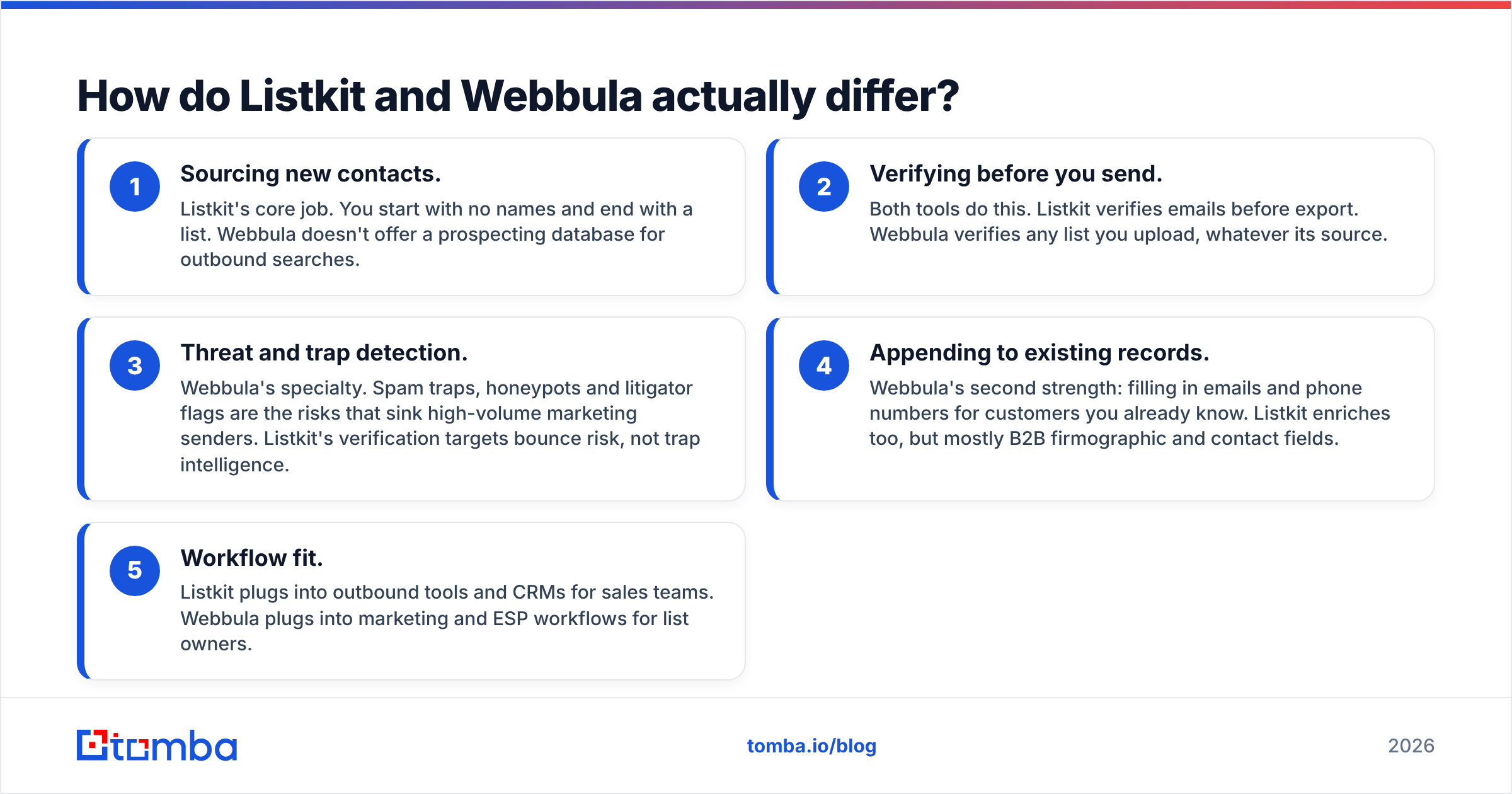
This comparison can confuse people because both tools mention "verified emails." The job each one does is different, though. It helps to see them as five separate layers of a data stack:
- Sourcing new contacts. Listkit's core job. You start with no names and end with a list. Webbula doesn't offer a prospecting database for outbound searches.
- Verifying before you send. Both tools do this. Listkit verifies emails before export. Webbula verifies any list you upload, whatever its source.
- Threat and trap detection. Webbula's specialty. Spam traps, honeypots and litigator flags are the risks that sink high-volume marketing senders. Listkit's verification targets bounce risk, not trap intelligence.
- Appending to existing records. Webbula's second strength: filling in emails and phone numbers for customers you already know. Listkit enriches too, but mostly B2B firmographic and contact fields.
- Workflow fit. Listkit plugs into outbound tools and CRMs for sales teams. Webbula plugs into marketing and ESP workflows for list owners.
In short, Listkit is a sales prospecting tool and Webbula is a marketing data-quality tool. Comparing them is a bit like comparing a fishing boat with a water filter. Both involve water, but you buy them for different reasons.

How do Listkit and Webbula compare feature by feature?#
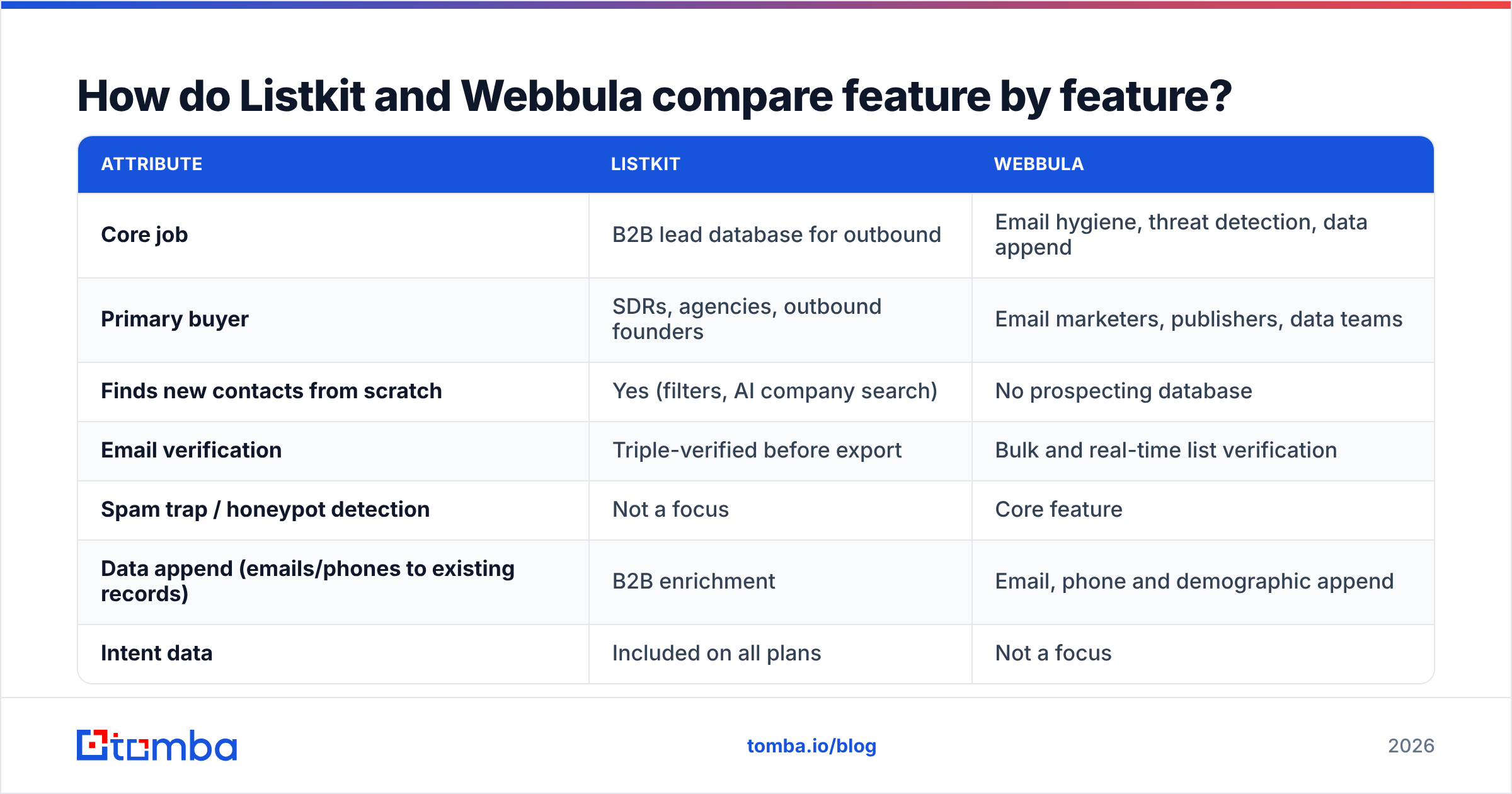
| Attribute | Listkit | Webbula |
|---|---|---|
| Core job | B2B lead database for outbound | Email hygiene, threat detection, data append |
| Primary buyer | SDRs, agencies, outbound founders | Email marketers, publishers, data teams |
| Finds new contacts from scratch | Yes (filters, AI company search) | No prospecting database |
| Email verification | Triple-verified before export | Bulk and real-time list verification |
| Spam trap / honeypot detection | Not a focus | Core feature |
| Data append (emails/phones to existing records) | B2B enrichment | Email, phone and demographic append |
| Intent data | Included on all plans | Not a focus |
| Pricing model | Monthly credit subscription | Usage-based credits plus custom quotes |
| Entry price | $97/mo ($83/mo annual), 2,000 credits | 500-credit minimum; volume quotes |
| Upper tiers | $297/mo (10k credits), $597/mo (50k credits), Enterprise | Enterprise contracts |
| Users | Unlimited on every plan | Account-based |
| Best for | Filling a cold email pipeline | Protecting a large sender reputation |
Which tool has better data quality?#
The answer depends on what you mean by "quality," because the two tools define it differently.
With Listkit, quality means your outbound list won't bounce. Triple verification is meant to keep hard bounces low enough that your sending domains stay healthy. The weak spot is the same as for every B2B database: records decay. People change jobs, companies rebrand and domains expire. Contacts verified three months ago may not be valid today, so if a list sits unused for a quarter, re-verify it before sending.
With Webbula, quality means knowing which addresses could hurt you. Plenty of addresses are technically deliverable and still harmful: recycled spam traps, typo domains, bot sign-ups from a scraped form. A standard SMTP check marks many of those as "valid." Webbula's pitch is that its threat database catches them. For a retailer mailing 2 million people, one spam-trap hit can do more damage than a 2% bounce rate.
Neither tool publishes an independent accuracy benchmark you can directly compare, so be wary of anyone quoting a single "X% accurate" number for either one. The honest test is to run the same sample through each tool and compare real bounce and complaint rates. Review sites such as G2 can help you see where users report problems, especially around catch-all handling and stale records.
Catch-all domains deserve a specific note. These servers accept every address, so a basic verifier can't say whether jane.doe@company.com really exists. Both tools label them, but labeling doesn't resolve them. If much of your B2B target market sits on catch-all domains (common with enterprise Microsoft 365 setups), a dedicated catch-all verifier is worth checking out.
How does pricing compare?#
Listkit uses standard SaaS subscriptions:
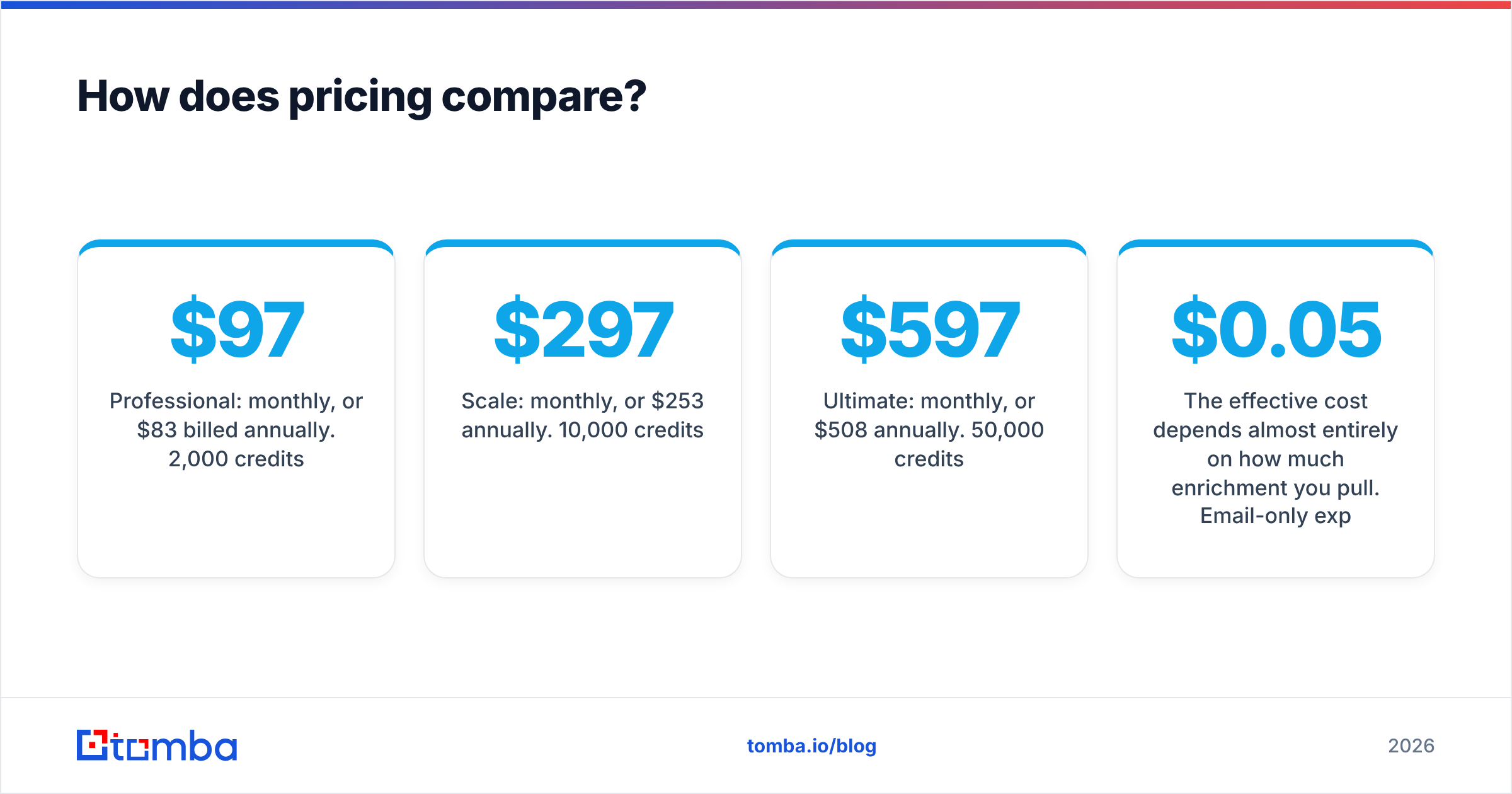
- Professional: $97/mo monthly, or $83/mo billed annually. 2,000 credits.
- Scale: $297/mo monthly, or $253/mo annually. 10,000 credits.
- Ultimate: $597/mo monthly, or $508/mo annually. 50,000 credits.
- Enterprise: custom.
The effective cost depends almost entirely on how much enrichment you pull. Email-only exports work out to roughly $0.05 per lead on the Professional plan. Add mobile numbers and the cost per fully enriched lead rises to about $0.40-0.50.
Webbula prices by volume. You buy verification credits, and the per-record price falls as volume grows. Append and audience enhancement are separate, quoted projects. That suits teams that clean a big list once a quarter better than teams that need a steady monthly flow of new contacts.
What this means in practice:
- If you need new leads every month, Listkit's subscription is simpler to budget for.
- If you need to clean a large existing file once or occasionally, Webbula's pay-per-use model avoids paying for idle months.
- If you need both, you pay two vendors, manage two contracts and move CSVs between two tools. That's where combined platforms can save money.
For comparison, Tomba covers both finding and verifying on one bill: a free tier with 25 searches/mo, then Starter at $49/mo, Growth at $99/mo, Pro at $249/mo and custom Enterprise. See the Tomba pricing page for current credit allocations.
When should you choose Listkit?#
Choose Listkit if most of these describe you:
- You run cold email or multichannel outbound and your main bottleneck is finding enough contacts that fit your ideal customer profile.
- You want self-serve search with filters, and don't want to go through a sales call for every list.
- You have several people building lists, so unlimited users matter.
- You mostly need business emails. Heavy mobile-number usage burns credits quickly.
- You send from warmed secondary domains and mainly need a low bounce rate rather than trap intelligence.
Listkit is weaker if you already own a big marketing list and want to clean it, or if you need consumer data. It also doesn't solve B2B data decay, so plan to re-verify older exports.
When should you choose Webbula?#
Choose Webbula if most of these describe you:
- You own a large first-party list (newsletter subscribers, e-commerce customers, event registrants) and send to it regularly.
- Your sender reputation is valuable, and a spam-trap problem would hurt revenue.
- You collect sign-ups through public forms that attract bots and fake addresses.
- You want to append emails or phones to customer records you hold through offline or postal channels.
- Your compliance team cares about deterministic, opt-in data provenance.
Webbula is a poor fit if you need to find new B2B decision-makers. It doesn't offer the search-and-export database outbound teams rely on. It's also more than you need for a solo founder verifying a few hundred prospects.

Can you use Listkit and Webbula together?#
Yes, and some teams do. A common setup looks like this:
- Source contacts in Listkit.
- Push them into your CRM (see HubSpot's CRM docs for how most teams structure contact properties).
- Periodically re-clean the whole CRM database, including inbound leads, event lists and old exports, through Webbula before large campaigns.
This makes sense at scale, for example a company with both an outbound SDR team and a marketing team sending newsletters to 500k+ contacts. Each tool covers a different risk.
For a lean outbound team, running both adds overhead: two logins, two budgets and a CSV handoff that someone will eventually forget. Most small teams do better with one tool that finds contacts and verifies them at the moment of use, then re-verifies just before a campaign goes out. Pairing an email verifier with your finder in the same platform covers about 90% of what outbound teams need Webbula for, without the marketing-scale threat database.
Are there alternatives worth considering?#
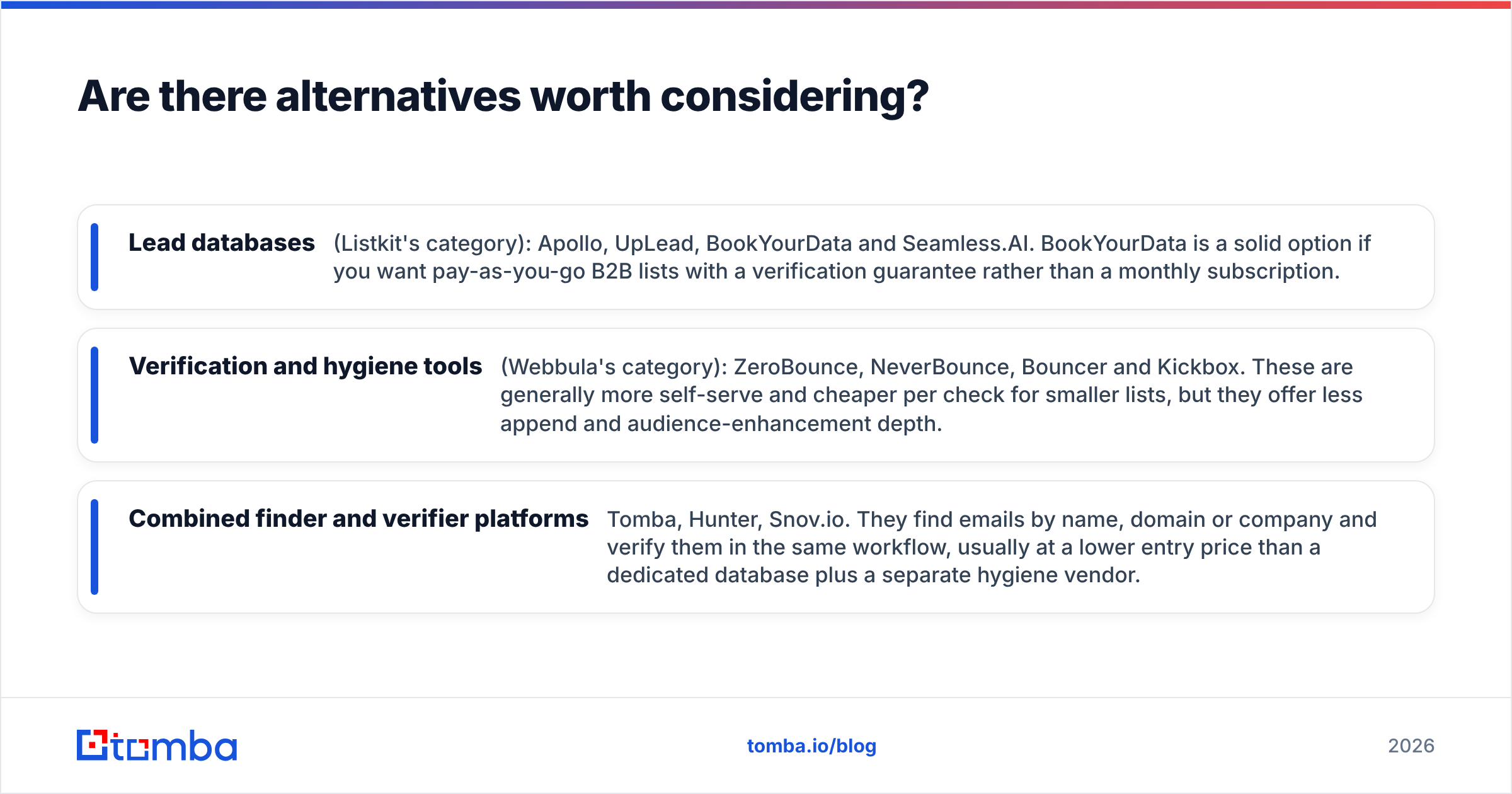
If neither tool fits exactly, the market sorts into three groups:
- Lead databases (Listkit's category): Apollo, UpLead, BookYourData and Seamless.AI. BookYourData is a solid option if you want pay-as-you-go B2B lists with a verification guarantee rather than a monthly subscription.
- Verification and hygiene tools (Webbula's category): ZeroBounce, NeverBounce, Bouncer and Kickbox. These are generally more self-serve and cheaper per check for smaller lists, but they offer less append and audience-enhancement depth.
- Combined finder and verifier platforms: Tomba, Hunter, Snov.io. They find emails by name, domain or company and verify them in the same workflow, usually at a lower entry price than a dedicated database plus a separate hygiene vendor.
Which group to pick depends on where your pipeline breaks. If you don't have enough contacts, look at databases. If your contacts are harming deliverability, look at hygiene tools. If you're paying two vendors for a workflow that should be one step, look at combined platforms.
So which should you pick: Listkit or Webbula?#
Most readers don't really face a Listkit-or-Webbula choice. They need to know which problem they have.
- Need new B2B contacts for outbound? Listkit. Its self-serve filters, triple verification and unlimited seats are built for that job.
- Need to protect a large marketing list from traps, bots and decay? Webbula. Its threat detection goes further than a standard verifier.
- Need to find and verify B2B emails without paying two vendors? A combined platform is the better fit.
For the third option, Tomba Email Finder is worth a trial. You can look up professional emails by name and domain, pull every public address at a company through domain search and verify each result before it reaches your sequencer, all in one account. The free tier includes 25 searches a month, and paid plans start at $49/mo, so you can check accuracy against your own target list before switching any spend.
Related guides#
// get started
Find, verify and enrich your first contacts today
Start on the free plan with 25 searches a month, then scale when your team is ready.
Free plan · No credit card required · GDPR & CCPA
// about the author