Lusha vs Ocean.io: Contact Data vs Lookalike Account Discovery
Lusha finds the people. Ocean.io finds the companies. This comparison covers data coverage, credit math, integrations, and pricing so you can tell which one your pipeline actually needs, or whether you need both.
TL;DR
- Lusha is a contact-data tool. Its job is to give you a direct email and phone number for a person you've already found, usually through the Chrome extension on LinkedIn or straight inside your CRM.
- Ocean.io is an account-discovery tool. You give it your best customers and it returns lookalike companies, then adds contacts on top. It answers "who should we target?" before it answers "how do we reach them?"
- Pricing models differ. Lusha sells credits per seat (roughly 1 credit per email, 5 per phone). Ocean.io's self-serve plans start higher and are built around company and contact credits for list building.
- Pick Lusha if your reps already know their accounts and need phone numbers fast. Pick Ocean.io if your problem is a thin or stale target account list.
- Whichever you pick, run a dedicated email verification step before you send. Neither tool removes the need for one.
What is the real difference between Lusha and Ocean.io?#
Comparing Lusha and Ocean.io is a bit like comparing a phone book with a scouting report. One tells you how to reach a specific person. The other tells you which teams are worth scouting in the first place.
Lusha started as a browser extension that showed contact details on LinkedIn profiles. It has since grown into a sales intelligence platform with prospecting search, intent signals, job-change alerts, and CRM enrichment. The core is still the same: contact-level data, especially mobile numbers, delivered to a single rep at the moment of outreach.
Ocean.io works from the account down. Its main feature is lookalike search: you paste in domains of companies that already buy from you, and Ocean.io returns companies that share their firmographic, technographic, and web-content traits. Contact discovery and enrichment come after that, so you can fill the new accounts with decision-makers.
So "Lusha vs Ocean.io" is less a fight between two copies of one product and more a decision about where your pipeline is breaking:
- You don't know which companies to target. Ocean.io solves this.
- You know the companies but can't reach the people. Lusha solves this.
- You have both problems. You'll likely end up with an account tool and a contact tool, or one platform plus a cheaper specialist for the missing half.
How do Lusha and Ocean.io compare feature by feature?#
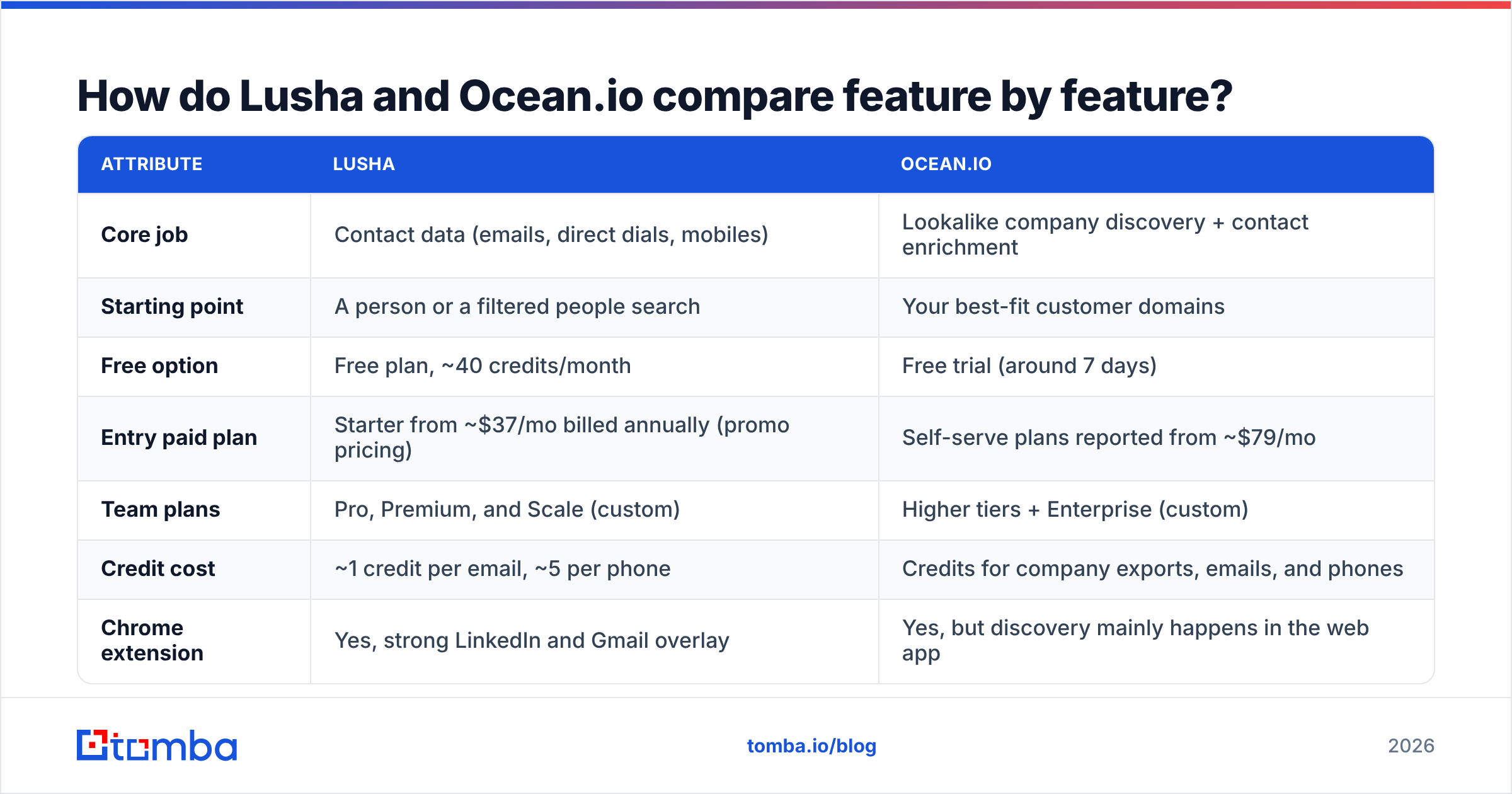
Here's how the two stack up on the attributes that matter in daily use. Pricing reflects public list and promo pricing at the time of writing (October 2026). Both vendors change plans often, so check their pricing pages before you buy.
| Attribute | Lusha | Ocean.io |
|---|---|---|
| Core job | Contact data (emails, direct dials, mobiles) | Lookalike company discovery + contact enrichment |
| Starting point | A person or a filtered people search | Your best-fit customer domains |
| Free option | Free plan, ~40 credits/month | Free trial (around 7 days) |
| Entry paid plan | Starter from ~$37/mo billed annually (promo pricing) | Self-serve plans reported from ~$79/mo |
| Team plans | Pro, Premium, and Scale (custom) | Higher tiers + Enterprise (custom) |
| Credit cost | ~1 credit per email, ~5 per phone | Credits for company exports, emails, and phones |
| Chrome extension | Yes, strong LinkedIn and Gmail overlay | Yes, but discovery mainly happens in the web app |
| Lookalike search | Limited | Core feature |
| Intent / signals | Intent topics, job changes, hiring signals | Web-content, technographic, and growth signals |
| CRM integrations | Salesforce, HubSpot, Pipedrive, Zoho, Outreach, Salesloft | Salesforce, HubSpot, plus exports and API |
| Best for | SDRs and AEs who need numbers fast | ABM, RevOps, and founders building target lists |
Two takeaways. Lusha's strength is rep-level speed: a mobile number appears in two clicks and lands in the CRM. Ocean.io's strength is list quality at the top of the funnel: it finds accounts you wouldn't have thought to search for.
How good is Lusha's contact data?#
Lusha's reputation is built on phone numbers. In reviews on G2, users regularly mention mobile coverage for North American and Western European contacts as the reason they pay. Email coverage is solid for mid-market and enterprise companies and thinner for very small businesses and some non-English markets.
What works well:
- Extension workflow. Open a LinkedIn profile, click the extension, reveal the email or phone, push it to Salesforce or HubSpot. For a rep doing 50 to 100 touches a day, removing that friction matters.
- Compliance posture. Lusha leans hard on GDPR and CCPA compliance and ISO 27001 certification, which helps when procurement or legal is involved.
- Signals. Job-change and intent alerts give reps a reason to reach out, beyond just a phone number.
What to watch:
- Phone credits add up. At about 5 credits per phone reveal, a plan that looks generous on emails can run dry quickly if your team calls more than it emails.
- Seat-based scaling. Credits and features are bundled per seat. A 10-rep team gets expensive faster than a 2-person outbound pod.
- Verification is still on you. Lusha flags confidence, but any database decays. People change jobs and domains move to catch-all configurations. Running exports through a separate email verifier before a sequence starts protects your bounce rate.

How good is Ocean.io's account discovery?#
Ocean.io is at its best when you give it good seeds. Feed it 10 to 20 domains of your happiest, highest-value customers and the lookalike results are often surprisingly relevant. It reads company websites, tech stacks, headcount trends, and other signals, not just industry codes.
What works well:
- Finding accounts that keyword filters miss. Industry classifications are blunt. A "software" filter returns thousands of irrelevant companies. Lookalike matching on website content and technology catches niche fits that a standard filter misses.
- TAM sizing. RevOps teams use Ocean.io to estimate how many true lookalikes exist in a region before committing headcount to it.
- ABM list building. Marketing teams get a ranked account list they can hand to ads platforms and SDRs together.
What to watch:
- Contact depth is secondary. Ocean.io has added emails and phone numbers, but contact coverage isn't the product's main strength. Many teams still pair it with a dedicated contact tool.
- Entry price. Self-serve plans start higher than Lusha's entry tier, and serious usage usually means a sales conversation.
- Seed quality drives output quality. If your customer base is messy (a few great fits mixed with one-off deals), the lookalikes will be messy too. Curate your seeds first.
Which one is cheaper in practice?#
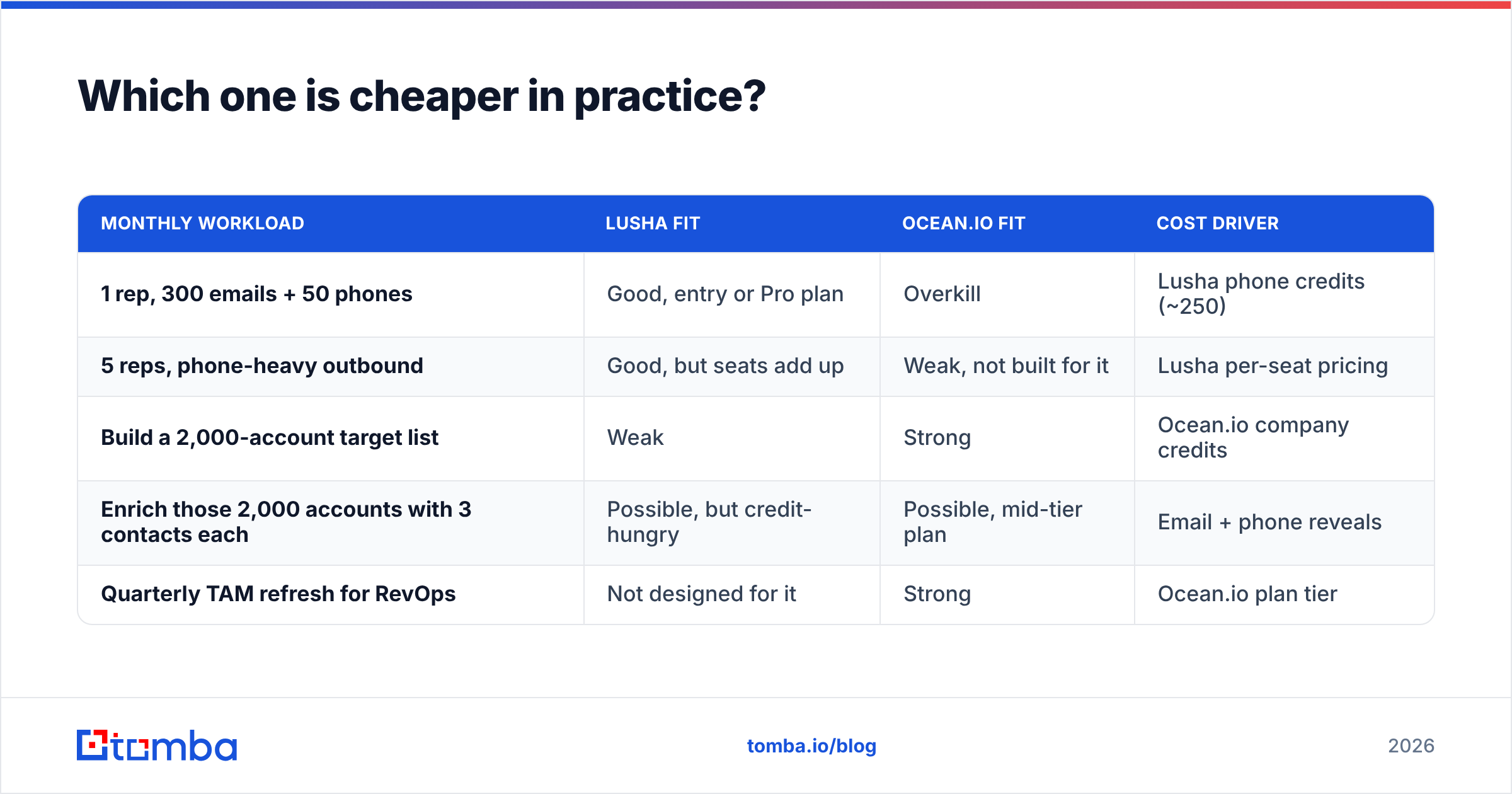
Sticker price is misleading here because the two tools spend credits on different things. Here's a more useful way to estimate cost based on what you'll actually do each month.
| Monthly workload | Lusha fit | Ocean.io fit | Cost driver |
|---|---|---|---|
| 1 rep, 300 emails + 50 phones | Good, entry or Pro plan | Overkill | Lusha phone credits (~250) |
| 5 reps, phone-heavy outbound | Good, but seats add up | Weak, not built for it | Lusha per-seat pricing |
| Build a 2,000-account target list | Weak | Strong | Ocean.io company credits |
| Enrich those 2,000 accounts with 3 contacts each | Possible, but credit-hungry | Possible, mid-tier plan | Email + phone reveals |
| Quarterly TAM refresh for RevOps | Not designed for it | Strong | Ocean.io plan tier |
Rough rule: if your spend is mostly people, Lusha is usually cheaper. If your spend is mostly companies, Ocean.io is usually cheaper, and more useful, per dollar.
A common setup in lean teams is to use an account tool for discovery and a low-cost email finder for contact data. Running a domain search on each lookalike account returns the publicly known addresses and the company's email pattern for a fraction of what per-seat contact platforms charge. Then you only pay premium phone credits for the accounts that actually reply or show intent.
Is Lusha better than Ocean.io for outbound sales?#
For classic SDR outbound (sequences, cold calls, LinkedIn touches), yes, Lusha is the better fit. It's built around the rep's workflow, and phone numbers are the expensive, hard-to-find asset in outbound.
Lusha wins when:
- Your ICP is already defined. Your reps know the accounts and just need the people.
- You call a lot. Mobile coverage is the main reason to pay for Lusha.
- You live in LinkedIn and Salesforce/HubSpot. The extension-to-CRM flow is smooth.
- Procurement cares about compliance. Certifications speed up vendor approval.
Is Ocean.io better than Lusha for ABM and list building?#
Yes. If your bottleneck is the account list, Lusha doesn't really compete. Ocean.io is built to answer "which 500 companies look like our best 20 customers?", which a people database isn't designed to do.
Ocean.io wins when:
- You're entering a new market or region and need a TAM estimate before hiring.
- Your ICP is niche and doesn't map neatly onto industry codes.
- Marketing and sales share one account list for ABM campaigns.
- You already have a contact tool and only need better targeting.

What do both tools leave out?#
Neither Lusha nor Ocean.io removes the three dull steps that decide whether your outbound actually lands:
- Verification before send. Any database decays, and B2B contact data goes stale fast as people change roles. Verify every list right before it goes into a sequence, not when it was exported.
- Catch-all handling. Many mid-market domains accept all mail at the server level, so a "valid" result tells you little. You need a tool that scores catch-all addresses instead of passing them blindly.
- Pattern fallback. When a tool returns nothing for a contact, the company's email pattern (first.last@, f.last@) plus verification often fills the gap for free.
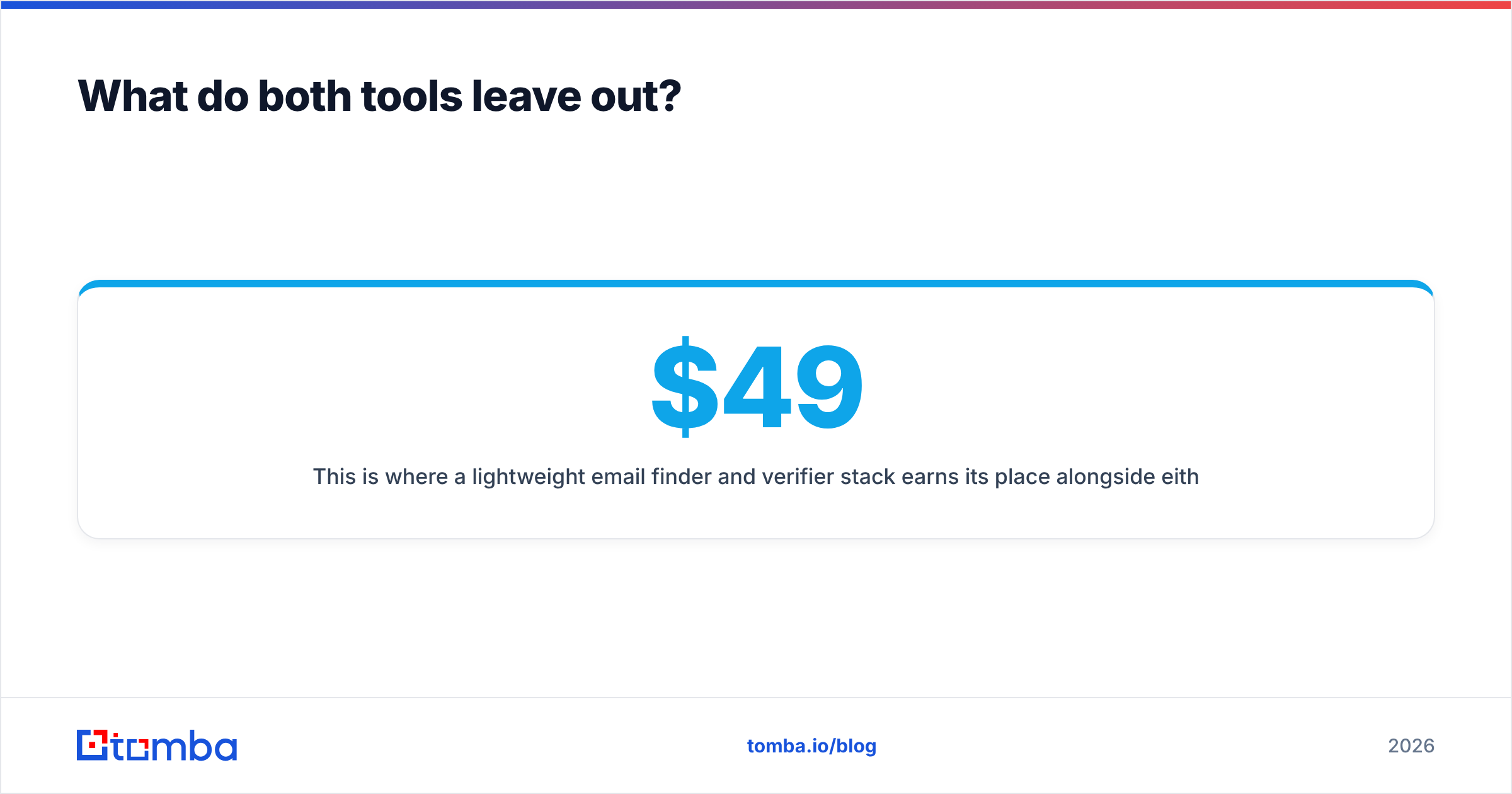
This is where a lightweight email finder and verifier stack earns its place alongside either platform. Tomba's pricing starts with a free tier of 25 searches a month, with paid plans at $49 (Starter), $99 (Growth), and $249 (Pro) per month, plus custom Enterprise. That's cheap enough to run as a verification and gap-fill layer next to Lusha or Ocean.io without doubling your data budget.
How should you decide between Lusha and Ocean.io?#
Use this quick decision path:
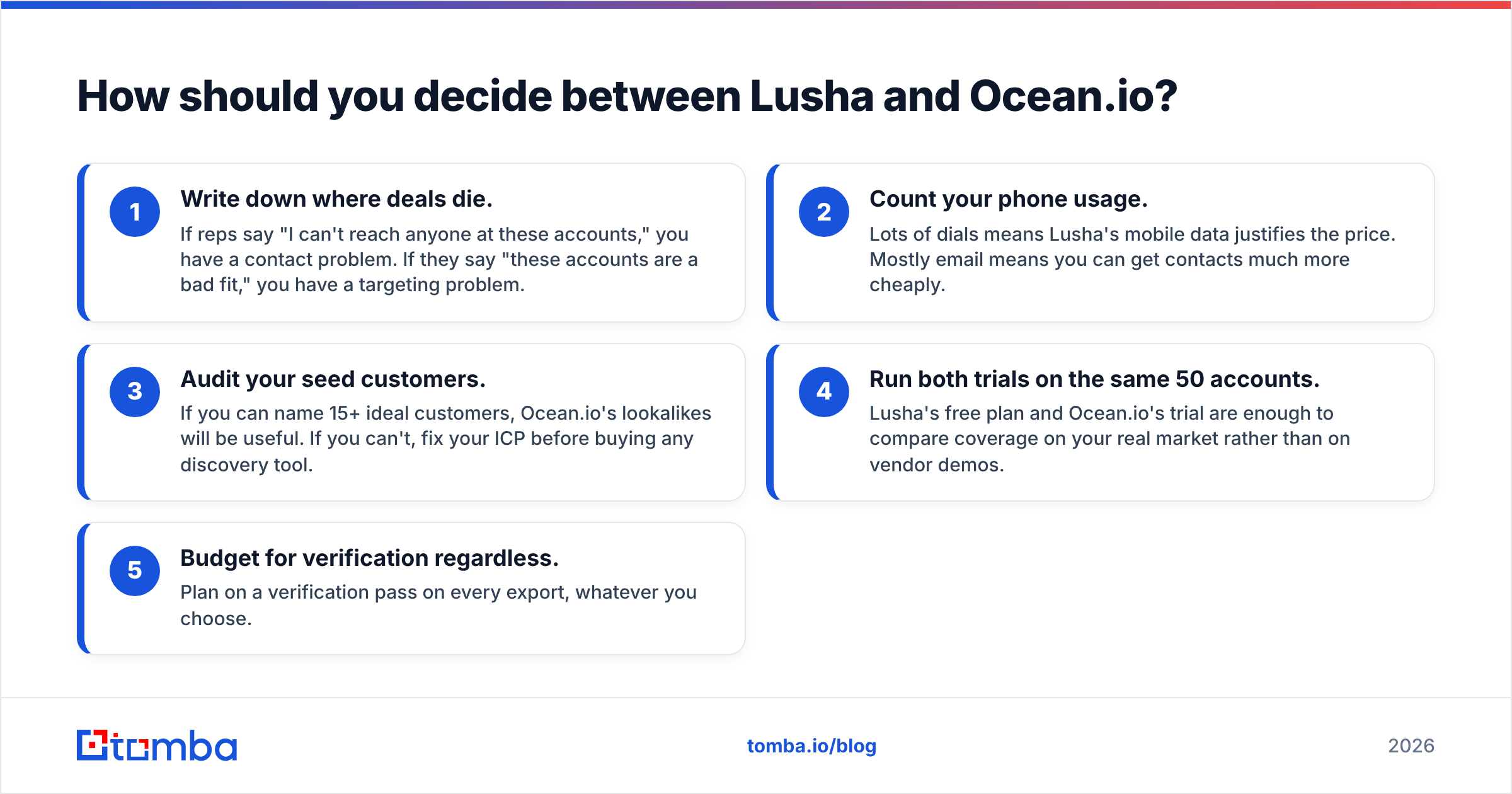
- Write down where deals die. If reps say "I can't reach anyone at these accounts," you have a contact problem. If they say "these accounts are a bad fit," you have a targeting problem.
- Count your phone usage. Lots of dials means Lusha's mobile data justifies the price. Mostly email means you can get contacts much more cheaply.
- Audit your seed customers. If you can name 15+ ideal customers, Ocean.io's lookalikes will be useful. If you can't, fix your ICP before buying any discovery tool.
- Run both trials on the same 50 accounts. Lusha's free plan and Ocean.io's trial are enough to compare coverage on your real market rather than on vendor demos.
- Budget for verification regardless. Plan on a verification pass on every export, whatever you choose.
The verdict: Lusha or Ocean.io?#
There's no single winner because these tools solve different problems.
- Lusha is the better contact-data tool. Choose it for rep-level prospecting, phone-heavy outbound, and tight CRM workflows.
- Ocean.io is the better account-discovery tool. Choose it for lookalike targeting, TAM sizing, and ABM list building.
- For lean teams, a common setup is Ocean.io (or your CRM's best-customer data) for targeting, a low-cost email finder for contacts, and Lusha-style phone credits only where calls convert.
If your budget only covers one tool and you run classic outbound, start with Lusha. If you've hit the ceiling of your current account list, start with Ocean.io.
Need verified emails without per-seat pricing?#
If you've picked your accounts, whether from Ocean.io, your CRM, or a spreadsheet, the next step is getting accurate emails for the right people without paying a premium per seat. Tomba Email Finder finds professional addresses by name, domain, or company, shows the company's email pattern, and comes with built-in verification so you aren't sending into bounces. Start on the free tier with 25 searches a month, test it against your current tool on the same accounts, and upgrade only once the numbers hold up.
Related guides#
// get started
Find, verify and enrich your first contacts today
Start on the free plan with 25 searches a month, then scale when your team is ready.
Free plan · No credit card required · GDPR & CCPA
// about the author