Lusha vs Power Almanac: Which Contact Database Fits Your Market?
Lusha covers private-sector buyers across the board, while Power Almanac goes deep on US local government. This guide covers pricing, coverage, data depth and which buyers each tool is built for.
TL;DR
- Lusha is a general B2B contact database. Its strength is mobile numbers and emails for private-sector decision-makers, and you get them through a Chrome extension, CRM integrations and an API.
- Power Almanac is a niche database of US local government officials. It covers more than 300,000 records across 21,000+ cities, counties and townships.
- Pricing works very differently. Lusha starts with a free plan and per-seat tiers. Power Almanac's entry plan (POWER 15) is listed at about $5,400/year with unlimited users and 15,000 credits.
- Pick Lusha if you sell to companies. Pick Power Almanac if you sell to municipalities. If you sell to both, pair a niche database with a flexible email finder and verifier.
- Neither tool replaces email verification. Re-check any list older than 90 days before you send to it.
What is the real difference between Lusha and Power Almanac?#
Lusha and Power Almanac sell the same kind of thing, which is contact data. They just aren't aimed at the same buyer. Comparing them is like comparing a big general bookstore with a specialist law library. Both have books, but you'd only go to one of them for case law.
Lusha is a horizontal B2B data platform. You install the browser extension, open a LinkedIn profile or a company website, and reveal a work email, direct dial or mobile number. It's built for SDRs, recruiters and account executives prospecting into private companies of any size, and its reputation rests mostly on phone data.
Power Almanac is a vertical database. It tracks elected and appointed officials in US local government: mayors, city managers, county commissioners, public works directors, IT directors, finance officers, police and fire chiefs. It's aimed at companies that sell software, infrastructure, consulting or services to municipalities. Power Almanac was acquired by GovExec in 2022 and now sits inside a larger public-sector media and data group.
So "Lusha vs Power Almanac" usually isn't a question of which tool is better. It's a question of which market you sell into. If you get that wrong, you'll pay for a database full of contacts you'll never call.
How do Lusha and Power Almanac compare side by side?#
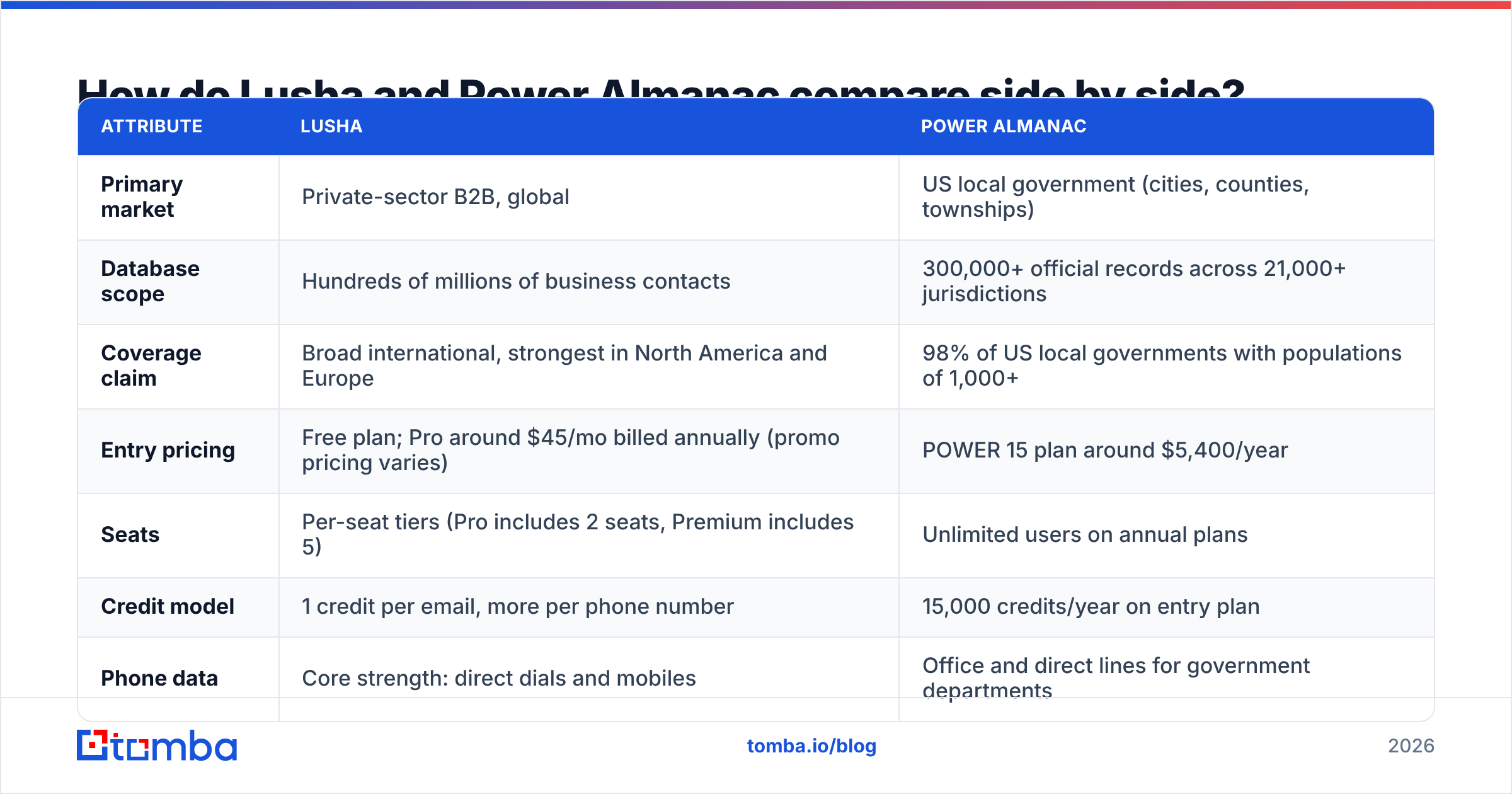
The table below covers the attributes that matter most when you're choosing between them. Prices change often, especially Lusha's promotional annual rates, so confirm current numbers on each vendor's pricing page before you buy.
| Attribute | Lusha | Power Almanac |
|---|---|---|
| Primary market | Private-sector B2B, global | US local government (cities, counties, townships) |
| Database scope | Hundreds of millions of business contacts | 300,000+ official records across 21,000+ jurisdictions |
| Coverage claim | Broad international, strongest in North America and Europe | 98% of US local governments with populations of 1,000+ |
| Entry pricing | Free plan; Pro around $45/mo billed annually (promo pricing varies) | POWER 15 plan around $5,400/year |
| Seats | Per-seat tiers (Pro includes 2 seats, Premium includes 5) | Unlimited users on annual plans |
| Credit model | 1 credit per email, more per phone number | 15,000 credits/year on entry plan |
| Phone data | Core strength: direct dials and mobiles | Office and direct lines for government departments |
| Delivery | Chrome extension, web app, CRM integrations, API | Web app search, list building and exports |
| Best for | SDRs, recruiters, AEs prospecting into companies | GovTech, municipal vendors, public-sector consultants |
| Weak spot | Thin coverage of public-sector officials | No coverage of private companies |
Two rows deserve a closer look.
Seats vs credits. Lusha charges more as your team grows. Power Almanac's unlimited-user model means a 20-person public-sector team pays the same as a team of 3. For a big team, a $5,400 annual contract can work out cheaper per rep than a seat-based tool, even though the headline number looks high.
Phone data. Lusha is known for mobile numbers. Power Almanac's phone data comes from departmental and office lines, which is actually how most local government business gets done. A city's public works director picks up the department phone, not a personal cell.

Who should buy Lusha?#
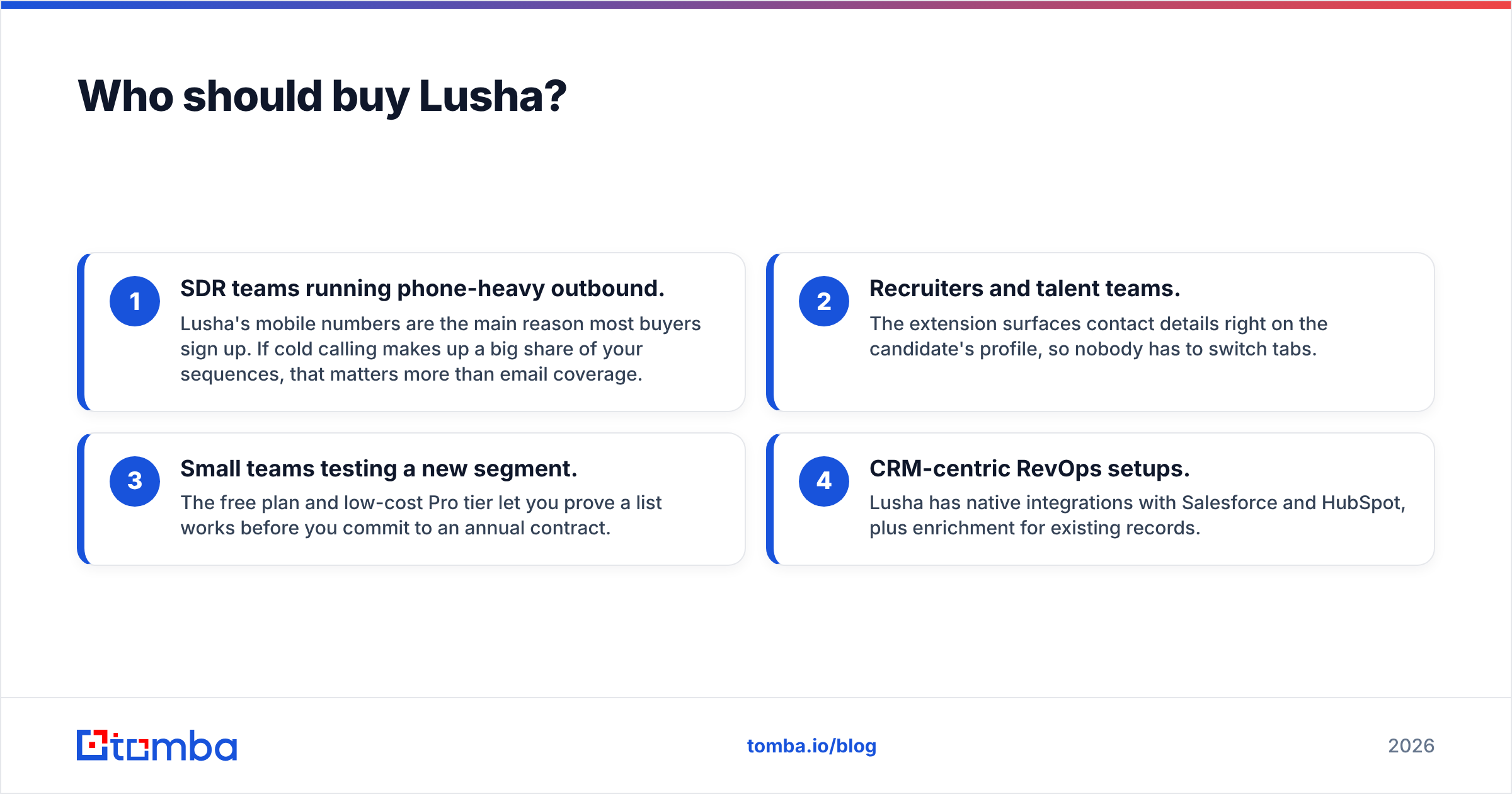
Lusha fits you if most of your pipeline is private companies and your reps prospect directly from LinkedIn or company websites. In practice it works well for:
- SDR teams running phone-heavy outbound. Lusha's mobile numbers are the main reason most buyers sign up. If cold calling makes up a big share of your sequences, that matters more than email coverage.
- Recruiters and talent teams. The extension surfaces contact details right on the candidate's profile, so nobody has to switch tabs.
- Small teams testing a new segment. The free plan and low-cost Pro tier let you prove a list works before you commit to an annual contract.
- CRM-centric RevOps setups. Lusha has native integrations with Salesforce and HubSpot, plus enrichment for existing records.
You can check user sentiment yourself on Lusha's G2 reviews page. Reviewers consistently praise how easy the tool is to use. They also flag credit burn on phone reveals and uneven data accuracy outside North America.
Where Lusha falls short: public sector. Search for "Director of Public Works, Springfield" and you'll get patchy results at best. Many local officials don't keep up-to-date LinkedIn profiles, which is where Lusha's crowdsourced data model is strongest. Lusha isn't failing here. It simply wasn't built for this market.
Who should buy Power Almanac?#
Power Almanac fits you if your buyer works at city hall. The database is organized around government structure: jurisdiction, population, department and role. You can build a list like "every city manager in Texas municipalities with 10,000–50,000 residents" in minutes.
That kind of segmentation is very hard to recreate in a general B2B tool. With Lusha or most horizontal databases, you'd be guessing at job titles and filtering out private companies by hand. Power Almanac treats population bands and government type as first-class filters.
It makes the most sense for:
- GovTech SaaS vendors selling permitting, utility billing, 311, ERP or public safety software.
- Infrastructure and engineering firms chasing municipal contracts.
- Consultants and associations that need an accurate roster of local officials.
- Public-sector marketing teams running ABM campaigns across thousands of small jurisdictions at once.
Details are on the Power Almanac website.
Where Power Almanac falls short: it's a single-market tool with an annual commitment. If you sell to municipalities and also to the private contractors that work with them, you'll need a second data source. The entry price also makes it hard to justify for a solo founder who's only testing the government market.
Which is more accurate: Lusha or Power Almanac?#
Accuracy depends on the contact type, so you can't compare the two tools head-to-head on one number.
Lusha relies heavily on community-contributed and partner data, which is then verified. That works well for private-sector employees who change jobs and update profiles. It works less well for people with little online footprint.
Power Almanac maintains its records through research focused on government structures. Local government turnover follows predictable patterns (elections, appointments, retirements), and a dedicated research team can track those changes better than a crowdsourced model can.
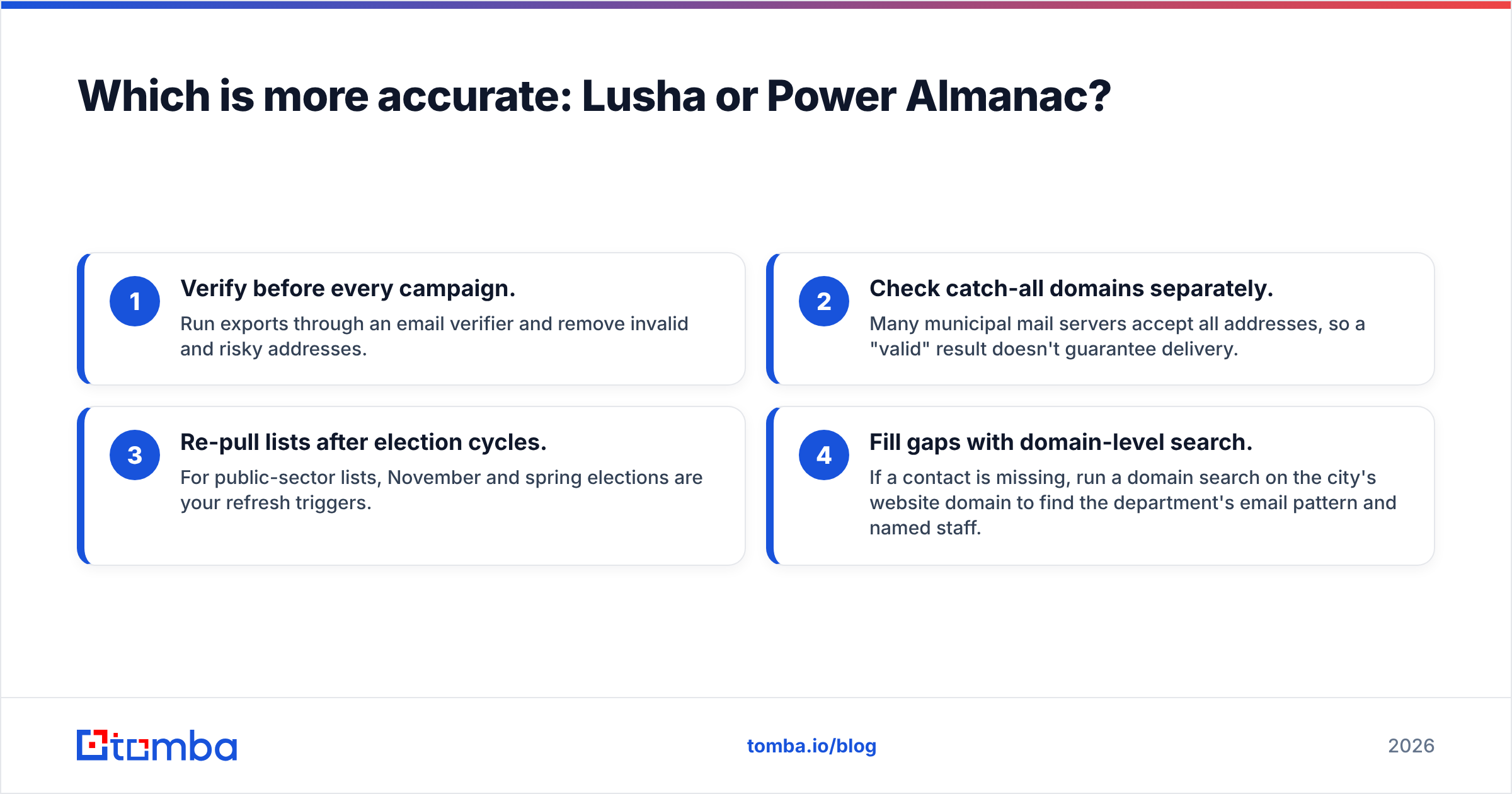
Both tools share the same weakness: data decays. Common industry estimates put B2B contact decay at roughly 2–3% a month, and local governments are no exception, especially after elections. Here's a sensible hygiene routine whichever tool you pick:
- Verify before every campaign. Run exports through an email verifier and remove invalid and risky addresses.
- Check catch-all domains separately. Many municipal mail servers accept all addresses, so a "valid" result doesn't guarantee delivery.
- Re-pull lists after election cycles. For public-sector lists, November and spring elections are your refresh triggers.
- Fill gaps with domain-level search. If a contact is missing, run a domain search on the city's website domain to find the department's email pattern and named staff.
How does pricing compare in practice?#
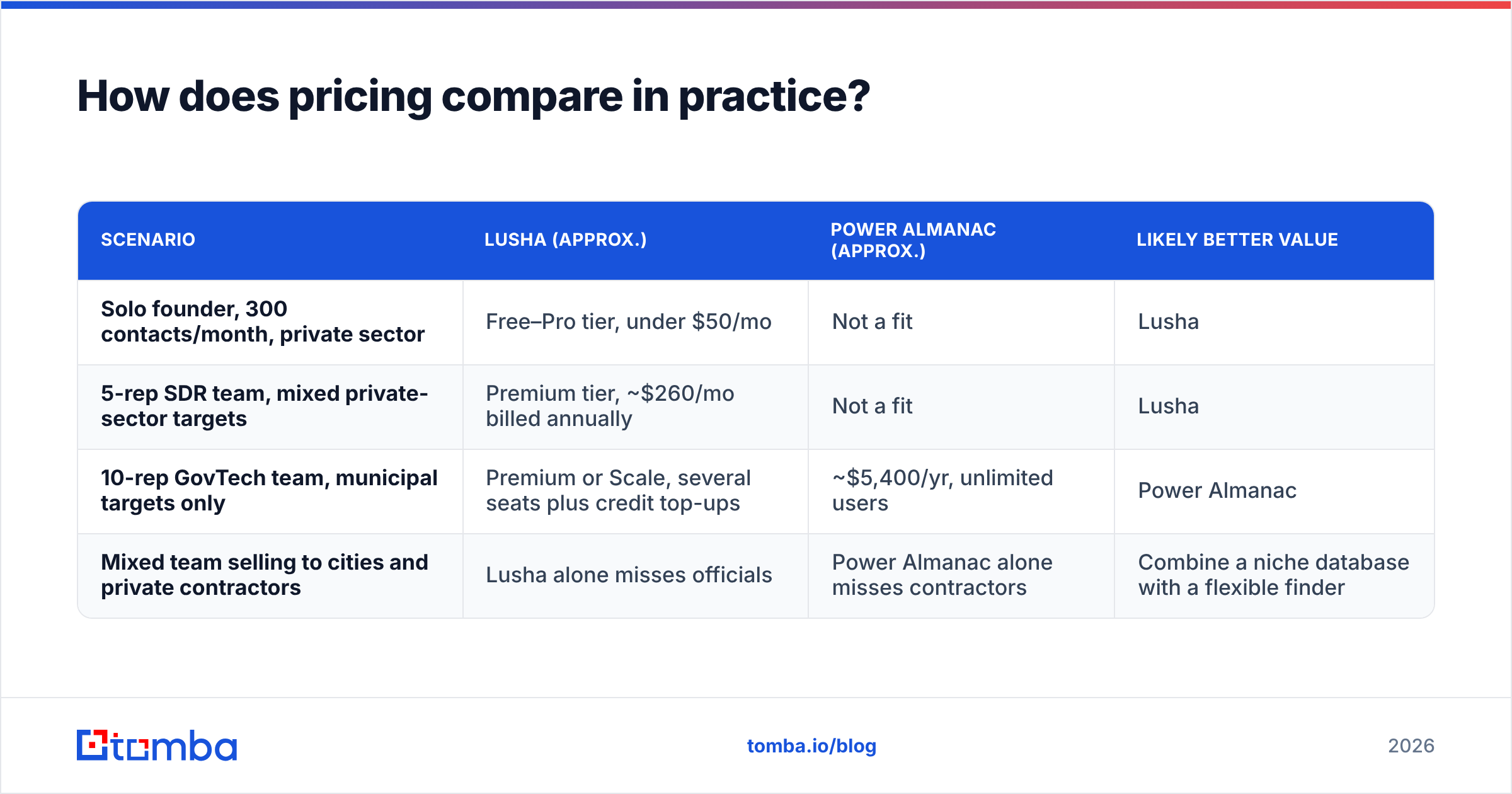
Headline prices are misleading here because the two models are built so differently. Here's how the costs work out for three common team shapes.
| Scenario | Lusha (approx.) | Power Almanac (approx.) | Likely better value |
|---|---|---|---|
| Solo founder, 300 contacts/month, private sector | Free–Pro tier, under $50/mo | Not a fit | Lusha |
| 5-rep SDR team, mixed private-sector targets | Premium tier, ~$260/mo billed annually | Not a fit | Lusha |
| 10-rep GovTech team, municipal targets only | Premium or Scale, several seats plus credit top-ups | ~$5,400/yr, unlimited users | Power Almanac |
| Mixed team selling to cities and private contractors | Lusha alone misses officials | Power Almanac alone misses contractors | Combine a niche database with a flexible finder |
Treat these numbers as rough guides. Lusha has run seasonal promotional pricing throughout 2026, and Power Almanac publishes only its entry tier, so higher tiers require a sales conversation. Ask both vendors how they handle credit rollover, overages and contract renewal. These are the line items where total cost of ownership tends to creep up.

What about teams that sell to both markets?#
This is where most buyers get stuck. Picture a company selling fleet-tracking software to both municipal public works departments and private logistics firms. It needs government officials and private-sector operations managers in the same pipeline.
You have three realistic options:
- Option 1: Buy both. Power Almanac for the public side, Lusha for the private side. It gives you the best coverage, but you pay two bills, run two workflows, and have two sets of records to dedupe in your CRM.
- Option 2: One niche database plus an email finder. Keep Power Almanac for public-sector depth and use a pay-as-you-go email finder for private-sector contacts by name and company domain. This works well if phone outreach isn't central to your private-sector motion.
- Option 3: One horizontal tool plus manual research. Use Lusha and fill government gaps from city websites by hand. This is cheap on paper and expensive in rep hours.
For most mixed teams, Option 2 strikes the best balance. You get structured government data where it matters, and you avoid paying for per-seat phone credits your reps may not use.
How do integrations and workflow compare?#
Workflow fit often decides adoption more than data quality does. A tool your reps don't open is worth nothing, however clean its data.
- Lusha works where reps already are. The Chrome extension sits on LinkedIn, Gmail and company websites, and the native integrations push contacts into Salesforce, HubSpot, Pipedrive and the major outreach platforms. If your process is "see profile, reveal, sequence," Lusha fits with almost no friction.
- Power Almanac is a destination tool. Reps or marketers log in, build a list using government-specific filters, and export. That suits campaign-based public-sector marketing (quarterly ABM pushes, conference follow-ups, RFP-season outreach) better than one-at-a-time prospecting.
If your public-sector reps prospect account by account, check whether Power Almanac's export and CRM sync fit their daily routine before you sign. If your marketers run bulk campaigns, Lusha's per-contact reveal model will feel slow and costly at municipal scale.
Which one should you choose?#
Here's the short verdict:
- Sell mostly to private companies? Choose Lusha. The free plan lets you test it, the extension fits naturally into rep workflows, and the phone data is strong.
- Sell mostly to US local government? Choose Power Almanac. Its government-specific filters and unlimited-user model justify the annual price for any team serious about the public sector.
- Sell to both? Use Power Almanac for officials and add a flexible email finder and verifier for the private side, instead of paying for two full seat-based platforms.
- Still testing the government market? Don't commit to $5,400 yet. Build a pilot list of 200–300 officials by hand with domain search on city websites, run one campaign, and buy the database once you see replies.
Whichever you choose, budget for verification. Both databases are only as good as their most recent update, and local government contacts change after every election.
Where does Tomba fit in?#
If you need verified professional emails without committing to an annual contract or per-seat phone credits, the Tomba Email Finder covers the gap that neither Lusha nor Power Almanac fills on its own. Enter a name and company domain, or a city's website domain, and Tomba returns the most likely address with a confidence score. You can then run the result straight through Tomba's verifier before it reaches your sequence. A free tier with 25 searches a month lets you test it on your own target accounts, and paid plans start at $49/month (see Tomba pricing). If you're comparing Lusha and Power Almanac because you sell into a mixed market, start a Tomba free account and see how many of your missing contacts you can fill before signing either contract.
Related guides#
// get started
Find, verify and enrich your first contacts today
Start on the free plan with 25 searches a month, then scale when your team is ready.
Free plan · No credit card required · GDPR & CCPA
// about the author