Lusha vs Revli (2026): Contact Data or Funding Signals First?
Lusha sells you contact data. Revli sells you a reason to reach out: companies that just raised money. Here's how they compare on data, pricing, and workflow, and when you need both.
TL;DR
- Lusha is a contact-data platform. Use it when you already know who you want to reach and need their verified email or direct dial, especially through its Chrome extension on LinkedIn.
- Revli is a trigger-data service. It tracks companies that recently raised venture funding and sends you lead lists built around those rounds, so it tells you when to reach out more than how.
- On pricing, Lusha starts with a free tier and per-credit plans that charge more for phone numbers. Revli has a small free plan (about 5 leads per week) and paid tiers from $99/mo.
- Most teams choose based on where their bottleneck sits. If the hard part is getting contact details, start with Lusha. If the hard part is finding accounts with budget and urgency, start with Revli.
- If you buy Revli for the signals, you'll probably still need a separate email finder and verifier to fill coverage gaps before anything goes into a sequence.
Comparing Lusha and Revli feature by feature misses the point, because they solve different problems. One gives you a phone book. The other gives you a list of people who just won the lottery. The useful question is which of those problems is costing you more pipeline right now. This guide covers both tools, what each costs, and how teams use them together.
What is Lusha?#
Lusha is a B2B contact and company database used mostly by SDRs, recruiters, and account executives. Most people use it through the browser extension: you open a LinkedIn profile or a company website, click the extension, and spend credits to reveal a work email, a direct dial, or a mobile number.
Its main strengths:
- Direct dials and mobiles. Lusha built its reputation on phone data, and that's still where many users say it beats cheaper email-only tools.
- LinkedIn-native workflow. The extension works on LinkedIn and Sales Navigator, so prospecting doesn't pull you into another tab.
- Prospecting filters. You can search by title, seniority, industry, headcount, location, and technology, and Lusha also offers basic intent and job-change signals on higher tiers.
- CRM sync. It has native integrations with Salesforce, HubSpot, and Pipedrive, plus export to sequencers.
Lusha charges by credit. As of 2026, revealing an email costs 1 credit and a phone number costs 5, so a team that mostly wants mobile numbers will spend credits much faster than the headline plan size suggests.
What is Revli?#
Revli is narrower. It tracks startups and companies that have recently closed a funding round and turns that activity into lead lists. Each week you get newly funded companies with the round size, stage, investors, industry, and decision-maker contacts at those companies.
A funding round is one of the strongest buying signals in B2B. A company that just raised a Series A will probably hire, buy software, and outsource work it used to do itself in the next 6 to 12 months. Agencies, recruiters, dev shops, and SaaS vendors selling to startups use Revli to time their outreach to that window.
Its main strengths:
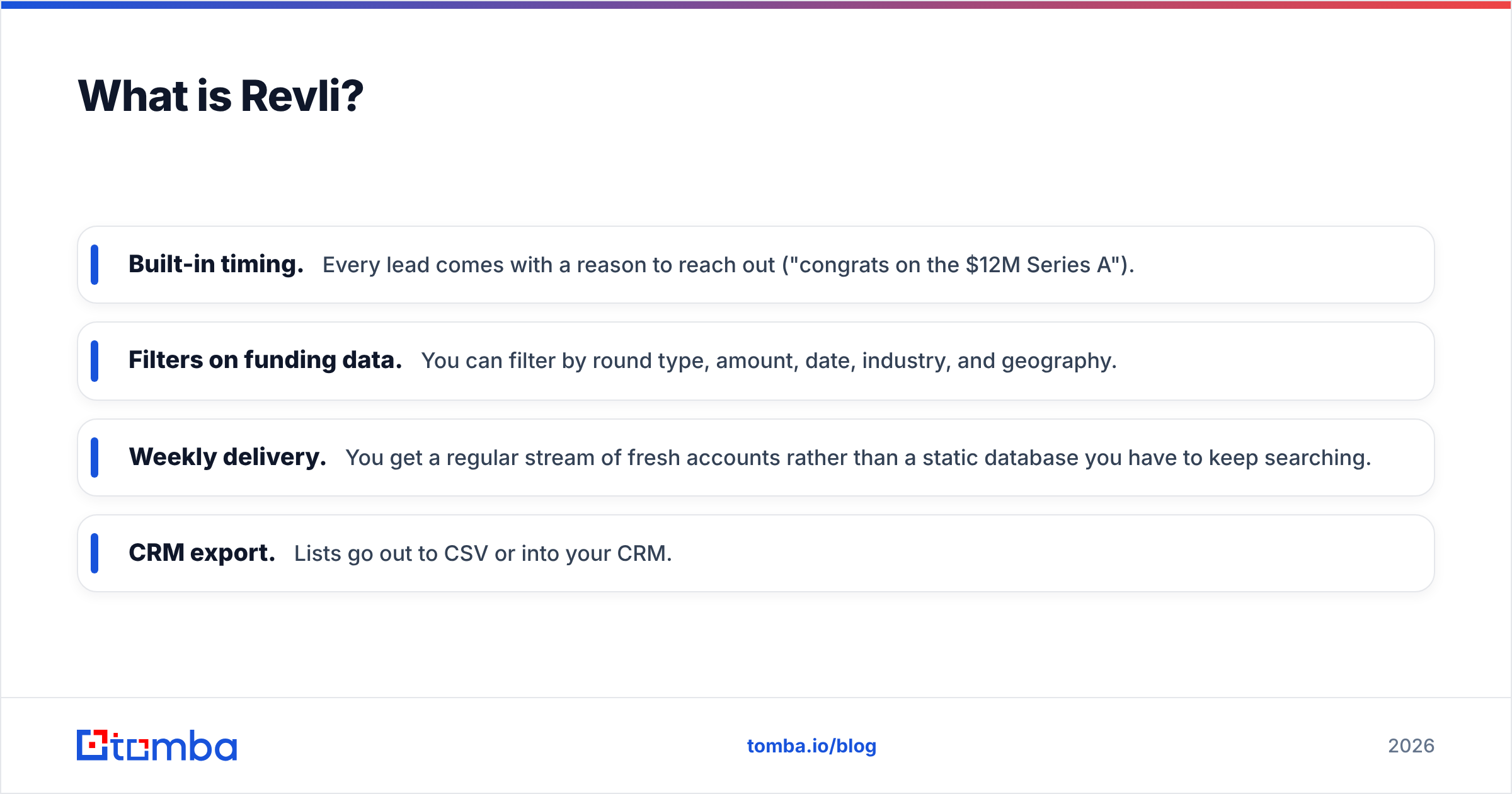
- Built-in timing. Every lead comes with a reason to reach out ("congrats on the $12M Series A").
- Filters on funding data. You can filter by round type, amount, date, industry, and geography.
- Weekly delivery. You get a regular stream of fresh accounts rather than a static database you have to keep searching.
- CRM export. Lists go out to CSV or into your CRM.
What Revli isn't: a general-purpose contact database. If you need the VP of Operations at a 20-year-old manufacturing company that has never raised venture money, Revli can't help, because that company isn't in its universe.

How do Lusha and Revli differ at the core?#
The core difference is who-data versus when-data.
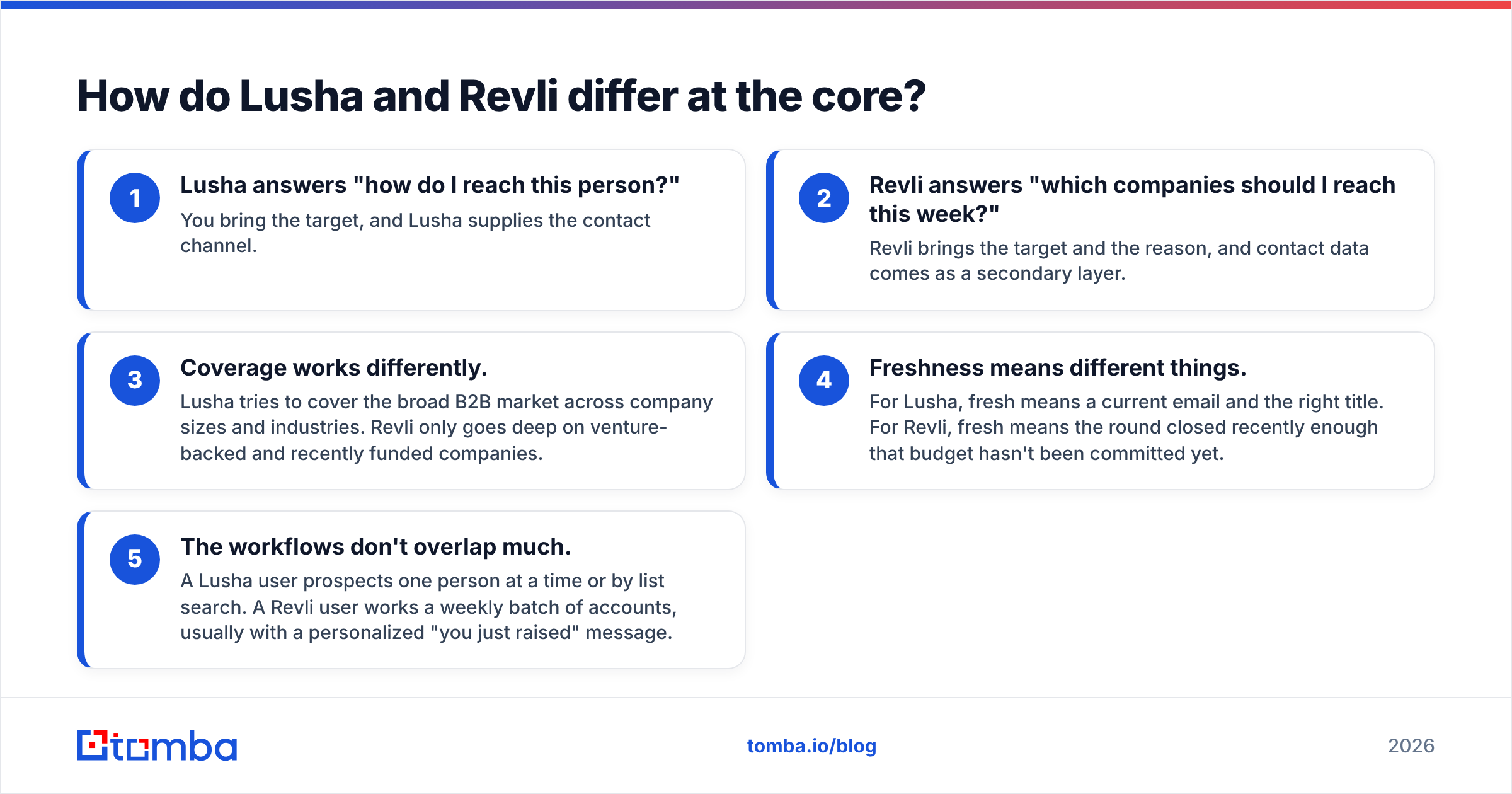
- Lusha answers "how do I reach this person?" You bring the target, and Lusha supplies the contact channel.
- Revli answers "which companies should I reach this week?" Revli brings the target and the reason, and contact data comes as a secondary layer.
- Coverage works differently. Lusha tries to cover the broad B2B market across company sizes and industries. Revli only goes deep on venture-backed and recently funded companies.
- Freshness means different things. For Lusha, fresh means a current email and the right title. For Revli, fresh means the round closed recently enough that budget hasn't been committed yet.
- The workflows don't overlap much. A Lusha user prospects one person at a time or by list search. A Revli user works a weekly batch of accounts, usually with a personalized "you just raised" message.
That's why direct "winner" verdicts on this matchup tend to mislead. Choosing between them is closer to choosing between a phone directory and a newspaper's business section.
How do Lusha and Revli compare feature by feature?#
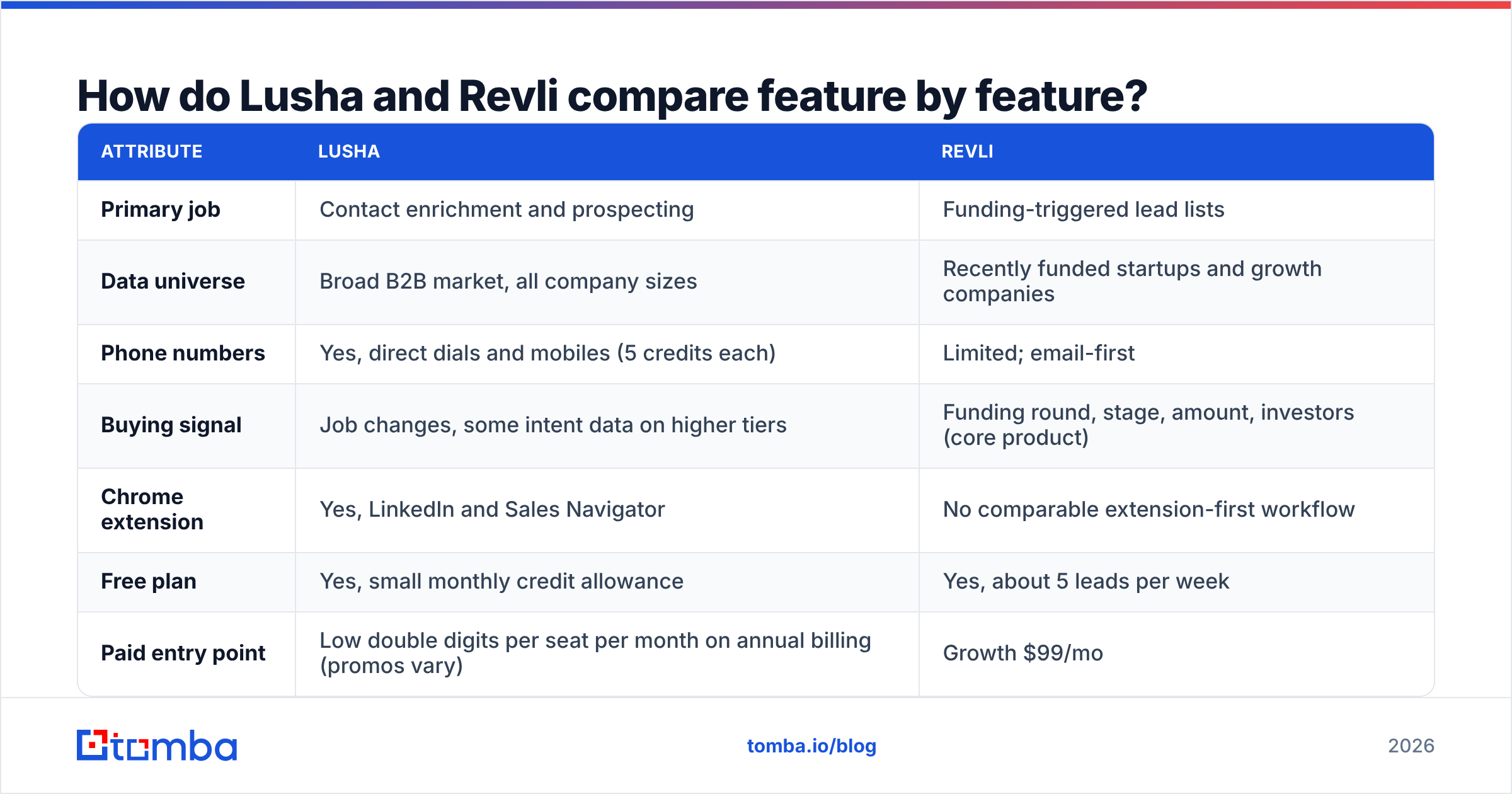
| Attribute | Lusha | Revli |
|---|---|---|
| Primary job | Contact enrichment and prospecting | Funding-triggered lead lists |
| Data universe | Broad B2B market, all company sizes | Recently funded startups and growth companies |
| Phone numbers | Yes, direct dials and mobiles (5 credits each) | Limited; email-first |
| Buying signal | Job changes, some intent data on higher tiers | Funding round, stage, amount, investors (core product) |
| Chrome extension | Yes, LinkedIn and Sales Navigator | No comparable extension-first workflow |
| Free plan | Yes, small monthly credit allowance | Yes, about 5 leads per week |
| Paid entry point | Low double digits per seat per month on annual billing (promos vary) | Growth $99/mo |
| Upper tiers | Premium and Scale (custom) for teams | Pro $179/mo, All Access $199/mo |
| Best fit | SDR teams, recruiters, AEs needing phones | Agencies, recruiters, and vendors selling to startups |
| Main weakness | Credit burn on phones; costs rise with seats | Narrow universe; contact coverage is secondary |
Lusha changes its list prices often and runs seasonal annual-billing promotions, so check its pricing page before you budget. Revli's tiers are listed on its G2 pricing page and site, and they have been more stable.
Which is cheaper, Lusha or Revli?#
The answer depends on what you're counting, because the two tools sell different units.
Lusha's unit is a credit. Work out your monthly volume of revealed contacts, split it into email-only and email-plus-phone, and multiply. If you reveal 300 contacts a month and want phones for half of them, that's 150 × 1 + 150 × 6 (email plus phone) = 1,050 credits. Plans that look generous on the pricing page run out quickly at that rate.
Revli's unit is an access tier. You pay a flat monthly fee for the funding feed, the filters, and a lead allowance. Cost per lead is predictable, but you only get leads inside Revli's universe.
Lusha is usually cheaper per contact for broad prospecting. Revli is usually cheaper per qualified opportunity if you sell to startups, because funding-triggered accounts convert at higher rates when the timing is right. Neither number tells you much until you compare it with your own conversion data.
How accurate is the data in each tool?#
Both vendors say their contact data is verified. In practice:
- Lusha's email and phone accuracy is generally rated well on G2. Most complaints are about outdated titles at fast-moving companies and inconsistent mobile coverage outside North America and Western Europe.
- Revli's funding data is its strongest asset, because round announcements are public and easy to confirm. Contact coverage at very young startups is harder. Seed-stage companies often have catch-all domains, few public employees, and founders who change roles. Expect gaps.
Whichever tool you use, run every address through an email verifier before it goes into a sequence. Funding-triggered campaigns are especially exposed: a new startup domain is often catch-all, and a bounce rate above 3-5% will hurt your sender reputation faster than any copy problem.
When should you choose Lusha?#
Choose Lusha if:
- You already have a target account list. You know the accounts (from your ICP, CRM, or ABM program) and need the people and their numbers.
- Phone is a core channel. If your SDRs make calls, Lusha's mobile and direct-dial coverage is the main reason to pay for it.
- You prospect on LinkedIn. The extension fits naturally into Sales Navigator workflows.
- Your ICP isn't startups. Mid-market and enterprise companies with no recent funding activity are outside Revli's universe but well within Lusha's.
Lusha is weaker when you mostly need emails and phone credits go unused, or when costs grow faster than headcount once you add seats. If budget is the issue, it's worth looking at how lighter email-first tools price their plans.
When should you choose Revli?#
Choose Revli if:
- You sell to venture-backed startups. Dev agencies, recruiting firms, fractional CFOs, and SaaS vendors with startup ICPs get the most out of it.
- Your outreach is generic. A funding round gives you an easy, relevant first line, which tends to lift response rate noticeably compared with cold, untriggered sends.
- You want a weekly pipeline habit. A recurring batch of newly funded accounts gives a small team a routine without building a signal stack.
- You're an agency running outbound for clients. "Newly funded in X vertical" is easy to package and explain.
Revli is weaker when your market is not venture-funded, or when you need a full buying committee at each account. Revli tells you to go after a company. You'll often need another tool to reach everyone involved.

Can you use Lusha and Revli together?#
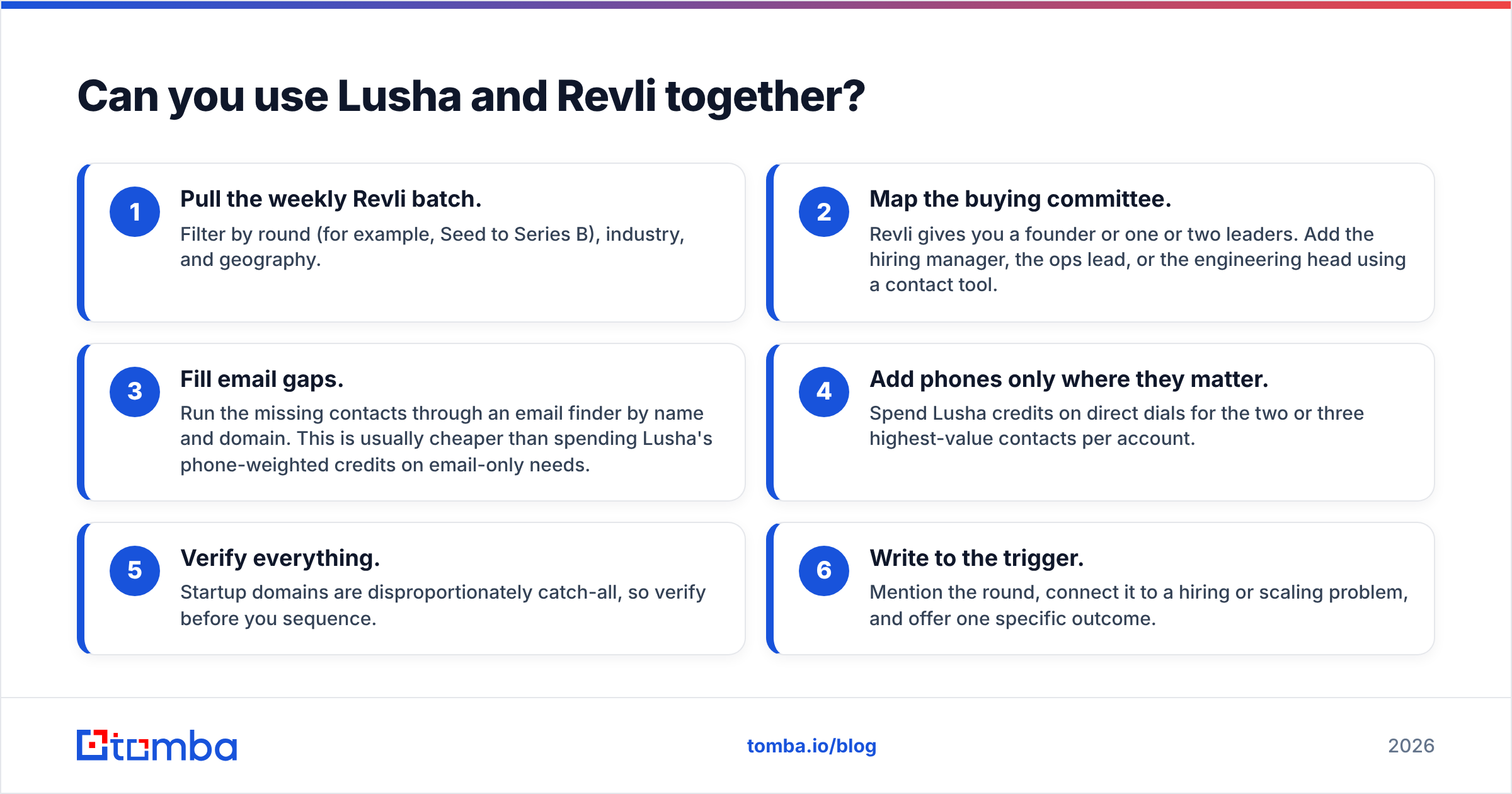
Yes, and many outbound teams that sell to startups do. A typical workflow looks like this:
- Pull the weekly Revli batch. Filter by round (for example, Seed to Series B), industry, and geography.
- Map the buying committee. Revli gives you a founder or one or two leaders. Add the hiring manager, the ops lead, or the engineering head using a contact tool.
- Fill email gaps. Run the missing contacts through an email finder by name and domain. This is usually cheaper than spending Lusha's phone-weighted credits on email-only needs.
- Add phones only where they matter. Spend Lusha credits on direct dials for the two or three highest-value contacts per account.
- Verify everything. Startup domains are disproportionately catch-all, so verify before you sequence.
- Write to the trigger. Mention the round, connect it to a hiring or scaling problem, and offer one specific outcome.
This setup uses each tool for what it does best. Revli supplies timing and the account list, a lower-cost finder covers bulk email, and Lusha handles phones.
What are the alternatives to Lusha and Revli?#
If neither fits cleanly, here's how the wider market breaks down:
- All-in-one databases with sequencing (Apollo, ZoomInfo) bundle contacts, signals, and outreach. They're broad but heavy, and they cost more as you scale. If you're comparing, see this rundown of Apollo alternatives.
- Signal platforms (Crunchbase, Harmonic, and similar) cover funding data more deeply than Revli but take more work to turn into leads.
- Email-first finders like Tomba, Hunter, and Findymail focus on finding and verifying professional emails by name, domain, or company, with simpler pricing than phone-weighted credit systems.
For most small teams, a reasonable stack is one signal source, one email finder plus verifier, and phone data only for the reps who actually call.
Lusha vs Revli: which should you pick?#
Our recommendation:
- Pick Lusha if you know who to target and need to reach them by phone and email, especially across mid-market and enterprise accounts.
- Pick Revli if your ICP is startups and the gap in your pipeline is timing and relevance, not contact details.
- Pick both, plus a lightweight email finder, if you sell to funded startups at volume and want phones only for your top accounts.
Neither tool is strictly better. Lusha gets you contact details, and Revli gives you a reason to make contact. If you match the tool to your actual bottleneck, it will pay for itself within a quarter.
How does Tomba fit into this stack?#
Whether your accounts come from a Revli funding feed, a CRM export, or your own research, the step most likely to break is turning names and domains into verified emails without running out of credits. The Tomba Email Finder finds professional addresses by name, domain, or company, and it comes with built-in verification and catch-all handling for the young startup domains that funding-triggered lists are full of. You can start on the free tier with 25 searches a month or move to Starter at $49/mo when the weekly batch grows. Full details are on Tomba pricing.
Related guides#
// get started
Find, verify and enrich your first contacts today
Start on the free plan with 25 searches a month, then scale when your team is ready.
Free plan · No credit card required · GDPR & CCPA
// about the author