Lusha vs SalesRipe: Pricing, Data Quality and Best Fit in 2026
Lusha sells verified contacts through credits and a Chrome extension. SalesRipe sells list-building access to a big business database for a flat monthly fee. Here's which one fits your outbound motion, and where each one falls short.
TL;DR
- Lusha is a contact-enrichment tool built around a Chrome extension and credits. It works best for reps who prospect one by one on LinkedIn and in the CRM, and it's strongest on direct dials and verified emails for North American and European contacts.
- SalesRipe is a lead-list database. Its listed plans run from about $49 to $129 a month, with 30+ search filters, no long-term contract, and a built-in lead manager. It fits small teams and agencies that want to pull large, filtered lists of SMBs.
- On pricing, Lusha charges per record (1 credit per email, 5 per phone number). SalesRipe charges for database access. If you mostly build bulk lists, SalesRipe usually costs less per contact. If you mostly need one-click reveals on named accounts, Lusha saves time.
- Neither tool replaces a dedicated email verification step. Whichever you pick, verify before you send.
- Our pick: choose Lusha for account-based outbound into mid-market and enterprise accounts, and SalesRipe for high-volume SMB list building on a fixed budget.
What are Lusha and SalesRipe, and why compare them?#
Both tools answer the same question: who should I contact, and how do I reach them? They answer it in different ways, and that difference matters more than any single feature on either pricing page.
Lusha started as a browser extension that shows emails and phone numbers on LinkedIn profiles and company websites. Since then it has added a prospecting search, intent signals, CRM enrichment, and an API. You pay in credits. Each revealed contact costs a credit or more, so cost tracks how many people you actually look up.
SalesRipe works more like a traditional B2B list provider with a modern interface. You subscribe, filter a large business and contact database by industry, location, company size, title and other fields, and build prospect lists inside the tool. The vendor lists firmographic, technographic, intent, job-posting and business-ownership data. Its pitch is affordability and the ability to cancel anytime.
Picture a deli counter and a warehouse club. At the deli counter (Lusha) you order exactly what you want and pay by the slice. At the warehouse club (SalesRipe) you pay for access and fill the cart. Neither is better in general. It depends on how you shop.
How do Lusha and SalesRipe differ at the core?#
Here are the five dimensions that decide this matchup:
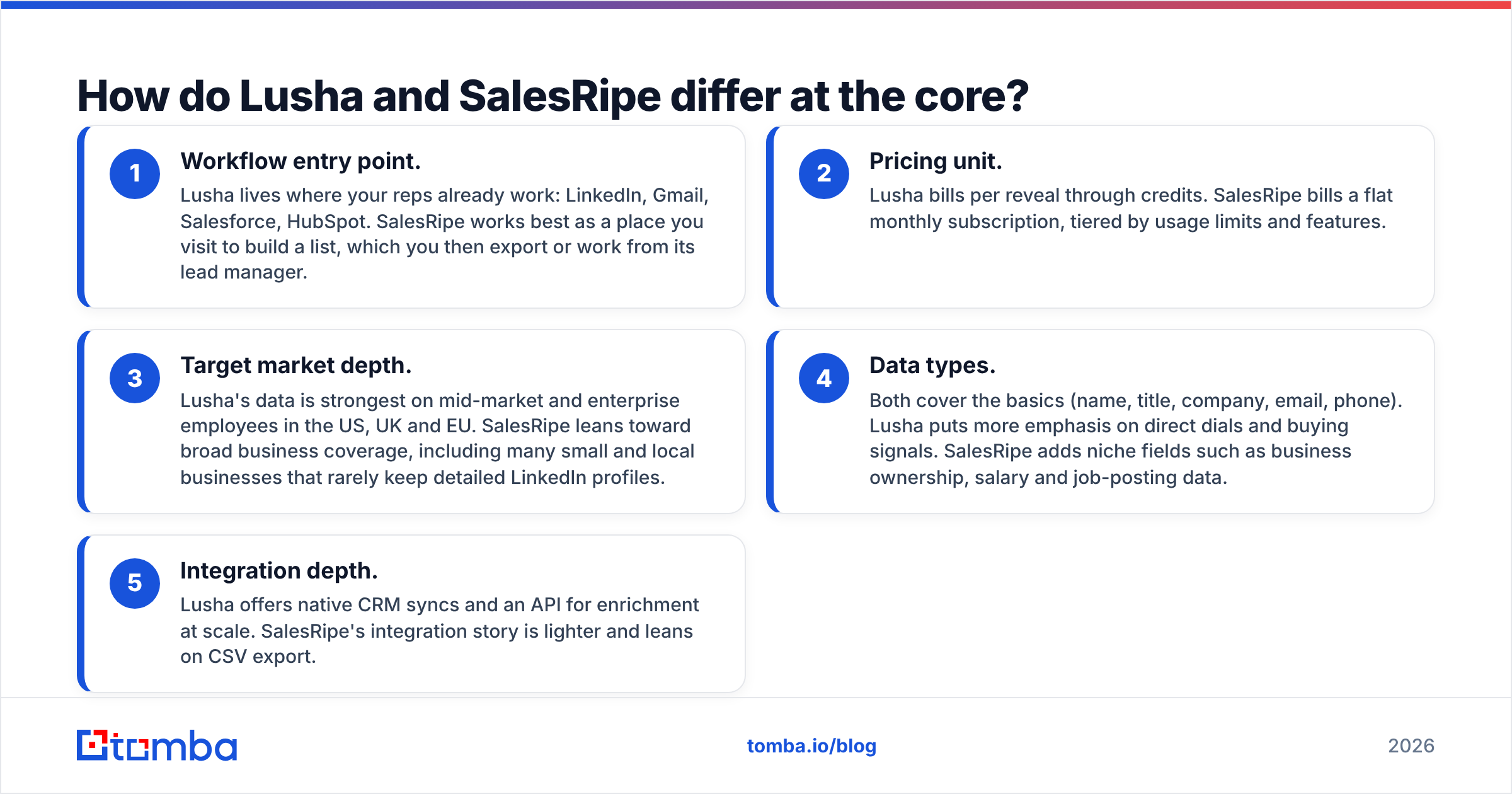
- Workflow entry point. Lusha lives where your reps already work: LinkedIn, Gmail, Salesforce, HubSpot. SalesRipe works best as a place you visit to build a list, which you then export or work from its lead manager.
- Pricing unit. Lusha bills per reveal through credits. SalesRipe bills a flat monthly subscription, tiered by usage limits and features.
- Target market depth. Lusha's data is strongest on mid-market and enterprise employees in the US, UK and EU. SalesRipe leans toward broad business coverage, including many small and local businesses that rarely keep detailed LinkedIn profiles.
- Data types. Both cover the basics (name, title, company, email, phone). Lusha puts more emphasis on direct dials and buying signals. SalesRipe adds niche fields such as business ownership, salary and job-posting data.
- Integration depth. Lusha offers native CRM syncs and an API for enrichment at scale. SalesRipe's integration story is lighter and leans on CSV export.

How does Lusha vs SalesRipe pricing compare?#
Pricing is where most buyers decide, and it's where these two tools are hardest to compare directly. Lusha has changed its plans several times and often runs annual-billing promotions. SalesRipe's listed prices have stayed fairly stable. Treat the numbers below as a 2026 snapshot and confirm on each vendor's pricing page before you buy.
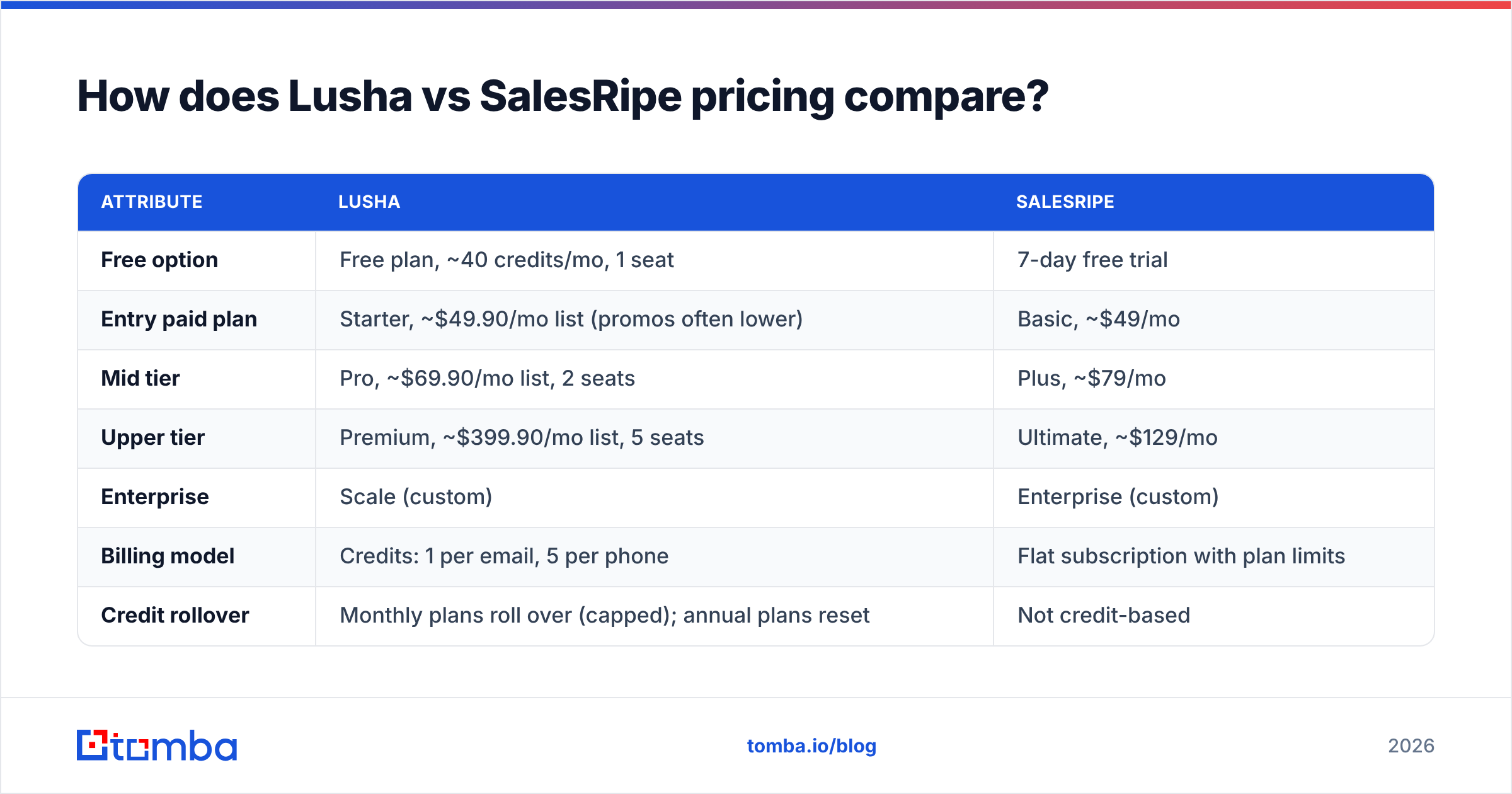
| Attribute | Lusha | SalesRipe |
|---|---|---|
| Free option | Free plan, ~40 credits/mo, 1 seat | 7-day free trial |
| Entry paid plan | Starter, ~$49.90/mo list (promos often lower) | Basic, ~$49/mo |
| Mid tier | Pro, ~$69.90/mo list, 2 seats | Plus, ~$79/mo |
| Upper tier | Premium, ~$399.90/mo list, 5 seats | Ultimate, ~$129/mo |
| Enterprise | Scale (custom) | Enterprise (custom) |
| Billing model | Credits: 1 per email, 5 per phone | Flat subscription with plan limits |
| Credit rollover | Monthly plans roll over (capped); annual plans reset | Not credit-based |
| Contract | Monthly or annual | Contract-free, cancel anytime |
| Best for | Targeted reveals on named accounts | Bulk SMB list building |
What the table doesn't show is how cost behaves at volume. On Lusha, a rep who needs phone numbers burns 5 credits per contact, so 4,800 annual Starter credits cover fewer than 1,000 phone reveals a year. That's fine for a single AE working 30 accounts, but it gets expensive for an SDR team running high-volume dial blocks.
SalesRipe flips that math. You pay a flat fee and pull lists, so the effective cost per contact falls the more you use it. The trade-off is that you pay for database access whether or not the records are good. If a large share of a list bounces, you've still paid for it.
For a reference point on credit-based pricing, the dedicated email-finder tier looks like this: Tomba pricing starts with a free plan of 25 searches a month, then Starter at $49/mo, Growth at $99/mo, and Pro at $249/mo. That sits in the same price band as both tools here but is aimed only at email discovery and verification, not phone-heavy enrichment.
Which tool has better data quality?#
This is the honest answer: Lusha has the stronger public track record on accuracy, and SalesRipe has less independent evidence either way.
Lusha has thousands of reviews on G2, and the pattern is consistent. Reviewers praise its direct-dial coverage for US and European professionals, and they complain about thinner coverage in APAC, LATAM and very small companies. Because Lusha's data partly comes from a contributor network and gets refreshed as records are revealed, popular contacts stay fresher than obscure ones.
SalesRipe claims about 90% average accuracy and a database of tens of millions of business records. It has far fewer third-party reviews, so it's harder to check that claim independently. In practice, broad SMB databases have one built-in weakness: small businesses change owners, close and switch email providers more often than enterprises do, so any static SMB list decays quickly. Industry estimates commonly put B2B data decay at 20 to 30% a year, and SMB segments sit at the high end.
What this means for you:
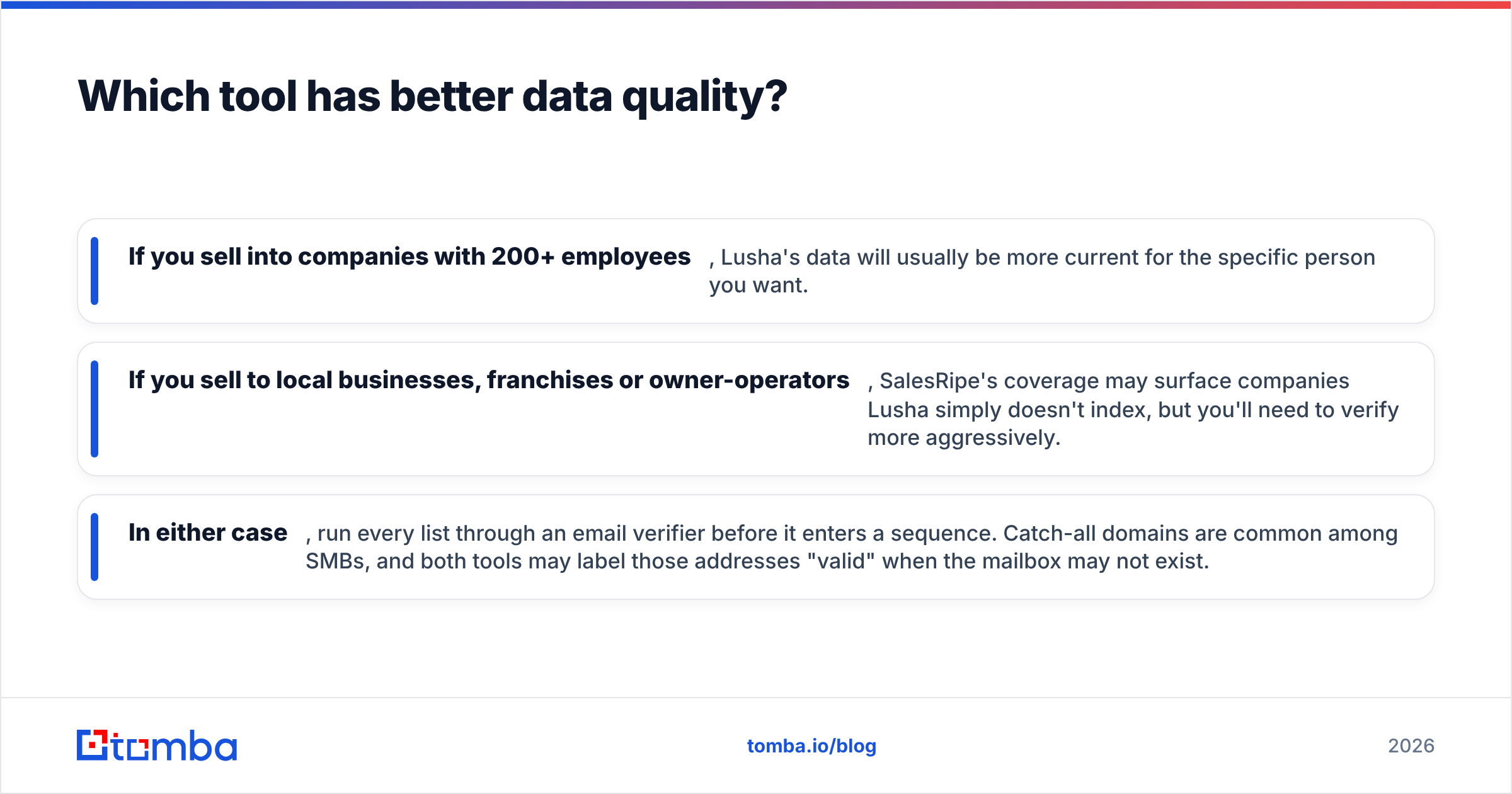
- If you sell into companies with 200+ employees, Lusha's data will usually be more current for the specific person you want.
- If you sell to local businesses, franchises or owner-operators, SalesRipe's coverage may surface companies Lusha simply doesn't index, but you'll need to verify more aggressively.
- In either case, run every list through an email verifier before it enters a sequence. Catch-all domains are common among SMBs, and both tools may label those addresses "valid" when the mailbox may not exist.
Which is easier to use day to day?#
Lusha wins on speed for individual reps. You install the extension, open a LinkedIn profile, click reveal, and the contact syncs to your CRM. Onboarding takes minutes, and there's almost nothing to configure. The prospecting search inside the web app is also solid, with filters for seniority, department, technology and intent.
SalesRipe wins on list-building. Its 30+ filters (industry, location, company size, title, plus less common fields such as owner age or revenue band) suit a different workflow: "give me every HVAC company in Texas with 10 to 50 employees and the owner's contact." The built-in lead manager lets small teams work those lists without a separate CRM, which matters if you're a two-person agency without Salesforce.
Where each one gets awkward:
- Lusha gets costly and fiddly once you try to use it as a bulk list tool. Credit math becomes a daily concern, and admins end up setting per-user limits.
- SalesRipe feels clunky if your reps prospect account by account from LinkedIn. It isn't built to follow you around the web.
How do integrations and automation compare?#
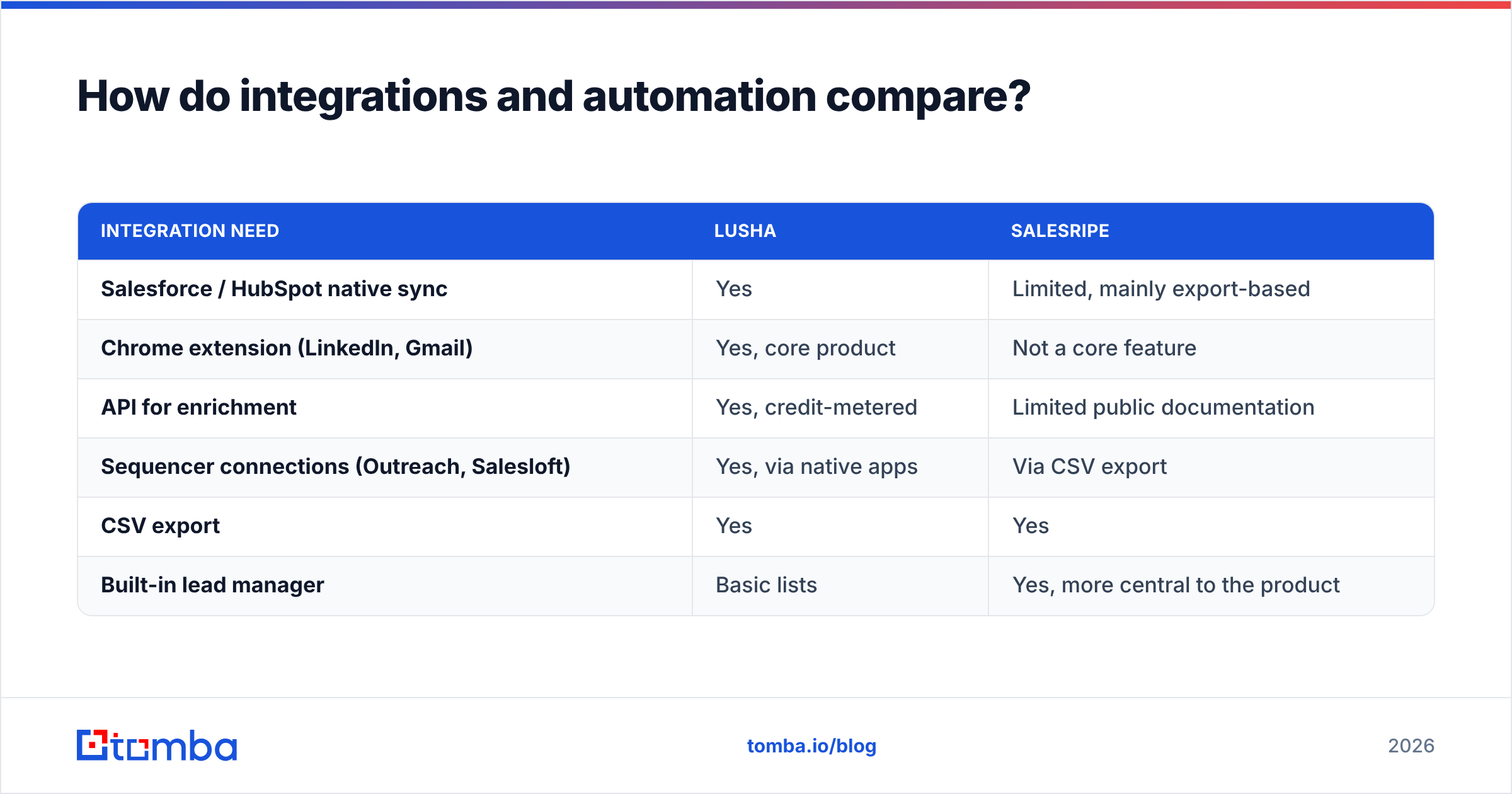
If your stack runs on a CRM, this section may decide it for you.
| Integration need | Lusha | SalesRipe |
|---|---|---|
| Salesforce / HubSpot native sync | Yes | Limited, mainly export-based |
| Chrome extension (LinkedIn, Gmail) | Yes, core product | Not a core feature |
| API for enrichment | Yes, credit-metered | Limited public documentation |
| Sequencer connections (Outreach, Salesloft) | Yes, via native apps | Via CSV export |
| CSV export | Yes | Yes |
| Built-in lead manager | Basic lists | Yes, more central to the product |
Lusha is clearly better built for a RevOps team that wants enrichment flowing automatically into CRM records. SalesRipe assumes a simpler setup: build a list, export it, and load it wherever you send from. That's not a flaw if your team is small. It becomes one once you need clean field mapping, deduplication and automated refreshes.
What are the pros and cons of each?#
Lusha pros
- Fast, low-friction Chrome extension for LinkedIn and websites
- Strong direct-dial coverage in North America and Europe
- Native CRM and sequencer integrations, plus an API
- Large independent review base, so its claims are easy to check
Lusha cons
- Phone reveals cost 5 credits, so costs climb quickly for SDR teams
- Annual-plan credits don't roll over
- Weaker coverage for very small businesses and some regions
- Pricing and promotions change often, which makes budgeting harder
SalesRipe pros
- Predictable flat monthly pricing with no contract
- Deep filtering for SMB and local-business targeting
- Extra data types such as business ownership and job postings
- Built-in lead manager suits teams without a CRM
SalesRipe cons
- Fewer independent reviews to confirm accuracy claims
- Lighter integration ecosystem
- Not designed for in-browser, account-by-account prospecting
- SMB-heavy lists decay quickly and need extra verification

Is Lusha better than SalesRipe?#
Lusha is better for teams running account-based outbound into mid-market and enterprise companies, especially when phone outreach matters and reps live in LinkedIn and Salesforce. You pay more per contact, but you get fresher data on the specific person you want, and it reaches your CRM without manual work.
SalesRipe is better for small sales teams, agencies and local-market sellers who need a lot of SMB contacts on a fixed budget. You trade some precision and integration depth for volume and predictable cost.
A quick decision guide:
- You sell SaaS to companies with 100+ employees → Lusha
- You sell services to local businesses or franchises → SalesRipe
- Your SDRs make 80+ dials a day → Lusha for quality, but model the credit cost first
- You're an agency building lists for several clients → SalesRipe
- You need enrichment piped into HubSpot automatically → Lusha
Are there alternatives worth considering?#
If what you really need is professional email addresses, without paying for phone credits or a whole SMB database, a dedicated email finder is often the cheaper and more accurate route. Email-first tools look up the address by name and domain, check it against the mail server, and flag catch-all domains, which is the exact gap both Lusha and SalesRipe leave for you to close.
A common setup we see in practice: use SalesRipe or Lusha to identify who to target, then use an email-first tool to find and verify the address. That splits the job between a data provider and a deliverability safeguard, and it usually costs less than buying the highest tier of either tool.
If you're also weighing broader platforms, our breakdown of the Apollo alternative landscape covers all-in-one options that combine data and sequencing.
Which should you choose?#
To sum up, Lusha is a precise, integrated tool for named-account outbound, and SalesRipe is a budget-friendly way to build SMB lists. Choose based on how your reps actually prospect, not on database size claims. Both have a 2026 price band starting around $49 a month, so the deciding factor is workflow fit.
Whichever you choose, the step that protects your sender reputation is the same: find the right email and verify it before it goes into a sequence. If that's the part of the workflow you care about most, try Tomba Email Finder. Enter a name and company domain, get a verified professional email with a confidence score, and start on the free plan with 25 searches a month before you spend anything on credits or contracts.
Related guides#
// get started
Find, verify and enrich your first contacts today
Start on the free plan with 25 searches a month, then scale when your team is ready.
Free plan · No credit card required · GDPR & CCPA
Get the Tomba newsletter
Product and data updates
// about the author