Lusha vs Soleadify: Contact Data vs Company Data for B2B Sales
Lusha sells verified contact details for specific people. Soleadify maps millions of companies from the open web. Here is how to tell which data problem you actually have, and which tool solves it.
TL;DR
- Lusha is a contact-level database. You use it to get direct emails and phone numbers for named decision-makers, mostly through its Chrome extension on LinkedIn and company websites.
- Soleadify is a company-level intelligence platform. It crawls the open web to build firmographic profiles (what a business does, where it operates, what it sells) and helps you find accounts that match a niche ICP.
- They answer different questions. Soleadify tells you which companies to target. Lusha tells you who to contact and how to reach them.
- On price, Lusha is cheaper to start, with a free plan and self-serve tiers. Soleadify has mostly been quote-based or priced by volume, and aimed at teams buying lead lists in bulk.
- If you mainly need verified work emails at a predictable cost, a dedicated email finder plus a verifier is often cheaper than either tool.
What is the real difference between Lusha and Soleadify?#
Most people search "Lusha vs Soleadify" expecting two versions of the same product. They aren't, and if you skip this point you'll buy the wrong tool.
Lusha started as a contact-enrichment tool. You open a LinkedIn profile or a company website, click the extension, and Lusha shows that person's business email, direct dial, or mobile number, each costing credits. Over time it added a prospecting database with filters, intent signals, and CRM integrations. The core unit is still a person.
Soleadify comes from Bucharest. It raised seed funding in 2020 on the promise of using machine learning to track tens of millions of businesses from public web data (TechCrunch covered the round). Its crawlers read company websites, product pages, and listings, then classify each business by what it actually does. The core unit is a company. Soleadify's enterprise data product has since become a standalone brand focused on company data APIs. The prospecting product is still marketed to sales teams that want very specific account lists, such as "HVAC contractors in Ohio that offer emergency service" instead of "Construction, 11-50 employees."
The practical version:
- If your problem is "I know the account, I need the person's contact details," you need Lusha-type data.
- If your problem is "I don't know which 2,000 companies fit my niche," you need Soleadify-type data.
How do Lusha and Soleadify compare feature by feature?#
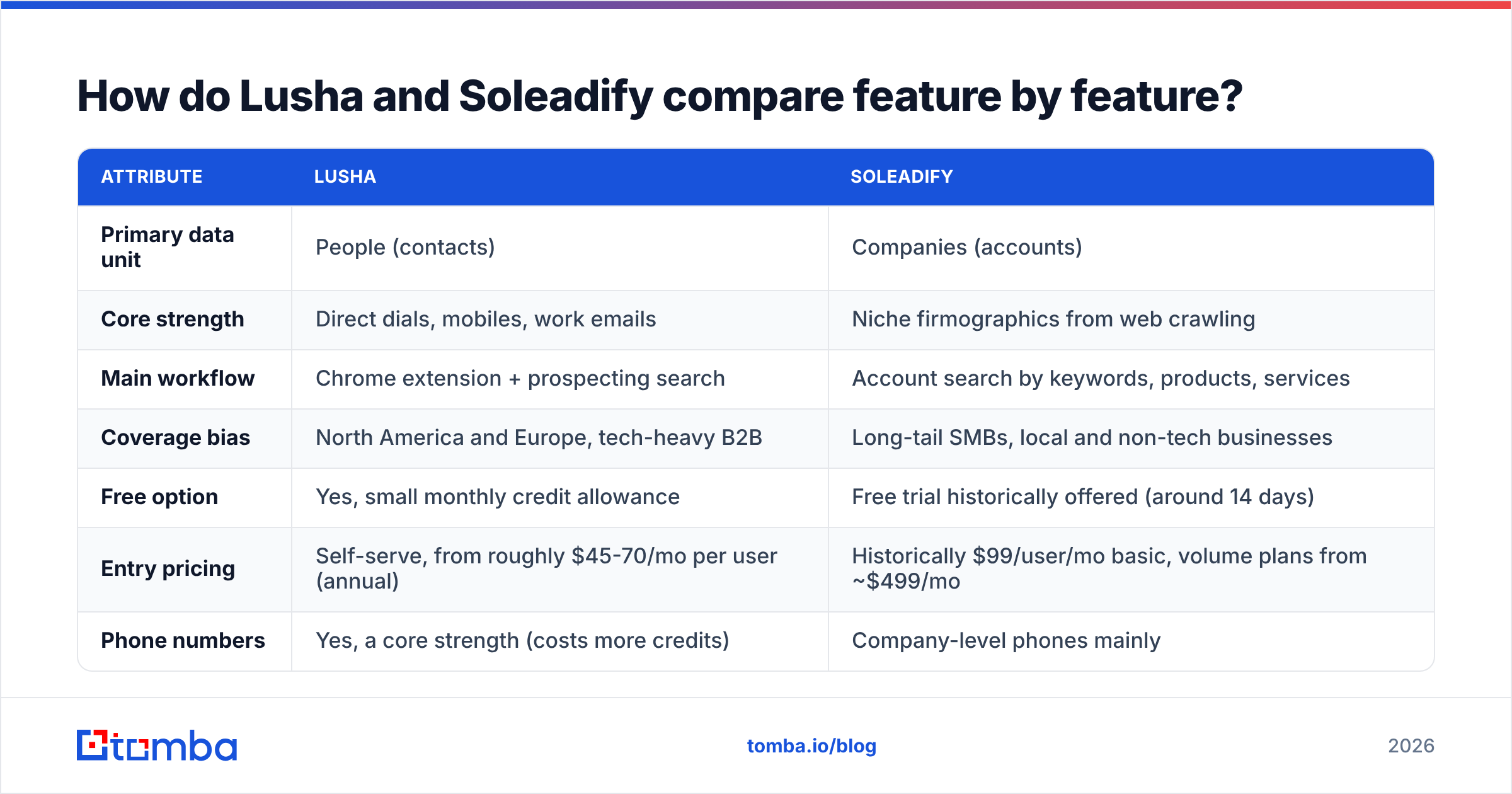
Here's how the two compare on the attributes that usually decide a purchase.
| Attribute | Lusha | Soleadify |
|---|---|---|
| Primary data unit | People (contacts) | Companies (accounts) |
| Core strength | Direct dials, mobiles, work emails | Niche firmographics from web crawling |
| Main workflow | Chrome extension + prospecting search | Account search by keywords, products, services |
| Coverage bias | North America and Europe, tech-heavy B2B | Long-tail SMBs, local and non-tech businesses |
| Free option | Yes, small monthly credit allowance | Free trial historically offered (around 14 days) |
| Entry pricing | Self-serve, from roughly $45-70/mo per user (annual) | Historically $99/user/mo basic, volume plans from ~$499/mo |
| Phone numbers | Yes, a core strength (costs more credits) | Company-level phones mainly |
| Intent / signals | Job changes, hiring, intent topics | Website and product changes, classification data |
| CRM integrations | HubSpot, Salesforce, Pipedrive, others | CSV export, API, fewer native integrations |
| Best for | SDRs working named accounts | Founders and RevOps building TAM lists in niche verticals |
Pricing on both sides changes often. Lusha's public pages have shown promotional and list prices side by side in 2026: Pro is around $70/mo at list on annual billing and has been discounted, and Premium is around $400/mo at list. Soleadify's published numbers differ between sources (Capterra's Soleadify listing is a reasonable starting point). Treat every figure in this table as a guide and get a quote before you commit.

Which tool has better data accuracy?#
Neither vendor wins on accuracy across the board, because they measure different things.
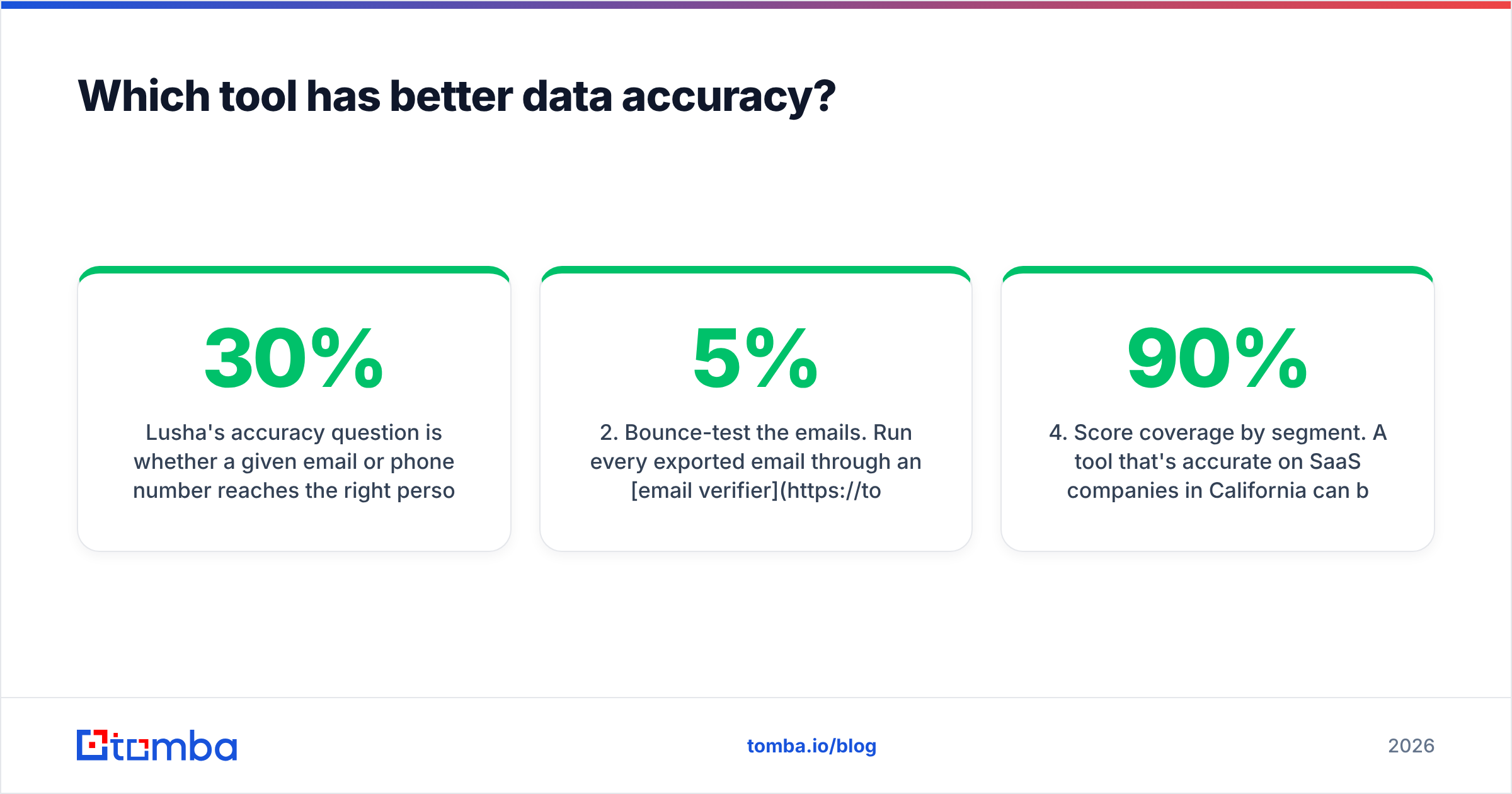
Lusha's accuracy question is whether a given email or phone number reaches the right person today. People change jobs, so contact data decays. Industry estimates put it at roughly 20-30% per year in B2B. Lusha's advantage is its community-sourced and partner-sourced data, which tends to be strong for mid-market and enterprise contacts in the US and Western Europe. Users on review sites regularly say phone data is the best part and that email coverage for smaller companies or outside core markets is patchier.
Soleadify's accuracy question is whether a company is classified correctly and is still operating. Because it reads company websites directly, it often catches long-tail businesses that people-first databases miss: a 6-person machining shop, a regional dental group, a niche Shopify brand. The tradeoff is that web-derived classification sometimes mislabels businesses whose sites are thin or out of date. Contact-level data (named people with verified emails) has never been its main strength.
Four practical rules for testing either one:
- Test with your own ICP, not the demo. Pull 100 records that match your real target and check them by hand.
- Bounce-test the emails. Run every exported email through an email verifier before you send anything. A 5% hard bounce rate is enough to hurt your sender reputation.
- Check freshness. Ask each vendor how often records are re-crawled or re-verified, and look for last-updated timestamps.
- Score coverage by segment. A tool that's 90% accurate on SaaS companies in California can be 40% accurate on manufacturers in Poland.
How does pricing actually work for each?#
Lusha pricing model#
Lusha runs on credits. In general, revealing an email costs fewer credits than revealing a phone number, and phone reveals cost several times as much. Higher tiers add more credits, team management, intent data, and API access. Some key points:
- The free plan is enough to try the extension, not to run a real outbound motion.
- On Pro, credits run out fast if your team mostly reveals phone numbers.
- Unused credits may roll over depending on plan and billing cycle, so check before you buy annual.
- Pricing is per user, so a 10-SDR team multiplies quickly.
Soleadify pricing model#
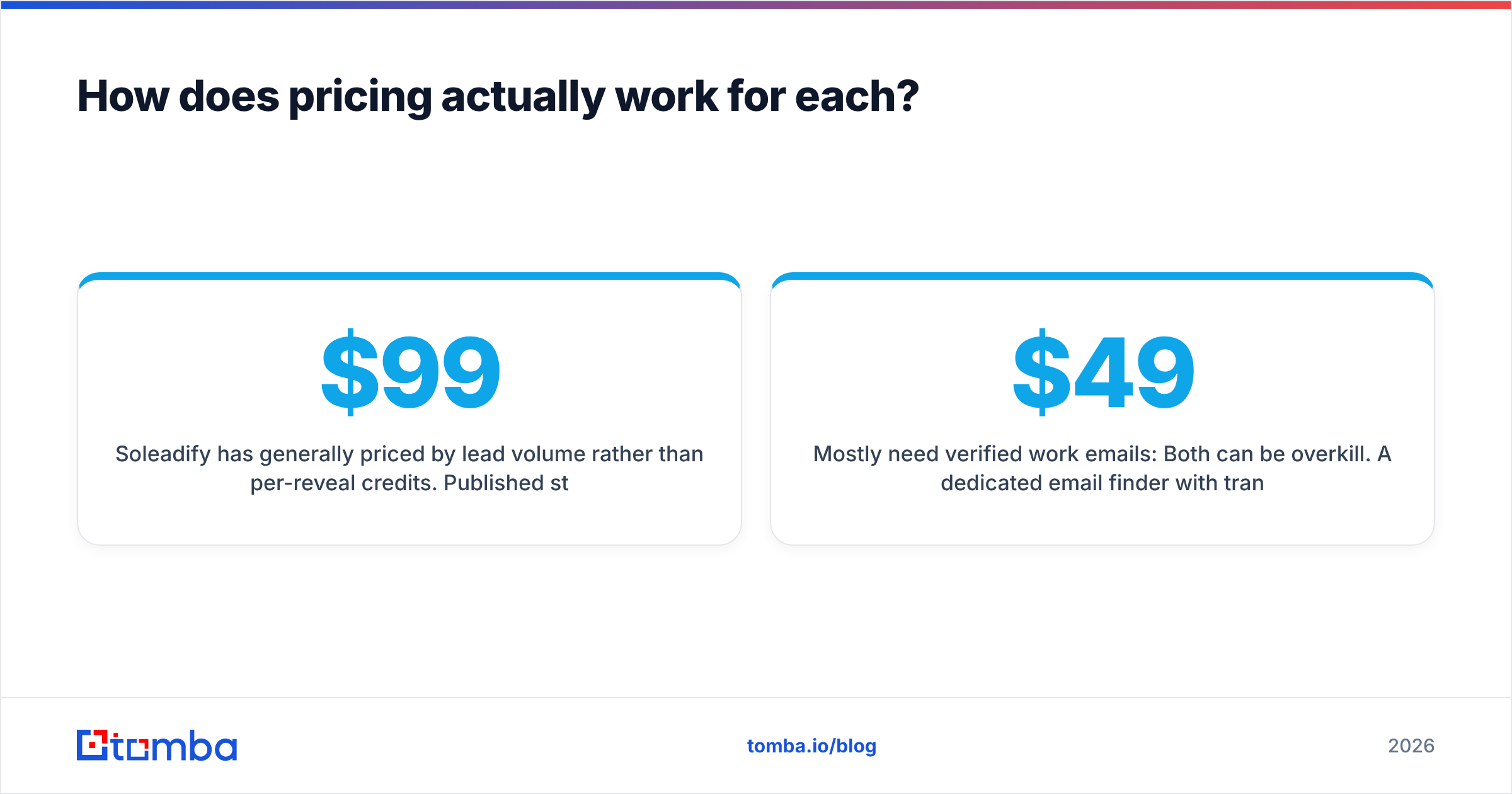
Soleadify has generally priced by lead volume rather than per-reveal credits. Published structures have included a per-user basic plan around $99/month and volume tiers starting around $499/month for roughly 1,500 leads, going up to about $1,499/month for 15,000 leads. Many buyers end up on a custom quote. This model makes sense if you build large account lists in batches. It's expensive if you only want a few hundred contacts a month.
What does this mean for your budget?#
- Small team, phone-heavy outbound: Lusha's self-serve tiers are easier to start with.
- Building a TAM list in a niche vertical: Soleadify's volume model can work out cheaper per account.
- Mostly need verified work emails: Both can be overkill. A dedicated email finder with transparent tiers (for example, Tomba pricing starts with a free tier of 25 searches/month and a $49/mo Starter plan) is often the more efficient line item.
Which workflows suit Lusha best?#
Lusha works best when a rep already knows the account and needs to reach the person quickly.
- Account-based prospecting on LinkedIn. An SDR opens a VP of Operations' profile, clicks the Lusha extension, and has a direct dial within seconds.
- Cold calling programs. Mobile and direct-dial coverage is the main reason teams pay for Lusha over cheaper email-only tools.
- CRM enrichment. Lusha can fill in missing phone and email fields on existing HubSpot or Salesforce records.
- Job-change triggers. Lusha flags when a champion moves to a new company, which makes for a strong warm-outbound play.
The weak spots: niche SMB verticals, regions outside its core markets, and teams that need thousands of verified emails a month without paying phone-level credit prices.
Which workflows suit Soleadify best?#
Soleadify works best before you know who to call, when the hard part is defining the market.
- Niche TAM building. "Every US company that sells refurbished medical imaging equipment" is hard to filter in a standard SIC/NAICS database and is exactly the kind of query Soleadify was built for.
- Local and SMB markets. Its web crawling picks up small businesses with real websites but little LinkedIn presence.
- Market sizing and territory planning. RevOps teams use company-level data to split territories and size segments.
- Data enrichment at the account level. Adding product, service, and location attributes to existing company records.
The weak spots: you'll usually need a second tool to find and verify the people at those companies, and the integration ecosystem is lighter than Lusha's.
Can you use Lusha and Soleadify together?#
Yes. For teams selling into fragmented verticals, the combination makes sense:
- Build the account list in Soleadify using keyword and product-level filters.
- Export domains for the target companies.
- Find the decision-makers at those domains using a domain search tool or Lusha's prospecting database.
- Verify every email before it reaches your sequencer.
- Push enriched records to your CRM and route by territory.
The catch is cost and overlap. You're paying two vendors, and step 3 is where Lusha's per-user, credit-based pricing adds up. Plenty of teams replace step 3 with a cheaper domain search tool that returns every public work email at a company domain, then verify those emails in bulk.
What are the pros and cons of each?#
Lusha#
Pros
- Strong direct-dial and mobile coverage for mid-market and enterprise contacts
- Fast Chrome extension workflow on LinkedIn and company sites
- Native integrations with major CRMs and sales engagement tools
- Free plan for testing, plus self-serve paid tiers
Cons
- Credit costs rise quickly when you reveal a lot of phone numbers
- Thinner coverage for small businesses and some non-US regions
- Per-user pricing gets expensive across large SDR teams
- Pricing pages and promotions change often, which makes forecasting harder
Soleadify#
Pros
- Very specific company classification based on what businesses actually do
- Good coverage of long-tail SMBs and local businesses
- Useful for TAM, market sizing, and territory planning
- Volume pricing suits large list builds
Cons
- Weaker at named-contact emails and direct dials
- Higher entry cost and often quote-based
- Fewer native CRM integrations
- Usually needs a contact-level tool alongside it
Lusha vs Soleadify: which should you choose?#
Start with your bottleneck, not the feature list.
- Choose Lusha if your reps already know their target accounts and lose time hunting for phone numbers and emails, especially if you cold call. G2 reviews of Lusha consistently point to speed and phone data as the reasons teams stay.
- Choose Soleadify if you sell into a niche or fragmented market and your real problem is that no standard database lists the companies you want. It's an account-discovery tool first.
- Choose neither (or something leaner) if what you need is reliable work emails at a predictable monthly cost. In that case, an email finder plus verifier will cover most of the job for a fraction of what either platform costs.
One more check: whichever you pick, never send to unverified exports. Even good databases decay, and a burned domain costs more than any data subscription.
Where does Tomba fit in this decision?#
Tomba isn't a firmographic crawler like Soleadify, and it isn't a phone-first database like Lusha. It's built for the step in between: once you know the company, find and verify the right person's work email. You can search by domain, by name and company, or straight from LinkedIn, and run the results through the built-in verifier before export. Plans start with a free tier of 25 searches a month, then Starter at $49/mo, Growth at $99/mo, and Pro at $249/mo, so you can match spend to volume instead of buying per-reveal credits for each rep.
If your shortlist came down to Lusha vs Soleadify because you need emails for the accounts you're targeting, try the Tomba Email Finder on your own list. Pull 50 contacts from your real ICP, verify them, and compare cost per valid email against what you're quoted elsewhere. Those numbers will tell you more than any comparison table.
Related guides#
// get started
Find, verify and enrich your first contacts today
Start on the free plan with 25 searches a month, then scale when your team is ready.
Free plan · No credit card required · GDPR & CCPA
Get the Tomba newsletter
Product and data updates
// about the author