Lusha vs UpLead: Which B2B Contact Data Tool Wins in 2026?
Lusha costs less to start using and is better for phone numbers. UpLead gives you more contacts per dollar and verifies each email when you unlock it. We compare credits, accuracy and real cost per contact to help you pick.
- Lusha is the easier way in. It has a permanent free plan, a Chrome extension built for LinkedIn and strong mobile-number coverage. Those suit SDRs who prospect one contact at a time.
- UpLead gives you more for list building. Each credit unlocks a contact's email and direct dial together, and every email is verified when you unlock it. The vendor backs this with a 95% accuracy guarantee.
- Cost per contact flips with the use case. Lusha costs more when you mostly want phone numbers, because a phone reveal uses several credits. UpLead costs more when you only need a handful of contacts a month.
- Neither tool rolls unused credits over on monthly billing. Buy the tier that matches what you actually use, not the one you hope to reach.
- If you mainly need verified work emails at volume, a dedicated email finder is usually cheaper than either one.
What are Lusha and UpLead, and why are they compared so often?#
Both tools sell B2B contact data. Each gives you a searchable database of people and companies, a browser extension that shows contact details on LinkedIn and company websites, and credits that you spend to unlock emails and phone numbers. On paper they look nearly the same. Day to day, they work quite differently.
Lusha started as a lightweight extension that sales reps used to grab a mobile number from a LinkedIn profile. It has since grown into a wider prospecting platform with intent signals, job-change alerts and CRM enrichment. It still feels built around the individual rep.
UpLead was designed from the start for building lists. You filter by industry, headcount, technology, revenue and location, export a list, and the emails are checked in real time before you're charged. The way it markets itself makes this clear: the 95% data-accuracy guarantee is the headline feature, and the extension comes second.
So comparing Lusha vs UpLead comes down to how you prospect. Do you look up one contact at a time while browsing LinkedIn? Or do you build a 500-contact list on a Monday morning and load it into a sequencer?
How do Lusha and UpLead compare feature by feature?#
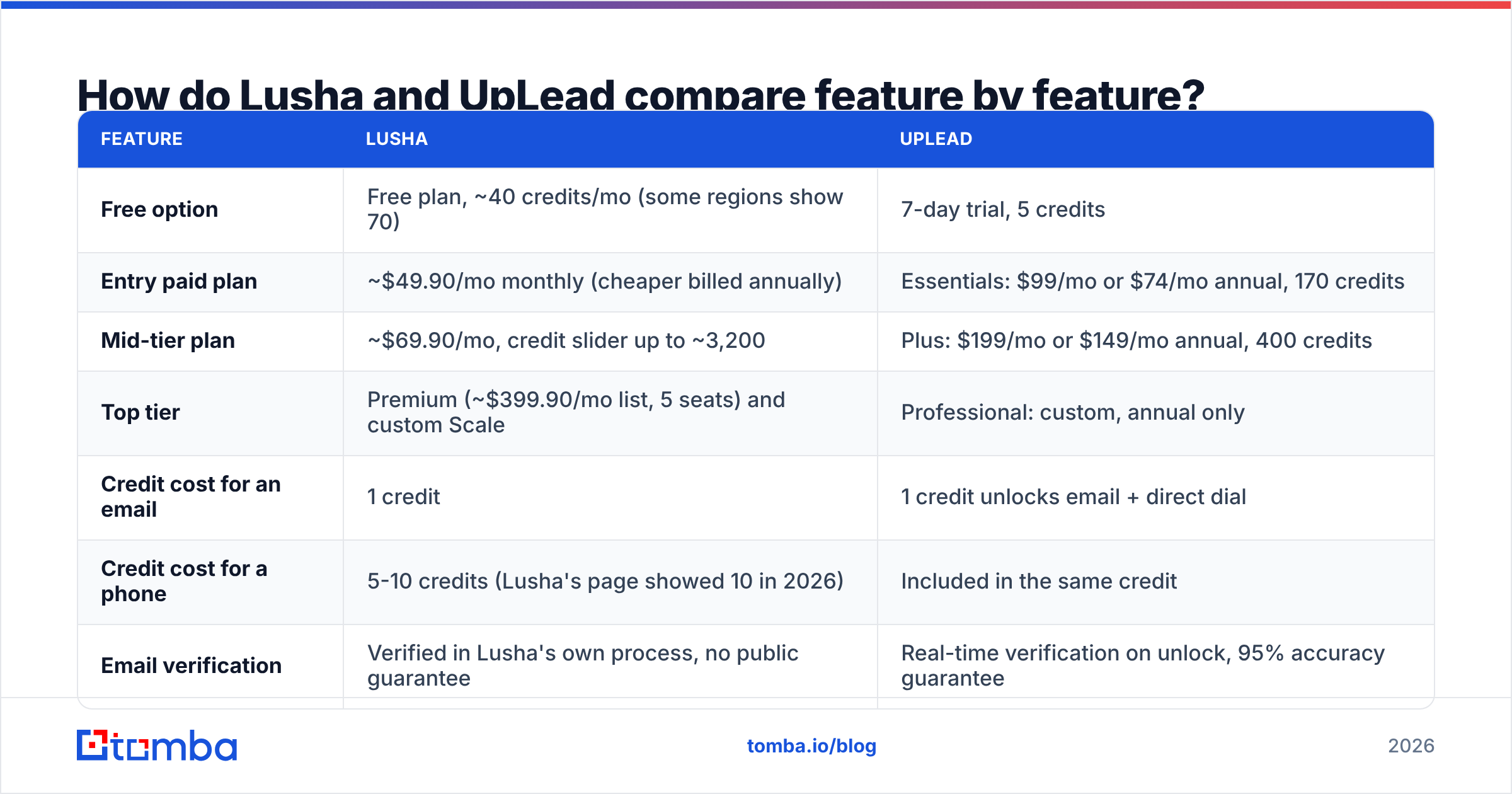
Here's the side-by-side. Prices are list prices from public sources as of late 2026. Both vendors change their plans and credit allowances often, so check their pricing pages before you buy.
| Feature | Lusha | UpLead |
|---|---|---|
| Free option | Free plan, ~40 credits/mo (some regions show 70) | 7-day trial, 5 credits |
| Entry paid plan | ~$49.90/mo monthly (cheaper billed annually) | Essentials: $99/mo or $74/mo annual, 170 credits |
| Mid-tier plan | ~$69.90/mo, credit slider up to ~3,200 | Plus: $199/mo or $149/mo annual, 400 credits |
| Top tier | Premium (~$399.90/mo list, 5 seats) and custom Scale | Professional: custom, annual only |
| Credit cost for an email | 1 credit | 1 credit unlocks email + direct dial |
| Credit cost for a phone | 5-10 credits (Lusha's page showed 10 in 2026) | Included in the same credit |
| Email verification | Verified in Lusha's own process, no public guarantee | Real-time verification on unlock, 95% accuracy guarantee |
| Search filters | Good: role, seniority, location, size, intent | Very deep: 50+ filters including technographics and revenue |
| Browser extension | Excellent on LinkedIn and Sales Navigator | Solid, but less central to the product |
| Intent data | Yes, on higher tiers | Yes, on Professional |
| CRM integrations | Salesforce, HubSpot, Pipedrive, Zoho and others | Salesforce, HubSpot, Pipedrive, Zoho and others |
| Unused credit rollover | Not on monthly plans | Not on monthly plans; annual credits pooled |
| Best for | Reps prospecting from LinkedIn, phone-heavy outreach | Building bulk lists, email-first outbound |
What the table hides is how each vendor defines a credit. With UpLead, one credit buys a whole contact. With Lusha, it depends on what you reveal. If you prospect phone-first, that difference matters more than any headline price.
Which tool has better data accuracy?#
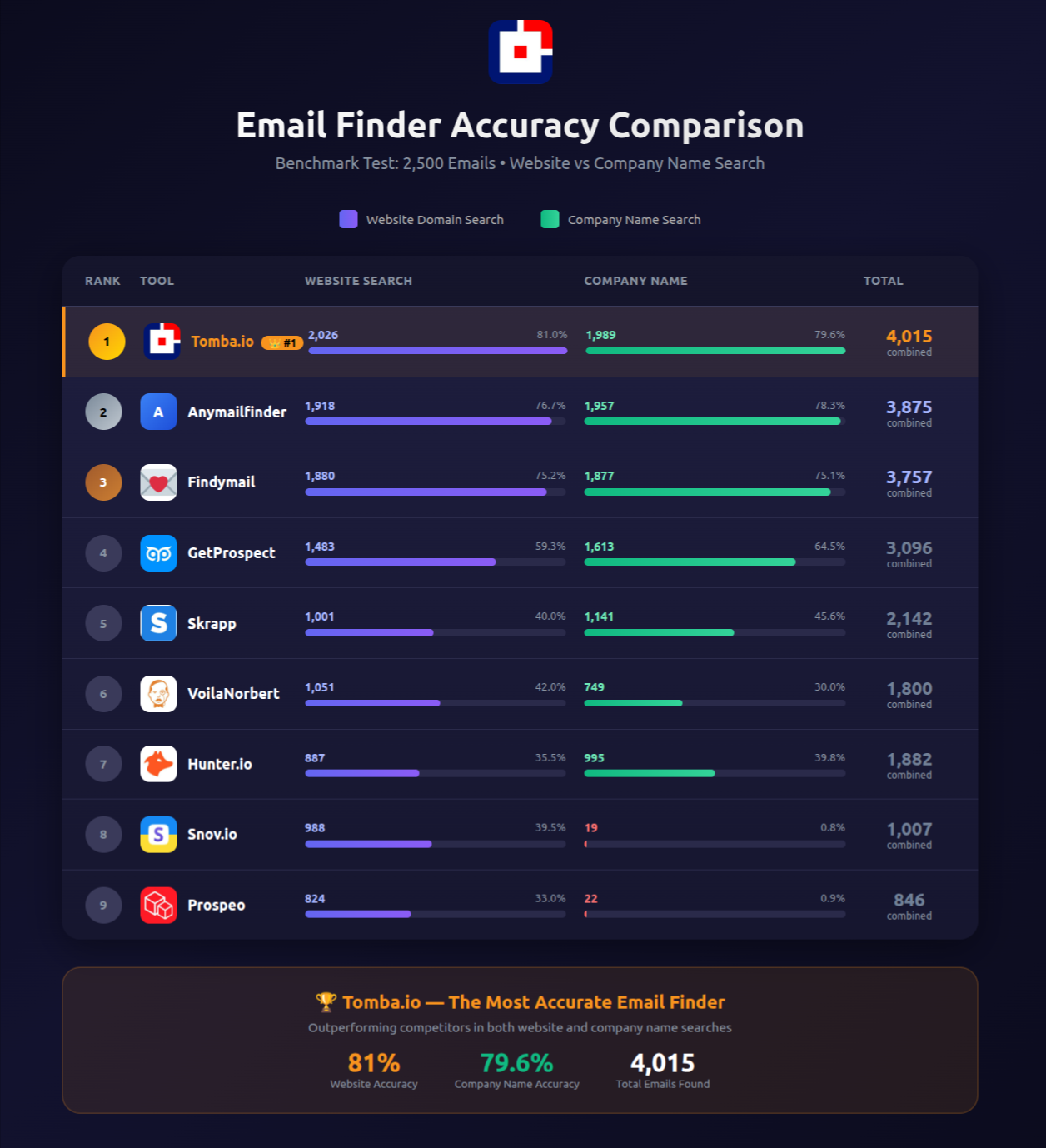
Neither tool publishes a dataset you could audit yourself, so take any accuracy figure as a claim, not a measurement. Still, the two vendors take noticeably different approaches.
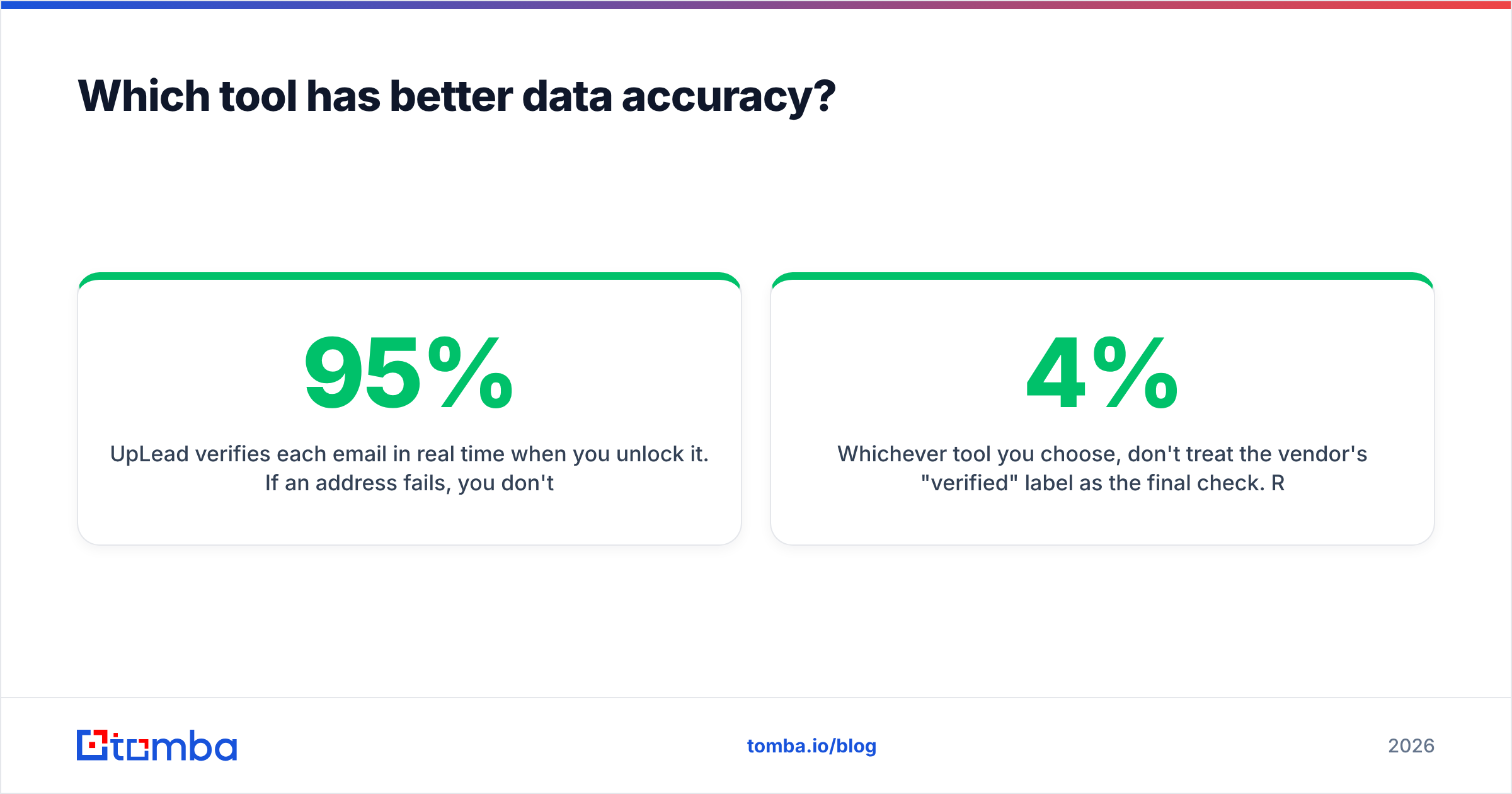
UpLead verifies each email in real time when you unlock it. If an address fails, you don't pay a credit for it. That's the reason it can back a 95% accuracy guarantee. In practice, bounce rates on lists you build in UpLead tend to look reasonable for corporate domains in the US and UK. As with every vendor, accuracy drops for small companies and for regions outside North America and Western Europe.
Lusha's strength is mobile numbers, especially in North America and Israel. User reviews on G2 often praise Lusha's direct dials and criticise its emails at smaller companies. That fits how the product began: it grew out of phone-first prospecting.
Whichever tool you choose, don't treat the vendor's "verified" label as the final check. Run any export through an independent email verifier before it goes into a sequencer. This matters most on catch-all domains, where a server accepts every address and most built-in checks can't tell a real inbox from a fake one. Bouncing 4% instead of 1.5% doesn't look like much in a spreadsheet. Your sender reputation will feel it for weeks.

What does each tool actually cost per contact?#
List prices are misleading because the two tools spend credits differently. Here's the cost per usable contact at entry-level pricing, on monthly billing, for three typical buyers.
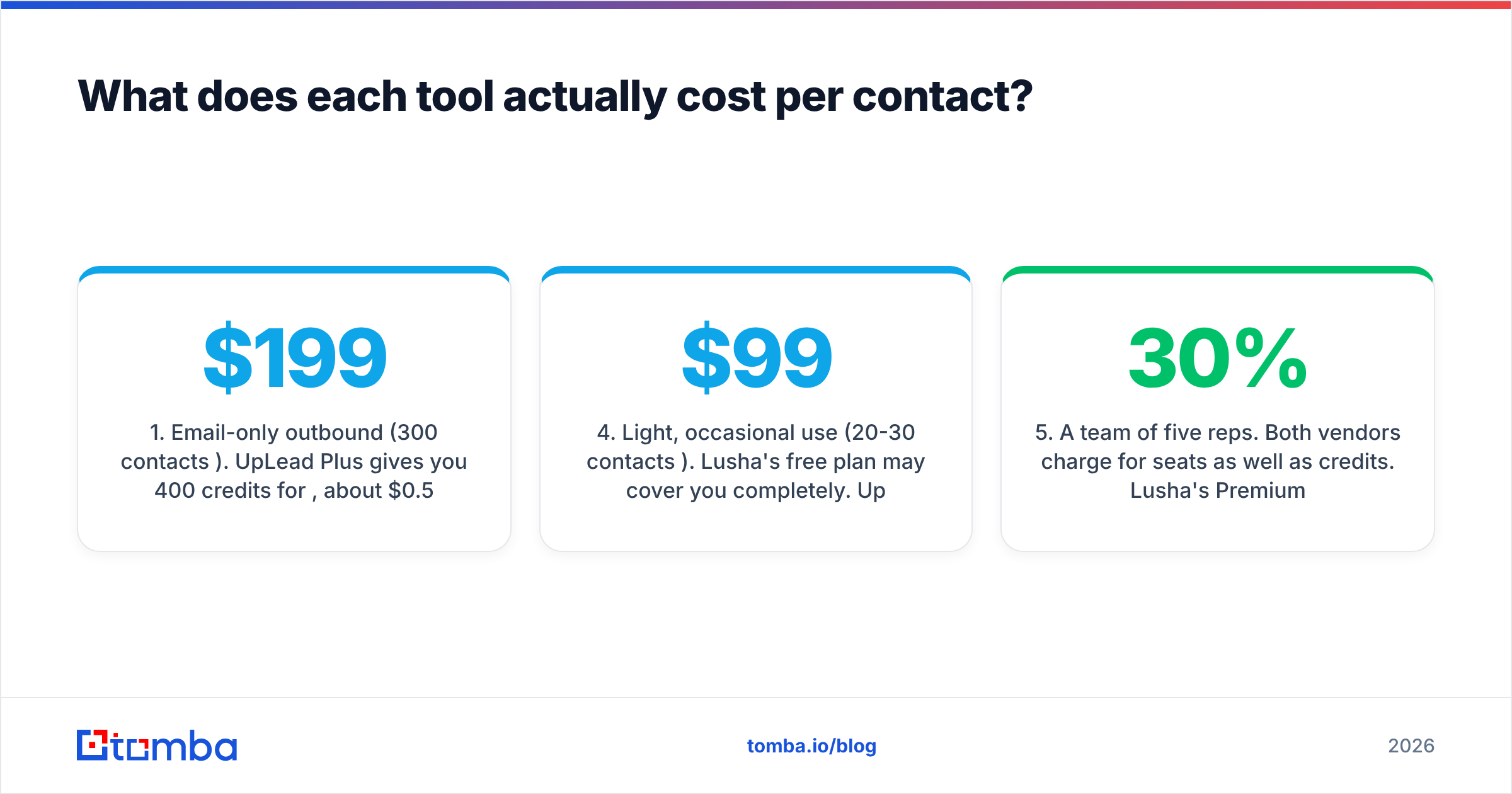
- Email-only outbound (300 contacts/month). UpLead Plus gives you 400 credits for $199, about $0.50 per contact. Lusha's mid tier with enough credits works out to roughly $0.12-$0.25 per email, depending on the slider. Lusha is cheaper if you only want emails.
- Phone-first SDR (100 direct dials/month). At 10 credits per phone, 100 dials use 1,000 Lusha credits, which pushes you into a far higher tier. On UpLead, 100 contacts cost 100 credits and include the dials. UpLead wins clearly.
- Mixed motion (200 contacts, phones for 50 of them). Lusha needs roughly 200 + 500 = 700 credits. UpLead needs 200. UpLead is cheaper on credits, though Lusha's phone coverage may be better for some segments.
- Light, occasional use (20-30 contacts/month). Lusha's free plan may cover you completely. UpLead has no free plan after the trial, and Essentials costs $99/mo. Lusha wins easily.
- A team of five reps. Both vendors charge for seats as well as credits. Lusha's Premium includes five seats. UpLead's team features sit in its higher tiers. Ask both for a quote. Discounts of 20-30% on annual contracts are common.
The pattern is simple. Lusha gets expensive when you reveal phone numbers, and UpLead gets expensive when your volume is low. Choose based on what you'll reveal most, not on the plan name.
Is Lusha better than UpLead for LinkedIn prospecting?#
Yes, for most reps. Lusha's extension is the product most of its users open every day. It sits on top of LinkedIn and Sales Navigator, shows contact details with one click and pushes records straight into your CRM. It's quick, and it doesn't take you out of the flow.
UpLead also has an extension, and it works well enough. But UpLead is designed for you to work inside its own web app, with filters and saved searches. If your team builds pipeline from Sales Navigator lists, Lusha will feel more natural. If your team builds pipeline from account lists defined by technology, revenue and headcount, UpLead's search will save you more time than any extension.
One caveat: LinkedIn restricts tools that scrape its pages, and it has changed what extensions can access before. Check what each vendor currently supports before you build your process around the extension alone.
Is UpLead better than Lusha for building bulk lists?#
Usually, yes. These are the reasons that matter in practice:
- Technographic filters. You can target companies by the software they run, such as "uses HubSpot and Shopify, 50-200 employees, US." That's a real advantage for SaaS sellers.
- Verification before you pay. You aren't charged for emails that fail, so a large export doesn't quietly waste your budget on bounces.
- One credit per full contact. List building doesn't penalise you for wanting phone numbers too.
- Clean CSV exports. The fields map neatly into Instantly, Smartlead, Outreach or your CRM without much cleanup.
Lusha has improved its prospecting search a lot, and on its higher tiers it adds intent and job-change signals that UpLead only matches on Professional. For a team that cares more about timing (who is in-market this week) than about volume, Lusha's signals can matter more than UpLead's filter depth.
What about compliance and data privacy?#
Both vendors say they comply with GDPR and CCPA, offer opt-out mechanisms, and publish documentation on how they source and process their data. Lusha has invested more visibly in certifications and privacy messaging, which tends to help in enterprise procurement reviews. UpLead's compliance documentation is adequate for most mid-market buyers.
Whichever you choose, compliance doesn't stop at the vendor. If you email EU contacts, you still need a documented legitimate-interest assessment, an easy way to opt out, and a process for handling deletion requests. No vendor contract takes those duties off your hands.
What are the hidden limits nobody mentions?#
These are the things buyers usually find out after they've signed:
- Credits expire. On monthly billing, unused credits disappear at the end of the cycle on both platforms. Annual plans pool credits, but you pay the full year upfront.
- Phone reveal pricing changes. Lusha's credit cost for a phone number has moved between 5 and 10 credits, and third-party pricing guides still disagree. Get the current figure in writing.
- Seat minimums. Higher tiers on both platforms may require a minimum number of seats, which raises your effective cost if you're a solo founder.
- Export caps. Some tiers limit how many records you can export at once, or block CRM sync.
- Auto-renewal. Annual contracts renew automatically and often have a 30-day notice window. Set a reminder.

Who should pick Lusha, and who should pick UpLead?#
Here's the short version.
Choose Lusha if:
- Your reps live in LinkedIn and Sales Navigator
- You need lots of mobile numbers for cold calling in North America
- You want a permanent free plan to try it, or your volume is low
- Intent and job-change signals matter more to you than filter depth
Choose UpLead if:
- You build bulk, email-first lists for sequences
- You want each contact to include an email and a direct dial for one credit
- Technographic filtering matters (SaaS, agencies, IT services)
- You want a contractual accuracy guarantee and no charge for bounced emails
Consider neither if your workflow is mostly "I have a list of companies and names, and I need their verified work emails." Here you'd be paying for database search, intent data and phone coverage you won't use. A dedicated email finder built around domain and name lookups is usually much cheaper per verified address. You can pair it with a separate phone finder for the few accounts where you need a direct dial.
How does Tomba fit next to Lusha and UpLead?#
Tomba isn't trying to replace a full sales-intelligence database. It focuses on one job: finding a professional email address from a domain, name or company, then verifying it, including the catch-all check that generic verifiers skip. That's the part of outbound where bounce rates are decided.
Many teams use it alongside Lusha or UpLead. They source accounts and phone numbers from one of those tools, then run Tomba on the email field to fill gaps and re-verify before sending. Others drop the big database entirely because they already know which accounts they want to reach.
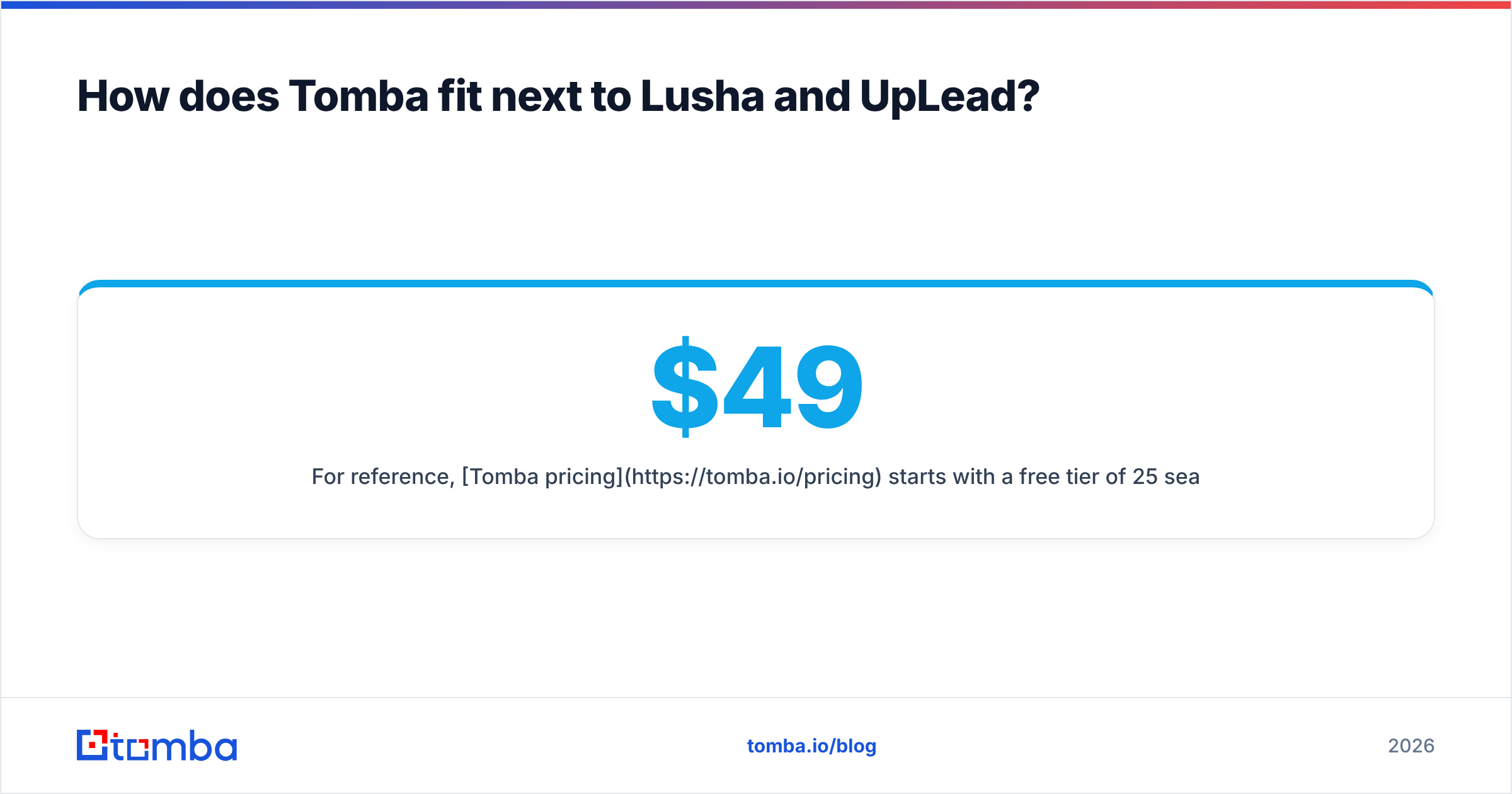
For reference, Tomba pricing starts with a free tier of 25 searches a month. Paid plans are Starter at $49/mo, Growth at $99/mo and Pro at $249/mo, with Enterprise on custom terms. That compares with $99-$199/mo for UpLead's self-serve plans, and Lusha's mid and upper tiers once you add phone reveals.
Final verdict: Lusha vs UpLead?#
Our pick depends on your team, and here's where we land:
- Phone-heavy SDR teams working from LinkedIn: Lusha, though you should negotiate the credit cost of phone reveals.
- Email-first outbound teams building lists by firmographics and technographics: UpLead, which is better value per complete contact and comes with an accuracy guarantee.
- Teams that already know their target accounts and mainly need verified emails: neither. Use a specialist email finder and keep the budget for your sequencer.
Before you sign either annual contract, run a test. Pull 100 contacts from your real ICP on each platform's trial, verify both exports independently, and compare bounce rates and phone connect rates. You'll learn more from that one afternoon than from any review, this one included.
If what you need most is verified work emails rather than another all-in-one database, try the Tomba Email Finder. Enter a domain or a name and company, get a verified address with its source, and check catch-all domains before they damage your sender reputation. The free tier gives you 25 searches a month to test it on your own target accounts. Run it next to your Lusha or UpLead trial and compare the bounce rates.
Related guides#
// start free
See who Tomba finds at any company
Type a company's domain to see its people, their roles and verified work emails, each with the pages it was found on. Free account, no card.
Free plan · No credit card required · GDPR & CCPA
// about the author