Lusha vs Xverum: Prospecting Tool or Raw B2B Dataset in 2026?
Lusha and Xverum both sell B2B data, but to different buyers. Lusha gives sales reps contact details one click at a time. Xverum sends data teams bulk datasets. Here is how to tell which one your team needs.
TL;DR
- Lusha is a self-serve prospecting tool. Reps open a Chrome extension or web app, reveal a contact's email or phone number, and push it to the CRM. Paid plans start at roughly $49.90/mo.
- Xverum is a data-as-a-service provider. It sells large datasets of people, companies, and jobs through an API or bulk file delivery to data, product, and analytics teams. Pricing is by quote, and third-party estimates start around $900/mo.
- If you need verified emails and direct dials for outreach this week, pick Lusha. If you need millions of structured records to feed a model, a product, or a data warehouse, pick Xverum.
- They are not really competitors. Comparing them is like comparing a vending machine to a wholesale distributor: both sell the same snacks, but to very different buyers.
- If all you need is work emails, a dedicated email finder costs less than either one.
What is Lusha?#
Lusha is a B2B contact data platform built for salespeople and recruiters. Its main use is fast lookups: you visit a LinkedIn profile or company website, click the Lusha extension, and get a work email, mobile number, and firmographic data for that person. You spend a credit for each reveal.
Beyond the extension, Lusha has a prospecting search with filters (job title, seniority, industry, headcount, location, technologies), intent and job-change signals on higher tiers, CRM enrichment for Salesforce and HubSpot, and an API on upper plans.
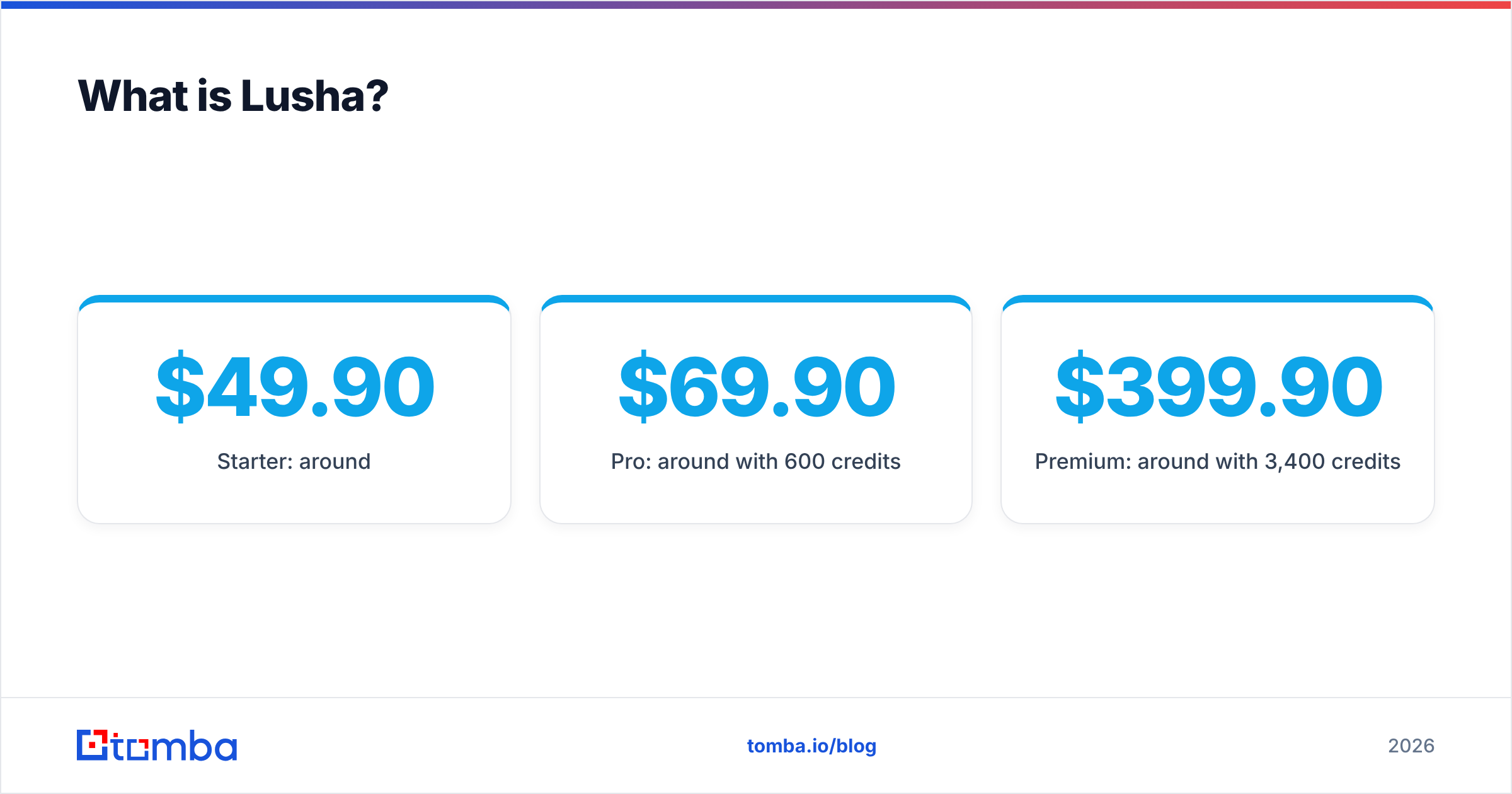
In 2026, Lusha's plan ladder is Free, Starter, Pro, Premium, and Scale. Recent public captures of the pricing page show:
- Free: about 40 credits/mo
- Starter: around $49.90/mo
- Pro: around $69.90/mo with 600 credits
- Premium: around $399.90/mo with 3,400 credits
- Scale: custom
Lusha has changed its prices and credit rules several times this year. An email reveal costs 1 credit, but phone reveals have been listed at both 5 and 10 credits depending on when the page was captured. Check the live Lusha pricing page before you build a budget around these numbers.
What is Xverum?#
Xverum is a B2B data provider that collects, cleans, and enriches public web data on people, companies, job postings, and locations. It then sells that data as structured datasets. You don't log in and click "reveal." You license a dataset, or an API that refreshes one, and your engineers load it into your systems.
Its public marketing (mainly its Xverum site and data-marketplace listings) highlights:
- 800M+ people profiles with job titles, employment history, skills, and education
- Company data: firmographics, headcount, industry, and locations
- Active job postings, which are useful as hiring and growth signals
- Inferred data such as job changes and headcount growth, derived from the raw records
- Delivery through API, bulk files, or cloud storage, refreshed on a schedule
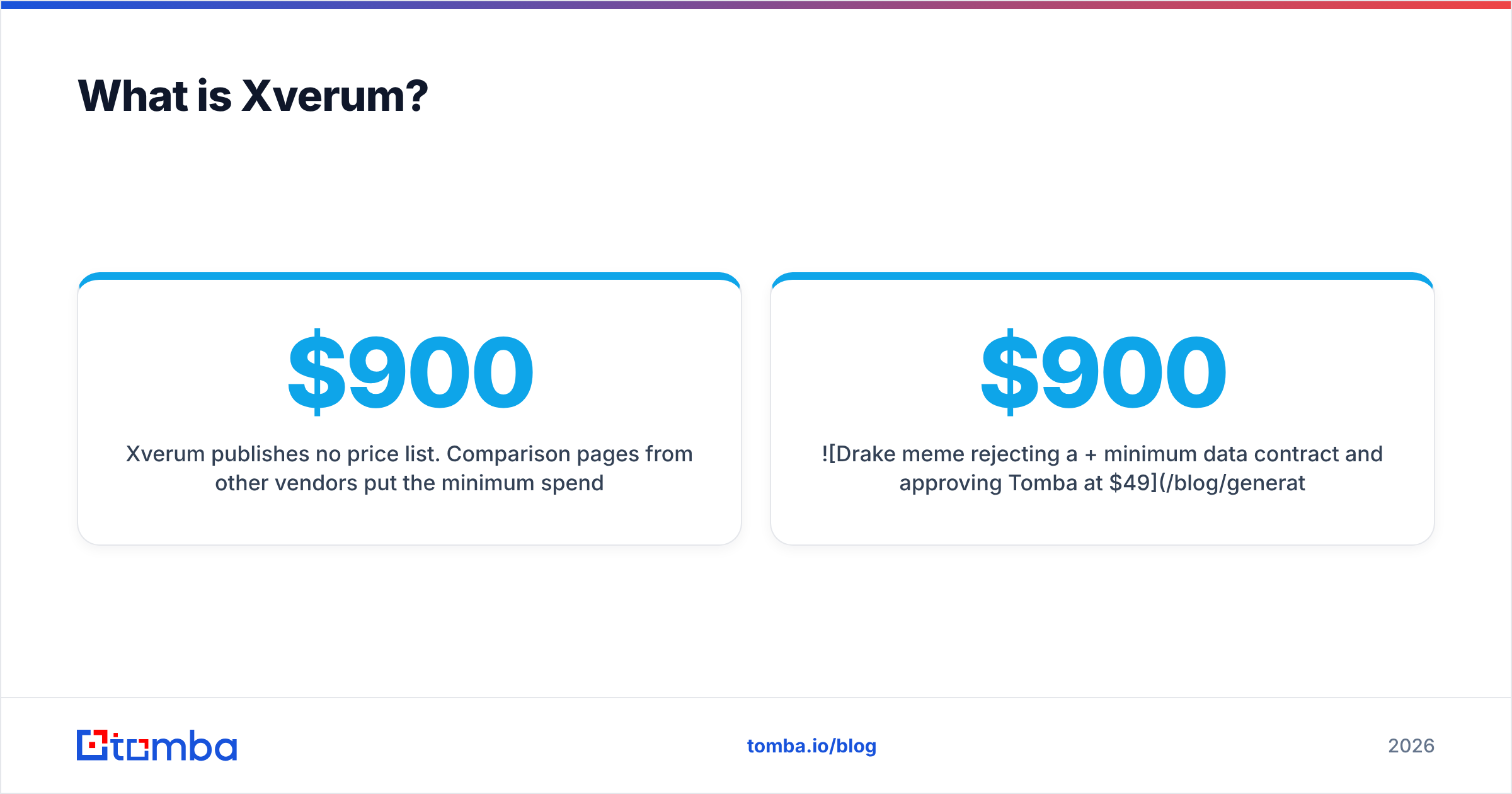
Xverum publishes no price list. Comparison pages from other vendors put the minimum spend at roughly $900/mo and up, and real contracts depend on record volume, fields, and refresh frequency. Buyer reviews on data marketplaces generally praise the freshness and accuracy of the raw data. Those reviews come from data teams, not SDRs.

How do Lusha and Xverum compare side by side?#
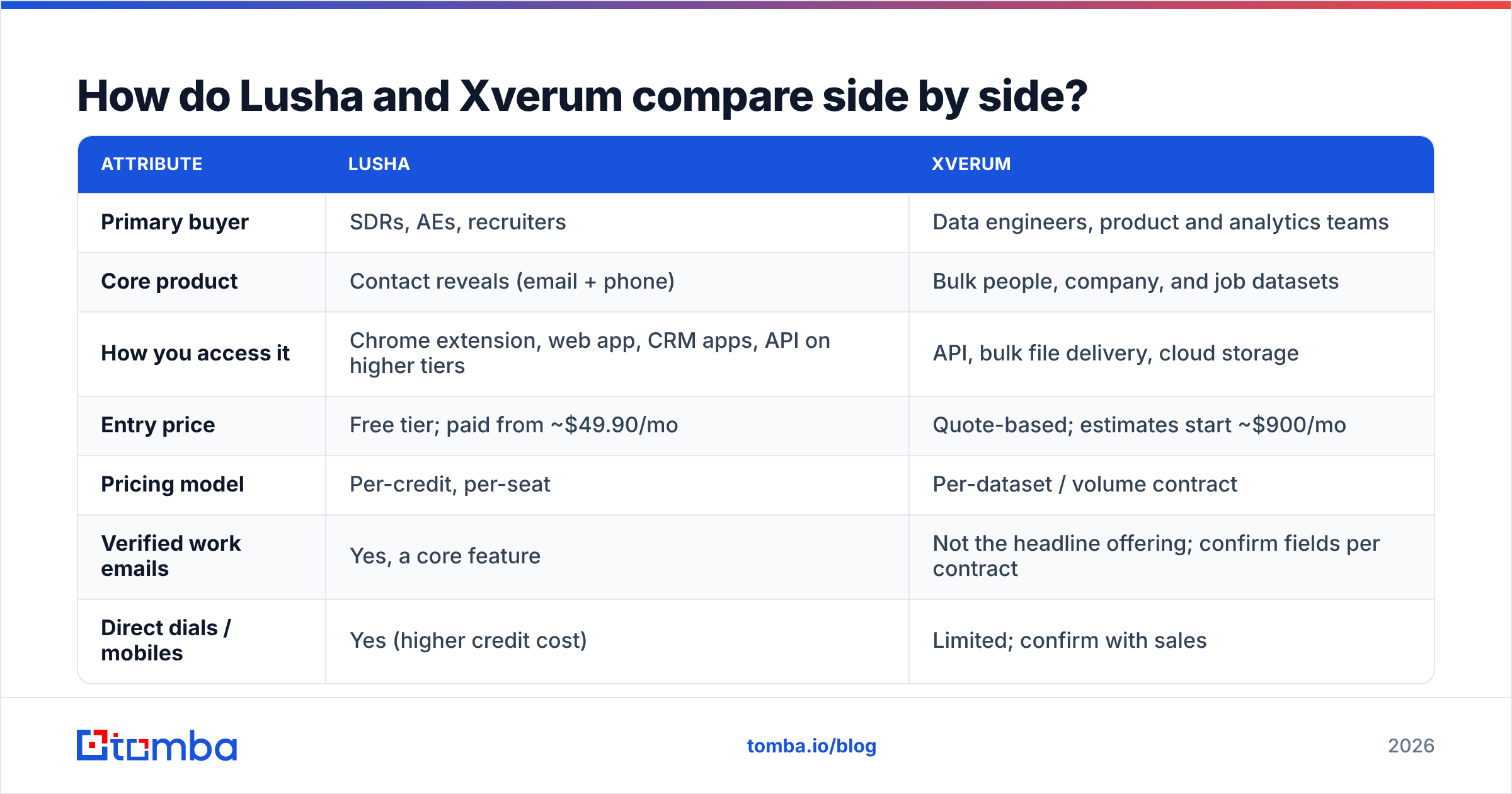
The table below compares the attributes buyers usually ask about. "Varies" means the answer depends on your contract or plan, not that the vendor hides it.
| Attribute | Lusha | Xverum |
|---|---|---|
| Primary buyer | SDRs, AEs, recruiters | Data engineers, product and analytics teams |
| Core product | Contact reveals (email + phone) | Bulk people, company, and job datasets |
| How you access it | Chrome extension, web app, CRM apps, API on higher tiers | API, bulk file delivery, cloud storage |
| Entry price | Free tier; paid from ~$49.90/mo | Quote-based; estimates start ~$900/mo |
| Pricing model | Per-credit, per-seat | Per-dataset / volume contract |
| Verified work emails | Yes, a core feature | Not the headline offering; confirm fields per contract |
| Direct dials / mobiles | Yes (higher credit cost) | Limited; confirm with sales |
| Job and company signals | Job changes and intent on higher plans | Job postings, headcount growth, job changes |
| Setup time | Minutes | Days to weeks (ingestion pipeline) |
| Best for | Outreach-ready lists | Building models, products, or enrichment layers |
Here's how to read the table: Lusha sells finished goods, meaning a contact you can email today. Xverum sells raw materials, meaning records you have to process before they're useful. Neither approach is better in general. One of them simply matches the work your team actually does.
Which one fits your team? Five questions that decide it#
Before you book either demo, answer these five questions honestly. They settle the choice faster than any feature grid.
- Who will use the data? If it's a person with a quota who works in Gmail and LinkedIn, Lusha fits that workflow. If it's an engineer with a Snowflake warehouse and a dbt project, Xverum fits.
- How many records do you need per month? Hundreds to a few thousand points to Lusha. Hundreds of thousands to millions points to Xverum, because per-credit pricing gets very expensive at that scale.
- Do you need contact channels or context? Lusha's value is the email and phone number. Xverum's value is breadth of context: work histories, skills, and hiring signals across whole markets.
- Do you have engineering capacity? Xverum assumes you can ingest, deduplicate, and refresh a dataset. Without that capacity, you've bought a file you can't use.
- What is your budget model? Lusha suits a per-seat line in the sales budget. Xverum is usually a data-platform contract that procurement and legal review.
If you answered "rep, small volume, contact channels, no engineers, per-seat," you need Lusha or a similar tool. If you answered the opposite on four of the five, you need Xverum or another data-as-a-service provider.
Is Lusha more accurate than Xverum?#
It depends on what you mean by "accurate," and that's the trap in most head-to-head comparisons.
Lusha's accuracy question is narrow: does this email deliver, and does this phone number reach the person? User reviews on G2 are mostly positive about North American coverage and mobile numbers. The common complaints are thinner coverage in parts of EMEA and APAC, and credits spent on numbers that turn out to be switchboards.
Xverum's accuracy question is broader: are the job title, employer, and company attributes current? Its pitch is high-frequency refreshes across hundreds of millions of profiles, and buyers mostly judge it on freshness and fill rates per field. That is a different measure from whether an email will bounce.
In practice:
- If outreach deliverability is your metric, Lusha is the one built to be measured that way. You should still run any list through an email verifier before sequencing, whichever vendor it came from.
- If market mapping, ICP modeling, or lead scoring is your metric, Xverum's broader and more frequently refreshed attributes matter more than verified contact channels.
Either way, test it yourself. Take 200 contacts from your real ICP, pull them from each source, and measure bounce rate, connect rate, and title accuracy against LinkedIn. Vendor accuracy claims are written for the vendor's best segment, not yours.
What does each one actually cost at scale?#
Sticker prices are misleading here because the two vendors charge for different units.
Lusha at scale. Suppose a five-rep team each needs 300 contacts a month with emails, and half also need a phone number. At 1 credit per email and 5–10 credits per phone, that is roughly 750–1,500 credits per rep, or 3,750–7,500 credits across the team. That puts most teams on Premium or a custom Scale contract, so the realistic cost is in the low thousands per month, not $49.90. Unused credits and rollover rules also vary by plan, so read the fine print.
Xverum at scale. You pay for the dataset slice and refresh frequency, not per lookup. If you need a million US tech-company profiles refreshed monthly, the cost per record can drop far below anything a credit-based tool offers. But you also pay hidden costs: engineering time to ingest the data, storage, deduplication, and often a separate tool to find or verify contact emails, since contact channels aren't the main product.
A rough rule of thumb:
- Under ~5,000 contacts/month, mostly for outreach: credit-based tools are cheaper overall.
- Over ~100,000 records/month, mostly for analysis or product features: dataset licensing is cheaper overall.
- In between: run a pilot with both before you sign an annual contract.
What are the pros and cons of each?#
Lusha pros
- Fast setup. A rep can be productive the same afternoon.
- Strong mobile and direct-dial coverage in North America
- Clean CRM integrations with Salesforce and HubSpot
- A free tier for testing
Lusha cons
- Credit costs climb quickly when you need phone numbers
- Pricing and credit rules changed several times in 2026, which makes forecasting harder
- Coverage varies outside core markets
- Not designed for bulk, warehouse-scale data pulls
Xverum pros
- Very large dataset of people, companies, and jobs
- Frequent refreshes and derived signals such as job changes and headcount growth
- Flexible delivery (API, bulk files, cloud storage) that suits data teams
- Cost per record becomes efficient at high volume
Xverum cons
- No self-serve plan or public pricing
- Requires engineering resources to use
- Verified emails and phones are not the core offering
- Too much for teams that just need a few hundred leads a month

Is there a simpler option if you only need work emails?#
Many teams that start out comparing Lusha and Xverum find that their actual job is simpler: they need verified work email addresses for a defined list of companies and people. They don't need mobile numbers at 10 credits each, and they don't need 800 million profiles.
For that job, a dedicated email finder is usually the cheapest and fastest option. Tomba is one example. You can find email addresses by name and company, pull every public address on a domain, verify each address before you send, and enrich leads with company and role data. Plans start with a free tier of 25 searches a month, and paid plans begin at $49/mo (Starter), then $99/mo (Growth) and $249/mo (Pro). Full Tomba pricing is public.
Tomba also covers some of the ground in between. Data teams that want programmatic access without a dataset contract can use the Tomba API to find and verify emails inside their own pipelines, paying for what they look up instead of licensing a whole market.
To be fair: Tomba is not a replacement for Xverum if you need job-posting feeds or full employment histories at warehouse scale. And if your reps live on the phone, a tool built around direct dials (such as Lusha) will serve them better. Choose based on the channel you rely on most.
How should you decide between Lusha and Xverum?#
Use this decision path:
- Choose Lusha if you run outbound sales or recruiting, your users are non-technical, you need emails and phone numbers, and your volume is in the hundreds to low thousands per rep per month.
- Choose Xverum if you are building a data product, training scoring models, mapping a market, or running enrichment at warehouse scale, and you have engineers to handle ingestion.
- Choose neither (yet) if you only need verified work emails for targeted outreach. A focused email finder plus a verifier will cover that for less money and less setup.
Many mature revenue teams end up using two layers: a broad dataset for targeting and scoring, and a lookup-and-verify tool for the final contact details before a sequence goes out. Lusha vs Xverum doesn't have to be an either/or choice, but you should know which layer you're buying.
Frequently asked questions#
Is Xverum a Lusha alternative? Not directly. Xverum sells bulk datasets to technical teams, while Lusha sells individual contact reveals to sales users. They overlap only in that both deal in B2B people data.
Does Xverum provide email addresses? Its main offering is profile, company, and job data. Contact-field coverage depends on the contract, so confirm exactly which fields and fill rates you'll get before signing.
How much does Lusha cost in 2026? Recent captures show Starter at around $49.90/mo, Pro at around $69.90/mo, and Premium at around $399.90/mo, with Scale on custom pricing. Lusha has adjusted these numbers several times, so check its live pricing page.
Which is better for a startup? For most early-stage startups doing outbound, a self-serve tool like Lusha or a dedicated email finder is a better fit than a dataset contract. Xverum makes sense once you have data engineers and a clear need for volume.
Ready to get verified emails without a data contract?#
If your Lusha vs Xverum research has narrowed down to "we just need accurate work emails for the accounts we're targeting," start with Tomba Email Finder. Search by name, company, or domain, verify every address before it reaches your sequencer, and start for free with 25 searches a month. There's no sales call and no minimum contract. Upgrade to a $49/mo plan when your pipeline grows.
Related guides#
// start free
See who Tomba finds at any company
Type a company's domain to see its people, their roles and verified work emails, each with the pages it was found on. Free account, no card.
Free plan · No credit card required · GDPR & CCPA
// about the author