MagicCRM Alternatives: 8 CRMs Compared for 2026
MagicCRM packs invoicing, inventory and BI into one Italian CRM. If you need clearer pricing, a cleaner UI or stronger outbound tooling, these 8 alternatives are worth a look.
TL;DR
- MagicCRM is an Italian all-in-one CRM. Alongside sales, it covers invoicing, commissions, inventory and BI dashboards. It's broad and good value, but it doesn't publish its pricing, and some reviewers call the interface cluttered.
- HubSpot CRM is the best free starting point. Pipedrive is the best pure sales pipeline. Zoho CRM and Odoo come closest to MagicCRM's ERP-style breadth.
- If you mostly sell to small businesses and hate complexity, Less Annoying CRM is a cheap, simple option.
- Any CRM is only as good as the contacts inside it. Whichever one you pick, add an email finder and verifier so your pipeline isn't full of bounced addresses.
What is MagicCRM, and why are teams looking for alternatives?#
MagicCRM is a cloud CRM from an Italy-based vendor (magiccrm.it). Most CRMs stop at contacts and deals. MagicCRM also covers invoicing, sales commissions, inventory, credit management, cost accounting and integrated BI dashboards. Review sites list it as a fit for event management, sales agencies, tour operators, healthcare services and trade-show businesses. These are all verticals where the sales record and the operational record sit close together.
Reviewers on G2 praise how much it covers for the price, including marketing, pre-sales and document management. The criticism repeats across reviews, though:
- Opaque pricing. There's no public price list. Pricing is quoted "based on business needs," so you can't compare it without a sales call.
- Interface density. Some users find the UI cluttered and less customisable than promised.
- Support and setup. At least one reviewer reported slow fixes for setup bugs.
- Small ecosystem. It integrates with Microsoft Office and Dropbox, but the marketplace is thin next to HubSpot, Salesforce or Pipedrive.
- Language and market focus. The product and its community lean Italian. That's a plus for domestic firms and friction for international teams.
None of that makes MagicCRM a bad product. It means the right alternative depends on which of these problems you're trying to solve.
How should you evaluate MagicCRM alternatives?#
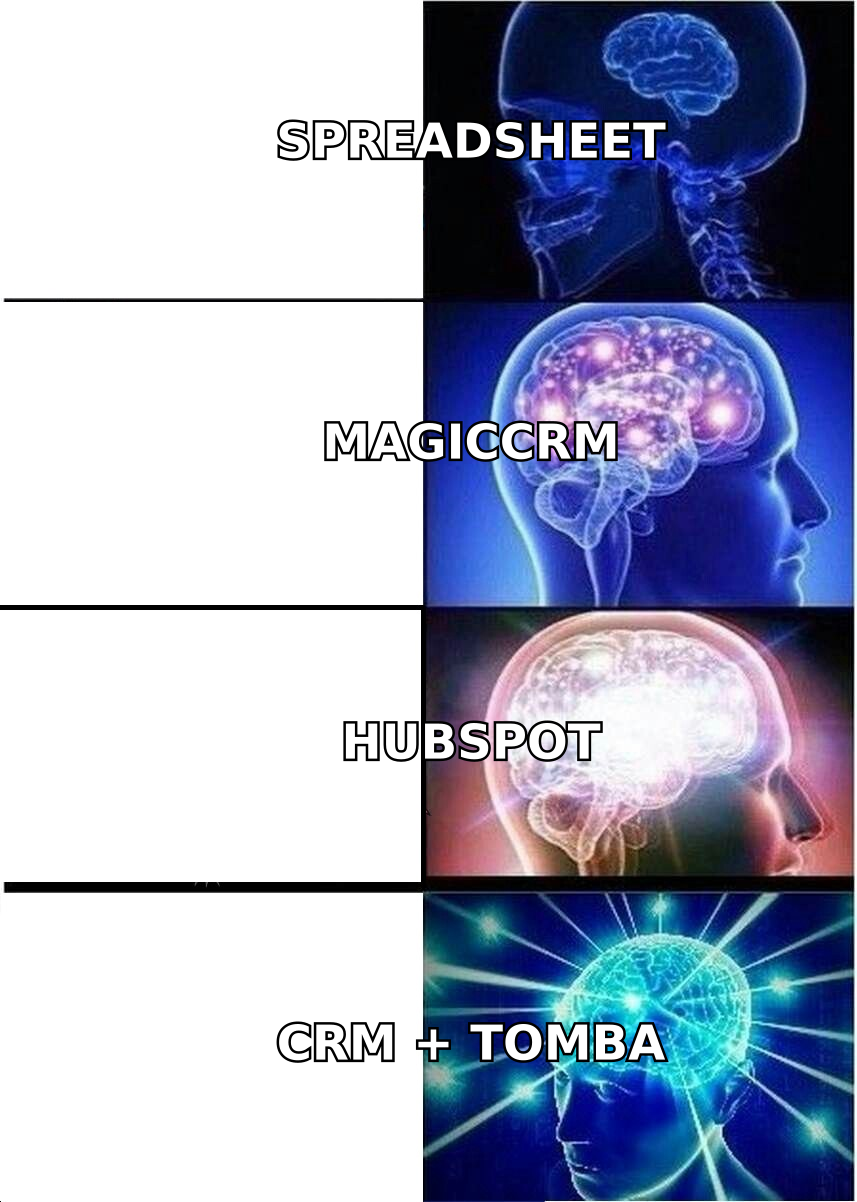
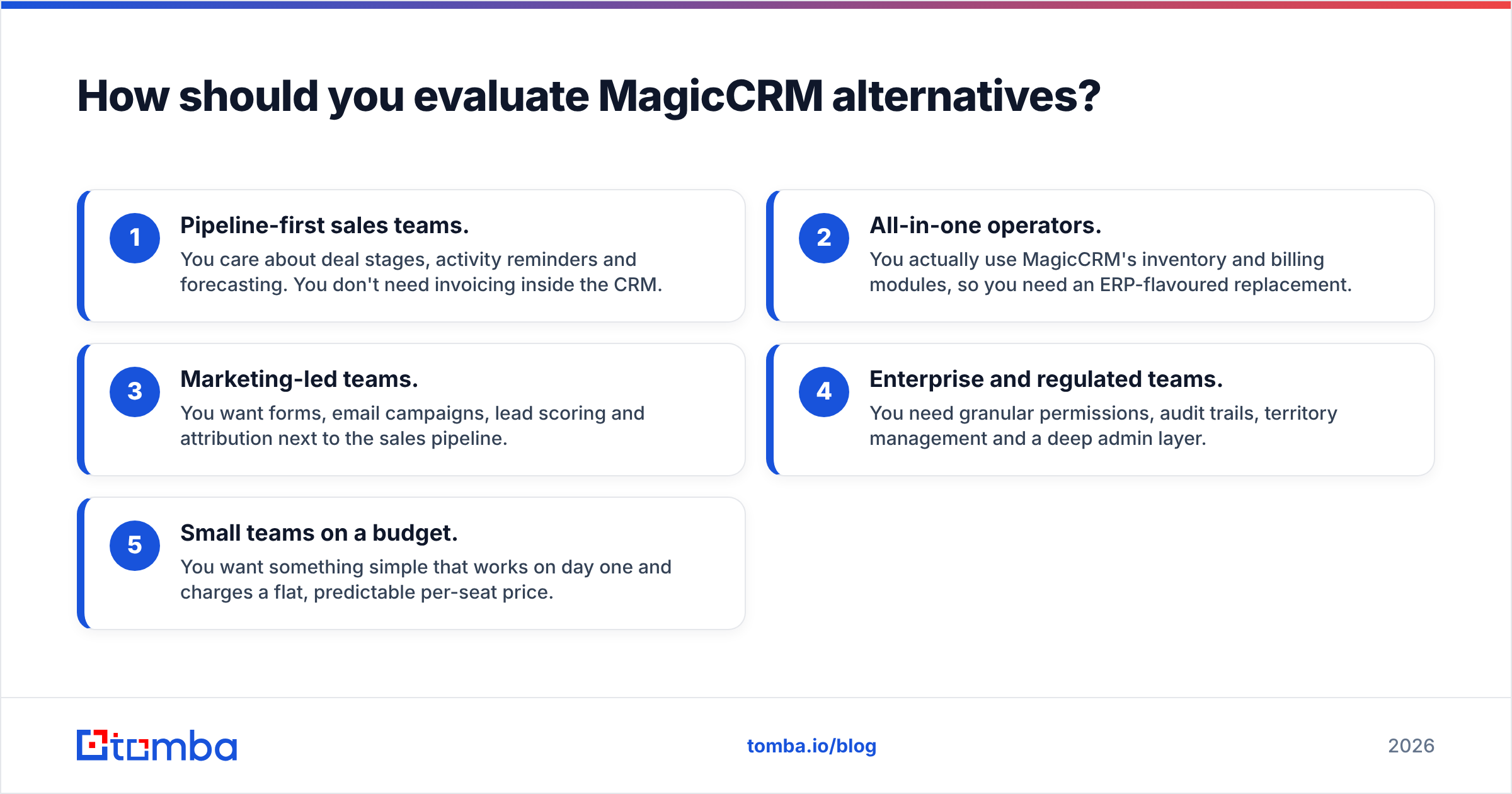
Before you open a single pricing page, decide which job the CRM has to do. Most teams that leave MagicCRM fall into one of five buckets:
- Pipeline-first sales teams. You care about deal stages, activity reminders and forecasting. You don't need invoicing inside the CRM.
- All-in-one operators. You actually use MagicCRM's inventory and billing modules, so you need an ERP-flavoured replacement.
- Marketing-led teams. You want forms, email campaigns, lead scoring and attribution next to the sales pipeline.
- Enterprise and regulated teams. You need granular permissions, audit trails, territory management and a deep admin layer.
- Small teams on a budget. You want something simple that works on day one and charges a flat, predictable per-seat price.
Score each candidate on five criteria: published pricing, ease of adoption, integration ecosystem, reporting depth and data quality tooling, meaning how easily you can get accurate contacts in and keep them current. That last one is usually the most underweighted. It's also the one that decides whether reps trust the CRM at all.
Which MagicCRM alternatives are worth considering in 2026?#
Prices below are approximate entry-level list prices with annual billing at the time of writing. Vendors change tiers often, so confirm on each official pricing page before you commit.
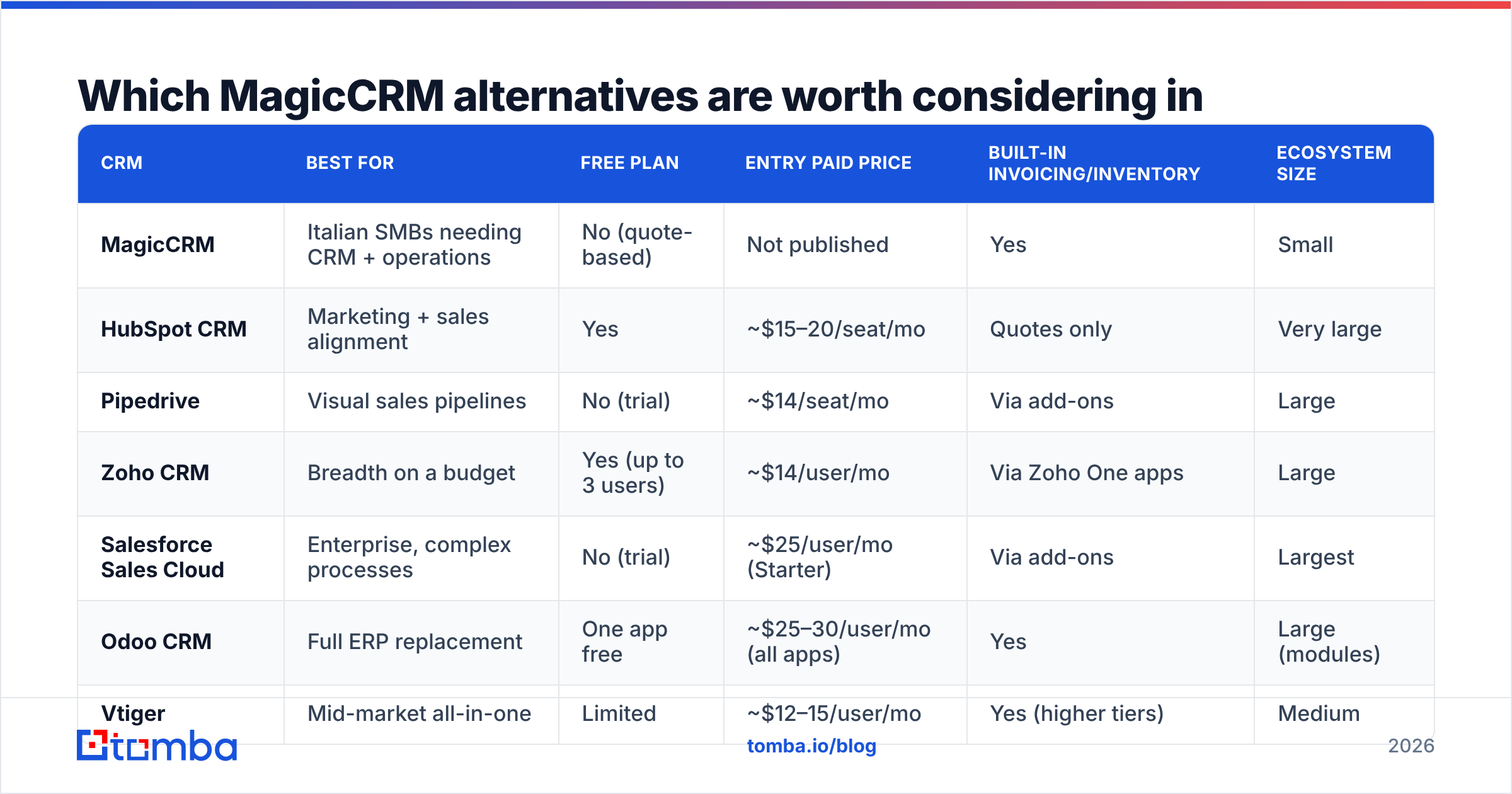
| CRM | Best for | Free plan | Entry paid price | Built-in invoicing/inventory | Ecosystem size |
|---|---|---|---|---|---|
| MagicCRM | Italian SMBs needing CRM + operations | No (quote-based) | Not published | Yes | Small |
| HubSpot CRM | Marketing + sales alignment | Yes | ~$15–20/seat/mo | Quotes only | Very large |
| Pipedrive | Visual sales pipelines | No (trial) | ~$14/seat/mo | Via add-ons | Large |
| Zoho CRM | Breadth on a budget | Yes (up to 3 users) | ~$14/user/mo | Via Zoho One apps | Large |
| Salesforce Sales Cloud | Enterprise, complex processes | No (trial) | ~$25/user/mo (Starter) | Via add-ons | Largest |
| Odoo CRM | Full ERP replacement | One app free | ~$25–30/user/mo (all apps) | Yes | Large (modules) |
| Vtiger | Mid-market all-in-one | Limited | ~$12–15/user/mo | Yes (higher tiers) | Medium |
| monday CRM | Teams already on monday.com | No (trial) | ~$12/seat/mo (3-seat min) | No | Medium |
| Less Annoying CRM | Simple, flat-price small teams | No (trial) | ~$15/user/mo | No | Small |
1. HubSpot CRM: best free starting point#
HubSpot gives you a genuinely usable free CRM with contacts, companies, deals, tasks and a basic pipeline, plus an upgrade path into Marketing Hub, Sales Hub and Service Hub. Most MagicCRM refugees want a clean UI and a big integration marketplace, and HubSpot is the safest default for that.
- Pros: Free tier, polished UX, more than 1,000 integrations, strong marketing automation as you scale.
- Cons: Costs jump sharply at the Professional tier. No native inventory or cost accounting.
- Switch if: you used MagicCRM mainly for sales and marketing, not operations.
2. Pipedrive: best for pure pipeline management#
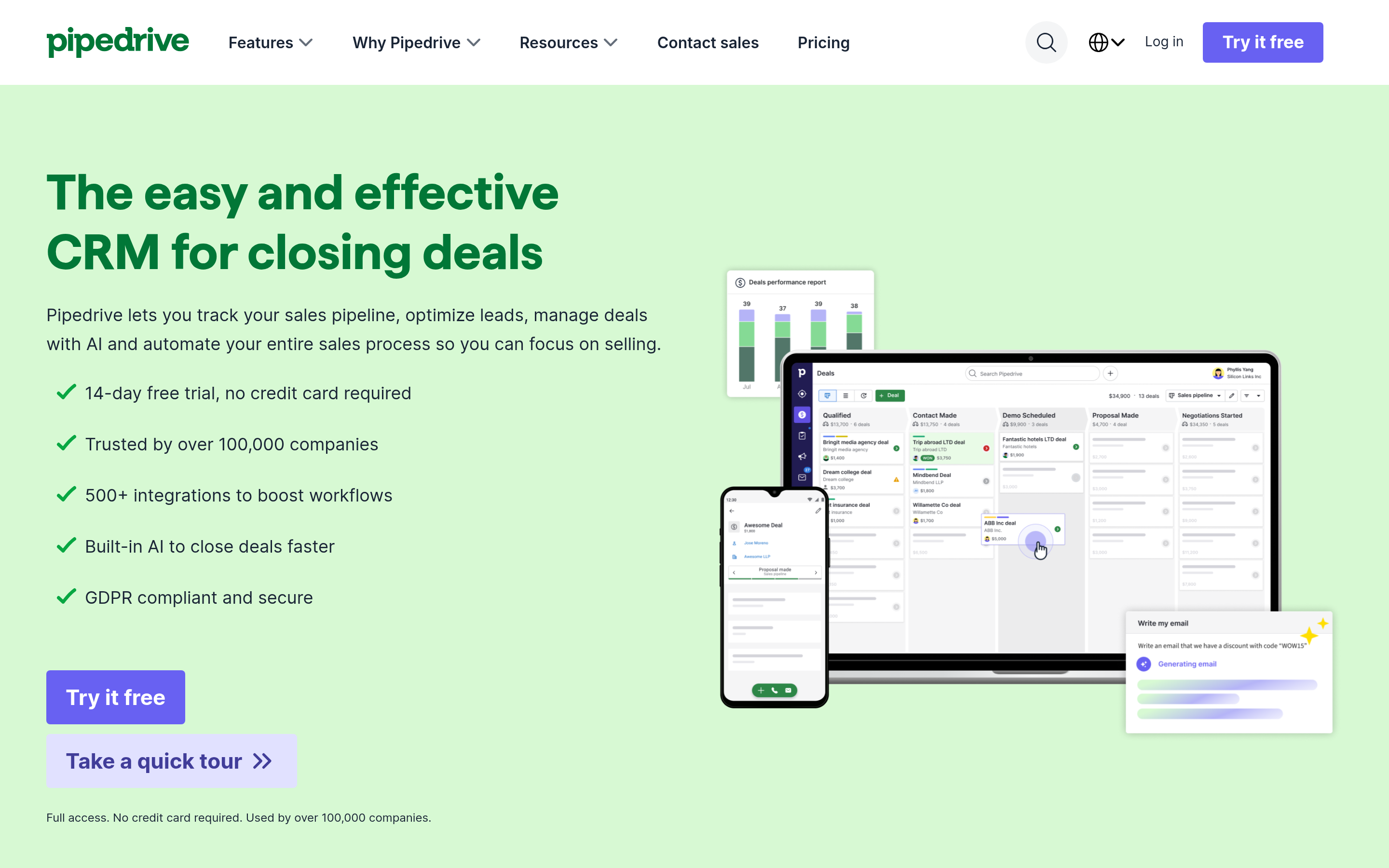
Pipedrive is built around one idea: a visual deal board that pushes reps to take the next action. Setup takes hours, not weeks, and the mobile app is excellent.
- Pros: Fast adoption, activity-based selling, clear per-seat pricing, solid automations.
- Cons: Light on marketing and service features. Invoicing needs integrations.
- Switch if: your reps complained that MagicCRM had too many menus between them and their deals.
3. Zoho CRM: closest on breadth and price#

Zoho CRM is the closest like-for-like replacement if you value MagicCRM's "everything in one place" approach. On its own it's a capable CRM. Bundled as Zoho One, it adds invoicing (Zoho Books), inventory, BI (Zoho Analytics) and more under one login.
- Pros: Free for up to 3 users, deep customisation, huge app suite, aggressive pricing.
- Cons: The UI and admin experience can feel as dense as MagicCRM's. Support quality varies by plan.
- Switch if: you need the operational modules but want transparent pricing and a bigger ecosystem.
4. Salesforce Sales Cloud: best for enterprise complexity#
Salesforce is the reference point for configurable CRM. If you have multiple business units, territory rules, approval flows or compliance requirements, nothing else on this list matches its depth.
- Pros: Unlimited configurability, AppExchange, enterprise security, strong forecasting.
- Cons: Expensive once you add editions and add-ons, and it usually needs an admin or partner to implement.
- Switch if: you've outgrown MagicCRM on scale, not just usability.
5. Odoo CRM: best full ERP replacement#
If MagicCRM's invoicing, inventory and accounting modules are the reason you chose it, Odoo is the most natural successor. It's an open-core ERP where CRM, sales, invoicing, inventory, accounting and projects all share one database. It also has a strong European partner network, including in Italy.
- Pros: True ERP breadth, modular, strong localisation, open-source community edition.
- Cons: Implementation effort is real, and customisations can complicate upgrades.
- Switch if: finance and ops depend on the CRM as much as sales does.
6. Vtiger: best mid-market all-in-one#
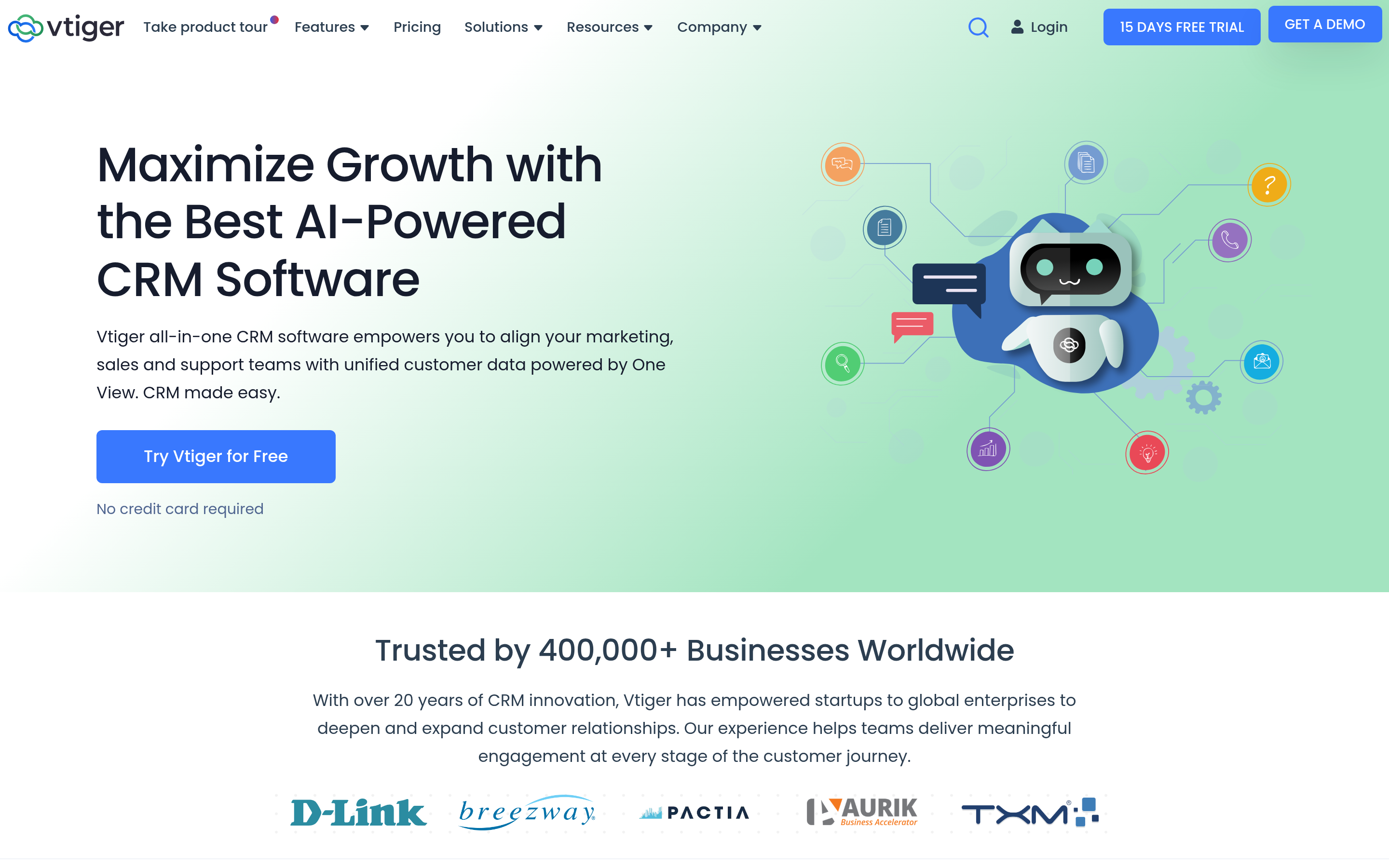
Vtiger sits between Zoho and Odoo. You get sales, marketing, help desk and, on higher tiers, inventory and invoicing in one product, at a lower price than most enterprise suites.
- Pros: Good value, combined sales + support, inventory on upper tiers.
- Cons: Smaller marketplace, and the UI is functional rather than modern.
- Switch if: you want MagicCRM-style breadth with published pricing and English-first support.
7. monday CRM: best for teams already on monday.com#
monday CRM wraps a sales pipeline in monday.com's flexible board system. If your delivery or ops teams already live in monday, keeping sales in the same workspace removes a lot of handoff friction.
- Pros: Very flexible boards, great visual reporting, easy automations.
- Cons: 3-seat minimum. Less sales-specific depth than Pipedrive or HubSpot.
- Switch if: cross-team visibility matters more to you than advanced sales features.
8. Less Annoying CRM: best for small teams that want simplicity#
Less Annoying CRM does exactly what the name promises. One plan, one price, contacts, pipelines, tasks and calendar, and nothing you have to learn for a week.
- Pros: Flat pricing, excellent free support, near-zero learning curve.
- Cons: Minimal automation and reporting, small integration list.
- Switch if: you're a 2–10 person team and MagicCRM felt like overkill.
Is any MagicCRM alternative better at keeping data clean?#
Not by default. CRM vendors compete on pipelines, dashboards and automation. Very few of them compete on how accurate your contact records are. HubSpot and Salesforce offer enrichment add-ons, and Zoho has some built-in data tools, but in practice most teams bring in a dedicated data layer.
That matters more than which logo is on the CRM. A pipeline full of guessed emails like firstname@company.com leads to bounces. Bounces drag down sender reputation and make reps stop trusting the system. The fix is the same no matter which CRM you migrate to:
- Find before you create. Use an email finder to look up the real professional address when a new lead enters the CRM, instead of guessing the pattern.
- Verify on import. Run your exported MagicCRM contacts through verification before they land in the new system, so you don't migrate dead records.
- Enrich on a schedule. People change jobs. Periodic contact enrichment refreshes titles, companies and phone numbers before reps waste calls on them.
- Connect natively. Pick a data tool that plugs into your new CRM. Tomba, for example, offers a HubSpot integration plus Salesforce, Pipedrive and Zapier connectors, so enrichment runs inside the workflow and you aren't round-tripping CSVs.
How do you migrate off MagicCRM without losing data?#
A CRM migration is like moving house. Packing isn't the hard part. Deciding what not to bring is. Follow this order:
- Audit what you actually use. List every MagicCRM module your team touched in the last 90 days. If nobody opened inventory or commissions, don't pay for an ERP-style replacement.
- Export everything, then clean it. Pull contacts, companies, deals, activities and documents. Deduplicate, standardise country and phone formats, and verify emails before you import.
- Map fields first. Build a spreadsheet that maps each MagicCRM field to its destination field. Custom fields and picklists cause most migration failures.
- Pilot with one team. Move a single sales pod for two weeks, fix what breaks, then roll out to everyone else.
- Rebuild automations deliberately. Don't recreate every legacy workflow. Rebuild only the ones the pilot team missed.
- Keep MagicCRM read-only for 60–90 days. Someone will need an old invoice or note. A read-only archive beats a panicked re-export.
Which MagicCRM alternative should you choose?#
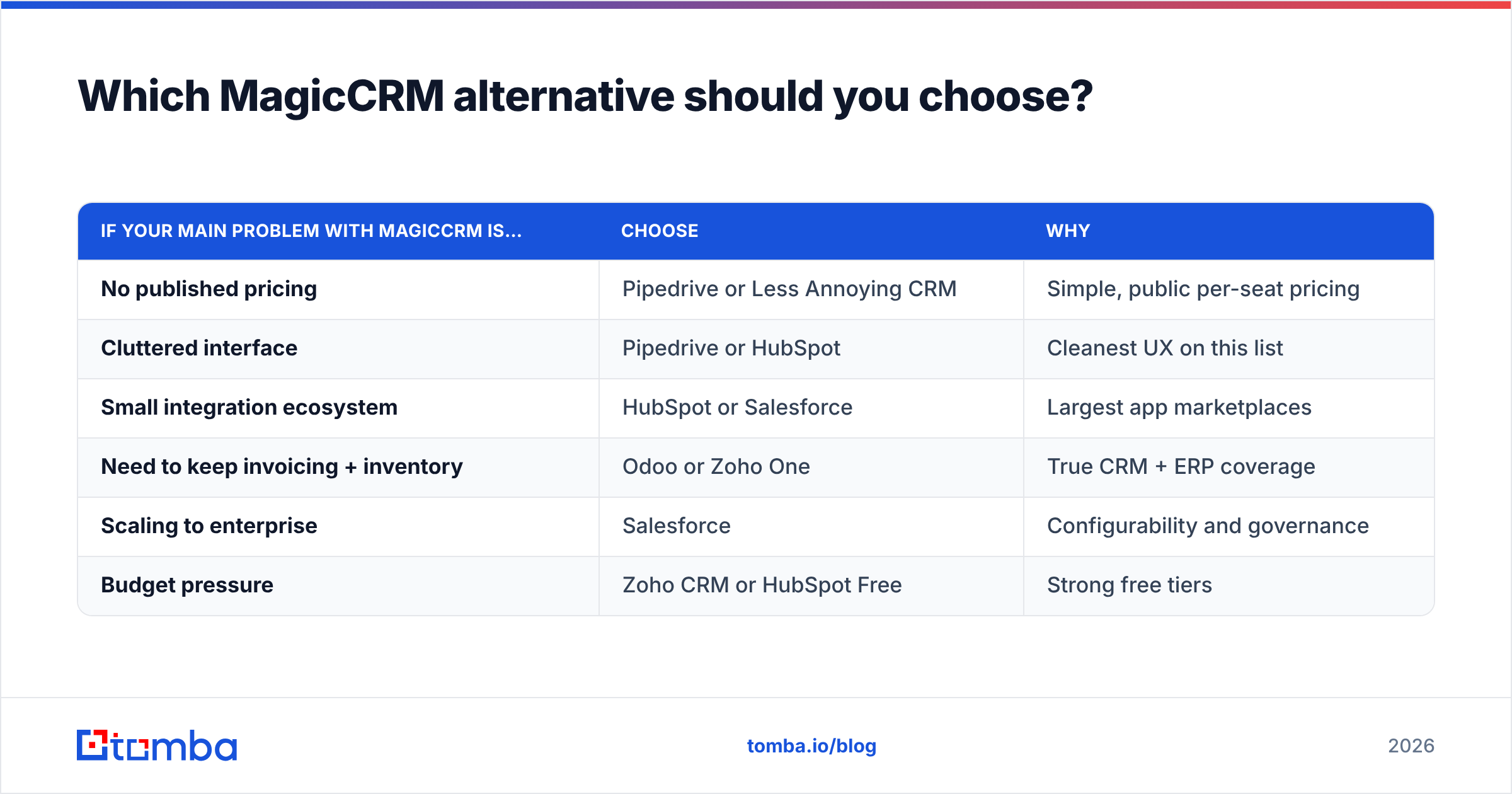
Match the tool to the problem that pushed you away:
| If your main problem with MagicCRM is… | Choose | Why |
|---|---|---|
| No published pricing | Pipedrive or Less Annoying CRM | Simple, public per-seat pricing |
| Cluttered interface | Pipedrive or HubSpot | Cleanest UX on this list |
| Small integration ecosystem | HubSpot or Salesforce | Largest app marketplaces |
| Need to keep invoicing + inventory | Odoo or Zoho One | True CRM + ERP coverage |
| Scaling to enterprise | Salesforce | Configurability and governance |
| Budget pressure | Zoho CRM or HubSpot Free | Strong free tiers |
For most small and mid-sized sales teams, HubSpot (marketing-led) or Pipedrive (sales-led) is the right default. If your business depends on MagicCRM's operational modules, go to Odoo or Zoho instead. Don't force a pure sales CRM to do accounting.
What does a lean CRM + data stack cost?#
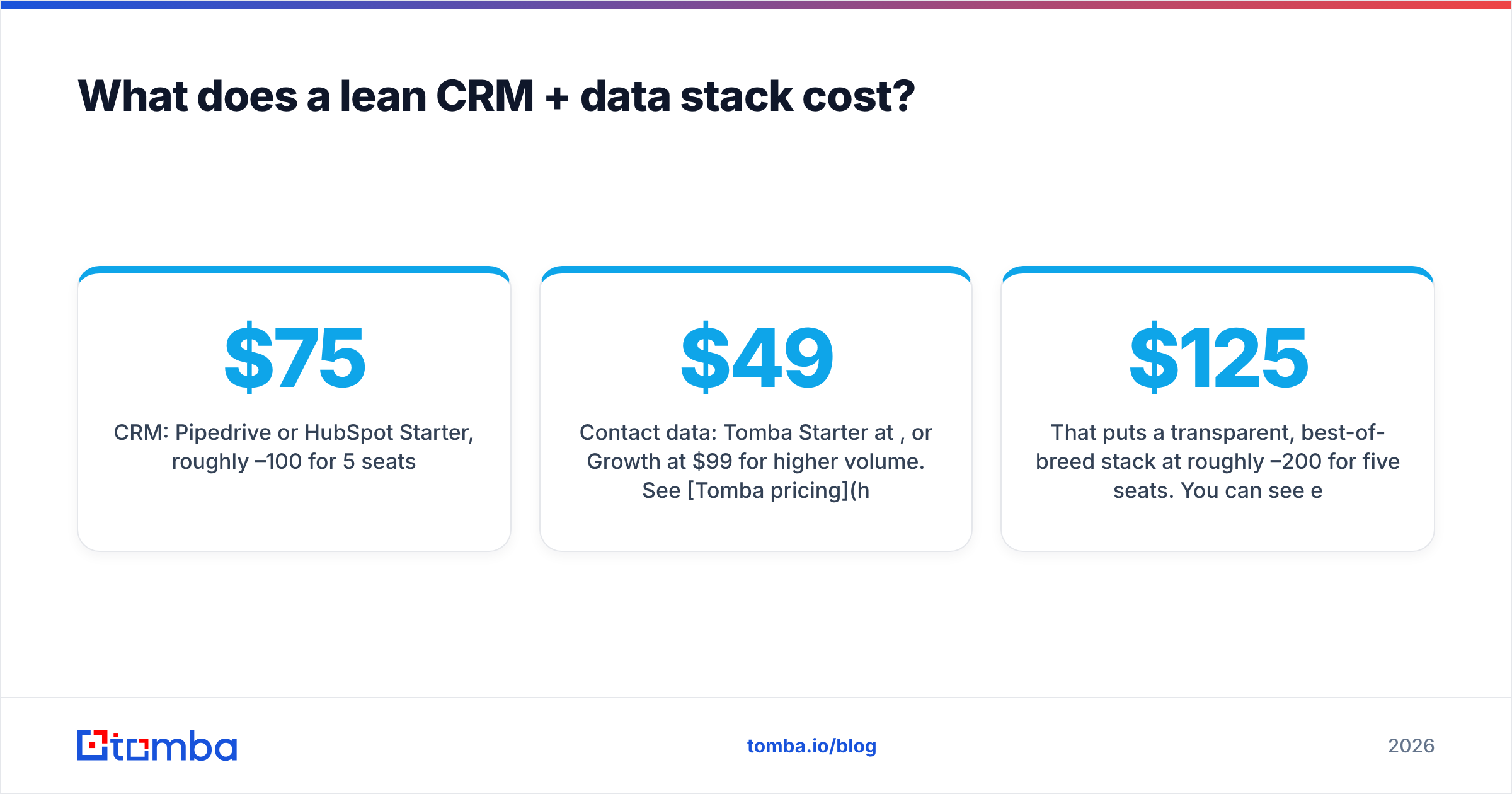
Here's a realistic setup for a 5-rep outbound team:
- CRM: Pipedrive or HubSpot Starter, roughly $75–100/month for 5 seats.
- Contact data: Tomba Starter at $49/month, or Growth at $99/month for higher volume. See Tomba pricing for credit limits on each plan. A free tier with 25 searches per month lets you test accuracy first.
- Sequencing: HubSpot sequences or a dedicated cold-email tool, depending on volume.
That puts a transparent, best-of-breed stack at roughly $125–200/month for five seats. You can see every line item without booking a sales call, and that's exactly the clarity many MagicCRM users say they're missing.
Final verdict on MagicCRM alternatives#
MagicCRM is a capable, feature-dense CRM that suits Italian SMBs who want sales and operations in one tool. If you're leaving because of pricing opacity, interface density or a thin ecosystem, the market gives you better-documented options. HubSpot and Pipedrive cover sales-led teams, Zoho and Odoo cover all-in-one operators, and Salesforce covers enterprise complexity.
Whichever CRM wins, spend as much effort on what goes into it as on the CRM itself. A clean migration and a reliable source of verified contacts will do more for rep adoption than any dashboard.
Fill your new CRM with contacts that actually reply. Tomba Email Finder finds verified professional email addresses by name, domain or company, and syncs them straight into HubSpot, Salesforce, Pipedrive and more. Start on the free plan with 25 searches a month, and upgrade to Starter at $49/month once you've tested accuracy on your own leads.
Related guides#
// start free
See who Tomba finds at any company
Type a company's domain to see its people, their roles and verified work emails, each with the pages it was found on. Free account, no card.
Free plan · No credit card required · GDPR & CCPA
// about the author