Mailarrow vs Salesbot: Cold Email Sender vs All-in-One Platform
Mailarrow sends cold email. Salesbot finds the leads and sends to them. We compare pricing, deliverability, data, and fit so you can pick the right stack.
TL;DR
- Mailarrow is a sending engine. You get unlimited mailboxes, inbox rotation, warmup, and sequences. It doesn't include a lead database, so you bring your own contacts.
- Salesbot is a data-first platform. It pairs a B2B contact database (marketed at 650M+ records) with built-in email sending, and charges per user.
- On price, Mailarrow starts at about $39/mo (or $32/mo billed annually) for the whole account. Salesbot starts at about $49/user/mo. Mailarrow gets cheaper as you add sending volume, and Salesbot gets more expensive as you add reps.
- Pick Mailarrow if you already have a lead source and care most about deliverability at scale. Pick Salesbot if you're a small team that wants one login for finding and emailing prospects.
- Whichever you choose, verify every list before it goes into a sequence. Bounces hurt you on either tool.
What is the real difference between Mailarrow and Salesbot?#
These two tools don't do the same job, which is why so many comparisons of them go wrong.
Mailarrow is a cold email delivery tool. Its features all serve one goal: getting a large number of personalized emails into inboxes without burning your domains. That means unlimited sending accounts, smart inbox rotation, AI warmup, multi-step sequences, and campaign analytics. It assumes you already have a list.
Salesbot starts from data. Its pitch is a large database of verified B2B contacts with AI-assisted search, plus the ability to email those contacts from the same app. The sending side handles the job, but it was built so you can act on the database, not to compete with dedicated sending infrastructure.
So the real question isn't which tool is better. It's where your bottleneck is.
- If you have plenty of leads and they keep landing in spam, Mailarrow targets your problem.
- If your sending works but you never have enough good contacts, Salesbot targets your problem.
- If both are broken, neither tool fixes everything alone, and the stack section below covers that.
One naming warning: Salesbot (salesbot.io) is a different product from SalesRobot, a LinkedIn automation tool. Review sites mix them up, so check which one you're reading about.
How do Mailarrow and Salesbot compare feature by feature?#
Here's the side-by-side. Pricing comes from public listings at the time of writing, and both vendors change plans often, so check their pricing pages before you buy.
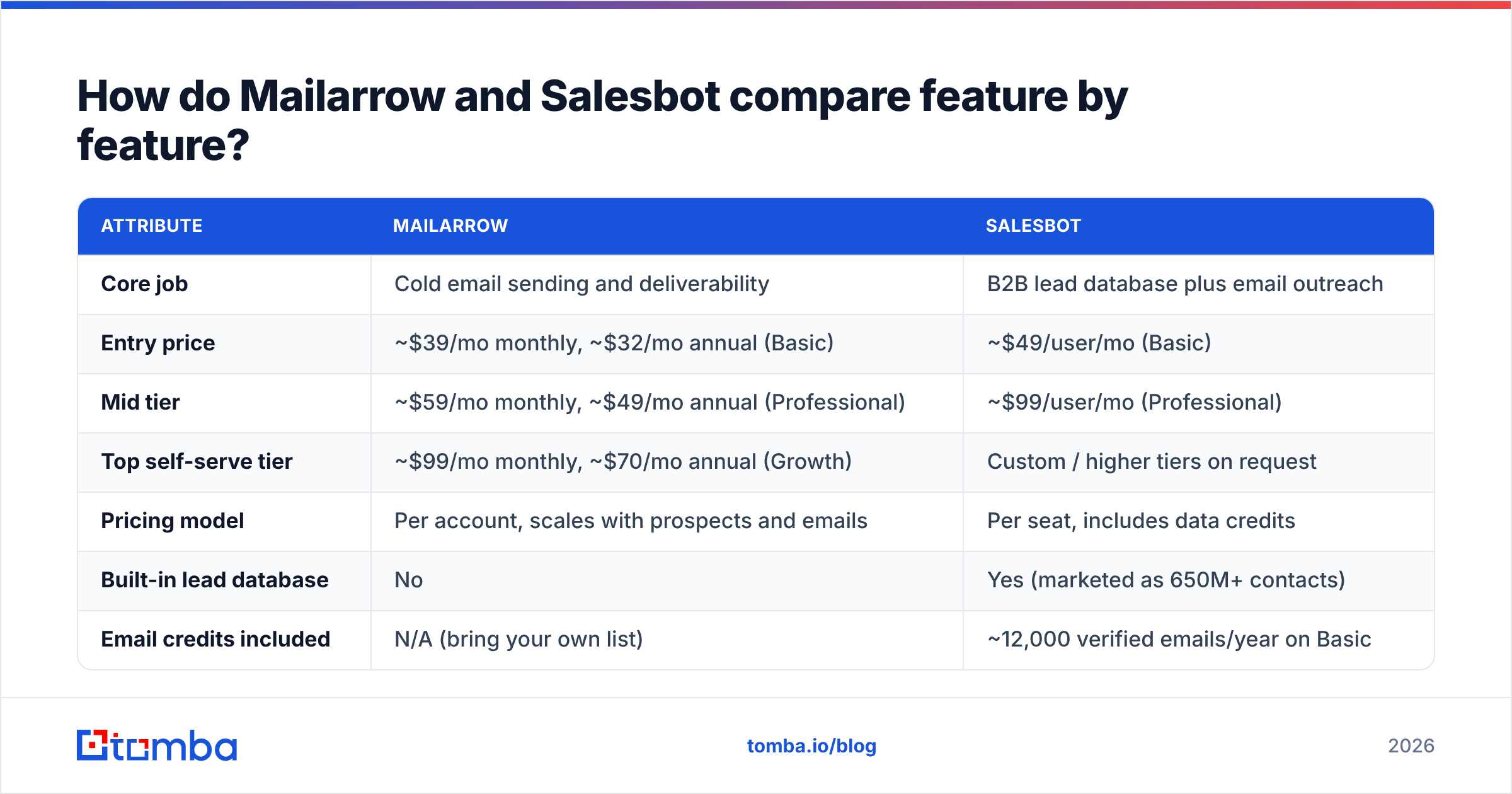
| Attribute | Mailarrow | Salesbot |
|---|---|---|
| Core job | Cold email sending and deliverability | B2B lead database plus email outreach |
| Entry price | ~$39/mo monthly, ~$32/mo annual (Basic) | ~$49/user/mo (Basic) |
| Mid tier | ~$59/mo monthly, ~$49/mo annual (Professional) | ~$99/user/mo (Professional) |
| Top self-serve tier | ~$99/mo monthly, ~$70/mo annual (Growth) | Custom / higher tiers on request |
| Pricing model | Per account, scales with prospects and emails | Per seat, includes data credits |
| Built-in lead database | No | Yes (marketed as 650M+ contacts) |
| Email credits included | N/A (bring your own list) | ~12,000 verified emails/year on Basic |
| Sending mailboxes | Unlimited on all plans | Connected inboxes, sending volume reported as unlimited |
| Email warmup | Unlimited, AI-powered, included | Not the headline feature, so check the current plan |
| Inbox rotation | Yes | Limited compared with dedicated senders |
| AI personalization | Professional tier and above | AI-assisted search and writing help |
| Free trial | 7-day trial | Trial / demo, check the site |
| Best fit | Agencies, high-volume senders, teams with existing data | Small sales teams that want data and sending in one place |
Mailarrow's limits are set by active prospects and monthly emails. Basic covers roughly 2,000 prospects and 6,000 emails a month, Professional about 20,000 and 60,000, and Growth about 50,000 and 150,000. Salesbot's limits are set by seats and data credits. Each rep you add costs another license, and how many contacts you can export depends on your credit allowance.
That difference in models decides most of the cost question, which comes next.
Which one is cheaper for a real team?#
It depends on headcount compared with volume. Here are three common setups.
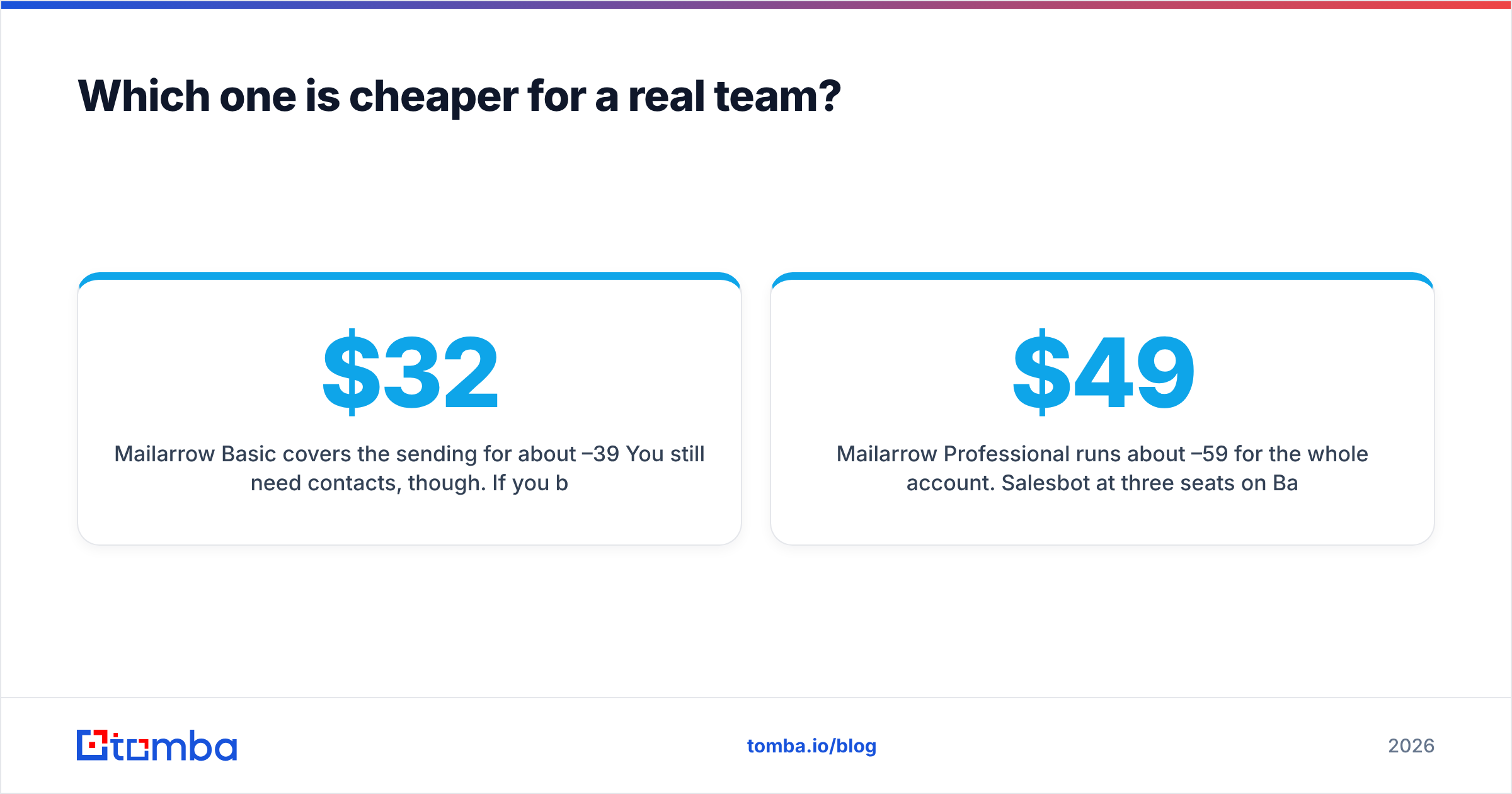
Scenario 1: Solo founder sending 5,000 emails a month. Mailarrow Basic covers the sending for about $32–39/mo. You still need contacts, though. If you buy or build them elsewhere, add that cost. Salesbot Basic at about $49/mo gives you the contacts and the sending in one bill. For a solo operator starting from zero, Salesbot is often cheaper in practice even though its sticker price is higher.
Scenario 2: Three SDRs sending a combined 40,000 emails a month. Mailarrow Professional runs about $49–59/mo for the whole account. Salesbot at three seats on Basic is about $147/mo, and roughly $297/mo if you need Professional features like team tools and bulk export. If your SDRs already get leads from another source, Mailarrow wins easily on cost.
Scenario 3: An agency running campaigns for eight clients. Mailarrow's unlimited mailboxes and per-account pricing are built for this. Seat-based pricing gets expensive fast when one operator manages many client domains. Mailarrow is the clear pick here, paired with a separate data tool.
The pattern holds across all three. Salesbot's cost grows with people. Mailarrow's cost grows with volume. Work out which number your business will grow faster.

Is Mailarrow better than Salesbot for deliverability?#
Yes. Mailarrow's whole product is built around deliverability, and Salesbot's isn't.
The three things that keep cold email out of spam are:
- Spreading volume across many mailboxes and domains so no single inbox sends too much.
- Continuous warmup so each mailbox builds a history of positive engagement.
- Clean lists so your bounce rate stays well under the roughly 2% level where mailbox providers start reacting.
Mailarrow covers the first two directly. You can connect as many sending accounts as you want, rotate between them automatically, and warm all of them without paying extra for warmup. Teams that would otherwise pay for a separate warmup tool get real value from this.
Salesbot handles sending well enough for modest volumes. But teams that send tens of thousands of emails a month across many domains usually find that a data-first platform gives them less control over rotation and warmup than a dedicated sender.
Neither tool can solve the third point for you. If you upload a list full of dead addresses, your domain reputation drops no matter which tool sends it. Google's sender guidelines say this directly: keep spam complaints and invalid sends low, or expect filtering. It's worth learning how sender reputation builds up and degrades before you scale either tool.
A practical note from user reviews: Mailarrow's G2 reviews praise the unlimited mailboxes and warmup, but some users still report emails landing in spam. Warmup protects your sending reputation, but it can't make up for a bad list or spammy copy.
Is Salesbot's built-in database good enough to replace a dedicated data tool?#
For many small teams, yes. For teams that need precise targeting, often not.
Having search and sending in the same app is convenient. You filter by title, industry, company size, and location, export the matches, and start a sequence without moving between tools. With roughly 12,000 email credits a year on the entry plan (about 1,000 a month), a single rep has enough contacts for steady outbound.
Where all-in-one databases tend to fall short:
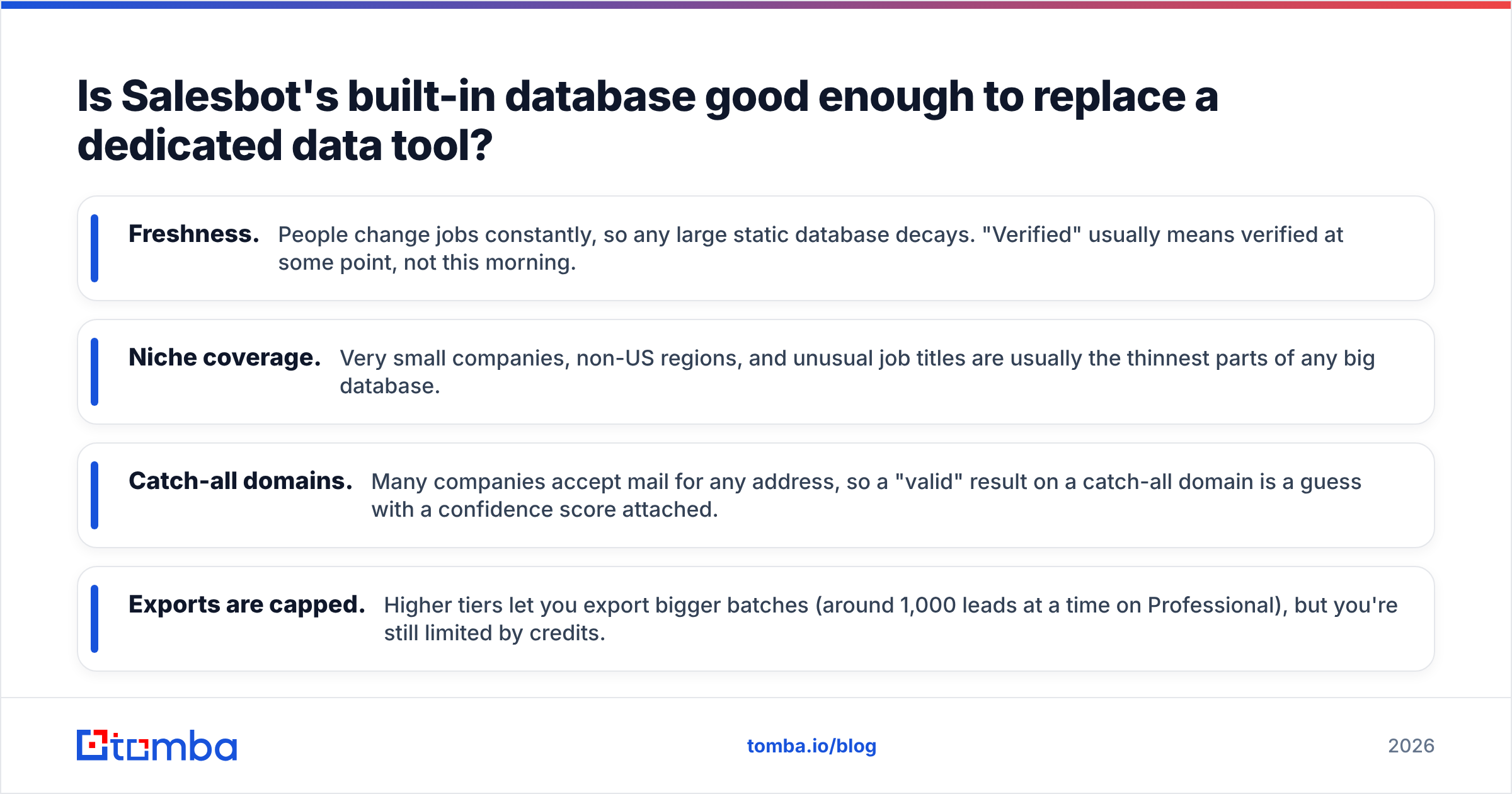
- Freshness. People change jobs constantly, so any large static database decays. "Verified" usually means verified at some point, not this morning.
- Niche coverage. Very small companies, non-US regions, and unusual job titles are usually the thinnest parts of any big database.
- Catch-all domains. Many companies accept mail for any address, so a "valid" result on a catch-all domain is a guess with a confidence score attached.
- Exports are capped. Higher tiers let you export bigger batches (around 1,000 leads at a time on Professional), but you're still limited by credits.
None of this is specific to Salesbot. It applies to every database-first tool. The fix is the same everywhere: before a list goes into a sequence, run it through a dedicated email verifier. This matters most for contacts that are a few months old.
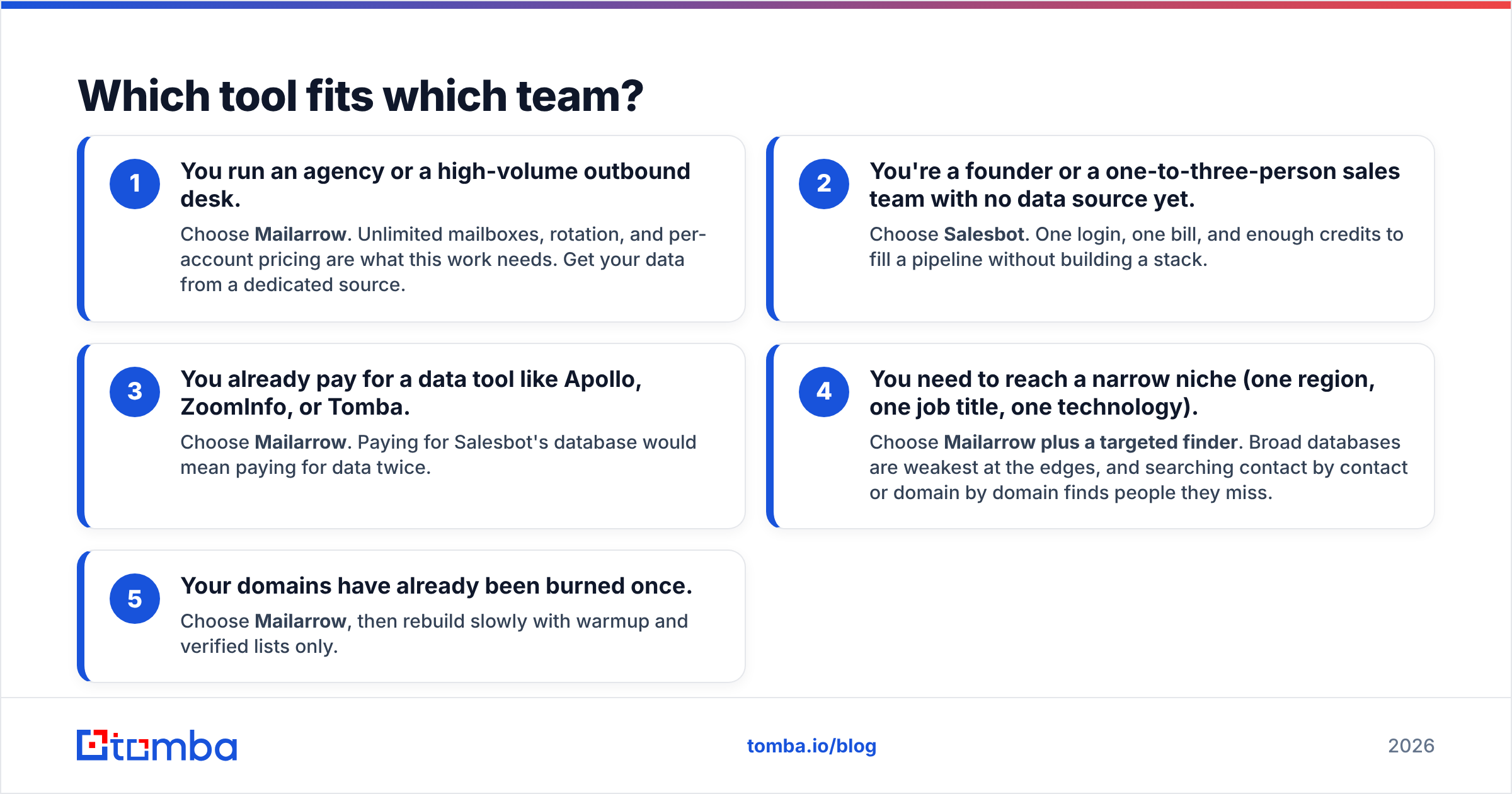
Which tool fits which team?#
Use these quick profiles to make the call.
- You run an agency or a high-volume outbound desk. Choose Mailarrow. Unlimited mailboxes, rotation, and per-account pricing are what this work needs. Get your data from a dedicated source.
- You're a founder or a one-to-three-person sales team with no data source yet. Choose Salesbot. One login, one bill, and enough credits to fill a pipeline without building a stack.
- You already pay for a data tool like Apollo, ZoomInfo, or Tomba. Choose Mailarrow. Paying for Salesbot's database would mean paying for data twice.
- You need to reach a narrow niche (one region, one job title, one technology). Choose Mailarrow plus a targeted finder. Broad databases are weakest at the edges, and searching contact by contact or domain by domain finds people they miss.
- Your domains have already been burned once. Choose Mailarrow, then rebuild slowly with warmup and verified lists only.
What does a sensible Mailarrow or Salesbot stack look like?#
The tools that work best together are the ones that each do a single job well.
Stack A: Mailarrow + a dedicated finder + a verifier Find contacts by name and company, or pull everyone at a target account with a domain search. Verify the list, upload it to Mailarrow, and let rotation and warmup handle delivery. This is the most flexible and cost-efficient setup once you send at volume.
Stack B: Salesbot + a verifier Use Salesbot for search and sending, and add a verification step before every new campaign. It's simple and good for small teams. Upgrade the sending side later if volume grows.
Stack C: Salesbot for data, Mailarrow for sending Some teams use both. They export from Salesbot and send through Mailarrow for better rotation. It works, but you pay for Salesbot's sending features without using them. Check whether a data-only tool would cost less before you commit.
For each stack, make sure the data layer connects to your CRM so replies and meetings don't get stuck inside your sending tool.

What are the pros and cons of each tool?#
Mailarrow pros
- Unlimited mailboxes and warmup on every plan
- Inbox rotation built for multi-domain sending
- Flat per-account pricing that scales well with volume
- Annual billing brings Basic down to about $32/mo
Mailarrow cons
- No lead data, so you need a separate source
- AI personalization only from Professional up
- Fewer public reviews than bigger competitors like Instantly or Smartlead
- Warmup doesn't guarantee inbox placement
Salesbot pros
- Large built-in B2B database with AI search
- Search and sending in one app
- Monthly renewal with no long contract reported
- Simple setup for teams without a data source
Salesbot cons
- Per-seat pricing grows quickly with team size
- Credit caps limit how much you can export
- Less deliverability control than a dedicated sender
- Freshness and coverage gaps that every large database has
So, Mailarrow vs Salesbot: which should you choose?#
Mailarrow is the better sending tool, and Salesbot is the better all-in-one starting point.
If your team already has a lead source and needs to send more volume without hurting its domains, Mailarrow is cheaper and more capable at scale. If you're starting from nothing and want contacts and campaigns in one place, Salesbot gets you live faster and costs less to coordinate, as long as the team stays small.
The data layer is where most outbound problems actually come from. A strong sender with weak data still bounces, and a big database with stale records still hurts your reputation. Whatever you pick, treat data quality as its own decision rather than something your sending tool handles.
Where does Tomba fit if you pick Mailarrow (or want better data than a bundled database)?#
Mailarrow needs a data source, and a bundled database won't always cover your niche. Tomba Email Finder fills that gap. You can find professional addresses by name and company, pull every public contact at a domain, and verify the results before export, including catch-all checks. Plans start with a free tier of 25 searches a month and go to $49/mo for Starter. See the full Tomba pricing to match credits to your volume. Then upload a clean, verified CSV to Mailarrow (or check a Salesbot export with it) and let your sending tool focus on delivery.
Related guides#
// start free
See who Tomba finds at any company
Type a company's domain to see its people, their roles and verified work emails, each with the pages it was found on. Free account, no card.
Free plan · No credit card required · GDPR & CCPA
// about the author