Mailcheck vs Tomba: Email Verifier or Full Email Finder in 2026?
Mailcheck cleans the list you already have for about a cent per email. Tomba finds the contacts you don't have yet and verifies them too. Here's which one belongs in your stack, and when you need both.
TL;DR
- Mailcheck (mailcheck.co) is a single-purpose email verifier. You upload a list, and it tells you which addresses are deliverable. Paid plans have been listed from $10/mo for 1,000 checks.
- Tomba is an email finder with verification included. It finds professional addresses by name, domain, or company, then verifies them. Plans start with a free tier and go to $49/mo for Starter.
- If you already have a list and only need to clean it, Mailcheck is the cheaper way to do that one job.
- If you need to build the list first, Mailcheck can't help. It doesn't discover contacts. Tomba handles both finding and verifying in one workflow.
- Most outbound teams need both jobs done. Pick based on where your contacts come from, not on the headline price.
What is Mailcheck, and which "Mailcheck" are we comparing?#
Mailcheck shares its name with two other products, so start by pinning down which one this post covers.
- Mailcheck (mailcheck.co) is a SaaS email validation service. This is the one compared here.
- mailcheck.js is an open-source JavaScript library that suggests corrections for misspelled domains in signup forms (for example, "gmial.com" becomes "gmail.com"). It's a form-UX helper, not a verifier.
- MailerCheck is MailerLite's verification and deliverability product. It's a different company with different pricing.
Mailcheck.co runs one main workflow. You bring a list of addresses, upload it or send it through the API, and get back a status for each one: valid, invalid, risky, or unknown. The goal is to remove addresses that would bounce before you send to them. That protects your sender reputation and keeps your bounce rate under the thresholds mailbox providers watch.
Mailcheck does not find people. If you give it "Jane Doe at Acme," it has nothing to work with. It needs an email address to start.
What is Tomba, and how is it different?#
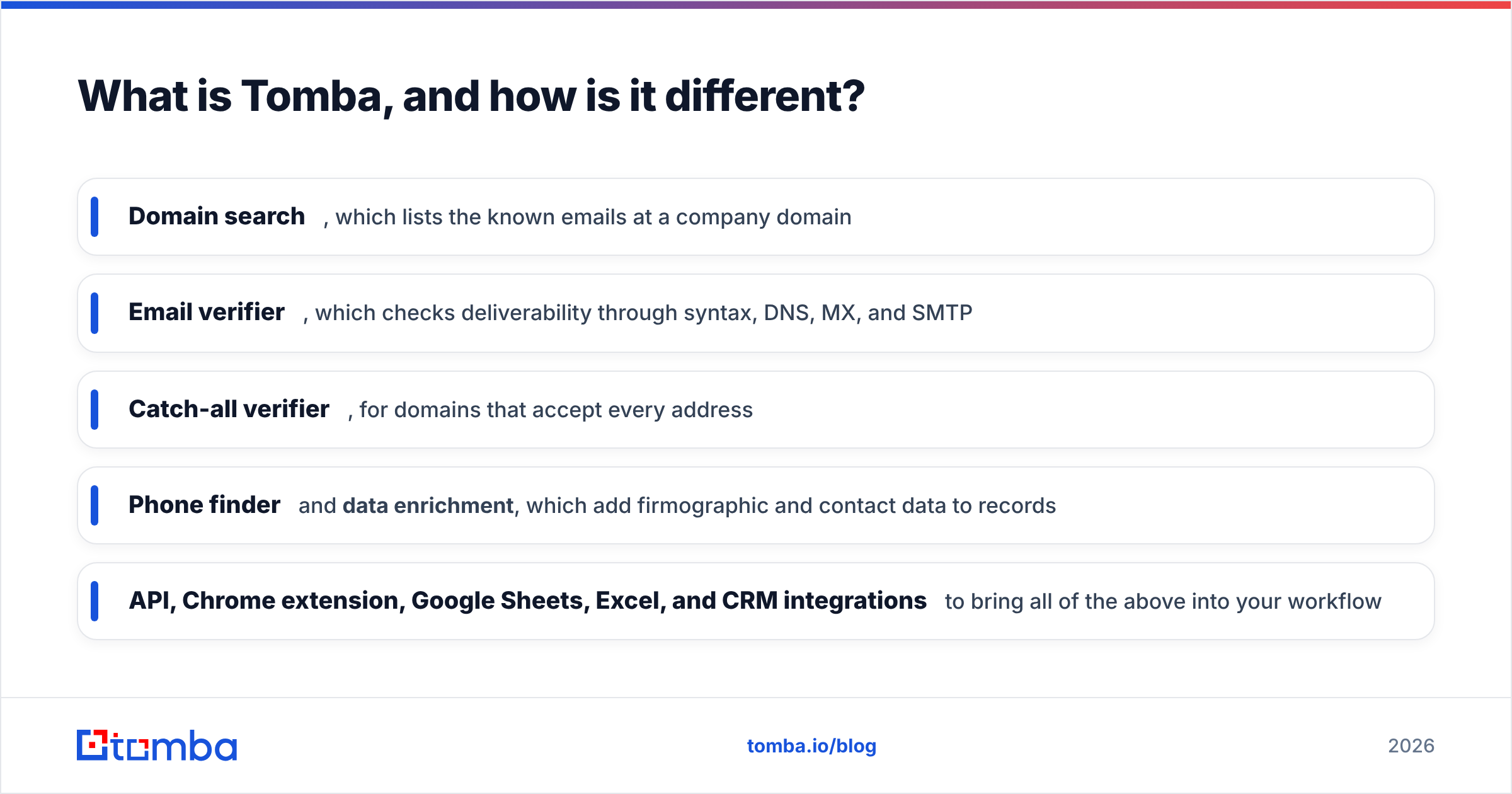
Tomba starts one step earlier. Its core product is an email finder. You give it a first name, last name, and company domain, and it returns the most likely professional address with a confidence score and the public sources where that address was seen. Around that core are:
- Domain search, which lists the known emails at a company domain
- Email verifier, which checks deliverability through syntax, DNS, MX, and SMTP
- Catch-all verifier, for domains that accept every address
- Phone finder and data enrichment, which add firmographic and contact data to records
- API, Chrome extension, Google Sheets, Excel, and CRM integrations to bring all of the above into your workflow
So this isn't a contest between two tools that do the same thing. Mailcheck is a specialist, like a car wash. Tomba is closer to a dealership that also washes the cars it sells. Which one you want depends on whether you already own the car.

Mailcheck vs Tomba: how do the features compare?#
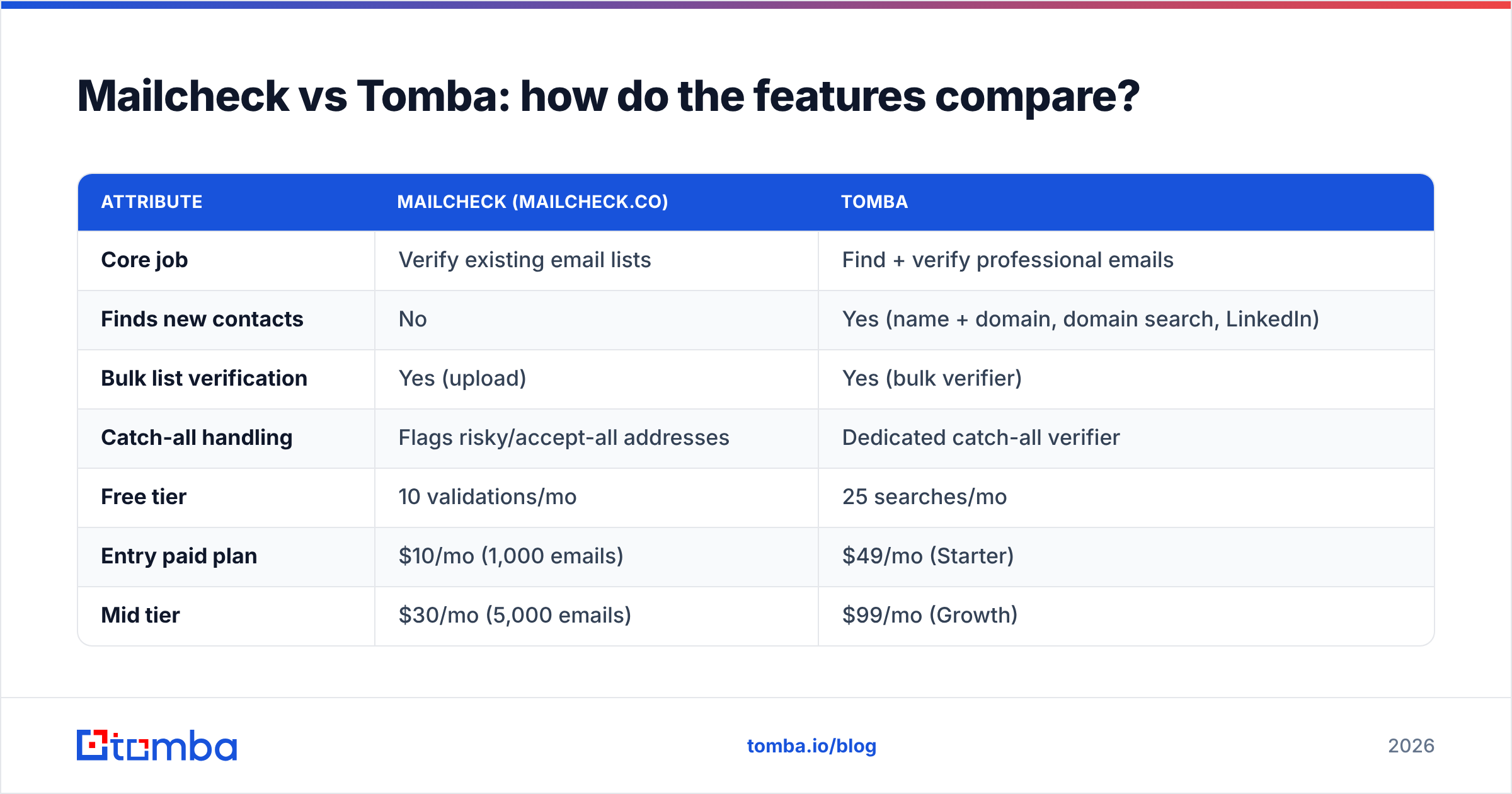
Here's how they compare on the attributes that matter in a buying decision. Mailcheck figures come from its public pricing as captured in mid-2026, so confirm them on the vendor's site before you buy.
| Attribute | Mailcheck (mailcheck.co) | Tomba |
|---|---|---|
| Core job | Verify existing email lists | Find + verify professional emails |
| Finds new contacts | No | Yes (name + domain, domain search, LinkedIn) |
| Bulk list verification | Yes (upload) | Yes (bulk verifier) |
| Catch-all handling | Flags risky/accept-all addresses | Dedicated catch-all verifier |
| Free tier | 10 validations/mo | 25 searches/mo |
| Entry paid plan | $10/mo (1,000 emails) | $49/mo (Starter) |
| Mid tier | $30/mo (5,000 emails) | $99/mo (Growth) |
| Higher tier | $90/mo (20,000 emails) | $249/mo (Pro) |
| Overage pricing | Yes, roughly $0.003–$0.005/email | Credit-based, see plan limits |
| API | Yes | Yes (REST, CLI, MCP) |
| Enrichment (company, phone) | No | Yes |
| Browser extension | Not a core offering | Yes (Chrome, Firefox, Edge) |
| Best for | Cleaning an inherited or exported list cheaply | Building and verifying prospect lists in one place |
The table makes the main point clear. On cost per verification alone, Mailcheck is cheaper. At the Pro tier, $10 for 1,000 checks is about one cent per email, and the higher tiers bring that down further. Tomba's plans cost more because each credit can also be spent on discovery, enrichment, and phone lookups.
Is Mailcheck cheaper than Tomba?#
For pure verification, yes. But that comparison is only fair if verification is the only thing you're buying.
Here's how the math usually works out:
- You have a 5,000-contact list from an old CRM export or an event. You only need to know which addresses are still good. Mailcheck's Agency tier at $30/mo covers that. Using Tomba for this job alone would mean paying for capabilities you won't use.
- You need 500 new prospects at 100 target accounts. Mailcheck can't produce those contacts, so you'd have to buy a finder anyway. Once you're paying for a finder, a separate verifier subscription is a second bill, a second CSV export, and a second chance to mix up files. Tomba finds and verifies in one pass.
- You run outbound every week. A steady flow of new contacts means you're always discovering and always verifying. A combined tool usually wins on total cost and time saved, even if its per-check price is higher.
Look at total workflow cost, not unit price. If you count the hours a rep spends moving CSVs between tools, the "cheap" verifier can end up costing more than it appears.
For current credit allotments on each tier, see Tomba pricing.
How accurate is verification on each tool?#
No vendor can promise 100% certainty, and you should be skeptical of any that claims to. The technical reasons are worth understanding because they apply to both tools.
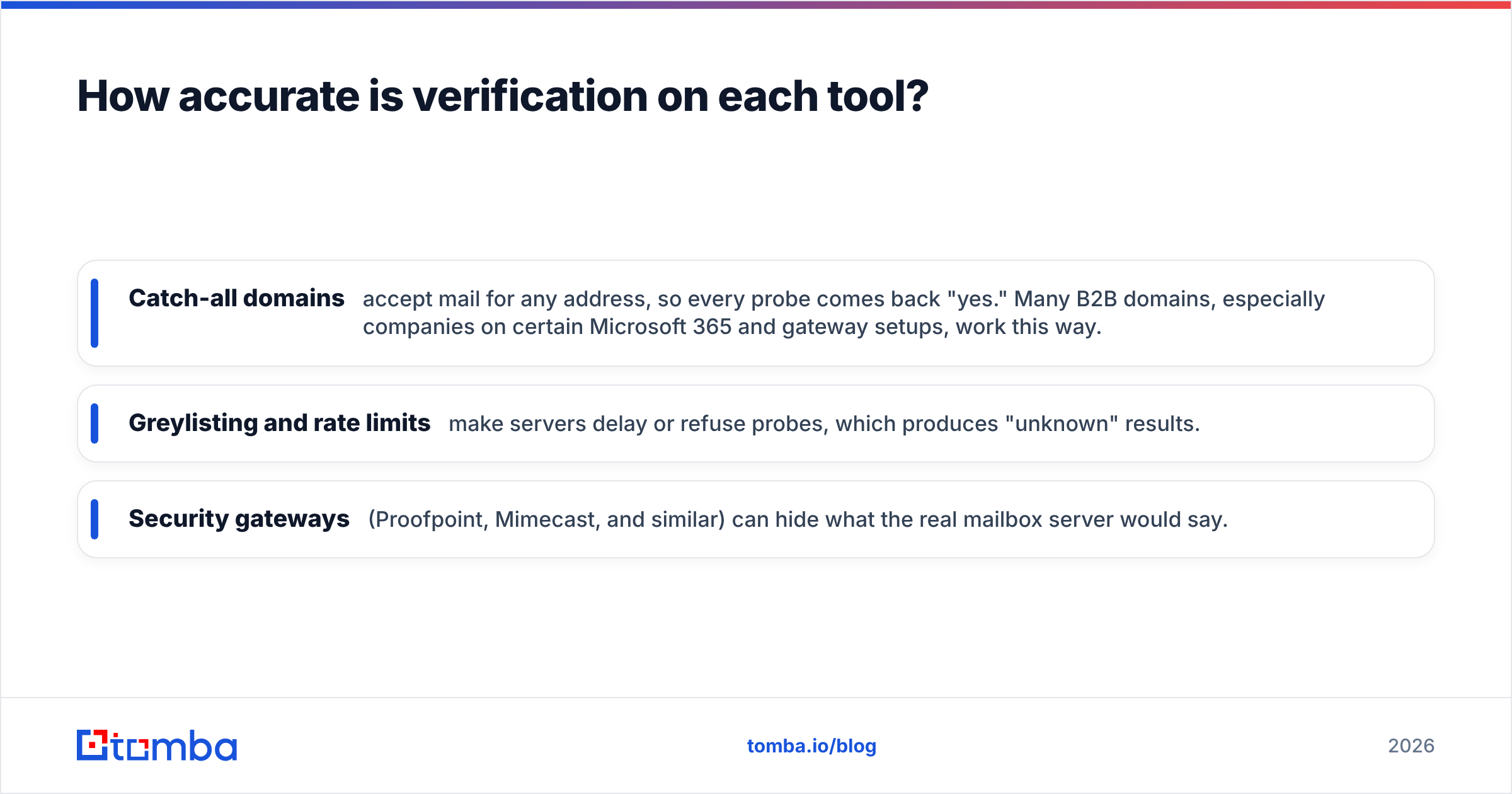
Email verification is like knocking on a door without going in. A verifier checks the syntax, confirms the domain exists and has mail (MX) records, then opens an SMTP conversation with the receiving server and asks whether the mailbox exists. Then it hangs up before sending anything. Most servers answer honestly. Some don't:
- Catch-all domains accept mail for any address, so every probe comes back "yes." Many B2B domains, especially companies on certain Microsoft 365 and gateway setups, work this way.
- Greylisting and rate limits make servers delay or refuse probes, which produces "unknown" results.
- Security gateways (Proofpoint, Mimecast, and similar) can hide what the real mailbox server would say.
Both Mailcheck and Tomba will return a "risky" or "accept-all" bucket for these cases. The useful question is what each tool helps you do with that bucket. Mailcheck flags those addresses and leaves the decision to you. Tomba has a separate catch-all verifier built for those domains, and its finder adds context a pure verifier doesn't have: the public sources where the address appeared and the company's detected email pattern. A catch-all address that matches a confirmed first.last@ pattern and appears on the company's own website is a much safer send than one with no supporting evidence.
For background on why bounces matter, the Wikipedia entry on bounce messages explains the difference between hard and soft bounces. Hard bounces are the ones that hurt your sender reputation.
When should you choose Mailcheck?#
Mailcheck is the better fit when your situation looks like this:
- You already have the list. Newsletter subscribers, webinar registrants, trade-show scans, or an inherited CRM. Your data already exists and you need to know whether it's still current.
- Your volume is predictable and modest. The fixed monthly tiers with clear overage rates make budgeting simple.
- You're a marketing team, not an SDR team. Lifecycle and newsletter senders who never prospect cold don't need a finder.
- You want the cheapest tool for one narrow job. At about a cent per check or less, it's hard to beat on unit price.
It's also a reasonable choice for agencies cleaning client lists before a campaign, since that work is verification only.
When should you choose Tomba?#
Tomba is the better fit when:
- You need to find contacts, not just check them. Account-based outbound, recruiting, partnerships, PR outreach, and anything that starts with "who do I email at this company?"
- You want one tool instead of two. Finding and verifying in the same pass removes the export, re-upload, and merge step.
- You prospect from LinkedIn or company websites. The browser extension and LinkedIn finder pull addresses where you're already doing research.
- You need enrichment. Phone numbers, company size, industry, and tech stack on the same record make segmentation and personalization easier.
- You build pipelines in code or no-code tools. The REST API, CLI, MCP server, and native integrations (HubSpot, Salesforce, Pipedrive, Zapier, Make, Google Sheets) let you automate find-then-verify without manual steps.
If you're an SDR or founder doing outbound, this list probably describes your week.
Can you use Mailcheck and Tomba together?#
Yes, and some teams do. A common split:
- Tomba for prospecting: finding and verifying new contacts before they reach your sequencer.
- Mailcheck for periodic cleanup of large existing databases (marketing lists, old CRM segments) where you don't need discovery and want the lowest per-check cost.
This works fine. Just be honest about the overhead. Two vendors mean two contracts, two sets of status labels to map ("risky" in one tool may not mean exactly what "accept-all" means in another), and two places where results can drift. If your cleanup volume is small, using one tool for everything is usually simpler.
Which is better for cold email deliverability?#
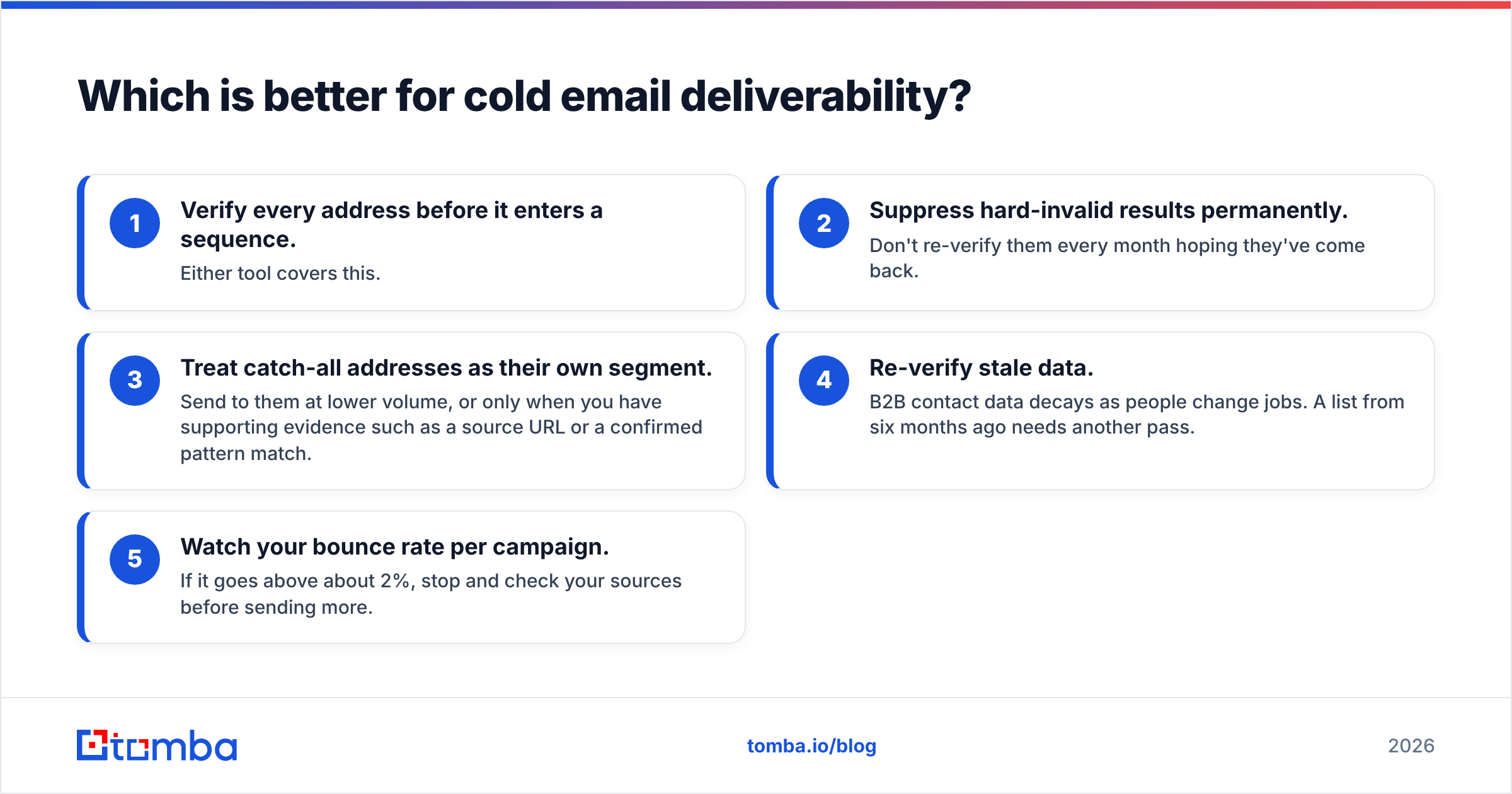
Neither tool sends email, so neither one fixes deliverability directly. Both protect it by keeping bad addresses off your list. A practical pre-send checklist:
- Verify every address before it enters a sequence. Either tool covers this.
- Suppress hard-invalid results permanently. Don't re-verify them every month hoping they've come back.
- Treat catch-all addresses as their own segment. Send to them at lower volume, or only when you have supporting evidence such as a source URL or a confirmed pattern match.
- Re-verify stale data. B2B contact data decays as people change jobs. A list from six months ago needs another pass.
- Watch your bounce rate per campaign. If it goes above about 2%, stop and check your sources before sending more.
Verification is the cheapest insurance in outbound. Whichever tool you choose, the real mistake is skipping the step.
What do teams usually get wrong when comparing these two?#
There are three common mistakes:
- Comparing per-check prices across different jobs. Mailcheck's price per verification and Tomba's price per credit pay for different things. Compare what each costs to finish your actual workflow.
- Assuming verified means safe forever. A "valid" result is a snapshot. People leave jobs, and the mailbox may be gone next quarter.
- Ignoring the catch-all problem. If a large share of your target accounts are catch-all domains, the tool that gives you more context on those addresses matters more than the one with the lowest per-check price.
Mailcheck vs Tomba: which should you pick?#
The verdict is simple once you know where your contacts come from.
- Choose Mailcheck if you already have the list and only need it cleaned. It's focused, inexpensive, and easy to budget.
- Choose Tomba if you need to find who to email and confirm the address works before you send. One tool covers discovery and verification, plus enrichment, integrations, and an API when you want to automate.
For most B2B sales and outbound teams, the contact list doesn't exist yet. That's why Tomba is the more complete choice for prospecting, while Mailcheck is a sensible add-on for cleaning lists you already have.
If you're building prospect lists from scratch, start with the Tomba Email Finder. Enter a name and a company domain, get a verified professional address with its sources, and send it straight to your CRM or sequencer. The free tier gives you 25 searches a month, so you can test it against your own target accounts before paying, and Starter at $49/mo covers a full prospecting workflow once you're ready. If your list is already built and you only need to clean it, Tomba's email verifier handles bulk checks under the same account.
Related guides#
// start free
See who Tomba finds at any company
Type a company's domain to see its people, their roles and verified work emails, each with the pages it was found on. Free account, no card.
Free plan · No credit card required · GDPR & CCPA
// about the author