

MailCleanup Pricing, Reviews, Pros and Cons: 2026 Verdict
MailCleanup sells email verification in one-time credit packs starting at $5. We break down the real per-email cost, what the few public reviews say, the pros and cons, and when a different verifier is the better buy.
TL;DR
- MailCleanup is a pay-as-you-go email verification tool. Credit packs run from $5 for 1,000 checks to $500 for 1,000,000, with no subscription.
- Per-email cost drops from $0.005 on the smallest pack to $0.0005 at 1M, which makes it one of the cheaper bulk list cleaners at high volume.
- There are very few public reviews. Capterra shows about 4.8/5 from a handful of users, which is too small a sample to tell you much about accuracy.
- MailCleanup is a strong fit for occasional bulk list cleaning on a budget. It is a weaker fit if you also need to find emails, enrich contacts, or verify inside a prospecting workflow.
- Before you buy, check how it handles catch-all domains and whether its credit expiry terms suit you. Those two things affect your real cost more than the sticker price.
What is MailCleanup?#
MailCleanup is a bulk email verification and list-cleaning service. You upload a list (usually a CSV), it checks each address, and it tags each one as valid, invalid, risky, or unknown. You then remove the bad ones before your next campaign so that your bounce rate stays low and your sender reputation holds up.
MailCleanup doesn't find emails, enrich leads, or run outreach. It does one job: it tells you whether addresses you already have are safe to send to. That narrow focus explains both its low price and most of its limitations.
Like most verifiers, it runs a chain of checks on each address:
- Syntax check: catches malformed addresses such as
john@@acmeorjane.doe@acme. - Domain and MX lookup: confirms the domain exists and has mail servers set up to receive mail.
- Disposable and role detection: flags throwaway inboxes and role addresses like
info@orsales@. - SMTP handshake: asks the receiving server whether the mailbox exists, without sending a message.
- Risk classification: sorts results into deliverable, undeliverable, risky (often catch-all), and unknown.
Every verifier on the market runs some version of this pipeline. The quality differences show up in steps 4 and 5, in how many addresses end up as "unknown" or "catch-all" and how often a "valid" result still bounces.
How much does MailCleanup cost in 2026?#
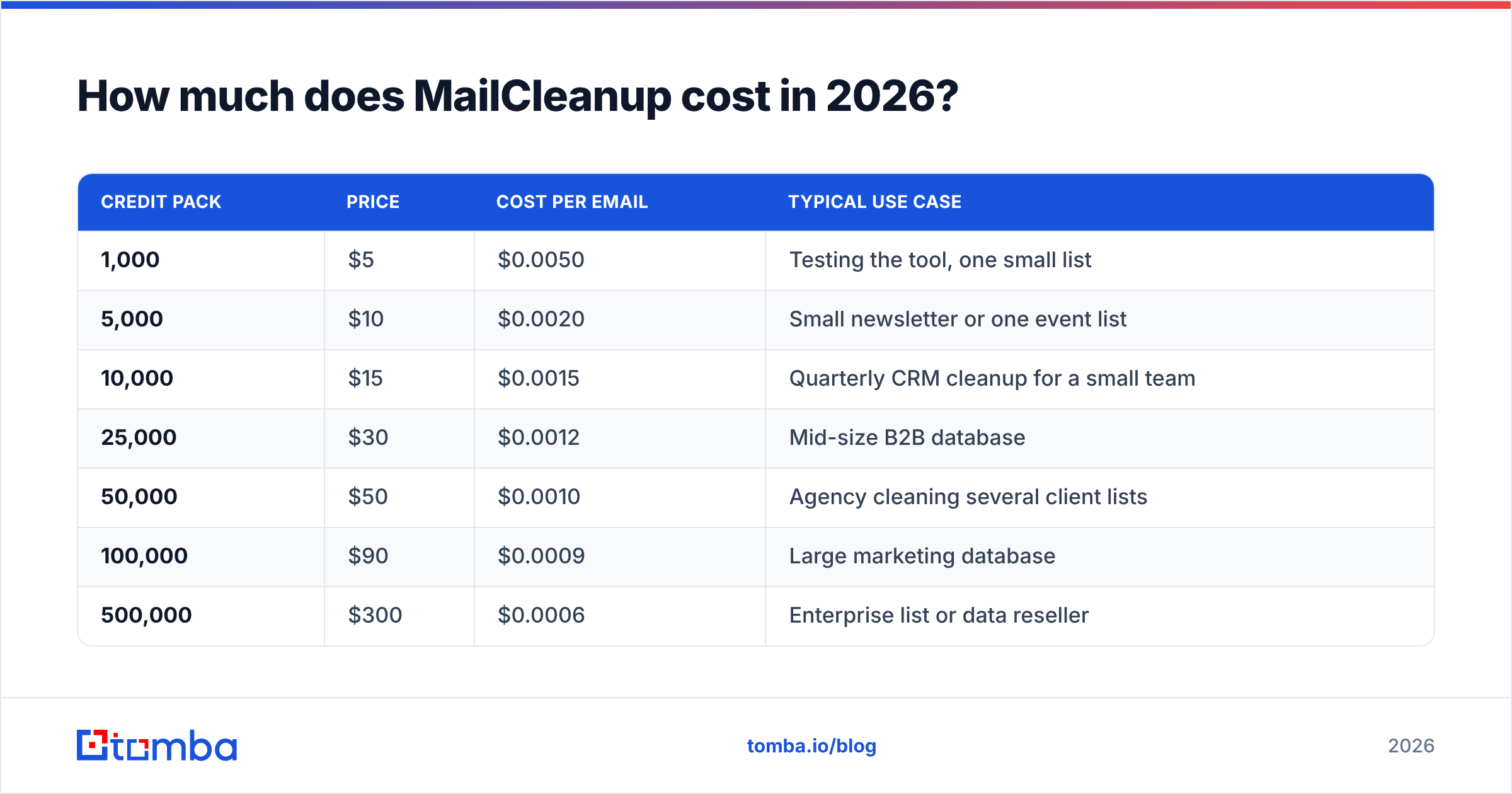
MailCleanup sells one-time credit packs. One credit verifies one email. According to the official MailCleanup site, there are no subscriptions and no automatic renewals. Here is the published pricing with the per-email cost worked out:
| Credit pack | Price | Cost per email | Typical use case |
|---|---|---|---|
| 1,000 | $5 | $0.0050 | Testing the tool, one small list |
| 5,000 | $10 | $0.0020 | Small newsletter or one event list |
| 10,000 | $15 | $0.0015 | Quarterly CRM cleanup for a small team |
| 25,000 | $30 | $0.0012 | Mid-size B2B database |
| 50,000 | $50 | $0.0010 | Agency cleaning several client lists |
| 100,000 | $90 | $0.0009 | Large marketing database |
| 500,000 | $300 | $0.0006 | Enterprise list or data reseller |
| 1,000,000 | $500 | $0.0005 | Very high volume; custom pricing above this |
The curve gets much cheaper as you buy more. Going from 1,000 to 10,000 credits costs three times as much money but gets you ten times the checks. If you clean lists regularly, you should almost never buy the $5 pack except as a trial.
What do those numbers mean in practice?#
Take a 20,000-contact B2B list. You'd buy the 25,000 pack for $30, use 20,000 credits, and keep 5,000 for the next import. A comparable list at mainstream verifiers' entry-tier rates, which usually work out to roughly $0.007 to $0.01 per email at low volumes, would cost well over $100. Big brands do narrow the gap at high volumes, but MailCleanup's small-to-mid tiers are aggressively cheap.
Are there hidden costs?#
The sticker price is simple, but three things change what you really pay:
- Credit expiry. Pay-as-you-go only works out cheaper if your credits don't expire before you use them. Third-party listings describe MailCleanup's credits differently, so confirm the current expiry terms on the pricing page before you buy a large pack.
- Unknown and catch-all results. If a verifier marks 15% of your list as "unknown" or "accept-all," you've paid for those checks and still don't know whether the addresses work. Your effective cost per usable answer is higher than the headline rate.
- Re-verification. B2B data decays as people change jobs, so a list you cleaned in January is partly stale by summer. Budget for cleaning important segments again every few months.
What do MailCleanup reviews say?#
There isn't much public review data to go on. On Capterra's MailCleanup listing, it rates around 4.8 out of 5, but only from about five reviews. The reviews that are visible praise the low price, and one user says cleaning their list kept their sending account from being suspended.
That's a good sign, but you shouldn't read too much into it:
- A five-review sample can't tell you anything about accuracy. It mostly reflects early adopters who were happy with the price.
- Watch for name mix-ups. "MailCleaner" is a different product, an anti-spam filter. Reviews of it on some sites have nothing to do with MailCleanup.
- Aggregator pages disagree with each other. Some directory listings describe the pricing model differently from the official site. Treat the vendor's own pricing page as the source of truth and assume directory snippets may be out of date.
Small review counts don't mean a product is bad. They just mean you should run your own test, which is cheap with a $5 pack.
How should you test MailCleanup yourself?#
You can get a real answer in an afternoon with a structured test:
- Pull 500 to 1,000 addresses from your CRM where you already know the result: some recently bounced, some recently replied, some from catch-all domains.
- Run the same file through MailCleanup and one or two other verifiers.
- Compare four numbers: percentage marked valid, percentage invalid, percentage unknown or catch-all, and how many known-bounced addresses each tool wrongly called "valid."
The last number matters most. A verifier that marks bounced addresses as valid will cost you more in damaged email deliverability than you saved on credits.
What are the pros and cons of MailCleanup?#
Pros#
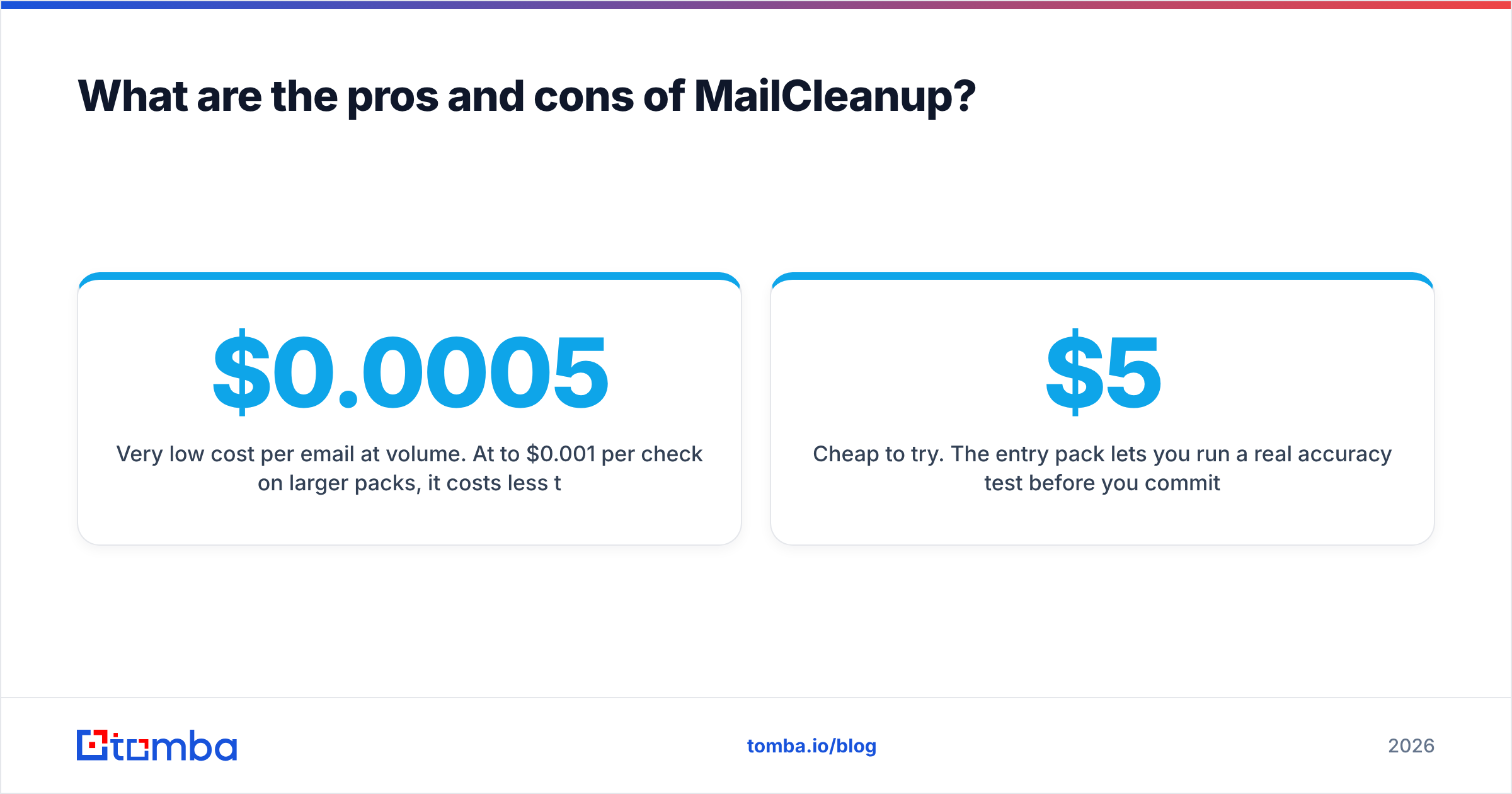
- Very low cost per email at volume. At $0.0005 to $0.001 per check on larger packs, it costs less than most well-known verifiers.
- No subscription. You pay when you have a list to clean, which suits seasonal senders, agencies, and teams that run occasional campaigns.
- Cheap to try. The $5 entry pack lets you run a real accuracy test before you commit.
- Single purpose. There's no platform to learn. You upload, clean, download, and you're done.
Cons#
- Very little independent validation. With so few public reviews, you have to measure accuracy yourself.
- Verification only. It doesn't find, enrich, or source contacts. If your list-building happens in another tool, you'll be moving CSVs between the two.
- Catch-all handling is the open question. Many B2B domains accept all mail, so a verifier's catch-all approach decides how much of your list you can actually use. Test this specifically.
- A smaller ecosystem. Bigger verifiers tend to have more native integrations with ESPs and CRMs. Check that the integrations you need exist before you build a workflow around MailCleanup.

How does MailCleanup compare to other email verifiers?#
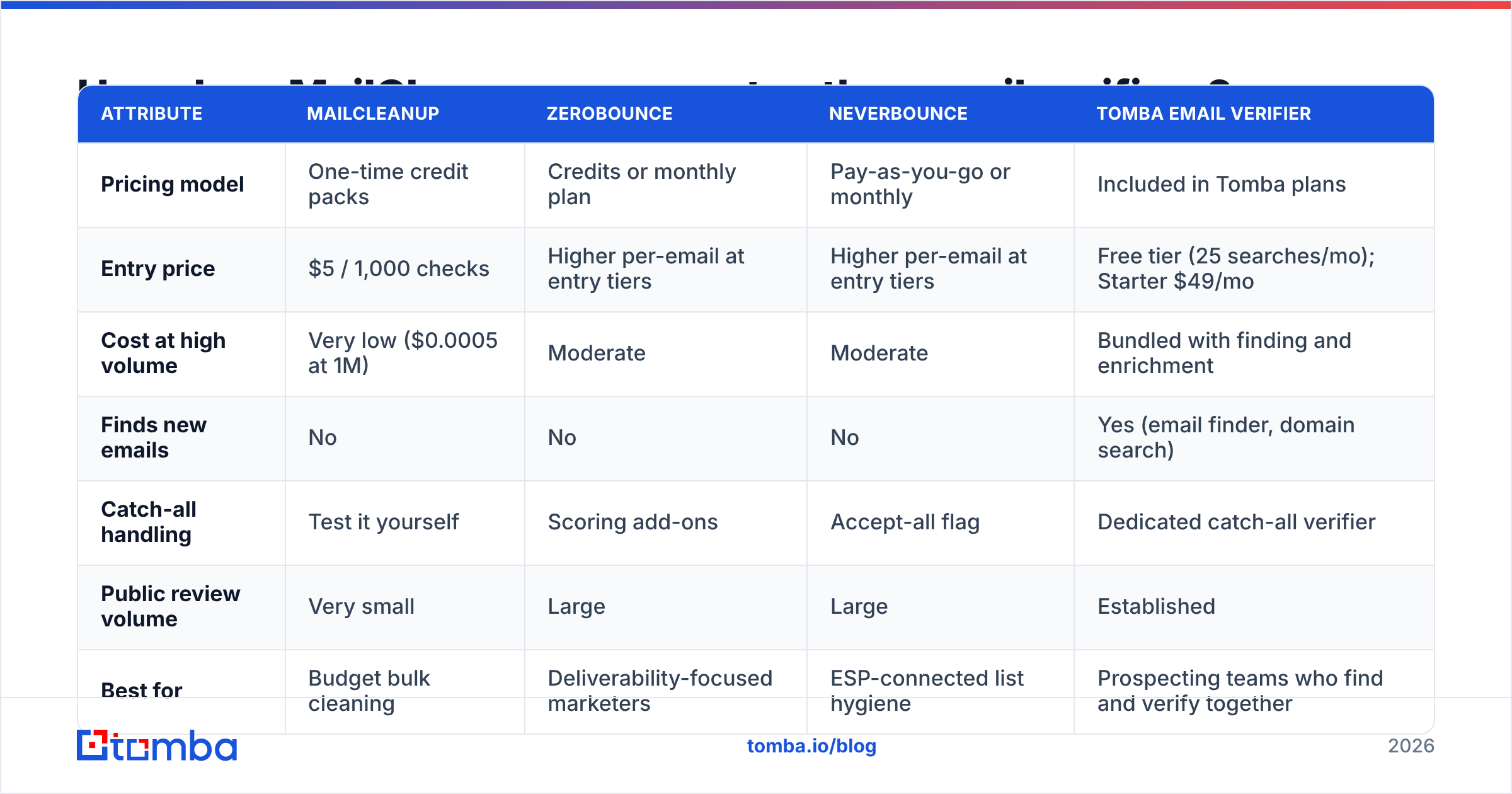
What you're really deciding is which model fits how you work: a cheap standalone list cleaner, a well-known standalone verifier, or verification built into the tool where you find your leads.
| Attribute | MailCleanup | ZeroBounce | NeverBounce | Tomba Email Verifier |
|---|---|---|---|---|
| Pricing model | One-time credit packs | Credits or monthly plan | Pay-as-you-go or monthly | Included in Tomba plans |
| Entry price | $5 / 1,000 checks | Higher per-email at entry tiers | Higher per-email at entry tiers | Free tier (25 searches/mo); Starter $49/mo |
| Cost at high volume | Very low ($0.0005 at 1M) | Moderate | Moderate | Bundled with finding and enrichment |
| Finds new emails | No | No | No | Yes (email finder, domain search) |
| Catch-all handling | Test it yourself | Scoring add-ons | Accept-all flag | Dedicated catch-all verifier |
| Public review volume | Very small | Large | Large | Established |
| Best for | Budget bulk cleaning | Deliverability-focused marketers | ESP-connected list hygiene | Prospecting teams who find and verify together |
A few takeaways from the table:
- For a one-off cleanup of a big newsletter list, MailCleanup is hard to beat on price. Unless accuracy testing shows a real problem, the gap in cost is large.
- Established verifiers cost more because you're paying for track record and integrations. If you need audited accuracy claims or native ESP sync, that premium can be worth it. If you're already comparing them, our ZeroBounce alternative breakdown covers the trade-offs.
- Sales teams usually need more than verification. If you build lists from scratch (find a prospect, find their email, verify it, push to CRM), a standalone cleaner only covers the last step.
Who should use MailCleanup, and who should skip it?#
MailCleanup is a good fit if:
- You run a newsletter or marketing list and clean it once or twice a year.
- You're an agency cleaning client lists and want the lowest possible cost per check.
- You've inherited an old database and need to triage it before your first send.
- You already have a list source you like and just need a cheap hygiene layer.
You should look elsewhere if:
- You're a sales team that finds new contacts every week. Verifying separately from finding adds steps and CSV handling every time.
- Your list is heavy on catch-all corporate domains and you need more than "risky" as an answer. A dedicated catch-all verifier gives you more usable results there.
- You need procurement-friendly evidence such as large review volumes, documented accuracy, and enterprise support. The current public footprint is thin.
- You want verification to run automatically inside your CRM or prospecting tool rather than as a separate upload.
What is the real cost of a bad verifier?#
Credit price is the easiest number to compare, but it's rarely the one that matters. Mailbox providers watch your bounce rate. Google's email sender guidelines push bulk senders to keep their mail wanted and their lists clean, and a consistently high bounce rate is one of the fastest ways to start landing in spam.
So run the math both ways. Saving $40 on a 50,000-check pack is irrelevant if a less accurate verifier lets 2% bad addresses through and your domain's reputation drops for a month. On the other hand, paying three times more for a big-name verifier that scores the same as MailCleanup on your own test data is wasted budget.
Decide from your own test results, not from either vendor's marketing:
- If MailCleanup's false-valid rate on your known-bounce sample is close to the premium tools, take the savings.
- If its unknown and catch-all share is much higher, figure out what those leftover addresses are costing you before you choose it on price.
Is MailCleanup worth it in 2026?#
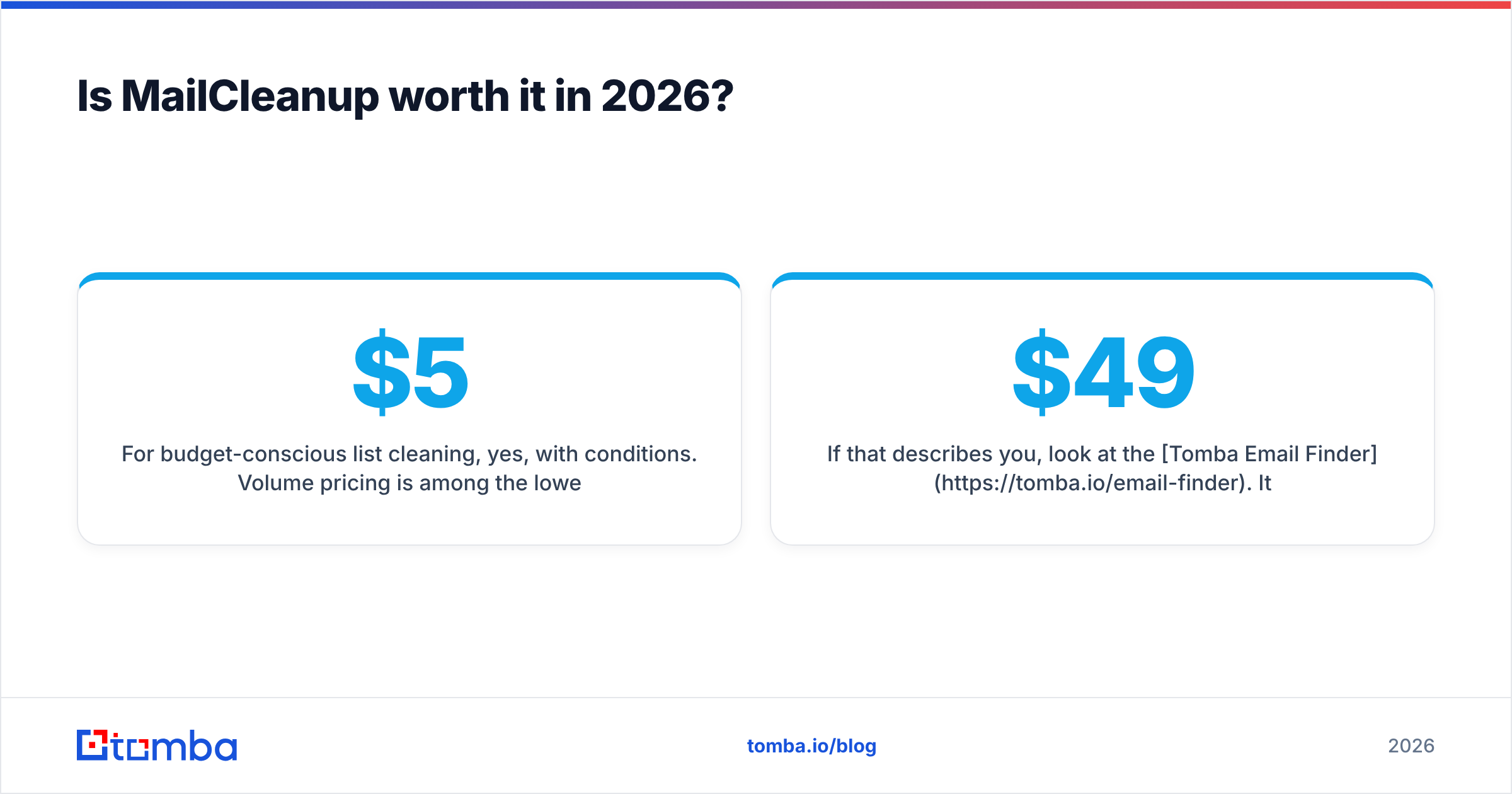
For budget-conscious list cleaning, yes, with conditions. Volume pricing is among the lowest available, the no-subscription model is honest, and a $5 pack makes it nearly free to test. The two caveats are the small amount of independent review data and the unknown performance on catch-all domains, and you can check both yourself in under an hour.
For sales and prospecting teams, it's often not the best tool for the job. Your main problem isn't cleaning a list you already have. It's building accurate lists in the first place, and that's easiest when finding and verifying happen in one step.
If that describes you, look at the Tomba Email Finder. It finds professional email addresses by name, domain, or company and verifies them in the same workflow, and the email verifier and catch-all verifier are there for lists you already own. You can start on the free tier with 25 searches a month, and the Tomba pricing page shows the Starter ($49/mo), Growth ($99/mo), and Pro ($249/mo) plans when you're ready to scale.
Related guides#
// start free
See who Tomba finds at any company
Type a company's domain to see its people, their roles and verified work emails, each with the pages it was found on. Free account, no card.
Free plan · No credit card required · GDPR & CCPA
// about the author