Mailcleanup vs OneMoreLead: Verifier or Lead Database in 2026?
Mailcleanup cleans the list you already have. OneMoreLead sells you a list you don't have yet. Here's which one your outbound stack needs, what each costs in 2026, and when you need neither.
TL;DR
- Mailcleanup and OneMoreLead are not direct competitors. Mailcleanup is a pay-as-you-go email verifier. OneMoreLead is a subscription B2B contact database. One cleans a list. The other gives you a list.
- Mailcleanup is cheap and simple: credits start at about $5 per 1,000 verifications, with no subscription and no auto-renewal, according to its G2 listing.
- OneMoreLead costs more per contact: reported plans start at $99/mo for 250 email and phone credits, which works out to roughly $0.40 per credit. Public reviews are thin.
- Pick Mailcleanup if you already have contacts and need to cut bounces. Pick OneMoreLead if you have no contacts and want a searchable database with filters.
- If you need both finding and verifying, a single platform that does both (Tomba, for example) usually costs less than paying for two tools.
People usually search "Mailcleanup vs OneMoreLead" because both tools appear on "email list" and "lead data" roundups and look like they do the same job. They don't. Comparing them is a bit like comparing a car wash to a car dealership. Both involve cars, but you go to each one for a different reason.
This guide covers what each tool does, how the pricing works out in practice, where each one fits in an outbound workflow, and when buying one platform makes more sense than buying both.
What is Mailcleanup?#
Mailcleanup is an email verification service. You upload a list (CSV or similar), it checks every address, and it tells you which ones are safe to send to, which are invalid, and which are risky.
Its checks include the standard steps a verifier runs:
- Syntax validation: catches typos and badly formatted addresses.
- MX record lookup: confirms the domain can receive mail.
- SMTP check: asks the mail server whether the mailbox exists, without sending an email.
- Disposable-address detection: flags throwaway inboxes.
- Catch-all detection: flags domains that accept mail for any address. These can't be fully confirmed.
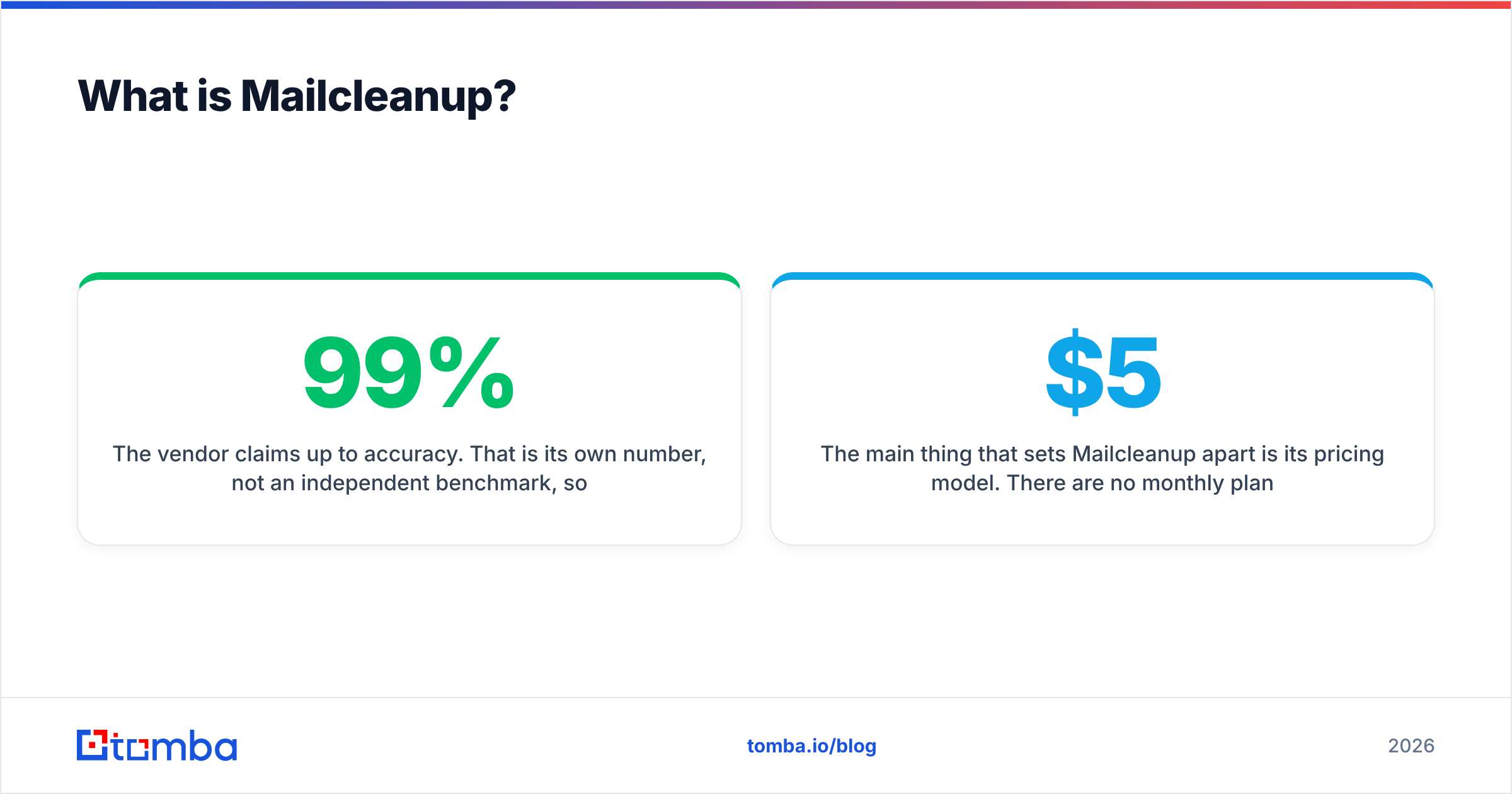
The vendor claims up to 99% accuracy. That is its own number, not an independent benchmark, so treat it the way you'd treat any vendor's accuracy claim.
The main thing that sets Mailcleanup apart is its pricing model. There are no monthly plans. You buy credits sized to your list, from about $5 for 1,000 emails up to about $500 for 1,000,000, and they don't renew automatically. Capterra lists a $5 starting price as a one-time flat rate and says no free trial is available.
What Mailcleanup doesn't do: it doesn't find contacts. If you don't have an email address, Mailcleanup can't help you.
What is OneMoreLead?#
OneMoreLead is a B2B lead database. You search by filters such as job title, industry, company size, and location, and you spend credits to reveal contact details like emails and phone numbers.
Its reported plans:
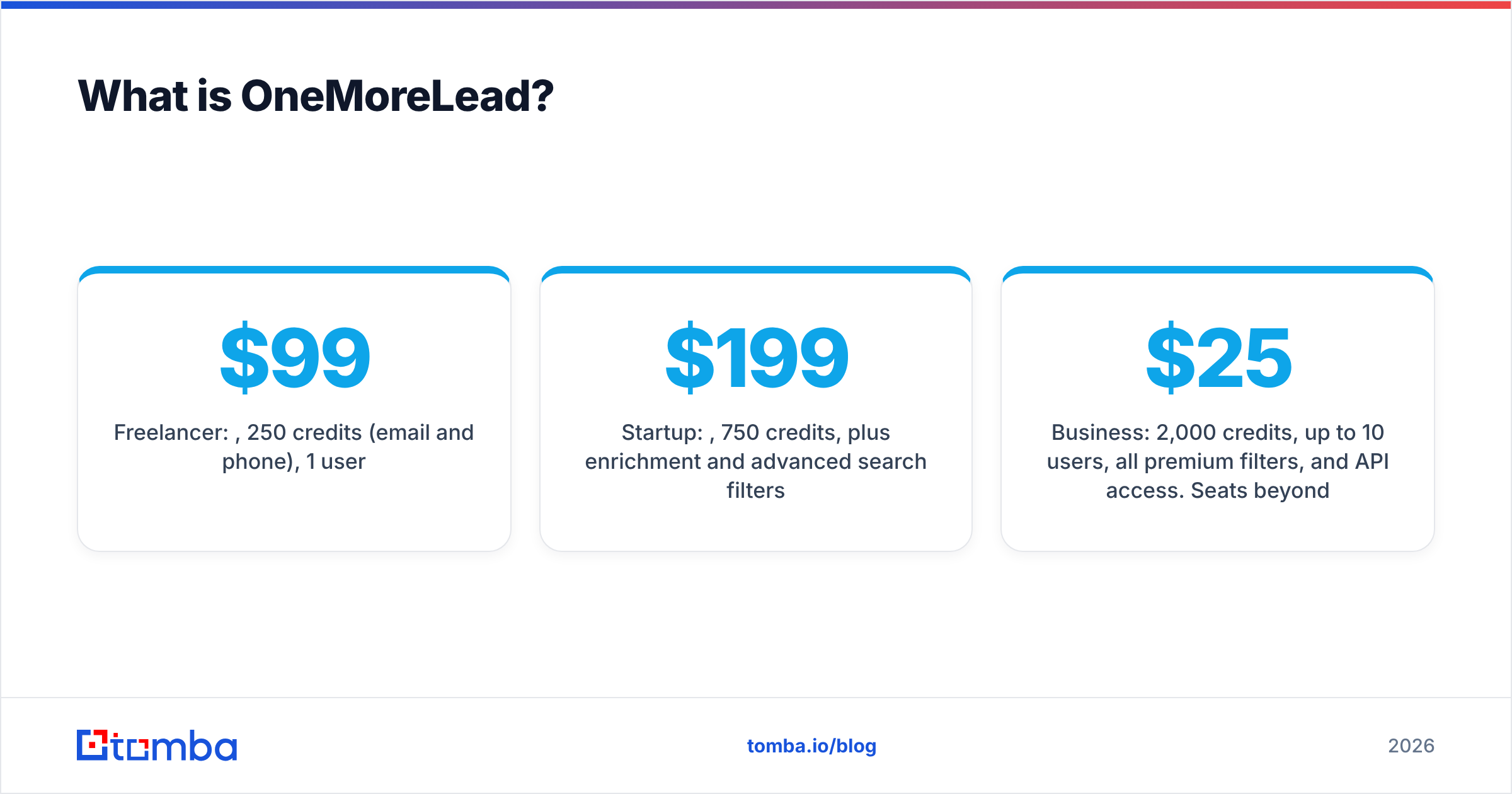
- Freelancer: $99/mo, 250 credits (email and phone), 1 user
- Startup: $199/mo, 750 credits, plus enrichment and advanced search filters
- Business: 2,000 credits, up to 10 users, all premium filters, and API access. Seats beyond the two included cost $25/mo each.
A few caveats are worth knowing before you buy:
- Database size claims vary. Different parts of the site have cited "55M+" and "over 40 million" contacts.
- What a credit buys isn't clear. Third-party reviewers point out that OneMoreLead doesn't spell out whether one credit covers an email, a phone number, or both.
- There aren't many reviews. As of this writing, G2 says it doesn't have enough OneMoreLead reviews to give buying insight.
- Overage pricing isn't published. If you run out of credits mid-month, you'll need to ask sales what top-ups cost.
None of this disqualifies OneMoreLead. It does mean you should run a trial batch before committing to an annual plan.
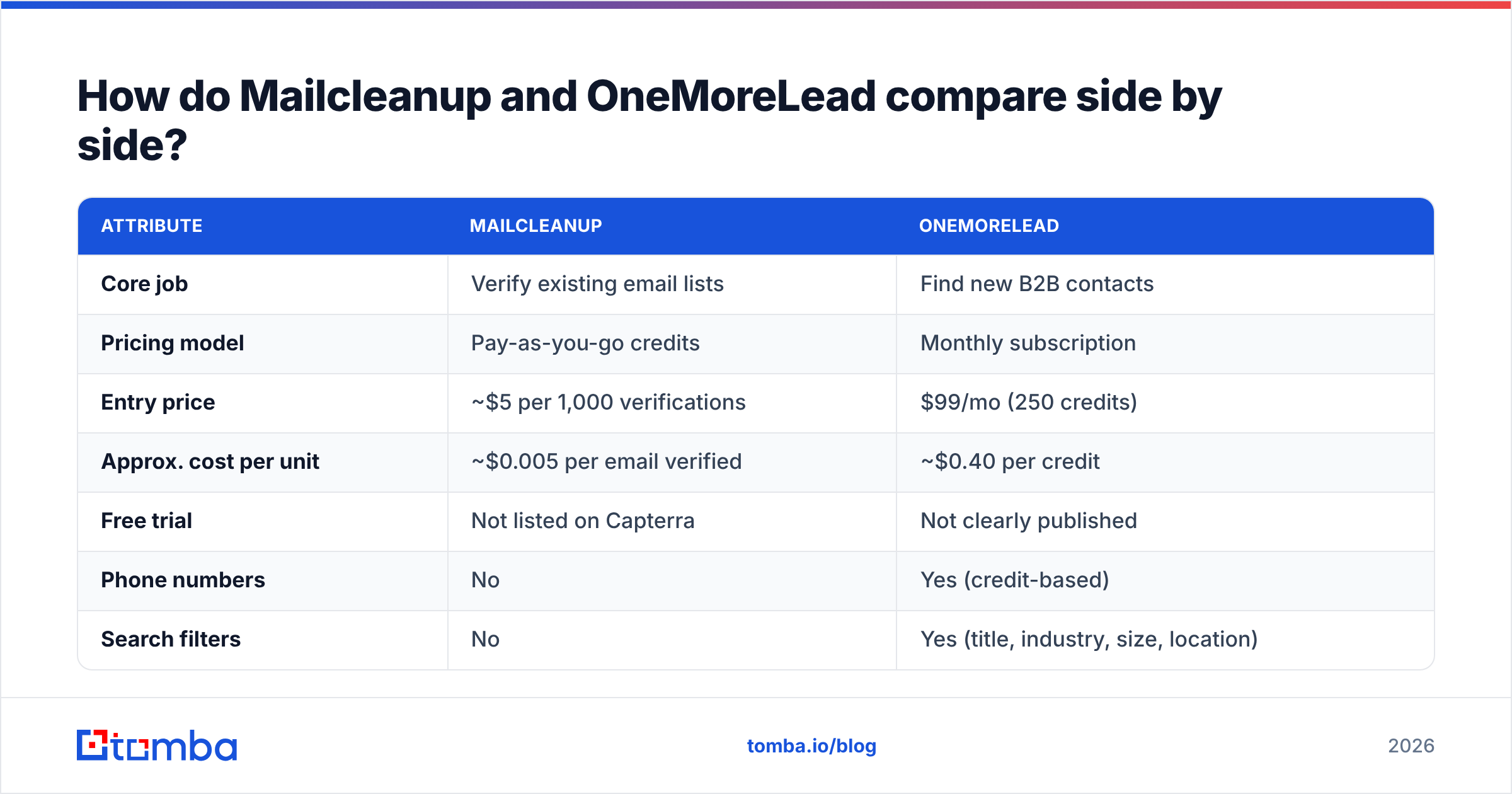
How do Mailcleanup and OneMoreLead compare side by side?#
| Attribute | Mailcleanup | OneMoreLead |
|---|---|---|
| Core job | Verify existing email lists | Find new B2B contacts |
| Pricing model | Pay-as-you-go credits | Monthly subscription |
| Entry price | ~$5 per 1,000 verifications | $99/mo (250 credits) |
| Approx. cost per unit | ~$0.005 per email verified | ~$0.40 per credit |
| Free trial | Not listed on Capterra | Not clearly published |
| Phone numbers | No | Yes (credit-based) |
| Search filters | No | Yes (title, industry, size, location) |
| Catch-all detection | Yes | Not a verifier |
| API access | Check with vendor | Business plan |
| Auto-renewal | No | Yes (subscription) |
| Best for | Cleaning lists before a campaign | Building lists from scratch |
The per-unit numbers are where the "versus" framing stops making sense. Verifying an email costs half a cent. Discovering one costs about 40 cents. You're paying for two very different kinds of work.
Which one should you buy for your use case?#
Base the decision on where your data comes from, not on brand names. Four common scenarios:
- You have a CRM full of old contacts. Buy Mailcleanup. Email data decays as people change jobs, so a list from two years ago will have a lot of dead addresses. Verifying before you send protects your sender reputation. This is also the cheapest fix on this list.
- You're starting outbound with zero contacts. Mailcleanup is useless here because there's nothing to verify. You need a database or an email finder. OneMoreLead fits if you want filter-based list building with phone numbers included.
- You buy lists from a database and want to send safely. You may need both. Databases go stale too, so many teams run every export through a verifier before it goes into a sequencer. That's two vendors, two bills, and a CSV handoff in between.
- You prospect account by account. You know the company and the person, and you just need the address. A filtered database is overkill for this. A targeted email finder that searches by name and domain is faster and costs less per lookup.
Is OneMoreLead data accurate enough to skip verification?#
Probably not, and that applies to any database, not just OneMoreLead.
B2B contact data decays all the time. People change jobs, companies rebrand domains, and mailboxes get shut down. Even a database that was accurate when it was compiled loses accuracy every month after that. A 5% bounce rate is enough to get you flagged by mailbox providers, which is why serious outbound teams verify before sending, whatever the source.
OneMoreLead's limited public review footprint means there's no strong outside evidence for its accuracy either way. The practical approach:
- Export a small batch (50 to 100 contacts) in your target segment.
- Run it through a verifier. Mailcleanup works, or use an email verifier built into your existing tool.
- Measure the invalid rate and the catch-all rate.
- If more than about 10% come back invalid, budget for verification on every export.
This test costs very little and tells you more than any marketing page.
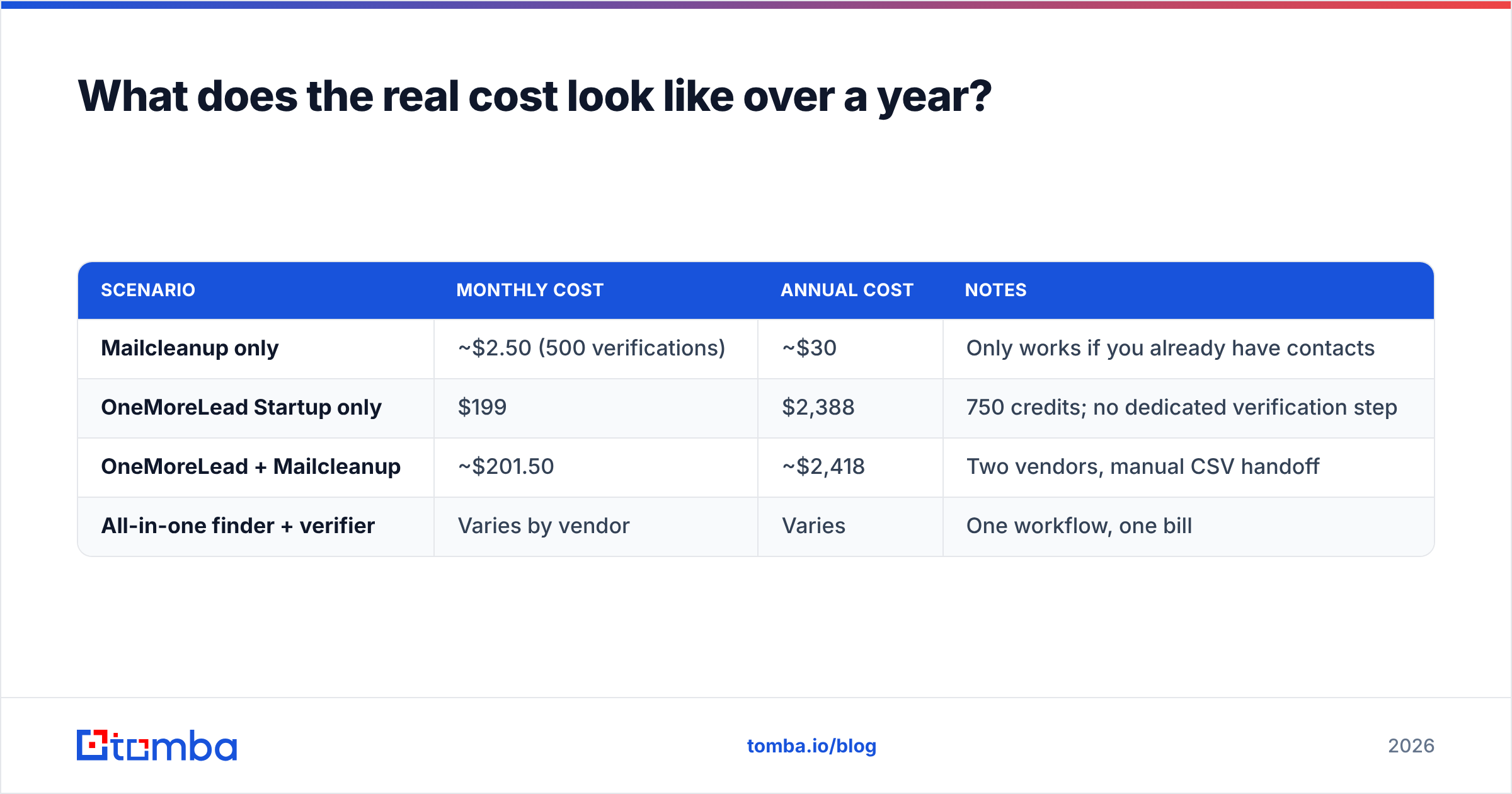
What does the real cost look like over a year?#
Here's an example: a small outbound team that wants about 500 new contacts a month and verifies everything before sending.
| Scenario | Monthly cost | Annual cost | Notes |
|---|---|---|---|
| Mailcleanup only | ~$2.50 (500 verifications) | ~$30 | Only works if you already have contacts |
| OneMoreLead Startup only | $199 | $2,388 | 750 credits; no dedicated verification step |
| OneMoreLead + Mailcleanup | ~$201.50 | ~$2,418 | Two vendors, manual CSV handoff |
| All-in-one finder + verifier | Varies by vendor | Varies | One workflow, one bill |
Mailcleanup adds almost nothing to the budget. The subscription is the big cost. So the real question is whether you need a filter-based database at $0.40 per credit, or whether a finder-plus-verifier platform covers your workflow for less.
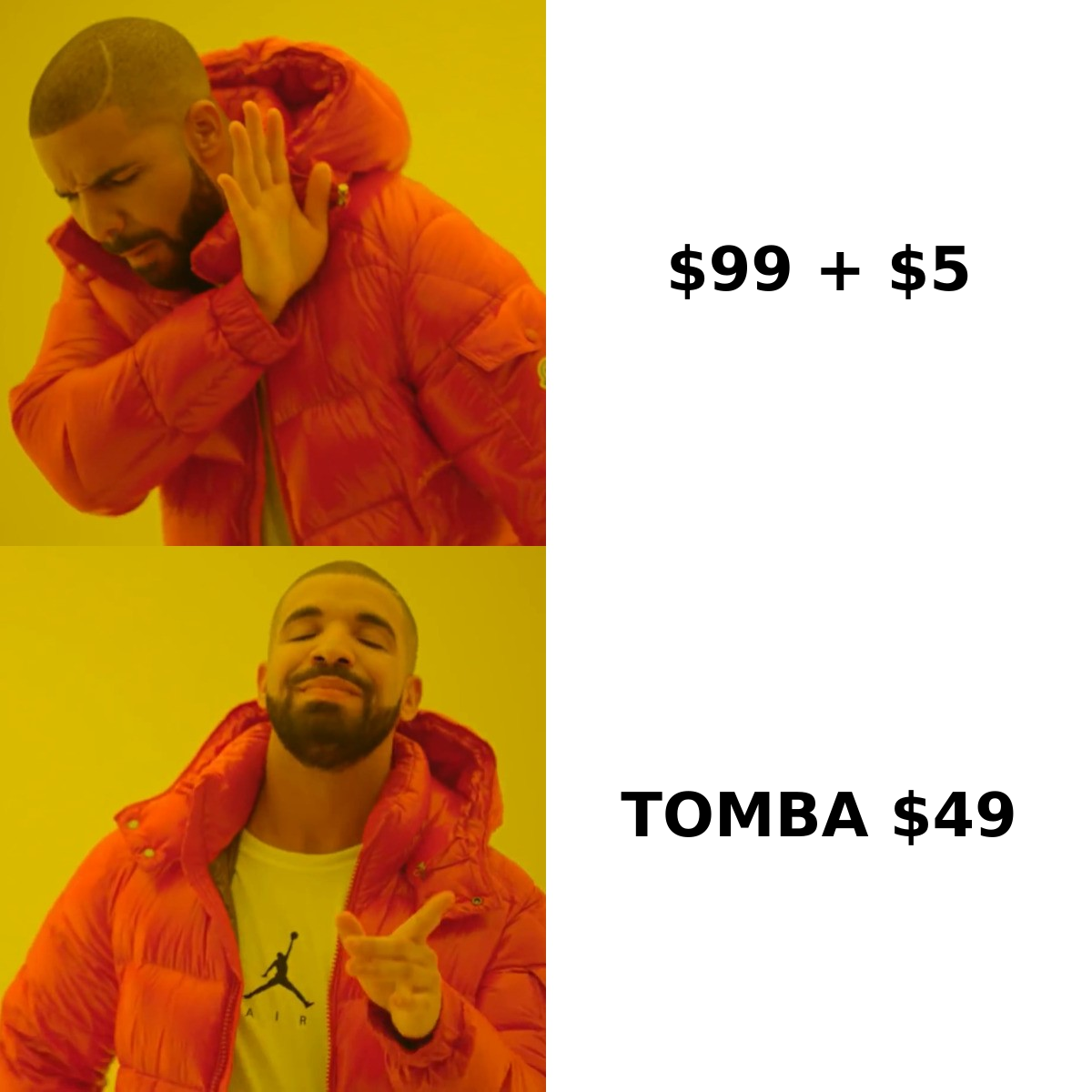
For comparison, the published Tomba pricing starts with a free tier of 25 searches a month, then Starter at $49/mo, Growth at $99/mo, Pro at $249/mo, and custom Enterprise. Finding and verification are in the same account. That doesn't make Tomba the right answer for everyone. If your workflow depends on wide filter-based list building with phone data, a dedicated database may still be the better fit. But you should run the comparison before signing up for two subscriptions.
What are the pros and cons of each?#
Mailcleanup pros
- No subscription and no auto-renewal. You pay only when you use it.
- Very low per-email cost.
- Standard verification checks, including catch-all detection.
- Simple upload, verify, download workflow that anyone on the team can use.
Mailcleanup cons
- Verification only, with no contact discovery.
- No free trial listed on Capterra.
- Accuracy claim comes from the vendor and hasn't been independently tested.
- Small review base compared with the bigger verifiers.
OneMoreLead pros
- Filter-based search across a sizable B2B database.
- Includes phone numbers alongside emails.
- Multi-user and API access on the Business tier.
- Useful for building lists from scratch in a defined ICP.
OneMoreLead cons
- High effective cost per credit (about $0.40).
- What each credit covers isn't clearly defined.
- Inconsistent database-size claims.
- Very few public reviews to validate quality.
- Overage pricing isn't published.
Are there alternatives that do both jobs?#
Yes. Most modern prospecting platforms bundle finding and verifying because buyers got tired of moving CSVs between tools. When you evaluate them, check four things:
- Verification at find time: does the tool verify an address automatically when it returns it, or do you pay separately to verify?
- Catch-all handling: does it flag catch-all domains, and can it go further than a plain "risky" label?
- Multiple ways to search: can you search by domain, by name plus company, and from LinkedIn, or only through one interface?
- Workflow integrations: does it plug into your CRM, Google Sheets, or sequencer, so data doesn't end up stuck in CSV exports?
Tomba covers these with its email finder, verifier, domain search, and catch-all verifier in one account. Other well-known options include Hunter, Apollo, and Snov.io, each with different tradeoffs on database depth and pricing. If you're already looking at OneMoreLead as a database, compare it against at least two of these on the same 100-contact test batch. The results usually make the choice for you.
So, Mailcleanup vs OneMoreLead: who wins?#
Neither one wins outright, because they don't compete on the same job.
- Mailcleanup is the right pick if you already own contact data and want a cheap, no-commitment way to clean it before sending. Few tools are simpler or cheaper for pure list hygiene.
- OneMoreLead is the right pick if you need to build lists from nothing, value phone numbers, and are comfortable paying a premium per contact for filter-based search. Run a test batch first, since public validation is limited.
- Neither is the right pick on its own if you need to find and verify emails as part of one ongoing workflow. Paying for a database plus a separate verifier adds cost and manual steps that a combined tool avoids.
The worst outcome is buying OneMoreLead, assuming its data is clean, and burning your domain on bounces in the first week. The second worst is buying Mailcleanup and finding out you have nothing to upload.
Ready to find and verify emails in one place?#
If you've realised you need to discover contacts and confirm they're deliverable, without two subscriptions and a CSV relay between them, try Tomba Email Finder. You can search by domain, by name and company, or straight from LinkedIn, and every result comes with verification status built in. The free tier gives you 25 searches a month to test it on your own target accounts before you pay anything.
Related guides#
// start free
See who Tomba finds at any company
Type a company's domain to see its people, their roles and verified work emails, each with the pages it was found on. Free account, no card.
Free plan · No credit card required · GDPR & CCPA
// about the author